light Acura MDX 2009 Owner's Guide
[x] Cancel search | Manufacturer: ACURA, Model Year: 2009, Model line: MDX, Model: Acura MDX 2009Pages: 489, PDF Size: 11.91 MB
Page 156 of 489
4. To close the windows and themoonroof further, turn and hold
the key again (within 10 seconds
of step 2).
Auto reverse does not work when
closing the windows and moonroof
with the key.
NOTE: If the windows and the
moonroof stop before the desired
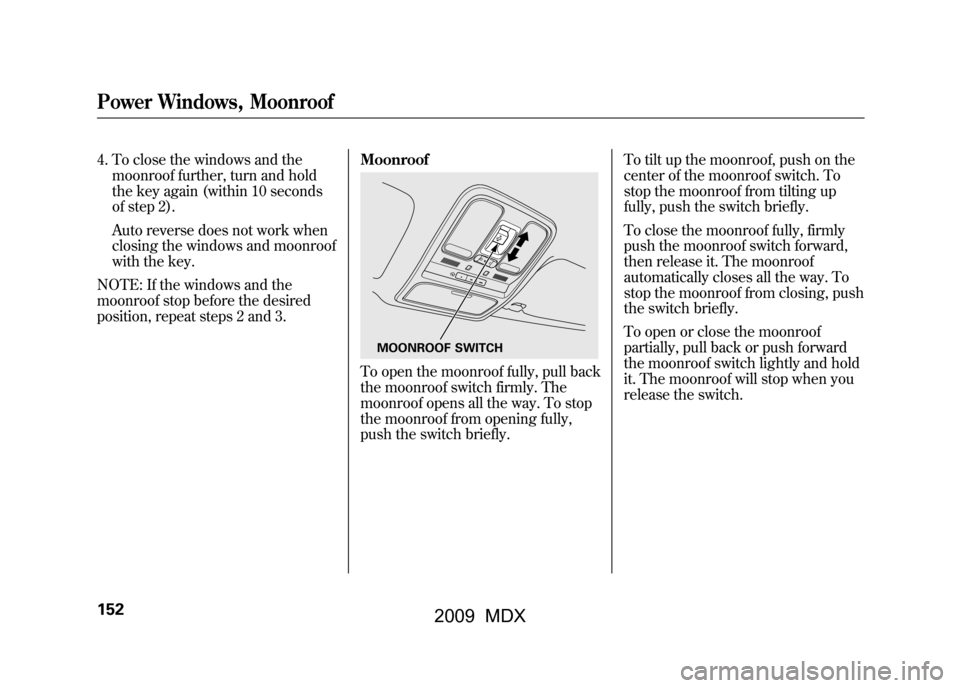
position, repeat steps 2 and 3. Moonroof
To open the moonroof fully, pull back
the moonroof switch firmly. The
moonroof opens all the way. To stop
the moonroof from opening fully,
push the switch briefly.To tilt up the moonroof, push on the
center of the moonroof switch. To
stop the moonroof from tilting up
fully, push the switch briefly.
To close the moonroof fully, firmly
push the moonroof switch forward,
then release it. The moonroof
automatically closes all the way. To
stop the moonroof from closing, push
the switch briefly.
To open or close the moonroof
partially, pull back or push forward
the moonroof switch lightly and hold
it. The moonroof will stop when you
release the switch.
MOONROOF SWITCH
Power Windows, Moonroof15208/06/06 16:58:07 09 ACURA MDX MMC North America Owner's M 50 31STX620 enu
2009 MDX
Page 158 of 489

Driving the vehicle with the parking
brake applied can damage the rear
brakes and axles. A beeper will sound if
the vehicle is driven with the parking
brake on.Mirrors
Keep the inside and outside mirrors
clean and adjusted for best visibility.
Be sure to adjust the mirrors before
you start driving.
The inside mirror can automatically
darken to reduce glare. To turn on
this feature, press the button on the
bottom of the mirror. The AUTO
indicator comes on as a reminder.
When it is on, the mirror darkens
when it senses the headlights of a
vehicle behind you, then returns to
normal visibility when the lights are
gone. Press the button again to turn
off this feature.INDICATOR
AUTO BUTTON SENSOR
Parking Brake, Mirrors15408/06/06 16:58:07 09 ACURA MDX MMC North America Owner's M 50 31STX620 enu
2009 MDX
Page 160 of 489
Reverse Tilt Door Mirror
Both outside door mirrors have a
reverse tilt feature. When in reverse,
the selected mirror will tilt down
slightly to improve your view as you
parallel park. Shifting out of reverse
will return the mirror to its their
original position.●To tilt the driver's mirror, place the
selector switch in the left position.●To tilt the passenger's mirror,
place the switch in the right
position.●To turn the feature off, place the
switch in the center position.
Outside mirror positions can be
stored in the driving position
memory system (see page157). Heated Mirrors
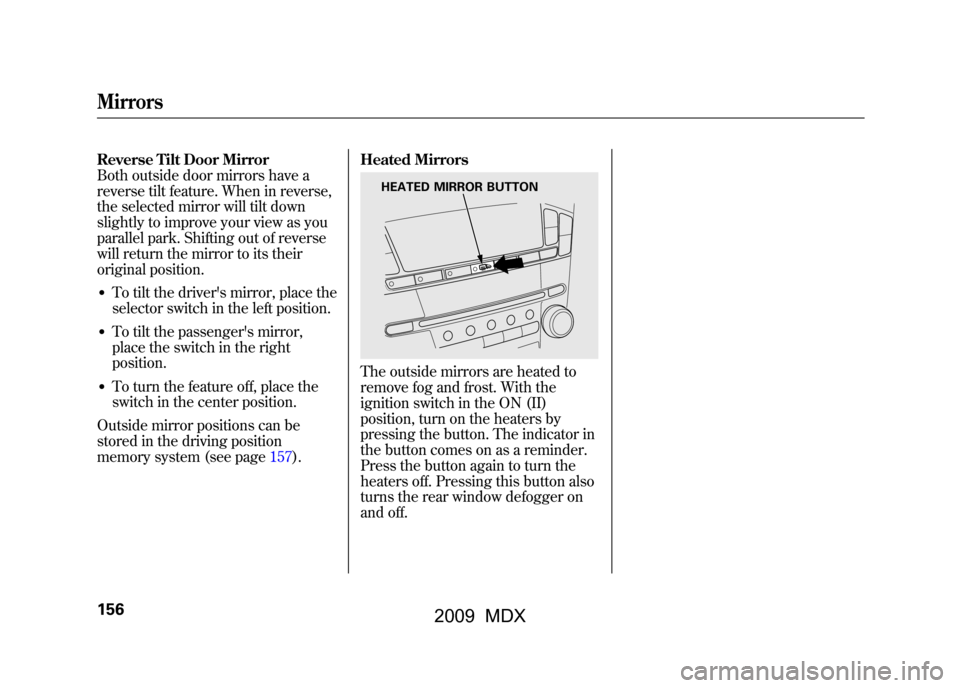
The outside mirrors are heated to
remove fog and frost. With the
ignition switch in the ON (II)
position, turn on the heaters by
pressing the button. The indicator in
the button comes on as a reminder.
Press the button again to turn the
heaters off. Pressing this button also
turns the rear window defogger on
and off.
HEATED MIRROR BUTTON
Mirrors15608/06/06 16:58:07 09 ACURA MDX MMC North America Owner's M 50 31STX620 enu
2009 MDX
Page 163 of 489
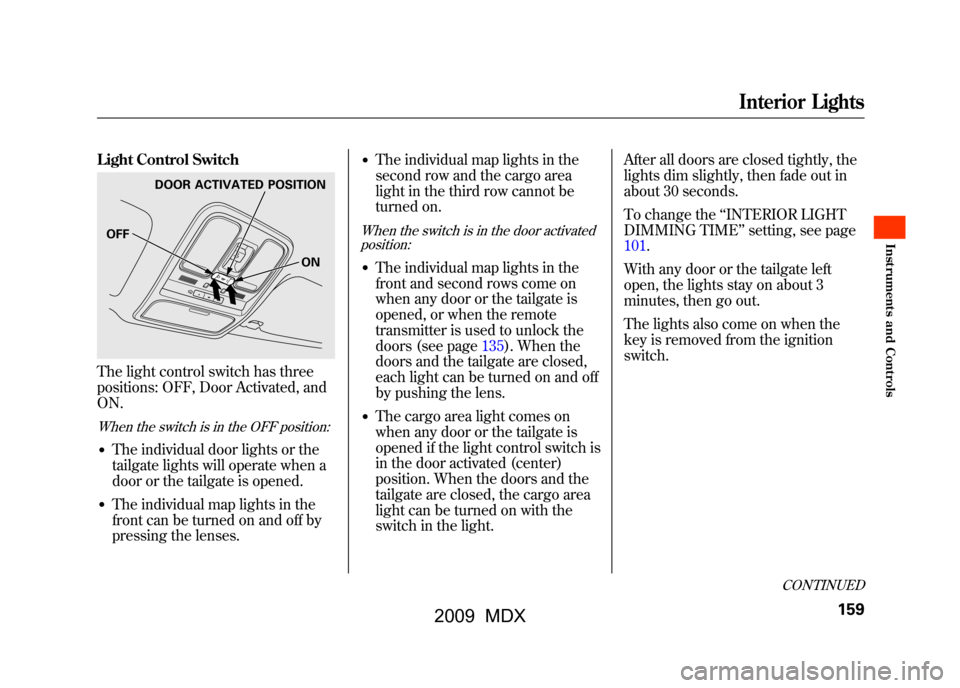
Light Control SwitchThe light control switch has three
positions: OFF, Door Activated, and
ON.When the switch is in the OFF position:●The individual door lights or the
tailgate lights will operate when a
door or the tailgate is opened.●The individual map lights in the
front can be turned on and off by
pressing the lenses.
●The individual map lights in the
second row and the cargo area
light in the third row cannot be
turned on.When the switch is in the door activatedposition:●The individual map lights in the
front and second rows come on
when any door or the tailgate is
opened, or when the remote
transmitter is used to unlock the
doors (see page135).When the
doors and the tailgate are closed,
each light can be turned on and off
by pushing the lens.●The cargo area light comes on
when any door or the tailgate is
opened if the light control switch is
in the door activated (center)
position. When the doors and the
tailgate are closed, the cargo area
light can be turned on with the
switch in the light. After all doors are closed tightly, the
lights dim slightly, then fade out in
about 30 seconds.
To change the
‘‘INTERIOR LIGHT
DIMMING TIME’’ setting, see page
101.
With any door or the tailgate left
open, the lights stay on about 3
minutes, then go out.
The lights also come on when the
key is removed from the ignition
switch.
DOOR ACTIVATED POSITION
ON
OFF
CONTINUED
Interior Lights
159
Inst rument s and Cont rols
08/06/06 16:58:07 09 ACURA MDX MMC North America Owner's M 50 31STX620 enu
2009 MDX
Page 164 of 489

When the light control switch is in theON position:●All the individual map lights come
on and stay on as long as the
switch remains in the ON position.●The cargo (3rd row) area light
comes on if the switch is in the
door activated position. Individual Map Lights
Turn on the front row individual map
lights by pushing the lens. Push the
lens again to turn it off. With the light
control switch in the door activated
position, the second row map lights
can be turned on by pushing the
lens. Push the lens again to turn it
off.
The courtesy light between the map
lights comes on when you turn the
parking lights on. To adjust its
brightness, press either of the
instrument panel brightness control
buttons (+
or-).
FRONT
COURTESY LIGHT
Interior Lights16008/06/06 16:58:07 09 ACURA MDX MMC North America Owner's M 50 31STX620 enu
2009 MDX
Page 165 of 489

Cargo Area LightThe cargo area light has a three-
position switch. In the OFF position,
the light does not come on. In the
center position, it comes on when
you open the tailgate. In the ON
position, it stays on continuously.Tailgate Lights
The lights in the tailgate have an on-
off switch to control if the lights
come on when the tailgate is opened.
The tailgate lights do not come on
when any other doors are opened.
Individual Interior Lights
The courtesy lights in all four doors
come on when you open any door.
The light around the ignition switch
comes on when any door is opened.
After you close the door, the ignition
switch light stays on for about 30
seconds regardless of the interior
light dimming time setting (see page
101).
ON
OFF
Interior Lights
161
Inst rument s and Cont rols
08/06/06 16:58:07 09 ACURA MDX MMC North America Owner's M 50 31STX620 enu
2009 MDX
Page 170 of 489
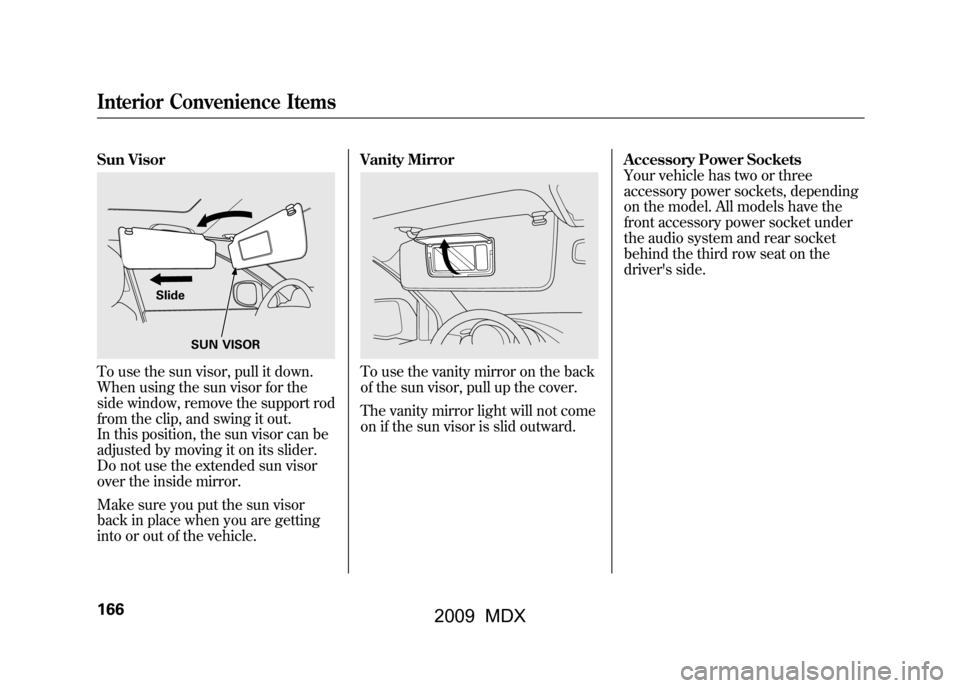
Sun VisorTo use the sun visor, pull it down.
When using the sun visor for the
side window, remove the support rod
from the clip, and swing it out.
In this position, the sun visor can be
adjusted by moving it on its slider.
Do not use the extended sun visor
over the inside mirror.
Make sure you put the sun visor
back in place when you are getting
into or out of the vehicle.Vanity Mirror
To use the vanity mirror on the back
of the sun visor, pull up the cover.
The vanity mirror light will not come
on if the sun visor is slid outward.
Accessory Power Sockets
Your vehicle has two or three
accessory power sockets, depending
on the model. All models have the
front accessory power socket under
the audio system and rear socket
behind the third row seat on the
driver's side.
SUN VISOR
Slide
Interior Convenience Items16608/06/06 16:58:07 09 ACURA MDX MMC North America Owner's M 50 31STX620 enu
2009 MDX
Page 171 of 489

MDX, Technology, and U.S. SportPackages modelsThe accessory power socket is
located at the back of the front
console compartment.
To use an accessory power socket,
the ignition switch must be in the
ACCESSORY (I) or ON (II) position. Each socket is intended to supply
power for 12 volt DC accessories that
are rated 120 watts or less (10 amps).
None of the sockets will power an
automotive type cigarette lighter
element.
AC Power Outlet
U.S. Entertainment Packages and
Canadian Elite Package modelsThere is a 115 volt AC power outlet
inside the front console
compartment. To use the AC power
outlet, open the lids and open the
outlet cover. Insert the plug into the
receptacle slightly, turn it 90°
clockwise, then push in the plug all
the way.
CONTINUED
Interior Convenience Items
167
Inst rument s and Cont rols
08/06/06 16:58:07 09 ACURA MDX MMC North America Owner's M 50 31STX620 enu
2009 MDX
Page 176 of 489

When you set the temperature to its
lower limit (
) or its upper limit
(
), the system runs at full cooling
or heating only. It does not regulate
the interior temperature.
When you press a fan control button,
the fan is taken out of AUTO mode.
When the indicator in the dual
button is on, the driver's side and
passenger's side temperature can be
controlled independently (see page
177).
When the indicator in the rear button
is on, the temperature of the rear
passenger compartment can be
controlled independently (see page
177).
On models with navigation systemIn the Auto mode, the vehicle's
interior temperature is independently
regulated for the driver, front
passenger, and rear passengers
according to each adjusted
temperature. The system also
regulates each temperature based on
the information of the sun light
sensor and the sun's position which
is updated automatically by the
navigation's global positioning
system (GPS). For example, if the
driver's side of the vehicle is getting
too much sun, the system will adjust
to a lower temperature.
Dual ButtonYou can set the temperatures for the
driver's side and the passenger's side
separately when this button is
pressed (indicator is on). When the
indicator in the DUAL button is off,
the temperatures for both sides are
synchronized to the driver's side set
temperature. When defrost mode is
selected, dual mode operation is
canceled.
Climate Control System17208/06/06 16:58:07 09 ACURA MDX MMC North America Owner's M 50 31STX620 enu
2009 MDX
Page 183 of 489

Sunlight and Temperature
SensorsTo regulate the interior temperature
and humidity, the climate control
system has two sensors. A sunlight
sensor is located in the top of the
dashboard and a temperature/
humidity sensor is next to the
steering column. Do not cover the
sensors or spill any liquid on them.
SUNLIGHT SENSOR
TEMPERATURE/HUMIDITY SENSOR
Climate Control System
179
Feat ures
08/06/06 16:58:07 09 ACURA MDX MMC North America Owner's M 50 31STX620 enu
2009 MDX