parking Acura TLX 2019 Service Manual
[x] Cancel search | Manufacturer: ACURA, Model Year: 2019, Model line: TLX, Model: Acura TLX 2019Pages: 591, PDF Size: 34.5 MB
Page 449 of 591

447
uuParking Your Vehicle uParking Sensor System*
Continued
Driving
Parking Sensor System*
The corner and center sensors monitor obstacles around your vehicle, and the
beeper and information screen lets you know the approximate distance between
your vehicle and the obstacle.
■The sensor location and range
1 Parking Sensor System*
Even when the system is on, always confirm if there is
no obstacle near your ve hicle before parking.
The system may not work properly when:
•The sensors are covered with snow, ice, mud or
dirt.
•The vehicle is on uneven su rface, such as grass,
bumps, or a hill.
•The vehicle has been out in hot or cold weather.•The system is affected by devices that emit
ultrasonic waves.
•Driving in bad weather.
The system may not sense:
•Thin or low objects.•Sonic-absorptive materials, such as snow, cotton,
or sponge.
•Objects directly under the bumper.
Do not put any accessories on or around the sensors.
Front: Within about 28 in (70 cm) or less
Rear: Within about 35 in (90 cm) or less
Front: Within about 28 in (70 cm) or less
Rear: Within about 28 in (70 cm) or less
Models with A-SPEC emblem
Models without A-SPEC emblem
Front Corner Sensors Rear Corner Sensors Rear Center Sensors
Front: Within about 31 in (80 cm) or less
Rear: Within about 43 in (110 cm) or less
Front Center Sensors
* Not available on all models
19 ACURA TLX-31TZ36400.book 447 ページ 2018年2月16日 金曜日 午後12時22分
Page 450 of 591

448
uuParking Your Vehicle uParking Sensor System*
Driving
■Parking sensor system on and off
With the power mode in ON, press the
parking sensor system button to turn the
system on or off. The indicator in the button
comes on when the system is on.
The rear center and corner sensors and the
front corner sensors start to detect an obstacle
when the transmission is in
(R, and the
vehicle speed is less than 5 mph (8 km/h).
The front center and corner sensors start to
detect an obstacle when the transmission is
not in
(P or (R, and the vehicle speed is less
than 5 mph (8 km/h).
19 ACURA TLX-31TZ36400.book 448 ページ 2018年2月16日 金曜日 午後12時22分
Page 451 of 591

449
uuParking Your Vehicle uParking Sensor System*
Continued
Driving
■When the distance between your vehicle and obstacles behind becomes shorter
*1:Models with A-SPEC emblem
*2:At this stage, only the center sensors detect obstacles.
Length of the
intermittent beepDistance between the Bumper and ObstacleIndicatorInformation ScreenCorner SensorsCenter Sensors
ModerateRear*1: About 35-28 in
(90-70 cm)
Front: About 31-28 in (80-70 cm)
Rear: About 43-28 in
(110-70 cm)
Blinks in Yellow*2
ShortAbout 28-18 in (70-45 cm) About 28-18 in (70-45 cm)
Blinks in Amber
Very shortAbout 18-14 in (45-35 cm) About 18-14 in (45-35 cm)
ContinuousAbout 14 in
(35 cm) or lessAbout 14 in
(35 cm) or lessBlinks in Red
Models with multi-view rear
camera system
Indicators light where the
sensor detects an obstacle.
Models with surround view
camera system
Indicators light where the
sensor detects an obstacle.
19 ACURA TLX-31TZ36400.book 449 ページ 2018年2月16日 金曜日 午後12時22分
Page 452 of 591
uuParking Your Vehicle uParking Sensor System*
450
Driving
1. Make sure that the parking sensor system is not activated. Set the power mode to
VEHICLE OFF (LOCK).
2. Press and hold the parking sensor system button, and set the power mode to ON.
3. Keep pressing the button for 10 seconds. Release the button when the indicator
in the button flashes.
4. Press the button again. The indi cator in the button goes off.
u The beeper sounds twice. The re ar sensors are now turned off.
To turn the rear sensors on again, follow the above procedure. The beeper sounds
three times when the rear sensors come back on.
■Turning off All Rear Sensors1 Turning off All Rear Sensors
When you set the gear position to
(R, the indicator
in the parking sensor system button blinks as a
reminder that the rear sens ors have been turned off.
19 ACURA TLX-31TZ36400.book 450 ページ 2018年2月16日 金曜日 午後12時22分
Page 453 of 591

451
uuParking Your Vehicle uCross Traffic Monitor*
Continued
Driving
Cross Traffic Monitor*
Monitors the rear corner areas using the radar sensors when reversing, and alerts
you if a vehicle approaching from a rear corner is detected.
The system is convenient when you are backing out of a parking space.1Cross Traffic Monitor*
3CAUTION
Cross Traffic Monitor cannot detect all
approaching vehicles and may not detect
an approaching vehicle at all.
Failure to visually confirm that it is safe to
back up the vehicle before doing so may
result in a collision.
Do not solely rely on the system when
reversing; always also use your mirrors, and
look behind and to the sides of your vehicle
before reversing.
* Not available on all models
19 ACURA TLX-31TZ36400.book 451 ページ 2018年2月16日 金曜日 午後12時22分
Page 454 of 591

uuParking Your Vehicle uCross Traffic Monitor*
452
Driving
The system activates when:
• The power mode is in ON.
• The Cross Traffic Monitor is turned on.
2 Cross Traffic Monitor On and Off P. 455
2 Customized Features P. 292
•The transmission is in (R.
• Your vehicle is moving at 3 mph (5 km/h) or
lower.
When a vehicle is detected approaching from a rear corner, Cross Traffic Monitor
alerts you with a buzzer and a displayed warning.
The system will not detect a vehicle that approaches from directly behind your
vehicle, nor will it provide alerts about a detected vehicle when it moves directly
behind your vehicle.
The system does not provide alerts for a vehicle that is moving away from your
vehicle, and it may alert for pedestri ans, bicycles, or stationary objects.
■How the System Works1Cross Traffic Monitor*
Cross Traffic Monitor may not detect or may delay
alerting an approach ing vehicle, or may alert without
an approaching vehicle under the following
conditions:
•An obstacle, such as a nother vehicle and a wall,
near your vehicle’s rear bumper, is blocking the
radar sensor’s scope.
•Your vehicle is moving at the speed of about 3 mph
(5 km/h) or higher.
•A vehicle is approaching at the speed other than
between about 6 mph (10 km/h) and 16 mph (25
km/h).
•The system picks up external interference such as
other radar sensors from an other vehicle or strong
radio wave transmitted fr om a facility nearby.
•Either corner of the rear bumper is covered with
snow, ice, mud or dirt.
•When there is bad weather.
•Your vehicle is on an incline.
•Your vehicle is tilted due to a heavy load in the rear.•Your vehicle is reversing towards a wall, a pole, a
vehicle, and so on.
•The rear bumper or the sensors have been
improperly repaired or the rear bumper has been
deformed. Have your vehi cle checked by a dealer.
Radar sensors:
Underneath the rear bumper
corners
* Not available on all models
19 ACURA TLX-31TZ36400.book 452 ページ 2018年2月16日 金曜日 午後12時22分
Page 455 of 591

Continued453
uuParking Your Vehicle uCross Traffic Monitor*
Driving
1Cross Traffic Monitor*
For proper operation, always keep the rear bumper
corner area clean.
Do not cover the rear bumper corner area with labels
or stickers of any kind.
The parking sensor system’s alerting buzzer overrides
the Cross Traffic Monitor buzzer when the sensors
are detecting obstacles at the closest range.
Models with parking sensor system
* Not available on all models
19 ACURA TLX-31TZ36400.book 453 ページ 2018年2月16日 金曜日 午後12時22分
Page 456 of 591

uuParking Your Vehicle uCross Traffic Monitor*
454
Driving
An arrow icon appears on the side a vehicle is approaching on the information
screen.
■When the System Detects a Vehicle1When the System Detects a Vehicle
If the on the lower right changes to in amber
when the transmission is in
( R, mud snow or ice, etc.
may have accumulated in th e vicinity of the sensor.
The system is temporarily canceled. Check the
bumper corners for any obs tructions, and thoroughly
clean the area if necessary.
If the comes on when the transmission is in
( R,
there may be a problem with the Cross Traffic
Monitor system. Do not use the system and have your
vehicle checked by a dealer.
If the display remains the same with the transmission
in
( R, there may be a problem with the rear camera
system and the Cross Traffic Monitor system.
Do not use the system and have your vehicle checked
by a dealer.
Models with surround view camera system
Models with multi-view rear camera system
Top Down View
Normal View
Arrow IconWide View
Rear Normal View
Rear Ground View Rear Wide View
19 ACURA TLX-31TZ36400.book 454 ページ 2018年2月16日 金曜日 午後12時22分
Page 457 of 591
455
uuParking Your Vehicle uCross Traffic Monitor*
Driving
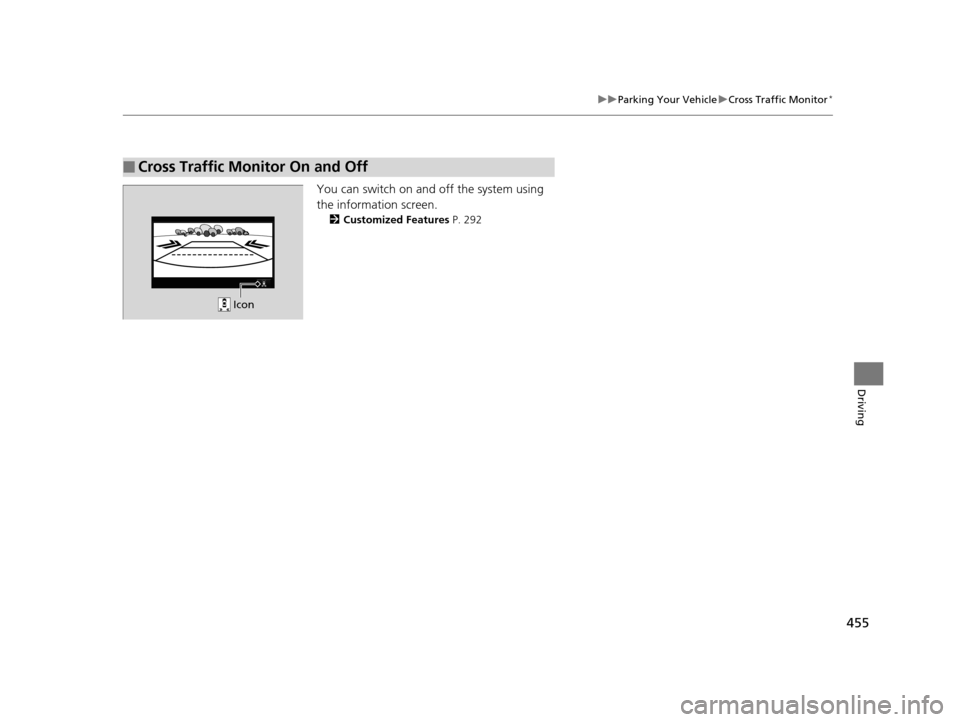
You can switch on and off the system using
the information screen.
2 Customized Features P. 292
■Cross Traffic Monitor On and Off
Icon
19 ACURA TLX-31TZ36400.book 455 ページ 2018年2月16日 金曜日 午後12時22分
Page 467 of 591
465
uuBefore Performing Maintenance uSafety When Performing Maintenance
Maintenance
Safety When Performing Maintenance
Some of the most important safe ty precautions are given here.
However, we cannot warn you of every conceivable hazard that can arise in
performing maintenance. Only you can decide whether you should perform a given
task.
• To reduce the possibility of fire or explos ion, keep cigarettes, sparks, and flames
away from the battery and all fuel related parts.
• Never leave rags, towels, or other flammable objects under the hood.
u Heat from the engine and exhaust can ignite them, causing a fire.
• To clean parts, use a co mmercially available degreas er or parts cleaner, not
gasoline.
• Wear eye protection and protective clothi ng when working with the battery or
compressed air.
• Engine exhaust contains carbon monoxide, which is poisonous and can kill you.
u Only operate the engine if th ere is sufficient ventilation.
• The vehicle must be in a stationary condition.
u Make sure your vehicle is parked on le vel ground, the parking brake is set, and
the engine is off.
• Be aware that hot parts can burn you.
u Make sure to let the engine and exhaust system cool thoroughly before
touching vehicle parts.
• Be aware that moving parts can injure you.
u Do not start the engine unless instruct ed, and keep your hands and limbs away
from moving parts.
u Do not open the hood while the Auto Idle Stop function
* is activated.
■Maintenance Safety
■Vehicle Safety
1Safety When Performing Maintenance
3WARNING
Improperly maintaining this vehicle or
failing to correct a pr oblem before driving
can cause a crash in which you can be
seriously hurt or killed.
Always follow the inspection and
maintenance recommendations according
to the schedules in this owner’s manual.
3WARNING
Failure to properly follow maintenance
instructions and precautions can cause you
to be seriously hurt or killed.
Always follow the procedures and
precautions in this owner’s manual.
* Not available on all models
19 ACURA TLX-31TZ36400.book 465 ページ 2018年2月16日 金曜日 午後12時22分