ad blue Acura ZDX 2012 User Guide
[x] Cancel search | Manufacturer: ACURA, Model Year: 2012, Model line: ZDX, Model: Acura ZDX 2012Pages: 645, PDF Size: 16.36 MB
Page 277 of 645

DISPLAYVOL/ꂻ(VOLUME/POWER) KNOB
TUNE BAR TITLE BUTTON
SKIP BAR
RETURN BUTTON
SELECTOR KNOB SETUP BUTTON
ꂼ/ꂽ (SOUND) BUTTON
DISC BUTTON
USB/AUX BUTTON
Bluetooth
®Audio System (Models without navigation system)
27209/10/28 17:15:37 10 ACURA ZDX KA KC New North America Own 50 31SZN600 enu
Page 278 of 645
Your vehicle is equipped with aBluetooth
®audio system, which
allows you to listen to streaming
audio from your Bluetooth audio
compatible phone. This function is
only available on Bluetooth Audio
Compatible phones that are paired
and linked to the vehicle's
Bluetooth
®HandsFreeLink
®(HFL)
system (see page 399).
Not all Bluetooth-enabled phones
with streaming audio capabilities are
compatible with the system. You can
find an approved phone by visiting
www.acura.com/handsfreelink,
or by
calling the HandsFreeLink
®
consumer support at 1-888-528-7876.
In Canada, visit
www.acura.ca,
or call
1-888-9-ACURA-9.
NOTE: In some states, it may be
illegal to perform some data device
functions while driving. To Play
Bluetooth
®Audio Files
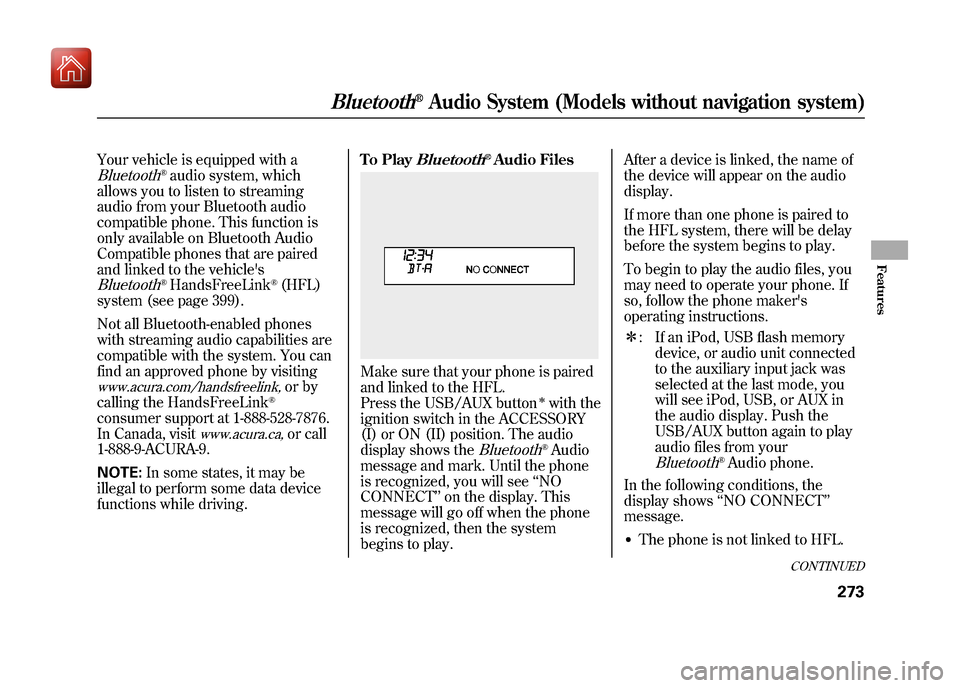
Make sure that your phone is paired
and linked to the HFL.
Press the USB/AUX button
ꭧwith the
ignition switch in the ACCESSORY
(I) or ON (II) position. The audio
display shows the
Bluetooth
®Audio
message and mark. Until the phone
is recognized, you will see ‘‘NO
CONNECT ’’on the display. This
message will go off when the phone
is recognized, then the system
begins to play. After a device is linked, the name of
the device will appear on the audio
display.
If more than one phone is paired to
the HFL system, there will be delay
before the system begins to play.
To begin to play the audio files, you
may need to operate your phone. If
so, follow the phone maker's
operating instructions.
ꭧ
: If an iPod, USB flash memory
device, or audio unit connected
to the auxiliary input jack was
selected at the last mode, you
will see iPod, USB, or AUX in
the audio display. Push the
USB/AUX button again to play
audio files from your
Bluetooth
®Audio phone.
In the following conditions, the
display shows ‘‘NO CONNECT ’’
message.
●The phone is not linked to HFL.
CONTINUED
Bluetooth
®Audio System (Models without navigation system)
273
Features
09/10/28 17:15:37 10 ACURA ZDX KA KC New North America Own 50 31SZN600 enu
Page 279 of 645
●The phone is not turned on.●The phone is not in the vehicle.●Another HFL compatible phone,
which is not compatible forBluetooth
®Audio, is already
connected.
To skip a filePress the
side of the SKIP bar to
skip forward to the next file, and
press theside to skip backward
to the beginning of the current file.
Push theside again to skip to
the previous file.
Turning the selector knob to the
right or left also changes a file.
The skip function may not be
available on some devices.
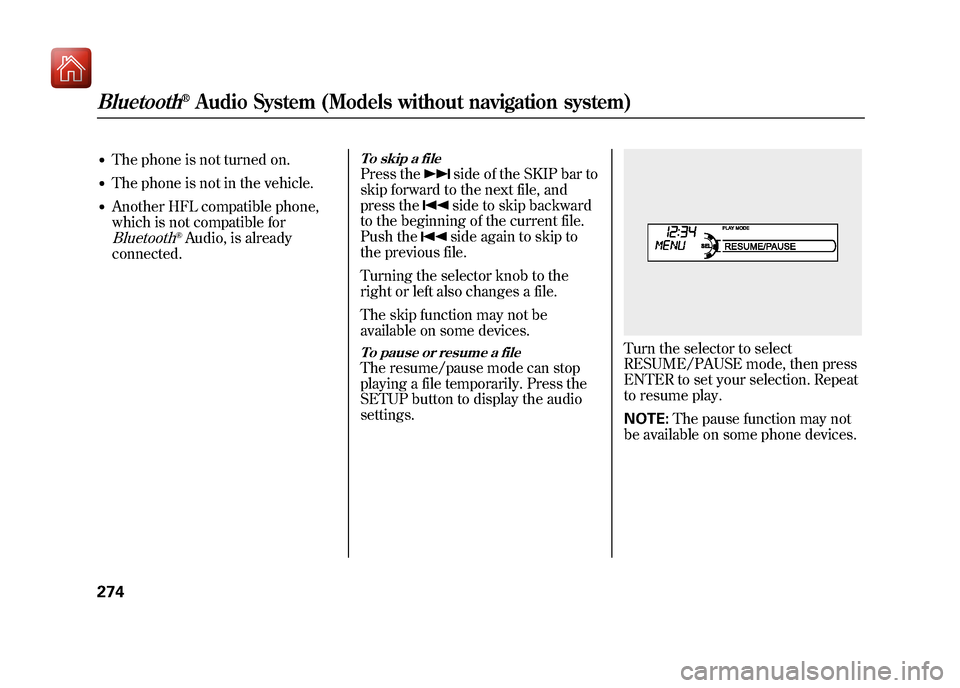
To pause or resume a fileThe resume/pause mode can stop
playing a file temporarily. Press the
SETUP button to display the audio
settings.
Turn the selector to select
RESUME/PAUSE mode, then press
ENTER to set your selection. Repeat
to resume play.
NOTE: The pause function may not
be available on some phone devices.
Bluetooth
®Audio System (Models without navigation system)
27409/10/28 17:15:37 10 ACURA ZDX KA KC New North America Own 50 31SZN600 enu
Page 280 of 645
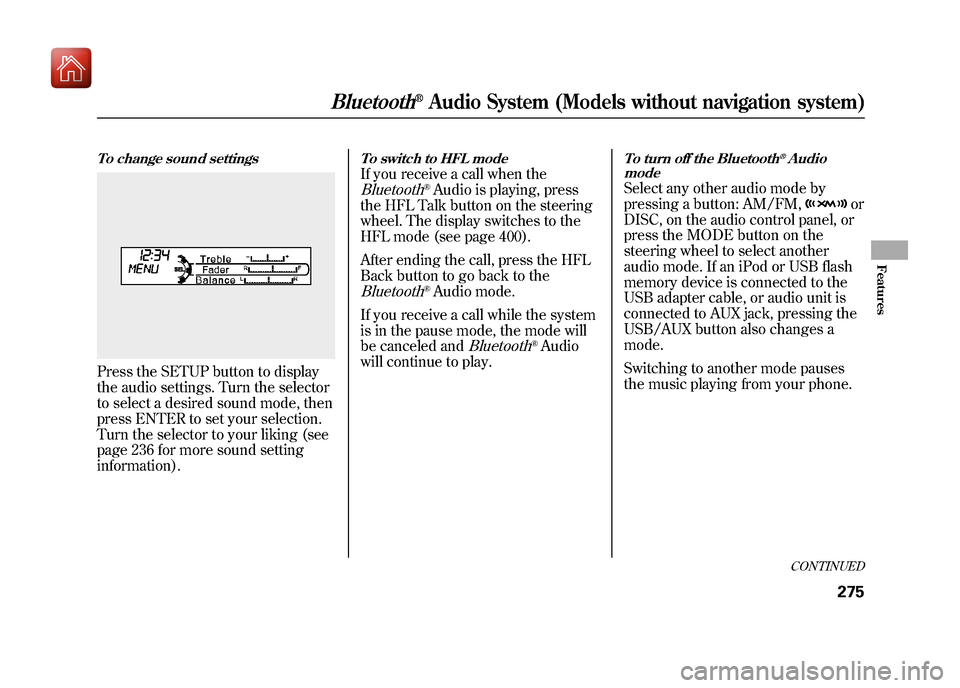
To change sound settingsPress the SETUP button to display
the audio settings. Turn the selector
to select a desired sound mode, then
press ENTER to set your selection.
Turn the selector to your liking (see
page 236 for more sound setting
information).
To switch to HFL modeIf you receive a call when theBluetooth
®Audio is playing, press
the HFL Talk button on the steering
wheel. The display switches to the
HFL mode (see page 400).
After ending the call, press the HFL
Back button to go back to the
Bluetooth
®Audio mode.
If you receive a call while the system
is in the pause mode, the mode will
be canceled and
Bluetooth
®Audio
will continue to play.
To turn off the Bluetooth
®Audio
mode
Select any other audio mode by
pressing a button: AM/FM,
or
DISC, on the audio control panel, or
press the MODE button on the
steering wheel to select another
audio mode. If an iPod or USB flash
memory device is connected to the
USB adapter cable, or audio unit is
connected to AUX jack, pressing the
USB/AUX button also changes a
mode.
Switching to another mode pauses
the music playing from your phone.
CONTINUED
Bluetooth
®Audio System (Models without navigation system)
275
Features
09/10/28 17:15:37 10 ACURA ZDX KA KC New North America Own 50 31SZN600 enu
Page 281 of 645
As required by the FCC:This device complies with Part 15 of theFCC rules. Operation is subject to the
following two conditions: (1) This devicemay not cause harmful interference, and(2) this device must accept any
interference received, includinginterference that may cause undesiredoperation.
Changes or modifications not expresslyapproved by the party responsible for
compliance could void the user'sauthority to operate the equipment.
This device complies with IndustryCanada Standard RSS-210.
Operation is subject to the following twoconditions: (1) this device may not causeinterference, and (2) this device must
accept any interference that may causeundesired operation of the device.Bluetooth
®Audio System (Models without navigation system)
27609/10/28 17:15:37 10 ACURA ZDX KA KC New North America Own 50 31SZN600 enu
Page 289 of 645
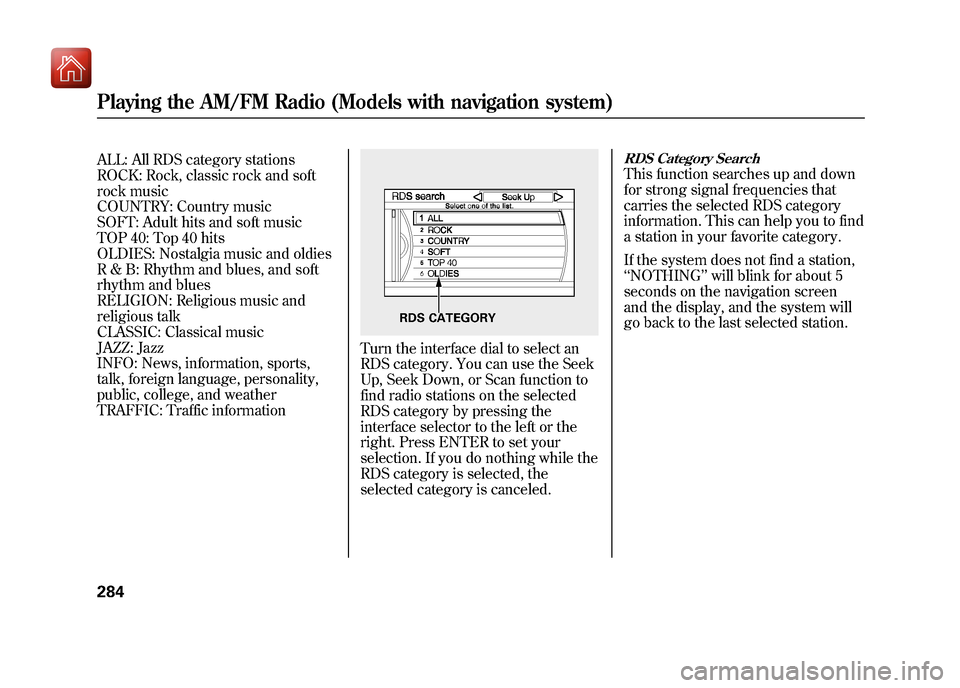
ALL: All RDS category stations
ROCK: Rock, classic rock and soft
rock music
COUNTRY: Country music
SOFT: Adult hits and soft music
TOP 40: Top 40 hits
OLDIES: Nostalgia music and oldies
R & B: Rhythm and blues, and soft
rhythm and blues
RELIGION: Religious music and
religious talk
CLASSIC: Classical music
JAZZ: Jazz
INFO: News, information, sports,
talk, foreign language, personality,
public, college, and weather
TRAFFIC: Traffic information
Turn the interface dial to select an
RDS category. You can use the Seek
Up, Seek Down, or Scan function to
find radio stations on the selected
RDS category by pressing the
interface selector to the left or the
right. Press ENTER to set your
selection. If you do nothing while the
RDS category is selected, the
selected category is canceled.
RDS Category SearchThis function searches up and down
for strong signal frequencies that
carries the selected RDS category
information. This can help you to find
a station in your favorite category.
If the system does not find a station,
‘‘NOTHING ’’will blink for about 5
seconds on the navigation screen
and the display, and the system will
go back to the last selected station.
RDS CATEGORY
Playing the AM/FM Radio (Models with navigation system)28409/10/28 17:15:37 10 ACURA ZDX KA KC New North America Own 50 31SZN600 enu
Page 295 of 645
Dolby PL (ProLogic) II-Dolby
PL (ProLogic) II signal processing
creates multi-channel surround
sound from 2 channel stereo audio
sources. Dolby ProLogic II can only
activate when listening to DISC (CD-
DA, MP3, WMA, AAC), XM radio,
AUX (USB, iPod
ꭂ, AUX,
Bluetooth
ꭂ
Audio), and HDD Audio. When
ProLogic II is available, ‘‘PL II’’ is
shown in the audio display.
When ProLogic II is not available in
the selected audio source, ‘‘DOLBY
PL II N/ A ’’is shown on the center
display.
ProLogic ON/OFF settings are
independently controlled for DISC,
XM, HDD Audio, and AUX sources.
To set this feature on or off, select
Dolby PL II, and press ENTER on
the interface selector. Rotate the
interface dial to ON or OFF, and
press ENTER. Manufactured under license from
Dolby Laboratories. Dolby, Pro
Logic, MLP Lossless and the double-
D symbol are trademarks of Dolby
Laboratories.
NOTE:
In some audio playing modes
(XM, AUX), when DPLII is on, the
music coming from the rear speakers
may sound distorted. This is due to
compression of the music, and it
does not indicate a problem with the
setting.Playing the AM/FM Radio (Models with navigation system)29009/10/28 17:15:37 10 ACURA ZDX KA KC New North America Own 50 31SZN600 enu
Page 351 of 645
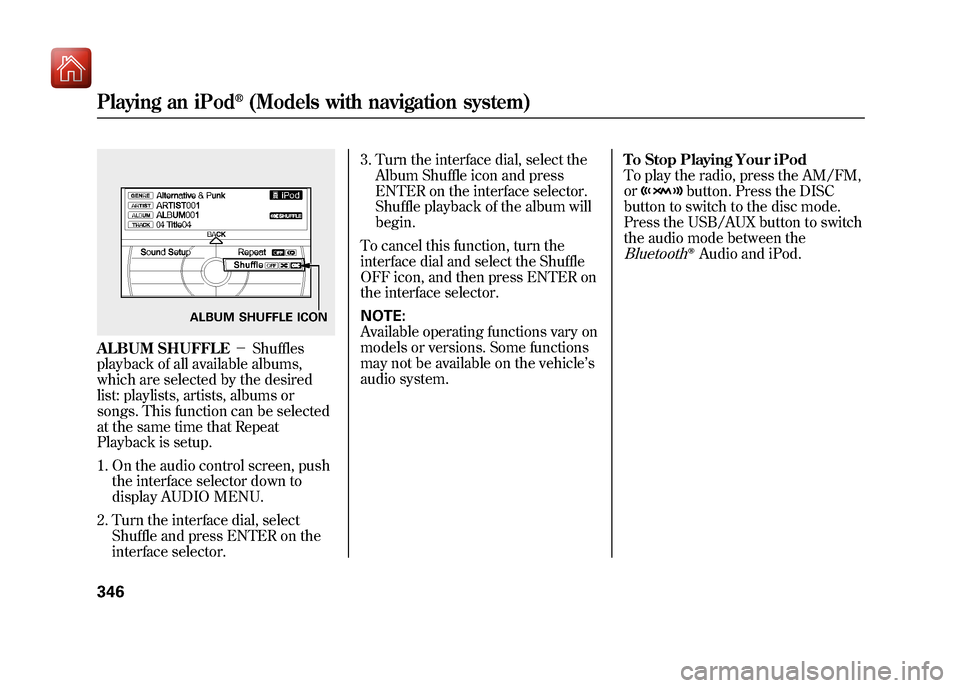
ALBUM SHUFFLE-Shuffles
playback of all available albums,
which are selected by the desired
list: playlists, artists, albums or
songs. This function can be selected
at the same time that Repeat
Playback is setup.
1. On the audio control screen, push the interface selector down to
display AUDIO MENU.
2. Turn the interface dial, select Shuffle and press ENTER on the
interface selector. 3. Turn the interface dial, select the
Album Shuffle icon and press
ENTER on the interface selector.
Shuffle playback of the album will
begin.
To cancel this function, turn the
interface dial and select the Shuffle
OFF icon, and then press ENTER on
the interface selector.
NOTE:
Available operating functions vary on
models or versions. Some functions
may not be available on the vehicle ’s
audio system. To Stop Playing Your iPod
To play the radio, press the AM/FM,
or
button. Press the DISC
button to switch to the disc mode.
Press the USB/AUX button to switch
the audio mode between the
Bluetooth
ꭂAudio and iPod.
ALBUM SHUFFLE ICON
Playing an iPod
®(Models with navigation system)
34609/10/28 17:15:37 10 ACURA ZDX KA KC New North America Own 50 31SZN600 enu
Page 363 of 645
To Stop Playing a USB Flash
Memory Device
To play the radio, press the AM/FM,
or
button. Press the DISC
button to switch to the disc mode.
Press the USB/AUX button to switch
the mode between the USB and
Bluetooth
ꭂAudio.
If you reconnect the same USB flash
memory device, the system will
begin playing where it left off.
Disconnecting a USB Flash Memory DeviceYou can disconnect the USB flash
memory device at any time even if
the USB mode is selected on the
audio system. Always follow the USB
flash memory device ’s instructions
when you remove it.
When you disconnect the USB flash
memory device while it is playing,
the display shows USB NO DATA,
and the audio screen(if selected)
shows NO DATA. USB Flash Memory Device Error
Messages
If you see an error message in the
display, see page 359.
Playing a USB Flash Memory Device (Models with navigation system)35809/10/28 17:15:37 10 ACURA ZDX KA KC New North America Own 50 31SZN600 enu
Page 365 of 645
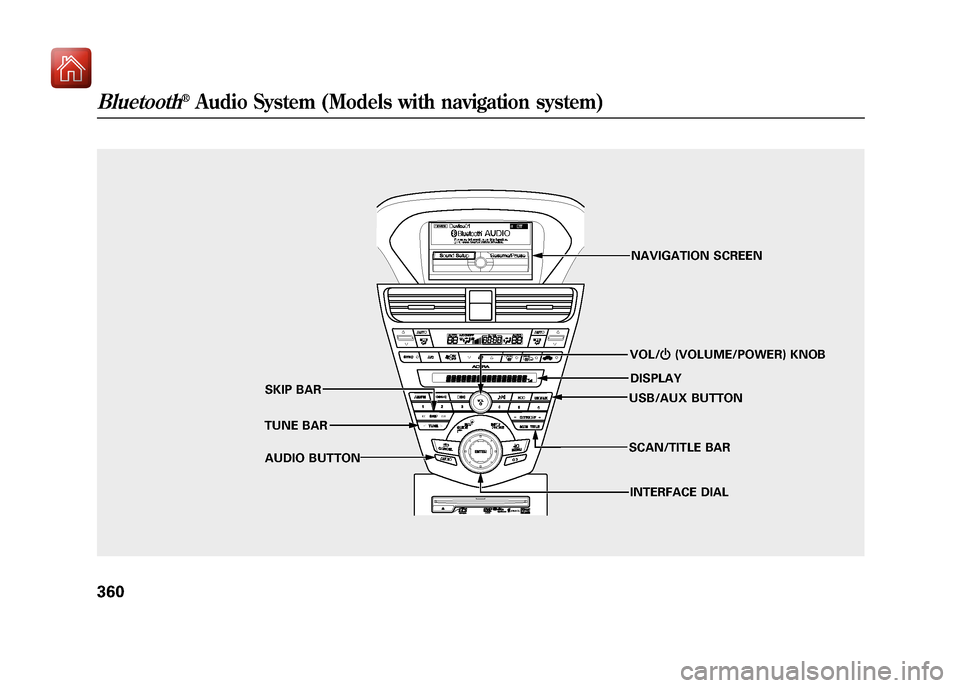
VOL/ꂻ(VOLUME/POWER) KNOB
TUNE BAR SKIP BAR
AUDIO BUTTON NAVIGATION SCREEN
DISPLAY
USB/AUX BUTTON
INTERFACE DIAL
SCAN/TITLE BAR
Bluetooth
®Audio System (Models with navigation system)
36009/10/28 17:15:37 10 ACURA ZDX KA KC New North America Own 50 31SZN600 enu