window Acura ZDX 2012 User Guide
[x] Cancel search | Manufacturer: ACURA, Model Year: 2012, Model line: ZDX, Model: Acura ZDX 2012Pages: 645, PDF Size: 16.36 MB
Page 133 of 645
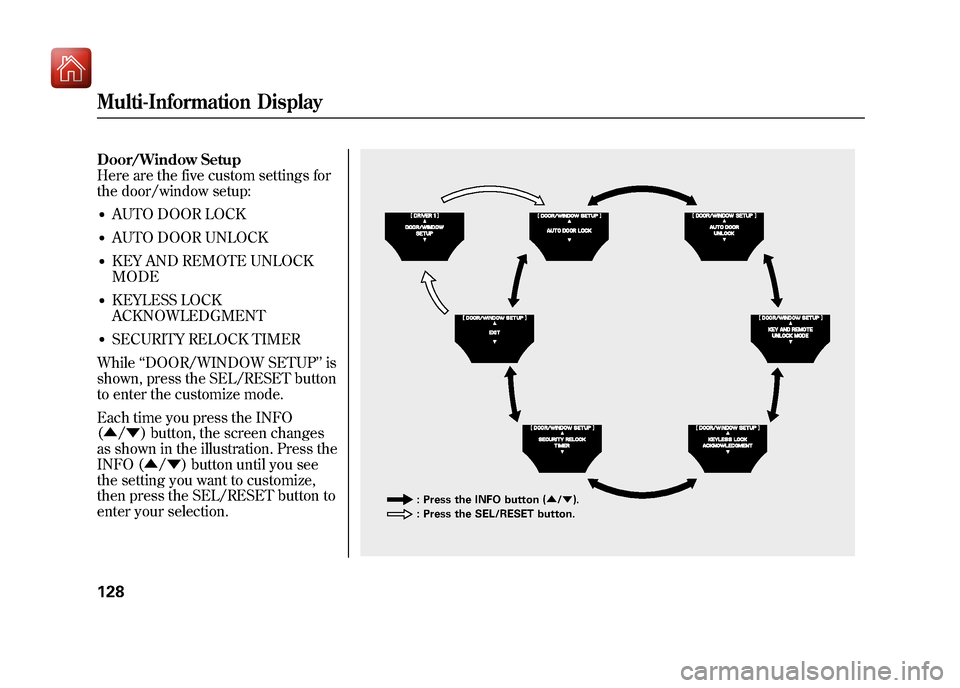
Door/Window Setup
Here are the five custom settings for
the door/window setup:●AUTO DOOR LOCK●AUTO DOOR UNLOCK●KEY AND REMOTE UNLOCK
MODE●KEYLESS LOCK
ACKNOWLEDGMENT●SECURITY RELOCK TIMER
While ‘‘DOOR/WINDOW SETUP ’’is
shown, press the SEL/RESET button
to enter the customize mode.
Each time you press the INFO
(▲ /▼ ) button, the screen changes
as shown in the illustration. Press the
INFO (▲ /▼ ) button until you see
the setting you want to customize,
then press the SEL/RESET button to
enter your selection.
: Press the INFO button ( ▲/▼ ).
: Press the SEL/RESET button.
Multi-Information Display12809/10/28 17:15:37 10 ACURA ZDX KA KC New North America Own 50 31SZN600 enu
Page 134 of 645
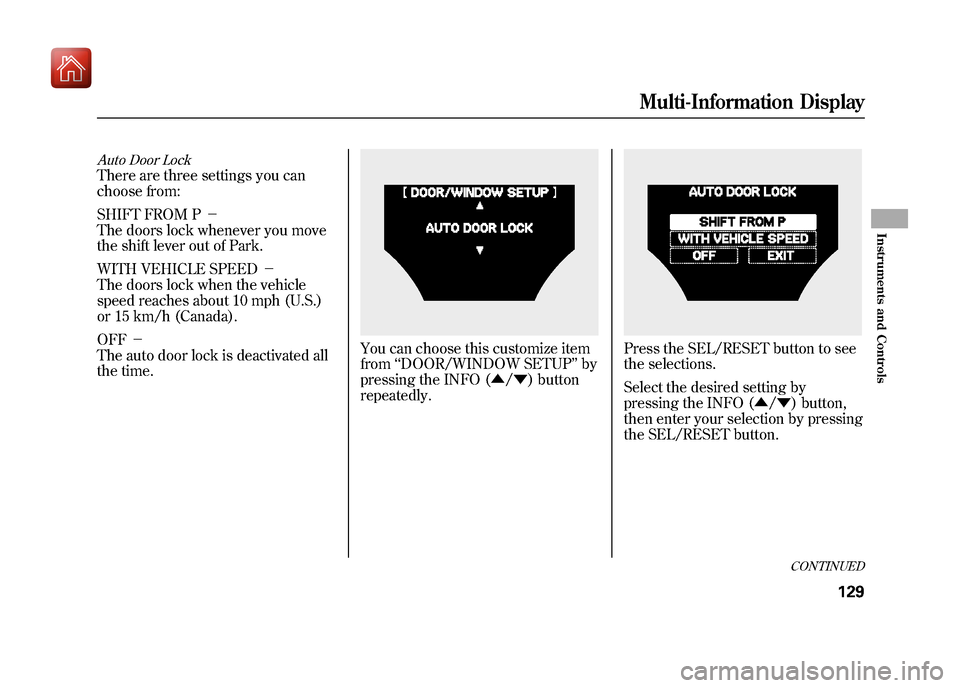
Auto Door LockThere are three settings you can
choose from:
SHIFT FROM P-
The doors lock whenever you move
the shift lever out of Park.
WITH VEHICLE SPEED -
The doors lock when the vehicle
speed reaches about 10 mph (U.S.)
or 15 km/h (Canada).
OFF -
The auto door lock is deactivated all
the time.
You can choose this customize item
from ‘‘DOOR/WINDOW SETUP ’’by
pressing the INFO (▲ /▼ ) button
repeatedly.
Press the SEL/RESET button to see
the selections.
Select the desired setting by
pressing the INFO (▲ /▼ ) button,
then enter your selection by pressing
the SEL/RESET button.
CONTINUED
Multi-Information Display
129
Instruments and Controls
09/10/28 17:15:37 10 ACURA ZDX KA KC New North America Own 50 31SZN600 enu
Page 136 of 645
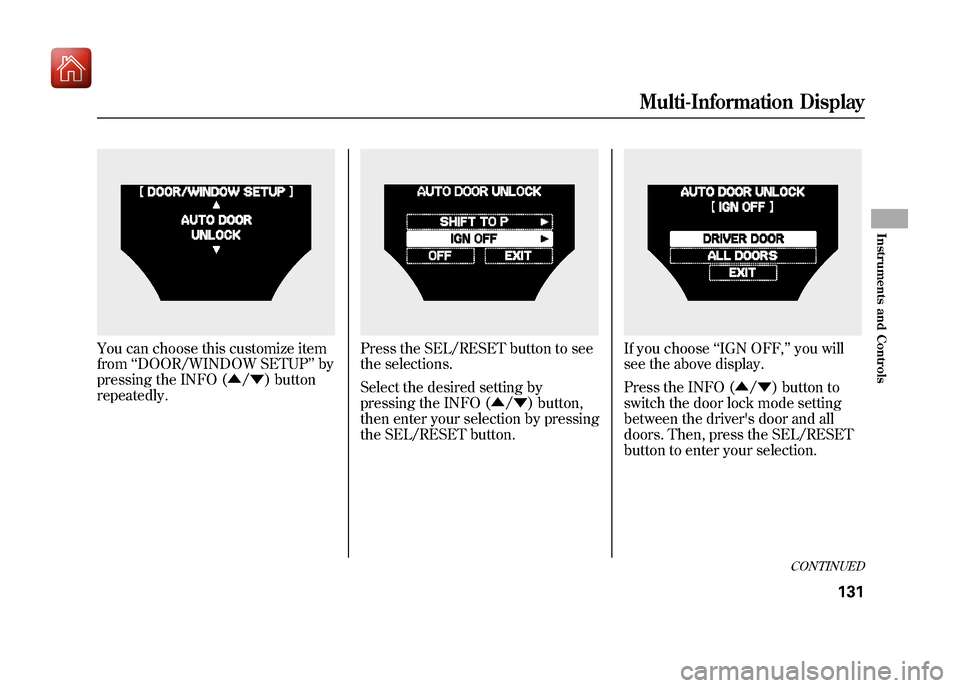
You can choose this customize item
from‘‘DOOR/WINDOW SETUP ’’by
pressing the INFO (▲ /▼ ) button
repeatedly.
Press the SEL/RESET button to see
the selections.
Select the desired setting by
pressing the INFO (▲ /▼ ) button,
then enter your selection by pressing
the SEL/RESET button.
If you choose ‘‘IGN OFF, ’’you will
see the above display.
Press the INFO (▲ /▼ ) button to
switch the door lock mode setting
between the driver's door and all
doors. Then, press the SEL/RESET
button to enter your selection.
CONTINUED
Multi-Information Display
131
Instruments and Controls
09/10/28 17:15:37 10 ACURA ZDX KA KC New North America Own 50 31SZN600 enu
Page 137 of 645
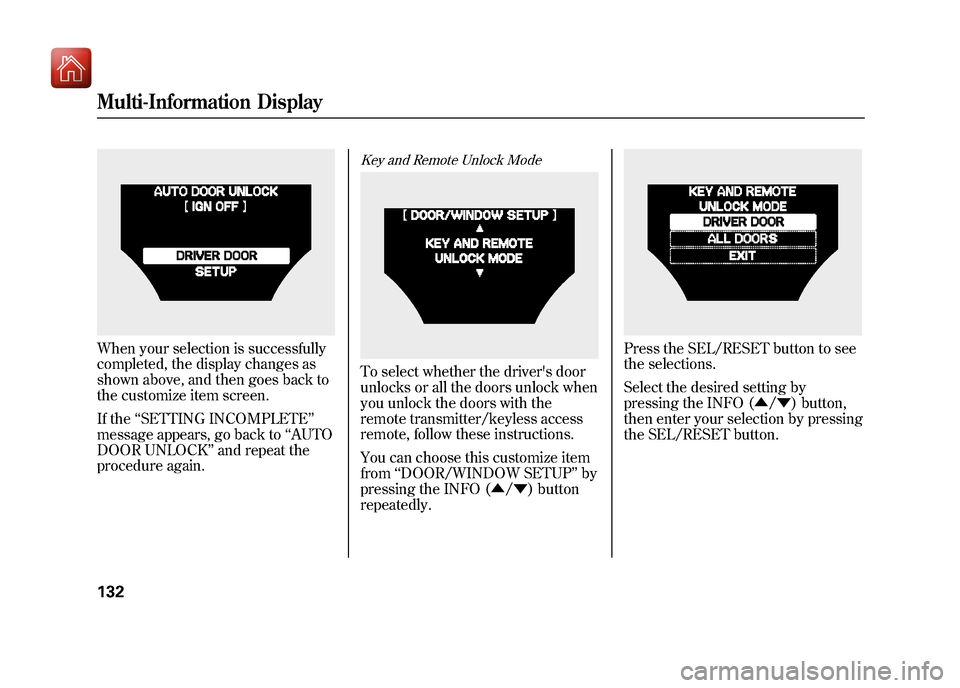
When your selection is successfully
completed, the display changes as
shown above, and then goes back to
the customize item screen.
If the‘‘SETTING INCOMPLETE ’’
message appears, go back to ‘‘AUTO
DOOR UNLOCK ’’and repeat the
procedure again.
Key and Remote Unlock ModeTo select whether the driver's door
unlocks or all the doors unlock when
you unlock the doors with the
remote transmitter/keyless access
remote, follow these instructions.
You can choose this customize item
from ‘‘DOOR/WINDOW SETUP ’’by
pressing the INFO (▲ /▼ ) button
repeatedly.
Press the SEL/RESET button to see
the selections.
Select the desired setting by
pressing the INFO (▲ /▼ ) button,
then enter your selection by pressing
the SEL/RESET button.
Multi-Information Display13209/10/28 17:15:37 10 ACURA ZDX KA KC New North America Own 50 31SZN600 enu
Page 138 of 645
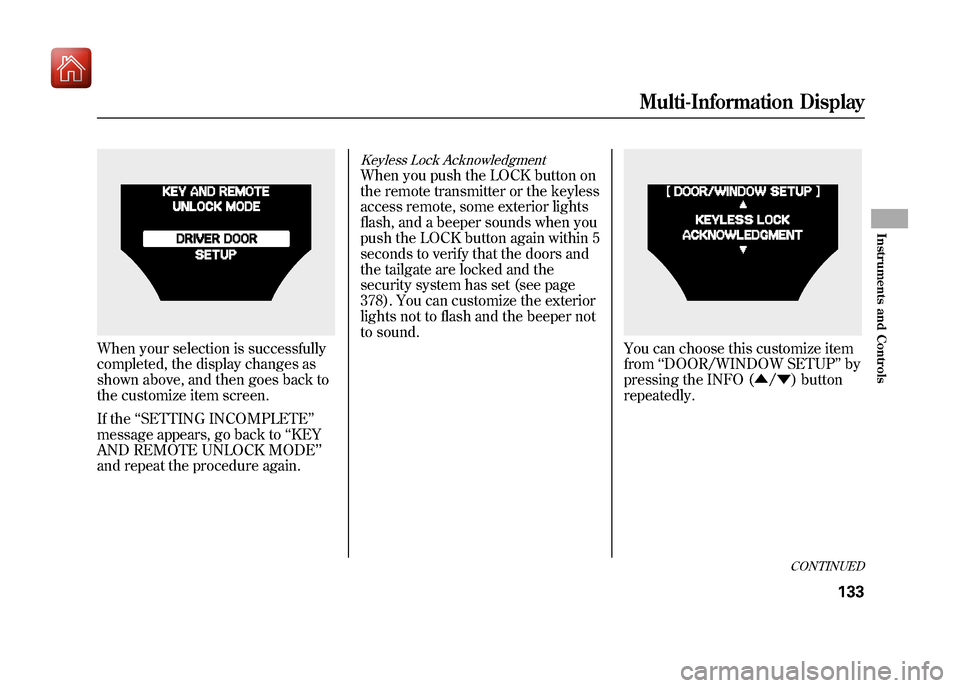
When your selection is successfully
completed, the display changes as
shown above, and then goes back to
the customize item screen.
If the‘‘SETTING INCOMPLETE ’’
message appears, go back to ‘‘KEY
AND REMOTE UNLOCK MODE’’
and repeat the procedure again.
Keyless Lock AcknowledgmentWhen you push the LOCK button on
the remote transmitter or the keyless
access remote, some exterior lights
flash, and a beeper sounds when you
push the LOCK button again within 5
seconds to verify that the doors and
the tailgate are locked and the
security system has set (see page
378). You can customize the exterior
lights not to flash and the beeper not
to sound.
You can choose this customize item
from ‘‘DOOR/WINDOW SETUP ’’by
pressing the INFO (▲ /▼ ) button
repeatedly.
CONTINUED
Multi-Information Display
133
Instruments and Controls
09/10/28 17:15:37 10 ACURA ZDX KA KC New North America Own 50 31SZN600 enu
Page 140 of 645
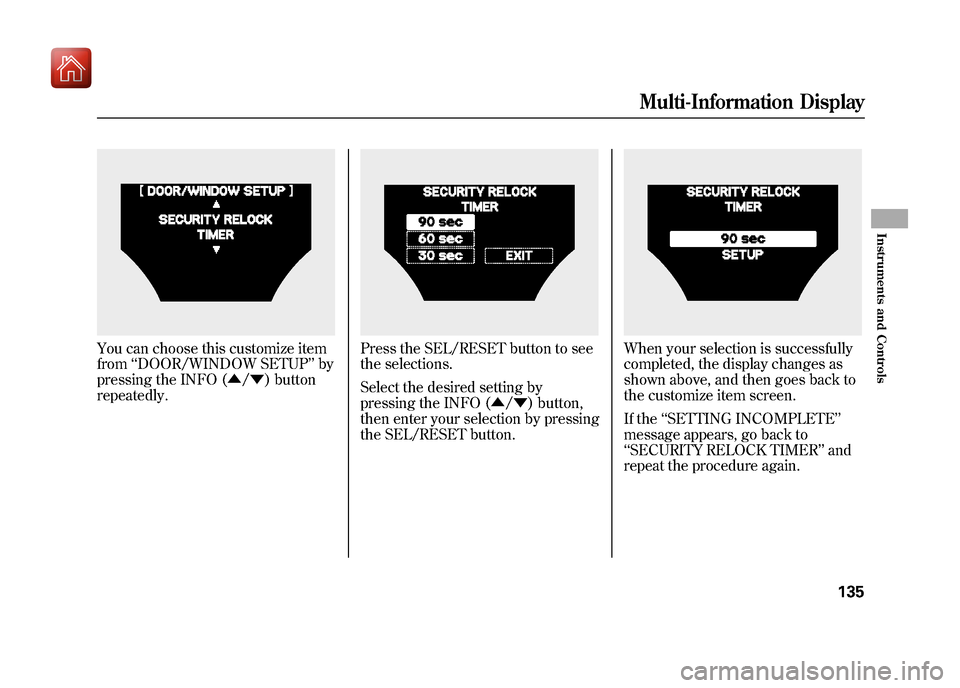
You can choose this customize item
from‘‘DOOR/WINDOW SETUP ’’by
pressing the INFO (▲ /▼ ) button
repeatedly.
Press the SEL/RESET button to see
the selections.
Select the desired setting by
pressing the INFO (▲ /▼ ) button,
then enter your selection by pressing
the SEL/RESET button.
When your selection is successfully
completed, the display changes as
shown above, and then goes back to
the customize item screen.
If the ‘‘SETTING INCOMPLETE ’’
message appears, go back to
‘‘ SECURITY RELOCK TIMER ’’and
repeat the procedure again.
Multi-Information Display
135
Instruments and Controls
09/10/28 17:15:37 10 ACURA ZDX KA KC New North America Own 50 31SZN600 enu
Page 141 of 645
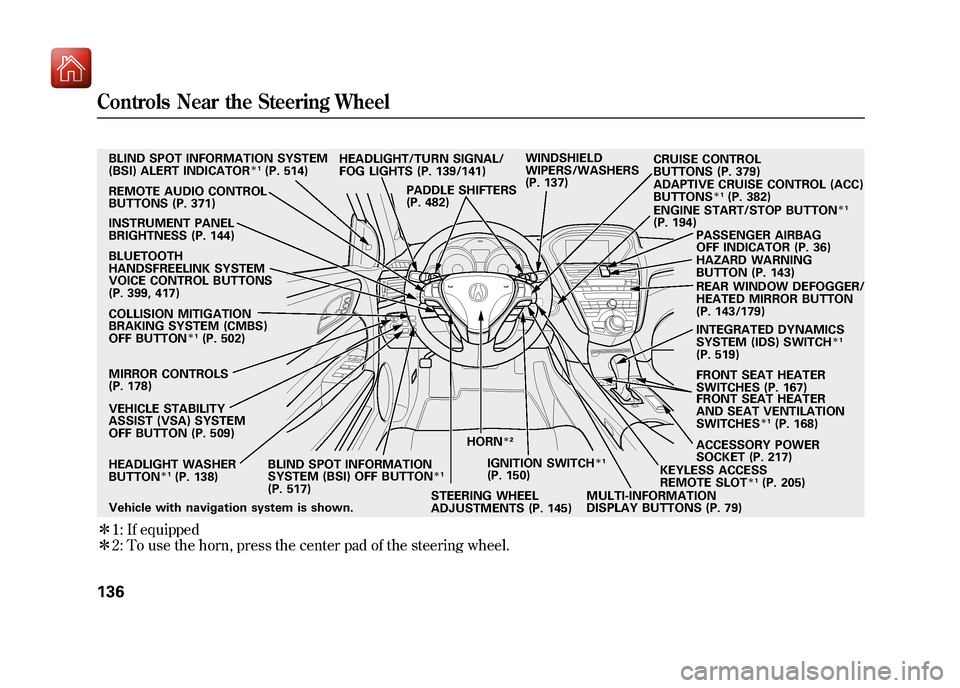
ꭧ1: If equipped
ꭧ 2: To use the horn, press the center pad of the steering wheel.Vehicle with navigation system is shown. HEADLIGHT WASHER
BUTTON
ꭧ 1(P. 138)
MIRROR CONTROLS
(P. 178) HEADLIGHT/TURN SIGNAL/
FOG LIGHTS (P. 139/141)
STEERING WHEEL
ADJUSTMENTS (P. 145) CRUISE CONTROL
BUTTONS (P. 379)
REMOTE AUDIO CONTROL
BUTTONS (P. 371) WINDSHIELD
WIPERS/WASHERS
(P. 137)
INSTRUMENT PANEL
BRIGHTNESS (P. 144) PASSENGER AIRBAG
OFF INDICATOR (P. 36)
HAZARD WARNING
BUTTON (P. 143)
REAR WINDOW DEFOGGER/
HEATED MIRROR BUTTON
(P. 143/179)
ACCESSORY POWER
SOCKET (P. 217) FRONT SEAT HEATER
SWITCHES (P. 167)
ADAPTIVE CRUISE CONTROL (ACC)
BUTTONS
ꭧ
1(P. 382)
HORN
ꭧ 2
BLIND SPOT INFORMATION SYSTEM
(BSI) ALERT INDICATOR
ꭧ1(P. 514)
BLUETOOTH
HANDSFREELINK SYSTEM
VOICE CONTROL BUTTONS
(P. 399, 417)
COLLISION MITIGATION
BRAKING SYSTEM (CMBS)
OFF BUTTON
ꭧ 1(P. 502)
VEHICLE STABILITY
ASSIST (VSA) SYSTEM
OFF BUTTON (P. 509) BLIND SPOT INFORMATION
SYSTEM (BSI) OFF BUTTON
ꭧ1
(P. 517) IGNITION SWITCH
ꭧ
1
(P. 150)
MULTI-INFORMATION
DISPLAY BUTTONS (P. 79)KEYLESS ACCESS
REMOTE SLOT
ꭧ
1(P. 205)
FRONT SEAT HEATER
AND SEAT VENTILATION
SWITCHESꭧ
1(P. 168)
ENGINE START/STOP BUTTON
ꭧ
1
(P. 194)
PADDLE SHIFTERS
(P. 482)
INTEGRATED DYNAMICS
SYSTEM (IDS) SWITCH
ꭧ1
(P. 519)
Controls Near the Steering Wheel13609/10/28 17:15:37 10 ACURA ZDX KA KC New North America Own 50 31SZN600 enu
Page 148 of 645
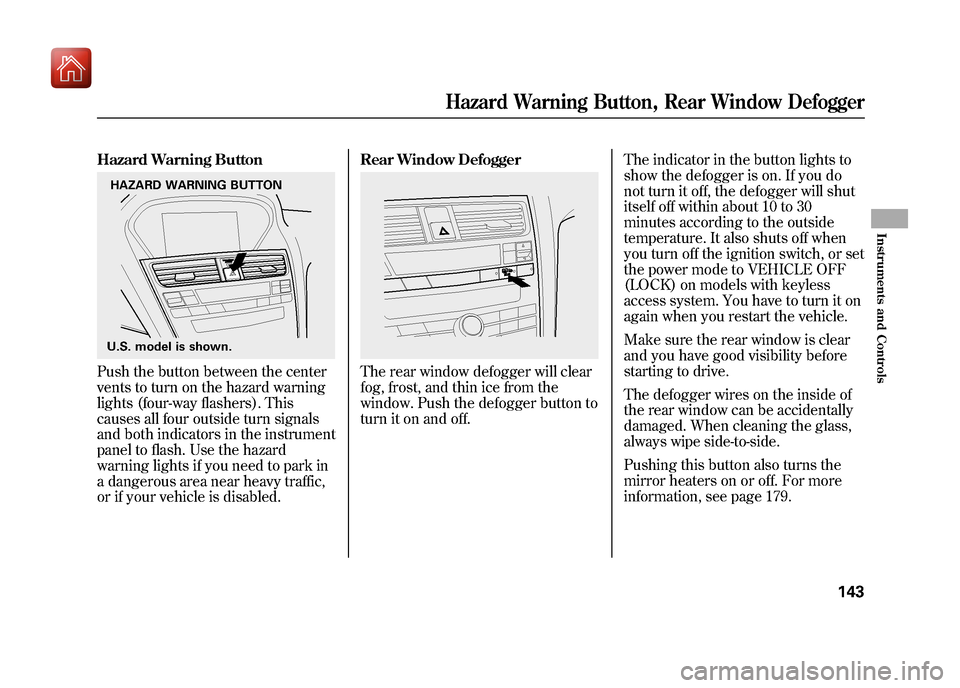
Hazard Warning ButtonPush the button between the center
vents to turn on the hazard warning
lights (four-way flashers). This
causes all four outside turn signals
and both indicators in the instrument
panel to flash. Use the hazard
warning lights if you need to park in
a dangerous area near heavy traffic,
or if your vehicle is disabled.Rear Window Defogger
The rear window defogger will clear
fog, frost, and thin ice from the
window. Push the defogger button to
turn it on and off.
The indicator in the button lights to
show the defogger is on. If you do
not turn it off, the defogger will shut
itself off within about 10 to 30
minutes according to the outside
temperature. It also shuts off when
you turn off the ignition switch, or set
the power mode to VEHICLE OFF
(LOCK) on models with keyless
access system. You have to turn it on
again when you restart the vehicle.
Make sure the rear window is clear
and you have good visibility before
starting to drive.
The defogger wires on the inside of
the rear window can be accidentally
damaged. When cleaning the glass,
always wipe side-to-side.
Pushing this button also turns the
mirror heaters on or off. For more
information, see page 179.
HAZARD WARNING BUTTON
U.S. model is shown.
Hazard Warning Button, Rear Window Defogger
143
Instruments and Controls
09/10/28 17:15:37 10 ACURA ZDX KA KC New North America Own 50 31SZN600 enu
Page 157 of 645
All doors and the tailgate can be
locked from the outside by using the
key in the driver's door lock. To
unlock only the driver's door, insert
the key, turn the key, and release it.
The remaining doors and the tailgate
unlock when you turn the key a
second time within a few seconds.
You can customize the door lock/
unlock settings (see page 128).
You can open or close the windows
and the panoramic glass roof by
using the key in the driver's door
(see page 173).
Locking and unlocking the driver's
door will also lock and unlock the
fuel fill door (see page 455).
To change the‘‘KEY AND REMOTE
UNLOCK MODE ’’setting, see page
132.
To lock any passenger's door when
getting out of the vehicle, pull the
lock tab rearward and close the door.
On models without keyless access systemTo lock the driver's door, remove the
key from the ignition switch, pull the
lock tab rearward or push the front of
the master switch, then close the
door.Default SettingWhen the vehicle speed reaches
about 10 mph (U.S.) or 15 km/h
(Canada) or more, all the doors lock
automatically.
When you shift to P after driving, the
driver's door unlocks.
Lockout PreventionOn models without keyless accesssystemWith any door and the tailgate open
and the key in the ignition, both
master door lock switches are
disabled. They are not disabled if all
the doors and the tailgate are closed.
If you try to lock an open driver's
door by pulling the lock tab rearward
the lock tab on the driver's door pops
out.
Door Locks15209/10/28 17:15:37 10 ACURA ZDX KA KC New North America Own 50 31SZN600 enu
Page 162 of 645

On models without keyless accesssystemLOCK -Press this button once to
lock all doors and the tailgate. Some
exterior lights will flash. When you
push LOCK twice within 5 seconds,
you will hear a beep to verify that the
doors and tailgate are locked and the
security system has set. This button
does not work if any door or tailgate
is open or if the key is in the ignition
switch. UNLOCK
-Press this button once
to unlock the driver's door (or all the
doors and the tailgate depending on
the door lock setting). Press it twice
to unlock the other doors and the
tailgate. Some exterior lights will
flash twice when you press the
button. If you do not open any door
or the tailgate within 30 seconds,
they will automatically relock and the
security system sets.
The door activated spotlights come
on when you press the UNLOCK
button if the door activated position
is selected by pressing the light
control button (DOOR). If you do not
open any door within 30 seconds (or
whatever setting of the interior light
dimming time is set to), the light(s)
will fade out. If you relock the doors
with the remote transmitter before 30
seconds have elapsed, the light(s)
will go off immediately. On the keyless lock
acknowledgment, you can deactivate
the beep on locking and flashing of
the lights (see page 133).
To change the lock/unlock setting
and the relock timer setting, refer to
the customized settings on page 128.
You can also open all power
windows, panoramic glass roof, and
sunshade from outside the vehicle
with the remote transmitter (see
page 172).
LED
UNLOCK
BUTTON LOCK
BUTTON
PANIC
BUTTON
TAILGATE
BUTTON
CONTINUED
Remote Transmitter
157
Instruments and Controls
09/10/28 17:15:37 10 ACURA ZDX KA KC New North America Own 50 31SZN600 enu