tow AUDI A5 COUPE 2008 Owner's Manual
[x] Cancel search | Manufacturer: AUDI, Model Year: 2008, Model line: A5 COUPE, Model: AUDI A5 COUPE 2008Pages: 313, PDF Size: 13.86 MB
Page 130 of 313
Driving
128Pressing lever briefly
You can increase the set speed in steps of 1 km/h by briefly pressing
the lever up towards ⇒page 125, fig. 138.
You can decrease the set speed in steps of about 1 km/h by briefly
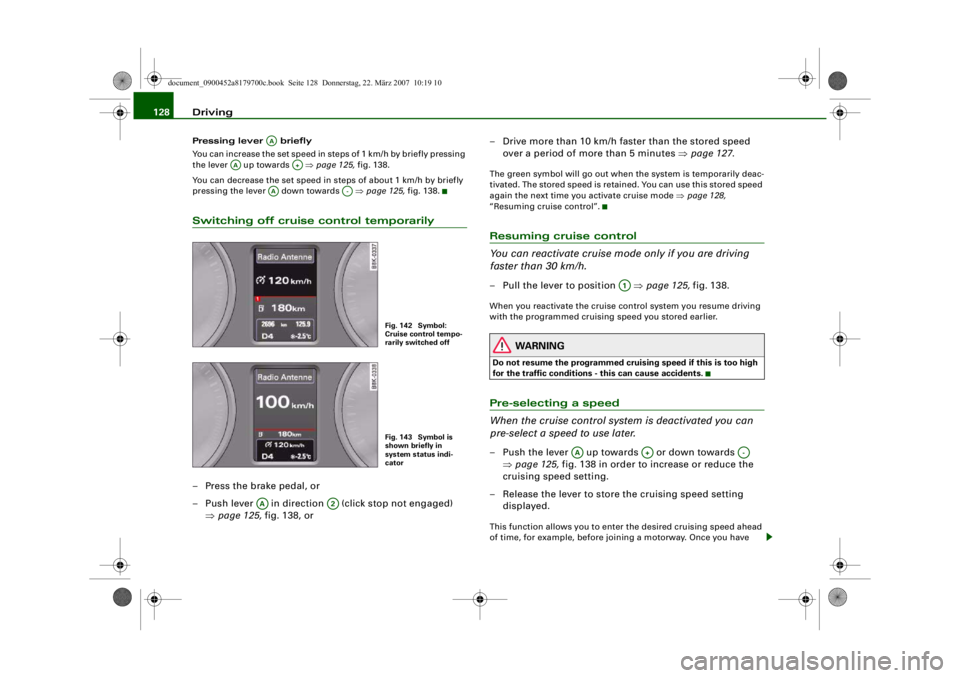
pressing the lever down towards ⇒page 125, fig. 138.Switching off cruise control temporarily– Press the brake pedal, or
– Push lever in direction (click stop not engaged)
⇒page 125, fig. 138, or – Drive more than 10 km/h faster than the stored speed
over a period of more than 5 minutes ⇒page 127 .
The green symbol will go out when the system is temporarily deac-
tivated. The stored speed is retained. You can use this stored speed
again the next time you activate cruise mode ⇒page 128,
“Resuming cruise control”.Resuming cruise control
You can reactivate cruise mode only if you are driving
faster than 30 km/h.– Pull the lever to position ⇒page 125, fig. 138.When you reactivate the cruise control system you resume driving
with the programmed cruising speed you stored earlier.
WARNING
Do not resume the programmed crui sing speed if this is too high
for the traffic conditions - this can cause accidents.Pre-selecting a speed
When the cruise control syst em is deactivated you can
pre-select a speed to use later.– Push the lever up towards or down towards
⇒page 125, fig. 138 in order to increase or reduce the
cruising speed setting.
– Release the lever to store the cruising speed setting displayed.This function allows you to enter the desired cruising speed ahead
of time, for example, before joining a motorway. Once you have
AA
AA
A+
AA
A-
Fig. 142 Symbol:
Cruise control tempo-
rarily switched offFig. 143 Symbol is
shown briefly in
system status indi-
cator
AA
A2
A1
AA
A+
A-
document_0900452a8179700c.book Seite 128 Donnerstag, 22. März 2007 10:19 10
--4 -
-T
•
•
-+ +-
•
Page 131 of 313
Driving129
Controls
Safety
Driving tips
General maintenance
Self-help
Technical data
joined the motorway you can then ac
tivate the cruise control system
as if you were resuming the function ⇒page 128, “Resuming cruise
control”.
Pre-selection after starting the engine
After starting the engine there is no cruising speed stored in the
system. The current speed is stored when you briefly push lever
up towards (if the speed is above 30 km/h). If the speed is lower,
30 km/h is stored.
Switching off the cruise control systemWhile driving
– Press the lever to position (click stop engaged) ⇒page 125, fig. 138.
When the vehicle is stationary
– Switch off the ignition.The stored speed will be deleted when the ignition is switched off.
AA
A+
AA
A2
document_0900452a8179700c.book Seite 129 Donnerstag, 22. März 2007 10:19 10
--4 -
-T
•
-+
•
+-
Page 134 of 313
Automatic gearbox
132Reverse gear must only be engaged when the vehicle is stationary
and the engine is idling ⇒.
To move the selector lever to position R, press in the interlock
button and at the same time press the brake pedal. Depending on
the model, one or two reversing lights will come on in selector lever
position R (when ignition is switched on).
N - Neutral
In this position the gearbox is in neutral ⇒.
D - Drive (forwards)
In this position the gearbox auto matically selects the best gear
ratio. This depends on the engine load, the road speed and the
dynamic gear control program (DCP).
Press the brake pedal when moving the selector lever from N to D if
the vehicle is stationary or at speeds below 5 km/h ⇒.
In some situations (such as on mountain roads or when towing a
trailer or caravan) it can be advantageous to switch temporarily to
tiptronic mode ⇒page 134 , so that the gear ratios can be selected
manually to suit the driving conditions.
S - Sport position
Select this position if you wish to take full advantage of the car's
performance. This setting makes use of the engine's maximum
power output. When accelerating the gear shifts will be noticeable.
Press the brake pedal when moving the selector lever from N to S if
the vehicle is stationary or at speeds below 5 km/h ⇒.
WARNING
•
Never move the selector lever to R or P when driving, as this
could cause an accident.
•
In selector position D or S the vehicle must always be held with
the foot brake when the engine is running. This is because an auto-
matic gearbox still tran smits power even at idling speed, and the vehicle tends to “creep”. The
throttle must on no account be
opened inadvertently (for instan ce by hand from the engine
compartment) when a ge ar is engaged with the vehicle stationary.
The vehicle could otherwise star t moving immediately (in some
cases even if the parking brake is engaged) and possibly cause an
accident.
•
To avoid accidents, apply th e parking brake and put the
selector lever in position P befor e opening the bonnet and working
on the vehicle with the engine running. Please observe the impor-
tant safety warnings ⇒page 231, “Working on components in the
engine compartment”.
Applies to vehicles: with multitronic®Selector lever lock
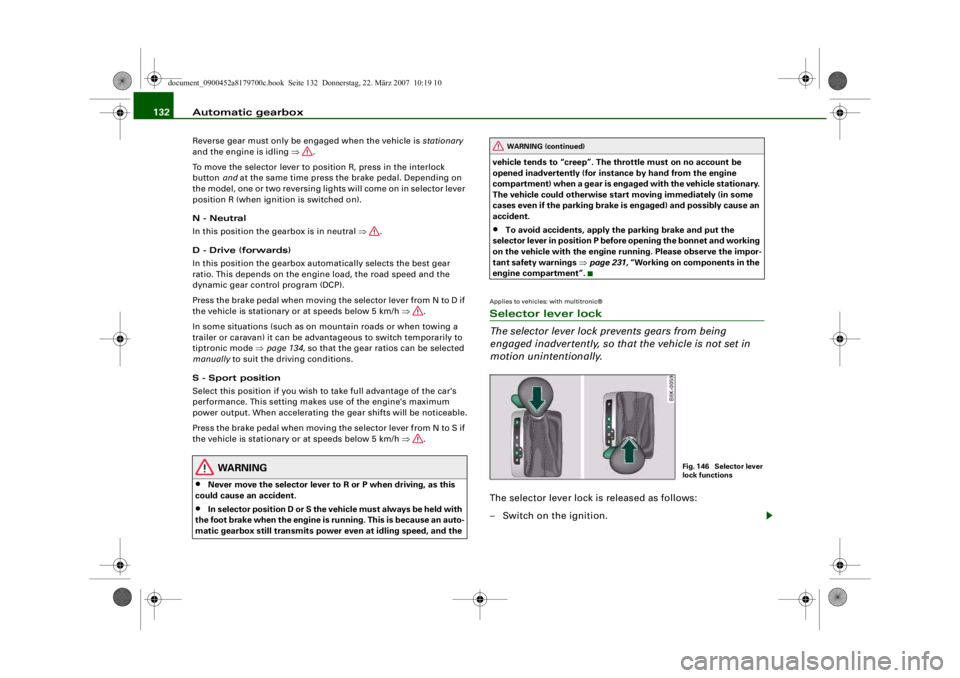
The selector lever lock prevents gears from being
engaged inadvertently, so that the vehicle is not set in
motion unintentionally.The selector lever lock is released as follows:
– Switch on the ignition.
WARNING (continued)
Fig. 146 Selector lever
lock functions
document_0900452a8179700c.book Seite 132 Donnerstag, 22. März 2007 10:19 10
--4 -
-T
•
-+ +-
Page 138 of 313
Automatic gearbox
136Applies to vehicles: with multitronic®Manual release of selector lever
The selector lever can be rele ased manually if the elec-
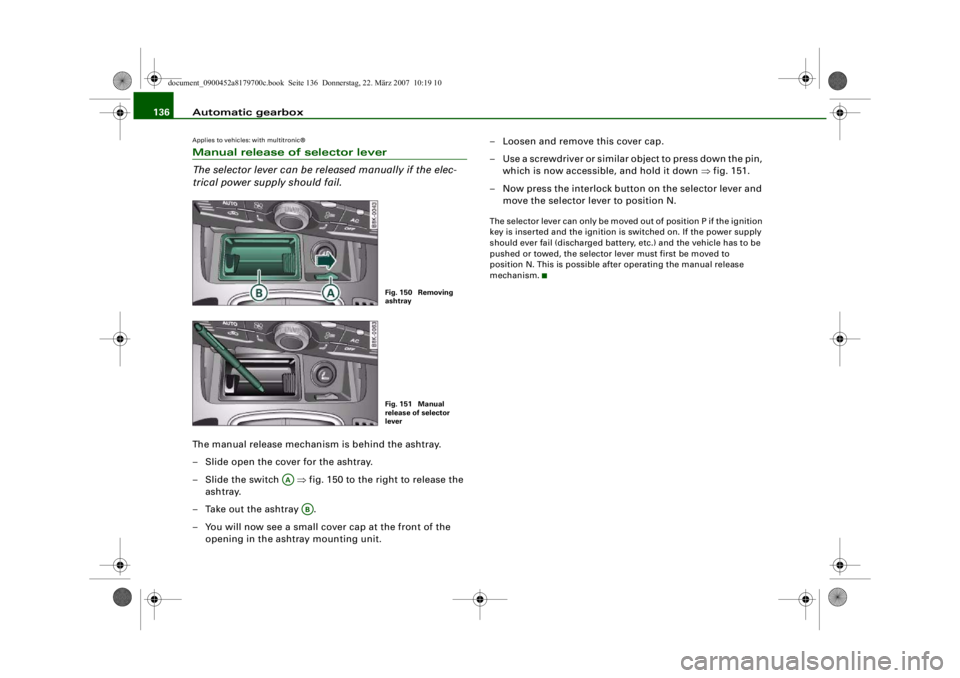
trical power supply should fail.The manual release mechanism is behind the ashtray.
– Slide open the cover for the ashtray.
–Slide the switch ⇒fig. 150 to the right to release the
ashtray.
– Take out the ashtray .
– You will now see a small cover cap at the front of the opening in the ashtray mounting unit. – Loosen and remove this cover cap.
– Use a screwdriver or similar object to press down the pin,
which is now accessible, and hold it down ⇒fig. 151.
– Now press the interlock button on the selector lever and move the selector lever to position N.
The selector lever can only be moved out of position P if the ignition
key is inserted and the ignition is switched on. If the power supply
should ever fail (discharged battery, etc.) and the vehicle has to be
pushed or towed, the selector lever must first be moved to
position N. This is possible after operating the manual release
mechanism.
Fig. 150 Removing
ashtrayFig. 151 Manual
release of selector
lever
AA
AB
document_0900452a8179700c.book Seite 136 Donnerstag, 22. März 2007 10:19 10
--4 -
-T
•
-+ +-
Page 140 of 313
Audi parking system
138When the vehicle is less than appro x. 0.30 m away from the obstacle
the warning tone will sound continuously. From here at the latest,
the driver should then not reverse any further.
The volume of the warning beeps will be gradually reduced after
about 4 seconds if the vehicle remains at a constant distance from
a detected obstacle (it will not be reduced if the obstacle is closer
than 0.30 m). The warnings will then return to the normal volume if
the vehicle approaches th e detected obstacle again.
Warning beeps
The warning beeps are produced by sound boxes. The volume and
pitch of the beeps can be adjusted in the MMI ⇒page 148 .
WARNING
•
The sensors have blind spots in which obstacles are not regis-
tered. It is particular ly important to ensure that there are no small
children or animals near the vehicle, as the sensors may not
always be able to detect them.
•
The parking aid cannot replace th e full concentration of the
driver. The driver is always resp onsible for safety during parking
and other manoeuvres. Always keep a close watch on the area
around the vehicle.
•
Please note that low obstacles detected by the system may no
longer be registered by the sensors as the car moves closer, so the
system will not give any further warning. Certain kinds of obsta-
cles (such as wire fences, chains, thin painted posts or trailer draw
bars, etc.) may not always be de tected by the system (accident
risk).Note
•
To ensure that the acoustic parking aid works properly, the
sensors must be kept clean and free of snow and ice. Please observe
the additional notes on ⇒page 152 .
•
Please refer to the notes on towing ⇒ page 147.
parking system plusApplies to vehicles: with parking system plusParking aid (front and rear), with display
The parking aid gives an acoust ic and a visual warning if
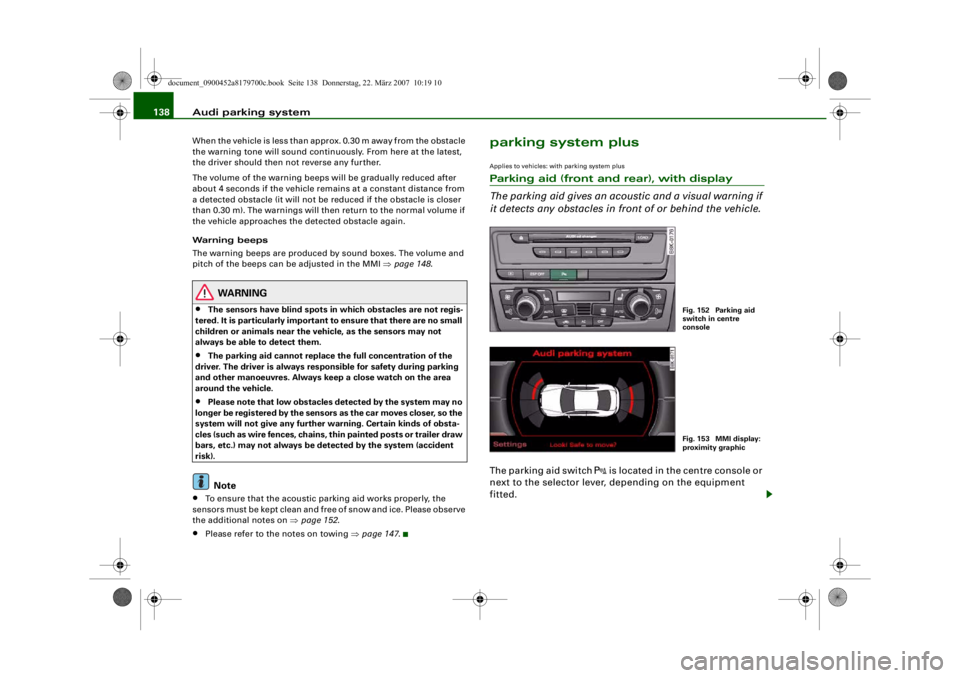
it detects any obstacles in front of or behind the vehicle.The parking aid switch
is located in the centre console or
next to the selector lever, depending on the equipment
fitted.
Fig. 152 Parking aid
switch in centre
consoleFig. 153 MMI display:
proximity graphic
document_0900452a8179700c.book Seite 138 Donnerstag, 22. März 2007 10:19 10
--4 -
-T
' • ~I
-+ +-
[I]
•
Page 141 of 313
Audi parking system139
Controls
Safety
Driving tips
General maintenance
Self-help
Technical data
Activating
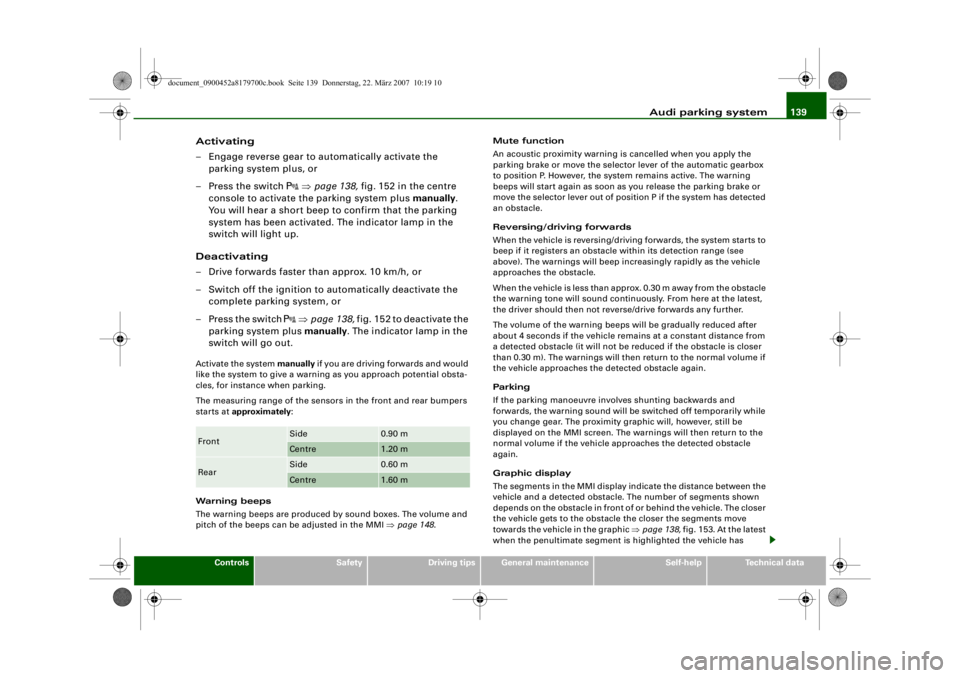
– Engage reverse gear to automatically activate the
parking system plus, or
– Press the switch
⇒ page 138, fig. 152 in the centre
console to activate the parking system plus manually.
You will hear a short beep to confirm that the parking
system has been activated. The indicator lamp in the
switch will light up.
Deactivating
– Drive forwards faster than approx. 10 km/h, or
– Switch off the ignition to automatically deactivate the complete parking system, or
– Press the switch
⇒ page 138, fig. 152 to deactivate the
parking system plus manually. The indicator lamp in the
switch will go out.
Activate the system manually if you are driving forwards and would
like the system to give a warnin g as you approach potential obsta-
cles, for instance when parking.
The measuring range of the sensors in the front and rear bumpers
starts at approximately :
Warning beeps
The warning beeps are produced by sound boxes. The volume and
pitch of the beeps can be adjusted in the MMI ⇒page 148 . Mute function
An acoustic proximity warning is
cancelled when you apply the
parking brake or move the selector lever of the automatic gearbox
to position P. However, the system remains active. The warning
beeps will start again as soon as you release the parking brake or
move the selector lever out of position P if the system has detected
an obstacle.
Reversing/driving forwards
When the vehicle is reversing/driving forwards, the system starts to
beep if it registers an obstacle within its detection range (see
above). The warnings will beep increasingly rapidly as the vehicle
approaches the obstacle.
When the vehicle is less than appro x. 0.30 m away from the obstacle
the warning tone will sound continuously. From here at the latest,
the driver should then not reverse/drive forwards any further.
The volume of the warning beeps will be gradually reduced after
about 4 seconds if the vehicle remains at a constant distance from
a detected obstacle (it will not be reduced if the obstacle is closer
than 0.30 m). The warnings will then return to the normal volume if
the vehicle approaches th e detected obstacle again.
Parking
If the parking manoeuvre involves shunting backwards and
forwards, the warning sound will be switched off temporarily while
you change gear. The proximity gr aphic will, however, still be
displayed on the MMI screen. The warnings will then return to the
normal volume if the vehicle approaches the detected obstacle
again.
Graphic display
The segments in the MMI display indicate the distance between the
vehicle and a detected obstacle. The number of segments shown
depends on the obstacle in front of or behind the vehicle. The closer
the vehicle gets to the obstacle the closer the segments move
towards the vehicle in the graphic ⇒page 138, fig. 153. At the latest
when the penultimate segment is highlighted the vehicle has Front
Side
0.90 m
Centre
1.20 m
Rear
Side
0.60 m
Centre
1.60 m
document_0900452a8179700c.book Seite 139 Donnerstag, 22. März 2007 10:19 10
--4 -
-T
-+ +-
Page 142 of 313
Audi parking system
140reached the danger (collision) zone. The driver should then not
move backwards/forwards any further ⇒ .
The graphic display in the MMI screen ⇒page 149 can be switched
off. The acoustic proximity warning will, however, remain activated.
The graphic display will be deacti vated as soon as you press a func-
tion selector button on the MMI control console. The graphic
display will appear again the next time you park the vehicle. The
graphic display in the MMI screen can also be switched on again
manually using the switch
⇒ page 138, fig. 152. For more infor-
mation on the MMI cont rol console please refer to the MMI Oper-
ating Manual.
WARNING
•
The sensors have blind spots in which obstacles are not regis-
tered. It is particular ly important to ensure that there are no small
children or animals near the vehicle, as the sensors may not
always be able to detect them.
•
The parking aid cannot replace th e full concentration of the
driver. The driver is always resp onsible for safety during parking
and other manoeuvres. Always keep a close watch on the area
around the vehicle.
•
Please note that low obstacles detected by the system may no
longer be registered by the sensors as the car moves closer, so the
system will not give any further warning. Certain kinds of obsta-
cles (such as wire fences, chains, thin painted posts or trailer draw
bars, etc.) may not always be de tected by the system (accident
risk).Note
•
There is a slight delay in the picture display.
•
You can change the settings for the graphic display in the MMI
⇒ page 149 .
•
To ensure that the acoustic parking aid works properly, the
sensors must be kept clean and free of snow and ice. Please observe
the additional notes on ⇒page 152 .
•
Please refer to the notes on towing ⇒page 147 .
parking system advancedApplies to vehicles: with parking system advancedParking aid (front and rear), with display and reversing camera
The parking aid gives an acoustic and visual warning if it
detects any obstacles in front of or behind the vehicle. The
reversing camera provides further assistance when
parking.
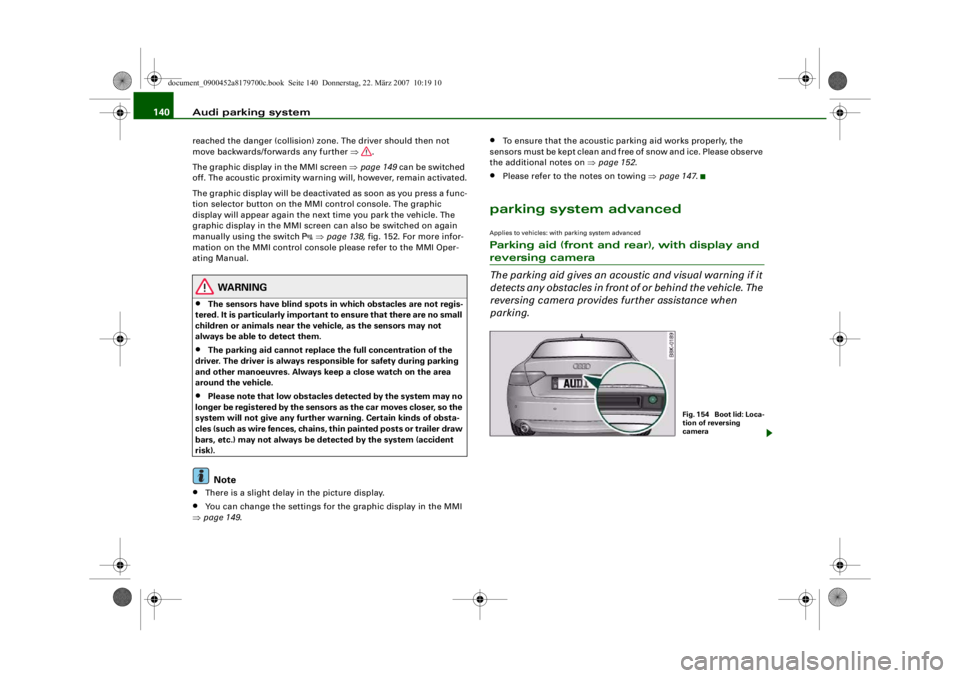
Fig. 1 54 Bo o t lid : Lo c a-
tion of reversing
camera
document_0900452a8179700c.book Seite 140 Donnerstag, 22. März 2007 10:19 10
--4 -
-T
•
-+ +-
[I)
Page 144 of 313
Audi parking system
142displayed on the MMI screen. The warnings will then return to the
normal volume if the vehicle approaches the detected obstacle
again.
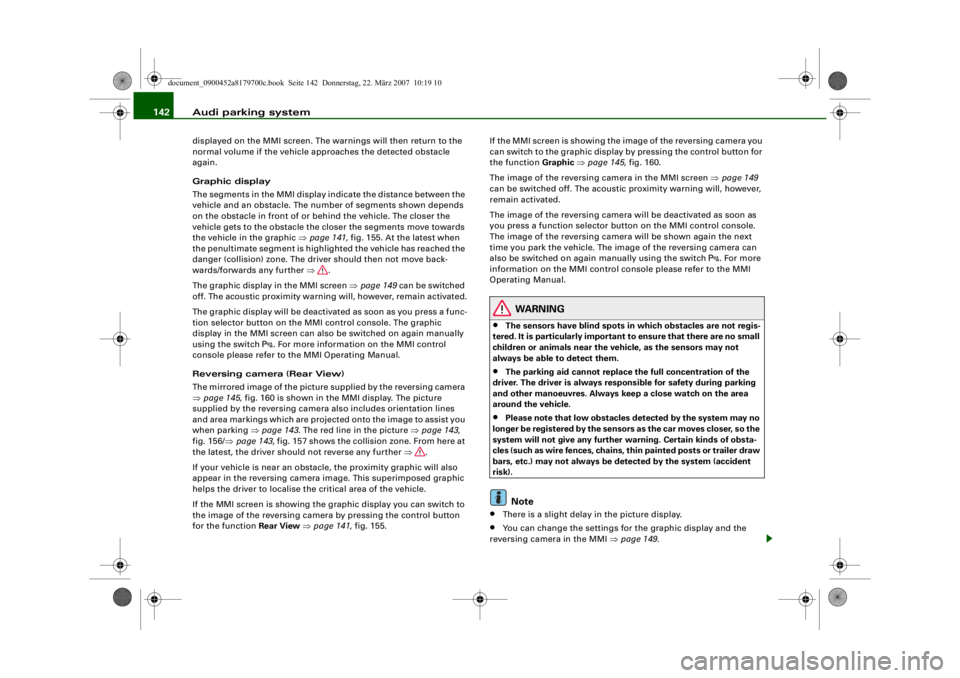
Graphic display
The segments in the MMI display indicate the distance between the
vehicle and an obstacle. The number of segments shown depends
on the obstacle in front of or be hind the vehicle. The closer the
vehicle gets to the obstacle the closer the segments move towards
the vehicle in the graphic ⇒page 141, fig. 155. At the latest when
the penultimate segment is highlighted the vehicle has reached the
danger (collision) zone. The driver should then not move back-
wards/forwards any further ⇒.
The graphic display in the MMI screen ⇒page 149 can be switched
off. The acoustic proximity warning will, however, remain activated.
The graphic display will be deacti vated as soon as you press a func-
tion selector button on the MMI control console. The graphic
display in the MMI screen can also be switched on again manually
using the switch
. For more information on the MMI control
console please refer to the MMI Operating Manual.
Reversing camera (Rear View)
The mirrored image of the picture supplied by the reversing camera
⇒ page 145, fig. 160 is shown in the MMI display. The picture
supplied by the reversing camera also includes orientation lines
and area markings which are projected onto the image to assist you
when parking ⇒page 143 . The red line in the picture ⇒page 143,
fig. 156/ ⇒page 143, fig. 157 shows the collision zone. From here at
the latest, the driver should not reverse any further ⇒.
If your vehicle is near an obstac le, the proximity graphic will also
appear in the reversing camera image. This superimposed graphic
helps the driver to localise the critical area of the vehicle.
If the MMI screen is showing the graphic display you can switch to
the image of the reversing camera by pressing the control button
for the function Rear View ⇒ page 141, fig. 155. If the MMI screen is showing the
image of the reversing camera you
can switch to the graphic display by pressing the control button for
the function Graphic ⇒ page 145, fig. 160.
The image of the reversing camera in the MMI screen ⇒page 149
can be switched off. The acoustic proximity warning will, however,
remain activated.
The image of the reversing camera will be deactivated as soon as
you press a function selector button on the MMI control console.
The image of the reversing camera will be shown again the next
time you park the vehicle. The im age of the reversing camera can
also be switched on again manually using the switch
. For more
information on the MMI control console please refer to the MMI
Operating Manual.
WARNING
•
The sensors have blind spots in which obstacles are not regis-
tered. It is particularly important to ensure that there are no small
children or animals near the vehicle, as the sensors may not
always be able to detect them.
•
The parking aid cannot replace the full concentration of the
driver. The driver is always resp onsible for safety during parking
and other manoeuvres . Always keep a close watch on the area
around the vehicle.
•
Please note that low obstacles detected by the system may no
longer be registered by the sensor s as the car moves closer, so the
system will not give any further warning. Certain kinds of obsta-
cles (such as wire fences, chains, thin painted posts or trailer draw
bars, etc.) may not always be detected by the system (accident
risk).Note
•
There is a slight delay in the picture display.
•
You can change the settings fo r the graphic display and the
reversing camera in the MMI ⇒ page 149.
document_0900452a8179700c.book Seite 142 Donnerstag, 22. März 2007 10:19 10
--4 -
-T
-+ +-
[I]
Page 145 of 313
Audi parking system143
Controls
Safety
Driving tips
General maintenance
Self-help
Technical data
•
To ensure that the acoustic parking aid works properly, the
sensors and the lens of the reversing camera must be kept clean
and free of snow and ice. Please observe the additional notes from
⇒ page 152 onwards.
•
Please refer to the notes on towing ⇒page 147 .
Applies to vehicles: with parking system advancedReversing camera (Rear View)
The reversing camera image in the MMI display shows the
area behind the vehicle.
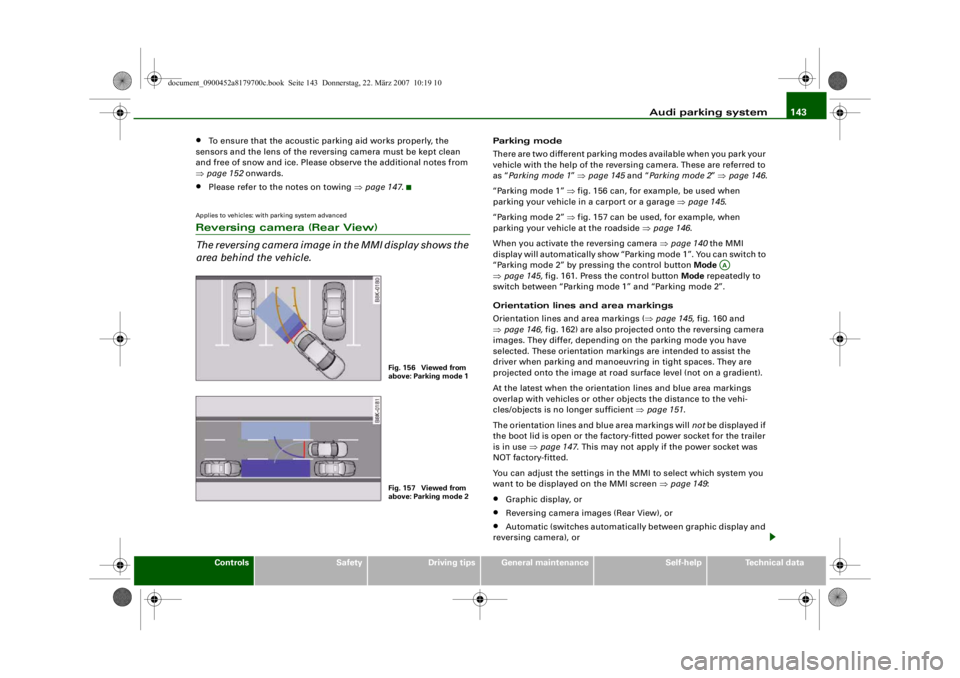
Parking mode
There are two different parking modes available when you park your
vehicle with the help of the reversing camera. These are referred to
as “Parking mode 1 ” ⇒ page 145 and “Parking mode 2 ” ⇒ page 146 .
“Parking mode 1” ⇒ fig. 156 can, for example, be used when
parking your vehicle in a carport or a garage ⇒page 145 .
“Parking mode 2” ⇒ fig. 157 can be used, for example, when
parking your vehicle at the roadside ⇒page 146 .
When you activate the reversing camera ⇒ page 140 the MMI
display will automatically show “Parking mode 1”. You can switch to
“Parking mode 2” by pressing the control button Mode
⇒ page 145, fig. 161. Press the control button Mode repeatedly to
switch between “Parking mode 1” and “Parking mode 2”.
Orientation lines and area markings
Orientation lines and area markings ( ⇒page 145, fig. 160 and
⇒ page 146, fig. 162) are also projected onto the reversing camera
images. They differ, depending on the parking mode you have
selected. These orientation markin gs are intended to assist the
driver when parking and manoeuvring in tight spaces. They are
projected onto the image at road surface level (not on a gradient).
At the latest when the orientation lines and blue area markings
overlap with vehicles or other objects the distance to the vehi-
cles/objects is no longer sufficient ⇒page 151 .
The orientation lines and blue area markings will not be displayed if
the boot lid is open or the factory-fitted power socket for the trailer
is in use ⇒page 147 . This may not apply if the power socket was
NOT factory-fitted.
You can adjust the settings in th e MMI to select which system you
want to be displaye d on the MMI screen ⇒page 149 :•
Graphic display, or
•
Reversing camera images (Rear View), or
•
Automatic (switches automatically between graphic display and
reversing camera), or
Fig. 156 Viewed from
above: Parking mode 1Fig. 157 Viewed from
above: Parking mode 2
AA
document_0900452a8179700c.book Seite 143 Donnerstag, 22. März 2007 10:19 10
--4 -
-T
•
-+ +-
Page 146 of 313
Audi parking system
144•
Off (no display).
The reversing camera can be sw itched on and off in the MMI
⇒ page 149 . The acoustic proximity warning will, however, remain
activated.
WARNING
•
The reversing camera has blind spots in which obstacles are
not registered. It is particularly important to ensure that there are
no small children or animals near the vehicle, as the reversing
camera may not always be able to detect them (accident risk).
•
The parking aid cannot replace th e full concentration of the
driver. The driver is always resp onsible for safety during parking
and other manoeuvres. Always keep a close watch on the area
around the vehicle.
•
Please note that low obstacles detected by the system may no
longer be registered by the sensors as the car moves closer, so the
system will not give any further warning. Certain kinds of obsta-
cles (such as wire fences, chains, thin painted posts or trailer draw
bars, etc.) may not always be de tected by the system (accident
risk).Note
•
There is a slight delay in the picture display.
•
To ensure that the reversing camera works properly, the lens of
the camera ⇒page 140, fig. 154 must be kept clean and free of
snow and ice. Please observe the additional notes on ⇒page 152 .
•
If the boot lid is open the angle covered by the camera will
change. For this reason, the image of the reversing camera will then
be shown without orientation li nes and blue area markings.
•
Please refer to the notes on towing ⇒ page 147.
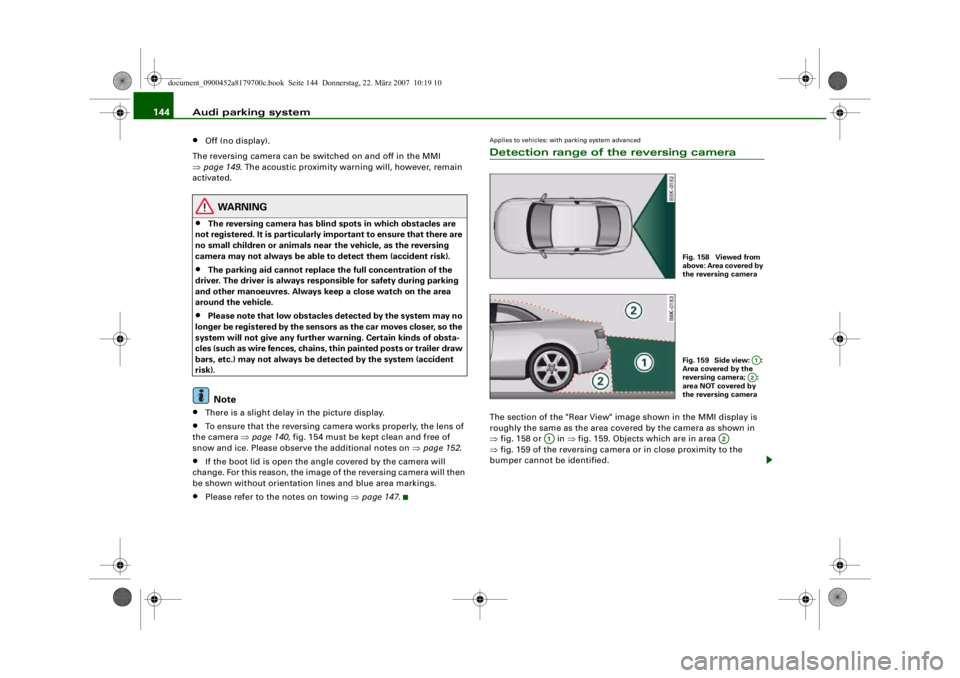
Applies to vehicles: with parking system advancedDetection range of the reversing cameraThe section of the "Rear View" image shown in the MMI display is
roughly the same as the area covered by the camera as shown in
⇒fig. 158 or in ⇒fig. 159. Objects which are in area
⇒ fig. 159 of the reversing camera or in close proximity to the
bumper cannot be identified.
Fig. 158 Viewed from
above: Area covered by
the reversing cameraFig. 159 Side view: :
Area covered by the
reversing camera; :
area NOT covered by
the reversing camera
A1A2
A1
A2
document_0900452a8179700c.book Seite 144 Donnerstag, 22. März 2007 10:19 10
--4 -
-T
-+ +-
[I]
•