remote control AUDI A5 COUPE 2018 User Guide
[x] Cancel search | Manufacturer: AUDI, Model Year: 2018, Model line: A5 COUPE, Model: AUDI A5 COUPE 2018Pages: 409, PDF Size: 67.63 MB
Page 46 of 409
Opening and clo sin g
Automatic luggage compartment lid
Applies to: vehicles with automatic luggage compartment lid
The luggage compartment lid can be opened and
closed electrically.
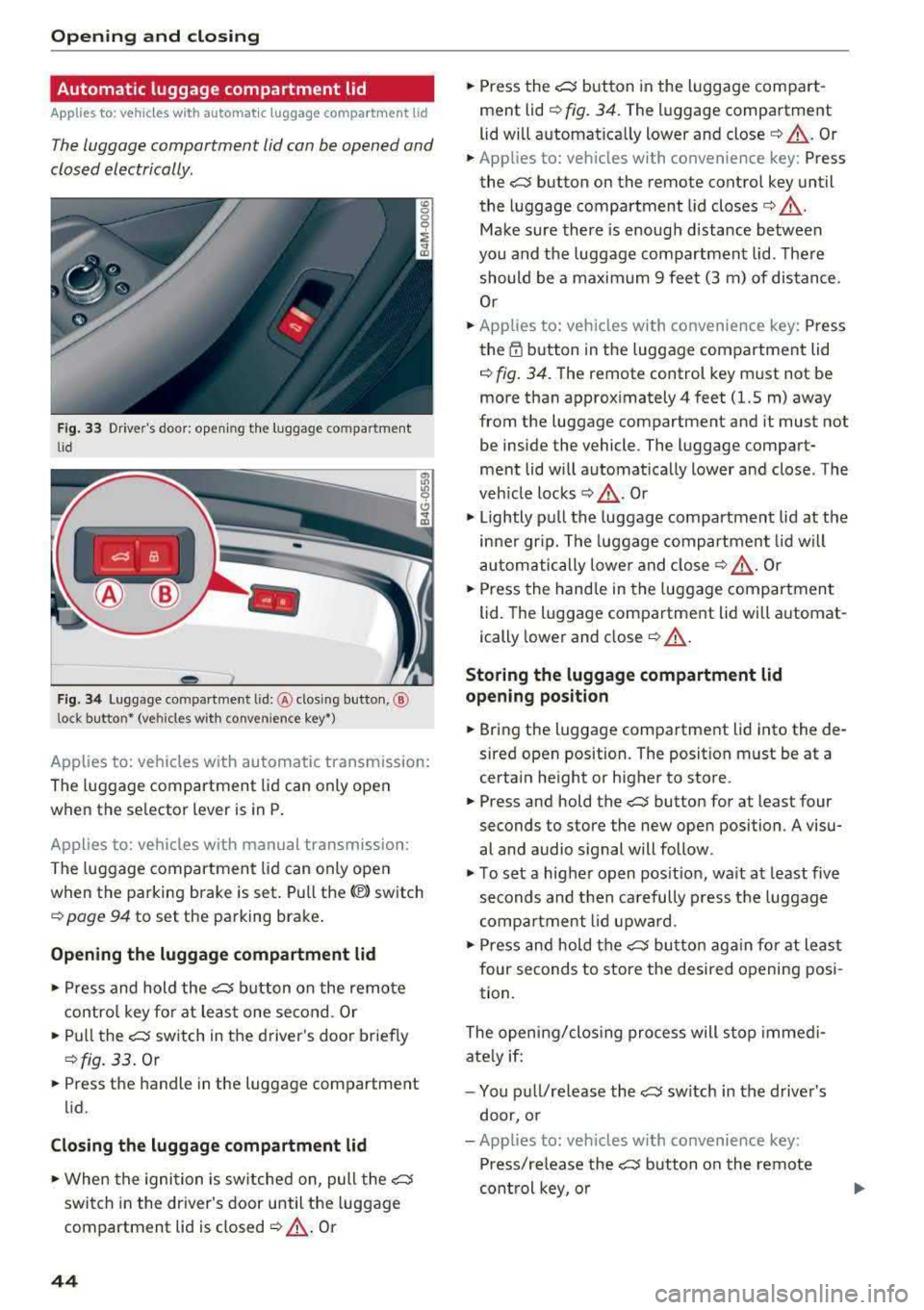
F ig. 33 Driver's doo r: opening the luggage compartment
lid
Fig. 34 Luggage compartment lid: @clos ing button, ®
lock button* (vehicles with convenience key*)
Applies to: vehicles with automatic transmission:
The luggage compartment lid can only open
when the se lector lever is in
P .
Applies to: vehicles with manual transmission:
The luggage compartment lid can only ope n
when the parking brake is set. Pull
the© switch
¢ page 94 to set the parking brake .
Opening the luggage compartment lid
... Press and hold the ~ b utton on the remote
contro l key fo r at leas t one second . Or
... Pu ll the~ switch in the driver 's door briefly
¢ fig. 33 . Or
... Press the handle in the luggage compartment
lid.
Cl osing th e luggage compartment lid
... When the ignition is sw itched on, pull the~
switch in the driver's door until the luggage
compartment lid is closed
¢ ,& . Or
44
... Press the~ button in the luggage compart
ment lid
¢ fig. 34. The luggage compartment
lid wi ll automat ica lly lower and
close¢ ,&. Or
... Applies to: vehicles with convenience key: Press
the~ button on the remote control key until
the luggage compartment l id
closes¢ .&,.
Make sure there is enough distance between
you and the luggage compartment lid . The re
should be a maxim um 9 feet (3 m) of distance.
Or
... Applies to: vehicles with convenience key: Press
the
tf) button in the luggage compartment lid
¢ fig. 34. The remote control key m ust not be
more than approx imately
4 feet (1.5 m) away
from the luggage compartment and it must not
be inside the vehicle. The luggage compart
ment lid will automatically lower and close. The
veh icle
locks ¢.&_ . Or
... Lightly p ull the luggage compartment lid at the
in ner gr ip. The luggage compartment lid wi ll
automatically lowe r and close
¢ .&_ . Or
... Press the hand le in the luggage compartment
lid. The luggage compartment lid will automat
ically lower and close
¢ .&, .
Storing the luggage compartment lid
opening position
... Bring the luggage compartment lid into the de
sired open position. The position must be at a
certain height or higher to store .
... Press and hold the~ button for at least four
seconds to store the new open position . A visu
al and audio s ignal will follow.
... To set a higher open pos it ion, wa it at least five
seconds and then carefully p ress the luggage
compa rtment lid upward .
... Press and hold the~ butto n aga in fo r at least
four seconds to store the desired opening posi
tion.
The opening/clos ing process will stop immedi
ate ly if:
- You pu ll/re lease
the~ sw itch in the drive r's
door, or
- Applies to: vehicles with convenience key:
Press/re lease
the~ b utton o n the remote
con trol key, o r
Page 47 of 409
-Applies to: vehicles with convenience key: Press
the~ button or the lr! button in the luggage
compartment lid, or
- You push the handle in the luggage compart
ment lid, or
- When something blocks the luggage compa rt
ment lid or makes it difficu lt for the lid to
move.
I f you press the handle or one of
the~ or lr! but
tons (vehicles w ith convenience key*) now, the
luggage compartment lid will either open or
close, depending on its angle .
_&. WARNING
-After closing the luggage compartment lid,
make sure that it is latched. Otherwise the
luggage compartment lid could open sud
denly when driving, which increases the risk
of an accident.
- Pay careful attent ion when closing the lug
gage compartment lid . Otherw ise, you could
cause serious inj ury to yourself or othe rs de
spite the pinch protection .
- To reduce the risk of p inch ing injur ies, al
ways make sure that no one is in the operat
ing area of the luggage compartment lid; in
cluding the hinge areas and the upper and
lower edge of the luggage compartment lid .
- Never dr ive with the luggage compartmen t
lid ajar or open, because poisonous gases
can enter the vehicle interior and create the
risk of asphyxiation.
- If there is a luggage rack (such as a bicycle
rack) on the luggage compartment lid, the
luggage compartment lid may not open
completely under certain circumstances or it
could close by itself if open due to the extra
weight. To reduce the r isk of injury, the
open luggage compartment l id must there
fore have add itiona l support or the cargo
must first be removed from the rack.
(D Tips
- The settings in the Infota inment system de
termine if the luggage compartme nt lid ca n
be opened us ing the
handle <=> page 41.
Openin g an d clos ing
-There are audio signa ls when closing the
luggage compartment lid with the remote
control key (vehicles with convenience key*)
or with
the~ button in the dr iver's door.
- When the vehicle is locked, the luggage
compartment lid can be unlocked separately
by pressing
the~ button on the remote
control key. The luggage compartment lid
locks automatically when it is closed again.
- Applies to: vehicles with convenience key:
The luggage compartment lid can be closed
w ith the convenience from a distance up to
approximately 9 ft (3 m).
- The luggage compartment lid can be oper
ated manually if the vehicle battery is low.
It is necessary to use more force when doing
this. Move the lid s low ly to reduce the
amount of fo rce needed.
- When the t railer socket is being used (for
example, for a bicycle rack), the luggage
compar tment lid can be opened a nd closed
using the handle or the foot mot ion activa
tion (vehicles w ith convenience key*) .
- In case of an emergency o r a fau lty handle,
the luggage compartment lid can be opened
manually from the
insider=> page 46.
Opening /closing the luggage compartment
lid with foot motion activation (kicking
movement )
Applies to: vehicles with convenience key and sensor-control
led luggage compartment lid
Fig . 35 Rear of the veh icle: foot movement
Applies to: Coupe/Cabriolet
You can open the luggage compartment lid with
foot motion activation.
.,.
45
Page 51 of 409
® Central switch* for opening or closing all side
windows at the same time
A WARNING
- Always take the vehicle key with you when
leaving the vehicle, even for a short period
of time. This applies particularly when chi l
dren rema in in the vehicle. Otherwise ch il
dren could start the engine or operate elec
trical equipment (such as power windows),
wh ich increases the r isk of an accident. The
powe r windows con tinue to function unt il
the driver 's door or front passenger 's door
has been opened .
- Pay ca reful attent ion when closing the win
dows. P inching co uld cause serious injuries .
- When loc king the veh icle from outside, the
vehicle must be unoccupied since the win
dows can no longer be opened in an emer
gency.
(D Tips
You ca n still open and close the w indows fo r
approxima tely 10 minutes after turning the
ign it ion off. T he power windows do no t switch
off until the driver's door or front passe nger's
door has been opened.
Convenience opening/closing
App lies to: vehicles with convenience key
All of the windows and the roof* con be opened/
closed ot the same time.
F or power top* convenience opening/clos ing, re
fer to the in formation
in ~ page 55.
Convenience opening feature
.,. Press and hold the IT! button on the remote con
t rol key until all of the windows reach the de
s ir ed position and the roof* is tilted open.
Con venience closing feature
.,. Press the ('.D button on the remote control key
until the roof* is closed
~ .&. , or
;;§ .,. Touch the sensor* on the doo r hand le until a ll
;::; of the windows and the roof* are closed. Do not ,....
8 place your hand in the door handle when doing
3 th is .
Sett ing conven ienc e op ening in the
Infota inm ent sy stem
.,. Select in the Infotainment system: I MENU ! but
ton
> Vehicle > left control b utton > V ehicle
setti ng s> C entral lock ing > Long p ress to
o pen windo ws.
A WARNING
= -- To reduce the r isk of injury, never close the
windows or the roof* carelessly or in a n un
con trolled man ner .
- For secur ity reaso ns, the windows and the
roof* can on ly be opened and closed with
the remote con trol key a t a maximum dis
tance of approx imately 6.S fee t (2 m) aw ay
from the vehicle . Always pay atten tion when
using the
tfJ button to close the windows
and the roof* so that no one is pinched . The
clos ing process will stop immediately when
the
tfl button is released.
(D Tips
Applies to: vehicles with panorama glass roof:
the power sunshade also opens/closes when
opening/closing the roof.
Correcting power window malfunctions
You can reactivate the one -touch up/down func
tion if it malfunctions.
.,. Pull the powe r window switch up until the win
dow is completely raised.
.,. Release the switch and pu ll it up again fo r at
least one second .
49
Page 53 of 409
Valet parking function
Applies to: vehicles wit h valet parking funct ion
The valet parking function protects the luggage
comportment from unauthorized access.
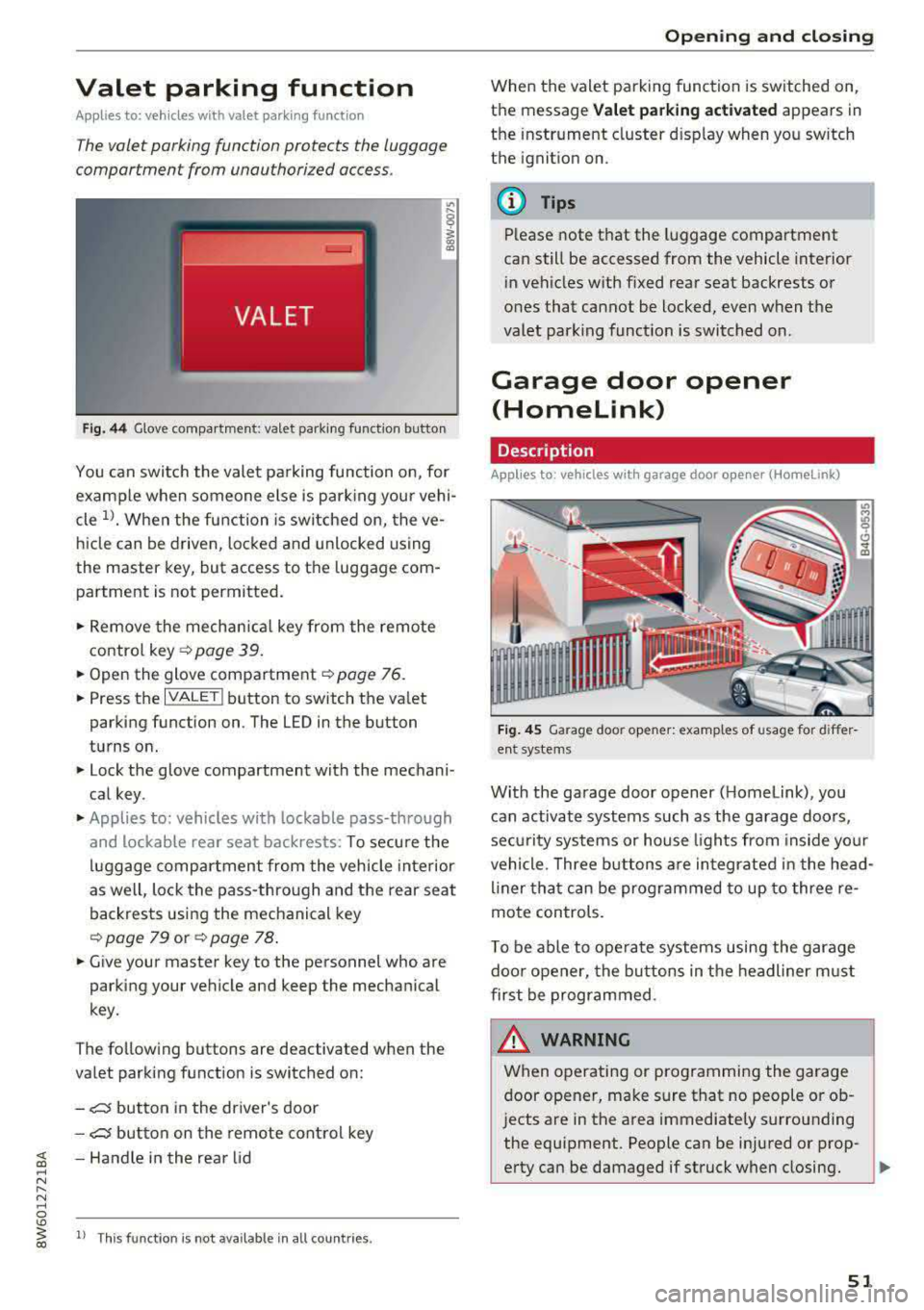
Fig. 44 Glove compartment: valet parking function butto n
You can switch the valet parking function on, for
example when someone else is parking your vehi
cle
l)_ When the function is switched on, the ve
hicle can be driven, locked and unlocked using
the master key, but access to the luggage com
partment is not permitted .
.,. Remove the mechan ical key from the remote
contro l
key~ page 39 .
.,. Open the glove compartment ~ page 76 .
.,. Press the IVALET I button to switch the valet
parking function on . The LED in the button
turns on.
.,. Lock the glove compartment with the mechani
cal key .
.,. Applies to: vehicles with lockable pass-through
and lockable rear seat backrests: To secure the
luggage compartment from the vehicle interior
as well, lock the pass-through and the rear seat
backrests using the mechanical key
~ page 79 or ~ page 78 .
.,. Give your master key to the personnel who are
parking your vehicle and keep the mechanical
key.
The following buttons are deactivated when the
va let parking function is switched on:
-,c:;5 button in the driver's door
-,c:;5 button on the remote control key
~ -Handle in the rear lid ..... N
" N ..... 0
'° ~ ll Th is function is not available in all countr ies . co
Open ing and closing
When the valet parking function is switched on,
the message
Valet parking activated appears in
the instrument cluster disp lay when you sw itch
the ignition on.
@ Tips
Please note that the luggage compartment
can still be accessed from the vehicle interior
in vehicles with fixed rear seat backrests or
ones that cannot be locked, even when the
valet park ing funct ion is switched on.
Garage door opener
(Homelink)
Description
Applies to: vehicles with garage door opener (Home Link)
Fig. 45 Garage door opener: examples of usage for differ
ent system s
With the garage door opener ( Homelink), you
can activate systems such as the garage doors,
sec urity systems or house lights from inside your
vehicle. Three buttons are integrated in the head
liner that can be programmed to up to three re
mote controls.
T o be able to operate systems using the garage
door opener, the buttons in the headliner must
first be programmed .
_& WARNING ~
When operating or programming the garage
door opener, make sure that no people or ob
jects are in the area immediately s urrounding
the equipment. People can be injured or prop-
erty can be damaged if struck when closing.
Ill>
51
Page 57 of 409
_& WARNING
-When operating the power top, make sure
the funct ion is not affected by wind or other
factors and that it does not interfere with other dr ivers .
- Visibility to the rear is limited when operat ing the power top . Avoid operating the top
wh ile driving in reverse .
- Never drive with the power top unlocked .
The wind from driving could cause the pow
er top to open. This can result in injur ies and
damage to the vehicle.
- Make sure no one will be injured by the pow
er top suppo rts or other moving compo
nents when open ing and closing the top.
- T he headroom in the rear is reduced when
opening a nd clos ing the power top. Make
sure the rear passengers keep enough d is
tance from the power top to reduce the risk
of injury.
(D Note
To prevent damage to the power top:
- do not store any objects in the power top storage compartment.
- make sure there is enough space above the
vehicle when opening or clos ing the power
top.
@ Tips
- To prevent the vehicle battery from draining unnecessari ly, do not open or close the pow
er top repea tedly whe n the engine is switch
ed off.
- The power top can also be operated manual
l y temporari ly if there is a malfunc tion
c::, page 58, Power top emergency opera·
tion . An author ized A udi dealer or author
ized Audi Service Facility should diagnose
and correct the cause of the ma lfunction as
soon as possib le.
- If the vehicle is parked with the power top
open, the vehicle inter ior is not protected
from damaging weather or unauthorized ac
cess. Lock any items you leave behind in the
luggage compartment . C lose the power top
before leaving the vehicle .
Powe r top
-The side windows automatically lower
slightly when opening or closing the power
top .
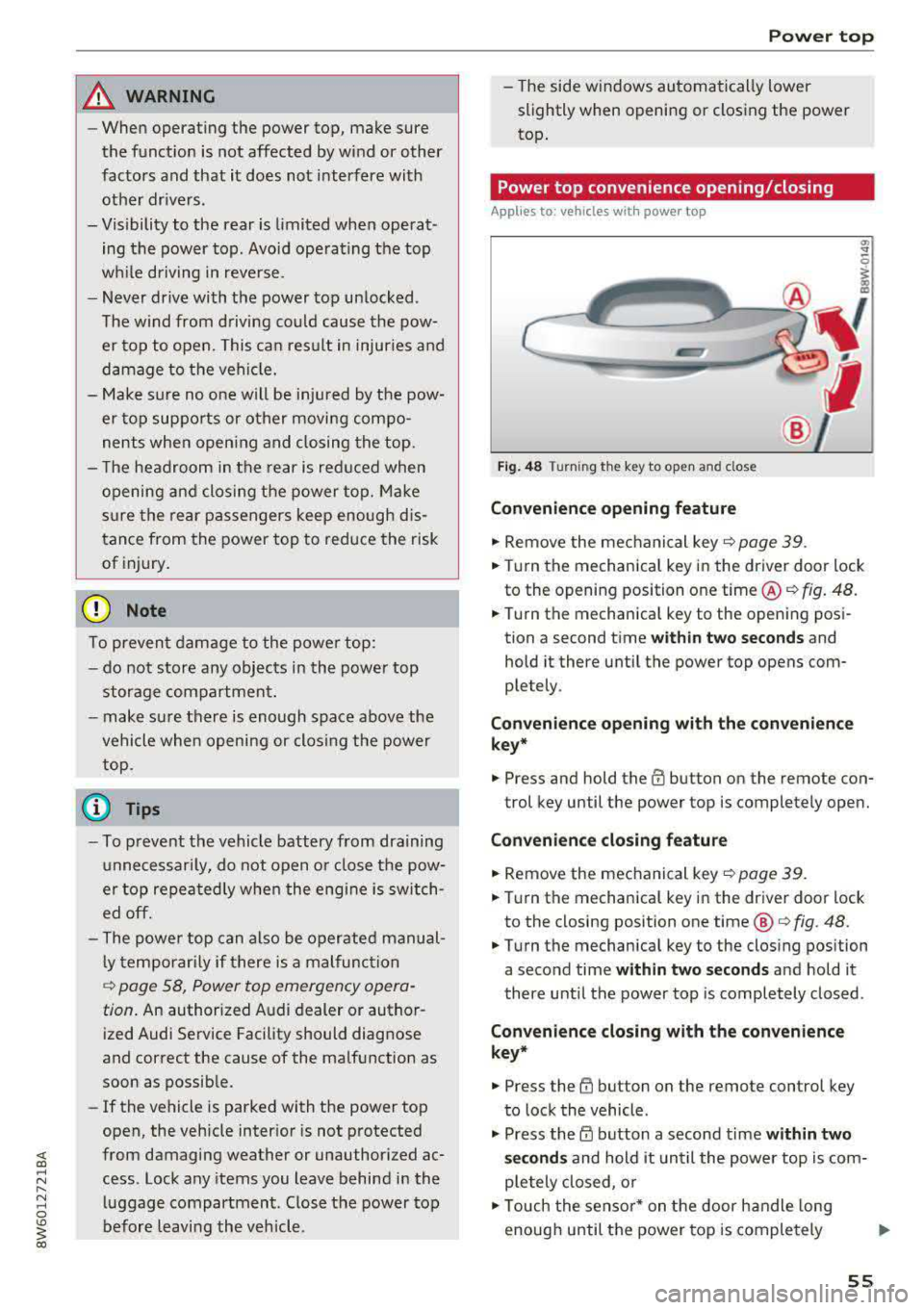
Power top convenience opening/closing
App lies to : vehicles wit h powe r top
Fi g. 48 Turni ng th e key to open a nd close
Convenien ce opening feature
.,. Remove the mec hanical key c::> page 39 .
.,. Turn the mechanica l key in the driver door lock
to the opening position one time @
c::, fig. 48.
.,. Turn the mechanica l key to the opening posi
tion a second time
wi th in tw o se cond s and
hold it there until the power top opens com
ple tely .
Co nven ien ce opening with th e co nv eni enc e
key*
.,. Press and hold the m button on the remote con-
trol key until the power top is completely open.
Conv enience clo sing featur e
.,. Remove the mechanical key c::, page 39.
.,. Turn the mechanical key in the dr iver door lock
to the closing posit ion one time @
c:> fig. 48.
.,. Turn the mechanical key to the clos ing position
a second time
within two seconds and hold it
there until the power top is completely closed .
Convenienc e closing with th e con ven ience
key*
.,. Press the tfJ button on the remote control key
to lock the vehicle .
.,. Press the CD button a second time within two
s e cond s
and hold it until the powe r top is com
ple tely closed, o r
.,. Touch the sensor * on the door handle long
enough until the power top is completely
Ill>
55
Page 67 of 409
@ Tips
The setting is automatica lly stored and as
signed to the remote control key that is be ing
used.
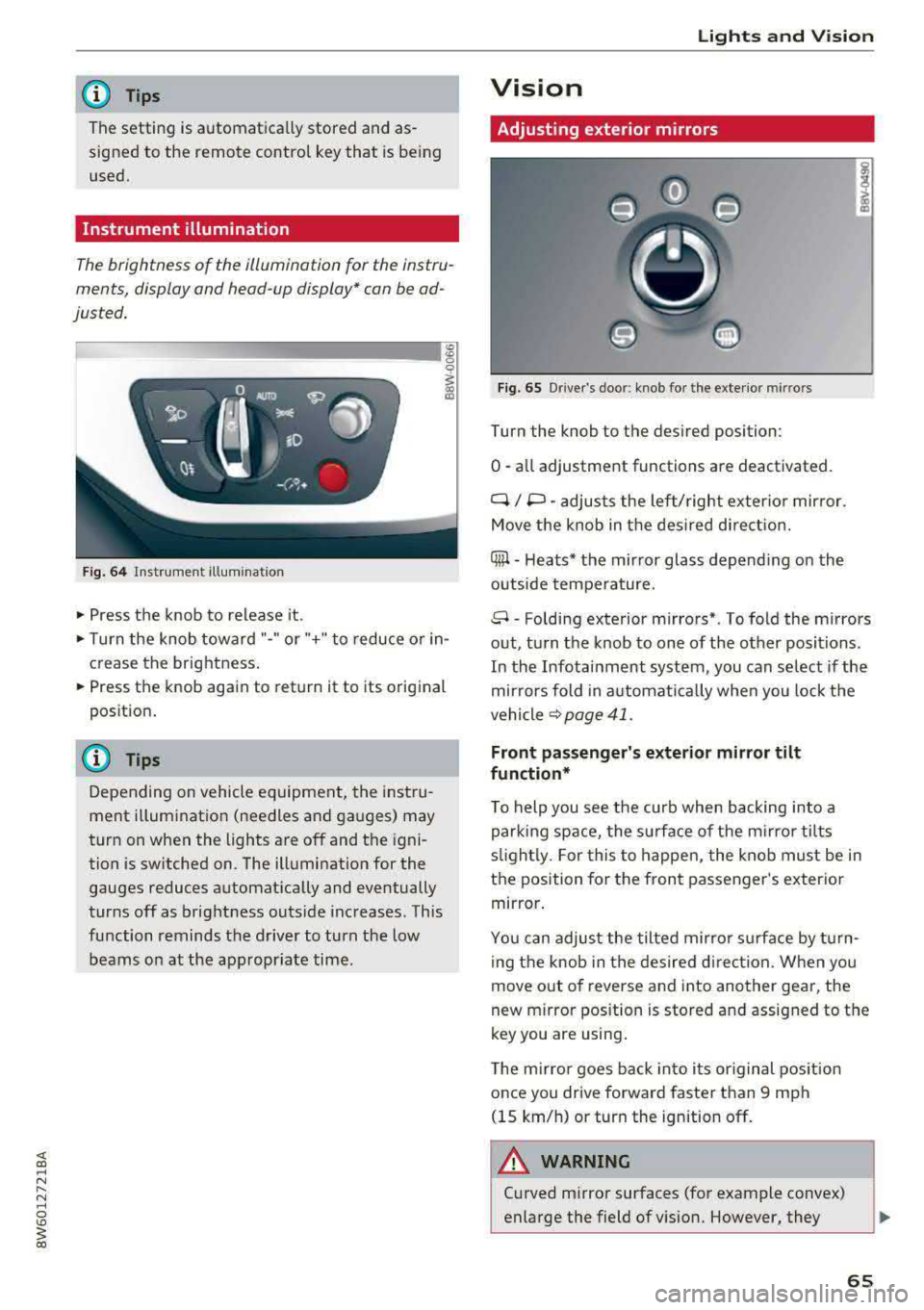
Instrument illumination
The brightness of the illumination for the instru
ments, display and head-up display* con be ad
justed.
Fig. 64 Instrument illum inatio n
~ Press the knob to release it.
~ Turn the knob toward "-" or"+" to reduce o r in
crease the brightness.
~ Press the knob again to return it to its original
position .
(D Tips
Depending on vehicle equ ipment, the instru
ment illumination (needles and gauges) may
turn on when the lights are off and the igni
tion is sw itched on. The illumination for the
gauges reduces automat ica lly and eventually
turns off as brightness outside increases. This
function reminds the driver to turn the low
beams on at the appropr iate time .
Lights and V ision
Vision
Adjusting exterior mirrors
Fig. 65 Driver's door: knob for the exterior mirrors
Turn the knob to the des ired position:
0
-a ll adjustment functions are deactivated.
q / P -adjusts the left/ right exter io r mirror.
Move the knob in the des ired direct ion.
Qiµ -Heats* the mirror glass depend ing on the
outside tempe rature.
8 -Folding exterior mirrors*. To fold the mirrors
out, turn the knob to one of the other positions.
In the Infotainment system, you can se lect if the
mir rors fold in a utomat ically when you lock the
vehicle
~ page 41.
Front passenger's exterior mirror tilt
function*
T o help you see the curb when backing into a
parking space, the surface of the mi rro r tilts
s lightl y. For this to happen, the knob must be in
the position for the front passenger 's exterio r
mirror .
You can adjust the tilted mirror s urfa ce by turn
i ng the knob in the desired direct ion. When you
move out of reverse and into another gear, the
new m irror pos ition is stored and assigned to the
key you are using .
The mirror goes back into i ts or iginal pos ition
once you drive forward faster than 9 mph
(15 km/h) or turn the ignition off .
.&_ WARNING
-C urved mirror surfaces (for example convex)
enlarge the field of vision. However, they
65
Page 71 of 409
A WARNING
For safety reasons, the windshield wiper
blades should be replaced once or tw ice each
year .
(D Note
-Only fold the windshield wipers away when
they are in the service position . Otherwise,
you r isk damaging the paint on the hood or
the windshie ld wiper motor.
- You should not move your vehicle or operate
the windshield w iper lever when the wiper
arms are fo lded away from the w indshield.
The windshield wipers would move back in
to their original position and could damage
the hood and windshield.
- To reduce the risk of damage to the wiper
system, always loosen blades which are fro
zen to the windsh ield before operating the
wipe rs .
- To reduce the risk of damage to the wiper
blades, do not use gasoline, kerosene, paint
thinner, or other so lvents on or near the
wiper blades.
- To reduce the risk of damage to the wiper arms or other components, do not attempt
to move the wipers by hand.
@ Tips
- You can also use the service position, for ex
ample, if you want to protect the windsh ield
from icing by using a cover.
Lights and V ision
-You cannot activate the service position
when the hood is open .
Digital compass
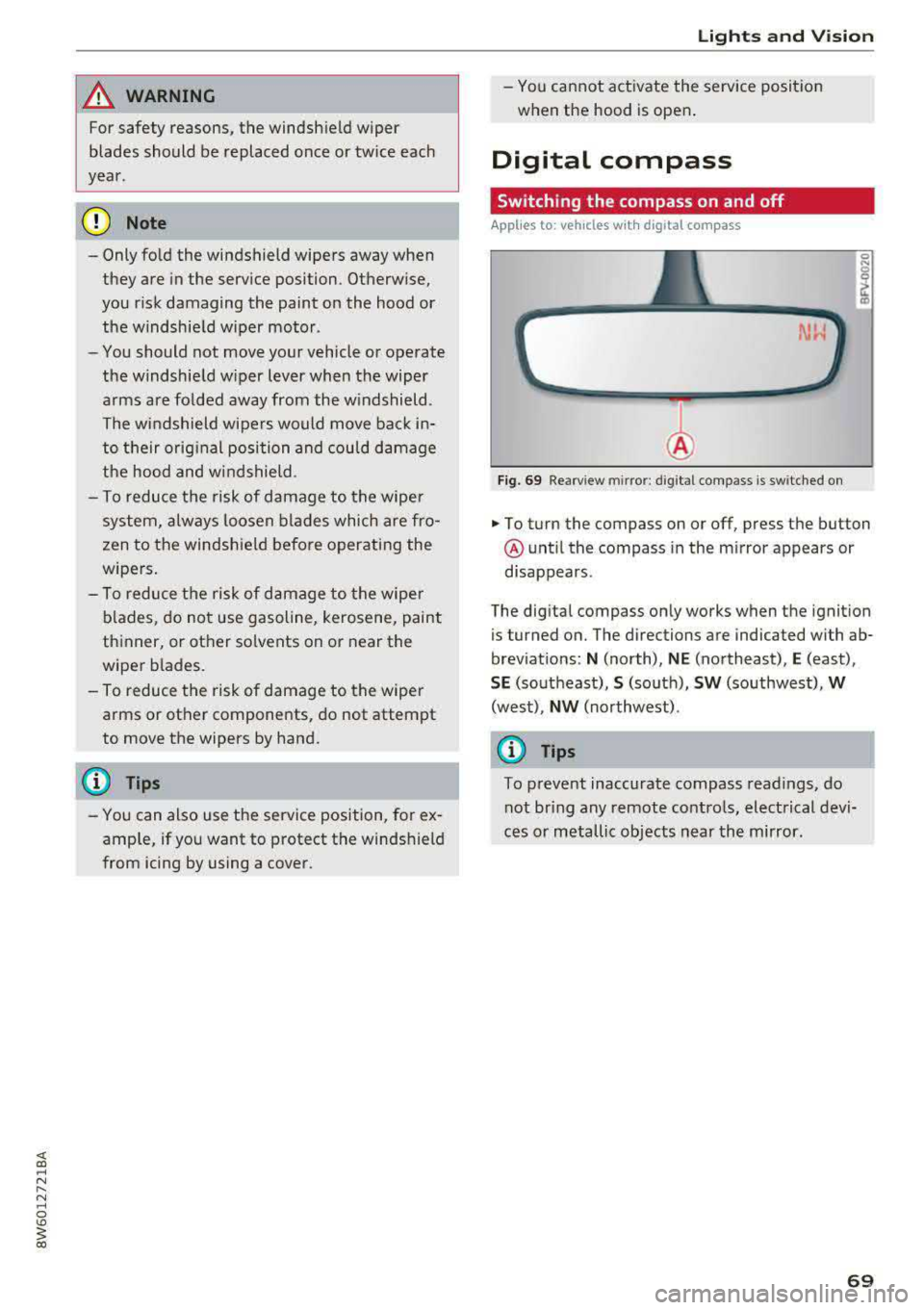
Switching the compass on and off
Applies to: vehicles wit h digita l compass
Fig. 69 Rearview mirror: digita l compass is switched on
0 N 0
~ a)
... To turn the compass on or off, press the button
@ until the compass in the m irror appears or
disappears.
The digital compass only works when the ignition
is tur ned on. The directions are indicated with ab
brev iat ions:
N (north), NE (northeast), E (east),
SE (southeast), S (so uth), SW (southwest), W
(west), NW (northwest) .
{D Tips
To prevent inaccurate compass readings, do
not br ing any remote controls, electrical devi
ces or metallic objects near the mirror.
69
Page 76 of 409
Sea ts and stor age
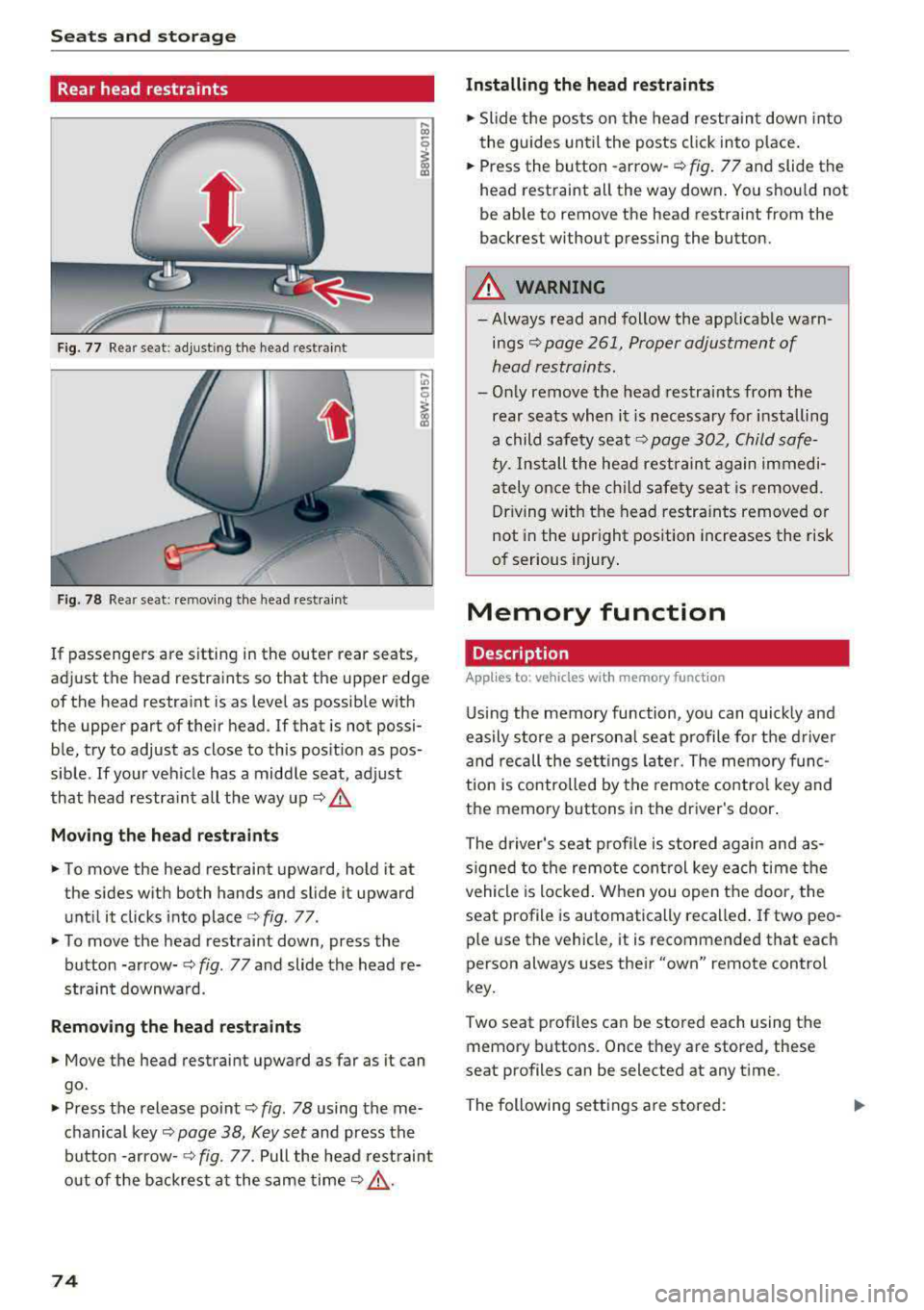
Rear head restraints
Fig. 77 Rear seat: adjust ing the head restraint
F ig. 78 Rear seat: remov ing the head rest rai nt
If passengers are s itting in the outer rear seats,
adjust the head restraints so that the upper edge
of the head restraint is as level as possible with
the upper part of their head . If that is not possi
ble, try to adjust as close to this position as pos
sible . If your vehicle has a middle seat, adjust
that head restra int all the way up
c::> .&.
Mov ing the he ad re st raints
• To move the head restraint upward, hold it at
the sides w ith both hands and slide it upward
unt il it clicks into place
c::> fig . 77.
• To move the head restraint down, press the
button -arrow-
c::> fig. 77 and slide the head re
straint downwa rd.
Remo ving the he ad rest raints
• Move the head restraint upward as far as it can
go.
• Press the release point c::> fig. 78 using the me
chanical
key~ page 38, Key set and press the
button -arrow-
c::> fig. 77. Pull the head rest raint
o ut of the backrest a t the same
time~ ,&..
74
Installing the head re straints
• Slide the posts on the head restraint down into
the guides until the posts click into place .
• Press the button -arrow-c::> fig. 77 and slide the
head restraint all the way down . You should not
be able to remove the head restraint from the
backrest without pressing the button.
A WARNING
-Always read and follow the applicable warn
ings~ page 261, Proper adjustment of
head restraints.
-Only remove the head restraints from the
rear seats when it is necessary for installing
a child safety seat
c::> page 302, Child safe
ty. Install the head restraint again immedi
ately once the ch ild safety seat is removed.
Driving w ith the head restra ints removed or
not in the upright position increases the risk
of serious injury .
Memory function
Description
Applies to: vehicles wit h memo ry funct ion
Using the memory function, you can quick ly and
easily store a persona l seat profile for t he driver
and recall the sett ings later. The memory func
tion is controlled by the remote control key and
the memory buttons in the driver's door.
The driver's seat prof ile is stored again and as
s igned to the remote control key each time the
vehicle is locked . When you open the door, the
seat profile is automatically recalled . If two peo
ple use the vehicle, it is recommended that each
person always uses their
"own" remote control
key.
Two seat profiles can be stored each using the
memory buttons. Once they are stored, these
seat profiles can be selected at any time.
The following sett ings a re stored:
Page 77 of 409
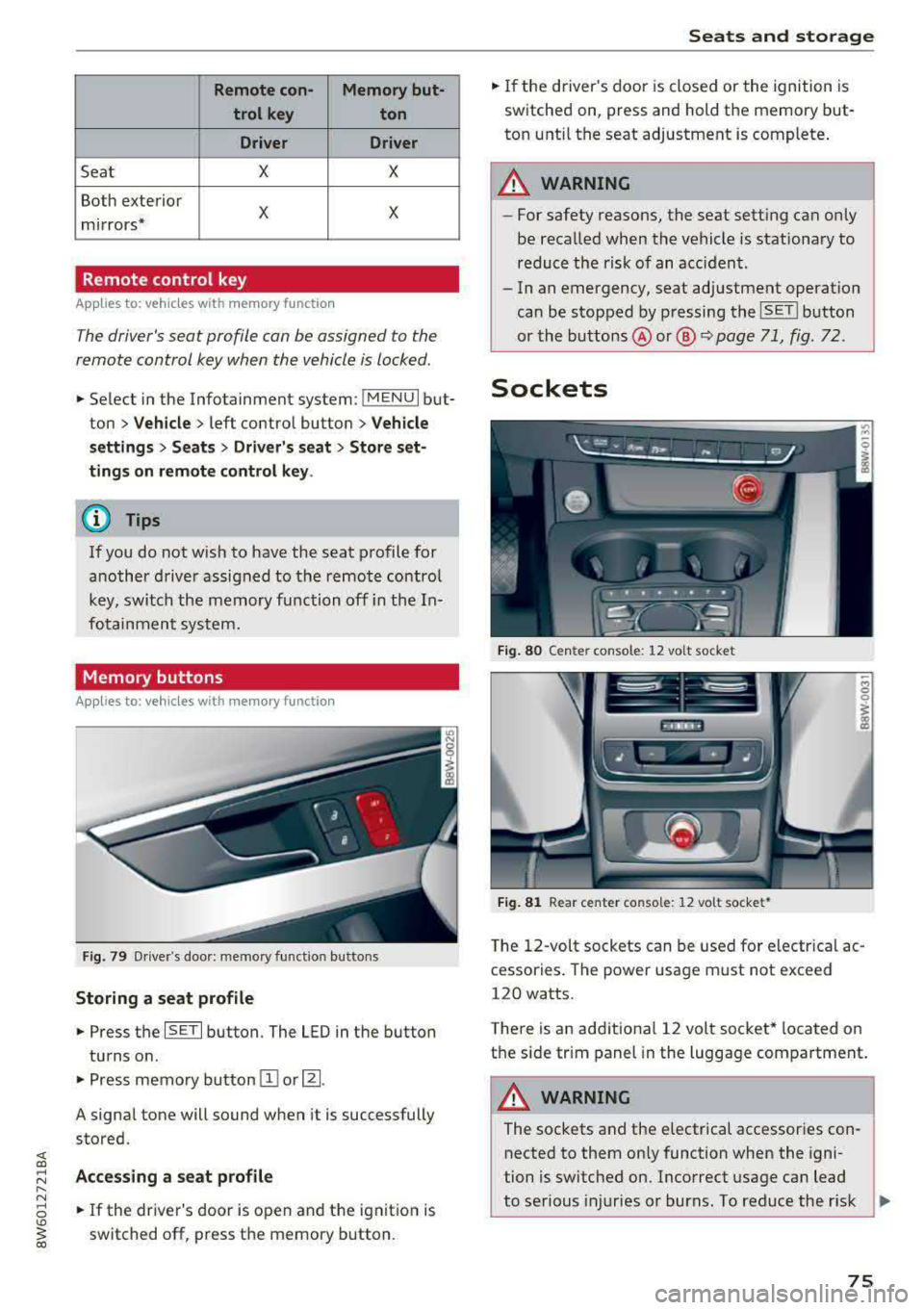
Remote con- Memory but-trol key ton
Driver Driver
Sea t X X
Both exterior
X X mirrors*
Remote control key
Applies to: vehicles with memory function
The driver's seat profile can be assigned to the
remote control key when the vehicle is locked .
.. Select in the Infotainment system: !MENUI but
ton
> Vehicle> left control button > Vehicle
settings
> Seats > Driver's seat > Store set
tings on remote control key.
@ Tips
If you do not wish to have the seat profile for
another driver assigned to the remote control
key, switch the memory function off in the In
fotainment system.
Memory buttons
Applies to: vehicles with memory function
Fig. 79 Driver's door: memory functio n buttons
Storing a seat profile
.. Press the ISET I button. The LED in the button
turns o n .
.. Press memory button IT] or~ -
A signal tone will sound when it is successfully
stored.
;:::: Accessing a seat profile ...... N
8 .. If the driver's door is open and the ignition is
'° ~ switched off, press the memory b utton. co
Seats and storage
.. If the driver's door is closed or the ignition is
switched on, press and hold the memory but
ton until the seat adjustment is complete .
_& WARNING
-For safety reasons, the seat setting can only
be recalled when the vehicle is stationary to
reduce the risk of an accident.
- In an emergency, seat adjustment operat ion
can be stopped by pressing the
ISE TI button
or the buttons @ or@
~ page 71, fig. 72.
Sockets
Fig. 80 Cen ter console : 12 vo lt socket
Fig. 81 Rear center console: 12 volt socket •
The 12-volt sockets can be used for electr ical ac
cessories . The power usage must not exceed
120 watts.
T here is an additiona l 12 volt socket* located on
the side tr im panel in the luggage compartment.
A WARNING
The sockets and the e lectrical accessories con
nected to them only function when the igni
tion is switched on. Incorrect usage can lead
to serious injuries or burns. To reduce the r isk
Ji--
75
Page 83 of 409
<( a, .... N ,....
N .... 0 \0
3 a,
Warm and cold Climate control system
Description
The climate control system warms , cools and re
moves humidity from the air in the vehicle interi
or. It is the most effective when the w indows and
sliding sun roof* or power top* are closed . If
there is a build-up of heat inside the vehicle, ven
tilation can help to speed up the cooling process.
I n all heating mode functions except for
defrost ,
the blower on ly switches to a higher speed once
the engine coolant has re ached a sufficient tem
perature .
Pollutant filter
The pollutant filter removes pollutants such as
dust and pollen from the air.
Key recognition
The climate control settings are automatically
stored and assigned to the remote control key
that is in use .
T hese settings are different when the power top*
is open or closed .
Warm and cold
{® For the sake of the environment
-If you would like to reduce fuel consump
tion, switch the air conditioning off . This
will also reduce emissions.
- In vehicles with a diesel engine, you can
switch the auxiliary heater off in the Info
tainment system.
(D Tips
- To prevent interference with the heating
and cooling output and to prevent the win
dows from fogging over, the air intake in
front of the windshield must be free of ice,
snow or leaves .
- Condensation from the cooling system can
drip and form a puddle of water under the
vehicle . This is normal and does not mean
there is a leak .
- The energy management system may tem
porarily switch off certain functions, such as
the seat heating* or rear window defogger.
These systems are available again as soon
as the energy supply has been restored.
81