display AUDI Q7 2011 Owner´s Manual
[x] Cancel search | Manufacturer: AUDI, Model Year: 2011, Model line: Q7, Model: AUDI Q7 2011Pages: 392, PDF Size: 93.29 MB
Page 28 of 392
Driver information display
Trip computer
Introduction
The trip computer gives you information on current and
average fuel mileage, avera ge speed, fuel range and
driving time .
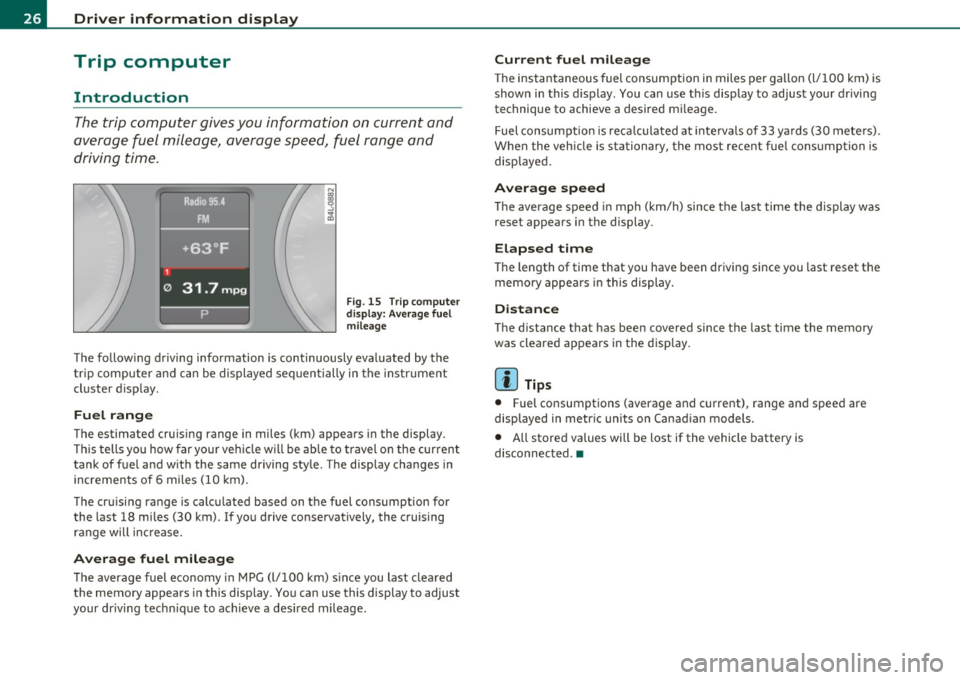
Fig . 1 5 T rip c om pute r
di sp la y: Av erag e fuel
mile age
T he fo llow ing driving information is continuously eva luated by the
t rip co mpute r and can be displayed se quen tially in the instr ument
cl uster d isplay.
Fuel range
The estimated cru ising range in miles (km) appea rs in the display.
Thi s tells you how far your veh icle w ill be ab le to travel o n the cur rent
tank of fuel a nd w ith the same driving sty le . The display changes in
in cremen ts of 6 miles (1 0 km).
Th e cru ising range is calc ulated based on t he f uel consumption for
the last 18 mi les (30 km). I f yo u drive conservatively, the cruising
r an ge will increase.
Average fuel mileage
T he average fuel economy in MPG (l/100 km) s ince you last clea red
the memory appears in this display . You can use this display to adjust
your dr iv ing tech nique to achieve a des ired mileage .
Current fuel mileage
The ins tan taneous fuel consumption in miles pe r ga llon (l/ 100 km) is
shown in this display . You can use t his disp lay to ad jus t your d riving
technique to achieve a desired m ileage.
Fuel consumpt io n is reca lculated at inte rvals of 33 y ards (30 me te rs).
When the veh icle is stationary, the most recent fue l consumption is
disp laye d.
Average speed
Th e average s peed in mph (km/h) since t he last ti me the display was
reset appea rs i n the display .
Elapsed time
The length of time that you have been dr iving since you last reset the
memory appea rs in this display.
Distance
Th e d istance tha t has bee n covered since t he last time the memory
was cleare d appears in the disp lay.
[ i ] Tips
• Fuel consumpt ions (average and current), range an d spee d are
displayed in metr ic units o n Canad ian models.
• All store d values will be lost if the vehicle battery is
disconn ected .•
Page 29 of 392
Memories
The trip computer is equipped with two fully automatic
memories as well as an efficiency program*.
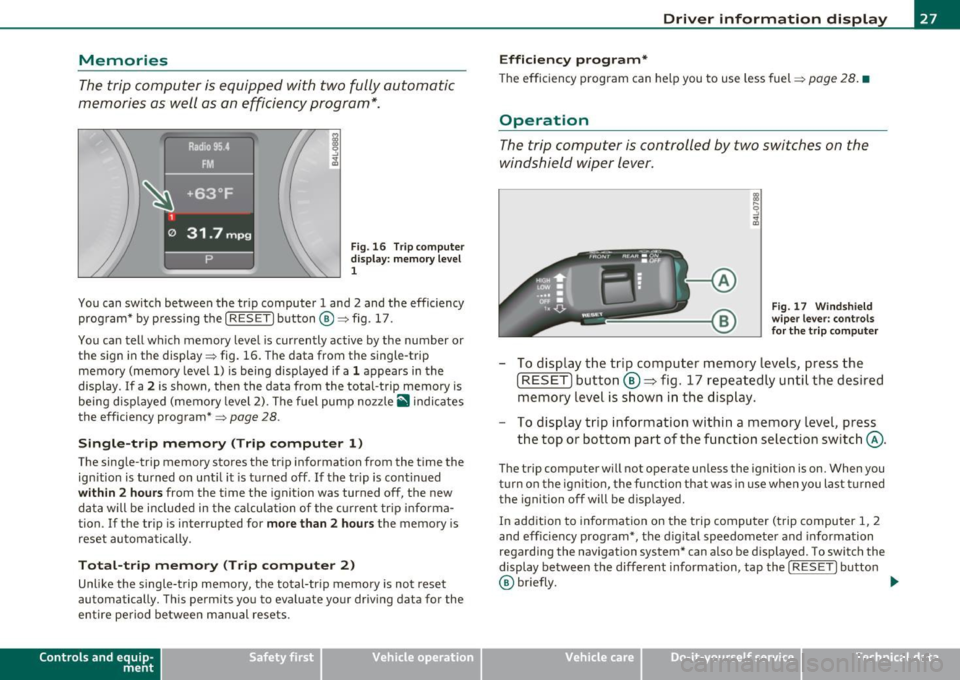
Fig. 16 Trip computer
display: memory level
1
You can switch between the trip computer 1 and 2 and the efficiency
program* by pressing the [
RESET] button®=> fig. 17.
You can tell which memory level is currently active by the number or
the sign in the display=> fig. 16. The data from the single-trip
memory (memory level 1) is being displayed if a 1 appears in the
display . If a
2 is shown, then the data from the total-trip memory is
being displayed (memory level 2). The fuel pump nozzle
ii indicates
the efficiency program*=>
page 28.
Single-trip memory (Trip computer 1)
The single-trip memory stores the trip information from the time the
ignition is turned on until it is turned off. If the trip is continued
within 2 hours from the time the ignition was turned off, the new
data will be included in the calculation of the current trip informa
tion. If the trip is interrupted for
more than 2 hours the memory is
reset automatically.
Total-trip memory (Trip computer 2)
Unlike the single-trip memory, the total-trip memory is not reset
automatically. This permits you to evaluate your driving data for the
entire period between manual resets.
Con tro ls a nd e quip
m en t Vehicle
OP-eration
Driver information display
Efficiency program*
The efficiency program can help you to use less fuel => page 28. •
Operation
The trip computer is controlled by two switches on the
windshield wiper lever .
Fig. 17 Windshield
wiper lever: controls
for the trip computer
- To display the trip computer memory levels, press the
[ RESET) button ®=> fig. 17 repeatedly until the desired
memory level is shown in the display.
- To display trip information within a memory level, press
the top or bottom part of the function selection switch @.
The trip computer will not operate unless the ignition is on. When you
turn on the ignition, the function that was in use when you last turned
the ignition off will be displayed.
In addition to information on the trip computer (trip computer 1, 2
and efficiency program*, the digital speedometer and information
regarding the navigation system* can also be displayed. To sw itch the
display between the different information, tap the
I RESET] button
@ briefly. ...,
Vehicle care Do-it-yourselt service iTechnical data
Page 30 of 392
Driver info rmation d isplay
S ett ing values to zero
T o erase the single or total trip computer values, select the des ired
function and press and hold the
I RESET) button@ for at least one
second. You can also erase the va lues with the MMI
=> page 28.
All values currently disp layed in the efficiency program* are also
erased with the single trip computer.
[ i ] Tips
All stored values will be lost if the vehicle battery is disconnected. •
MMI settings
Basic settings for the trip computer can be made in the
MMI.
-Select: Function button [CAR]> System s*> Instrument
cluster > On -bo ard computer 1 or On-board computer 2.
The values in the s ingle-trip or the total-trip memory can all be reset
to zero at the same time under
Reset in the menu.
In addit ion, you can determine what information from the trip
computer should be shown in the instrument cluster display. If one
of the pieces of dr iver information is turned
Off, that dr iver informa
tion will not be shown in the display. The information will continue to
be ca lculated by the trip computer and can be turned back
On at any
time.
rn Tips
The driving information in the efficiency program* is also reset to
zero with the single-trip memory.•
Efficiency program
Applies to veh icles: w ith effi ciency p rog ram
Description
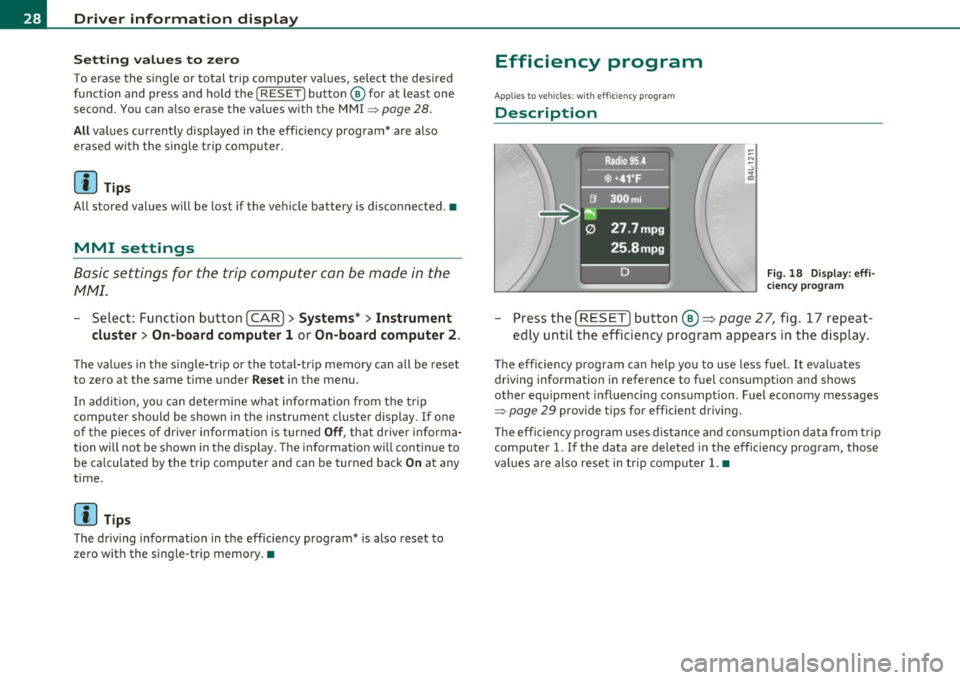
Fig. 18 Display: eff i
ciency p rog ra m
Press the [ RESET] button@~ page 27, fig. 17 repeat
ed ly until the efficiency program appears in the display.
The efficiency program can help you to use less fuel. It evaluates
driving information in reference to fuel consumption and shows
other equipment influencing consumption . Fuel economy messages
~ page 29 provide tips for efficient driving.
T he effic iency program uses distance and cons umption data from trip
computer
1. If the data are deleted in the efficiency program, those
values are also reset in trip computer
1. •
Page 31 of 392
Applies to vehicles : w ith eff iciency program
Other equipment
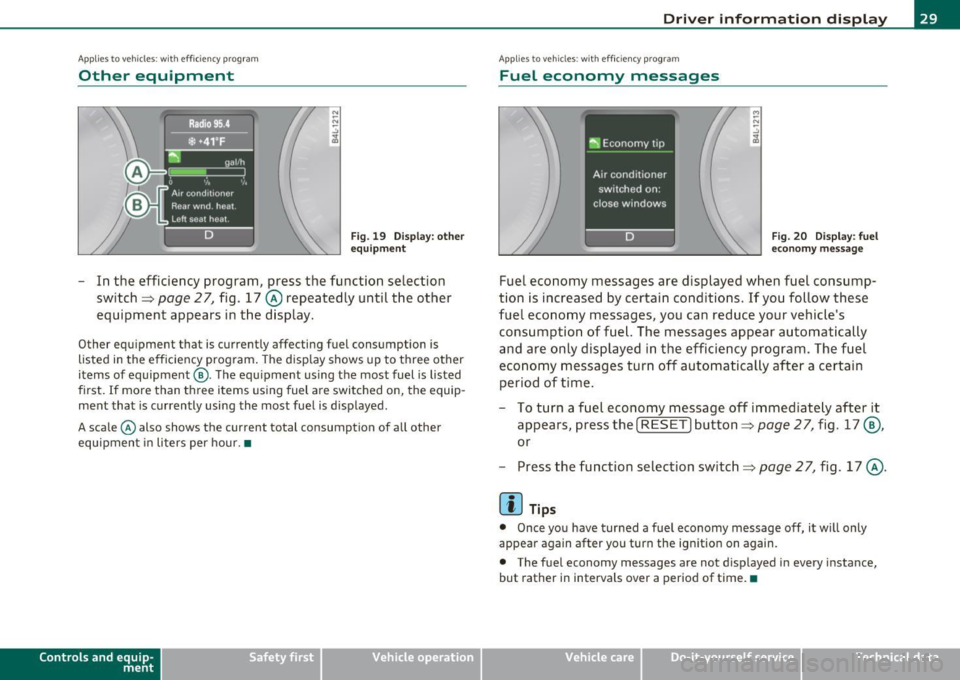
Fig. 19 Display: o the r
eq uipmen t
-In the efficiency program, press the function selection
switch~
page 2 7, fig. 17 @ repeatedly until the other
equipment appears in the display.
Other equipment that is currently affecting fuel consumption is
listed in the efficiency program . The disp lay shows up to three other
items of equipment @. The equ ipment using the most fuel is listed
first .
If more than three items using fuel are switched on, the equip
ment that is currently using the most fuel is displayed.
A scale © also shows the current total consumption of all other
equipment i n liters per hour. •
Contro ls a nd e quip
m en t Vehicle
OP-eration
Driver inf ormation display
Applies to vehicles : with eff iciency program
Fuel economy messages
M
-"' -.:,
~
Fig. 20 Disp lay: f uel
eco nomy message
Fuel economy messages are displayed when fuel consump
tion is increased by certain conditions. If you follow these
fuel economy messages, you can reduce your ve hicle's
consump tion of fuel. The messages appear automatically
and are only displayed in the efficiency program . The fuel
e conomy messages turn off automatically after a certain
period of t ime .
- To turn a fuel economy message off immediately after it
appears, press the [
RESET] button~ page 27, fig. 17@,
or
- Press the function selection switch =>
page 2 7, fig . 17 @ .
[I] Tips
• Once you have turned a fuel economy message off, it will only
appear again after you turn the ignition on again.
• The fuel economy messages are not displayed in every instance,
but rather in interva ls over a period of time.•
Vehicle care Do-it-yourselt service iTechnical data
Page 32 of 392
Driver information display
On-Board Diagnostic system (OBD)
Malfunction Indicator Lamp (MIL)
The Malfunction Indicator Lamp (MIL) • in the instrument cluster
::::>
page 14, fig. 7 is part of the On-Board Diagnostic (OBD II) system.
Th e warn ing/indicator light illuminates when the ignition is switched
on and goes out after the engine starts and the idle has stabilized.
Thi s ind icates that the MIL is working properly.
If
the light does not go out after the engine is started, or illuminates
while you are driving , a ma lfunction may exist in the engine system.
If the light illuminates, the catalytic converter could be damaged.
Continue driving
with reduced power (avoiding sustained high
speeds and/or rapid accelerat ions) and have the condition corrected .
Contact your authorized Audi dealer .
If the light i lluminates, the electronic speed limiter may also be
malfunctioning. For more information::::>
page 30, "Electronic speed
limiter".
An improperly closed fuel filler cap may also cause the MIL light to
illuminate (only vehicles with gasoline engine)::::>
page 294. •
On-Board Diagnostics
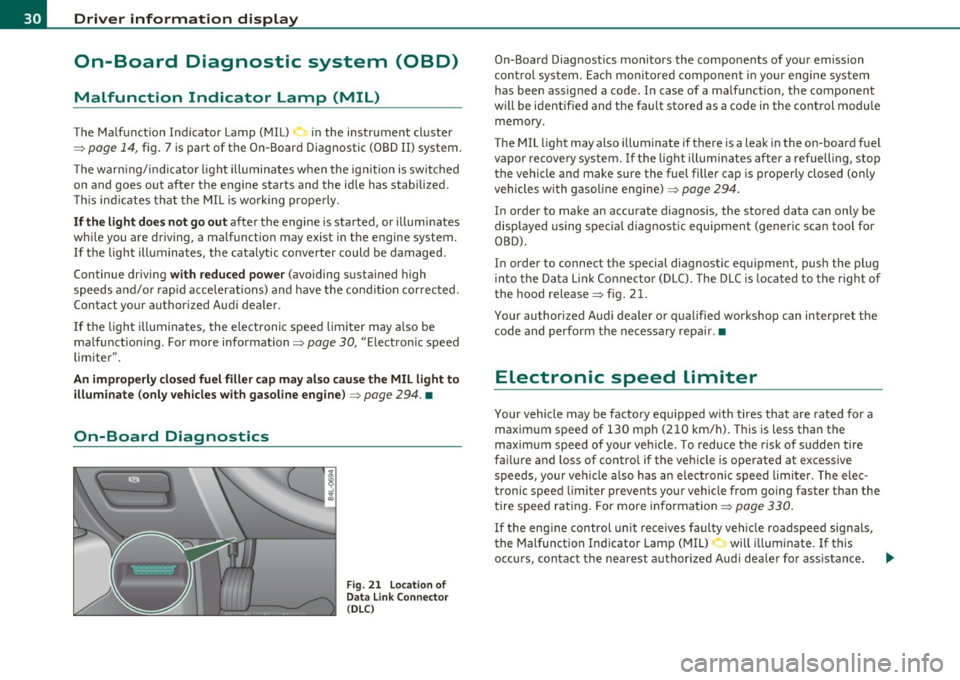
Fig . 21 Location of
Data Link Connector
( DLC )
On-Board Diagnostics monitors the components of your emission
control system. Each monito red component in you r engine system
has been ass igned a code. I n case of a malfunct ion, the component
wi ll be ident ified and the fau lt stored as a code in the control module
memory .
The MIL light may also illuminate if there is a leak in the on-board fuel
vapor recovery system. If the light illuminates after a refuelling, stop
the vehicle and make sure the fuel filler cap is properly closed (only
vehicles with gasoline engine)::::>
page 294.
In order to make an accurate diagnosis, the stored data can only be
displayed using special diagnostic equipment (generic scan tool for
OBD).
In order to connect the special diagnostic equipment, push the plug
into the Data Link Connector (DLC). The DLC is lo cated to the right of
the hood release
::::> fig. 21.
Your authorized Audi dealer or qualified workshop can interpret the
code and perform the necessary repair .•
Electronic speed limiter
Your vehicle may be factory equ ipped w ith tires that are rated for a
maximum speed of 130 mph (210 km/h). This is less than the
maximum speed of your veh icle. To reduce the risk of sudden tire
failure and loss of control if the vehicle is operated at excessive
speeds, your vehicle also has an electronic speed limiter . The elec
tronic speed limiter prevents your vehicle from going faster than the
tire speed rating . For more information ::::>
page 330.
If the engine control unit receives faulty vehicle roadspeed signals,
the Malfunction Indicator Lamp (MIL)
0 will illuminate . If this
occurs, contact the nearest authorized Aud i dea ler for ass istance.
~
Page 33 of 392

& WARNING
Always observe the post ed speed limits and adjust your speed to
s uit prevailing road , traffic and weather condition s. Never drive
your vehi cle faster than the m aximum sp eed rating of the tires
installed .•
Speed warning system
Overview
The speed warning system helps you t o keep your driving
speed bel ow a set speed limit.
Th e speed wa rning system warns the d river if he exceeds a p reviously
sto red maximum sp eed. A wa rning tone will sound as soon as the
vehicle speed exceeds the set speed by about 3 mph (3 km/h). At the
sa me time, a warning symbol appears in t he d isp lay.
T he speed warning system has
two warning thresholds that function
independen tly of each o ther and tha t have somewha t di ffe rent
purposes:
Speed warning 1
You can use speed war ning 1 to set the max imum speed w hile you are
driving. This setting w ill remain in effect unt il you turn off the igni
tion, assum ing that you have not changed or reset the setting .
Th e spee d warning symbo l
e (USA models)/ 8 (Canada mode ls) in
the warning 1 display appears when you exceed the maxim um speed.
It goes out when the speed falls be low the stored maximum speed.
T he spee d warning symbo l w ill also go out i f the spee d
exceeds the
stored maximum speed by more than about 25 mph (40 km/h) for at
least 10 seconds. The stored maximum s peed is de leted .
Setting speed wa rning 1
=> page 31.
Controls and equip
ment Safety first
Driver information display
Speed warning 2
Storing warn
ing 2 is recommended i f you always want to be reminded
of a certa in speed, fo r example when yo u are traveling in a country
that has a general maximum speed limit, or if you do not want to
exceed a specified speed for winter tires.
The speed warning 2 symbol,
8 , (U SA models)/ 8, (Canada models)
appe ars in t he display whe n you exceed the sto red speed limi t. Unl ike
warning 1, it will not go out until the vehicle speed drops below the
sto red speed limit.
Setti ng speed wa rn in g 2
=> page 32 .
(I] Tips
Even though your veh icle is eq uipped with a speed war ning system,
you shou ld st ill watch the speedometer to make sure you are not
dr iv ing fas te r than t he spee d lim it. •
Speed warning 1: setting a speed Limit
Warning threshold 1 is se t by the [ CHECK] button .
Storing the maximum speed
-Drive at the desired maxi mum speed .
Fig. 22 CHECK button
in the in strument
clu st e r
- Briefl y press the [ CHECK] button => fig. 2 2.
Vehicle care Technical data
Page 34 of 392
![AUDI Q7 2011 Owner´s Manual Driver info rmation d isplay
Res etting the ma ximum speed
- Drive the vehicle at a speed of at least 3 mph (5 km/h)
- Press the
[CHECK] button for more than 2 seconds .
The](/img/6/40276/w960_40276-33.png "AUDI Q7 2011 Owner´s Manual Driver info rmation d isplay
Res etting the ma ximum speed
- Drive the vehicle at a speed of at least 3 mph (5 km/h)
- Press the
[CHECK] button for more than 2 seconds .
The")
Driver info rmation d isplay
Res etting the ma ximum speed
- Drive the vehicle at a speed of at least 3 mph (5 km/h)
- Press the
[CHECK] button for more than 2 seconds .
The speed warning symbol 8 (USA mode ls)/ 8 (Canada models) will
appear br iefly in the display when you release the
I CHECK] button to
indicate that the maximum speed has been stored successfully.
T he maxim um speed rema ins stored until it is cha nged by pressing
the
I CHECK ] bu tton again briefly or un til it is deleted by a lengthy
push on the button. •
Speed warning 2: setting a speed limit
Warning threshold 2 is set, changed and deleted in the
fv1fv1I.
-Select: Function button (CAR ) > System s* > Instrument
clu st e r > Sp eed warning .
Warning thresho ld 2 can be set in the speed range starting from
20 mph to 150 mph (30 km/h to 240 km/h). Settings can each be
adjusted in intervals of 5 mph (10 km/h). •
Auto Check Control
Introduction
The Auto-Check control monitors the function of certain vehicle
features and components. It simply makes sure these features and
components are work ing properly . The Auto -Check control works as
long as the ignition is on, as well as whenever the vehicle is driven.
If a component is malfu nctioning or if the need for an urgent repair
has been detected, this will appear in the instrument cluster d isplay. You will also hear an audible warning tone. The d
isplays are color
coded in e ither red or yellow depend ing on their leve l of prior ity.
A red symbol means
Danger , a yellow symbol indicates Warning . In
certain situations, information message for the driver appear in addi
tion to the red and yellow symbols.
Fun ction test : au tom atic tran smi ssio n
The Auto-Check Control will automat ically perform a test each time
you switch on the ignition . With the se lector lever in
P or N , the
following message appears in the d isplay:
Wh en st ationa ry appl y foot br ake w hile select ing g ear.
When you a se lect a different gea r (f or examp le: R , D , etc.), the
message w ill disappear and the Auto -Check function is displayed.
If there is a malfunction, then the ma lfunction message will appear
about 15 seconds after the yo u start the vehicle. At the same time
you will hear a warning tone. •
Driver information messages
Driver information messages are shown in the instru
ment cluster display in addition to the red and yellow
symbols .
Fig. 23 Instrument
cl uster : C HE CK but ton ...
Page 35 of 392

For example, if the transmission selector lever is not in the P position
when the engine is turned off, the following message appears:
Shift to P otherwise vehicle can roll away. Doors do not lock if
you are not in P.
The ignition key can only be removed with the selector in this posi
tion . This and other messages are brought up if a function cannot be
carried out.
Driver messages and red symbols
If a red symbol appears in the display, a driver message can be shown
by pressing the (CHECK] button.
For example, the symbol for a problem with engine oil pressure~
appears in the display .
If you then press the I CH ECK] button, the
following driver message appears in the display:
Switch off engine ! Oil pressure too low
The driver message in the display goes out after about 5 seconds . The
driver message can be displayed again by briefly pressing the
[CHECK] button .
Driver messages and yellow symbols
If a yellow symbol appears in the display, a driver message is also
displayed automatically.
For example, the symbol ., appears in the display, indicating low
windshield washer fluid level. The following message also appears:
Please refill washer fluid
The driver message disappears after a few seconds. The driver message can be displayed again by briefly pressing the [ CHECK]
button. •
Controls and equip
ment Safety first
Driver information display
Red symbols
A red symbol means DANCER.
-Pull off the road.
- Stop the vehicle.
- Turn off the engine .
Fig. 24 Display:
engine coolant level
warning (priority 1)
Check the malfunctioning system. Contact your autho
rized Audi dealer or a qualified workshop for assistance.
Red symbols indicate a priority 1 malfunction -Danger!
With a priority 1 malfunction, a large symbol appears in the center
area of the display~ fig . 24 . When the symbol appears,
three
warning tones sound in succession. The symbol continues to blink
until the malfunction has been repaired.
If there are
more than one priority 1 malfunctions, the symbols
appear one after the other for about 2 seconds .
An additional driver message can also be displayed by briefly pressing
the
I CHECK ] button.
The red symbols mean:
Vehicle care Technical data
Page 36 of 392

Driver information d isplay
0 Alternator ma lfunction =>page 34
BRAKE
USA model s: =>page 34
Brake system malfunction
Can ad a m odel s: ::>page 34
Brake system malfunction
- --
-~-
Engine coolant level too => page 35
low/engine coolant temperature
-too high
~ Engine o il pressure too low ::> page36
Ad Blue /7 =>page296
Ad Blue c,,,.c AdBlue malfunction * =>page296
•
~ ....
Faulty steering =>page 36
© Faulty ignition switch =>page37
~
[ i J Tips
• If the warning/indicator light BRAKE (USA models)/ «D> (Canada
mode ls) in the instrument cluster flashes, the re is a brake system
malfunction. By press ing the [ CHECK] button, you can bring up a
dr iver message which explains the ma lfunct ion in more deta il. Please
note =>
page 34 .
• Speed wa rnings threshold 1 9 (USA mode ls)/ 0 (Canada models)
and threshold 2
8 , (USA mode ls)/ 8, (Canada models) are also shown
as red symbols . T he warning is a lways shown as a sma ll symbol in the
upper area of the display=>
page 31. •
Alternator malfunction 0
If the D symbol in the instrument panel display flashes, then there
is a malfunction in the a lternato r or the veh icle electronics. A warning
to the driver will appear, too. The driver warning goes out after about
5 seconds, but it can be b ro ught up at any time by pressing the
I CHECK] button again .
Usua lly, you can still drive to the next dealership. Turn off a ll but the
most necessary electr ica l consumers, since these drain the veh icle's
battery.
0 Note
If the _ f_ warning symbol (coolant system malfunction) also lights up
on the instrument panel dur ing the trip=>
page 35, then you have to
stop immediately and turn off the engine. The coolant pump is not
working anymore -danger of damage to the engine! •
Brake system malfunction
A malfunction in the brake system must be repaired as
soon as possible.
If the warning /indicator light BRAKE (USA models)/ (CD)
(Canada models) in the instrument cluster flashes, there is a
brake system malfunction. By pressing the
[CHECK] button,
you can bring up a driver message which explains the malfunction in more detail.
Stop v ehicle and check brake fluid level
- Pull off the road.
- Stop the vehicle.
- Turn off the engine .
- Check the brake fluid level:::::,
page 311.
Page 37 of 392
- Contact your nearest authorized Audi dealer or qualified
workshop if necessary.
Warning ! Fault in brake system. Contact
workshop
- Drive carefully to the nearest authorized Audi dealer or
qualified workshop and have the malfunction corrected
=>& .
If the ABS system malfunctions, the ABS warning/indicator light illu
minates together with the brake system malfunction warning/indi
cator light:::::, &.
& WARNING
• Always observe the warnings in:::::, page 290, "Engine compart
ment", before opening the hood and checking the brake fluid.
• Driving with low brake fluid is a safety hazard. Stop the car and
get professional assistance.
• USA models: If the BRAKE warning light and the S warning
light come on together, the rear wheels could lock up first under
hard braking. Rear wheel lock-up can cause loss of vehicle control
and an accident. Have your vehicle repaired immediately by your
authorized Audi dealer or a qualified workshop. Drive slowly and
avoid sudden, hard brake applications.
• Canada models: If the brake warning light((]:» and the ABS
warning light come on together, the rear wheels could lock up
first under hard braking. Rear wheel lock-up can cause loss of
vehicle control and an accident. Have your vehicle repaired imme
diately by your authorized Audi dealer or a qualified workshop.
Drive slowly and avoid sudden, hard brake applications. •
Controls and equip
ment Safety first
Driver information display
Engine cooling system malfunction _
t_
A malfunction in the engine cooling system must be
repaired as soon as possible.
When the -L symbol in the display blinks, then either the
engine coolant
temperature is too high, or the coolant level
is too low. An additional driver message can also be displayed
by pressing the [CHECK] button:
Switch off engine and check coolant level
- Pull off the road .
- Stop the vehicle.
- Turn off the engine.
- Check coolant level :::>
page 309.
-Add coolant if necessary=> page 310.
-Continue driving only after the engine coolant
warning/indicator light goes out.
- Contact your authorized Audi dealer for assistance if
necessary.
If the engine coolant level is correct, then the radiator fan may be the
cause of the malfunction.
If the O warning symbol (alternator malfunction) also lights up on
the instrument panel:::::,
page 34, then the fan belt may be damaged .
& WARNING
• If your vehicle should break down for mechanical or other
reasons, park at a safe distance from moving traffic, turn off the
engine and turn on the hazard warning lights:::::,
page 70, "Emer-
gency flasher
A". ..,.
Vehicle care Technical data