ignition AUDI Q7 2011 Owner´s Manual
[x] Cancel search | Manufacturer: AUDI, Model Year: 2011, Model line: Q7, Model: AUDI Q7 2011Pages: 392, PDF Size: 93.29 MB
Page 26 of 392
Driver information display
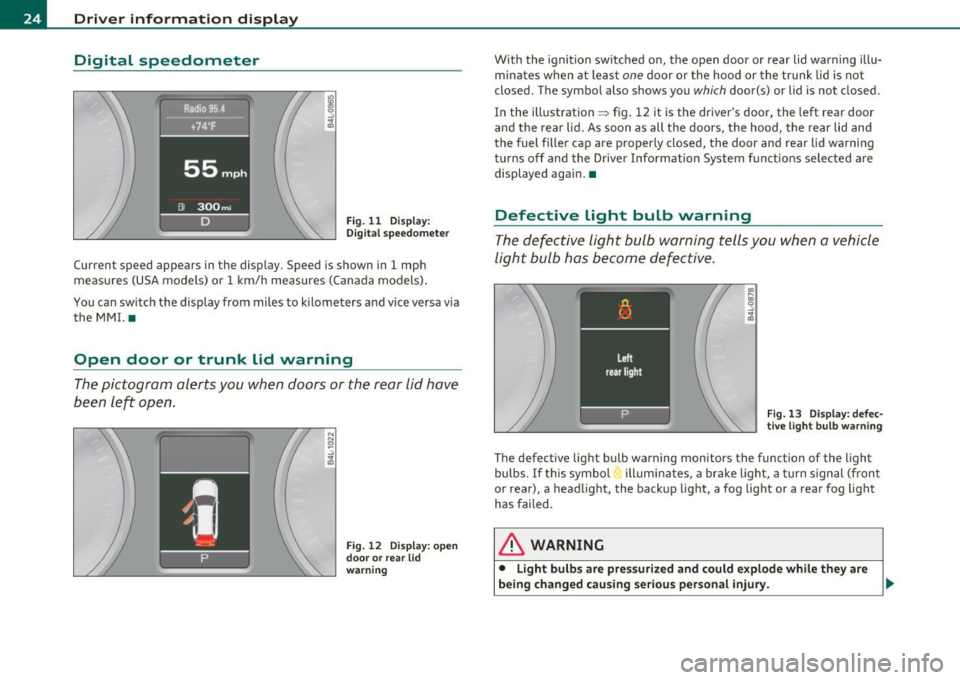
Digital speedometer
Fig. 11 Display:
Digita l speedomet er
Current speed appears in the display. Speed is shown in 1 mph
measures (USA models) or 1 km/h measures (Canada models) .
You ca n sw itch the display from miles to kilometers and vice versa via
the MMI. •
Open door or trunk lid warning
The pictogram alerts you when doors or the rear lid have
been left open.
Fig. 12 Display: open
d oo r or rear lid
warning
With the ignition switched on, the open door or rear lid warning illu
minates when at least one door or the hood or the trunk lid is not
closed. The symbol also shows you
which door(s) or lid is not closed.
In the illustration ~ fig. 12 it is the driver's door, the left rear door
and the rear lid. As soon as all the doors, the hood, the rear lid and
the fuel filler cap are properly closed, the door and rear lid warning
turns off and the Driver Information System functions selected are
displayed again. •
Defective light bulb warning
The defective light bulb warning tells you when a vehicle
light bulb has become defective .
Fig. 13 Display : defec
tive light bulb warning
The defective light bulb warning monitors the function of the light
bulbs. If this symbol illuminates, a brake light, a turn signal (front
or rear), a headlight, the backup light, a fog light or a rear fog light
has failed .
& WARNING
• Light bulb s are pressurized and could explode while they are
being changed causing serious personal injury. .,._
Page 27 of 392
& WARNING (co ntinued )
• Wo rk with due care when handling the high-volt age section of
gas di scharge (xenon) lights. Failure to do so could result in death
or ser ious injury.
[ i ] Tips
Have the bulb replaced or the connection repaired by your autho rized
Audi Se rvice departmen t.•
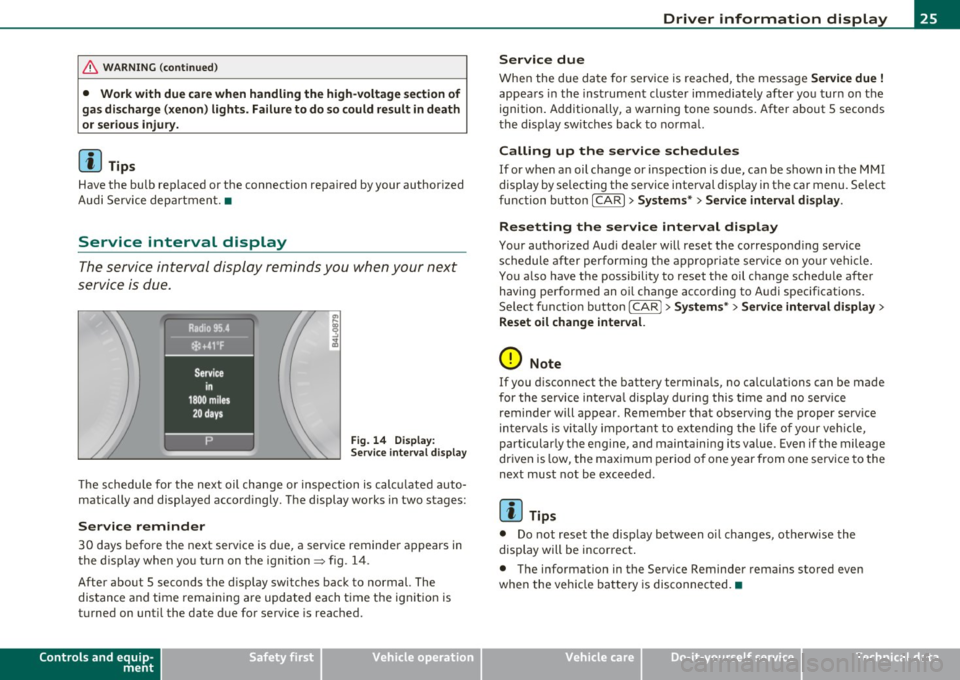
Service interval display
The service interval display reminds you when your next
service is due.
Fig . 14 D ispl ay :
Service inte rval disp la y
Th e schedu le for the next oil change or inspection is c alc ul ated auto
matically and displayed accord ingly. The display works in two stages:
Service reminder
30 days before the next serv ice is due, a serv ice reminder a ppears in
the display when yo u turn on t he ign it ion=> fig. 14 .
After about 5 seconds the d isp lay switches back to normal. The
dis tan ce and time rema ining are updated each t ime t he ig nition is
turned on unti l the date due for service is reac hed .
Controls and equip
ment Safety first
Driver information display
Service due
W
hen the due da te for service is rea ched, t he message Service due !
appea rs in the inst rument cluste r immediately afte r yo u tur n on the
ignition. Additiona lly, a wa rning tone sounds. After about 5 secon ds
the d isp lay sw itches back to no rma l.
Calling up the service schedules
If or when an oil change or inspection is due, can be shown in the MMI
display by se lecting the se rvice interval display in the car menu. Se lect
fu nction button
I CAR ]> Systems *> Service interval display.
Resetting the service interval display
Your authorized Aud i dea ler will reset the correspond ing se rvice
schedule after performing the a ppropriate service on yo ur vehicle .
You a lso have the possibility to reset t he oil c hange sched ule afte r
having performed an o il change acco rding to A udi specifications.
Se lect f unct io n butto n
I CAR j >Systems *> Service interval display >
Reset oil change interval.
0 Note
If you d isconnect the batte ry termina ls, no ca lculations can be made
for the se rvice in terva l display d uring this time and no serv ice
reminder will appear . Remember that observing the proper service
in terv als is vi tally import ant to ex te ndi ng the life of your vehi cle,
particularly the engine, and maintaining its value . Even if the mileage
dr iven is low, the max imum per io d of one year from one serv ice to the
next must not be exceeded.
[I] Tips
• Do not reset the display between oi l changes, otherw ise the
display will be incor rec t.
• The info rmation in the Service Reminder rema ins stored even
when the vehicle ba tte ry is disconnec ted. •
Vehicle care Technical data
Page 29 of 392
Memories
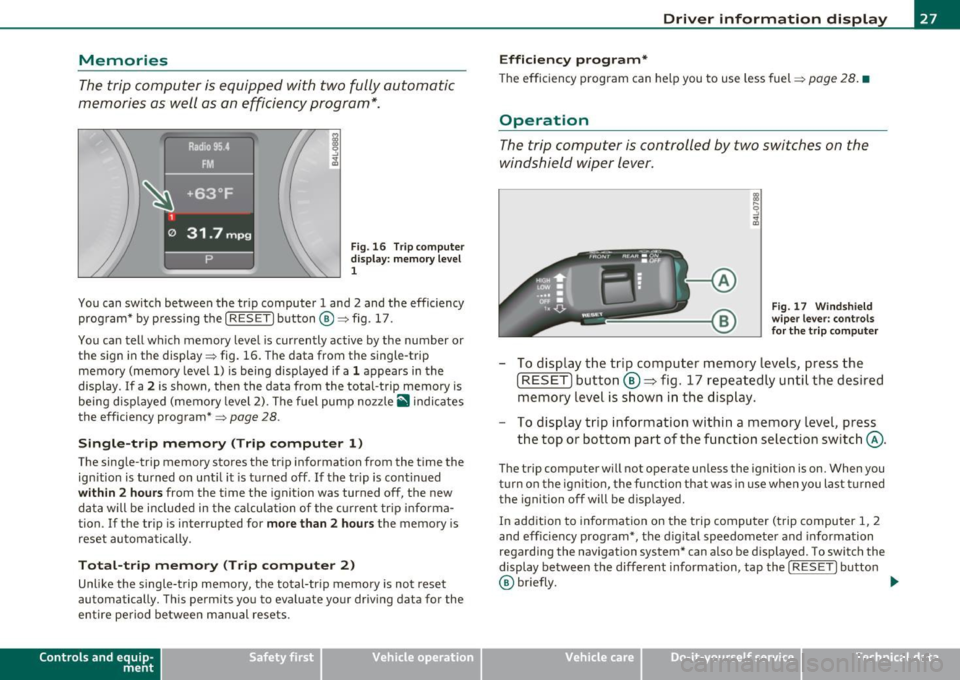
The trip computer is equipped with two fully automatic
memories as well as an efficiency program*.
Fig. 16 Trip computer
display: memory level
1
You can switch between the trip computer 1 and 2 and the efficiency
program* by pressing the [
RESET] button®=> fig. 17.
You can tell which memory level is currently active by the number or
the sign in the display=> fig. 16. The data from the single-trip
memory (memory level 1) is being displayed if a 1 appears in the
display . If a
2 is shown, then the data from the total-trip memory is
being displayed (memory level 2). The fuel pump nozzle
ii indicates
the efficiency program*=>
page 28.
Single-trip memory (Trip computer 1)
The single-trip memory stores the trip information from the time the
ignition is turned on until it is turned off. If the trip is continued
within 2 hours from the time the ignition was turned off, the new
data will be included in the calculation of the current trip informa
tion. If the trip is interrupted for
more than 2 hours the memory is
reset automatically.
Total-trip memory (Trip computer 2)
Unlike the single-trip memory, the total-trip memory is not reset
automatically. This permits you to evaluate your driving data for the
entire period between manual resets.
Con tro ls a nd e quip
m en t Vehicle
OP-eration
Driver information display
Efficiency program*
The efficiency program can help you to use less fuel => page 28. •
Operation
The trip computer is controlled by two switches on the
windshield wiper lever .
Fig. 17 Windshield
wiper lever: controls
for the trip computer
- To display the trip computer memory levels, press the
[ RESET) button ®=> fig. 17 repeatedly until the desired
memory level is shown in the display.
- To display trip information within a memory level, press
the top or bottom part of the function selection switch @.
The trip computer will not operate unless the ignition is on. When you
turn on the ignition, the function that was in use when you last turned
the ignition off will be displayed.
In addition to information on the trip computer (trip computer 1, 2
and efficiency program*, the digital speedometer and information
regarding the navigation system* can also be displayed. To sw itch the
display between the different information, tap the
I RESET] button
@ briefly. ...,
Vehicle care Do-it-yourselt service iTechnical data
Page 31 of 392
Applies to vehicles : w ith eff iciency program
Other equipment
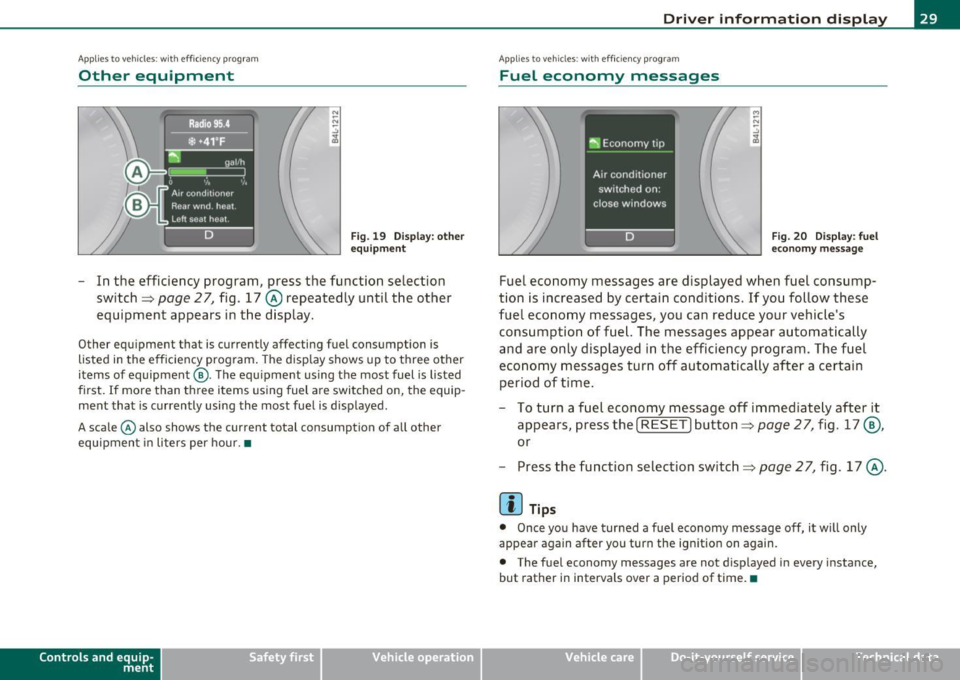
Fig. 19 Display: o the r
eq uipmen t
-In the efficiency program, press the function selection
switch~
page 2 7, fig. 17 @ repeatedly until the other
equipment appears in the display.
Other equipment that is currently affecting fuel consumption is
listed in the efficiency program . The disp lay shows up to three other
items of equipment @. The equ ipment using the most fuel is listed
first .
If more than three items using fuel are switched on, the equip
ment that is currently using the most fuel is displayed.
A scale © also shows the current total consumption of all other
equipment i n liters per hour. •
Contro ls a nd e quip
m en t Vehicle
OP-eration
Driver inf ormation display
Applies to vehicles : with eff iciency program
Fuel economy messages
M
-"' -.:,
~
Fig. 20 Disp lay: f uel
eco nomy message
Fuel economy messages are displayed when fuel consump
tion is increased by certain conditions. If you follow these
fuel economy messages, you can reduce your ve hicle's
consump tion of fuel. The messages appear automatically
and are only displayed in the efficiency program . The fuel
e conomy messages turn off automatically after a certain
period of t ime .
- To turn a fuel economy message off immediately after it
appears, press the [
RESET] button~ page 27, fig. 17@,
or
- Press the function selection switch =>
page 2 7, fig . 17 @ .
[I] Tips
• Once you have turned a fuel economy message off, it will only
appear again after you turn the ignition on again.
• The fuel economy messages are not displayed in every instance,
but rather in interva ls over a period of time.•
Vehicle care Do-it-yourselt service iTechnical data
Page 32 of 392
Driver information display
On-Board Diagnostic system (OBD)
Malfunction Indicator Lamp (MIL)
The Malfunction Indicator Lamp (MIL) • in the instrument cluster
::::>
page 14, fig. 7 is part of the On-Board Diagnostic (OBD II) system.
Th e warn ing/indicator light illuminates when the ignition is switched
on and goes out after the engine starts and the idle has stabilized.
Thi s ind icates that the MIL is working properly.
If
the light does not go out after the engine is started, or illuminates
while you are driving , a ma lfunction may exist in the engine system.
If the light illuminates, the catalytic converter could be damaged.
Continue driving
with reduced power (avoiding sustained high
speeds and/or rapid accelerat ions) and have the condition corrected .
Contact your authorized Audi dealer .
If the light i lluminates, the electronic speed limiter may also be
malfunctioning. For more information::::>
page 30, "Electronic speed
limiter".
An improperly closed fuel filler cap may also cause the MIL light to
illuminate (only vehicles with gasoline engine)::::>
page 294. •
On-Board Diagnostics
Fig . 21 Location of
Data Link Connector
( DLC )
On-Board Diagnostics monitors the components of your emission
control system. Each monito red component in you r engine system
has been ass igned a code. I n case of a malfunct ion, the component
wi ll be ident ified and the fau lt stored as a code in the control module
memory .
The MIL light may also illuminate if there is a leak in the on-board fuel
vapor recovery system. If the light illuminates after a refuelling, stop
the vehicle and make sure the fuel filler cap is properly closed (only
vehicles with gasoline engine)::::>
page 294.
In order to make an accurate diagnosis, the stored data can only be
displayed using special diagnostic equipment (generic scan tool for
OBD).
In order to connect the special diagnostic equipment, push the plug
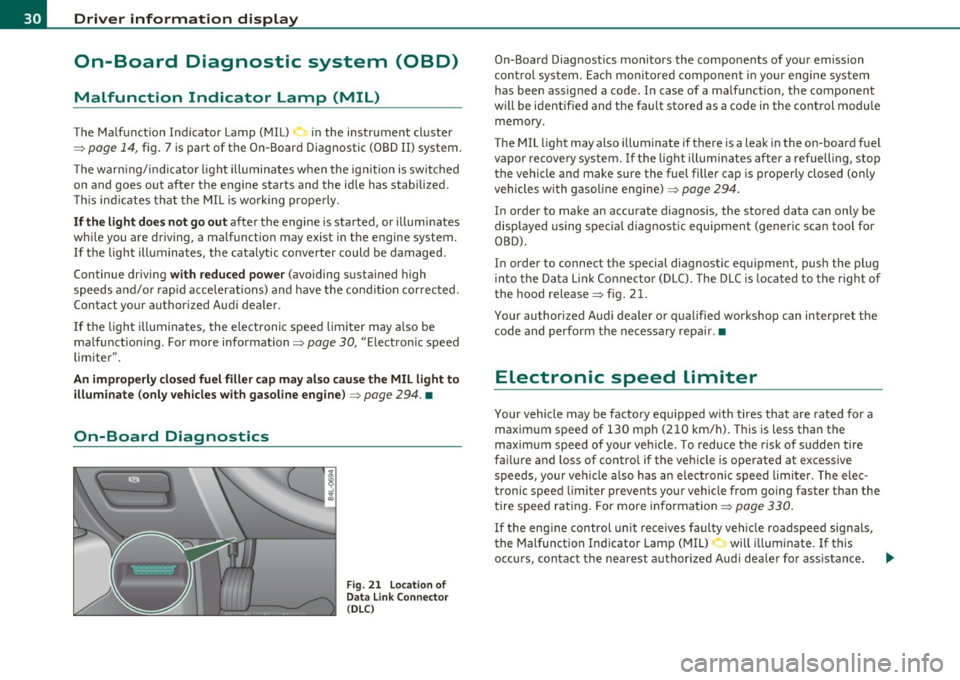
into the Data Link Connector (DLC). The DLC is lo cated to the right of
the hood release
::::> fig. 21.
Your authorized Audi dealer or qualified workshop can interpret the
code and perform the necessary repair .•
Electronic speed limiter
Your vehicle may be factory equ ipped w ith tires that are rated for a
maximum speed of 130 mph (210 km/h). This is less than the
maximum speed of your veh icle. To reduce the risk of sudden tire
failure and loss of control if the vehicle is operated at excessive
speeds, your vehicle also has an electronic speed limiter . The elec
tronic speed limiter prevents your vehicle from going faster than the
tire speed rating . For more information ::::>
page 330.
If the engine control unit receives faulty vehicle roadspeed signals,
the Malfunction Indicator Lamp (MIL)
0 will illuminate . If this
occurs, contact the nearest authorized Aud i dea ler for ass istance.
~
Page 34 of 392
![AUDI Q7 2011 Owner´s Manual Driver info rmation d isplay
Res etting the ma ximum speed
- Drive the vehicle at a speed of at least 3 mph (5 km/h)
- Press the
[CHECK] button for more than 2 seconds .
The](/img/6/40276/w960_40276-33.png "AUDI Q7 2011 Owner´s Manual Driver info rmation d isplay
Res etting the ma ximum speed
- Drive the vehicle at a speed of at least 3 mph (5 km/h)
- Press the
[CHECK] button for more than 2 seconds .
The")
Driver info rmation d isplay
Res etting the ma ximum speed
- Drive the vehicle at a speed of at least 3 mph (5 km/h)
- Press the
[CHECK] button for more than 2 seconds .
The speed warning symbol 8 (USA mode ls)/ 8 (Canada models) will
appear br iefly in the display when you release the
I CHECK] button to
indicate that the maximum speed has been stored successfully.
T he maxim um speed rema ins stored until it is cha nged by pressing
the
I CHECK ] bu tton again briefly or un til it is deleted by a lengthy
push on the button. •
Speed warning 2: setting a speed limit
Warning threshold 2 is set, changed and deleted in the
fv1fv1I.
-Select: Function button (CAR ) > System s* > Instrument
clu st e r > Sp eed warning .
Warning thresho ld 2 can be set in the speed range starting from
20 mph to 150 mph (30 km/h to 240 km/h). Settings can each be
adjusted in intervals of 5 mph (10 km/h). •
Auto Check Control
Introduction
The Auto-Check control monitors the function of certain vehicle
features and components. It simply makes sure these features and
components are work ing properly . The Auto -Check control works as
long as the ignition is on, as well as whenever the vehicle is driven.
If a component is malfu nctioning or if the need for an urgent repair
has been detected, this will appear in the instrument cluster d isplay. You will also hear an audible warning tone. The d
isplays are color
coded in e ither red or yellow depend ing on their leve l of prior ity.
A red symbol means
Danger , a yellow symbol indicates Warning . In
certain situations, information message for the driver appear in addi
tion to the red and yellow symbols.
Fun ction test : au tom atic tran smi ssio n
The Auto-Check Control will automat ically perform a test each time
you switch on the ignition . With the se lector lever in
P or N , the
following message appears in the d isplay:
Wh en st ationa ry appl y foot br ake w hile select ing g ear.
When you a se lect a different gea r (f or examp le: R , D , etc.), the
message w ill disappear and the Auto -Check function is displayed.
If there is a malfunction, then the ma lfunction message will appear
about 15 seconds after the yo u start the vehicle. At the same time
you will hear a warning tone. •
Driver information messages
Driver information messages are shown in the instru
ment cluster display in addition to the red and yellow
symbols .
Fig. 23 Instrument
cl uster : C HE CK but ton ...
Page 35 of 392

For example, if the transmission selector lever is not in the P position
when the engine is turned off, the following message appears:
Shift to P otherwise vehicle can roll away. Doors do not lock if
you are not in P.
The ignition key can only be removed with the selector in this posi
tion . This and other messages are brought up if a function cannot be
carried out.
Driver messages and red symbols
If a red symbol appears in the display, a driver message can be shown
by pressing the (CHECK] button.
For example, the symbol for a problem with engine oil pressure~
appears in the display .
If you then press the I CH ECK] button, the
following driver message appears in the display:
Switch off engine ! Oil pressure too low
The driver message in the display goes out after about 5 seconds . The
driver message can be displayed again by briefly pressing the
[CHECK] button .
Driver messages and yellow symbols
If a yellow symbol appears in the display, a driver message is also
displayed automatically.
For example, the symbol ., appears in the display, indicating low
windshield washer fluid level. The following message also appears:
Please refill washer fluid
The driver message disappears after a few seconds. The driver message can be displayed again by briefly pressing the [ CHECK]
button. •
Controls and equip
ment Safety first
Driver information display
Red symbols
A red symbol means DANCER.
-Pull off the road.
- Stop the vehicle.
- Turn off the engine .
Fig. 24 Display:
engine coolant level
warning (priority 1)
Check the malfunctioning system. Contact your autho
rized Audi dealer or a qualified workshop for assistance.
Red symbols indicate a priority 1 malfunction -Danger!
With a priority 1 malfunction, a large symbol appears in the center
area of the display~ fig . 24 . When the symbol appears,
three
warning tones sound in succession. The symbol continues to blink
until the malfunction has been repaired.
If there are
more than one priority 1 malfunctions, the symbols
appear one after the other for about 2 seconds .
An additional driver message can also be displayed by briefly pressing
the
I CHECK ] button.
The red symbols mean:
Vehicle care Technical data
Page 36 of 392

Driver information d isplay
0 Alternator ma lfunction =>page 34
BRAKE
USA model s: =>page 34
Brake system malfunction
Can ad a m odel s: ::>page 34
Brake system malfunction
- --
-~-
Engine coolant level too => page 35
low/engine coolant temperature
-too high
~ Engine o il pressure too low ::> page36
Ad Blue /7 =>page296
Ad Blue c,,,.c AdBlue malfunction * =>page296
•
~ ....
Faulty steering =>page 36
© Faulty ignition switch =>page37
~
[ i J Tips
• If the warning/indicator light BRAKE (USA models)/ «D> (Canada
mode ls) in the instrument cluster flashes, the re is a brake system
malfunction. By press ing the [ CHECK] button, you can bring up a
dr iver message which explains the ma lfunct ion in more deta il. Please
note =>
page 34 .
• Speed wa rnings threshold 1 9 (USA mode ls)/ 0 (Canada models)
and threshold 2
8 , (USA mode ls)/ 8, (Canada models) are also shown
as red symbols . T he warning is a lways shown as a sma ll symbol in the
upper area of the display=>
page 31. •
Alternator malfunction 0
If the D symbol in the instrument panel display flashes, then there
is a malfunction in the a lternato r or the veh icle electronics. A warning
to the driver will appear, too. The driver warning goes out after about
5 seconds, but it can be b ro ught up at any time by pressing the
I CHECK] button again .
Usua lly, you can still drive to the next dealership. Turn off a ll but the
most necessary electr ica l consumers, since these drain the veh icle's
battery.
0 Note
If the _ f_ warning symbol (coolant system malfunction) also lights up
on the instrument panel dur ing the trip=>
page 35, then you have to
stop immediately and turn off the engine. The coolant pump is not
working anymore -danger of damage to the engine! •
Brake system malfunction
A malfunction in the brake system must be repaired as
soon as possible.
If the warning /indicator light BRAKE (USA models)/ (CD)
(Canada models) in the instrument cluster flashes, there is a
brake system malfunction. By pressing the
[CHECK] button,
you can bring up a driver message which explains the malfunction in more detail.
Stop v ehicle and check brake fluid level
- Pull off the road.
- Stop the vehicle.
- Turn off the engine .
- Check the brake fluid level:::::,
page 311.
Page 39 of 392

message can also be dis played by press ing the [ CHECK)
butto n:
Do not drive vehicle: steering defective
- Contact your nearest author ized Audi dealer or q uali fied
wor kshop.
- Do
not tow your veh icle.
& WARNING
Your veh icle must not be towed in the event of a malfunction in
the electronic steering column lock because it cannot be steered
due to the locked steering.
If it is towed with the stee ring locked ,
there i s the risk of an ac cident. •
Ignition lock malfunction ~
A malfunction in the ignition lock must be repaired imme
d iately .
If the .Pe symbo l in t he display b links, the re is a malfunc tion
in the electronic ignition lock . A n add itional driver message
can a lso be disp laye d by pressing the [
CHE CK) button:
Ignition lock defective. Contact workshop !
- Do not tu rn th e engine off .
- Drive immed iately to an authorized Aud i dea ler to have
the malfu nct io n correc ted .
If there is a malfunction in the e lectron ic ignition loc k, the ignit ion
c anno t be t urned off. D rive immediate ly to an au th o rized Audi dea le r
to have the cause of the malfunction corrected.
Controls and equip
ment Safety first Driver information display
On veh icles with Convenience key*, the eng ine should not be switched
o ff using the
!STO P] button be ca u se the eng ine c annot be st arted
again after the ignitio n is switched off .•
Yellow symbols
Ay ello w symbo l means WARNING.
Fig . 2 5 Displ ay: lo w
fuel leve l w arning
( pr io ri ty 2 )
Yellow symbols ind icate a p rior ity 2 malfunct ion - Warn ing!
When a yellow warning symbo l appears,
one warning tone sounds. A
dr ive r message appe ars as we ll to exp la in the ma lf u nction in more
detail. The driver warn ing goes out after about 5 seconds, but it can
be brought up again a t any time by pressi ng the
I CHECK ] button.
Check the d isp layed fu nction as soon as possible . If
more than one
pr iority 2 malfunction is detected, all symbo ls will appear one after
the othe r for about 2 seconds.
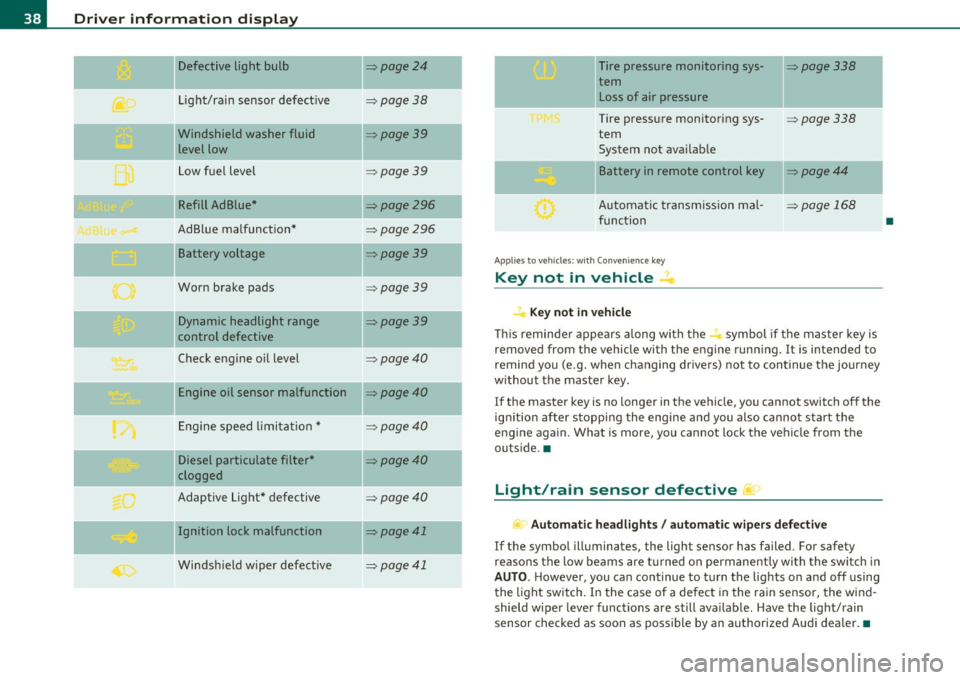
Yellow symbols mean:
Convenience key*
K ey no t in vehicle
USA models:
Defective b ra ke light
Canada models: Defective b rake light
Vehicle care
~ page 131
~page24
~page2 4
Technical data
Page 40 of 392
Driver information display
Defective light bulb ::::>page24
._ -
Light/rain sensor defective :::>page 38
-Windshield washer fluid =>page39
level low
Low fuel level
::::>page39
Refill Ad Blue* ::::>page296
AdBlue malfunction* =>page 296
-Battery voltage ::::>page39
Worn brake pads ::::>page39
Dynamic headlight range ::::>page39
control defective
-
Check engine oil level ::::>page40
Engine oil sensor malfunction =>page40
Engine speed limitation* ::::>page40
Diesel particulate filter* ::::>page40
clogged
Adaptive Light* defective
=>page40
Ignition lock malfunction ::::>page41
--
Windshield wiper defective => page 41
-
-
-
-
-
-
Tire pressure monitoring sys-::::>page338
tern Loss of air pressure
Tire pressure monitoring sys-=> page338
tern
System not available
- -
11
sattery in remote control key ::::>page44
Automatic transmission mal-=> page 168
function
Applies to veh icles: with Conven ience key
Key not in vehicle ..Z..
Key not in vehicle
This reminder appears along with the -i. symbol if the master key is
removed from the vehicle with the engine running. It is intended to
remind you (e.g. when changing drivers) not to continue the journey
without the master key.
If the master key is no longer in the vehicle, you cannot switch off the
ignition after stopping the engine and you also cannot start the
engine again. What is more, you cannot lock the vehicle from the
outside. •
Light/rain sensor defective ~'j.
Automatic headlights/ automatic wipers defective
If the symbol illuminates, the light sensor has failed. For safety
reasons the low beams are turned on permanently with the switch in
AUTO. However, you can continue to turn the lights on and off using
the light switch. In the case of a defect in the rain sensor, the wind
shield wiper lever functions are still available. Have the light/rain
sensor checked as soon as possible by an authorized Audi dealer. •
•