light AUDI S3 2012 Owner's Manual
[x] Cancel search | Manufacturer: AUDI, Model Year: 2012, Model line: S3, Model: AUDI S3 2012Pages: 280, PDF Size: 70.11 MB
Page 33 of 280
@ Tips
-If a malfunction is present (red symbol),
the distance remaining cannot be called
up.
- Do not reset the display between service
interva ls. Doing so will result in an incor
rect display.
- If the battery is disconnected, the Serv
ice Interval Display values are retained.
- On vehicles with the Driver Information
System, you can also call up the service
i nterval display
¢page 27.
-If service was not performed at the cor
rect time or the service interval display
was not reset after service was per
formed, the add itiona l mi leage driven or
the elapsed days will be shown as nega
tive numbers.
Engine oil temperature
display
A ppl ies to vehicles : wit h engin e temperat ure cont rol dis
p lay
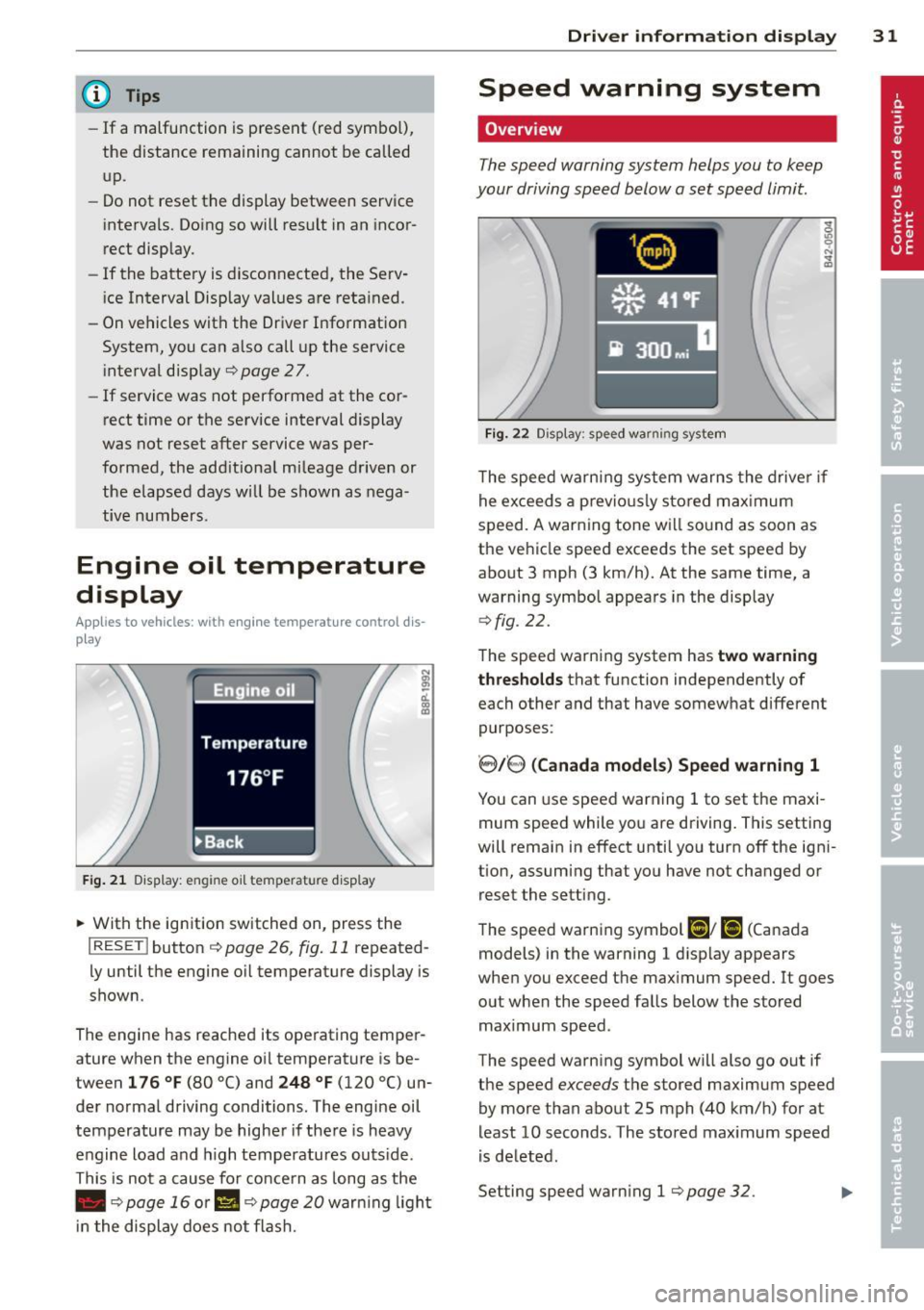
F ig . 21 Display: engine oil temperatu re disp lay
• With the ignition switched on, press the
I RESET I button ¢ page 26, fig. 11 repeated
l y until the engine o il temperature display is
shown.
The engine has reached its operating temper
ature when the engine oil temperature is be
tween
1 76 ° F (80 °() and 248 °F (120 °() un
der normal driving conditions. The engine oil
temperature may be higher if the re is heavy
engine load and h igh temperatures outs ide .
This is not a cause for concern as long as the
• ¢
page 16 or II ¢ page 20 war ning light
i n the display does not flash.
Dri ver inform ation di spl ay 31
Speed warning system
Overview
The speed warning system helps you to keep
your driving speed below a set speed limit.
Fi g. 22 Display: speed warning system
The speed warning system warns the drive r if
he exceeds a previo usly stored max imum
speed. A warning tone will sound as soon as
the vehicle speed exceeds the set speed by
about 3 mph (3 km/h). At the same time, a
warning symbol appears in the display
q fig. 22.
The speed warning system has two warning
t hr es hol ds
that function independently of
each other and that have somewhat different
purposes:
' 8/8 ( Canad a model s) Sp eed warn ing 1
You can use speed warning 1 to set the maxi
mum speed while you are driving. This setting
will remain in effect until you turn
off the igni
tion, assuming that you have not changed or reset the setting.
The speed warning symbol
Ci] ; [i (Canada
models) in the warning 1 disp lay appears
when you exceed the maximum speed.
It goes
out when the speed falls below the stored
maximum speed .
The speed warning symbol will also go out if
the speed
exceeds the stored maximum speed
by more than about 25 mph (40 km/h) for at
least 10 seconds. The stored maximum speed
is de leted.
Setting speed warning 1
¢ page 32. .,.
Page 37 of 280

Master key with remote control
The remote control allows you to lock or un
lock the vehicle electronically .
Fig. 26 Fold -up ma ster key with remote control
~ To fold the key out and back in place, press
the re lease button~
fig. 26.
The transmitter and battery are located in the
h ead of the remote control. The receiver is lo
cated inside the vehicle. The maximum effec
tive range depends on seve ral things. Remem
ber, if the battery is weak, the effective range
decreases.
If you need to replace the remote control, or if
you need to have it repaired, you must see
your authorized Audi dealer. Only then can
you use the key again.
@ Tips
- If the ignition is sw itched on, the remote
control system is deactivated.
- The remote control system can be affect
ed by other systems operating in the
same frequency range close to the vehi
cle, such as mobi le telephones, te levi
s ion broadcasting stations, etc.
- For Declarat ion of Compliance to United
States FCC and Industry Canada regula
tions
r=>page 262.
Opening and closing 35
Check light in remote master key
The check light in the remote master key indi
cates the state of charge of the battery .
Fig . 27 Ch eck light in t he master key
State of master key battery
When a button is pressed, the check light
flashes
~fig. 27 (arrow). If the check light
does not come on or flash, the battery is dead
and has to be replaced.
Battery replacement ~
page 35.
Master key battery replacement
Each master key contains a battery housed
under the cover.
Fig . 28 Master key: open ing t he cove r
We recommend having the battery changed
by a qualified workshop . However, if you wish
to replace the dead battery yourself, proceed
as follows:
~ Pry apart the base r=> fig. 2B@and the cov-
er@ carefully with a coin .
~ Remove the cover (arrow).
~ Remove the dead battery from the cover.
~ Install the new battery. Please make certain
that the
"+" sign on the battery faces down IIJ,-
Page 38 of 280

36 Openin g and clo sing
in the cover. Correct po larity is shown on the
cover .
.. Place the cover with the new battery on the
key base and press both parts together.
@ For the sa ke of the environment
Dispose of dead batteries properly so as
not to po llute the environment.
(D Tips
The replacement battery must be the
same specification as the original.
Electronic immobilizer
The immobilizer helps to prevent unauthor
ized use of your vehicle .
A computer chip inside your key automat ica lly
deactivates the e lectronic immobilizer when
you insert the key in the ignition lock . When
you remove the key from the ignition lock, the e lectronic immobilizer is a utomatica lly acti
vated once again.
@ Tips
- The vehicle cannot be started if an unau
thorized key is used. The vehicle may not
start if another radio device such as a key
for another vehicle or transponder is lo
cated on the key ring.
- For Declaration of Compliance to United
States FCC and Industry Canada regula
tions
¢ page 262.
Power locking system
General description
The power Locking system Locks or unlocks all
doors and the rear lid simultaneously.
The power lock ing system in your veh icle in
corporates the fo llow ing funct ions:
- Central locking function
- Remote control feature¢
page 35.
- Anti-theft alarm system ¢ page 42.
All the doo rs and the rea r lid a re locked by the
central locking system when you lock the vehi
cle .
T he unlo ck ing and locking mode * can be
changed in the drive r information system
¢page 27.
Unlocking the vehicle
You can unlock t he vehicle from outside either
by us ing the remote contro l
or by inserting
and tu rning the key in the driver's door lock.
When you
unlock your vehicle:
- The ant i-theft a larm system is deactivated
b riefly .
- The vehicle i nte rio r lights i llum inate fo r ap
proxima tely 30 seconds .
- All turn s ignal lights w ill flash tw ice when
the ca r is u nlocked.
- After unlocking the vehicle, you have 30 sec
onds to open a door or the rear lid. After 30
seconds, the vehicle automat ically locks and
the anti -t h eft alarm system act ivates ag ain.
The rear lid can be locked o r unlocked either
by us ing the remote cont ro l
or by inserting
and tu rning the key in the drive r's door lock.
Unlocking the vehicle wi th the remo te contro l
c;:::::::5 will only unlock the rear lid, to open i t , the
lid handle needs to be pressed.
Locking the vehicle
You can lock the veh icle from outs ide either by
u sing the remote con trol
or by inse rting and
tu rning the key in the drive rs 's door lock .
When you
lock the veh icle:
- All doors a nd the rear lid are loc ked.
- All turn s ignal lights will flash once when
the car is locked.
- The ant i- theft a larm system is activated .
The horn of the anti-theft alarm system w ill
sound and the ant i-theft a la rm system read
iness l ight , loca ted in the center of the in
s trumen t panel be low the w indshield on the
r ight side of the ai r vent , will start to blink.
- The vehi cle i nte rior ligh ts turn
off. .,.
Page 40 of 280

38 Openin g and clo sing
The remote controls a llows you to:
- lock or unlock the veh icle
- selectively unlock the rear lid.
The turn signals will flash briefly whenever
you lock or unlock the vehicle. Also, the interi
or light will come on or go off whenever you
open or close the dr iver's door .
The transmitter and battery are located in the
head of the remote control. The receiver is lo
cated inside the vehicle . The maximum effec
tive range depends on seve ral things . Remem
be r, if the battery is weak, the effective range
dec reases.
The remote -control key conta ins a fold -out
key that you can use to man ually lock or un
lock the v ehicle and to sta rt the e ng in e.
If you need to replace the remote contro l, or if
you need to have it repaired, you must see
your author ized Audi dealer . Only then can
you use the key again .
_& WARNING
Read and follow all WAR NIN GS c> &. in
G eneral descrip tion on page 37.
@ Tips
- The remote cont rol key is automat ical ly
deact ivated when th e ignition is sw itch
ed on.
-
- The op eration of the remote cont ro l key
c a n be tempo rarily disrupted by in terfer
ence from transmitters in t he vicin ity o f
th e veh icle work ing in t he same frequen
cy r ange (e .g . a ce ll phone, radio equip
ment).
- In order to make sure the locking func
tion is workin g, you shou ld always keep
you r eye on the vehicle to make sure it is
p roper ly loc ked.
- Do not use the remote control if you are
i nside t he car, ot herwise you may unin
tentiona lly lock t he ve hicle, and then you
would set off the anti-theft alarm when
you try open a door . In case this happens
anyhow, push the unlock button@ . - U
se the panic function on ly if yo u are in
an emergency situation .
Resetting the remote control
The remote control must be rese t if the vehi
cle does not unlock.
• Press t he u nlock button@ on the remote
cont ro l.
.. Man ually un lock the driver's door lock with
the mechanica l key within 30 seconds .
.. Press either the lock-
tD or the unlock @ but
ton to complete the reset seq uence.
Doors, power Locks
Operating the locks with the fold-out
key
To lock and unlock the vehicle from the out
side, turn the key in the lo ck of the driver 's
door .
Fig. 30 Key turns for openi ng and closing.
To unlock all door s and the rear lid
.. Turn the key to position @ c> fig. 30 to un-
lock the vehicle
To lock the vehicle
,.. Close a ll win dows and doors pro perly.
.. Turn the key in the lock of the d river's door
to the loc k pos it ion
@ c> A in General de
scription on page 3
7.
When you unlock yo ur vehicle:
- The ant i-theft alarm system is dea ctivated.
- The vehicle i nterior lights illum inate fo r ap-
proximately 30 seconds .
When you
lock the vehicle:
Page 41 of 280
- All doors and the rear lid are locked.
- The anti- theft alarm system is act ivated.
- The veh icle inter ior lights turn off.
_& WARNING
Alw ays read and heed WARNING ~ &. in
General description on page 37.
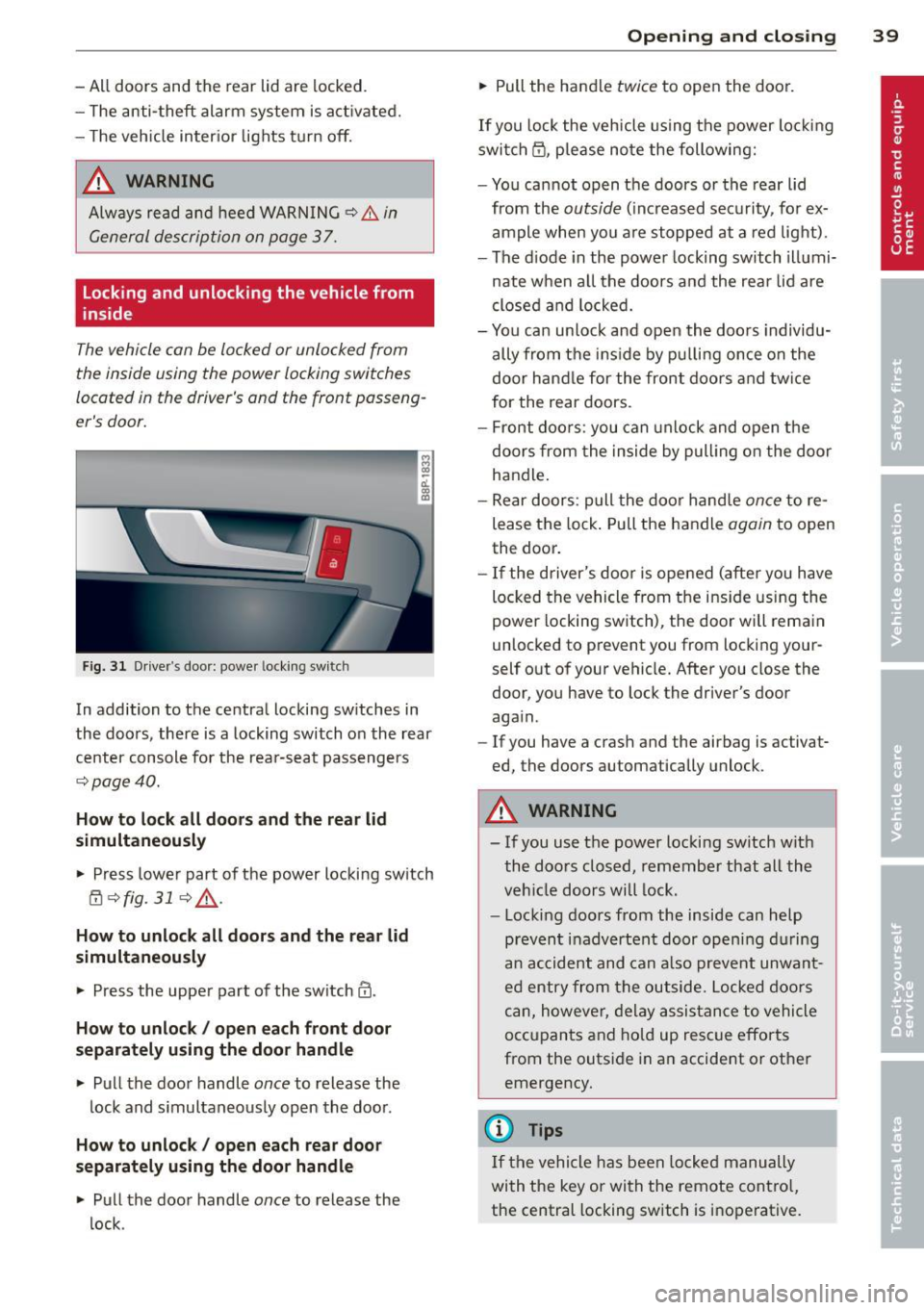
Locking and unlocking the vehicle from
inside
The vehicle con be locked or unlocked from
the inside using the power locking switches
located in the driver's and the front passeng
er's door.
F ig. 31 D rive r's doo r: powe r locki ng sw itc h
In addition to the central locking switches in
the doors , there is a locking switch on the rear
center console for the rea r-seat passengers
9 page40.
How t o lo ck all doors and the rea r lid
simultaneously
• Press lower part of the power locking switch
@ 9fig. 319&_ .
How to unlock all doors an d the re a r lid
simultaneousl y
• Press the upper part of the switch@ .
How to unlock / open each front door
s e paratel y using the doo r handle
• Pull the door handle once to release the
lock and s imultaneously open the door .
How to unlock/ open each rear doo r
s eparately using the doo r handl e
• Pull the door handle once to release the
lock .
Openin g an d clos ing 39
• Pull the handle twice to open the door.
If you lock the vehicle using the power lo cking
switch @, please note the following:
- You cannot open the doors or the rear lid
from the
outside (increased secu rity, for ex
ample when you are stopped at a red light).
- The d iode in the power locking switch illumi-
nate when all the doors and the rear lid are
closed and locked.
- You can un lock and open the doors individu
ally from the ins ide by pu lling once on the
door handle for the front doo rs and twice
for the rear doors.
- Front doors: you can unlock and open the doors from the inside by pull ing on the door
handle.
- Rear doors: pull the doo r handle
once to re
lease the lock . Pu ll the handle
again to open
the door.
- If the driver's door is opened (afte r you have
locked the vehicle from the ins ide using the
power locking switch), the door will rema in
unlocked to prevent you from locking your
self out of your vehicle. After you close the
door, you have to lock the driver's door
again .
- If you have a crash and the airbag is activat·
ed, the doors automatically unlock .
A WARNING
- If you use the power locking switch w ith
the doors closed, remember that all the
vehicle doors will lock.
- Locking doors from the inside can help
prevent inadvertent door opening during
a n accident and can a lso prevent unwant
ed entry from the outside. Locked doors
can, however, delay assis tance to vehicle
occ upants and hold up rescue efforts
from the outside in an accident or other emergency.
(D Tips
If the vehicle has been locked manually
with the key or with the remote contro l,
the central locking switch is inoperative.
Page 44 of 280

42 Opening and clo sing
Child safety lock
The child saf ety lock t prev ents th e re ar
doors from being opened from the inside .
Fig. 38 Rear doors : child safety lock
The rear doors are equipped wi th a ch ild safe
ty lock.
It is operated w ith the vehicle key. The
child safety lock is only visible when the door
is open.
• To
switch on the child safe ty lo ck , tu rn the
i gnition key in the direct ion of the arrow .
• To
switch off the child safety loc k, t urn the
ignition key in the opposite direction of the
arrow.
The c hild safety lock prevents the doors from
being opened from the inside when you have
small children sitt ing in the rear.
Anti-theft alarm system
The anti -theft alarm triggers an alarm if any
one attempts to break into the vehicle .
Fig. 39 Diode pos it ion in th e in st ru men t pane l
The anti-theft a larm system triggers an audi
ble alarm and tu rns o n the emergency flasher
if a n unauthori zed interference w ith the vehi
cle is sensed by the system.
How is the anti -theft alarm system
switched on?
T he anti -theft alarm system is switched on
when you lock the driver's door manua lly us
ing t he fo ld-out key, or when you use the re
mote control. The system is activated approx i
mately 30 seconds after the vehicle is locked .
The ind icator light¢
fig. 39 starts flash ing
rapid ly for 30 s econds and then blinks slowly.
How is the anti-theft alarm sy stem
switched off?
T he anti-theft alarm system is switched off
when you use the remote cont ro l to unlock
yo ur vehicle.
If you do not open a doo r wi thin
30 se co nds after yo u have u nlocked wi th the
remote control, t he vehicle will loc k it se lf
again automatically .
If you lock just t he d river's door using your
k ey, the fron t passenger's door and the re ar
li d remai n locked.
When will the anti th eft alarm system be
triggered?
When the vehicle is lo cked, t he alar m sys tem
monitors and pro te cts the fo llowi ng parts of
the ve hicle :
- eng ine compartmen t
- luggage compartmen t
- doors
- ignition
When the system is activated, the alarm will be triggered if one of t he doors, t he engine
hood or the rear lid are opened, or if the igni
t ion is turned on or the rad io removed .
The anti-theft alarm system wi ll also go off
whe n the battery is disconnected.
You can also trigge r the alarm by pressing the
P ANIC button on you r remo te-control key .
T his wi ll ale rt ot her people in case of emer
gency . Press the
PANIC button again to turn
off the alarm.
Page 46 of 280
44 Opening and closing
power window switches have a two-position
function:
Opening the windows
.. Push the switch to the first stop and hold it
t h ere until the window has lowered to the
desired position .
.. Push the switch briefly to the
second stop:
the window will automatically open all the
way.
.. By briefly pressing/pulling the switch again,
the downward travel of the window can be
stopped in any position
c:> .&. in Controls on
page 43.
Closing the windows
.. Pu ll the switch up to the first stop and ho ld
it there until the window has risen to the de
sired posit ion .
.. Pull the switch qu ickly to the
second posi
tion :
the w indow w ill automatically close all
the way
c:> ,&. in Controls on page 43.
.. By briefly pressing/pulling the switch again,
the upward travel of the window can be
stopped in any position
c:> .&. in Controls on
page 43 .
Activating/deactivating rear windows
.. Push the sw itch to the depressed position
to
activate the rear windows - the light in
the switch w ill go out.
.. Briefly press the switch to
deactivate the
rear windows -the switch will return to the
safety position and the light
LJ will illumi
nate.
The safety switch ®
c:> page 43, fig. 40 in the
armrest on the driver's door turns off the rear
power windows. Only when the safety switch
is depressed can the rear windows be opened
or closed. The symbol in the safety sw itch illu
minates when the power windows in the rear
doors are switched off (button NOT de
p ressed). This feature has been provided for
the safety of small children riding in the rear
of the vehicle.
(D Tips
The windows can still be opened and
closed for about ten minutes after the ig
nition has been turned off. The power w in
dows are not shut off unt il one of the front
doors is opened.
' Convenience close/open feature
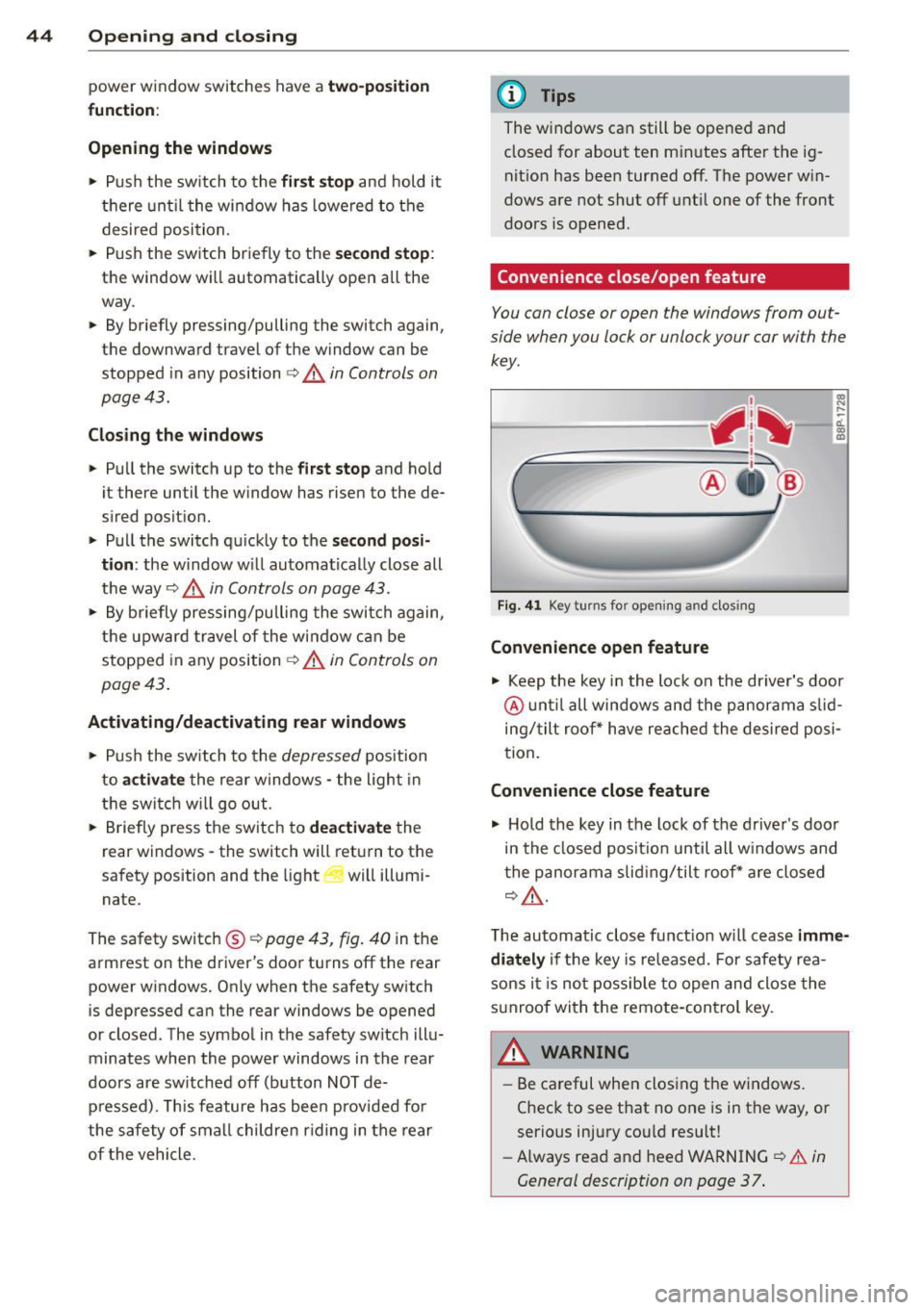
You can close or open the windows from out
side when you lock or unlock your car with the
key.
Fig. 41 Key turns for opening and closing
Convenience open feature
co ... ....
11. a:, a,
"' Keep the key in the lock on the driver's door
@ until all windows and the panorama s lid
ing/tilt roof * have reached the desired posi
tion .
Convenience close feature
"' Hold the key in the lock of the driver's door
in the closed position until all w indows and
the panorama slid ing/tilt roof * are closed
c:> ,&..
The automatic close f unct ion w ill cease imme
diately
if the key is released. For safety rea
sons it is not possible to open and close the
sunroof with the remote-control key.
A WARNING
= -
- Be careful when closing the windows.
Check to see that no one is in the way, or
serious injury cou ld resu lt!
- Always read and heed WARNING
c:> A in
General description on page 37 .
Page 48 of 280
46 Openin g and clo sing
,8. WARNING
Never close the panoramic sliding sunroof
carelessly or without watching - there is a
r isk of personal injury. For th is reason, al
ways remove the ignition key when leav ing
t he vehicle.
(j) Tips
- When you park your vehicle, we general
l y recommend closing the panoramic
s lid ing sunroof and the sun blind.
- When the vehicle is parked, a wet roof shou ld be dried lightly with a soft cloth
befor e it is opened so that water does
not dr ip into the inte rior.
Comfort closing
Applies to vehicles: with panoramic sliding sunroof
The open roof can also be closed from the
outside.
~ Hold the key in the driver's door lock in the
lock pos ition until the roof is closed
~ ,&. .
,8. WARNING
Never close the panoramic sliding sun roof
c arelessly or wit hout w atching - there is a
r is k of personal injury.
Page 49 of 280
Clear vision Lights
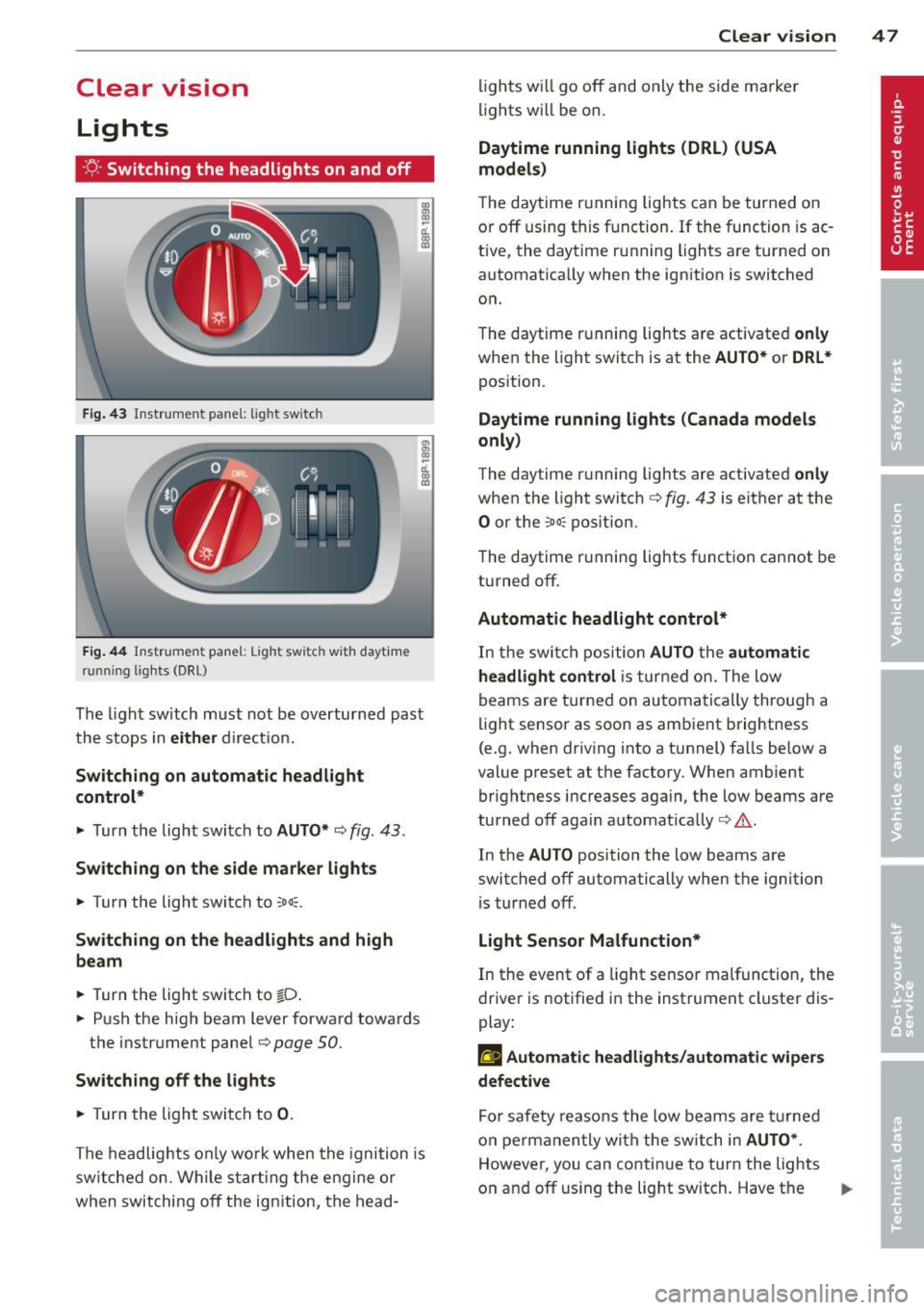
· r/.· Switching the headlights on and off
F ig. 4 3 In str ume nt pa ne l: light switch
F ig. 44 Instrumen t pane l: Light sw itch with dayt ime
running lights (DRL)
The ligh t sw itch must not be ove rtu rn ed past
the s tops in
either d ire ct io n.
Switching on automatic headlight
control*
.,. Turn the light swi tch to AUTO* ¢ fig. 43.
Switching on the side ma rker lights
.,. Turn the light switch to ooo=.
Switching on the headlights and high
beam
.,. Turn the light switch to tD .
.,. Pus h the high beam lever forward towards
the instrument pane l
Q page 50.
Switching off the lights
.,. Turn the light swi tc h to 0 .
The headlig hts on ly wo rk whe n the igni tion is
sw itche d on . W hile s tartin g the e ng ine or
when swit ching
off the ign ition , th e head-
Clear vision 4 7
lig hts w ill go off and only the side ma rke r
li ghts wi ll be on.
Daytime running lights (DRL) (USA
models)
The d aytime r unning lights can be tur ned on
o r
off using t his fu nction . If the function is ac
tive, the dayt ime ru nning lights a re turned on
a utomat ica lly when the ign ition is switched
o n.
T he daytime r unning lights are activate d
only
when the light switc h is at the AUTO* or DRL *
pos ition.
Daytime running lights (Canada models
only)
The daytime r unning lights are activated only
whe n the light switc h ¢ fig. 43 is either at the
0 or the coo: pos ition.
T he daytime r unning lights funct io n can not be
turned
off .
Automatic headlight control*
In the swi tch positi on AUTO the automatic
headlight control
i s tur ned on. The l ow
beams are turne d on au tomatically through a
li ght se nsor as soo n as amb ient brightness
(e .g. when dr iv ing into a t unnel) fa lls below a
val ue p reset at t he factory. Whe n ambient
bri ghtness i ncreases aga in, the low beams are
turned
off aga in a utomat ica lly c:> & .
In the AUTO position the low beams are
switc hed
off automatically when the ignition
is tur ned
off.
Light Sensor Malfunction*
In the event of a light se nsor malfunction, the
drive r is notifie d in the instrument cluste r dis
play:
ral Automatic headlights/automatic wipers
defective
Fo r sa fety reaso ns the low beam s are turned
on perm anen tly wi th the switch in
AUTO* .
However, you can co nti nu e to turn the lights
o n and
off u sing the lig ht switch. Have t he ..,.
Page 50 of 280

48 Clear vis ion
light sensor checked as soon as possible at a
dea lership.
Com ing home /leaving home function *
The function is switched on when the switch is
i n the AU TO* position and the function is
shown as active in the driver info rmation sys
tem .
The
co ming h om e function illuminates the
a rea around the veh icle when the ign it ion is
switched off and the driver 's door is opened.
The length of time the lights remain on can be set in the menu display
( Illumination > Exte
r io r light s> coming hom e).
The leav ing home function illuminates the
area around the vehicle when unlock ing it.
A WARNING
- Never use dayt ime running lights to see
where you are going. They are not bright
enough and w ill not let you see far
enough ahead for safety, especially at
dusk or when it is dark. Always switch on
the low beams at dusk or when it is dark.
- Automatic headlights are only intended
to assist the dr iver . They do not relieve
the driver of his responsibility to check
the headlights and to tu rn them on man
ually according to the current light and
visibili ty cond itions. Fo r example, fog
and rain cannot be detected by the light
sensors . So a lways switch on the head
lights under these weather cond itions
and when driving in the dark
io.
- Crashes can happen when yo u cannot see
the road ahead and when you cannot be seen by other motorists .
- Always turn on the headlights so that
you can see ahead and so tha t others
can see yo ur car from the bac k.
- With the switch in
AUTO front fog lights
ca nnot be t urned on in addition .
- The light sensor fo r headlight contro l is
l ocated in the rear view m irror mount .
Do no t apply any stickers to the w ind- shield in this area to prevent malfunc
tions or fa ilures.
- Some exter io r light ing funct ions can be
adjusted in the driver informat ion sys
tem
~ page 2 7.
- If you remove the ignition from the igni
tion lock while the headlights are still
on, a buzzer will so und as long as the
dr iver's door is open to rem ind you to
turn off the lights.
- Always observe the specif ic loca l regula
tions for your area as to when to use your
lights.
- With automatic headlights, the high
beam funct ion is also available, but wit h
one restrict ion: If you have not switched
the high beams back to low beams dur
ing automatic headlight operation (fo r
example, after d riving through a tunnel) ,
only the low beams come on the nex t
t ime au tomati c headlights are swi tc h ed
on. To use the high beams, you first have
to pull the high beam lever back and
then push the lever fo rward again.
- In cool or damp weather , the inside of
the headlights, turn signals and tail lights can fog over due to the tempera
ture difference between the inside and
outside. They w ill clear shortly after
switching them on. This does not affect
the se rv ice life of the lighting .
- Frequent use of the coming home/leav
ing home function for app roach ing and
depa rting a vehicle parked in the da rk
w ill strain the battery . Thi s ap plies pa r
tic ular ly if only short distances a re d riven
between stops . Occasionally drive longer
dis tances to make sure the battery is re
charged sufficiently.