service indicator BMW 328I XDRIVE SPORTS WAGON 2014 Owners Manual
[x] Cancel search | Manufacturer: BMW, Model Year: 2014, Model line: 328I XDRIVE SPORTS WAGON, Model: BMW 328I XDRIVE SPORTS WAGON 2014Pages: 244, PDF Size: 7.28 MB
Page 52 of 244
One person per safety belt
Never allow more than one person to
wear a single safety belt. Never allow infants or
small children to ride on a passenger's lap.◀
Putting on the belt
Lay the belt, without twisting, snugly
across the lap and shoulders, as close to the
body as possible. Make sure that the belt lies
low around the hips in the lap area and does
not press on the abdomen. Otherwise, the belt
can slip over the hips in the lap area in a frontal
impact and injure the abdomen.
The safety belt must not lie across the neck,
rub on sharp edges, be routed over breakable
objects, or be pinched.◀
Reduction of restraining effect
Avoid wearing bulky clothing, and pull
the shoulder belt periodically to readjust the
tension. Make sure that the belt is not jammed;
otherwise, the belt can be damaged and the
restraining effect reduced.◀
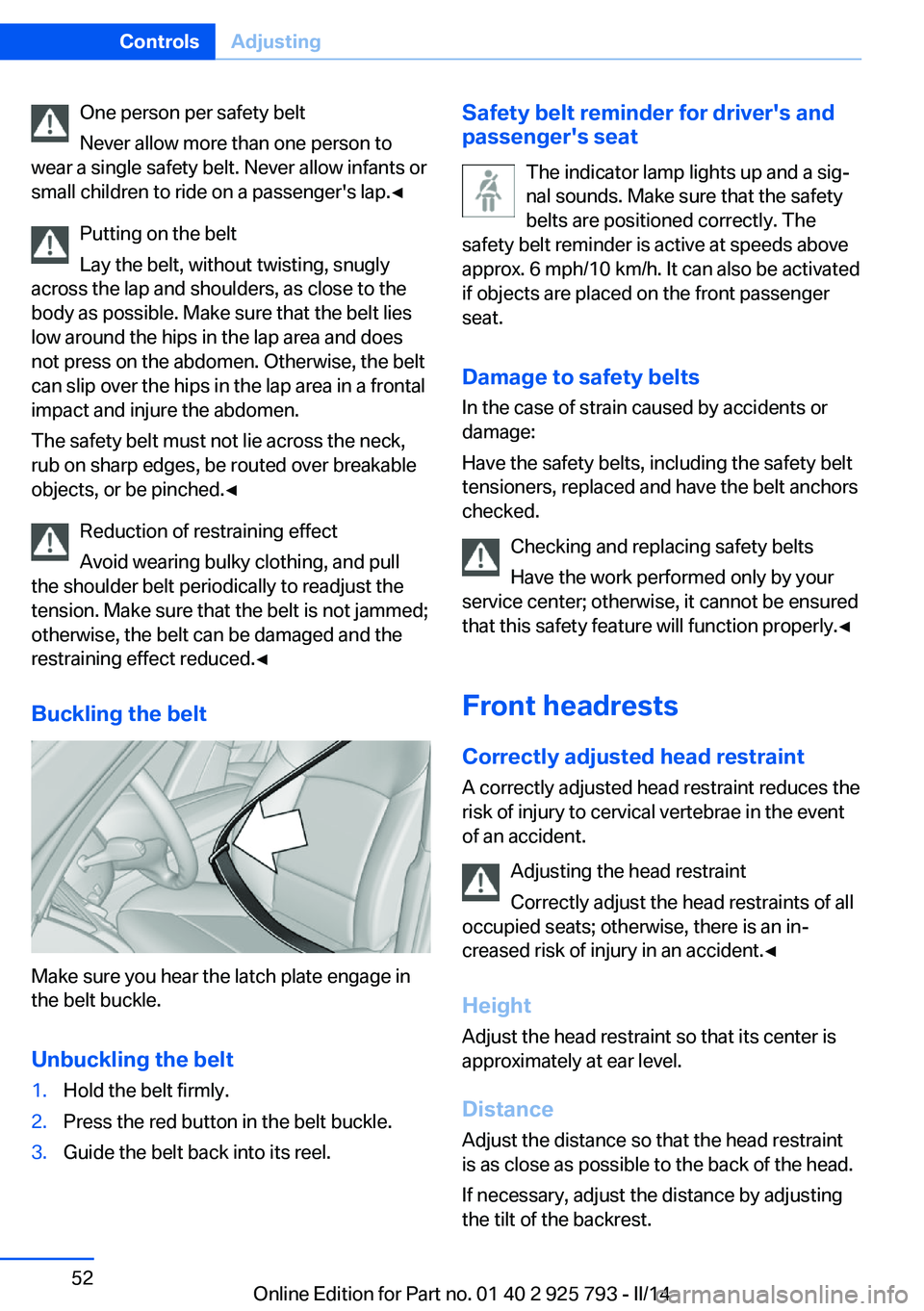
Buckling the belt
Make sure you hear the latch plate engage in
the belt buckle.
Unbuckling the belt
1.Hold the belt firmly.2.Press the red button in the belt buckle.3.Guide the belt back into its reel.Safety belt reminder for driver's and
passenger's seat
The indicator lamp lights up and a sig‐
nal sounds. Make sure that the safety
belts are positioned correctly. The
safety belt reminder is active at speeds above
approx. 6 mph/10 km/h. It can also be activated
if objects are placed on the front passenger
seat.
Damage to safety belts In the case of strain caused by accidents or
damage:
Have the safety belts, including the safety belt
tensioners, replaced and have the belt anchors
checked.
Checking and replacing safety belts
Have the work performed only by your
service center; otherwise, it cannot be ensured
that this safety feature will function properly.◀
Front headrests
Correctly adjusted head restraint A correctly adjusted head restraint reduces the
risk of injury to cervical vertebrae in the event
of an accident.
Adjusting the head restraint
Correctly adjust the head restraints of all
occupied seats; otherwise, there is an in‐
creased risk of injury in an accident.◀
Height
Adjust the head restraint so that its center is
approximately at ear level.
Distance Adjust the distance so that the head restraint
is as close as possible to the back of the head.
If necessary, adjust the distance by adjusting
the tilt of the backrest.Seite 52ControlsAdjusting52
Online Edition for Part no. 01 40 2 925 793 - II/14
Page 76 of 244
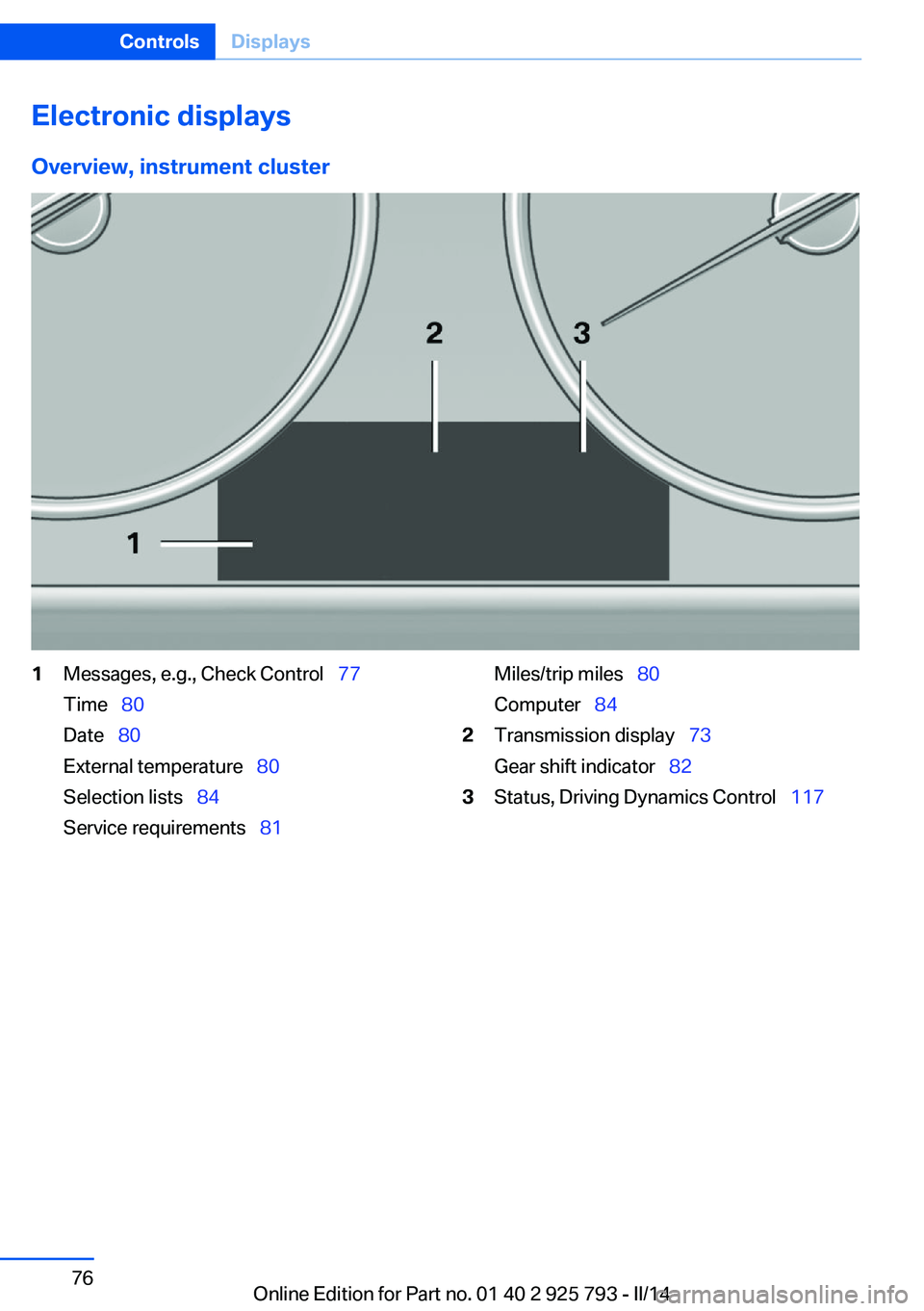
Electronic displaysOverview, instrument cluster1Messages, e.g., Check Control 77
Time 80
Date 80
External temperature 80
Selection lists 84
Service requirements 81Miles/trip miles 80
Computer 842Transmission display 73
Gear shift indicator 823Status, Driving Dynamics Control 117Seite 76ControlsDisplays76
Online Edition for Part no. 01 40 2 925 793 - II/14
Page 77 of 244
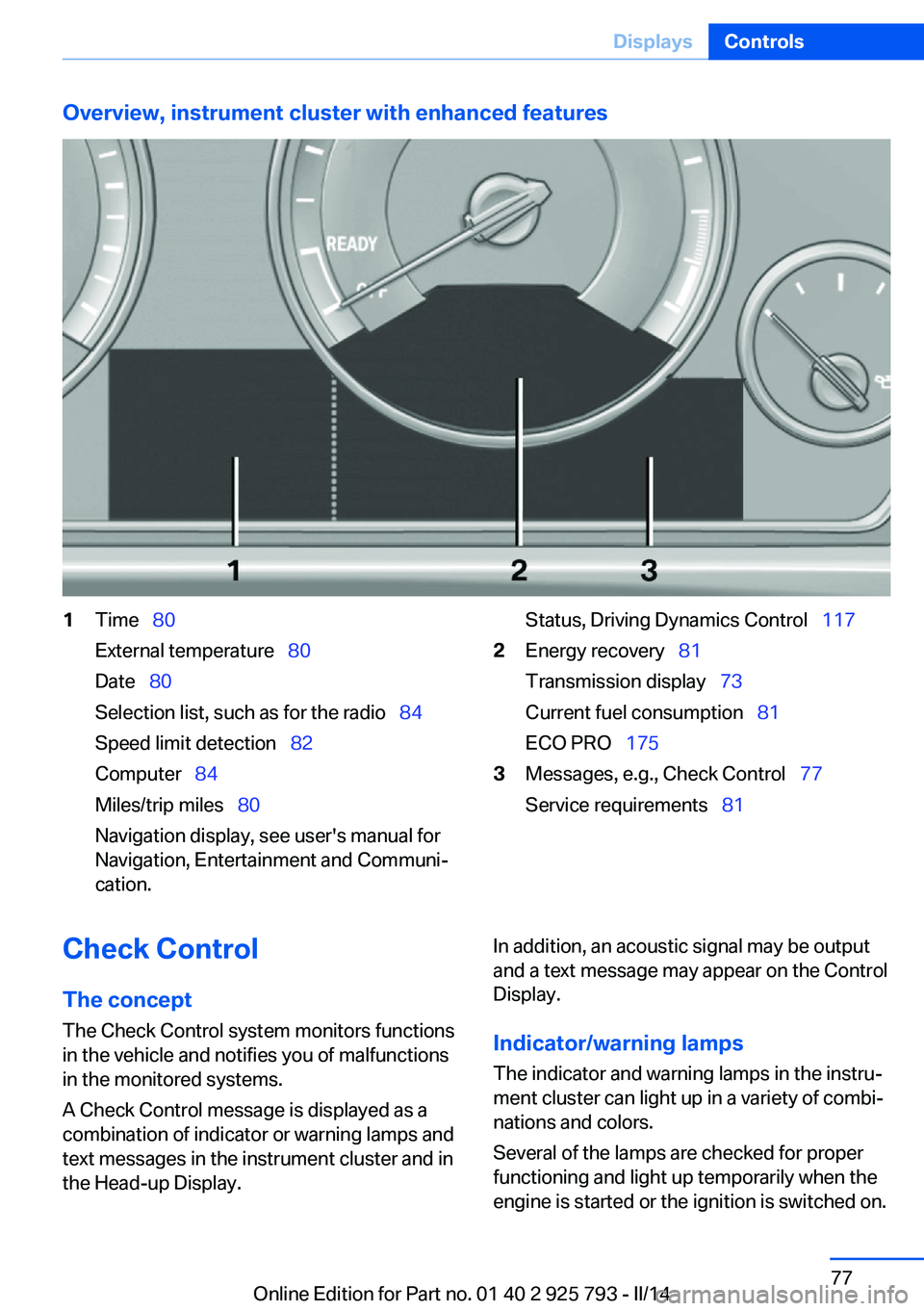
Overview, instrument cluster with enhanced features1Time 80
External temperature 80
Date 80
Selection list, such as for the radio 84
Speed limit detection 82
Computer 84
Miles/trip miles 80
Navigation display, see user's manual for
Navigation, Entertainment and Communi‐
cation.Status, Driving Dynamics Control 1172Energy recovery 81
Transmission display 73
Current fuel consumption 81
ECO PRO 1753Messages, e.g., Check Control 77
Service requirements 81Check Control
The concept The Check Control system monitors functions
in the vehicle and notifies you of malfunctions
in the monitored systems.
A Check Control message is displayed as a
combination of indicator or warning lamps and
text messages in the instrument cluster and in
the Head-up Display.In addition, an acoustic signal may be output
and a text message may appear on the Control Display.
Indicator/warning lamps The indicator and warning lamps in the instru‐
ment cluster can light up in a variety of combi‐
nations and colors.
Several of the lamps are checked for proper
functioning and light up temporarily when the
engine is started or the ignition is switched on.Seite 77DisplaysControls77
Online Edition for Part no. 01 40 2 925 793 - II/14
Page 81 of 244
Current fuel consumption
Instrument cluster Displays the current fuel con‐
sumption. You can check
whether you are currently driv‐
ing in an efficient and environ‐
mentally-friendly manner.
Instrum. cluster with enhanced
features
Displays the current fuel con‐
sumption. You can check
whether you are currently driv‐
ing in an efficient and environ‐
mentally-friendly manner.
Displaying the current fuel
consumption1."Settings"2."Instr. cluster display"3."Additional indicators"
The bar display for the current fuel consump‐
tion is displayed in the instrument cluster.
Energy recovery
Display The kinetic energy of the vehicle
is converted to electrical energy
while coasting. The vehicle bat‐
tery is partially charged and fuel
consumption can be reduced.
Service requirements
The concept
The driving distance or the time to the next
scheduled maintenance is displayed briefly in
the instrument cluster after the ignition is
switched on.
The current service requirements can be read
out from the remote control by the service
specialist.
Display Data regarding the service status or legally
mandated inspections of the vehicle are auto‐
matically transmitted to your service center
before a service due date.
Detailed information on service
requirements
More information on the scope of service re‐
quired can be displayed on the Control Dis‐
play.1."Vehicle Info"2."Vehicle status"3. "Service required"
Required maintenance procedures and le‐
gally mandated inspections are displayed.4.Select an entry to call up detailed informa‐
tion.
Symbols
Sym‐
bolsDescriptionNo service is currently required.The deadline for scheduled mainte‐
nance or a legally mandated inspec‐
tion is approaching.The service deadline has already
passed.
Entering appointment dates
Enter the dates for the required inspections.
Seite 81DisplaysControls81
Online Edition for Part no. 01 40 2 925 793 - II/14
Page 82 of 244
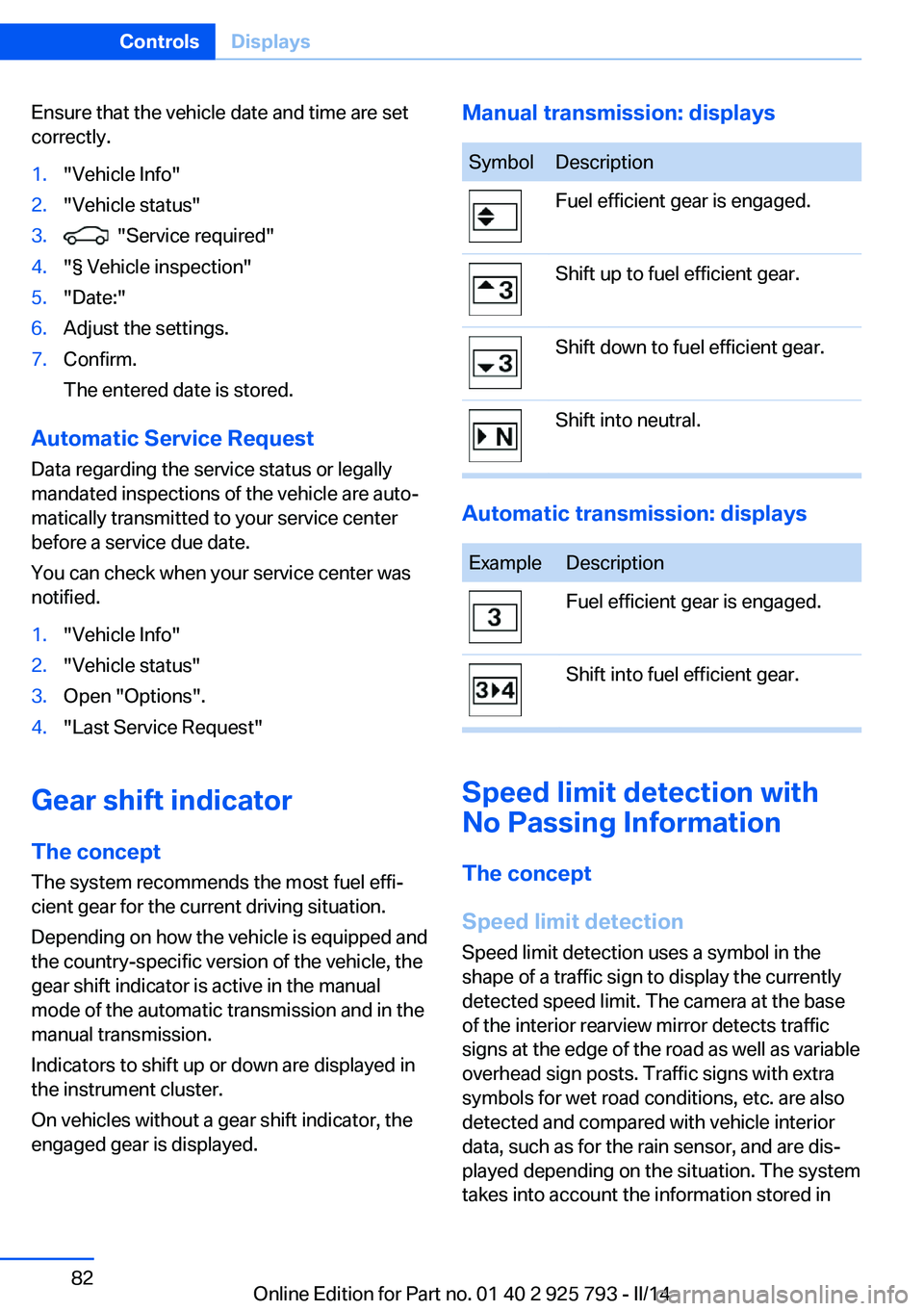
Ensure that the vehicle date and time are set
correctly.1."Vehicle Info"2."Vehicle status"3. "Service required"4."§ Vehicle inspection"5."Date:"6.Adjust the settings.7.Confirm.
The entered date is stored.
Automatic Service Request
Data regarding the service status or legally
mandated inspections of the vehicle are auto‐
matically transmitted to your service center
before a service due date.
You can check when your service center was
notified.
1."Vehicle Info"2."Vehicle status"3.Open "Options".4."Last Service Request"
Gear shift indicator
The conceptThe system recommends the most fuel effi‐
cient gear for the current driving situation.
Depending on how the vehicle is equipped and
the country-specific version of the vehicle, the
gear shift indicator is active in the manual
mode of the automatic transmission and in the
manual transmission.
Indicators to shift up or down are displayed in
the instrument cluster.
On vehicles without a gear shift indicator, the
engaged gear is displayed.
Manual transmission: displaysSymbolDescriptionFuel efficient gear is engaged.Shift up to fuel efficient gear.Shift down to fuel efficient gear.Shift into neutral.
Automatic transmission: displays
ExampleDescriptionFuel efficient gear is engaged.Shift into fuel efficient gear.
Speed limit detection with
No Passing Information
The concept
Speed limit detection Speed limit detection uses a symbol in the
shape of a traffic sign to display the currently
detected speed limit. The camera at the base
of the interior rearview mirror detects traffic
signs at the edge of the road as well as variable
overhead sign posts. Traffic signs with extra
symbols for wet road conditions, etc. are also
detected and compared with vehicle interior
data, such as for the rain sensor, and are dis‐
played depending on the situation. The system
takes into account the information stored in
Seite 82ControlsDisplays82
Online Edition for Part no. 01 40 2 925 793 - II/14
Page 101 of 244
temperature falls again. This behavior may
cause a warning to be issued if temperatures
fall very sharply.
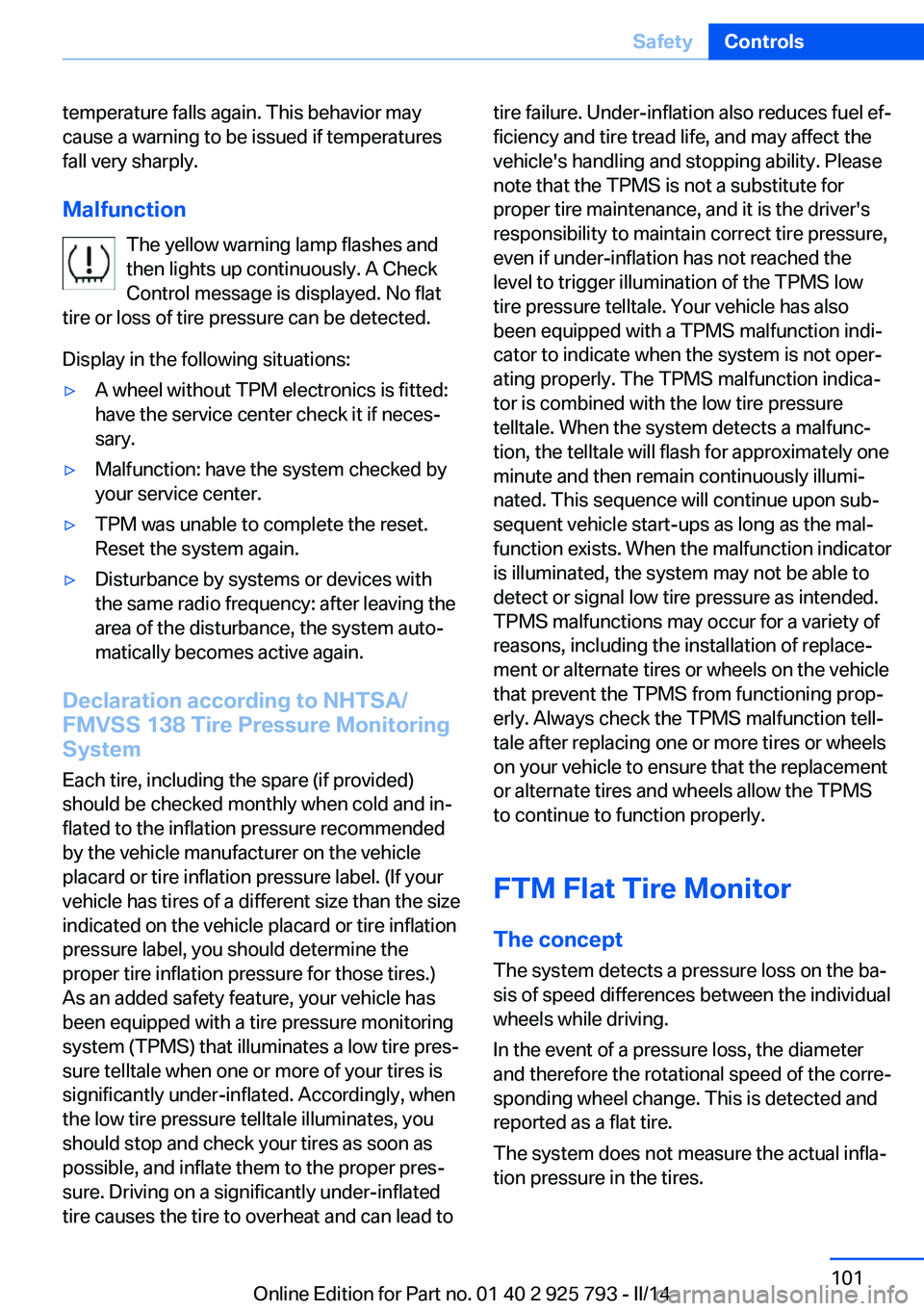
Malfunction The yellow warning lamp flashes and
then lights up continuously. A Check
Control message is displayed. No flat
tire or loss of tire pressure can be detected.
Display in the following situations:▷A wheel without TPM electronics is fitted:
have the service center check it if neces‐
sary.▷Malfunction: have the system checked by
your service center.▷TPM was unable to complete the reset.
Reset the system again.▷Disturbance by systems or devices with
the same radio frequency: after leaving the
area of the disturbance, the system auto‐
matically becomes active again.
Declaration according to NHTSA/
FMVSS 138 Tire Pressure Monitoring
System
Each tire, including the spare (if provided)
should be checked monthly when cold and in‐
flated to the inflation pressure recommended
by the vehicle manufacturer on the vehicle
placard or tire inflation pressure label. (If your
vehicle has tires of a different size than the size
indicated on the vehicle placard or tire inflation
pressure label, you should determine the
proper tire inflation pressure for those tires.)
As an added safety feature, your vehicle has
been equipped with a tire pressure monitoring
system (TPMS) that illuminates a low tire pres‐
sure telltale when one or more of your tires is
significantly under-inflated. Accordingly, when
the low tire pressure telltale illuminates, you
should stop and check your tires as soon as
possible, and inflate them to the proper pres‐
sure. Driving on a significantly under-inflated
tire causes the tire to overheat and can lead to
tire failure. Under-inflation also reduces fuel ef‐
ficiency and tire tread life, and may affect the
vehicle's handling and stopping ability. Please
note that the TPMS is not a substitute for
proper tire maintenance, and it is the driver's
responsibility to maintain correct tire pressure,
even if under-inflation has not reached the
level to trigger illumination of the TPMS low
tire pressure telltale. Your vehicle has also
been equipped with a TPMS malfunction indi‐
cator to indicate when the system is not oper‐
ating properly. The TPMS malfunction indica‐
tor is combined with the low tire pressure
telltale. When the system detects a malfunc‐
tion, the telltale will flash for approximately one
minute and then remain continuously illumi‐
nated. This sequence will continue upon sub‐
sequent vehicle start-ups as long as the mal‐
function exists. When the malfunction indicator
is illuminated, the system may not be able to
detect or signal low tire pressure as intended.
TPMS malfunctions may occur for a variety of
reasons, including the installation of replace‐
ment or alternate tires or wheels on the vehicle
that prevent the TPMS from functioning prop‐
erly. Always check the TPMS malfunction tell‐
tale after replacing one or more tires or wheels
on your vehicle to ensure that the replacement
or alternate tires and wheels allow the TPMS
to continue to function properly.
FTM Flat Tire Monitor The conceptThe system detects a pressure loss on the ba‐sis of speed differences between the individual
wheels while driving.
In the event of a pressure loss, the diameter
and therefore the rotational speed of the corre‐
sponding wheel change. This is detected and
reported as a flat tire.
The system does not measure the actual infla‐
tion pressure in the tires.Seite 101SafetyControls101
Online Edition for Part no. 01 40 2 925 793 - II/14
Page 175 of 244
Avoid high engine speeds
Use 1st gear to get the vehicle in motion. Be‐
ginning with 2nd gear, accelerate rapidly.
When accelerating, shift up before reaching
high engine speeds.
When you reach the desired speed, shift into
the highest applicable gear and drive with the
engine speed as low as possible and at a con‐
stant speed.
As a rule: driving at low engine speeds lowers
fuel consumption and reduces wear.
The gear shift indicator of your vehicle indi‐
cates the most fuel efficient gear.
Use coasting When approaching a red light, take your foot
off the accelerator and let the vehicle coast to
a halt.
On a downhill gradient, take your foot off the
accelerator and let the vehicle roll.
The flow of fuel is interrupted while coasting.
Switch off the engine during longer stops
Switch off the engine during longer stops, e.g.,
at traffic lights, railroad crossings or in traffic
congestion.
Auto Start/Stop function The Auto Start/Stop function of your vehicle
automatically switches off the engine during a
stop.
If the engine is switched off and then restarted
rather than leaving the engine running con‐
stantly, fuel consumption and emissions are
reduced. Savings can begin within a few sec‐
onds of switching off the engine.
In addition, fuel consumption is also deter‐
mined by other factors, such as driving style,road conditions, maintenance or environmental
factors.
Switch off any functions that
are not currently needed
Functions such as seat heating and the rear
window defroster require a lot of energy and
reduce the range, especially in city and stop-
and-go traffic.
Therefore, switch off these functions if they
are not actually needed.
The ECO PRO driving program supports the
energy conserving use of comfort functions.
These functions are automatically deactivated
partially or completely.
Have maintenance carried
out
Have vehicles maintained regularly to achieve
optimal vehicle economy and operating life.
The maintenance should be carried out by
your service center.
Also note the BMW Maintenance System, refer
to page 205.
ECO PRO
The concept ECO PRO supports a driving style that saves
on fuel consumption. For this purpose, the en‐
gine control and comfort functions, e. g. the
climate control output, are adjusted.
Under certain conditions the engine is auto‐
matically decoupled from the transmission in
the D selector lever position. The vehicle con‐
tinues traveling with the engine idling to re‐
duce fuel consumption. Selector lever position
D remains engaged.Seite 175Saving fuelDriving tips175
Online Edition for Part no. 01 40 2 925 793 - II/14
Page 200 of 244
Hood
Hints Working in the engine compartment
Never attempt to perform any service or
repair operations on your vehicle without the
necessary professional technical training.
If you are unfamiliar with the statutory guide‐
lines, have any work on the vehicle performed
only by a service center.
If this work is not carried out properly, there is
the danger of subsequent damage and related
safety hazards.◀
Never reach into the engine compart‐
ment
Never reach into the intermediate spaces or
gaps in the engine compartment. Otherwise,
there is risk of injury, e.g., from rotating or hot
parts.◀
Fold down wiper arm
Before opening the hood, ensure that the
wiper arms are against the windshield, or this
may result in damage.◀
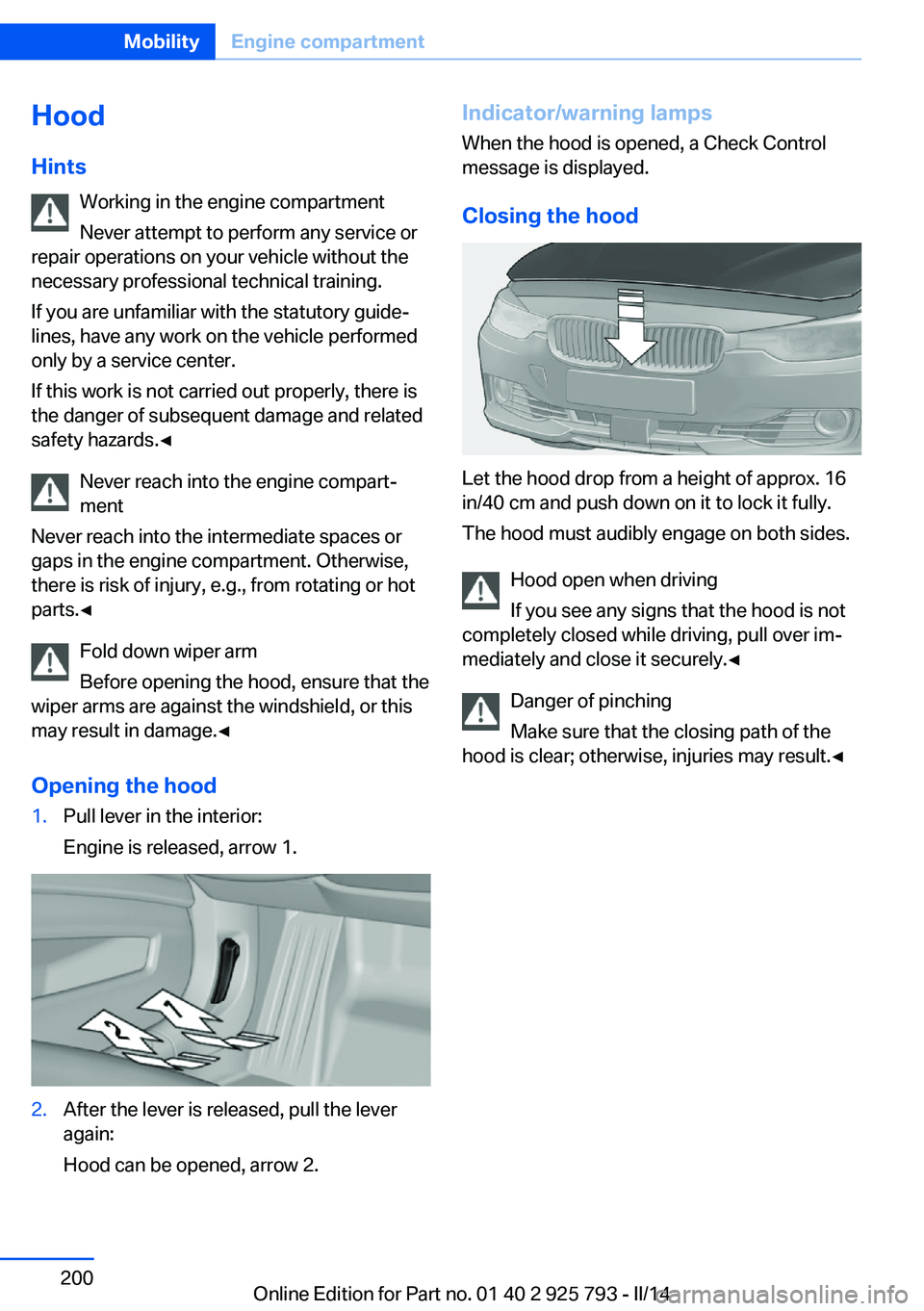
Opening the hood1.Pull lever in the interior:
Engine is released, arrow 1.2.After the lever is released, pull the lever
again:
Hood can be opened, arrow 2.Indicator/warning lamps
When the hood is opened, a Check Control
message is displayed.
Closing the hood
Let the hood drop from a height of approx. 16
in/40 cm and push down on it to lock it fully.
The hood must audibly engage on both sides.
Hood open when driving
If you see any signs that the hood is not
completely closed while driving, pull over im‐
mediately and close it securely.◀
Danger of pinching
Make sure that the closing path of the
hood is clear; otherwise, injuries may result.◀
Seite 200MobilityEngine compartment200
Online Edition for Part no. 01 40 2 925 793 - II/14
Page 236 of 244
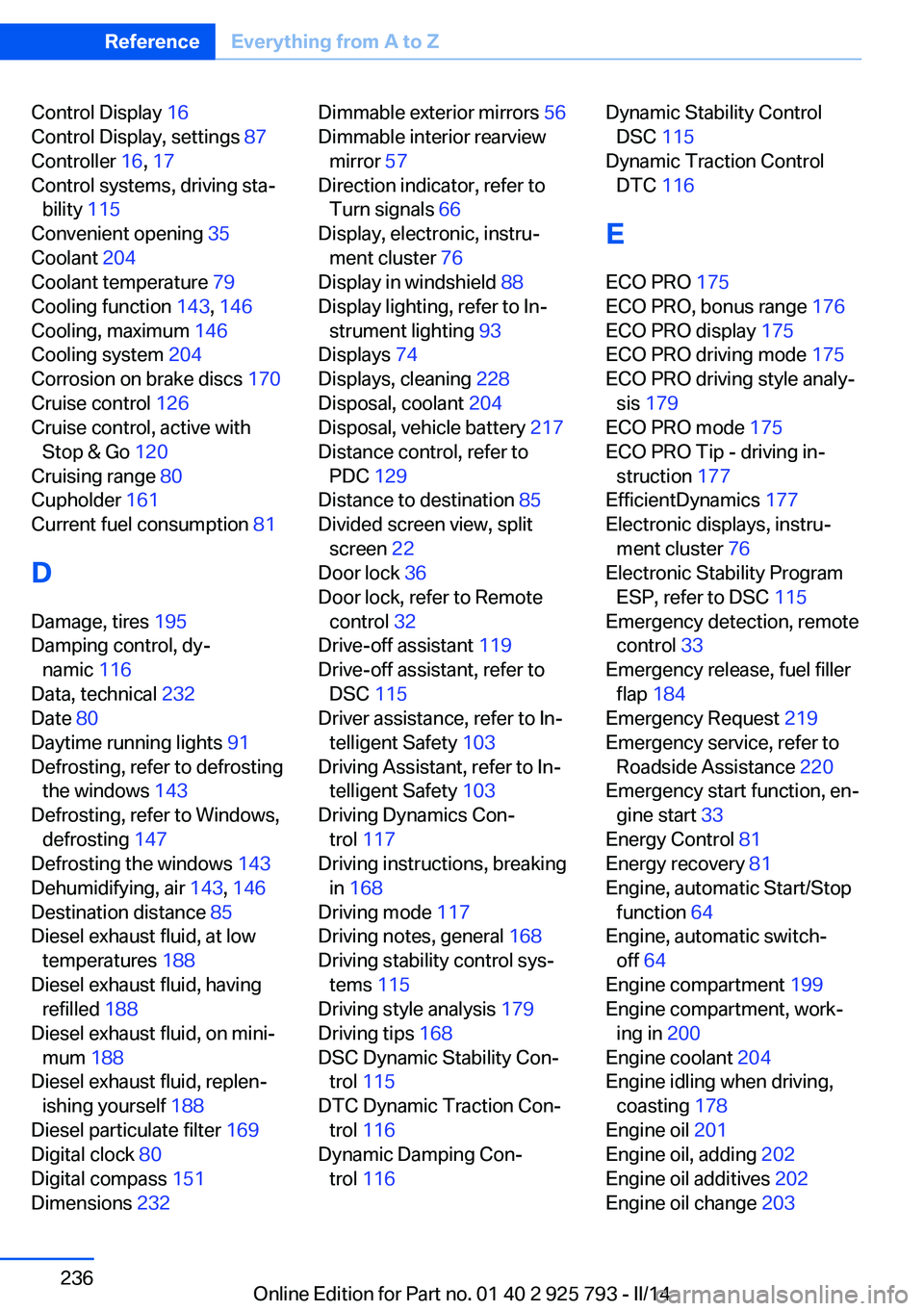
Control Display 16
Control Display, settings 87
Controller 16, 17
Control systems, driving sta‐ bility 115
Convenient opening 35
Coolant 204
Coolant temperature 79
Cooling function 143, 146
Cooling, maximum 146
Cooling system 204
Corrosion on brake discs 170
Cruise control 126
Cruise control, active with Stop & Go 120
Cruising range 80
Cupholder 161
Current fuel consumption 81
D
Damage, tires 195
Damping control, dy‐ namic 116
Data, technical 232
Date 80
Daytime running lights 91
Defrosting, refer to defrosting the windows 143
Defrosting, refer to Windows, defrosting 147
Defrosting the windows 143
Dehumidifying, air 143, 146
Destination distance 85
Diesel exhaust fluid, at low temperatures 188
Diesel exhaust fluid, having refilled 188
Diesel exhaust fluid, on mini‐ mum 188
Diesel exhaust fluid, replen‐ ishing yourself 188
Diesel particulate filter 169
Digital clock 80
Digital compass 151
Dimensions 232 Dimmable exterior mirrors 56
Dimmable interior rearview mirror 57
Direction indicator, refer to Turn signals 66
Display, electronic, instru‐ ment cluster 76
Display in windshield 88
Display lighting, refer to In‐ strument lighting 93
Displays 74
Displays, cleaning 228
Disposal, coolant 204
Disposal, vehicle battery 217
Distance control, refer to PDC 129
Distance to destination 85
Divided screen view, split screen 22
Door lock 36
Door lock, refer to Remote control 32
Drive-off assistant 119
Drive-off assistant, refer to DSC 115
Driver assistance, refer to In‐ telligent Safety 103
Driving Assistant, refer to In‐ telligent Safety 103
Driving Dynamics Con‐ trol 117
Driving instructions, breaking in 168
Driving mode 117
Driving notes, general 168
Driving stability control sys‐ tems 115
Driving style analysis 179
Driving tips 168
DSC Dynamic Stability Con‐ trol 115
DTC Dynamic Traction Con‐ trol 116
Dynamic Damping Con‐ trol 116 Dynamic Stability Control
DSC 115
Dynamic Traction Control DTC 116
E
ECO PRO 175
ECO PRO, bonus range 176
ECO PRO display 175
ECO PRO driving mode 175
ECO PRO driving style analy‐ sis 179
ECO PRO mode 175
ECO PRO Tip - driving in‐ struction 177
EfficientDynamics 177
Electronic displays, instru‐ ment cluster 76
Electronic Stability Program ESP, refer to DSC 115
Emergency detection, remote control 33
Emergency release, fuel filler flap 184
Emergency Request 219
Emergency service, refer to Roadside Assistance 220
Emergency start function, en‐ gine start 33
Energy Control 81
Energy recovery 81
Engine, automatic Start/Stop function 64
Engine, automatic switch- off 64
Engine compartment 199
Engine compartment, work‐ ing in 200
Engine coolant 204
Engine idling when driving, coasting 178
Engine oil 201
Engine oil, adding 202
Engine oil additives 202
Engine oil change 203 Seite 236ReferenceEverything from A to Z236
Online Edition for Part no. 01 40 2 925 793 - II/14
Page 238 of 244
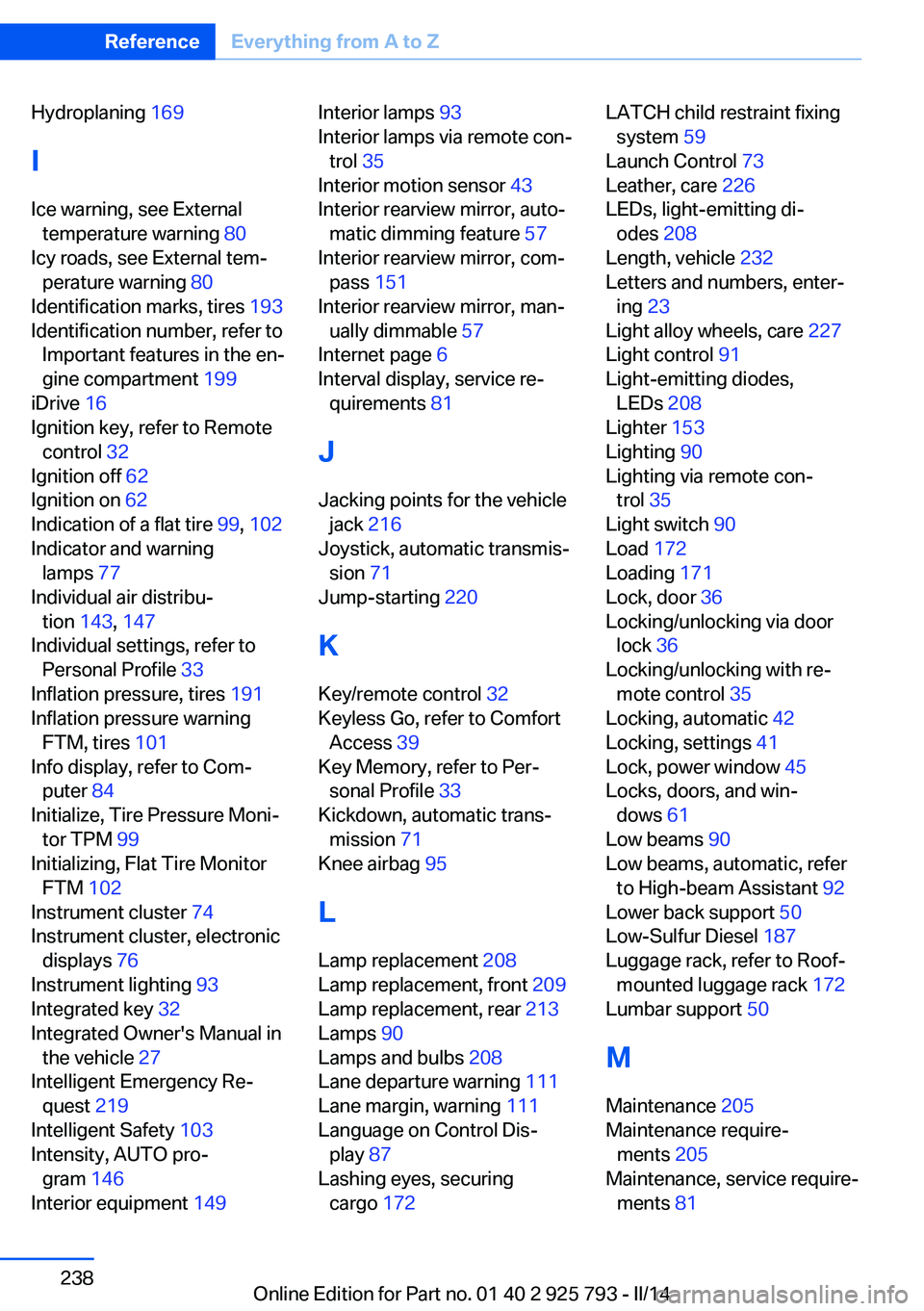
Hydroplaning 169
I Ice warning, see External temperature warning 80
Icy roads, see External tem‐ perature warning 80
Identification marks, tires 193
Identification number, refer to Important features in the en‐
gine compartment 199
iDrive 16
Ignition key, refer to Remote control 32
Ignition off 62
Ignition on 62
Indication of a flat tire 99, 102
Indicator and warning lamps 77
Individual air distribu‐ tion 143, 147
Individual settings, refer to Personal Profile 33
Inflation pressure, tires 191
Inflation pressure warning FTM, tires 101
Info display, refer to Com‐ puter 84
Initialize, Tire Pressure Moni‐ tor TPM 99
Initializing, Flat Tire Monitor FTM 102
Instrument cluster 74
Instrument cluster, electronic displays 76
Instrument lighting 93
Integrated key 32
Integrated Owner's Manual in the vehicle 27
Intelligent Emergency Re‐ quest 219
Intelligent Safety 103
Intensity, AUTO pro‐ gram 146
Interior equipment 149 Interior lamps 93
Interior lamps via remote con‐ trol 35
Interior motion sensor 43
Interior rearview mirror, auto‐ matic dimming feature 57
Interior rearview mirror, com‐ pass 151
Interior rearview mirror, man‐ ually dimmable 57
Internet page 6
Interval display, service re‐ quirements 81
J Jacking points for the vehicle jack 216
Joystick, automatic transmis‐ sion 71
Jump-starting 220
K
Key/remote control 32
Keyless Go, refer to Comfort Access 39
Key Memory, refer to Per‐ sonal Profile 33
Kickdown, automatic trans‐ mission 71
Knee airbag 95
L
Lamp replacement 208
Lamp replacement, front 209
Lamp replacement, rear 213
Lamps 90
Lamps and bulbs 208
Lane departure warning 111
Lane margin, warning 111
Language on Control Dis‐ play 87
Lashing eyes, securing cargo 172 LATCH child restraint fixing
system 59
Launch Control 73
Leather, care 226
LEDs, light-emitting di‐ odes 208
Length, vehicle 232
Letters and numbers, enter‐ ing 23
Light alloy wheels, care 227
Light control 91
Light-emitting diodes, LEDs 208
Lighter 153
Lighting 90
Lighting via remote con‐ trol 35
Light switch 90
Load 172
Loading 171
Lock, door 36
Locking/unlocking via door lock 36
Locking/unlocking with re‐ mote control 35
Locking, automatic 42
Locking, settings 41
Lock, power window 45
Locks, doors, and win‐ dows 61
Low beams 90
Low beams, automatic, refer to High-beam Assistant 92
Lower back support 50
Low-Sulfur Diesel 187
Luggage rack, refer to Roof- mounted luggage rack 172
Lumbar support 50
M
Maintenance 205
Maintenance require‐ ments 205
Maintenance, service require‐ ments 81 Seite 238ReferenceEverything from A to Z238
Online Edition for Part no. 01 40 2 925 793 - II/14