window BMW 330XI SEDAN 2004 E46 User Guide
[x] Cancel search | Manufacturer: BMW, Model Year: 2004, Model line: 330XI SEDAN, Model: BMW 330XI SEDAN 2004 E46Pages: 182, PDF Size: 2.76 MB
Page 100 of 182
100
Air supply/Blower
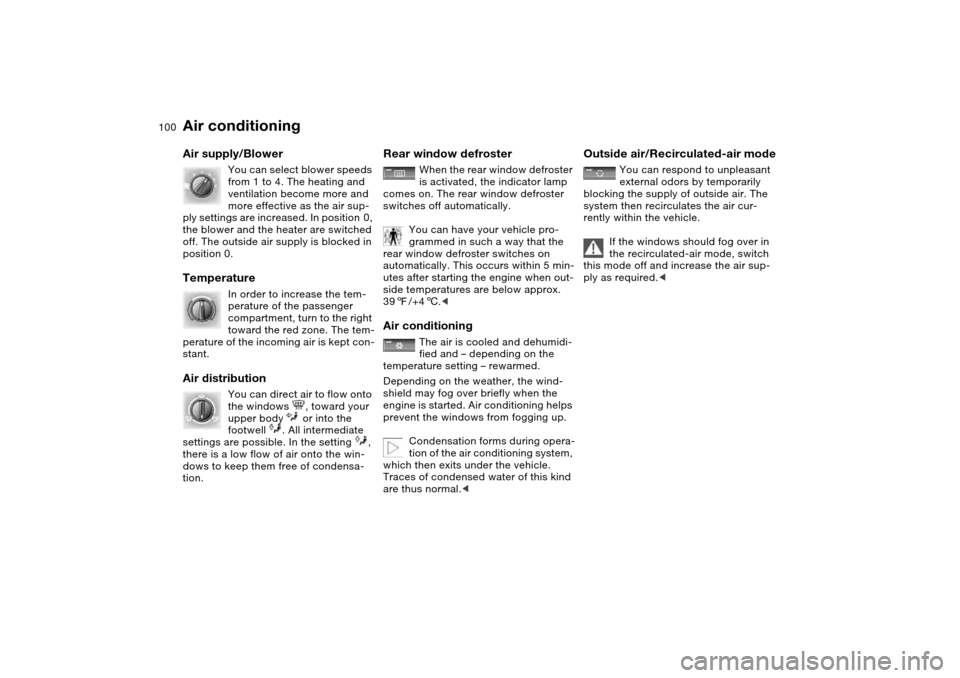
You can select blower speeds
from 1 to 4. The heating and
ventilation become more and
more effective as the air sup-
ply settings are increased. In position 0,
the blower and the heater are switched
off. The outside air supply is blocked in
position 0.
Temperature
In order to increase the tem-
perature of the passenger
compartment, turn to the right
toward the red zone. The tem-
perature of the incoming air is kept con-
stant.
Air distribution
You can direct air to flow onto
the windows , toward your
upper body or into the
footwell . All intermediate
settings are possible. In the setting ,
there is a low flow of air onto the win-
dows to keep them free of condensa-
tion.
Rear window defroster
When the rear window defroster
is activated, the indicator lamp
comes on. The rear window defroster
switches off automatically.
You can have your vehicle pro-
grammed in such a way that the
rear window defroster switches on
automatically. This occurs within 5 min-
utes after starting the engine when out-
side temperatures are below approx.
397/+46.<
Air conditioning
The air is cooled and dehumidi-
fied and – depending on the
temperature setting – rewarmed.
Depending on the weather, the wind-
shield may fog over briefly when the
engine is started. Air conditioning helps
prevent the windows from fogging up.
Condensation forms during opera-
tion of the air conditioning system,
which then exits under the vehicle.
Traces of condensed water of this kind
are thus normal.<
Outside air/Recirculated-air mode
You can respond to unpleasant
external odors by temporarily
blocking the supply of outside air. The
system then recirculates the air cur-
rently within the vehicle.
If the windows should fog over in
the recirculated-air mode, switch
this mode off and increase the air sup-
ply as required.<
Air conditioning
Page 101 of 182
101
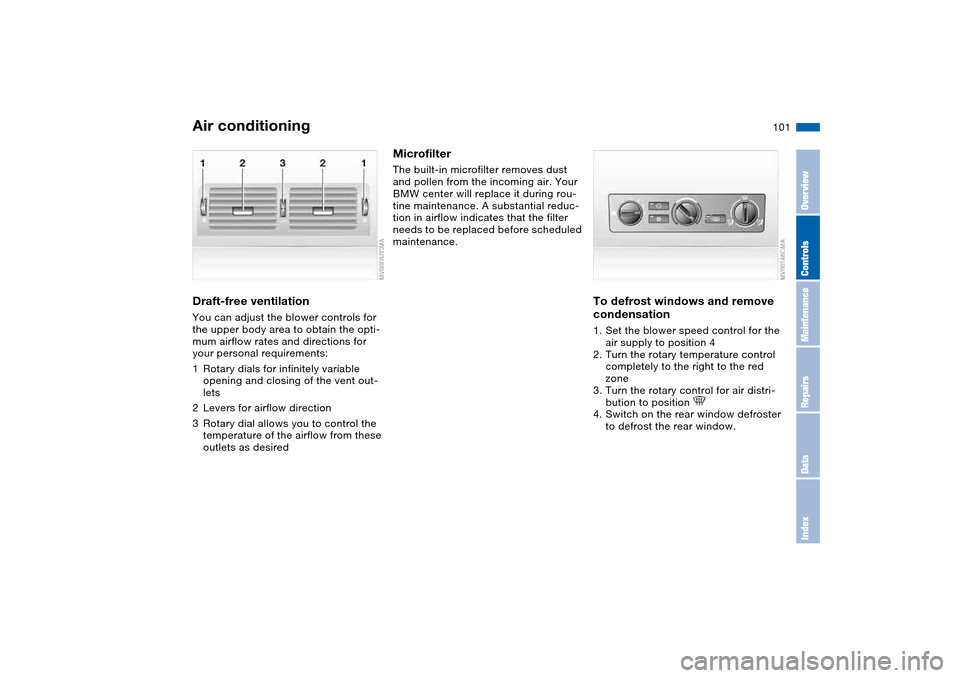
Draft-free ventilationYou can adjust the blower controls for
the upper body area to obtain the opti-
mum airflow rates and directions for
your personal requirements:
1Rotary dials for infinitely variable
opening and closing of the vent out-
lets
2Levers for airflow direction
3Rotary dial allows you to control the
temperature of the airflow from these
outlets as desired
MicrofilterThe built-in microfilter removes dust
and pollen from the incoming air. Your
BMW center will replace it during rou-
tine maintenance. A substantial reduc-
tion in airflow indicates that the filter
needs to be replaced before scheduled
maintenance.
To defrost windows and remove
condensation1. Set the blower speed control for the
air supply to position 4
2. Turn the rotary temperature control
completely to the right to the red
zone
3. Turn the rotary control for air distri-
bution to position
4. Switch on the rear window defroster
to defrost the rear window.
Air conditioning
OverviewControlsMaintenanceRepairsDataIndex
Page 103 of 182
103
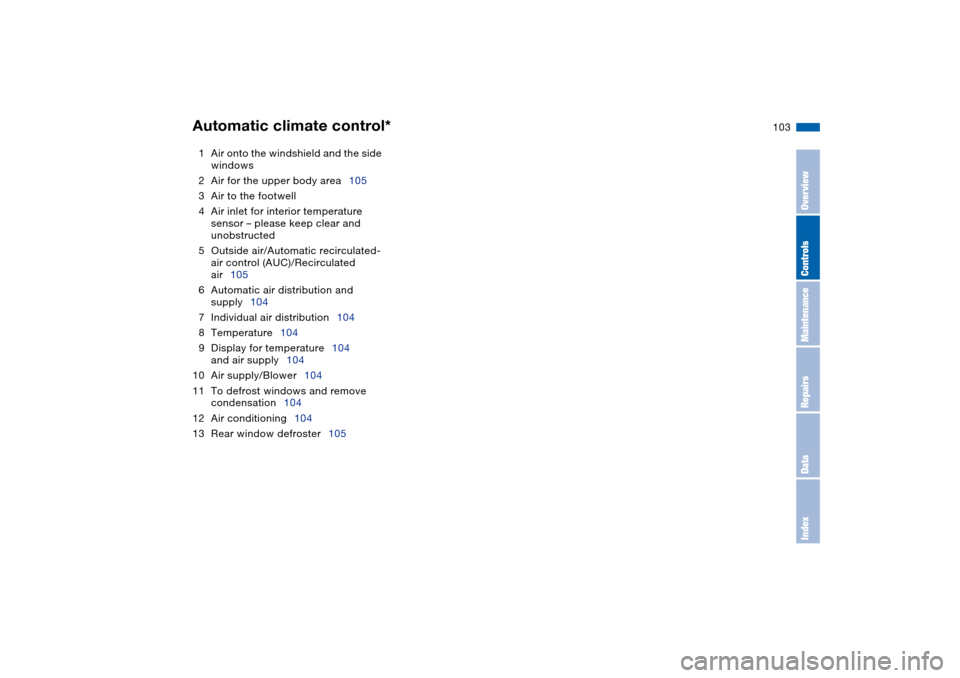
1Air onto the windshield and the side
windows
2Air for the upper body area105
3Air to the footwell
4Air inlet for interior temperature
sensor – please keep clear and
unobstructed
5Outside air/Automatic recirculated-
air control (AUC)/Recirculated
air105
6Automatic air distribution and
supply104
7Individual air distribution104
8Temperature104
9Display for temperature104
and air supply104
10 Air supply/Blower104
11 To defrost windows and remove
condensation104
12 Air conditioning104
13 Rear window defroster105Automatic climate control*
OverviewControlsMaintenanceRepairsDataIndex
Page 104 of 182
104
Tips for pleasant drivingUse the automatic mode – switch on
with AUTO button 6. Select the desired
interior temperature.
Detailed setting options are described
for you in the following section.
You can make the settings of your
vehicle in such a manner that,
when you unlock the vehicle with the
remote control of your personal key,
your own personalized setting for the
automatic climate control is initiated.
The AUTO program adjusts the
air distribution and the air sup-
ply for you and in addition adapts the
temperature to external influences –
summer, winter – to meet preferences
you can specify.
Individual air distribution
You can cancel the AUTO pro-
gram by selecting specific dis-
tribution patterns to suit your
own individual requirements.
While the AUTO program is then deacti-
vated, the automatic airflow control
remains in operation. Air flows onto the
windows , toward the upper
body , and into the footwell .
You can reactivate the automatic air
distribution mode by selecting the
AUTO button.Temperature
The interior temperature that
appears in the display panel is a
general figure intended for refer-
ence purposes. We recommend 727/
+226 as a comfortable setting, even if
the air conditioning is on. When you
start the vehicle, the system ensures
that the selected temperature is
achieved as quickly as possible. It then
maintains this temperature, regardless
of the season.
To select the units of measure, 6 or
7, for the display, refer to page 84.
Air supply/Blower
By pressing the upper or lower
button, you can vary the air sup-
ply. This deactivates the auto-
matic control of the air supply, AUTO
disappears from the display panel. Nev-
ertheless, the automatic air distribution
remains unchanged. You can reactivate
the automatic air distribution mode by
selecting the AUTO button.
When the lowest blower speed is set
and you press the lower button, all of
the displays are canceled: the blower,
heating and air conditioning are
switched off. The outside air supply is
blocked. You can reactivate the system
by pressing any button for the auto-
matic climate control.To defrost windows and remove
condensation
This program quickly removes
ice and condensation from the
windshield and the side windows.
Air conditioning
The air is cooled and dehumidi-
fied and – depending on the
temperature setting – rewarmed.
Depending on the weather, the wind-
shield may fog over briefly when the
engine is started. Air conditioning helps
prevent the windows from fogging up.
Automatic climate control*
Page 105 of 182
105
Condensation forms during opera-
tion of the air conditioning system,
which then exits under the vehicle.
Traces of condensed water of this kind
are thus normal.<
Outside air/Automatic
recirculated-air control (AUC)/
Recirculated air
You can respond to unpleasant
external odors or pollutants by
temporarily stopping the flow of outside
air. The system then recirculates the air
currently within the vehicle.
Press the button repeatedly to select
one of three different operating modes.
>Indicator lamps off: outside airflow is
on
>Left indicator lamp on – AUC mode:
the system recognizes pollutants in
the outside air and blocks the flow of
air when necessary. The system then
recirculates the air currently within
the vehicle. Depending on the air
quality, the automatic system then
switches back and forth between
outside air supply and recirculation of
the air within the vehicle
>Right indicator lamp on: the flow of
external air into the vehicle is perma-
nently blocked. The system then
recirculates the air currently within
the vehicle.
If the windows should fog over in
the recirculated-air mode, switch
this mode off and increase the air sup-
ply as required.
is activated, the indicator lamp
comes on. The rear window defroster
switches off automatically.
You can have your vehicle pro-
grammed in such a way that the
rear window defroster switches on
automatically. This occurs within 5 min-
utes after starting the engine when out-
side temperatures are below approx.
397/+46.<
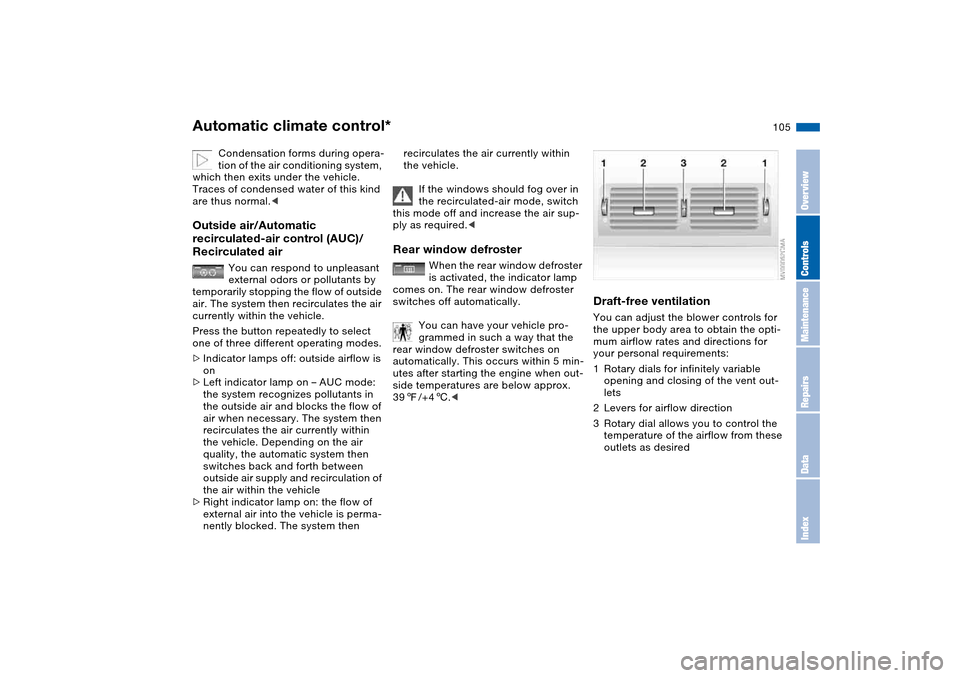
Draft-free ventilationYou can adjust the blower controls for
the upper body area to obtain the opti-
mum airflow rates and directions for
your personal requirements:
1Rotary dials for infinitely variable
opening and closing of the vent out-
lets
2Levers for airflow direction
3Rotary dial allows you to control the
temperature of the airflow from these
outlets as desired
Automatic climate control*
OverviewControlsMaintenanceRepairsDataIndex
Page 146 of 182
146
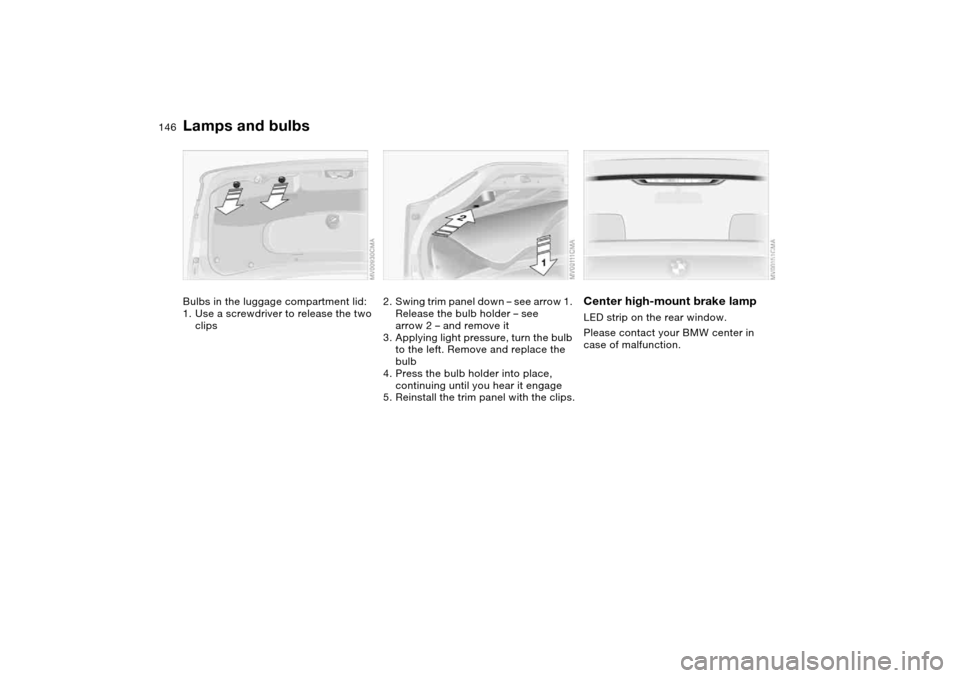
Bulbs in the luggage compartment lid:
1. Use a screwdriver to release the two
clips
2. Swing trim panel down – see arrow 1.
Release the bulb holder – see
arrow 2 – and remove it
3. Applying light pressure, turn the bulb
to the left. Remove and replace the
bulb
4. Press the bulb holder into place,
continuing until you hear it engage
5. Reinstall the trim panel with the clips.
Center high-mount brake lampLED strip on the rear window.
Please contact your BMW center in
case of malfunction.
Lamps and bulbs
Page 168 of 182
Everything from A to ZClosing
from inside 37
from outside 33
Clothes hooks 121
Clutch
breaking in 120
Cockpit 14
Code, refer to the Owner's
Manual for Radio/Onboard
Computer
Coin box 108
Cold start, refer to Starting
the engine 65
Compact disc operation,
refer to the Owner's Man-
ual for Radio/Onboard
Computer
Compartments 108
Compression ratio, refer to
Engine data 160
Computer 84
Condensation, refer to Air
conditioning mode
100, 104
Configuring settings, refer to
Vehicle Memory, Key
Memory 64
Connecting a vacuum
cleaner, refer to Cigarette
lighter 110
Consumption
display 80Consumption, refer to Aver-
age fuel consumption 85
Control elements, refer to
Cockpit 14
Convenience operation
from outside 36
glass sunroof 34
windows 34
Coolant 134
indicator lamp 19, 81
level 134
temperature gauge 81
Coolant water, refer to Cool-
ant 134
Cooling, refer to Tempera-
ture 100, 104
Copyright 4
Cornering Brake Control
(CBC) 121
warning lamp 18
Correct tires 127
Cruise control 78
indicator lamp 20
Cup holders, see Beverage
holders 108, 109
Curb weight, refer to
Weights 162
Current consumption, refer
to Energy control 80
Cylinders, refer to Engine
data 160D
Dashboard, refer to
Cockpit 14
Data
capacities 163
dimensions 161
engine 160
technical 160
weights 162
Daytime driving lamps 94
DBC Dynamic Brake Control
19, 121
Deep water, refer to Water
on roadways 121
Defrost position, refer
to Defrosting windows
101, 104
Defrosting and demisting
windows
air conditioning 101
automatic climate
control 104
Defrosting windows
101, 104
Defrosting windshield, refer
to Defrosting windows
101, 104
Demisting windows
air conditioning 101
automatic climate
control 104Determining the maximum
load 115
Differential
breaking in 120
Digital clock 83
Dimensions 161
Dipstick, engine oil 132
Disc brakes 122
Displacement, refer to
Engine data 160
Display lighting, refer to
Instrument lighting 95
Displays, refer to Instrument
cluster 16
Disposal
oil 133
vehicle battery 151
Distance warning, refer to
Park Distance Control
(PDC) 86
Divided rear backrest 112
Door key 32
Door lock 36
Doors
emergency operation 36
Draft-free ventilation
101, 105
Driving light, refer to Parking
lamps/Low beams 94
Driving notes 121
Dry air, refer to Air condi-
tioning mode 100, 104
Page 169 of 182
Everything from A to Z
169
DSC Dynamic Stability Con-
trol 87
indicator lamp 19, 87
DTC Dynamic Traction Con-
trol 87
indicator lamp 19, 87
Dynamic Brake Control
(DBC) 19, 121
Dynamic Brake Control DBC
indicator lamp 19
Dynamic Stability Control
(DSC) 19, 87
Dynamic Traction Control
(DTC) 87
indicator lamp 19, 87
E
Electric glass sunroof 44
Electric power windows 43
Electrical accessories, fail-
ure 151
Electrical malfunction
automatic transmission
with Steptronic 75
door lock 36
driver's door 36
fuel filler door 24
glass sunroof 46
luggage compartment
lid 38Electronic Stability Program
ESP, refer to Dynamic Sta-
bility Control DSC 87
Emergency call 152
Emergency operation
doors 36
driver's door 36
fuel filler door 24
glass sunroof 46
Emergency release
luggage compartment lid
38, 40
Emissions, minimum, refer
to Energy control 80
Energy control 80
Engine
breaking in 120
data 160
electronics 19
indicator lamp 19
speed 80, 160
starting 65
switching off 67
Engine compartment 130
Engine coolant 134
adding 134Engine oil
adding 133
additives, refer to Adding
engine oil 133
capacity 163
consumption 132
indicator/warning lamp 19
quality 133
types 133
viscosity 133
Engine oil level 19
check 132
indicator/warning lamp 18
Engine oil pressure
indicator/warning lamp 18
Engine output, refer to
Engine data 160
Engine speed 80, 160
Environmentally-friendly
driving, refer to Energy
control 80
ESP Electronic Stability Pro-
gram, refer to Dynamic
Stability Control (DSC) 87
Exterior mirrors 55
Eyeglasses
compartment 109
Eyelet, towing 155F
False alarm, refer to
Avoiding unintentional
alarms 42
Fastening the safety belts 51
Fault displays 82
First aid, refer to First-aid
kit 23
First-aid kit 23
Flashlight 108
Flashlight, refer to
Rechargeable
flashlight 108
Flat tire 147
Flat Tire Monitor 92
space-saver spare tire 147
Flat Tire Monitor 92
indicator lamp 18, 19, 93
Flat tire, refer to Tire condi-
tion 124
Fluid reservoir for washer
systems 132
Fog lamps 96
indicator lamp 20
Folding rear backrest 112
Follow me home lamps 94
Footbrake, refer to General
driving notes 121
Front airbags 57
Front center armrest 108
Front fog lamps 96
indicator lamp 20
OverviewControlsMaintenanceRepairsDataIndex
Page 170 of 182
Everything from A to ZFuel
display 81
quality 25
volume 163
Fuel consumption
display 80, 85
Fuel display, refer to Fuel
gauge 81
Fuel economy, refer to
Energy control 80
Fuel filler door 24
release following an elec-
trical malfunction 24
Fuel level indicator, refer to
Fuel gauge 81
Fuel mixture preparation 160
Fuel reserve indicator, refer
to Fuel gauge 81
Fuel tank capacity 163
Fuses 151
G
Gasoline consumption, refer
to Average fuel consump-
tion 85
Gasoline, refer to Fuel spec-
ifications 25
Gear indicator 71, 75Gear lever
automatic transmission
with Steptronic 73
sequential manual gear-
box SMG 69
Gearbox
manual transmission 68
Gearshift lever
manual transmission 68
General driving notes 121
Glass sunroof
closing following an elec-
trical malfunction 46
convenience operation
34, 36
remote control 33, 34
Glass sunroof, electric 44
Glove compartment 107
Grills, refer to Ventilation
98, 102
Gross weight, refer to
Weights 162
H
Handbrake, refer to Parking
brake 67
Hands-free system 110
Harman Kardon premium
sound system 107
Hazard warning flashers 14
Hazard warning triangle 23
HDC Hill Descent Control 91Head airbags 57
Head restraints 51
Headlamp cleaning system
cleaning headlamps 78
washer fluid 132, 163
Headlamp control, auto-
matic 94
Headlamp flasher 95
indicator lamp 21
Headlamps
bulb replacement 143
care, refer to the Caring
for your vehicle brochure
Heated mirrors 55
Heated rear window
air conditioning 100
automatic climate
control 105
Heated seats 54
Heating
exterior mirrors 55
rear window 100, 105
seats 54
Heating and ventilation
98, 102
Heavy loads, refer to Cargo
loading 115
Height adjustment
seats 48, 50
steering wheel 55
Height, refer to
Dimensions 161High beams 76, 95
bulb replacement 143
headlamp flasher 95
indicator lamp 21
Hill Descent Control
(HDC) 91
Holder for
beverages 108, 109
litter bag 109
Hood release 129
Horn 14
Hub cap 148
Hydraulic brake assistant,
refer to DBC 121
Hydraulic system
brakes 122
Hydroplaning 121
I
Ice warning 84
Ignition 65
Ignition key 32
positions 65
Ignition lock 65
Imprint 4
Indicator lamps 18
Page 173 of 182
Everything from A to Z
173
Onboard tool kit 142
Opening and closing
from inside 37
from outside 33
via door lock 36
via remote control 33
Outlets, ventilation 98, 102
Outside temperature dis-
play 84
changing unit of
measure 84
P
Paintwork care, refer to the
Caring for your vehicle
brochure
Panel lighting 95
Panic mode – trigger
alarm 34
Park Distance Control
(PDC) 86
Parking aid, refer to Park
Distance Control PDC 86
Parking brake 67
indicator lamp 18
Parking lamps 94
bulb replacement 144
Parking lamps/Low
beams 94
Parts and accessories, refer
to Your individual vehicle 5Passenger-side exterior mir-
ror tilt function 54
PDC Park Distance
Control 86
Pinch protection
glass sunroof 45
Plastic, refer to the Caring
for your vehicle brochure
Please fasten safety belts
indicator lamp 18
Pollen, refer to
Microfilter 101
Pollen, refer to Mircrofil-
ter/Activated-charcoal fil-
ter 106
Power output, refer to
Engine data 160
Power seat 50
Power windows
safety switch 44
Pressure monitoring, tires
Flat Tire Monitor 92
Pressure, tires 25, 124
Protective function
electric power windows 43
Putting the vehicle into stor-
age
refer to the Caring for your
vehicle brochureR
Radio remote control key,
refer to Master key with
remote control 32
Radio, refer to the Owner's
Manual for Radio
Rain sensor 77
Raising the floor panel 40
Range 85
Reading lamps
front 96
rear 96
Rear armrest, refer to Rear
center armrest 109
Rear backrest, folding 112
Rear center 3-point safety
belt 112
Rear center armrest 109
Rear lamps
bulb replacement 145
indicator lamp, defective
lamp 82
Rear window defroster
air conditioning 100
Rear window heating
automatic climate
control 105
Rearview mirror 55
Receiving assistance 152Recirculated-air mode
air conditioning 100
automatic climate
control 105
Recirculating the air, refer to
Recirculated-air mode
100, 105
Reclining seat, refer to Seat
adjustment 48, 50
Refueling 24
fuel filler door 24
Releasing
hood 129
Remaining distance to ser-
vice 82
Remaining distance, refer to
Range 85
Remote control 33
luggage compartment
lid 34
malfunction 34
Replacement key 33
Replacing lamps, refer to
Lamps and bulbs 143
Replacing tires 125
Reporting safety defects 7
Restraint systems
for children 60
Restraint systems, refer to
Safety belts 51
OverviewControlsMaintenanceRepairsDataIndex