armrest BMW 5 SERIES 2015 F10 Owner's Manual
[x] Cancel search | Manufacturer: BMW, Model Year: 2015, Model line: 5 SERIES, Model: BMW 5 SERIES 2015 F10Pages: 277, PDF Size: 5.63 MB
Page 38 of 277
Opening and closingVehicle features and options
This chapter describes all standard, country-
specific and optional features offered with the
series. It also describes features that are not
necessarily available in your car, e. g., due to
the selected options or country versions. This
also applies to safety-related functions and
systems. The respectively applicable country
provisions must be observed when using the
respective features and systems.
Remote control/key General information
The vehicle is supplied with two remote con‐
trols with integrated key.
Every remote control holds a replaceable bat‐
tery.
You may set the key functions depending on
the optional features and country-specific ver‐
sion. For Settings, refer to page 46.
The vehicle stores personal settings for every
remote control. Personal Profile, refer to
page 35.
The remote controls hold information on re‐
quired maintenance. Service data in the re‐
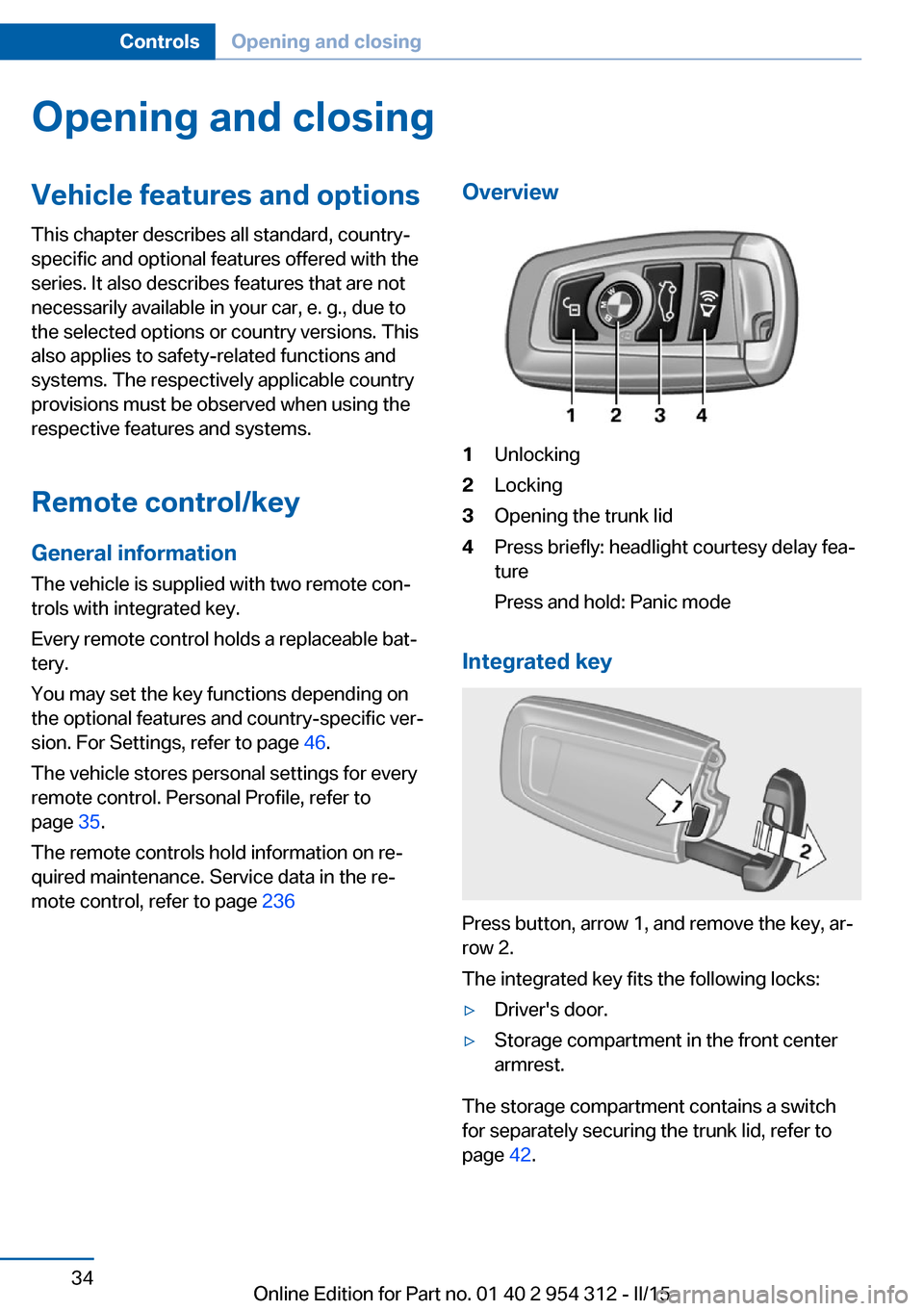
mote control, refer to page 236Overview1Unlocking2Locking3Opening the trunk lid4Press briefly: headlight courtesy delay fea‐
ture
Press and hold: Panic mode
Integrated key
Press button, arrow 1, and remove the key, ar‐
row 2.
The integrated key fits the following locks:
▷Driver's door.▷Storage compartment in the front center
armrest.
The storage compartment contains a switch
for separately securing the trunk lid, refer to
page 42.
Seite 34ControlsOpening and closing34
Online Edition for Part no. 01 40 2 954 312 - II/15
Page 44 of 277
From the inside
Unlocking and locking
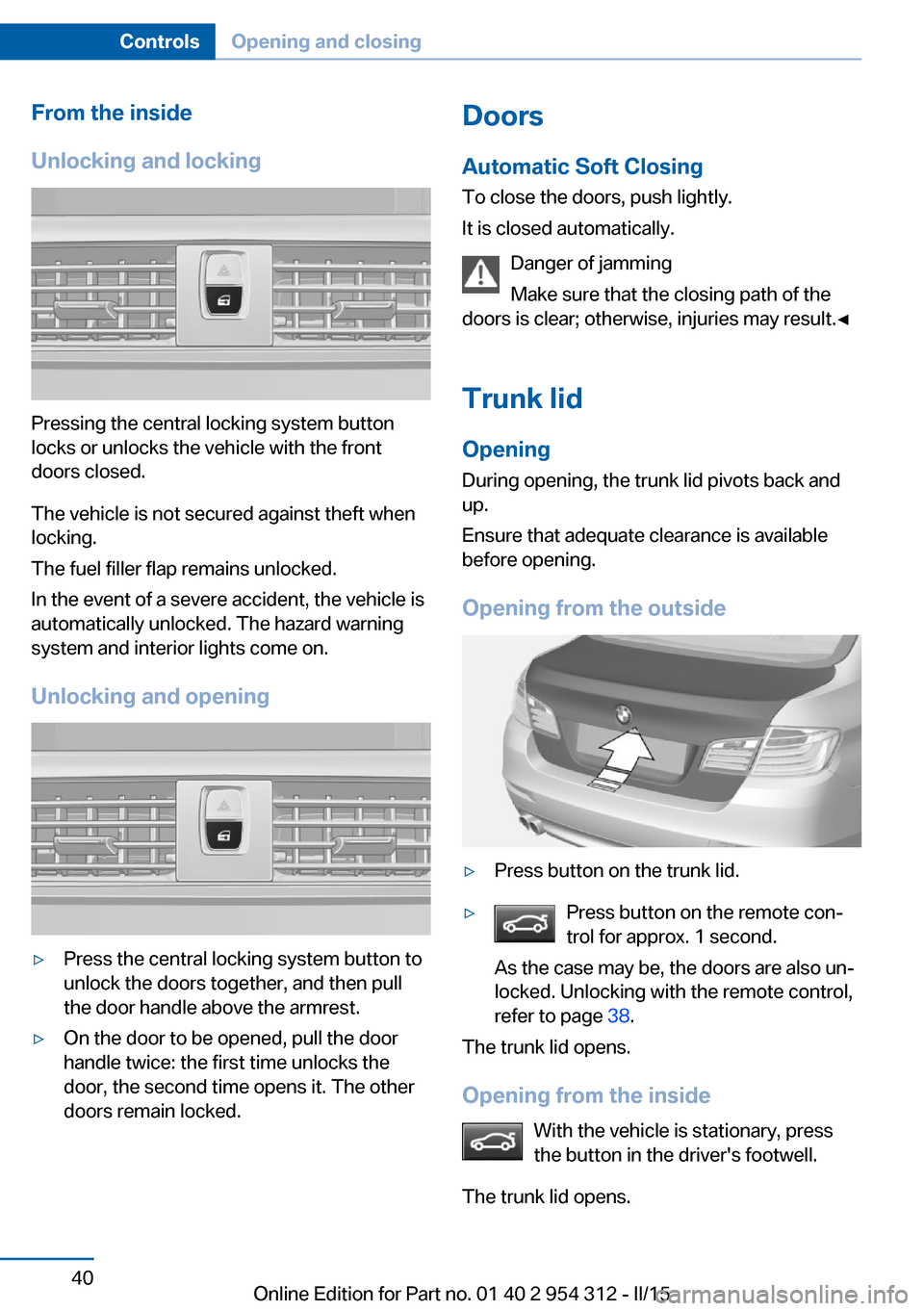
Pressing the central locking system button
locks or unlocks the vehicle with the front
doors closed.
The vehicle is not secured against theft when
locking.
The fuel filler flap remains unlocked.
In the event of a severe accident, the vehicle is
automatically unlocked. The hazard warning
system and interior lights come on.
Unlocking and opening
▷Press the central locking system button to
unlock the doors together, and then pull
the door handle above the armrest.▷On the door to be opened, pull the door
handle twice: the first time unlocks the
door, the second time opens it. The other
doors remain locked.Doors
Automatic Soft Closing
To close the doors, push lightly.
It is closed automatically.
Danger of jamming
Make sure that the closing path of the
doors is clear; otherwise, injuries may result.◀
Trunk lidOpening
During opening, the trunk lid pivots back and
up.
Ensure that adequate clearance is available
before opening.
Opening from the outside▷Press button on the trunk lid.▷Press button on the remote con‐
trol for approx. 1 second.
As the case may be, the doors are also un‐
locked. Unlocking with the remote control,
refer to page 38.
The trunk lid opens.
Opening from the inside With the vehicle is stationary, press
the button in the driver's footwell.
The trunk lid opens.
Seite 40ControlsOpening and closing40
Online Edition for Part no. 01 40 2 954 312 - II/15
Page 46 of 277
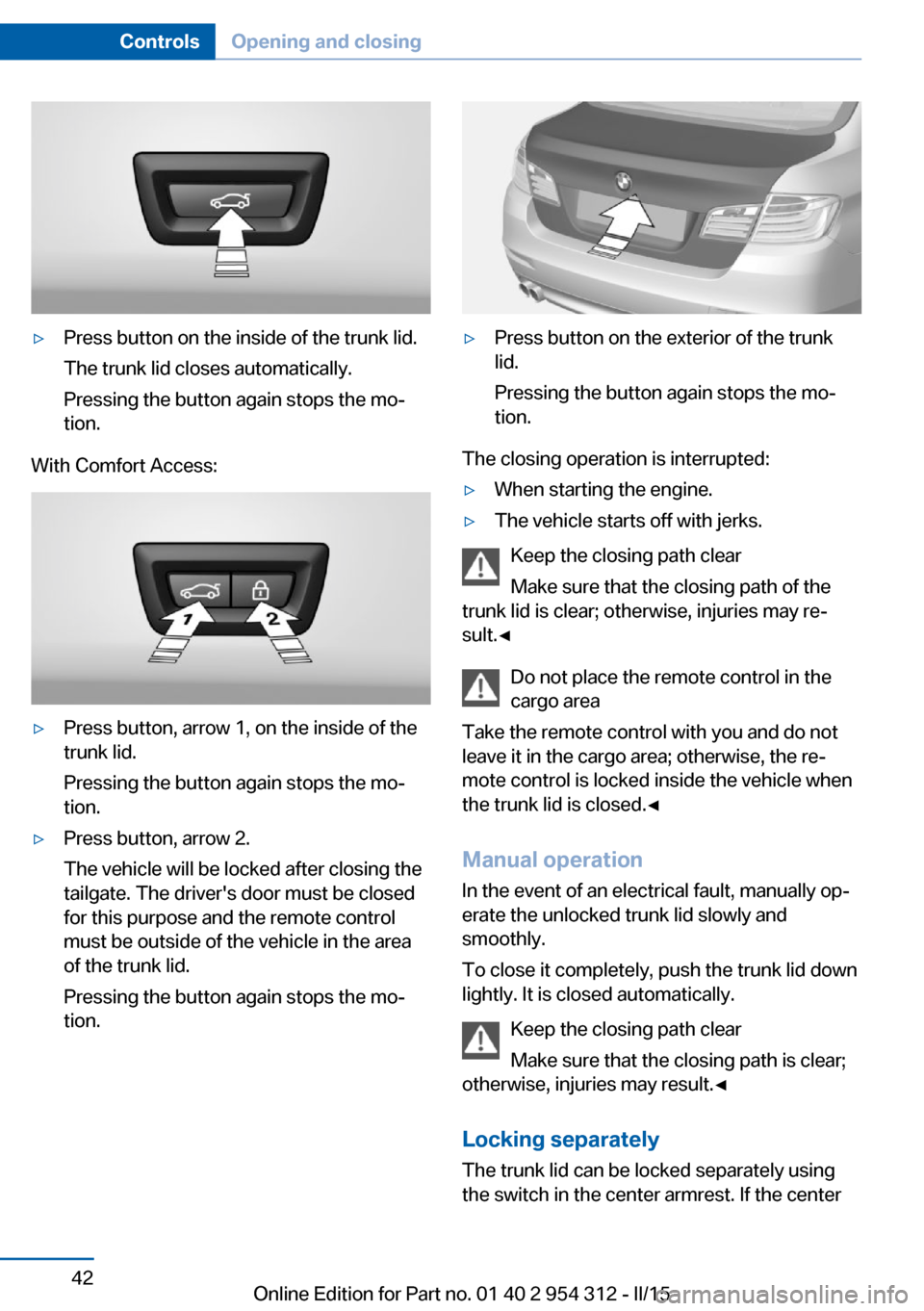
▷Press button on the inside of the trunk lid.
The trunk lid closes automatically.
Pressing the button again stops the mo‐
tion.
With Comfort Access:
▷Press button, arrow 1, on the inside of the
trunk lid.
Pressing the button again stops the mo‐
tion.▷Press button, arrow 2.
The vehicle will be locked after closing the
tailgate. The driver's door must be closed
for this purpose and the remote control
must be outside of the vehicle in the area
of the trunk lid.
Pressing the button again stops the mo‐
tion.▷Press button on the exterior of the trunk
lid.
Pressing the button again stops the mo‐
tion.
The closing operation is interrupted:
▷When starting the engine.▷The vehicle starts off with jerks.
Keep the closing path clear
Make sure that the closing path of the
trunk lid is clear; otherwise, injuries may re‐
sult.◀
Do not place the remote control in the
cargo area
Take the remote control with you and do not
leave it in the cargo area; otherwise, the re‐
mote control is locked inside the vehicle when
the trunk lid is closed.◀
Manual operation In the event of an electrical fault, manually op‐
erate the unlocked trunk lid slowly and
smoothly.
To close it completely, push the trunk lid down
lightly. It is closed automatically.
Keep the closing path clear
Make sure that the closing path is clear;
otherwise, injuries may result.◀
Locking separatelyThe trunk lid can be locked separately using
the switch in the center armrest. If the center
Seite 42ControlsOpening and closing42
Online Edition for Part no. 01 40 2 954 312 - II/15
Page 181 of 277
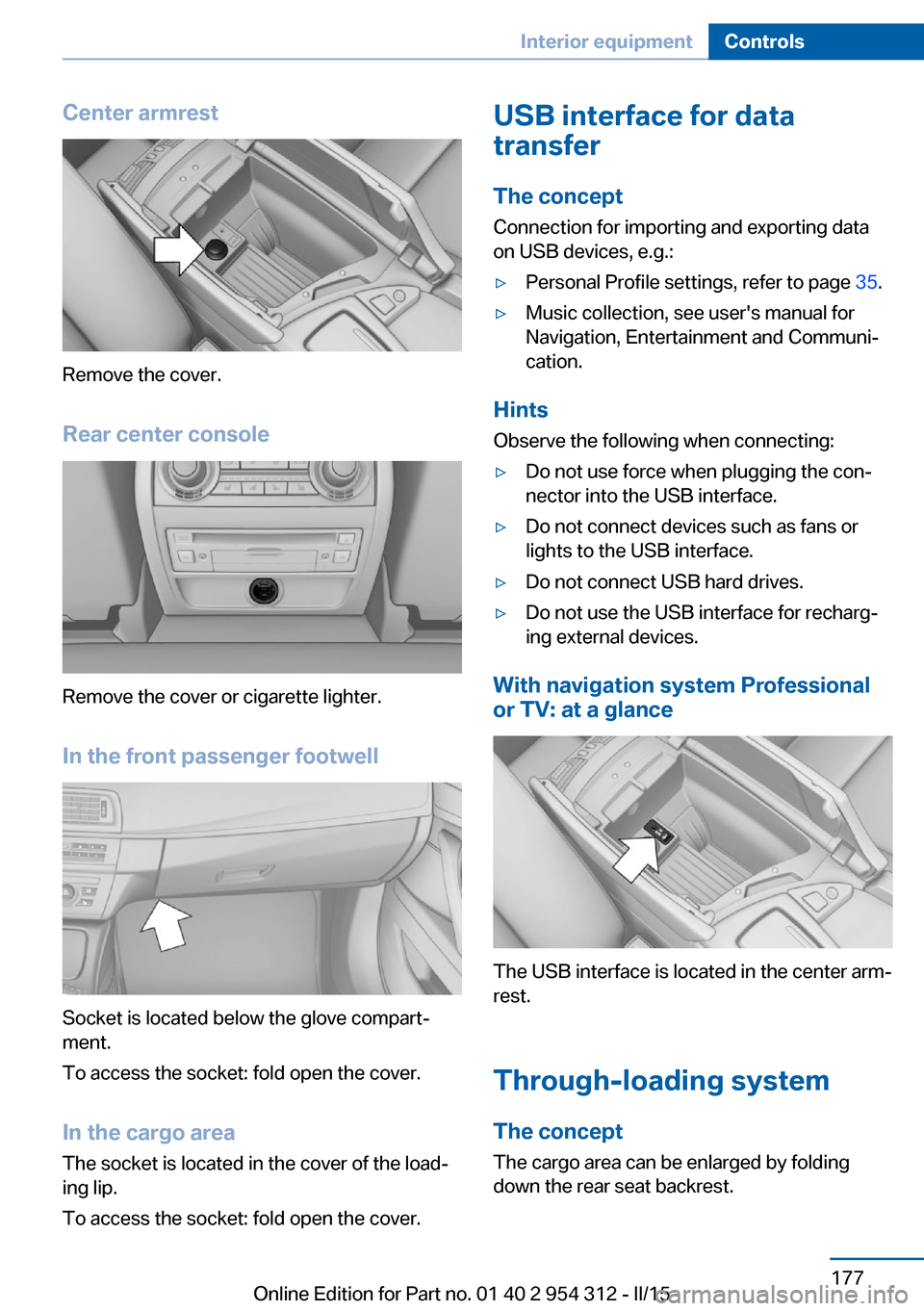
Center armrest
Remove the cover.
Rear center console
Remove the cover or cigarette lighter.
In the front passenger footwell
Socket is located below the glove compart‐
ment.
To access the socket: fold open the cover.
In the cargo area The socket is located in the cover of the load‐
ing lip.
To access the socket: fold open the cover.
USB interface for data
transfer
The concept Connection for importing and exporting data
on USB devices, e.g.:▷Personal Profile settings, refer to page 35.▷Music collection, see user's manual for
Navigation, Entertainment and Communi‐
cation.
Hints
Observe the following when connecting:
▷Do not use force when plugging the con‐
nector into the USB interface.▷Do not connect devices such as fans or
lights to the USB interface.▷Do not connect USB hard drives.▷Do not use the USB interface for recharg‐
ing external devices.
With navigation system Professional
or TV: at a glance
The USB interface is located in the center arm‐
rest.
Through-loading system The concept The cargo area can be enlarged by folding
down the rear seat backrest.
Seite 177Interior equipmentControls177
Online Edition for Part no. 01 40 2 954 312 - II/15
Page 183 of 277
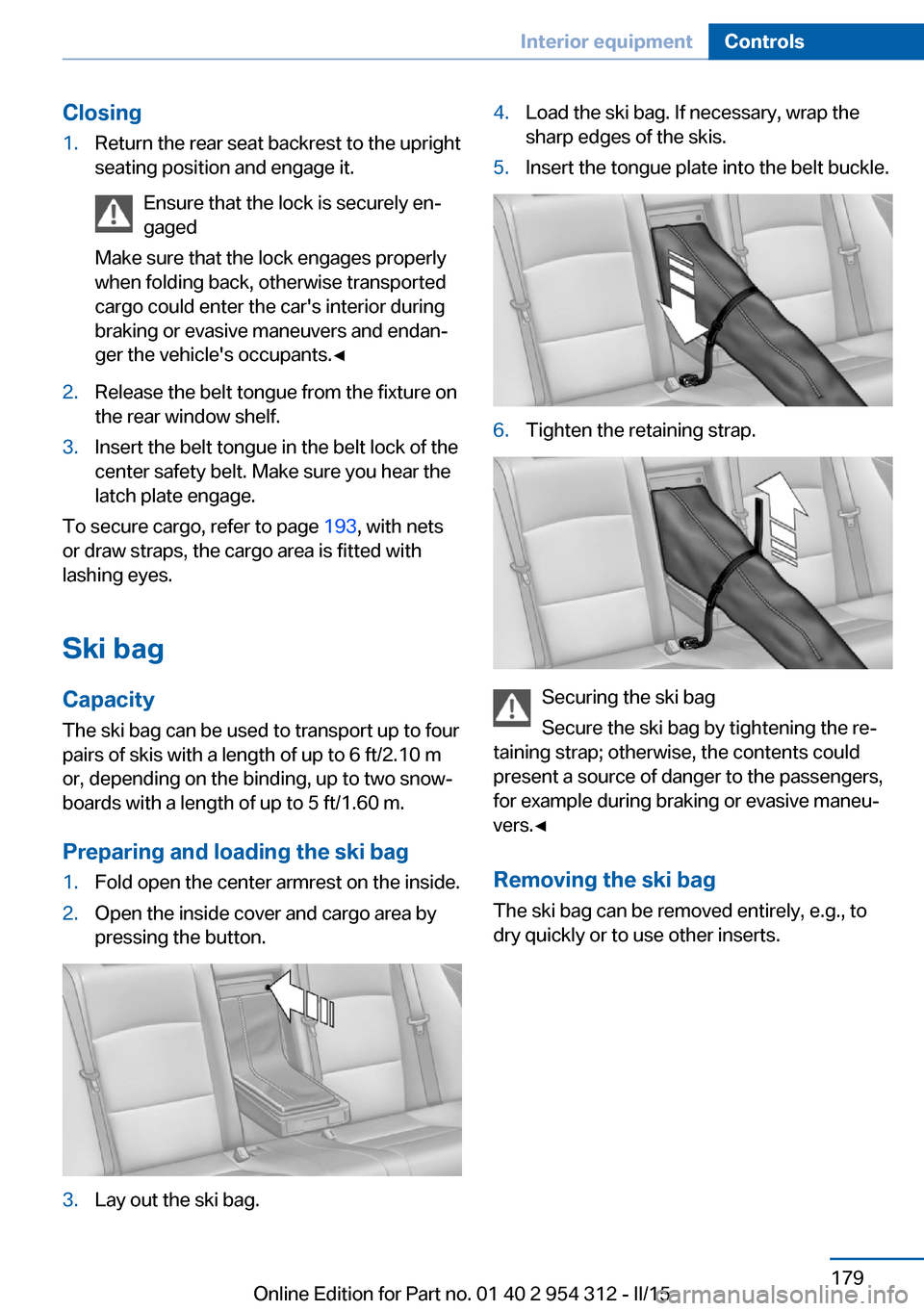
Closing1.Return the rear seat backrest to the upright
seating position and engage it.
Ensure that the lock is securely en‐
gaged
Make sure that the lock engages properly
when folding back, otherwise transported
cargo could enter the car's interior during
braking or evasive maneuvers and endan‐
ger the vehicle's occupants.◀2.Release the belt tongue from the fixture on
the rear window shelf.3.Insert the belt tongue in the belt lock of the
center safety belt. Make sure you hear the
latch plate engage.
To secure cargo, refer to page 193, with nets
or draw straps, the cargo area is fitted with
lashing eyes.
Ski bag
Capacity
The ski bag can be used to transport up to four
pairs of skis with a length of up to 6 ft/2.10 m
or, depending on the binding, up to two snow‐
boards with a length of up to 5 ft/1.60 m.
Preparing and loading the ski bag
1.Fold open the center armrest on the inside.2.Open the inside cover and cargo area by
pressing the button.3.Lay out the ski bag.4.Load the ski bag. If necessary, wrap the
sharp edges of the skis.5.Insert the tongue plate into the belt buckle.6.Tighten the retaining strap.
Securing the ski bag
Secure the ski bag by tightening the re‐
taining strap; otherwise, the contents could
present a source of danger to the passengers,
for example during braking or evasive maneu‐
vers.◀
Removing the ski bag The ski bag can be removed entirely, e.g., to
dry quickly or to use other inserts.
Seite 179Interior equipmentControls179
Online Edition for Part no. 01 40 2 954 312 - II/15
Page 186 of 277
Driver's side
Note Close the glove compartment again im‐
mediately
Close the glove compartment immediately af‐
ter use while driving; otherwise, injury may oc‐
cur during accidents.◀
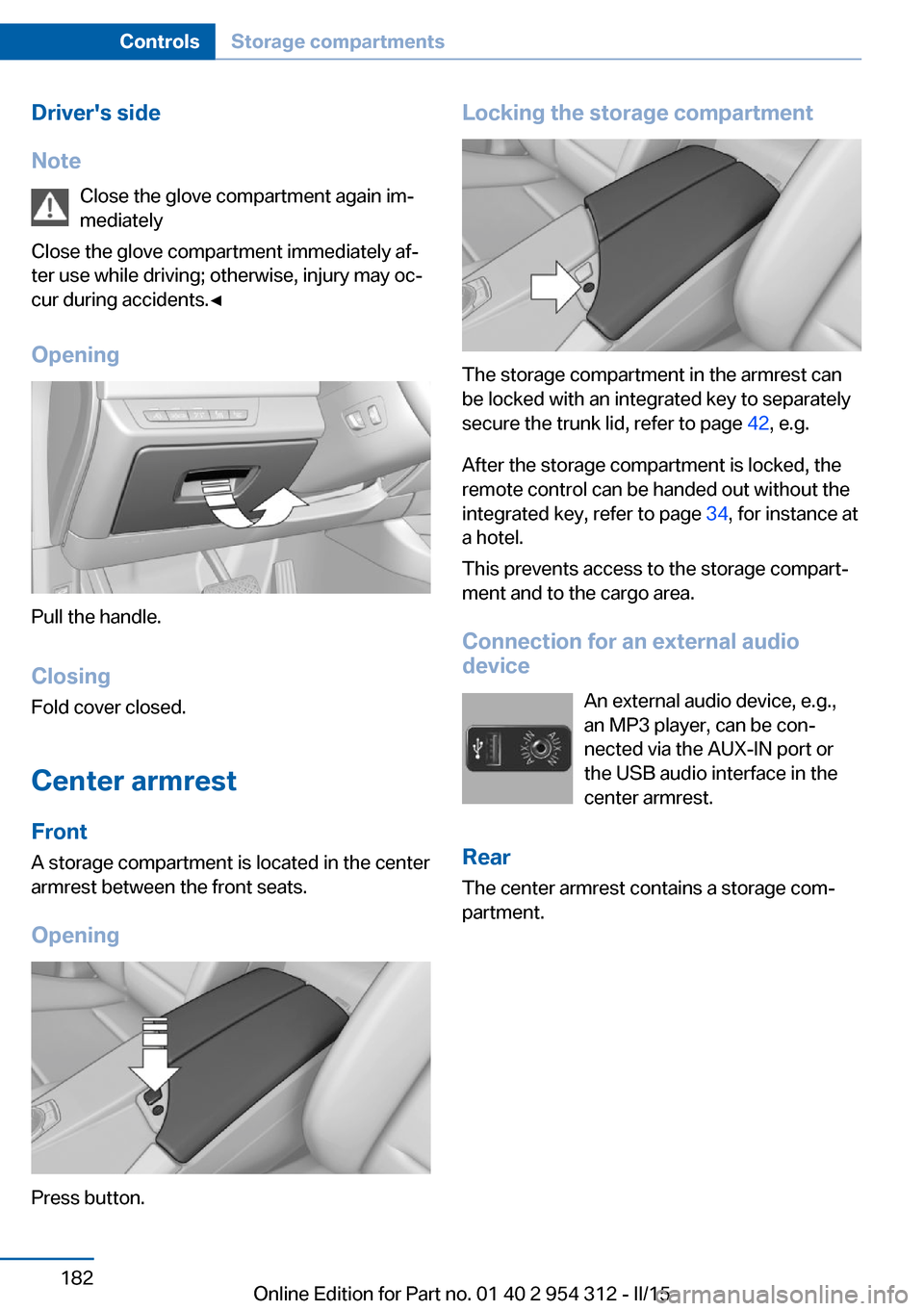
Opening
Pull the handle.
ClosingFold cover closed.
Center armrest
Front
A storage compartment is located in the center
armrest between the front seats.
Opening
Press button.
Locking the storage compartment
The storage compartment in the armrest can
be locked with an integrated key to separately
secure the trunk lid, refer to page 42, e.g.
After the storage compartment is locked, the
remote control can be handed out without the
integrated key, refer to page 34, for instance at
a hotel.
This prevents access to the storage compart‐
ment and to the cargo area.
Connection for an external audio
device
An external audio device, e.g.,
an MP3 player, can be con‐
nected via the AUX-IN port or
the USB audio interface in the center armrest.
Rear
The center armrest contains a storage com‐
partment.
Seite 182ControlsStorage compartments182
Online Edition for Part no. 01 40 2 954 312 - II/15
Page 187 of 277
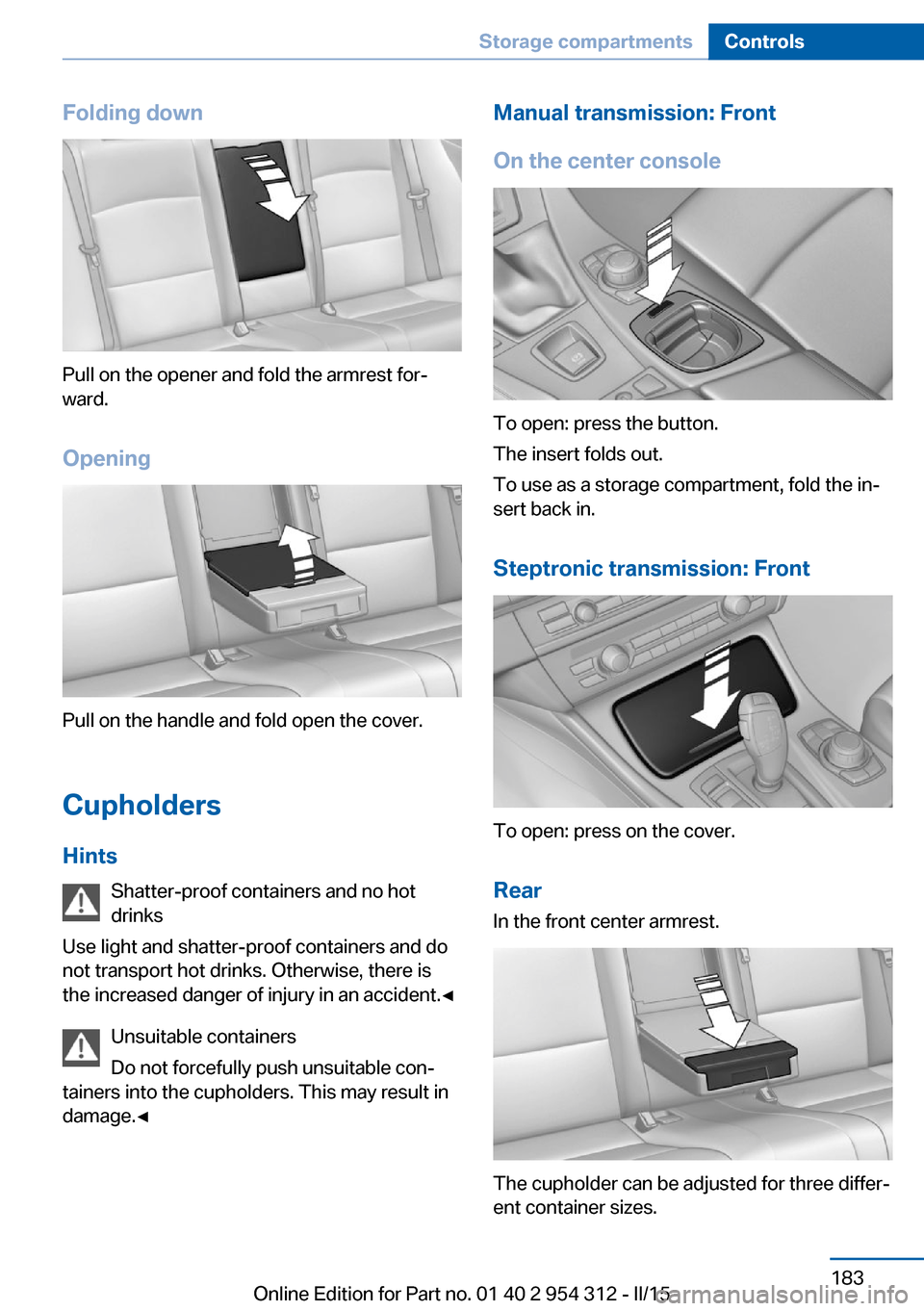
Folding down
Pull on the opener and fold the armrest for‐
ward.
Opening
Pull on the handle and fold open the cover.
Cupholders Hints Shatter-proof containers and no hot
drinks
Use light and shatter-proof containers and do
not transport hot drinks. Otherwise, there is
the increased danger of injury in an accident.◀
Unsuitable containers
Do not forcefully push unsuitable con‐
tainers into the cupholders. This may result in
damage.◀
Manual transmission: Front
On the center console
To open: press the button.
The insert folds out.
To use as a storage compartment, fold the in‐
sert back in.
Steptronic transmission: Front
To open: press on the cover.Rear In the front center armrest.
The cupholder can be adjusted for three differ‐
ent container sizes.
Seite 183Storage compartmentsControls183
Online Edition for Part no. 01 40 2 954 312 - II/15
Page 188 of 277
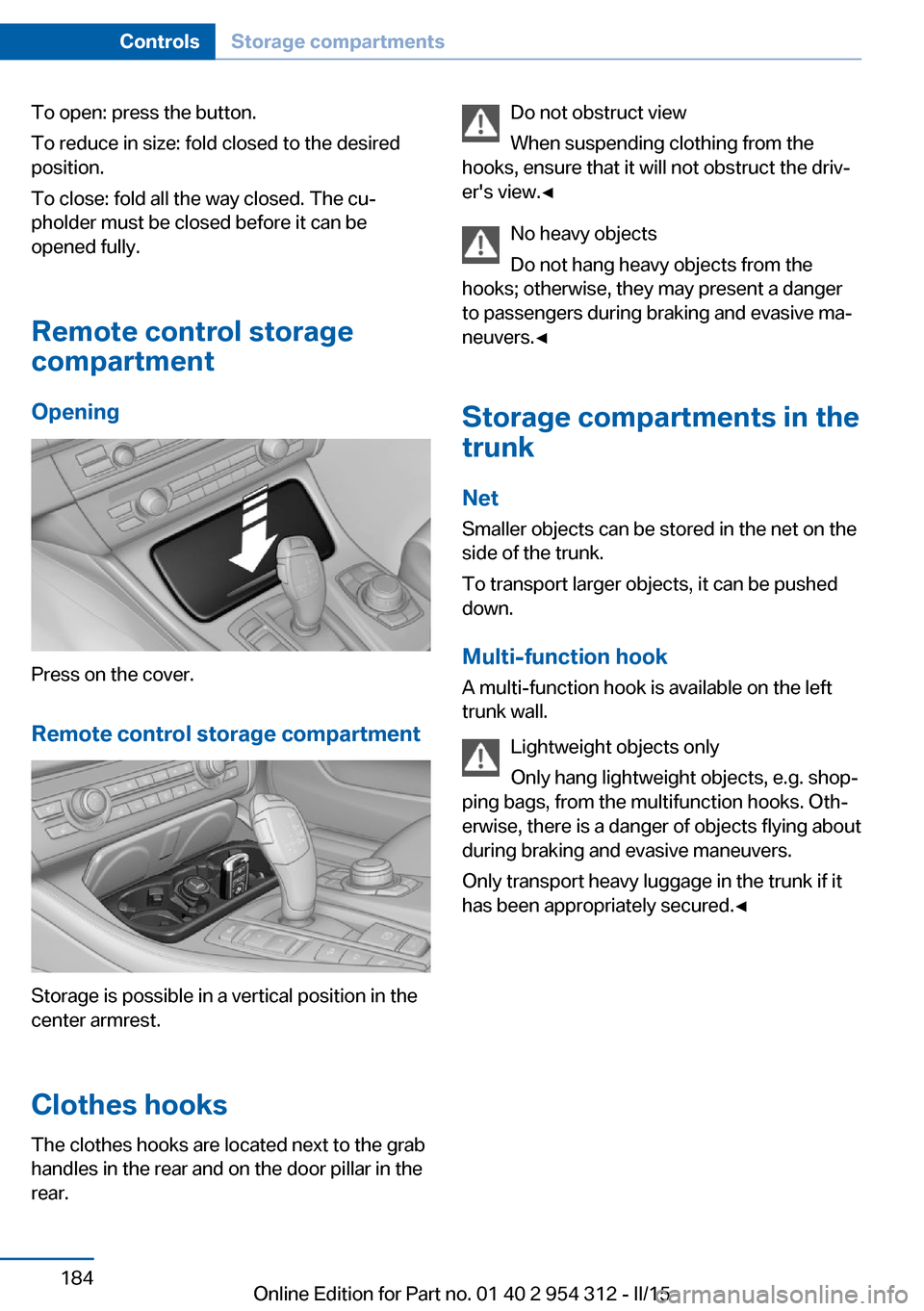
To open: press the button.
To reduce in size: fold closed to the desired
position.
To close: fold all the way closed. The cu‐
pholder must be closed before it can be
opened fully.
Remote control storage
compartment
Opening
Press on the cover.
Remote control storage compartment
Storage is possible in a vertical position in the
center armrest.
Clothes hooks
The clothes hooks are located next to the grab
handles in the rear and on the door pillar in the
rear.
Do not obstruct view
When suspending clothing from the
hooks, ensure that it will not obstruct the driv‐
er's view.◀
No heavy objects
Do not hang heavy objects from the
hooks; otherwise, they may present a danger
to passengers during braking and evasive ma‐
neuvers.◀
Storage compartments in the
trunk
Net
Smaller objects can be stored in the net on the
side of the trunk.
To transport larger objects, it can be pushed
down.
Multi-function hook
A multi-function hook is available on the left
trunk wall.
Lightweight objects only
Only hang lightweight objects, e.g. shop‐
ping bags, from the multifunction hooks. Oth‐
erwise, there is a danger of objects flying about
during braking and evasive maneuvers.
Only transport heavy luggage in the trunk if it
has been appropriately secured.◀Seite 184ControlsStorage compartments184
Online Edition for Part no. 01 40 2 954 312 - II/15
Page 266 of 277
Everything from A to Z
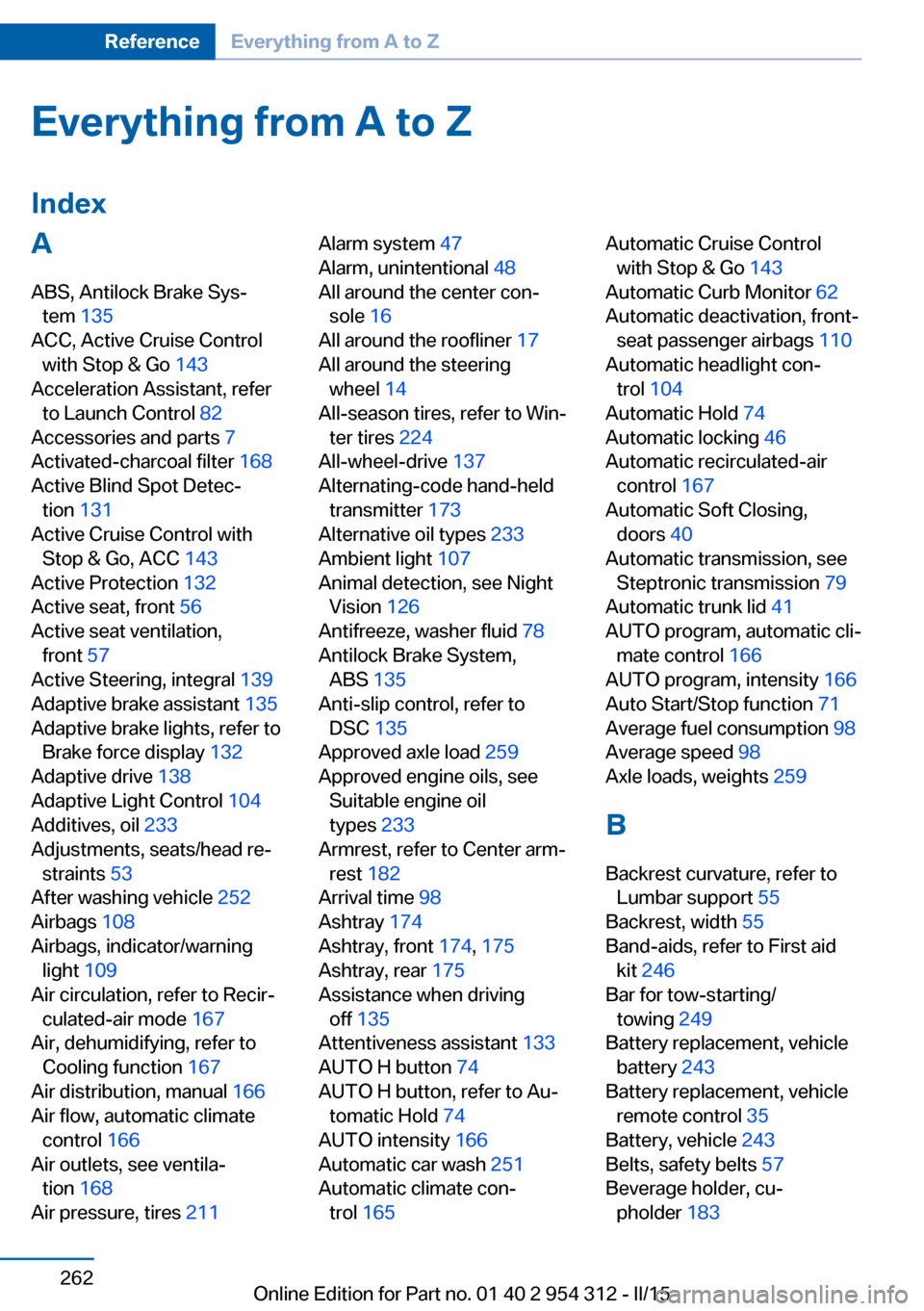
IndexA ABS, Antilock Brake Sys‐ tem 135
ACC, Active Cruise Control with Stop & Go 143
Acceleration Assistant, refer to Launch Control 82
Accessories and parts 7
Activated-charcoal filter 168
Active Blind Spot Detec‐ tion 131
Active Cruise Control with Stop & Go, ACC 143
Active Protection 132
Active seat, front 56
Active seat ventilation, front 57
Active Steering, integral 139
Adaptive brake assistant 135
Adaptive brake lights, refer to Brake force display 132
Adaptive drive 138
Adaptive Light Control 104
Additives, oil 233
Adjustments, seats/head re‐ straints 53
After washing vehicle 252
Airbags 108
Airbags, indicator/warning light 109
Air circulation, refer to Recir‐ culated-air mode 167
Air, dehumidifying, refer to Cooling function 167
Air distribution, manual 166
Air flow, automatic climate control 166
Air outlets, see ventila‐ tion 168
Air pressure, tires 211 Alarm system 47
Alarm, unintentional 48
All around the center con‐ sole 16
All around the roofliner 17
All around the steering wheel 14
All-season tires, refer to Win‐ ter tires 224
All-wheel-drive 137
Alternating-code hand-held transmitter 173
Alternative oil types 233
Ambient light 107
Animal detection, see Night Vision 126
Antifreeze, washer fluid 78
Antilock Brake System, ABS 135
Anti-slip control, refer to DSC 135
Approved axle load 259
Approved engine oils, see Suitable engine oil
types 233
Armrest, refer to Center arm‐ rest 182
Arrival time 98
Ashtray 174
Ashtray, front 174, 175
Ashtray, rear 175
Assistance when driving off 135
Attentiveness assistant 133
AUTO H button 74
AUTO H button, refer to Au‐ tomatic Hold 74
AUTO intensity 166
Automatic car wash 251
Automatic climate con‐ trol 165 Automatic Cruise Control
with Stop & Go 143
Automatic Curb Monitor 62
Automatic deactivation, front- seat passenger airbags 110
Automatic headlight con‐ trol 104
Automatic Hold 74
Automatic locking 46
Automatic recirculated-air control 167
Automatic Soft Closing, doors 40
Automatic transmission, see Steptronic transmission 79
Automatic trunk lid 41
AUTO program, automatic cli‐ mate control 166
AUTO program, intensity 166
Auto Start/Stop function 71
Average fuel consumption 98
Average speed 98
Axle loads, weights 259
B Backrest curvature, refer to Lumbar support 55
Backrest, width 55
Band-aids, refer to First aid kit 246
Bar for tow-starting/ towing 249
Battery replacement, vehicle battery 243
Battery replacement, vehicle remote control 35
Battery, vehicle 243
Belts, safety belts 57
Beverage holder, cu‐ pholder 183 Seite 262ReferenceEverything from A to Z262
Online Edition for Part no. 01 40 2 954 312 - II/15
Page 267 of 277
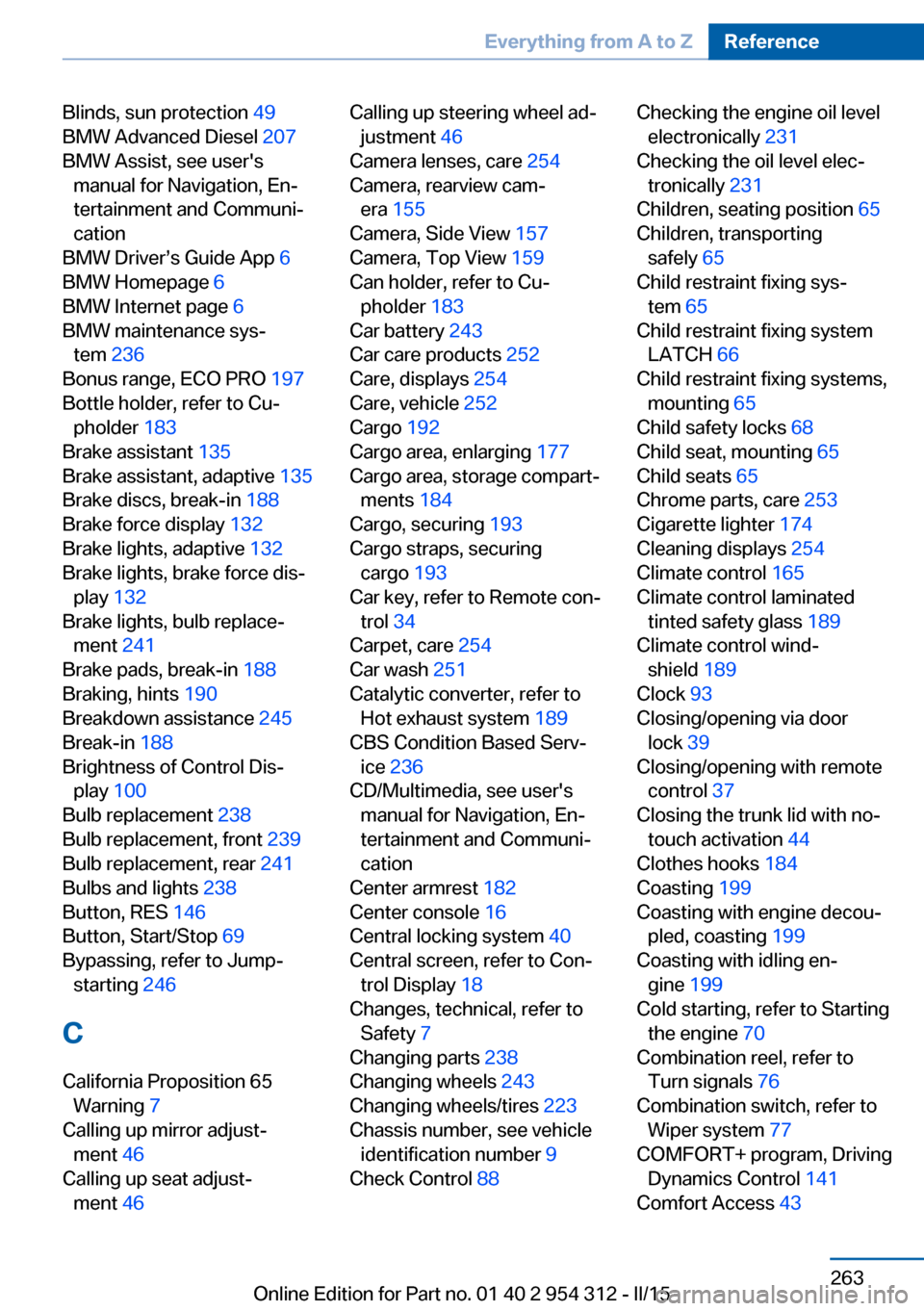
Blinds, sun protection 49
BMW Advanced Diesel 207
BMW Assist, see user's manual for Navigation, En‐
tertainment and Communi‐
cation
BMW Driver’s Guide App 6
BMW Homepage 6
BMW Internet page 6
BMW maintenance sys‐ tem 236
Bonus range, ECO PRO 197
Bottle holder, refer to Cu‐ pholder 183
Brake assistant 135
Brake assistant, adaptive 135
Brake discs, break-in 188
Brake force display 132
Brake lights, adaptive 132
Brake lights, brake force dis‐ play 132
Brake lights, bulb replace‐ ment 241
Brake pads, break-in 188
Braking, hints 190
Breakdown assistance 245
Break-in 188
Brightness of Control Dis‐ play 100
Bulb replacement 238
Bulb replacement, front 239
Bulb replacement, rear 241
Bulbs and lights 238
Button, RES 146
Button, Start/Stop 69
Bypassing, refer to Jump- starting 246
C
California Proposition 65 Warning 7
Calling up mirror adjust‐ ment 46
Calling up seat adjust‐ ment 46 Calling up steering wheel ad‐
justment 46
Camera lenses, care 254
Camera, rearview cam‐ era 155
Camera, Side View 157
Camera, Top View 159
Can holder, refer to Cu‐ pholder 183
Car battery 243
Car care products 252
Care, displays 254
Care, vehicle 252
Cargo 192
Cargo area, enlarging 177
Cargo area, storage compart‐ ments 184
Cargo, securing 193
Cargo straps, securing cargo 193
Car key, refer to Remote con‐ trol 34
Carpet, care 254
Car wash 251
Catalytic converter, refer to Hot exhaust system 189
CBS Condition Based Serv‐ ice 236
CD/Multimedia, see user's manual for Navigation, En‐
tertainment and Communi‐
cation
Center armrest 182
Center console 16
Central locking system 40
Central screen, refer to Con‐ trol Display 18
Changes, technical, refer to Safety 7
Changing parts 238
Changing wheels 243
Changing wheels/tires 223
Chassis number, see vehicle identification number 9
Check Control 88 Checking the engine oil level
electronically 231
Checking the oil level elec‐ tronically 231
Children, seating position 65
Children, transporting safely 65
Child restraint fixing sys‐ tem 65
Child restraint fixing system LATCH 66
Child restraint fixing systems, mounting 65
Child safety locks 68
Child seat, mounting 65
Child seats 65
Chrome parts, care 253
Cigarette lighter 174
Cleaning displays 254
Climate control 165
Climate control laminated tinted safety glass 189
Climate control wind‐ shield 189
Clock 93
Closing/opening via door lock 39
Closing/opening with remote control 37
Closing the trunk lid with no- touch activation 44
Clothes hooks 184
Coasting 199
Coasting with engine decou‐ pled, coasting 199
Coasting with idling en‐ gine 199
Cold starting, refer to Starting the engine 70
Combination reel, refer to Turn signals 76
Combination switch, refer to Wiper system 77
COMFORT+ program, Driving Dynamics Control 141
Comfort Access 43 Seite 263Everything from A to ZReference263
Online Edition for Part no. 01 40 2 954 312 - II/15