alarm BMW 528I 2012 Owners Manual
[x] Cancel search | Manufacturer: BMW, Model Year: 2012, Model line: 528I, Model: BMW 528I 2012Pages: 335, PDF Size: 13.16 MB
Page 7 of 335
quires suitable maintenance and repair meth‐
ods.
Therefore, have this work performed only by a
BMW center or a workshop that works accord‐
ing to BMW repair procedures with appropri‐
ately trained personnel.
If this work is not carried out properly, there is
the danger of subsequent damage and related
safety hazards.
Parts and Accessories
For your own safety, use genuine parts and ac‐
cessories approved by BMW. When you pur‐
chase accessories tested and approved by
BMW and Genuine BMW Parts, you simultane‐
ously acquire the assurance that they have been
thoroughly tested by BMW to ensure optimum
performance when installed on your vehicle.
BMW warrants these parts to be free from de‐
fects in material and workmanship. BMW will not
accept any liability for damage resulting from in‐
stallation of parts and accessories not approved
by BMW. BMW cannot test every product made
by other manufacturers to verify if it can be used
on a BMW safely and without risk to either the
vehicle, its operation, or its occupants. Genuine
BMW Parts, BMW Accessories and other prod‐
ucts approved by BMW, together with profes‐
sional advice on using these items, are available
from all BMW centers. Installation and operation
of non-BMW approved accessories such as
alarms, radios, amplifiers, radar detectors,
wheels, suspension components, brake dust
shields, telephones, including operation of any
mobile phone from within the vehicle without
using an externally mounted antenna, or trans‐
ceiver equipment, for instance, CBs, walkie-
talkies, ham radios or similar accessories, may
cause extensive damage to the vehicle, com‐
promise its safety, interfere with the vehicle's
electrical system or affect the validity of the
BMW Limited Warranty. See your BMW center
for additional information. Maintenance, re‐
placement, or repair of the emission control de‐
vices and systems may be performed by any au‐tomotive repair establishment or individual
using any certified automotive part.
California Proposition 65 Warning
California laws require us to state the following
warning:
Engine exhaust and a wide variety of automobile
components and parts, including components
found in the interior furnishings in a vehicle, con‐
tain or emit chemicals known to the State of Cal‐
ifornia to cause cancer and birth defects and re‐
productive harm. In addition, certain fluids
contained in vehicles and certain products of
component wear contain or emit chemicals
known to the State of California to cause cancer
and birth defects or other reproductive harm.
Battery posts, terminals and related accessories
contain lead and lead compounds. Wash your
hands after handling. Used engine oil contains
chemicals that have caused cancer in laboratory
animals. Always protect your skin by washing
thoroughly with soap and water.
Service and warranty
We recommend that you read this publication
thoroughly. Your vehicle is covered by the fol‐
lowing warranties:▷New Vehicle Limited Warranty.▷Rust Perforation Limited Warranty.▷Federal Emissions System Defect Warranty.▷Federal Emissions Performance Warranty.▷California Emission Control System Limited
Warranty.
Detailed information about these warranties is
listed in the Service and Warranty Information
Booklet for US models or in the Warranty and
Service Guide Booklet for Canadian models.
Your vehicle has been specifically adapted and
designed to meet the particular operating con‐
ditions and homologation requirements in your
country and continental region in order to deliver
the full driving pleasure while the vehicle is op‐
erated under those conditions. If you wish to op‐
erate your vehicle in another country or region,
Seite 7Notes7
Online Edition for Part no. 01 40 2 607 879 - 09 11 490
Page 34 of 335
The following takes place simultaneously when
locking/unlocking the vehicle via the remote
control:▷Depending on how the vehicle is equipped,
the theft protection is activated/deactivated.
Theft protection prevents the doors from
being unlocked using the lock buttons or the
door opener.▷The welcome lamps, interior lamps and
courtesy lamps are switched on and off.▷The alarm system, refer to page 42, is
armed or disarmed.
Operating from the inside
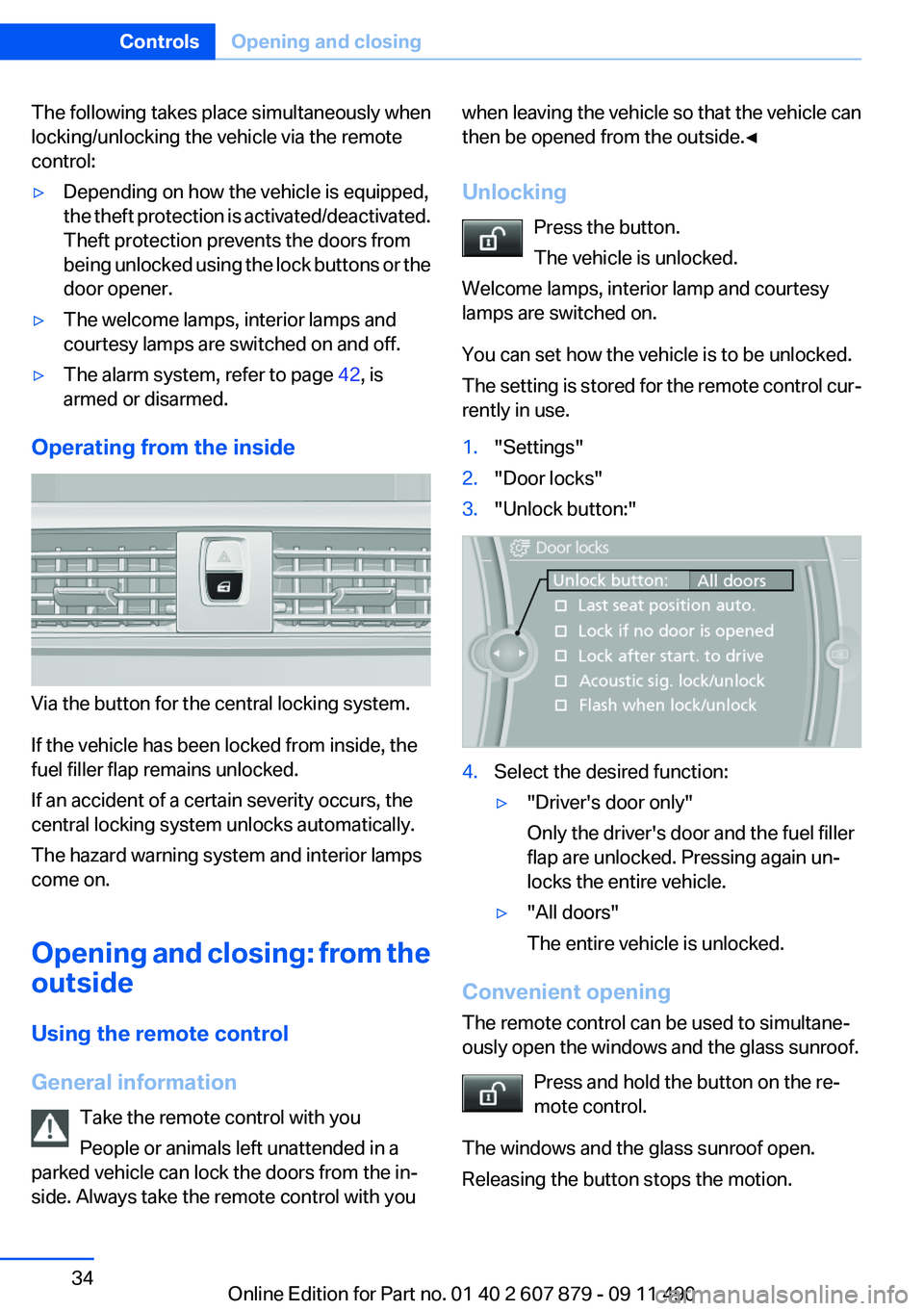
Via the button for the central locking system.
If the vehicle has been locked from inside, the
fuel filler flap remains unlocked.
If an accident of a certain severity occurs, the
central locking system unlocks automatically.
The hazard warning system and interior lamps
come on.
Opening and closing: from the
outside
Using the remote control
General information Take the remote control with you
People or animals left unattended in a
parked vehicle can lock the doors from the in‐
side. Always take the remote control with you
when leaving the vehicle so that the vehicle can
then be opened from the outside.◀
Unlocking Press the button.
The vehicle is unlocked.
Welcome lamps, interior lamp and courtesy
lamps are switched on.
You can set how the vehicle is to be unlocked.
The setting is stored for the remote control cur‐
rently in use.1."Settings"2."Door locks"3."Unlock button:"4.Select the desired function:▷"Driver's door only"
Only the driver's door and the fuel filler
flap are unlocked. Pressing again un‐
locks the entire vehicle.▷"All doors"
The entire vehicle is unlocked.
Convenient opening
The remote control can be used to simultane‐
ously open the windows and the glass sunroof.
Press and hold the button on the re‐
mote control.
The windows and the glass sunroof open.
Releasing the button stops the motion.
Seite 34ControlsOpening and closing34
Online Edition for Part no. 01 40 2 607 879 - 09 11 490
Page 35 of 335
LockingPress the button on the remote control.
Locking from the outside
Do not lock the vehicle from the outside if
there are people in it, as the vehicle cannot be
unlocked from inside without special knowl‐
edge.◀
Switching on interior lamps and
courtesy lamps
Press the button on the remote control
with the vehicle locked.
Panic mode
You can trigger the alarm system if you find
yourself in a dangerous situation.
Press the button on the remote control
for at least 3 seconds.
To switch off the alarm: press any button.
Switching on the headlamp courtesy
delay feature
Briefly press the button on the remote
control.
The duration can be set in the Control Display.
Opening the trunk lid Press the button on the remote control
for approx. 1 second.
The trunk lid opens, regardless of whether it was
previously locked or unlocked.
During opening, the trunk lid pivots back and up.
Ensure that adequate clearance is available be‐
fore opening.
In some vehicle equipment variants, the trunk lid
can only be opened using the remote control if
the vehicle was unlocked first.To avoid locking yourself out of the vehicle, do
not place the remote control into the cargo area.
The trunk lid is locked again as soon as it is
pushed closed.
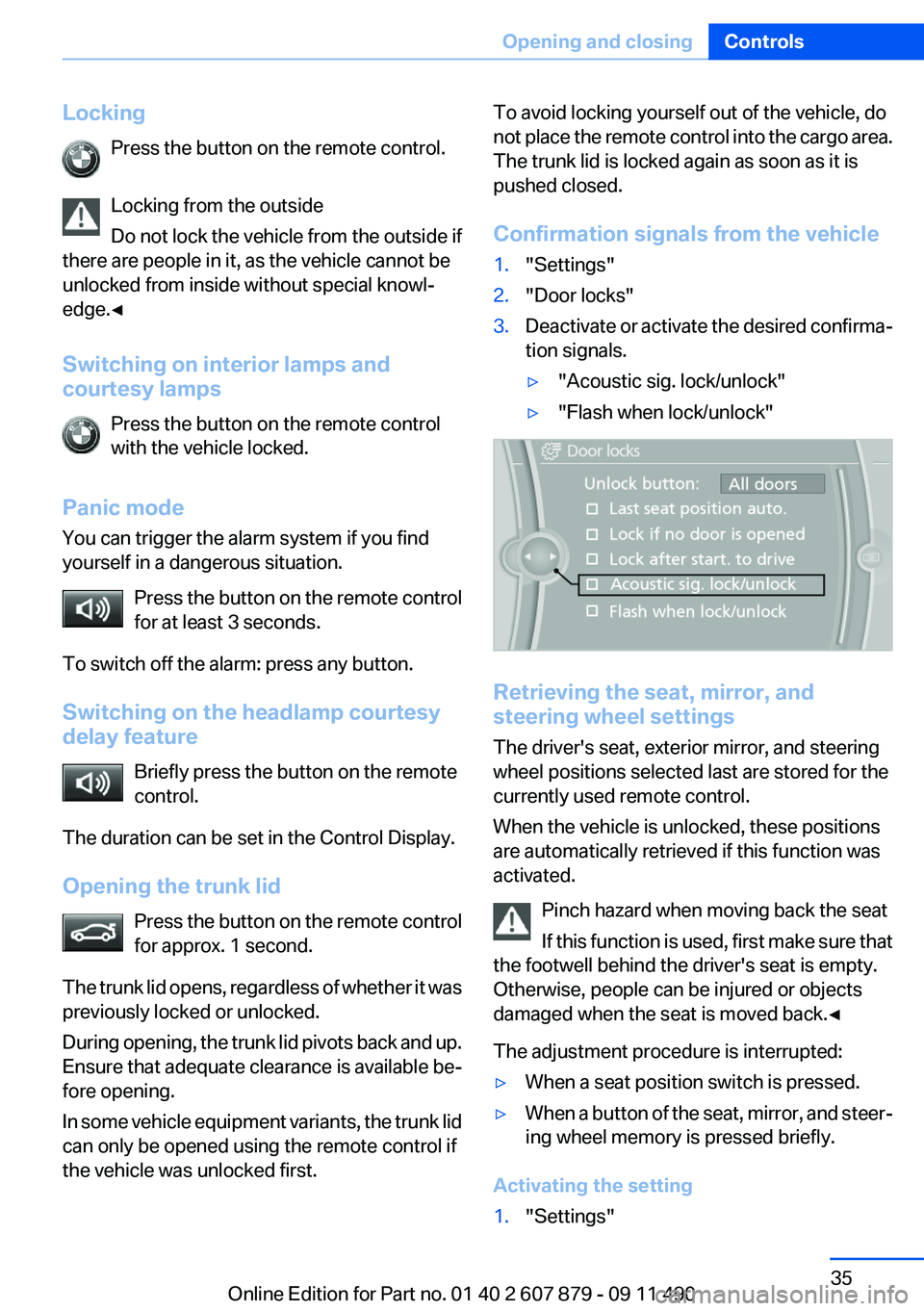
Confirmation signals from the vehicle1."Settings"2."Door locks"3.Deactivate or activate the desired confirma‐
tion signals.▷"Acoustic sig. lock/unlock"▷"Flash when lock/unlock"
Retrieving the seat, mirror, and
steering wheel settings
The driver's seat, exterior mirror, and steering
wheel positions selected last are stored for the
currently used remote control.
When the vehicle is unlocked, these positions
are automatically retrieved if this function was
activated.
Pinch hazard when moving back the seat
If this function is used, first make sure that
the footwell behind the driver's seat is empty.
Otherwise, people can be injured or objects
damaged when the seat is moved back.◀
The adjustment procedure is interrupted:
▷When a seat position switch is pressed.▷When a button of the seat, mirror, and steer‐
ing wheel memory is pressed briefly.
Activating the setting
1."Settings"Seite 35Opening and closingControls35
Online Edition for Part no. 01 40 2 607 879 - 09 11 490
Page 36 of 335
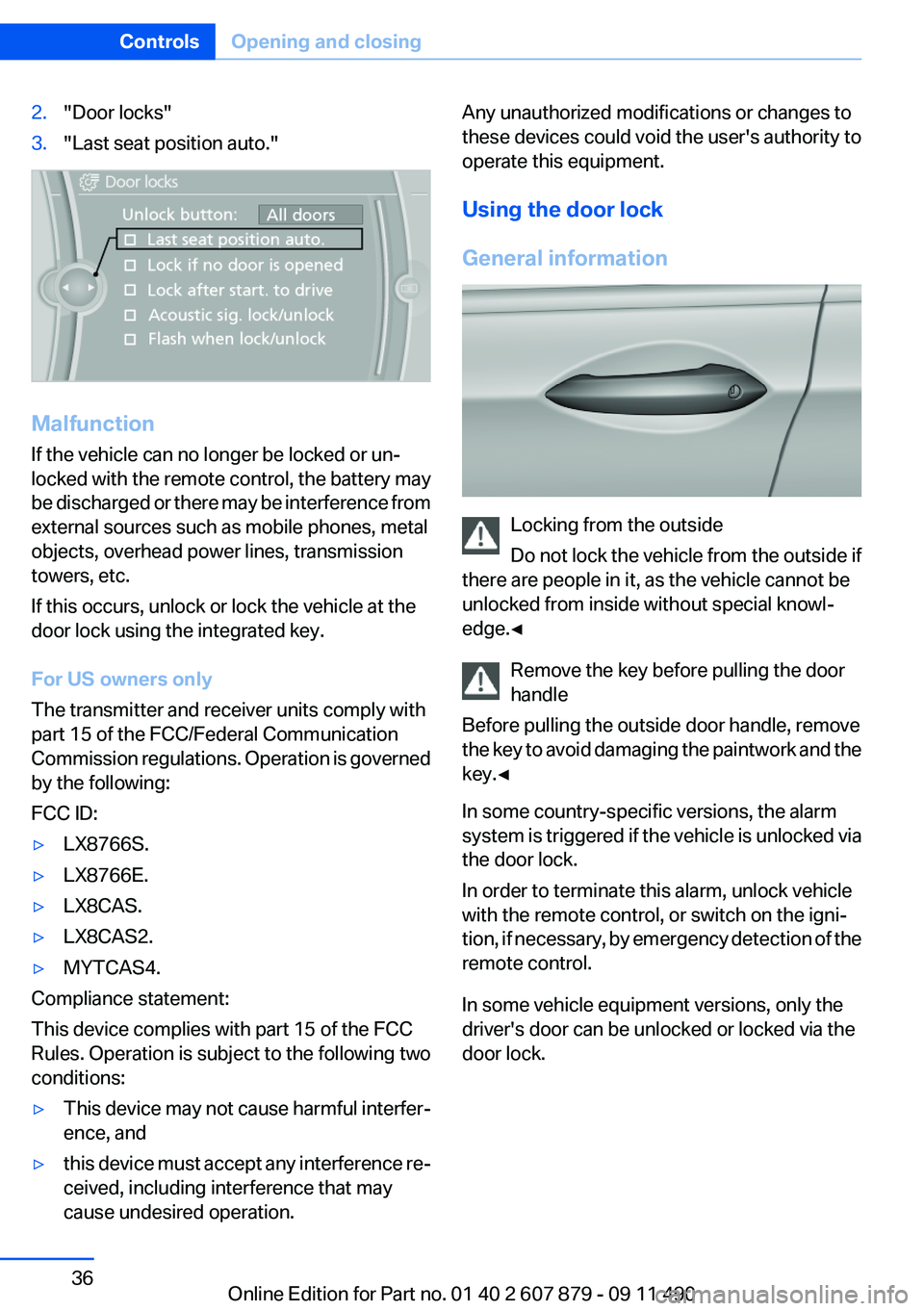
2."Door locks"3."Last seat position auto."
Malfunction
If the vehicle can no longer be locked or un‐
locked with the remote control, the battery may
be discharged or there may be interference from
external sources such as mobile phones, metal
objects, overhead power lines, transmission
towers, etc.
If this occurs, unlock or lock the vehicle at the
door lock using the integrated key.
For US owners only
The transmitter and receiver units comply with
part 15 of the FCC/Federal Communication
Commission regulations. Operation is governed
by the following:
FCC ID:
▷LX8766S.▷LX8766E.▷LX8CAS.▷LX8CAS2.▷MYTCAS4.
Compliance statement:
This device complies with part 15 of the FCC
Rules. Operation is subject to the following two
conditions:
▷This device may not cause harmful interfer‐
ence, and▷this device must accept any interference re‐
ceived, including interference that may
cause undesired operation.Any unauthorized modifications or changes to
these devices could void the user's authority to
operate this equipment.
Using the door lock
General information
Locking from the outside
Do not lock the vehicle from the outside if
there are people in it, as the vehicle cannot be
unlocked from inside without special knowl‐
edge.◀
Remove the key before pulling the door
handle
Before pulling the outside door handle, remove
the key to avoid damaging the paintwork and the
key.◀
In some country-specific versions, the alarm
system is triggered if the vehicle is unlocked via
the door lock.
In order to terminate this alarm, unlock vehicle
with the remote control, or switch on the igni‐
tion, if necessary, by emergency detection of the
remote control.
In some vehicle equipment versions, only the
driver's door can be unlocked or locked via the
door lock.
Seite 36ControlsOpening and closing36
Online Edition for Part no. 01 40 2 607 879 - 09 11 490
Page 42 of 335
Alarm system
The concept
The vehicle alarm system responds to:▷Opening of a door, the hood or the trunk lid.▷Movements in the vehicle.▷Changes in the vehicle tilt, e.g., during at‐
tempts to steal a wheel or when towing the
car.▷Interruptions in battery voltage.
The alarm system briefly indicates tampering:
▷By sounding an acoustic alarm.▷By switching on the hazard warning system.▷By flashing the high beams.
Arming and disarming the alarm
system
General information
When you lock or unlock the vehicle, either with
the remote control, Comfort Access or at the
door lock the alarm system is armed or disarmed
at the same time.
Door lock and armed alarm system
Unlocking via the door lock will trigger the alarm
on some country-specific versions.
In order to terminate this alarm, unlock vehicle
with the remote control or switch on the ignition,
if necessary, by emergency detection of the re‐
mote control.
Trunk lid and armed alarm system
The trunk lid can be opened using the remote
control, even if the alarm system is armed.
Press the button on the remote control
for approx. 1 second.
After the trunk lid is closed, it is locked and
monitored again by the alarm system. The haz‐
ard warning system flashes once.
In some vehicle equipment variants, the trunk lid
can only be opened using the remote control if
the vehicle was unlocked first.
Panic mode Press the button on the remote control
for at least 3 seconds.
Switching off the alarm▷Unlock the vehicle using the remote control.▷With Comfort Access: if you are carrying the
remote control with you, pull on the door
handle.
Indicator lamp on the interior rearview
mirror
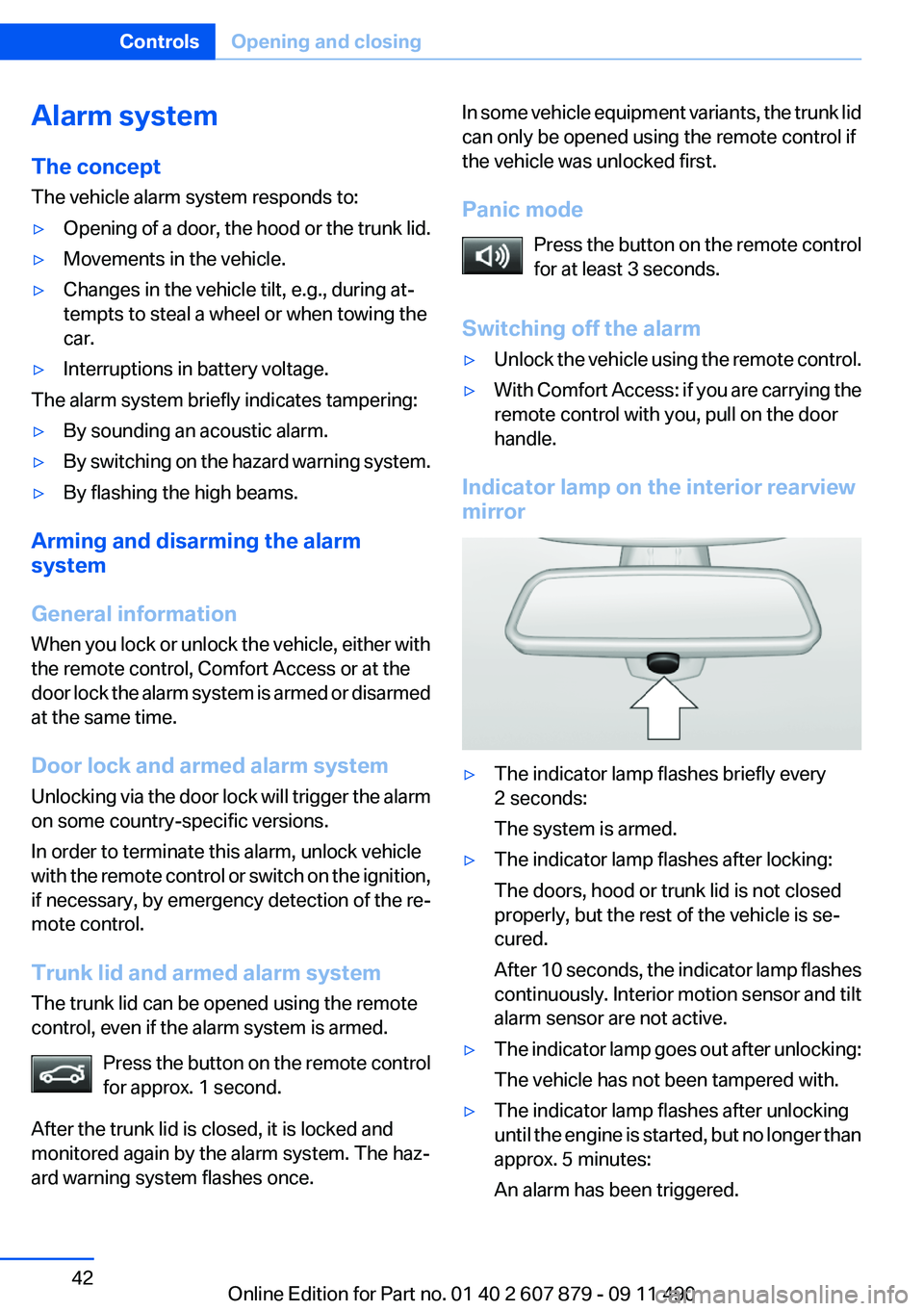
▷The indicator lamp flashes briefly every
2 seconds:
The system is armed.▷The indicator lamp flashes after locking:
The doors, hood or trunk lid is not closed
properly, but the rest of the vehicle is se‐
cured.
After 10 seconds, the indicator lamp flashes
continuously. Interior motion sensor and tilt
alarm sensor are not active.▷The indicator lamp goes out after unlocking:
The vehicle has not been tampered with.▷The indicator lamp flashes after unlocking
until the engine is started, but no longer than
approx. 5 minutes:
An alarm has been triggered.Seite 42ControlsOpening and closing42
Online Edition for Part no. 01 40 2 607 879 - 09 11 490
Page 43 of 335
Tilt alarm sensor
The tilt of the vehicle is monitored.
The alarm system responds in situations such
as attempts to steal a wheel or when the car is
towed.
Interior motion sensor
The windows and glass sunroof must be closed
for the system to function properly.
Avoiding unintentional alarms
The tilt alarm sensor and interior motion sensor
can be switched off together, such as in the fol‐
lowing situations:▷In automatic car washes.▷In duplex garages.▷During transport on car-carrying trains, at
sea or on a trailer.▷When animals are to remain in the vehicle.
Switching off the tilt alarm sensor and
interior motion sensor
Press the remote control button again
within 10 seconds as soon as the vehicle
is locked.
The indicator lamp lights up for approx. 2 sec‐
onds and then continues to flash.
The tilt alarm sensor and interior motion sensor
are switched off until the vehicle is locked again.
Power windows
General information Take the remote control with you
Take the remote control with you when
leaving the vehicle so that children, for example,
cannot operate the power windows and injure
themselves.◀
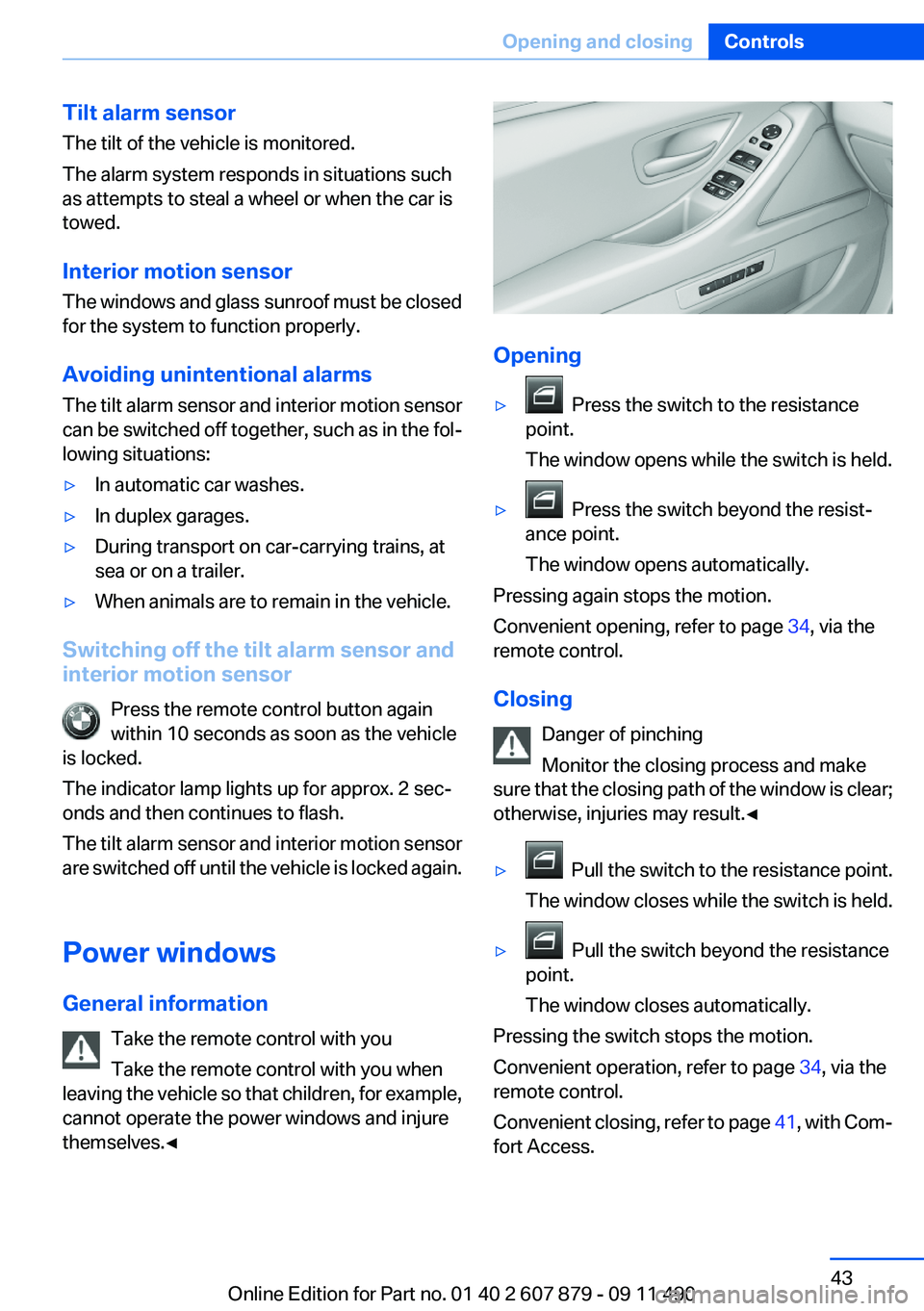
Opening
▷ Press the switch to the resistance
point.
The window opens while the switch is held.▷ Press the switch beyond the resist‐
ance point.
The window opens automatically.
Pressing again stops the motion.
Convenient opening, refer to page 34, via the
remote control.
Closing Danger of pinching
Monitor the closing process and make
sure that the closing path of the window is clear;
otherwise, injuries may result.◀
▷ Pull the switch to the resistance point.
The window closes while the switch is held.▷ Pull the switch beyond the resistance
point.
The window closes automatically.
Pressing the switch stops the motion.
Convenient operation, refer to page 34, via the
remote control.
Convenient closing, refer to page 41, with Com‐
fort Access.
Seite 43Opening and closingControls43
Online Edition for Part no. 01 40 2 607 879 - 09 11 490
Page 304 of 335
CareVehicle equipment
All standard, country-specific and optional
equipment that is offered in the model series is
described in this chapter. Therefore, equipment
is also described that is not available in a vehicle,
e. g., because of the selected optional equip‐
ment or country variant. This also applies for
safety-related functions and systems.
Car washes
Notes Steam jets or high-pressure washers
When using steam jets or high-pressure
washers, hold them a sufficient distance away
and use a maximum temperature of 140 ℉/
60 ℃.
Holding them too close or using excessively
high pressures or temperatures can cause dam‐
age or preliminary damage that may then lead to
long-term damage.
Follow the operating instructions for the high-
pressure washer.◀
Cleaning sensors/cameras with high-
pressure washers
When using high-pressure washers, do not
spray the exterior sensors and cameras, e.g.,
Park Distance Control, for extended periods of
time and only from a distance of at least 12 in/
30 cm.◀
Wash your vehicle frequently, particularly in win‐
ter.
Intense soiling and road salt can damage the ve‐
hicle.Washing in automatic car washes
Give preference to cloth car washes or those
that use soft brushes in order to avoid paint
damage.
Notes
Note the following:▷Make sure that the wheels and tires are not
damaged by the transport mechanisms.▷Fold in the exterior mirrors; otherwise, they
may be damaged, depending on the width of
the vehicle.▷Deactivate the rain sensor, refer to page 70,
to avoid unintentional wiper activation.▷In some cases, an unintentional alarm can be
triggered by the interior motion sensor of the
alarm system. Follow the instructions on
avoiding an unintentional alarm, refer to
page 43.
Guide rails in car washes
Avoid car washes with guide rails higher
than 4 in/10 cm; otherwise, the vehicle body
could be damaged.◀
Before driving into a car wash
In order to ensure that the vehicle can roll in a car
wash, take the following steps:
Manual transmission:
1.Release the parking brake, refer to page 66.2.Drive into the car wash.3.Shift to neutral.4.Switch the engine off.5.Switch on the ignition.Seite 304MobilityCare304
Online Edition for Part no. 01 40 2 607 879 - 09 11 490
Page 324 of 335
Everything from A to Z
IndexA
ABS, Antilock Brake Sys‐ tem 107
ACC, Active Cruise Control with Stop & Go 114
Activated-charcoal filter 142
Active Blind Spot Detec‐ tion 104
Active Cruise Control with Stop & Go, ACC 114
Active Protection 106
Active seat, front 49
Active seat ventilation, front 50
Active Steering, integral 110
Adaptive brake assistant 107
Adaptive brake lights, refer to Brake force display 105
Adaptive drive 110
Adaptive light control 91
Additional telephone 230
Additives, oil 285
Adjustments, seats/head re‐ straints 47
Airbags 94
Airbags, indicator/warning light 95
Air circulation, refer to Recir‐ culated-air mode 141
Air distribution, manual 140
Air drying, refer to Cooling function 141
Air pressure, tires 265
Air vents, refer to Ventila‐ tion 142
Air volume, automatic climate control 140
Alarm system 42
Alarm, unintentional 43 All around the center con‐
sole 14
All around the headliner 15
All around the steering wheel 12
ALL program, automatic cli‐ mate control 141
All-season tires, refer to Win‐ ter tires 279
All-wheel-drive 109
Alternating-code hand-held transmitter 147
Alternative oil types 286
AM/FM station 192
Announcement, navigation, refer to Spoken instruc‐
tions 182
Antifreeze, washer fluid 71
Antilock Brake System, ABS 107
Anti-slip control, refer to DSC 107
Applications 258
Appointments 248
Approved engine oils 285
Apps 258
Apps, video playback 215
Armrest, refer to Center arm‐ rest 154
Arrival time 85
Ashtray 148
Ashtray, front 148
Ashtray, rear 149
Assist 253
Assistance, Roadside Assis‐ tance 299
Assistance when driving off 107
Audio playback 201
Audio playback, Blue‐ tooth 216 AUTO H button, refer to Auto‐
matic Hold 67
AUTO intensity 140
Automatic car wash 304
Automatic climate con‐ trol 139
Automatic Cruise Control with Stop & Go 114
Automatic Curb Monitor 56
Automatic deactivation, front passenger airbags 96
Automatic Engine Start/Stop Function 64
Automatic headlamp con‐ trol 90
Automatic Hold 67
Automatic locking 37
Automatic recirculated-air control 141
Automatic Soft Closing, doors 37
Automatic tailgate 38
Automatic transmission with Steptronic 72
AUTO program, automatic cli‐ mate control 140
AUTO program, intensity 140
AUX-IN port 212
Average fuel consumption 84
Average speed 84
Axle loads, weights 311
B
Backrest curvature, refer to Lumbar support 49
Backup camera 126
Balance 190
Band-Aids, refer to First aid kit 299 Seite 324ReferenceEverything from A to Z324
Online Edition for Part no. 01 40 2 607 879 - 09 11 490
Page 327 of 335
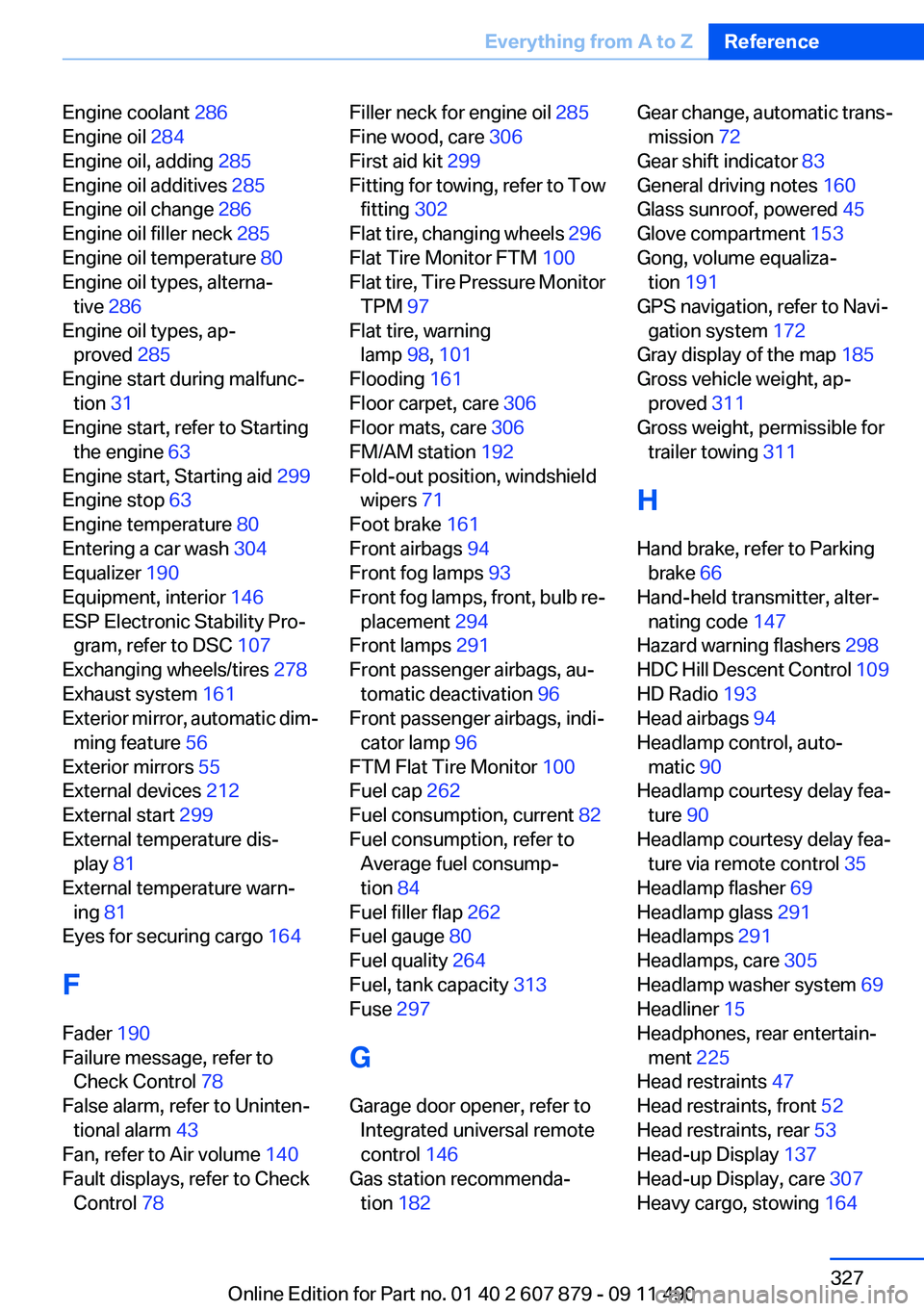
Engine coolant 286
Engine oil 284
Engine oil, adding 285
Engine oil additives 285
Engine oil change 286
Engine oil filler neck 285
Engine oil temperature 80
Engine oil types, alterna‐ tive 286
Engine oil types, ap‐ proved 285
Engine start during malfunc‐ tion 31
Engine start, refer to Starting the engine 63
Engine start, Starting aid 299
Engine stop 63
Engine temperature 80
Entering a car wash 304
Equalizer 190
Equipment, interior 146
ESP Electronic Stability Pro‐ gram, refer to DSC 107
Exchanging wheels/tires 278
Exhaust system 161
Exterior mirror, automatic dim‐ ming feature 56
Exterior mirrors 55
External devices 212
External start 299
External temperature dis‐ play 81
External temperature warn‐ ing 81
Eyes for securing cargo 164
F
Fader 190
Failure message, refer to Check Control 78
False alarm, refer to Uninten‐ tional alarm 43
Fan, refer to Air volume 140
Fault displays, refer to Check Control 78 Filler neck for engine oil 285
Fine wood, care 306
First aid kit 299
Fitting for towing, refer to Tow fitting 302
Flat tire, changing wheels 296
Flat Tire Monitor FTM 100
Flat tire, Tire Pressure Monitor TPM 97
Flat tire, warning lamp 98, 101
Flooding 161
Floor carpet, care 306
Floor mats, care 306
FM/AM station 192
Fold-out position, windshield wipers 71
Foot brake 161
Front airbags 94
Front fog lamps 93
Front fog lamps, front, bulb re‐ placement 294
Front lamps 291
Front passenger airbags, au‐ tomatic deactivation 96
Front passenger airbags, indi‐ cator lamp 96
FTM Flat Tire Monitor 100
Fuel cap 262
Fuel consumption, current 82
Fuel consumption, refer to Average fuel consump‐
tion 84
Fuel filler flap 262
Fuel gauge 80
Fuel quality 264
Fuel, tank capacity 313
Fuse 297
G
Garage door opener, refer to Integrated universal remote
control 146
Gas station recommenda‐ tion 182 Gear change, automatic trans‐
mission 72
Gear shift indicator 83
General driving notes 160
Glass sunroof, powered 45
Glove compartment 153
Gong, volume equaliza‐ tion 191
GPS navigation, refer to Navi‐ gation system 172
Gray display of the map 185
Gross vehicle weight, ap‐ proved 311
Gross weight, permissible for trailer towing 311
H
Hand brake, refer to Parking brake 66
Hand-held transmitter, alter‐ nating code 147
Hazard warning flashers 298
HDC Hill Descent Control 109
HD Radio 193
Head airbags 94
Headlamp control, auto‐ matic 90
Headlamp courtesy delay fea‐ ture 90
Headlamp courtesy delay fea‐ ture via remote control 35
Headlamp flasher 69
Headlamp glass 291
Headlamps 291
Headlamps, care 305
Headlamp washer system 69
Headliner 15
Headphones, rear entertain‐ ment 225
Head restraints 47
Head restraints, front 52
Head restraints, rear 53
Head-up Display 137
Head-up Display, care 307
Heavy cargo, stowing 164 Seite 327Everything from A to ZReference327
Online Edition for Part no. 01 40 2 607 879 - 09 11 490
Page 332 of 335
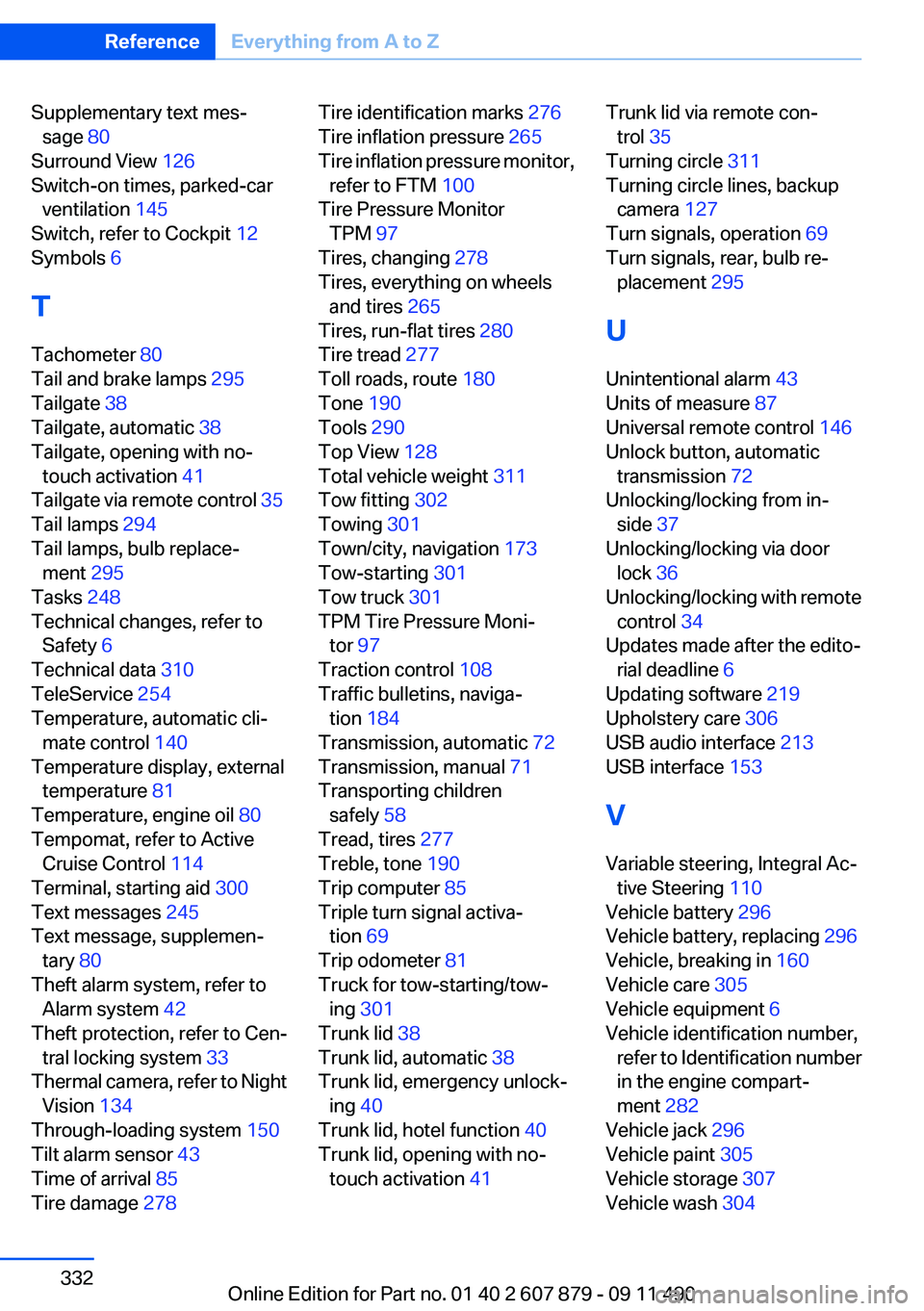
Supplementary text mes‐sage 80
Surround View 126
Switch-on times, parked-car ventilation 145
Switch, refer to Cockpit 12
Symbols 6
T
Tachometer 80
Tail and brake lamps 295
Tailgate 38
Tailgate, automatic 38
Tailgate, opening with no- touch activation 41
Tailgate via remote control 35
Tail lamps 294
Tail lamps, bulb replace‐ ment 295
Tasks 248
Technical changes, refer to Safety 6
Technical data 310
TeleService 254
Temperature, automatic cli‐ mate control 140
Temperature display, external temperature 81
Temperature, engine oil 80
Tempomat, refer to Active Cruise Control 114
Terminal, starting aid 300
Text messages 245
Text message, supplemen‐ tary 80
Theft alarm system, refer to Alarm system 42
Theft protection, refer to Cen‐ tral locking system 33
Thermal camera, refer to Night Vision 134
Through-loading system 150
Tilt alarm sensor 43
Time of arrival 85
Tire damage 278 Tire identification marks 276
Tire inflation pressure 265
Tire inflation pressure monitor, refer to FTM 100
Tire Pressure Monitor TPM 97
Tires, changing 278
Tires, everything on wheels and tires 265
Tires, run-flat tires 280
Tire tread 277
Toll roads, route 180
Tone 190
Tools 290
Top View 128
Total vehicle weight 311
Tow fitting 302
Towing 301
Town/city, navigation 173
Tow-starting 301
Tow truck 301
TPM Tire Pressure Moni‐ tor 97
Traction control 108
Traffic bulletins, naviga‐ tion 184
Transmission, automatic 72
Transmission, manual 71
Transporting children safely 58
Tread, tires 277
Treble, tone 190
Trip computer 85
Triple turn signal activa‐ tion 69
Trip odometer 81
Truck for tow-starting/tow‐ ing 301
Trunk lid 38
Trunk lid, automatic 38
Trunk lid, emergency unlock‐ ing 40
Trunk lid, hotel function 40
Trunk lid, opening with no- touch activation 41 Trunk lid via remote con‐
trol 35
Turning circle 311
Turning circle lines, backup camera 127
Turn signals, operation 69
Turn signals, rear, bulb re‐ placement 295
U
Unintentional alarm 43
Units of measure 87
Universal remote control 146
Unlock button, automatic transmission 72
Unlocking/locking from in‐ side 37
Unlocking/locking via door lock 36
Unlocking/locking with remote control 34
Updates made after the edito‐ rial deadline 6
Updating software 219
Upholstery care 306
USB audio interface 213
USB interface 153
V
Variable steering, Integral Ac‐ tive Steering 110
Vehicle battery 296
Vehicle battery, replacing 296
Vehicle, breaking in 160
Vehicle care 305
Vehicle equipment 6
Vehicle identification number, refer to Identification number
in the engine compart‐
ment 282
Vehicle jack 296
Vehicle paint 305
Vehicle storage 307
Vehicle wash 304 Seite 332ReferenceEverything from A to Z332
Online Edition for Part no. 01 40 2 607 879 - 09 11 490