towing BMW 535I GRAN TURISMO 2014 Owners Manual
[x] Cancel search | Manufacturer: BMW, Model Year: 2014, Model line: 535I GRAN TURISMO, Model: BMW 535I GRAN TURISMO 2014Pages: 251, PDF Size: 7.64 MB
Page 43 of 251
2."Doors/key"3.Select the desired function:▷"Lock if no door opened"
The vehicle locks automatically after a
short period of time if a door is not
opened.▷"Lock after start driving"
The vehicle locks automatically after
you drive away.
Retrieving the seat, mirror, and
steering wheel settings
The driver's seat, exterior mirror, and steering
wheel positions selected last are stored for the
currently used remote control.
When the vehicle is unlocked, these positions
are automatically retrieved if this function was
activated.
Pinch hazard when moving back the seat
If this function is used, first make sure
that the footwell behind the driver's seat is
empty. Otherwise, people can be injured or ob‐
jects damaged when the seat is moved back.◀
The adjustment procedure is interrupted:
▷When a seat position switch is pressed.▷When a button of the seat, mirror, and
steering wheel memory is pressed briefly.
Activating the setting
1."Settings"2."Doors/key"3."Last seat position autom."
Alarm system
The conceptThe vehicle alarm system responds to:
▷Opening of a door, the hood or the tailgate.▷Movements in the vehicle.▷Changes in the vehicle tilt, e.g., during at‐
tempts to steal a wheel or when towing the
car.▷Interruptions in battery voltage.
The alarm system briefly indicates tampering:
▷By sounding an acoustic alarm.▷By switching on the hazard warning sys‐
tem.▷By flashing the high beams.
Arming and disarming the alarm
system
General information
When you lock or unlock the vehicle, either
with the remote control, Comfort Access or at
the door lock the alarm system is armed or dis‐
armed at the same time.
Door lock and armed alarm systemUnlocking via the door lock will trigger the
alarm on some country-specific versions.
In order to terminate this alarm, unlock vehicle
with the remote control or switch on the igni‐
tion, if necessary, by emergency detection of
the remote control.
Tailgate and armed alarm system
The tailgate can be opened even when the alarm system is armed.
▷Press the button on the remote
control for approx. 1 second.
The large tailgate opens slightly.
This button can also be used to unlock the
doors. The button assignment on the remote
control can be set variously depending on how
the vehicle is equipped and according to the
country-specific variant.
With Comfort Access, the tailgate opens with
no-touch activation, refer to page 41.
Seite 43Opening and closingControls43
Online Edition for Part no. 01 40 2 909 928 - VI/13
Page 112 of 251
located within the detection range of the sys‐
tem.
At a glance
Button in the vehicle
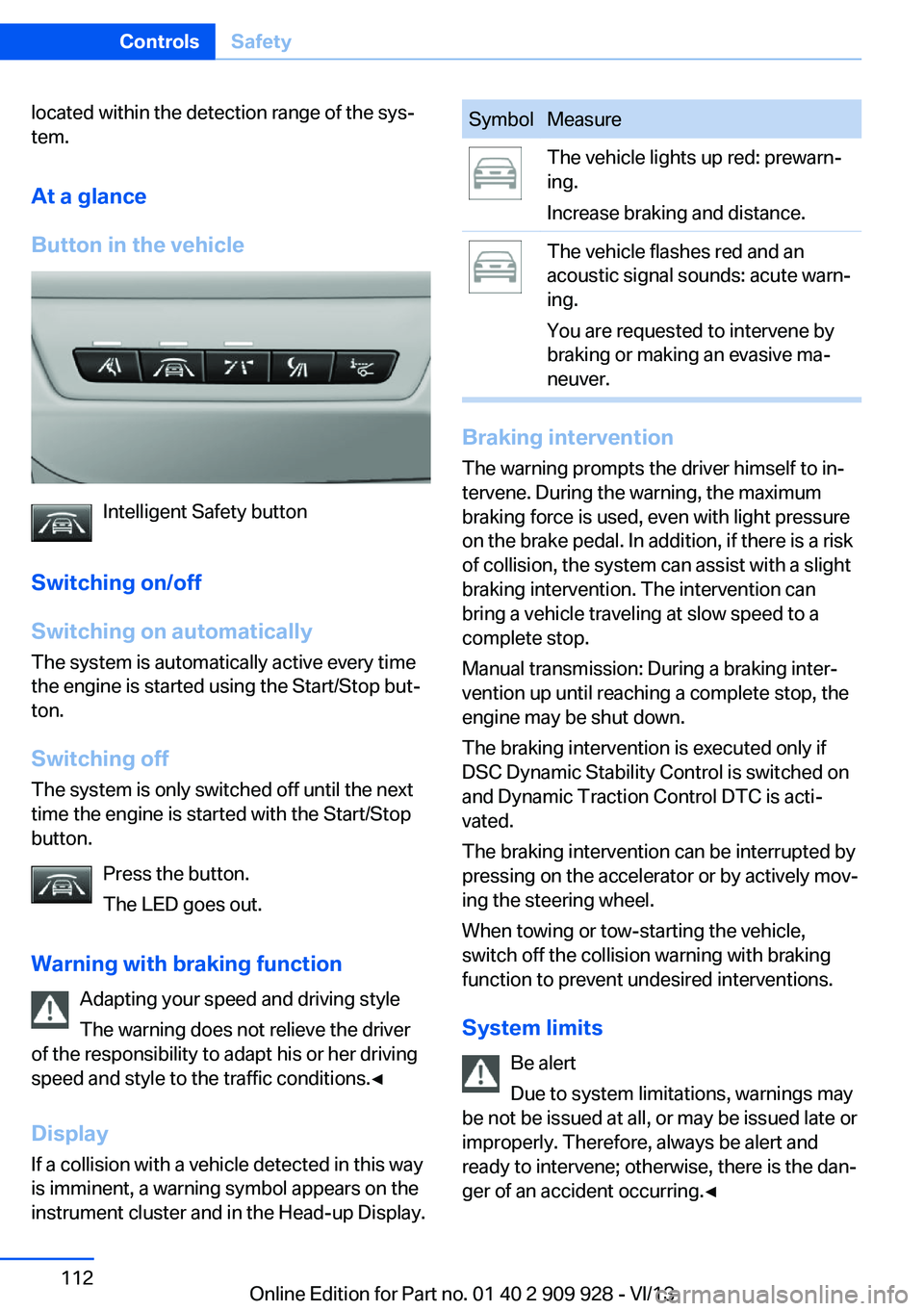
Intelligent Safety button
Switching on/off
Switching on automatically The system is automatically active every time
the engine is started using the Start/Stop but‐
ton.
Switching off The system is only switched off until the next
time the engine is started with the Start/Stop
button.
Press the button.
The LED goes out.
Warning with braking function Adapting your speed and driving style
The warning does not relieve the driver
of the responsibility to adapt his or her driving
speed and style to the traffic conditions.◀
Display
If a collision with a vehicle detected in this way
is imminent, a warning symbol appears on the
instrument cluster and in the Head-up Display.
SymbolMeasureThe vehicle lights up red: prewarn‐
ing.
Increase braking and distance.The vehicle flashes red and an
acoustic signal sounds: acute warn‐
ing.
You are requested to intervene by
braking or making an evasive ma‐
neuver.
Braking intervention
The warning prompts the driver himself to in‐
tervene. During the warning, the maximum
braking force is used, even with light pressure
on the brake pedal. In addition, if there is a risk
of collision, the system can assist with a slight
braking intervention. The intervention can
bring a vehicle traveling at slow speed to a
complete stop.
Manual transmission: During a braking inter‐
vention up until reaching a complete stop, the
engine may be shut down.
The braking intervention is executed only if
DSC Dynamic Stability Control is switched on
and Dynamic Traction Control DTC is acti‐
vated.
The braking intervention can be interrupted by
pressing on the accelerator or by actively mov‐
ing the steering wheel.
When towing or tow-starting the vehicle,
switch off the collision warning with braking
function to prevent undesired interventions.
System limits Be alert
Due to system limitations, warnings may
be not be issued at all, or may be issued late or
improperly. Therefore, always be alert and ready to intervene; otherwise, there is the dan‐
ger of an accident occurring.◀
Seite 112ControlsSafety112
Online Edition for Part no. 01 40 2 909 928 - VI/13
Page 115 of 251
Above approx. 130 mph/210 km/h, the braking
intervention occurs as a brief braking pressure.
No automatic delay occurs.
Adapting your speed and driving style
The warning does not relieve the driver
of the responsibility to adapt his or her driving
speed and style to the traffic conditions.◀
The braking intervention can be interrupted by
pressing on the accelerator or by actively mov‐
ing the steering wheel.
When towing or tow-starting the vehicle,
switch off the collision warning with braking
function to prevent undesired interventions.
Display in the instrument cluster The collision warning can be issued in the in‐
strument cluster, in the Head-up Display, and
acoustically.
Warning stagesSymbolMeasureThe vehicle lights up red: prewarn‐
ing.
Increase distance.The vehicle flashes red and an
acoustic signal sounds: acute warn‐
ing.
You are requested to intervene by
braking or making an evasive ma‐
neuver.
Adapting your speed and driving style
The display does not relieve the driver of
the responsibility to adapt his or her driving
speed and style to the traffic conditions.◀
System limits
Be alert
Due to system limitations, warnings may
be not be issued at all, or may be issued late or
improperly. Therefore, always be alert and
ready to intervene; otherwise, there is the dan‐
ger of an accident occurring.◀
Detection range
The system's detection capabilities are limited.
This may result in the warning not being is‐
sued or being issued late.
For example, the following situations may not
be detected:▷Slow moving vehicles when you approach
them at high speed.▷Vehicles that suddenly swerve in front of
you or sharply decelerating vehicles.▷Vehicles with an unusual rear appearance.▷Two-wheeled vehicles ahead of you.▷Pedestrians.
Functional limitations
The system may not be fully functional in the
following situations:
▷In heavy fog, rain, sprayed water or snow‐
fall.▷In tight curves.▷If the driving stability control systems are
limited or deactivated, for example, DSC
OFF.▷If the camera in the mirror or the radar sen‐
sor is dirty or obscured.▷During calibration of the camera immedi‐
ately after vehicle shipment.▷If there is constant dimming because of
oncoming light, for example, from the sun
low in the sky.Seite 115SafetyControls115
Online Edition for Part no. 01 40 2 909 928 - VI/13
Page 117 of 251
Camera
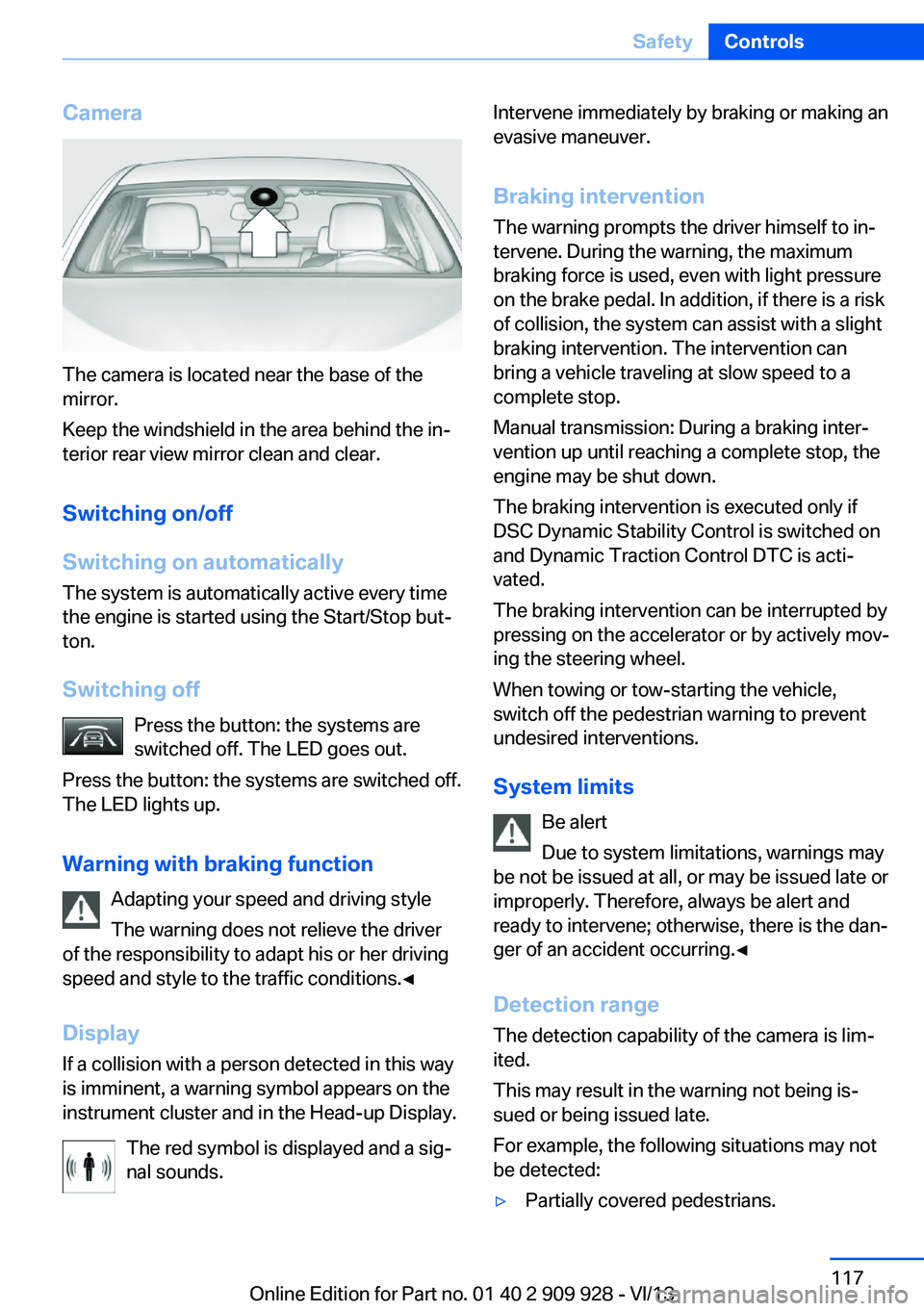
The camera is located near the base of the
mirror.
Keep the windshield in the area behind the in‐
terior rear view mirror clean and clear.
Switching on/off
Switching on automatically The system is automatically active every time
the engine is started using the Start/Stop but‐
ton.
Switching off Press the button: the systems are
switched off. The LED goes out.
Press the button: the systems are switched off.
The LED lights up.
Warning with braking function Adapting your speed and driving style
The warning does not relieve the driver
of the responsibility to adapt his or her driving
speed and style to the traffic conditions.◀
Display If a collision with a person detected in this way
is imminent, a warning symbol appears on the
instrument cluster and in the Head-up Display.
The red symbol is displayed and a sig‐
nal sounds.
Intervene immediately by braking or making an
evasive maneuver.
Braking intervention The warning prompts the driver himself to in‐
tervene. During the warning, the maximum
braking force is used, even with light pressure
on the brake pedal. In addition, if there is a risk
of collision, the system can assist with a slight
braking intervention. The intervention can bring a vehicle traveling at slow speed to a
complete stop.
Manual transmission: During a braking inter‐
vention up until reaching a complete stop, the
engine may be shut down.
The braking intervention is executed only if
DSC Dynamic Stability Control is switched on
and Dynamic Traction Control DTC is acti‐
vated.
The braking intervention can be interrupted by
pressing on the accelerator or by actively mov‐
ing the steering wheel.
When towing or tow-starting the vehicle,
switch off the pedestrian warning to prevent
undesired interventions.
System limits Be alert
Due to system limitations, warnings may
be not be issued at all, or may be issued late or
improperly. Therefore, always be alert and
ready to intervene; otherwise, there is the dan‐
ger of an accident occurring.◀
Detection range
The detection capability of the camera is lim‐
ited.
This may result in the warning not being is‐
sued or being issued late.
For example, the following situations may not
be detected:▷Partially covered pedestrians.Seite 117SafetyControls117
Online Edition for Part no. 01 40 2 909 928 - VI/13
Page 188 of 251
Stowing cargo▷Cover sharp edges and corners on the
cargo.▷Heavy cargo: stow as far forward and as
low as possible, ideally directly behind the
cargo partition.▷Very heavy cargo: when the rear seat is not
occupied, secure each of the outer safety
belts in the opposite buckle.▷If necessary, fold down the rear backrests,
including the cargo partition, to stow cargo.▷Do not stack cargo above the top edge of
the backrests.
Securing cargo
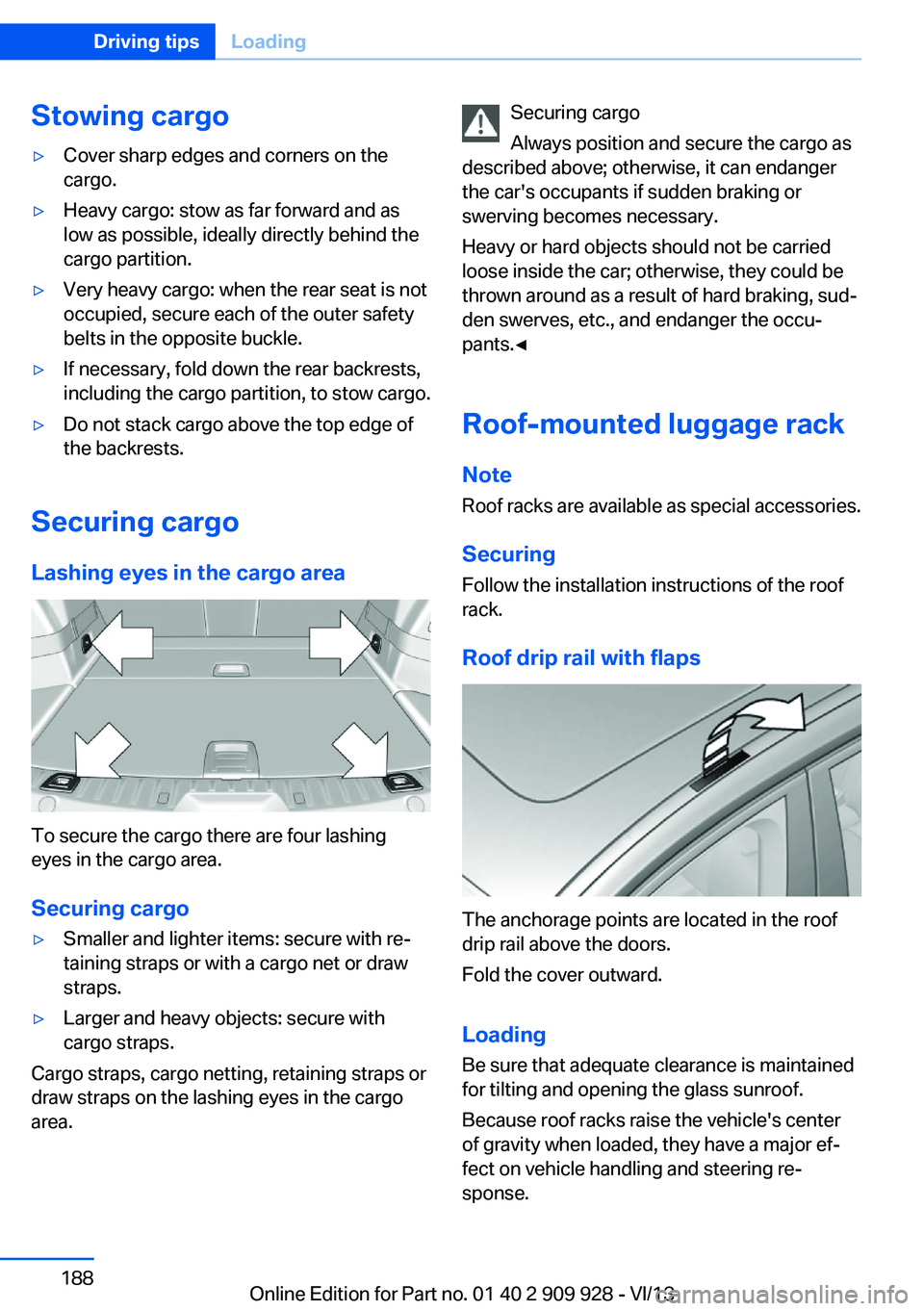
Lashing eyes in the cargo area
To secure the cargo there are four lashing
eyes in the cargo area.
Securing cargo
▷Smaller and lighter items: secure with re‐
taining straps or with a cargo net or draw
straps.▷Larger and heavy objects: secure with
cargo straps.
Cargo straps, cargo netting, retaining straps or
draw straps on the lashing eyes in the cargo
area.
Securing cargo
Always position and secure the cargo as
described above; otherwise, it can endanger
the car's occupants if sudden braking or
swerving becomes necessary.
Heavy or hard objects should not be carried
loose inside the car; otherwise, they could be
thrown around as a result of hard braking, sud‐
den swerves, etc., and endanger the occu‐
pants.◀
Roof-mounted luggage rack
Note Roof racks are available as special accessories.
Securing
Follow the installation instructions of the roof
rack.
Roof drip rail with flaps
The anchorage points are located in the roof
drip rail above the doors.
Fold the cover outward.
Loading Be sure that adequate clearance is maintained
for tilting and opening the glass sunroof.
Because roof racks raise the vehicle's center
of gravity when loaded, they have a major ef‐
fect on vehicle handling and steering re‐
sponse.
Seite 188Driving tipsLoading188
Online Edition for Part no. 01 40 2 909 928 - VI/13
Page 228 of 251
corresponding engine or body ground of
the vehicle to be started.
Starting the engine
Never use spray fluids to start the engine.
1.Start the engine of the assisting vehicle
and let it run for several minutes at an in‐
creased idle speed.2.Start the engine of the vehicle being
started in the usual way.
If the first starting attempt is not success‐
ful, wait a few minutes before making an‐
other attempt in order to allow the dis‐
charged battery to recharge.3.Let both engines run for several minutes.4.Disconnect the jumper cables in the re‐
verse order.
Check the battery and recharge if necessary.
Tow-starting and towing Transporting your vehicle
Note
Your vehicle is not permitted to be towed.
Therefore, contact a service center in the
event of a breakdown.
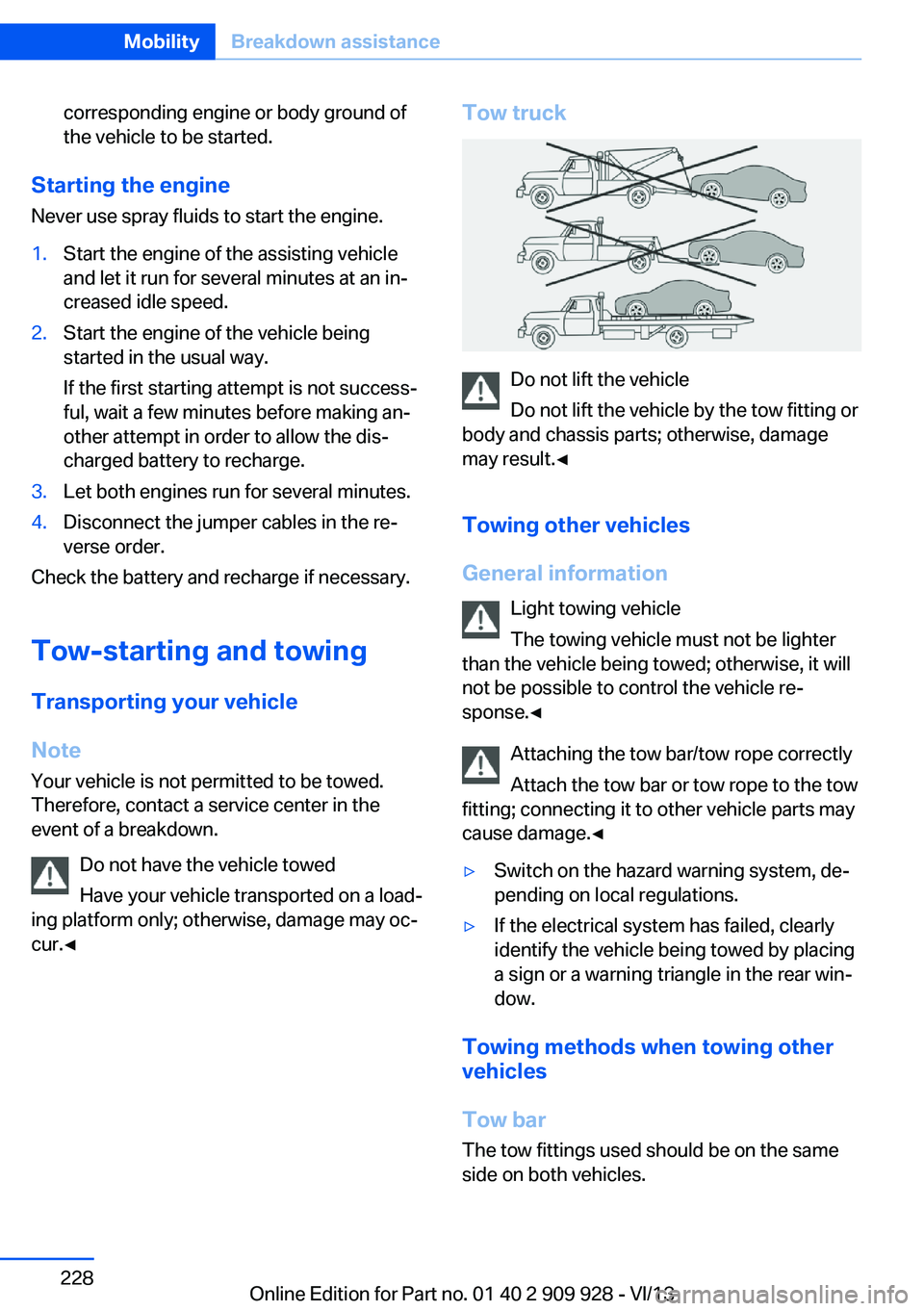
Do not have the vehicle towed
Have your vehicle transported on a load‐
ing platform only; otherwise, damage may oc‐
cur.◀
Tow truck
Do not lift the vehicle
Do not lift the vehicle by the tow fitting or
body and chassis parts; otherwise, damage
may result.◀
Towing other vehicles
General information Light towing vehicle
The towing vehicle must not be lighter
than the vehicle being towed; otherwise, it will
not be possible to control the vehicle re‐
sponse.◀
Attaching the tow bar/tow rope correctly
Attach the tow bar or tow rope to the tow
fitting; connecting it to other vehicle parts may
cause damage.◀
▷Switch on the hazard warning system, de‐
pending on local regulations.▷If the electrical system has failed, clearly
identify the vehicle being towed by placing
a sign or a warning triangle in the rear win‐
dow.
Towing methods when towing other
vehicles
Tow bar The tow fittings used should be on the same
side on both vehicles.
Seite 228MobilityBreakdown assistance228
Online Edition for Part no. 01 40 2 909 928 - VI/13
Page 229 of 251
Should it prove impossible to avoid mounting
the tow bar at an offset angle, please observe
the following:▷Maneuvering capability is limited during
cornering.▷The tow bar will generate lateral forces if it
is secured with an offset.
Tow rope
When starting to tow the vehicle, make sure
that the tow rope is taut.
To avoid jerking and the associated stresses
on the vehicle components when towing, al‐
ways use nylon ropes or nylon straps.
Attaching the tow rope correctly
Only secure the tow rope on the tow fit‐
ting; otherwise, damage can occur when it is
secured on other parts of the vehicle.◀
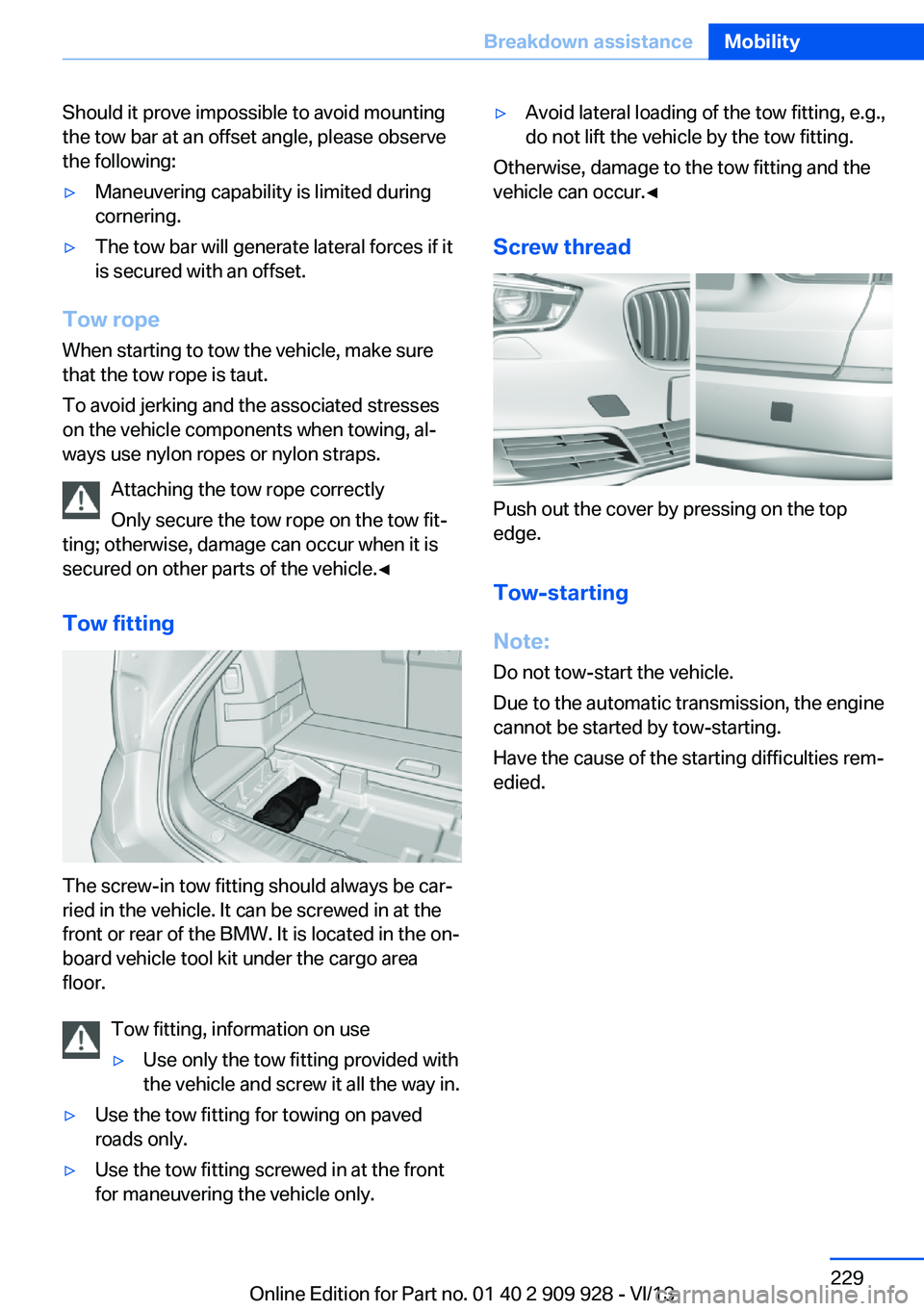
Tow fitting
The screw-in tow fitting should always be car‐
ried in the vehicle. It can be screwed in at the
front or rear of the BMW. It is located in the on‐
board vehicle tool kit under the cargo area
floor.
Tow fitting, information on use
▷Use only the tow fitting provided with
the vehicle and screw it all the way in.▷Use the tow fitting for towing on paved
roads only.▷Use the tow fitting screwed in at the front
for maneuvering the vehicle only.▷Avoid lateral loading of the tow fitting, e.g.,
do not lift the vehicle by the tow fitting.
Otherwise, damage to the tow fitting and the
vehicle can occur.◀
Screw thread
Push out the cover by pressing on the top
edge.
Tow-starting
Note:
Do not tow-start the vehicle.
Due to the automatic transmission, the engine
cannot be started by tow-starting.
Have the cause of the starting difficulties rem‐
edied.
Seite 229Breakdown assistanceMobility229
Online Edition for Part no. 01 40 2 909 928 - VI/13
Page 240 of 251
Everything from A to Z
IndexA ABS, Antilock Brake Sys‐ tem 127
ACC, Active Cruise Control with Stop & Go 135
Activated-charcoal filter 165
Active Blind Spot Detec‐ tion 123
Active Cruise Control with Stop & Go, ACC 135
Active Protection 124
Active roll stabilization, see Dynamic Drive 130
Active seat, front 52
Active seat ventilation, front 52
Active Steering, integral 131
Adaptive brake assistant 127
Adaptive brake lights, refer to Brake force display 124
Adaptive drive 130
Adaptive light control 98
Additives, oil 214
Adjust front seat 49
Adjustments, seats/head re‐ straints 49
After washing vehicle 231
Airbags 102
Airbags, indicator/warning light 103
Air circulation, refer to Recir‐ culated-air mode 164
Air distribution, manual 163
Air drying, refer to Cooling function 164
Air flow, automatic climate control 163
Air pressure, tires 201
Air vents, refer to Ventila‐ tion 165 Alarm system 43
Alarm, unintentional 44
All around the center con‐ sole 14
All around the headliner 15
All around the steering wheel 12
All-season tires, refer to Win‐ ter tires 208
All-wheel-drive 129
Alternating-code hand-held transmitter 170
Alternative oil types 214
Ambient light 101
Antifreeze, washer fluid 77
Antilock Brake System, ABS 127
Anti-slip control, refer to DSC 127
Approved engine oils 214
Armrest, refer to Center arm‐ rest 178
Arrival time 94
Ashtray 171
Assistance, Roadside Assis‐ tance 226
Assistance when driving off 127
Attentiveness assistant 125
AUTO H button, refer to Au‐ tomatic Hold 73
AUTO intensity 163
Automatic car wash 230
Automatic climate con‐ trol 162
Automatic Cruise Control with Stop & Go 135
Automatic Curb Monitor 58
Automatic deactivation, front passenger airbags 104 Automatic headlamp con‐
trol 98
Automatic Hold 73
Automatic locking 42
Automatic recirculated-air control 164
Automatic Soft Closing, doors 36
Automatic Soft Closing, tail‐ gate 38
Automatic tailgate 38
Automatic transmission with Steptronic 78
AUTO program, automatic cli‐ mate control 163
AUTO program, intensity 163
Auto Start/Stop function 69
Average fuel consumption 93
Average speed 93
Axle loads, weights 237
B Backrest curvature, refer to Lumbar support 51
Backrest, width 51
Back seats, adjusting 53
Backup camera 149
Band-aids, refer to First aid kit 226
Bar for tow-starting/ towing 228
Battery replacement, vehicle battery 223
Battery replacement, vehicle remote control 31
Battery, vehicle 222
Belts, safety belts 54
Beverage holder, cu‐ pholder 179
Blinds, sun protection 46 Seite 240ReferenceEverything from A to Z240
Online Edition for Part no. 01 40 2 909 928 - VI/13
Page 243 of 251
Engine, automatic Start/Stopfunction 69
Engine, automatic switch- off 69
Engine compartment 211
Engine compartment, work‐ ing in 211
Engine coolant 215
Engine idling when driving, coasting 194
Engine oil 213
Engine oil, adding 214
Engine oil additives 214
Engine oil change 214
Engine oil filler neck 214
Engine oil temperature 87
Engine oil types, alterna‐ tive 214
Engine oil types, ap‐ proved 214
Engine start during malfunc‐ tion 31
Engine start, jump-start‐ ing 227
Engine start, refer to Starting the engine 68
Engine stop 68
Engine temperature 87
Entering a car wash 230
Equipment, interior 169
ESP Electronic Stability Pro‐ gram, refer to DSC 127
Exchanging wheels/tires 207
Exhaust system 184
Exterior mirror, automatic dimming feature 58
Exterior mirrors 57
External start 227
External temperature dis‐ play 88
External temperature warn‐ ing 88
Eyes for securing cargo 188 F
Failure message, refer to Check Control 85
False alarm, refer to Uninten‐ tional alarm 44
Fan, refer to Air flow 163
Fault displays, refer to Check Control 85
Filler neck for engine oil 214
Fine wood, care 232
First aid kit 226
Fitting for towing, refer to Tow fitting 229
Flat tire, changing wheels 222
Flat Tire Monitor FTM 105
Flat tire, Tire Pressure Moni‐ tor TPM 107
Flat tire, warning lamp 106, 108
Flooding 185
Floor carpet, care 233
Floor mats, care 233
Fold-out position, windshield wipers 77
Foot brake 185
Front airbags 102
Front fog lamps 100
Front fog lamps, bulb replace‐ ment 221
Front fog lamps, front, bulb replacement 221
Front passenger airbags, au‐ tomatic deactivation 104
Front passenger airbags, indi‐ cator lamp 104
FTM Flat Tire Monitor 105
Fuel 200
Fuel cap 198
Fuel consumption, current 89
Fuel consumption, refer to Average fuel consump‐
tion 93
Fuel filler flap 198
Fuel gauge 87 Fuel quality 200
Fuel recommendation 200
Fuel, tank capacity 239
Fuse 223
G
Garage door opener, refer to Integrated universal remote
control 169
Gasoline 200
Gasoline quality 200
Gear change, automatic transmission 78
Gear shift indicator 90
General driving notes 184
Glass sunroof, refer to Panor‐ amic glass sunroof 47
Glove compartment 177
Gross vehicle weight, ap‐ proved 237
Gross weight, permissible for trailer towing 237
H
Handbrake, refer to Parking brake 71
Hand-held transmitter, alter‐ nating code 170
Hazard warning flashers 225
HDC Hill Descent Con‐ trol 129
Head airbags 102
Headlamp control, auto‐ matic 98
Headlamp courtesy delay fea‐ ture 97
Headlamp courtesy delay fea‐ ture via remote control 34
Headlamp flasher 75
Headlamp glass 219
Headlamps, care 231
Headlamp washer system 75
Headliner 15
Head restraints 49 Seite 243Everything from A to ZReference243
Online Edition for Part no. 01 40 2 909 928 - VI/13
Page 244 of 251
Head restraints, front 55
Head restraints, rear 56
Head-Up Display 159
Head-up Display, care 233
Heavy cargo, stowing 188
Height with roof-mounted aerial, vehicle 236
High-beam Assistant 99
High beams 75
High beams/low beams, refer to High-beam Assistant 99
Hill Descent Control HDC 129
Hills 186
Hill start assistant, refer to Drive-off assistant 127
Hints 6
Holder for beverages 179
Homepage 6
Hood 211
Horn 12
Hotel function, tailgate 40
Hot exhaust system 184
HUD Head-Up Display 159
Hydroplaning 185
I Ice warning, refer to External temperature warning 88
Icy roads, refer to External temperature warning 88
Identification marks, tires 205
Identification number, refer to Important features in the en‐
gine compartment 211
iDrive 16
Ignition key, refer to Remote control 30
Ignition off 67
Ignition on 67
Indication of a flat tire 106 , 108
Indicator and warning lamps 85
Individual air distribution 163 Individual settings, refer to
Personal Profile 31
Inflation pressure, tires 201
Inflation pressure warning FTM, tires 105
Info display, refer to Com‐ puter 93
Initialization, Integral Active Steering 131
Initialize, Tire Pressure Moni‐ tor TPM 108
Initializing, Flat Tire Monitor FTM 105
Instrument cluster 81
Instrument cluster, electronic displays 82
Instrument display, multifunc‐ tional 82
Instrument lighting 100
Integral Active Steering 131
Integrated key 30
Integrated universal remote control 169
Intelligent Emergency Re‐ quest 225
Intelligent Safety 110
Intensity, AUTO pro‐ gram 163
Interior equipment 169
Interior lamps 101
Interior lamps via remote con‐ trol 34
Interior motion sensor 44
Interior rearview mirror 59
Interior rearview mirror, auto‐ matic dimming feature 59
Internet page 6
Interval display, service re‐ quirements 89
J Jacking points for the vehicle jack 222
Joystick, automatic transmis‐ sion 78 Jump-starting 227
K
Key/remote control 30
Keyless Go, refer to Comfort Access 40
Key Memory, refer to Per‐ sonal Profile 31
Kickdown, automatic trans‐ mission 78
Knee airbag 102
L Lamp replacement, rear 221
Lamps 97
Lamps and bulbs 218
Lane departure warning 121
Lane margin, warning 121
Language on Control Dis‐ play 95
Lashing eyes, securing cargo 188
LATCH child restraint fixing system 62
Leather, care 231
LED front fog lamps, bulb re‐ placement 221
LED headlamps, Bulb re‐ placement 221
LED light 221
LEDs, light-emitting di‐ odes 219
Length, vehicle 237
Letters and numbers, enter‐ ing 21
License plate lamp, bulb re‐ placement 221
Light alloy wheels, care 232
Light control 98
Light-emitting diodes, LEDs 219
Lighting 97
Lighting, speaker 101 Seite 244ReferenceEverything from A to Z244
Online Edition for Part no. 01 40 2 909 928 - VI/13