radio controls BMW 535I XDRIVE SEDAN 2010 E60 Owner's Guide
[x] Cancel search | Manufacturer: BMW, Model Year: 2010, Model line: 535I XDRIVE SEDAN, Model: BMW 535I XDRIVE SEDAN 2010 E60Pages: 271, PDF Size: 8.83 MB
Page 183 of 271
181
Entertainment
Reference
At a glance
Controls
Driving tips Communications
Navigation
Mobility
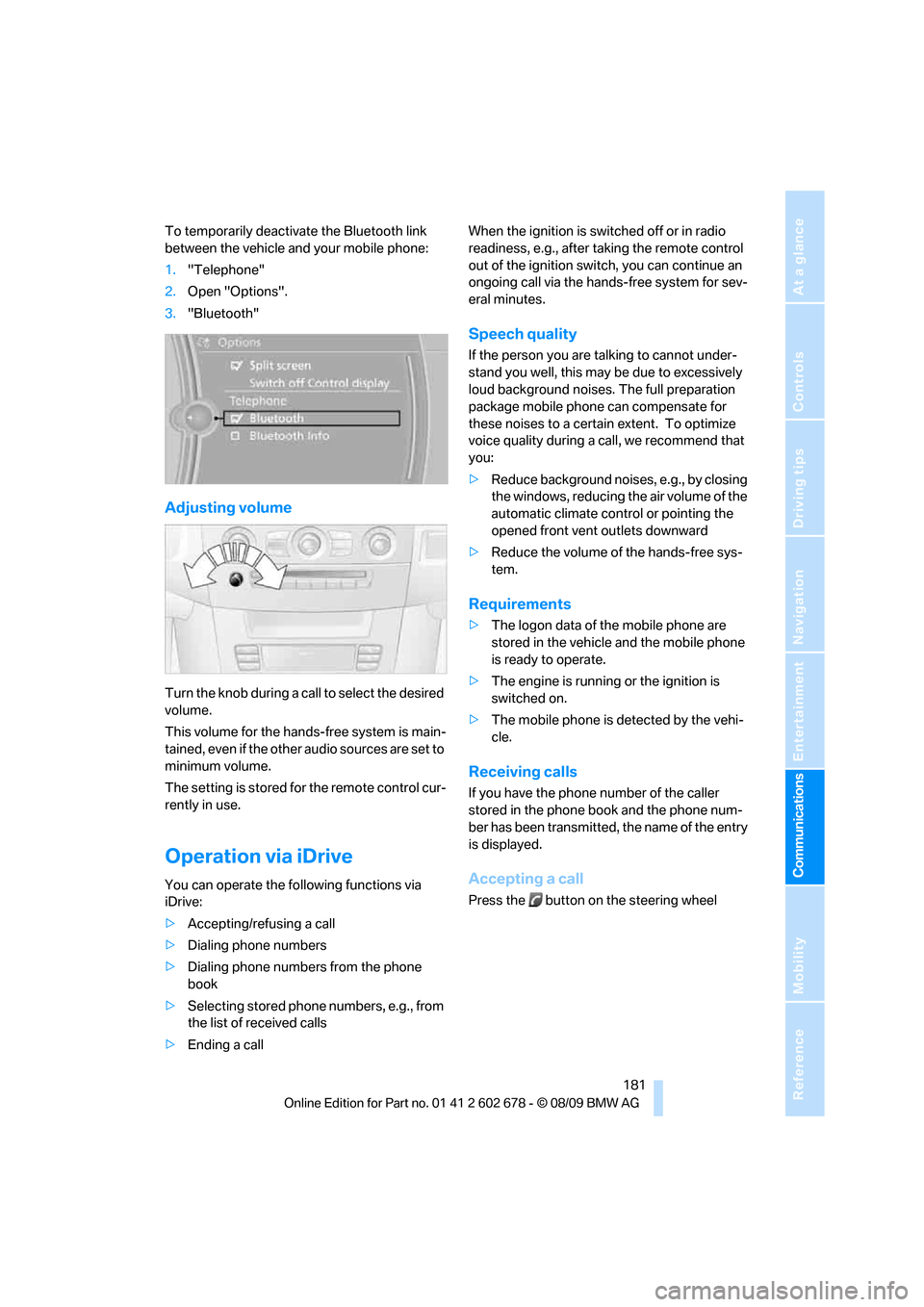
To temporarily deactivate the Bluetooth link
between the vehicle and your mobile phone:
1."Telephone"
2.Open "Options".
3."Bluetooth"
Adjusting volume
Turn the knob during a call to select the desired
volume.
This volume for the hands-free system is main-
tained, even if the other audio sources are set to
minimum volume.
The setting is stored for the remote control cur-
rently in use.
Operation via iDrive
You can operate the following functions via
iDrive:
>Accepting/refusing a call
>Dialing phone numbers
>Dialing phone numbers from the phone
book
>Selecting stored phone numbers, e.g., from
the list of received calls
>Ending a callWhen the ignition is switched off or in radio
readiness, e.g., after taking the remote control
out of the ignition switch, you can continue an
ongoing call via the hands-free system for sev-
eral minutes.
Speech quality
If the person you are talking to cannot under-
stand you well, this may be due to excessively
loud background noises. The full preparation
package mobile phone can compensate for
these noises to a certain extent. To optimize
voice quality during a call, we recommend that
you:
>Reduce background noises, e.g., by closing
the windows, reducing the air volume of the
automatic climate control or pointing the
opened front vent outlets downward
>Reduce the volume of the hands-free sys-
tem.
Requirements
>The logon data of the mobile phone are
stored in the vehicle and the mobile phone
is ready to operate.
>The engine is running or the ignition is
switched on.
>The mobile phone is detected by the vehi-
cle.
Receiving calls
If you have the phone number of the caller
stored in the phone book and the phone num-
ber has been transmitted, the name of the entry
is displayed.
Accepting a call
Press the button on the steering wheel
Page 191 of 271
189
Entertainment
Reference
At a glance
Controls
Driving tips Communications
Navigation
Mobility
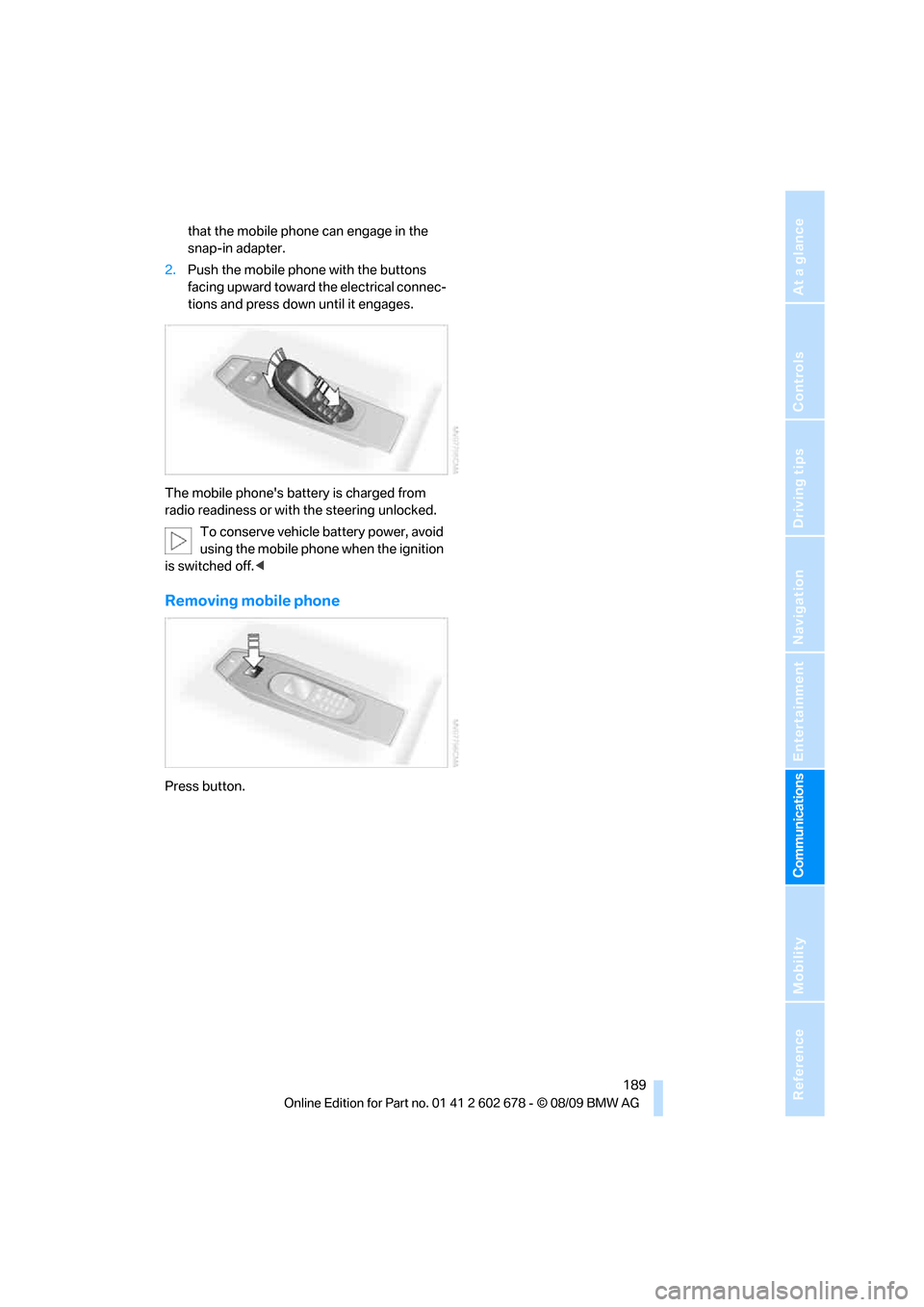
that the mobile phone can engage in the
snap-in adapter.
2.Push the mobile phone with the buttons
facing upward toward the electrical connec-
tions and press down until it engages.
The mobile phone's battery is charged from
radio readiness or with the steering unlocked.
To conserve vehicle battery power, avoid
using the mobile phone when the ignition
is switched off.<
Removing mobile phone
Press button.
Page 221 of 271
Mobility
219Reference
At a glance
Controls
Driving tips
Communications
Navigation
Entertainment
Interior care
Upholstery/fabrics
Clean regularly with a vacuum cleaner in order
to remove surface dirt.
In the event of more serious soiling such as bev-
erage stains, use a soft sponge or a lint-free
microfiber cloth in combination with suitable
interior cleaners. Follow the instructions on the
packaging.
Clean upholstery material over a large
area extending out to the seams. Avoid
intense friction.<
Open Velcro fasteners on pants or other
items of clothing can cause damage to
the seat covering. Make sure that the Velcro
fasteners are closed.<
Leather/leather coverings
The leather used by BMW is a high quality
natural product. Slight patterns in the
grain are part of the typical properties of a natu-
ral leather.
Dust and dirt from the road chafe in pores and
folds and result in considerable wear and cause
the leather surface to become prematurely brit-
tle. We therefore suggest that you clean the
leather with a dust cloth or vacuum cleaner at
regular intervals.<
Particularly with light-colored leather, make
sure to clean it regularly since it has a greater
tendency to become soiled.
Treat the leather twice a year with a leather
lotion since dirt and grease harm the protective
layer of the leather.
Carpets/cargo bay
Carpeting, floor mats, and luggage compart-
ment rugs and paneling can be cleaned with a
vacuum or in the event of more serious soiling,
cleansed with an interior cleaner.
Floor mats and luggage compartment rugs can
be removed for cleaning. When inserting into
place, make sure that the seat rails do not pro-
trude over the floor mats; otherwise floor mats
can be damaged.Fluff on new floor mats is a result of the produc-
tion process and can be removed by repeated
vacuuming.
Plastic components inside
Clean the glass cover of the instrument panel,
imitation leather surfaces, lamp lenses, and
matte components with water and, if necessary,
a solvent-free plastic cleaner.
Fine wooden components
Use a damp cloth to clean fine wooden trim
panels and components. Follow up by drying
with a soft cloth.
Safety belts
Dirty belt straps impede the reeling action and
thus have a negative impact on safety.
Chemical cleaning
Do not clean chemically, as this may
destroy the webbing.<
Inside sensors
Clean inside sensors such as those of the high-
beam assistant using a lint-free cloth moist-
ened with glass cleaner.
Displays
Clean displays like the radio or the Control Dis-
play using a display-cleaning cloth or a soft,
nonabrasive lint-free cloth.
Avoid using excessive pressure when
cleaning displays; otherwise, you could
damage them.<
Never use chemical-based cleansers or
household scouring products. Keep all
liquids away from the equipment. Otherwise
corrosion or damage to surfaces or electrical
components can occur.<
CD/DVD drives
Do not use cleaning CDs; they can dam-
age parts of the player.<
Page 231 of 271
Mobility
229Reference
At a glance
Controls
Driving tips
Communications
Navigation
Entertainment
3.Check and correct the tire inflation pressure
at the earliest opportunity.
Protect valve stems with valve stem
seal caps against dirt and contamina-
tion. Dirt in valve stems is a frequent source
of gradual air loss.<
4.Initialize the Flat Tire Monitor, refer to
page89, or reset the Tire Pressure Monitor,
refer to page90.
5.Replace the damaged tire as soon as possi-
ble and have the new wheel/tire balanced.
Driving with compact wheel
Drive reservedly and do not exceed a speed of
50 mph/80 km/h.
The driving characteristics change, for example
reduced track stability on braking, extended
braking distance, and altered self-steering
characteristics in the limit range. In conjunction
with winter tires, these characteristics are more
pronounced.
Only one compact wheel may be
mounted. Restore the wheels and tires to
their original size as quickly as possible. Failure
to do so is a safety risk.<
Vehicle battery
Battery care
The battery is 100 % maintenance-free, i.e., the
electrolyte will last for the life of the battery
when the vehicle is operated in a temperate cli-
mate. Your BMW center will be glad to advise in
all matters concerning the battery.
Charging battery
Only charge the battery in the vehicle via the
terminals in the engine compartment with the
engine switched off. Connections, refer to
Jump starting on page232.
Disposal
Have old batteries disposed of by your
BMW center or bring them to a recycling
center. Maintain the battery in an upright posi-tion for transport and storage. Always restrain
the battery to prevent it from tipping over during
transport.<
Power failure
Following a temporary power failure, e.g., due to
a discharged battery, the use of some equip-
ment will be restricted, requiring its reinitializa-
tion. In the same way, individual settings are lost
and must be updated again:
>Seat, mirror and steering wheel memory
The positions must be stored again, refer to
page46.
>Time and date
Must be updated again, refer to page78.
>Radio
In some cases, radio stations may have to
be stored again, refer to page156.
>Navigation system
You must wait until the system becomes
functional again, refer to page132.
>Glass roof, electric
It may only be possible to raise the glass
roof. The system must be initialized, refer to
page40.
>Panorama glass roof
It may only be possible to raise the glass
roof. The system must be reinitialized, refer
to page41.
>Active steering
The system automatically initializes itself
briefly during a trip. The system is deacti-
vated during this time, refer to page92.
>xDrive
The system automatically initializes itself
during a trip. Indicator lamps light up during
this time. If the lamps do not disappear dur-
ing the current trip, have the system
checked.
>Power windows
The pinch prevention system for the power
windows must be reinitialized, refer to
page38.
Talk to your BMW center before placing
the stored vehicle back in service.<
Page 233 of 271
Mobility
231Reference
At a glance
Controls
Driving tips
Communications
Navigation
Entertainment
Giving and receiving assistance
Emergency request
Requirements
>BMW Assist is activated.
Activating BMW Assist, refer to page194.
>Radio readiness is activated.
>The BMW Assist system is logged on to a
mobile phone network.
>The BMW Assist system is functional.
>Full preparation package mobile phone.
With this equipment, an emergency request
is still possible when no mobile phone is
paired with the vehicle.
Once your BMW Assist subscription expires,
the BMW Assist system can be deactivated by
a BMW center without you having to visit a
workshop. If the BMW Assist system has been
deactivated, Emergency Requests are not pos-
sible. The BMW Assist system can be reacti-
vated by a BMW center after signing a new con-
tract.
Initiating an emergency request
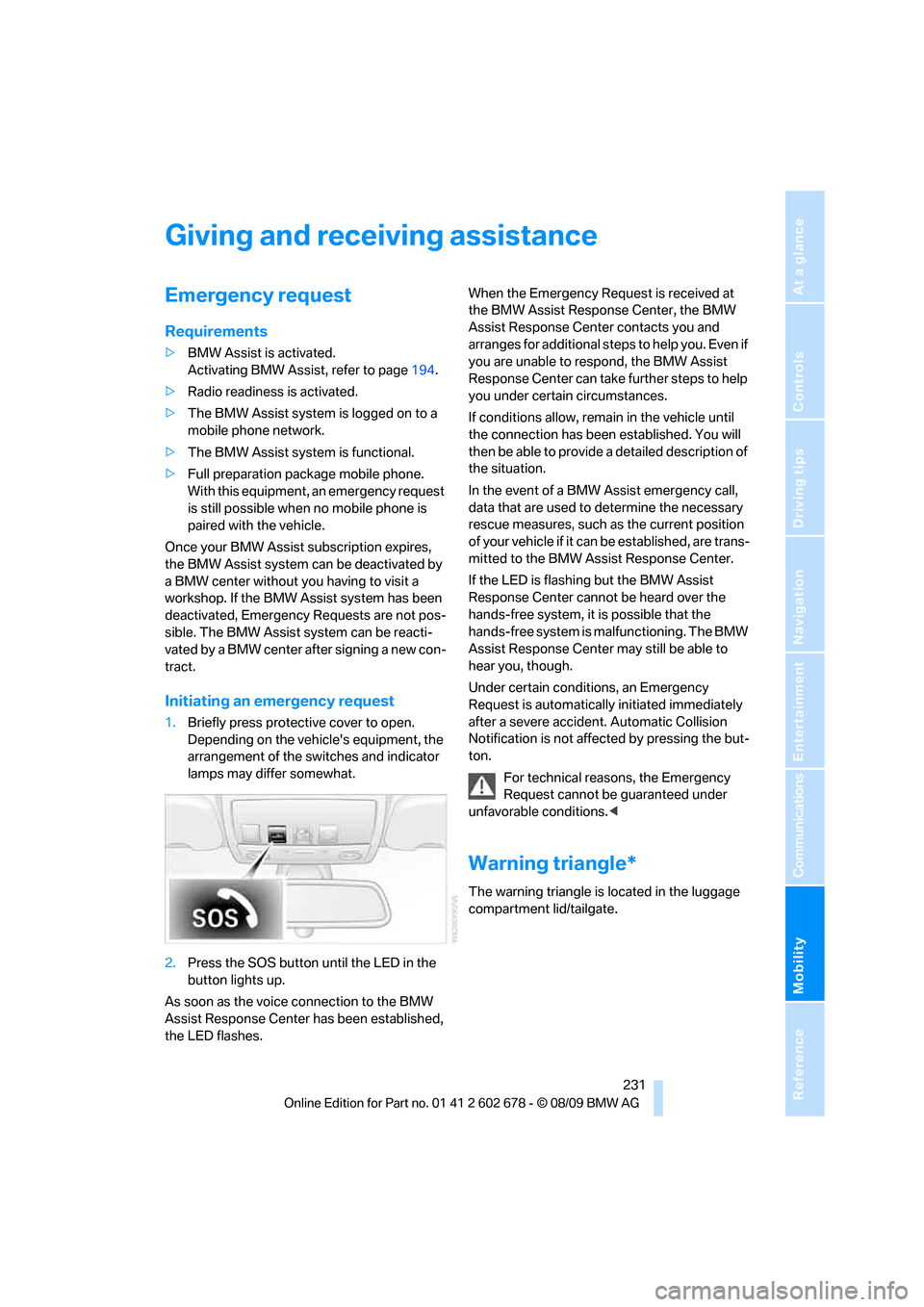
1.Briefly press protective cover to open.
Depending on the vehicle's equipment, the
arrangement of the switches and indicator
lamps may differ somewhat.
2.Press the SOS button until the LED in the
button lights up.
As soon as the voice connection to the BMW
Assist Response Center has been established,
the LED flashes.When the Emergency Request is received at
the BMW Assist Response Center, the BMW
Assist Response Center contacts you and
a r r a n g e s f o r a d d i t i o n a l s t e p s t o h e l p y o u . E v e n i f
you are unable to respond, the BMW Assist
Response Center can take further steps to help
you under certain circumstances.
If conditions allow, remain in the vehicle until
the connection has been established. You will
then be able to provide a detailed description of
the situation.
In the event of a BMW Assist emergency call,
data that are used to determine the necessary
rescue measures, such as the current position
of your vehicle if it can be established, are trans-
mitted to the BMW Assist Response Center.
If the LED is flashing but the BMW Assist
Response Center cannot be heard over the
hands-free system, it is possible that the
hands-free system is malfunctioning. The BMW
Assist Response Center may still be able to
hear you, though.
Under certain conditions, an Emergency
Request is automatically initiated immediately
after a severe accident. Automatic Collision
Notification is not affected by pressing the but-
ton.
For technical reasons, the Emergency
Request cannot be guaranteed under
unfavorable conditions.<
Warning triangle*
The warning triangle is located in the luggage
compartment lid/tailgate.
Page 247 of 271
Reference 245
At a glance
Controls
Driving tips
Communications
Navigation
Entertainment
Mobility
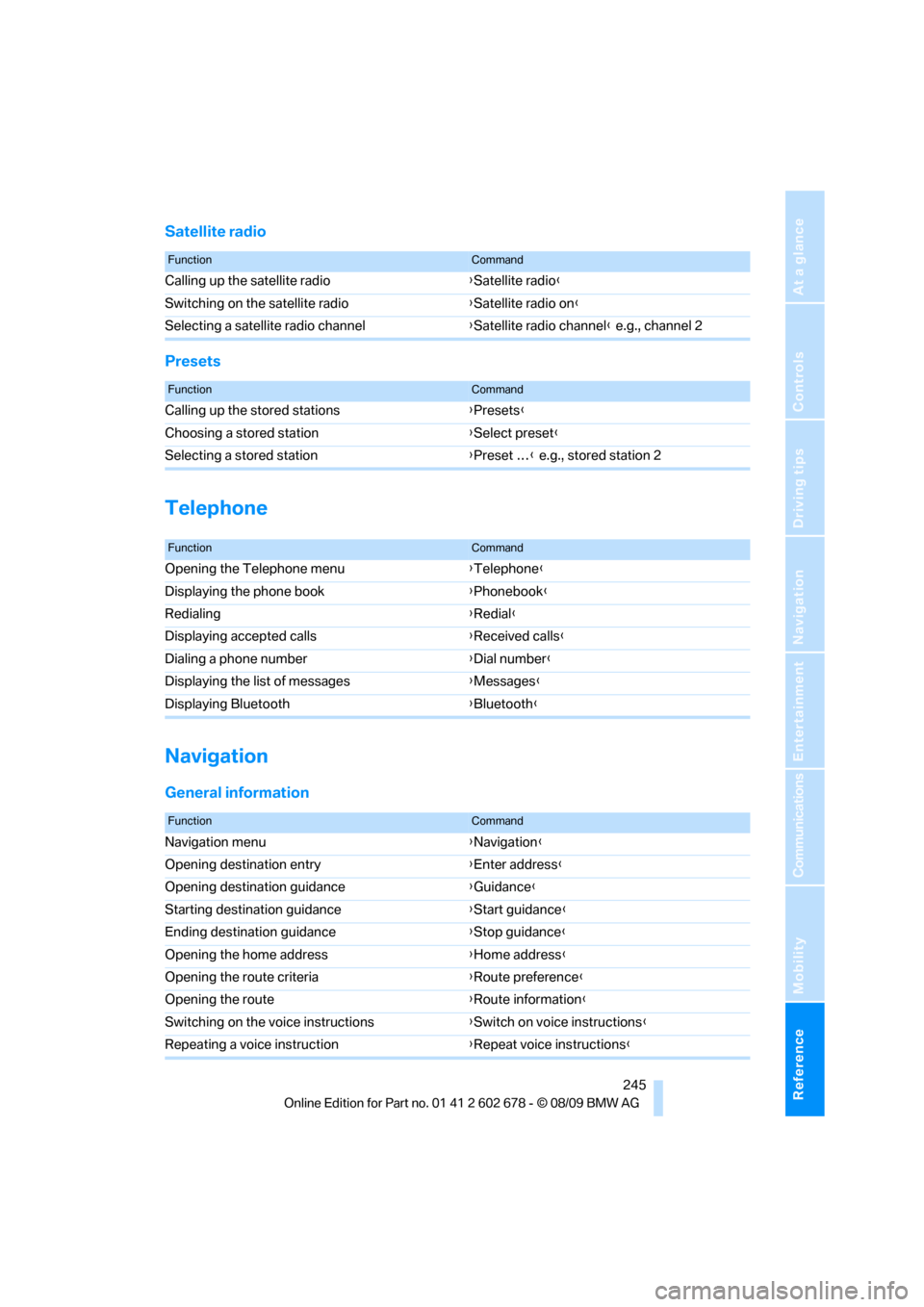
Satellite radio
Presets
Telephone
Navigation
General information
FunctionCommand
Calling up the satellite radio{Satellite radio}
Switching on the satellite radio{Satellite radio on}
Selecting a satellite radio channel{Satellite radio channel} e.g., channel 2
FunctionCommand
Calling up the stored stations{Presets}
Choosing a stored station{Select preset}
Selecting a stored station{Preset …} e.g., stored station 2
FunctionCommand
Opening the Telephone menu{Telephone}
Displaying the phone book{Phonebook}
Redialing{Redial}
Displaying accepted calls{Received calls}
Dialing a phone number{Dial number}
Displaying the list of messages{Messages}
Displaying Bluetooth{Bluetooth}
FunctionCommand
Navigation menu{Navigation}
Opening destination entry{Enter address}
Opening destination guidance{Guidance}
Starting destination guidance{Start guidance}
Ending destination guidance{Stop guidance}
Opening the home address{Home address}
Opening the route criteria{Route preference}
Opening the route{Route information}
Switching on the voice instructions{Switch on voice instructions}
Repeating a voice instruction{Repeat voice instructions}
Page 256 of 271
Everything from A to Z
254 Cooling function, automatic
climate control107
Cooling system, refer to
Coolant214
Copyright2
Cornering Brake Control
CBC85
Country codes DVD162
Country of destination for
navigation133
Courtesy lamps104
Cradle for telephone or mobile
phone112
Cruise control65
– active cruise control66
Cruising range75
Cupholders114
Curb weight, refer to
Weights241
Current consumption, refer to
Energy Control75
Current playback
– external devices174
– of music collection169
Customer Relations195
Cylinders, refer to Engine
data238
D
Dashboard, refer to
Cockpit10
Dashboard lighting, refer to
Instrument lighting104
Data, technical238
– dimensions239
– engine238
– weights241
Data transfer196
Date74
– date format79
– retrieval74
– setting79
Daytime running lamps101Defect
– door lock30
– fuel filler flap200
– glass sunroof40
– luggage compartment lid32
– panorama glass sunroof41
– tailgate33
Defrosting windows106
Defrosting windows and
removing condensation106
Defrosting windshield, refer to
Defrosting windows106
Defrost position, refer to
Defrosting windows106
Deleting a trip141
Destination address
– entering133,139
Destination entry via BMW
Assist137
Destination for navigation
– entering via map138
– entering via voice139
– entry133
Destination guidance142
– bypassing route
sections143
– changing specified
route142
– continuing142
– starting142
– voice instructions143
– volume of voice
instructions144
Digital clock74
Digital radio, refer to HD
Radio156
Dimensions239
Directional indicators, refer to
Turn signals63
Direction announcements,
refer to Voice
instructions143
Direction instructions, refer to
Voice instructions143
Directory for navigation, refer
to Address book
135
Displacement, refer to Engine
data238Display, refer to iDrive
controls16
Display elements, refer to
Instrument cluster12
Display lighting, refer to
Instrument lighting104
Displays
– on Control Display, refer to
iDrive16
– refer to Instrument
cluster12
Displays on the windshield,
refer to Head-up Display95
Disposal
– battery of remote control
with Comfort Access38
– coolant214
– vehicle battery229
Distance, refer to
Computer76
Distance control, refer to
Active cruise control66
Distance to destination, refer
to Computer76
Distance warning, refer to
PDC Park Distance
Control84
Divided rear backrest, refer to
Through-loading
system116
Do201
Door entry lighting104
Door key, refer to Keys/
remote control26
Door lock30
Door locking, confirmation
signals29
Doors
– manual operation30
– remote control28
DOT Quality Grades207
Draft-free ventilation108
Drinks holder, refer to
Cupholders114
Drive-off assistant87
Driving lamps, refer to Parking
lamps/low beams100
Driving stability control
systems85
Page 259 of 271
Reference 257
At a glance
Controls
Driving tips
Communications
Navigation
Entertainment
Mobility
Glove compartment112
– lighting112
GPS navigation, refer to
Navigation system132
Grills, refer to Ventilation108
Gross vehicle weight, refer to
Weights241
H
Halogen lamps222
Hands-free system, refer to
Microphone14
Hand washing218
Hazard warning flashers15
HDC Hill Descent Control86
HD Radio156
Head airbags93
Headlamp
– cleaning tank, refer to
Capacities242
Headlamp control,
automatic100
Headlamp flasher63
Headlamps100
– cleaning, refer to Wiper
system63
– filler neck for washer
fluid212
– replacing bulbs222
Head Light, refer to Adaptive
Light Control101
Head restraints46
– active front head
restraints47
– removing47
– sitting safely43
Head-up Display95
Heated
– mirrors51
– rear window106
– seats49
– steering wheel52Heating105
– exterior mirrors51
– interior105
– rear window106
– residual heat107
– seats49
– steering wheel52
Heating with engine switched
off, refer to Residual
heat107
Heavy cargo, refer to Securing
cargo128
Height, refer to
Dimensions239
Height adjustment
– seats44
– steering wheel52
High-beam Assistant102
High beams102
– headlamp flasher102
– indicator lamp13
– replacing bulbs223
High-pressure cleaning
jets217,218
High water, refer to Driving
through water126
Hill Descent Control HDC86
Hills126
Holder for cups114
Homepage of BMW4
Hood211
Hooks for shopping bags,
Sports Wagon119
Horn10
Hotel function, refer to
Locking separately31
Hot exhaust system125
Hydraulic brake assistant,
refer to Brake assistant85
Hydroplaning125
I
IBOC, refer to HD Radio156
Ice, refer to Outside
temperature warning74Identification mark
– recommended tire
brands209
– tire coding206
iDrive16
– automatic climate
control108
– automatic climate control
with expanded scope106
– changing language82
– changing settings82
– changing units of measure
and display type76
– controller16
– controls16
– menu guidance17
– setting brightness83
– setting the date and time79
– start menu17
– status information19
Ignition57
– switched off58
– switched on57
Ignition key, refer to Keys/
remote control26
Ignition key position 1, refer to
Radio readiness57
Ignition key position 2, refer to
Ignition on57
Ignition lock57
– starting engine with Comfort
Access37
Impressum2
Imprint2
Indicator/warning lamps
– ABS Antilock Brake
System87
– active steering93
– airbags95
– brake system87
– DSC13,86
– DTC13,86
– Flat Tire Monitor89
– safety belt warning48
– TPM Tire Pressure
Monitor91
Indicator and warning
lamps13
Page 263 of 271
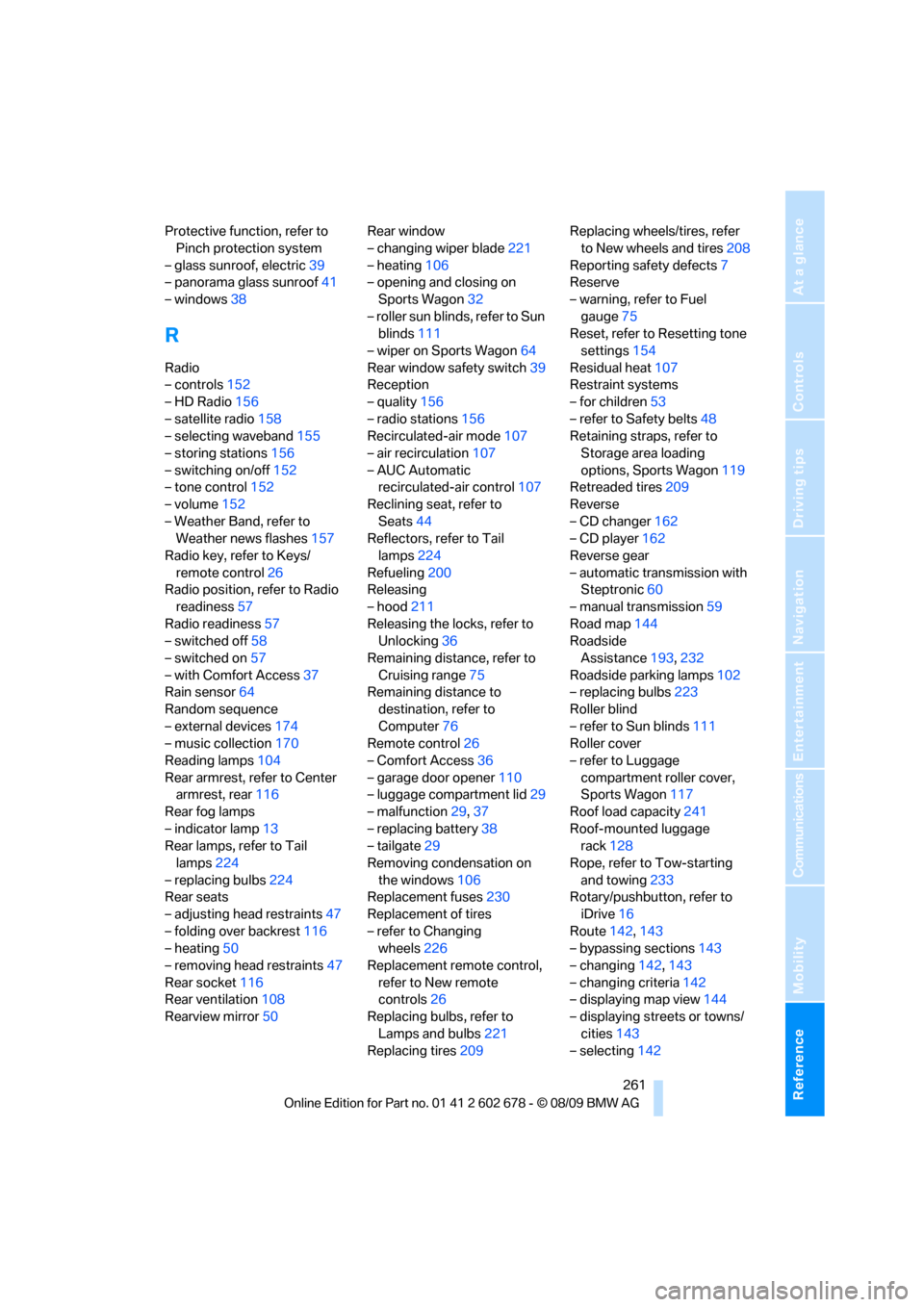
Reference 261
At a glance
Controls
Driving tips
Communications
Navigation
Entertainment
Mobility
Protective function, refer to
Pinch protection system
– glass sunroof, electric39
– panorama glass sunroof41
– windows38
R
Radio
– controls152
– HD Radio156
– satellite radio158
– selecting waveband155
– storing stations156
– switching on/off152
– tone control152
– volume152
– Weather Band, refer to
Weather news flashes157
Radio key, refer to Keys/
remote control26
Radio position, refer to Radio
readiness57
Radio readiness57
– switched off58
– switched on57
– with Comfort Access37
Rain sensor64
Random sequence
– external devices174
– music collection170
Reading lamps104
Rear armrest, refer to Center
armrest, rear116
Rear fog lamps
– indicator lamp13
Rear lamps, refer to Tail
lamps224
– replacing bulbs224
Rear seats
– adjusting head restraints47
– folding over backrest116
– heating50
– removing head restraints47
Rear socket116
Rear ventilation108
Rearview mirror50Rear window
– changing wiper blade221
– heating106
– opening and closing on
Sports Wagon32
– roller sun blinds, refer to Sun
blinds111
– wiper on Sports Wagon64
Rear window safety switch39
Reception
– quality156
– radio stations156
Recirculated-air mode107
– air recirculation107
– AUC Automatic
recirculated-air control107
Reclining seat, refer to
Seats44
Reflectors, refer to Tail
lamps224
Refueling
200
Releasing
– hood211
Releasing the locks, refer to
Unlocking36
Remaining distance, refer to
Cruising range75
Remaining distance to
destination, refer to
Computer76
Remote control26
– Comfort Access36
– garage door opener110
– luggage compartment lid29
– malfunction29,37
– replacing battery38
– tailgate29
Removing condensation on
the windows106
Replacement fuses230
Replacement of tires
– refer to Changing
wheels226
Replacement remote control,
refer to New remote
controls26
Replacing bulbs, refer to
Lamps and bulbs221
Replacing tires209Replacing wheels/tires, refer
to New wheels and tires208
Reporting safety defects7
Reserve
– warning, refer to Fuel
gauge75
Reset, refer to Resetting tone
settings154
Residual heat107
Restraint systems
– for children53
– refer to Safety belts48
Retaining straps, refer to
Storage area loading
options, Sports Wagon119
Retreaded tires209
Reverse
– CD changer162
– CD player162
Reverse gear
– automatic transmission with
Steptronic60
– manual transmission59
Road map144
Roadside
Assistance193,232
Roadside parking lamps102
– replacing bulbs223
Roller blind
– refer to Sun blinds111
Roller cover
– refer to Luggage
compartment roller cover,
Sports Wagon117
Roof load capacity241
Roof-mounted luggage
rack
128
Rope, refer to Tow-starting
and towing233
Rotary/pushbutton, refer to
iDrive16
Route142,143
– bypassing sections143
– changing142,143
– changing criteria142
– displaying map view144
– displaying streets or towns/
cities143
– selecting142
Page 264 of 271
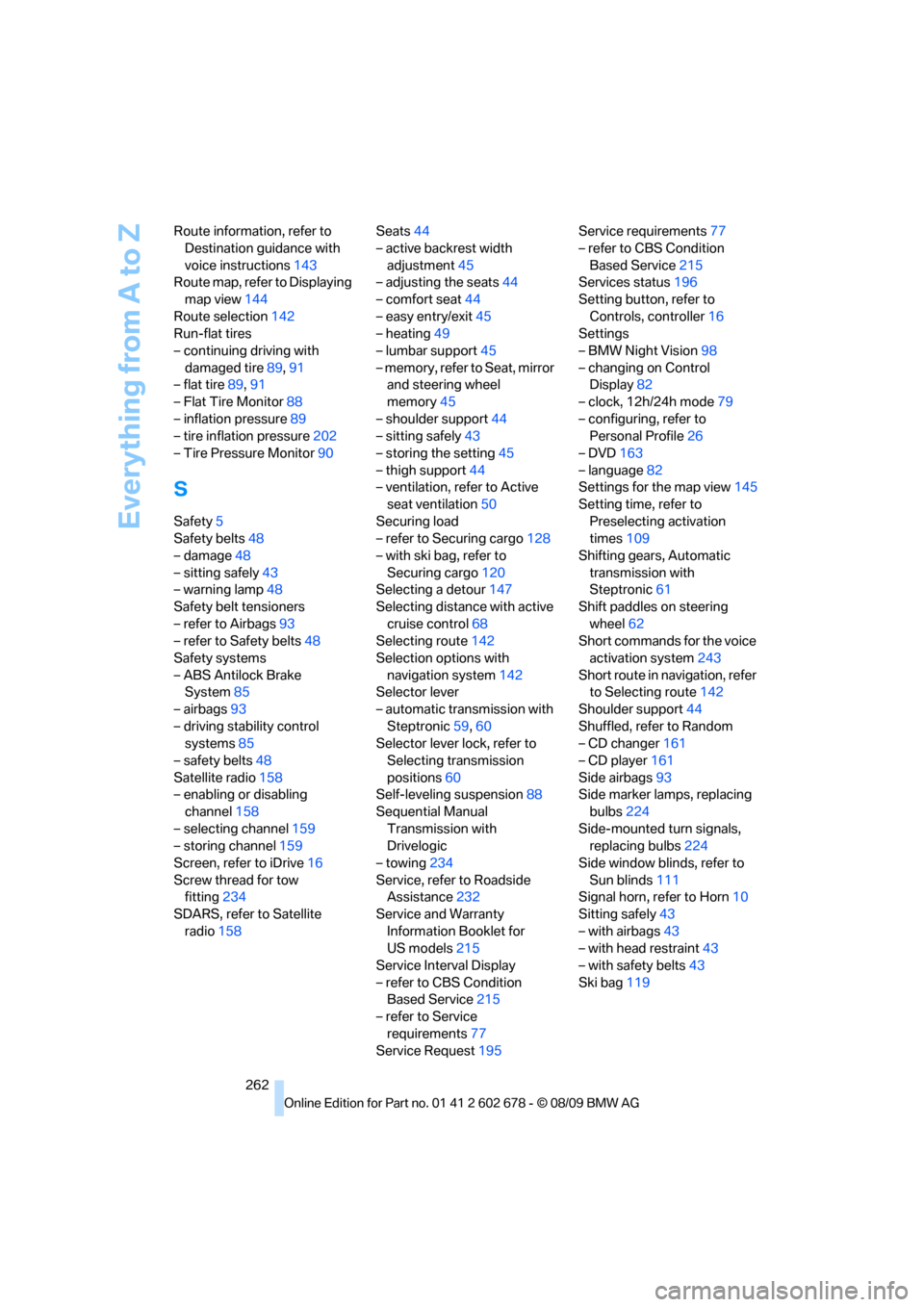
Everything from A to Z
262 Route information, refer to
Destination guidance with
voice instructions143
Route map, refer to Displaying
map view144
Route selection142
Run-flat tires
– continuing driving with
damaged tire89,91
– flat tire89,91
– Flat Tire Monitor88
– inflation pressure89
– tire inflation pressure202
– Tire Pressure Monitor90
S
Safety5
Safety belts48
– damage48
– sitting safely43
– warning lamp48
Safety belt tensioners
– refer to Airbags93
– refer to Safety belts48
Safety systems
– ABS Antilock Brake
System85
– airbags93
– driving stability control
systems85
– safety belts48
Satellite radio158
– enabling or disabling
channel158
– selecting channel159
– storing channel159
Screen, refer to iDrive16
Screw thread for tow
fitting234
SDARS, refer to Satellite
radio158Seats44
– active backrest width
adjustment45
– adjusting the seats44
– comfort seat44
– easy entry/exit45
– heating49
– lumbar support45
– memory, refer to Seat, mirror
and steering wheel
memory45
– shoulder support44
– sitting safely43
– storing the setting45
– thigh support44
– ventilation, refer to Active
seat ventilation50
Securing load
– refer to Securing cargo128
– with ski bag, refer to
Securing cargo120
Selecting a detour147
Selecting distance with active
cruise control68
Selecting route142
Selection options with
navigation system142
Selector lever
– automatic transmission with
Steptronic59,60
Selector lever lock, refer to
Selecting transmission
positions60
Self-leveling suspension88
Sequential Manual
Transmission with
Drivelogic
– towing234
Service, refer to Roadside
Assistance232
Service and Warranty
Information Booklet for
US models215
Service Interval Display
– refer to CBS Condition
Based Service215
– refer to Service
requirements77
Service Request195Service requirements77
– refer to CBS Condition
Based Service215
Services status196
Setting button, refer to
Controls, controller16
Settings
– BMW Night Vision98
– changing on Control
Display82
– clock, 12h/24h mode79
– configuring, refer to
Personal Profile26
– DVD163
– language82
Settings for the map view145
Setting time, refer to
Preselecting activation
times109
Shifting gears, Automatic
transmission with
Steptronic61
Shift paddles on steering
wheel62
Short commands for the voice
activation system243
Short route in navigation, refer
to Selecting route142
Shoulder support44
Shuffled, refer to Random
– CD changer161
– CD player161
Side airbags93
Side marker lamps, replacing
bulbs224
Side-mounted turn signals,
replacing bulbs224
Side window blinds, refer to
Sun blinds111
Signal horn, refer to Horn10
Sitting safely43
– with airbags43
– with head restraint43
– with safety belts43
Ski bag119