air condition BMW 640I CONVERTIBLE 2012 User Guide
[x] Cancel search | Manufacturer: BMW, Model Year: 2012, Model line: 640I CONVERTIBLE, Model: BMW 640I CONVERTIBLE 2012Pages: 282, PDF Size: 8.25 MB
Page 248 of 282
Breakdown assistance
Hazard warning flashers
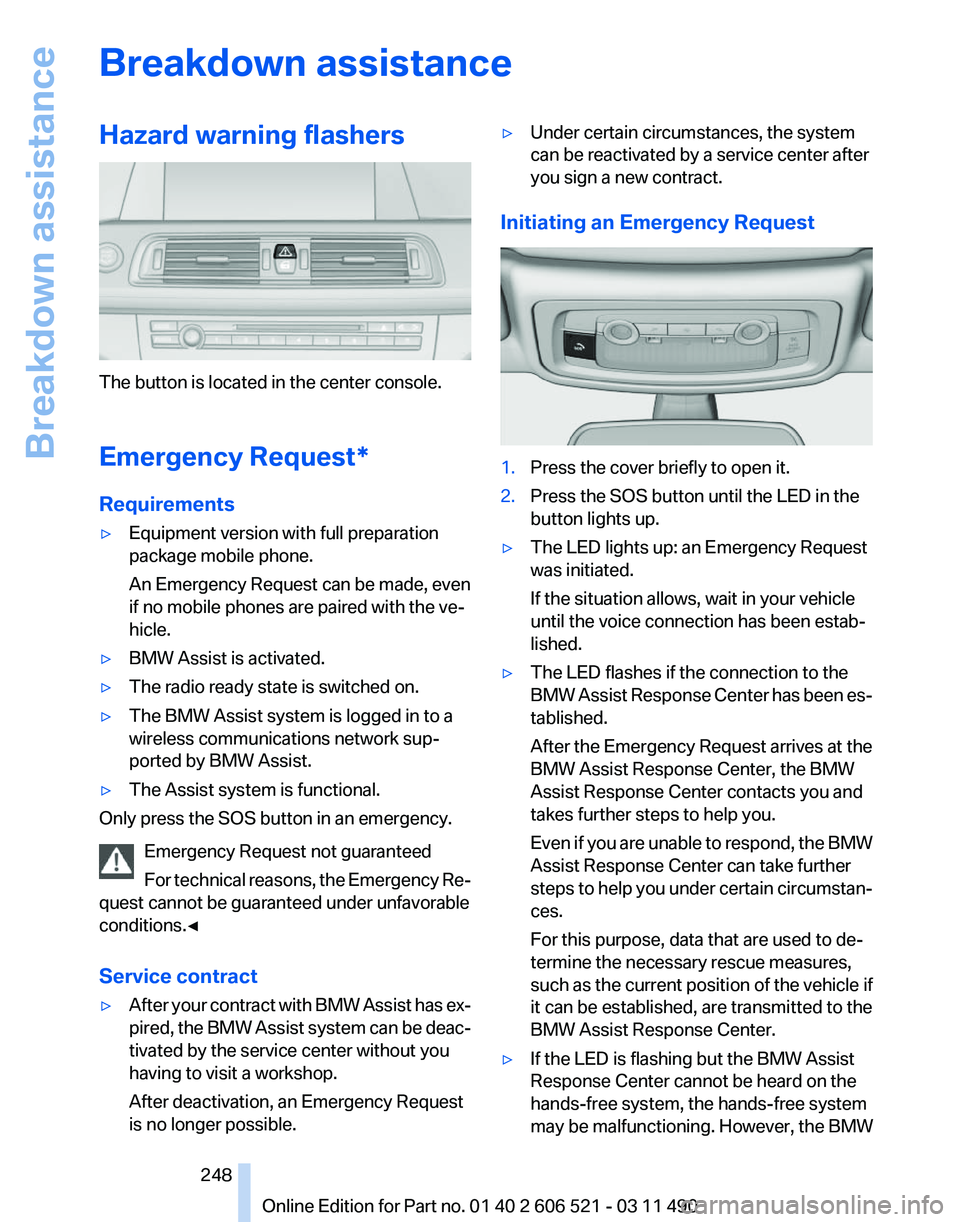
The button is located in the center console.
Emergency Request
*
Requirements
▷ Equipment version with full preparation
package mobile phone.
An Emergency Request can be made, even
if no mobile phones are paired with the ve‐
hicle.
▷ BMW Assist is activated.
▷ The radio ready state is switched on.
▷ The BMW Assist system is logged in to a
wireless communications network sup‐
ported by BMW Assist.
▷ The Assist system is functional.
Only press the SOS button in an emergency.
Emergency Request not guaranteed
For
technical reasons, the Emergency Re‐
quest cannot be guaranteed under unfavorable
conditions.◀
Service contract
▷ After your contract with BMW Assist has ex‐
pired,
the BMW Assist system can be deac‐
tivated by the service center without you
having to visit a workshop.
After deactivation, an Emergency Request
is no longer possible. ▷
Under certain circumstances, the system
can be reactivated by a service center after
you sign a new contract.
Initiating an Emergency Request 1.
Press the cover briefly to open it.
2. Press the SOS button until the LED in the
button lights up.
▷ The LED lights up: an Emergency Request
was initiated.
If the situation allows, wait in your vehicle
until the voice connection has been estab‐
lished.
▷ The LED flashes if the connection to the
BMW
Assist Response Center has been es‐
tablished.
After the Emergency Request arrives at the
BMW Assist Response Center, the BMW
Assist Response Center contacts you and
takes further steps to help you.
Even if you are unable to respond, the BMW
Assist Response Center can take further
steps to help you under certain circumstan‐
ces.
For this purpose, data that are used to de‐
termine the necessary rescue measures,
such as the current position of the vehicle if
it can be established, are transmitted to the
BMW Assist Response Center.
▷ If the LED is flashing but the BMW Assist
Response Center cannot be heard on the
hands-free system, the hands-free system
may be malfunctioning. However, the BMW
Seite 248
248 Online Edition for Part no. 01 40 2 606 521 - 03 11 490
Breakdown assistance
Page 263 of 282
Short commands of the voice activation
system*
General information
Instructions
for voice activation system, refer to
page 25. To have the available spoken instructions read
out loud: ›Voice commands‹
Adjusting
Vehicle
Function
Command
Open the main menu. ›Main menu‹
Open the options. ›Options‹
Open the settings. ›Settings‹
Info display of the instrument cluster. ›Info Display‹
Settings on the Control Display. ›Control display‹
Open the time and date. ›Time and date‹
Open the language and units. ›Language and units‹
Open the speed limit. ›Speed‹
Open the light. ›Lighting‹
Open the door lock. ›Door locks‹
Open the profiles. ›Profiles‹Equipment*
Function
Command
Open the air conditioning settings. ›Climate‹
Open the Head-up Display. ›head up display‹ Seite 263
263Online Edition for Part no. 01 40 2 606 521 - 03 11 490
Reference Mobility Communication Entertainment Navigation Driving tips Controls At a glance
Page 278 of 282
Random playback
174
RDS 167
Reading out loud 214
Rear axle steering 102
Rear lamps 245
Rearview mirror 59
Rear window defroster 125
Recirculated-air mode 125
Recommended tire brands 233
Refueling 226
Remaining range 74
Reminders 213
Remote control/key 32
Remote control, malfunc‐ tion 38
Remote
control, universal 128
Replacement fuse 247
Replacing parts 243
Replacing wheels/tires 233
Reporting safety defects 8
Reserve warning, refer to Range 74
Resetting, Tire Pressure Mon‐ itor TPM 92
Residual heat, automatic cli‐ mate control 125
Retaining straps, securing cargo 141
Retreaded tires 233
Roadside Assistance 219
Roadside parking lamps 85
Rollover protection system 91
Roll stabilization, refer to Adaptive Drive 102
Roll stabilization, refer to Dy‐ namic Drive 102
Roof load capacity 261
Rope for tow-starting/tow‐ ing 252
Route 154
Route criteria, route 153
Route, displaying 154
Routes, avoiding 154
Route section, bypassing 155
RSC Runflat System Compo‐ nent, refer to Run-flat
tires 234 Rubber components,
care 256
Run-flat tires 234
S
Safe braking 139
Safety 7
Safety belt reminder 56
Safety belts 56
Safety belts, care 256
Safety systems, airbags 88
Satellite radio 168
Saving fuel 141
Scale, changing during navi‐ gation 156
Screen, refer to Control Dis‐ play 19
Screwdriver 243
Screw thread for tow fit‐ ting 252
Seat belts, refer to Safety belts 56
Seat heating, front 55
Seating position for chil‐ dren 62
Seat, mirror, and steering wheel memory 58
Seats 53
Seat ventilation, front 55
Selection list in instrument cluster 76
Selector lever, automatic transmission 72
Sensors, care 257
Service and warranty 7
Service requirements, CBS Condition Based Serv‐
ice 241
Service requirements, dis‐ play 81
Service, Roadside Assis‐ tance 249
Settings on Control Dis‐ play 79
Settings, storing for seat, mir‐ rors, steering wheel 58 Shifting, automatic transmis‐
sion 72
Shifting, manual transmis‐ sion 71
Shift paddles on steering wheel 73
Short commands 263
Shoulder support 54
Side airbags 88
Side View 114
Signaling, horn 12
Signals when unlocking 37
Sitting safely 53
Size 260
Ski bag 131
Smallest turning circle 261
Smoker's package 129
Snap-in adapter, mobile phone 205
Snow chains 234
Socket 130
Socket, OBD Onboard Diag‐ nostics 241
Software applications, iPhone 222
Software update 191
Spare fuse 247
Special destinations, naviga‐ tion 149
Specified engine oil types 239
Speed, average 77
Speed limit, setting 78
Speedometer 14
Split screen 23
Split
screen map settings 157
Spoken instructions, naviga‐ tion 155
SPORT+ program, Dynamic Driving Control 104
Sport automatic transmis‐ sion 73
SPORT program, Dynamic Driving Control 104
Sport program, transmis‐ sion 73
Stability control systems 101
Start/Stop button 65
Seite 278
278 Online Edition for Part no. 01 40 2 606 521 - 03 11 490
Everything from A to Z