change time BMW M3 CONVERTIBLE 2009 E93 Owner's Guide
[x] Cancel search | Manufacturer: BMW, Model Year: 2009, Model line: M3 CONVERTIBLE, Model: BMW M3 CONVERTIBLE 2009 E93Pages: 256, PDF Size: 12.03 MB
Page 216 of 256
Replacing components
214 For care of the headlamps, please follow the
instructions in the chapter entitled 'Care'.
If the routine for changing a particular
bulb is not described here, please contact
your BMW center or a workshop that works
according to BMW repair procedures with cor-
respondingly trained personnel.<
Light-emitting diodes LED
Control elements, display components, part of
the exterior lighting and other interior equip-
ment in your vehicle are equipped with covered
light-emitting diodes as light sources. These
light-emitting diodes, which operate using a
concept similar to that applied in conventional
lasers, are officially designated as Class 1 light-
emitting diodes.
Do not remove the covers or expose the
eyes directly to the unfiltered light source
for several hours, otherwise this could cause
irritation to the retina.<
Xenon lamps
These bulbs have a very long service life and are
highly unlikely to fail.
Have any work on the xenon lamp system,
including bulb replacements, performed
only by a BMW center or a workshop that works
according to BMW repair procedures with cor-
respondingly trained personnel. Otherwise, if
such work is carried out improperly, the high
voltage in the system presents the danger of
fatal injuries.<
Accessing the bulbs
1.Switch off the lamps and take the remote
control out of the ignition lock.
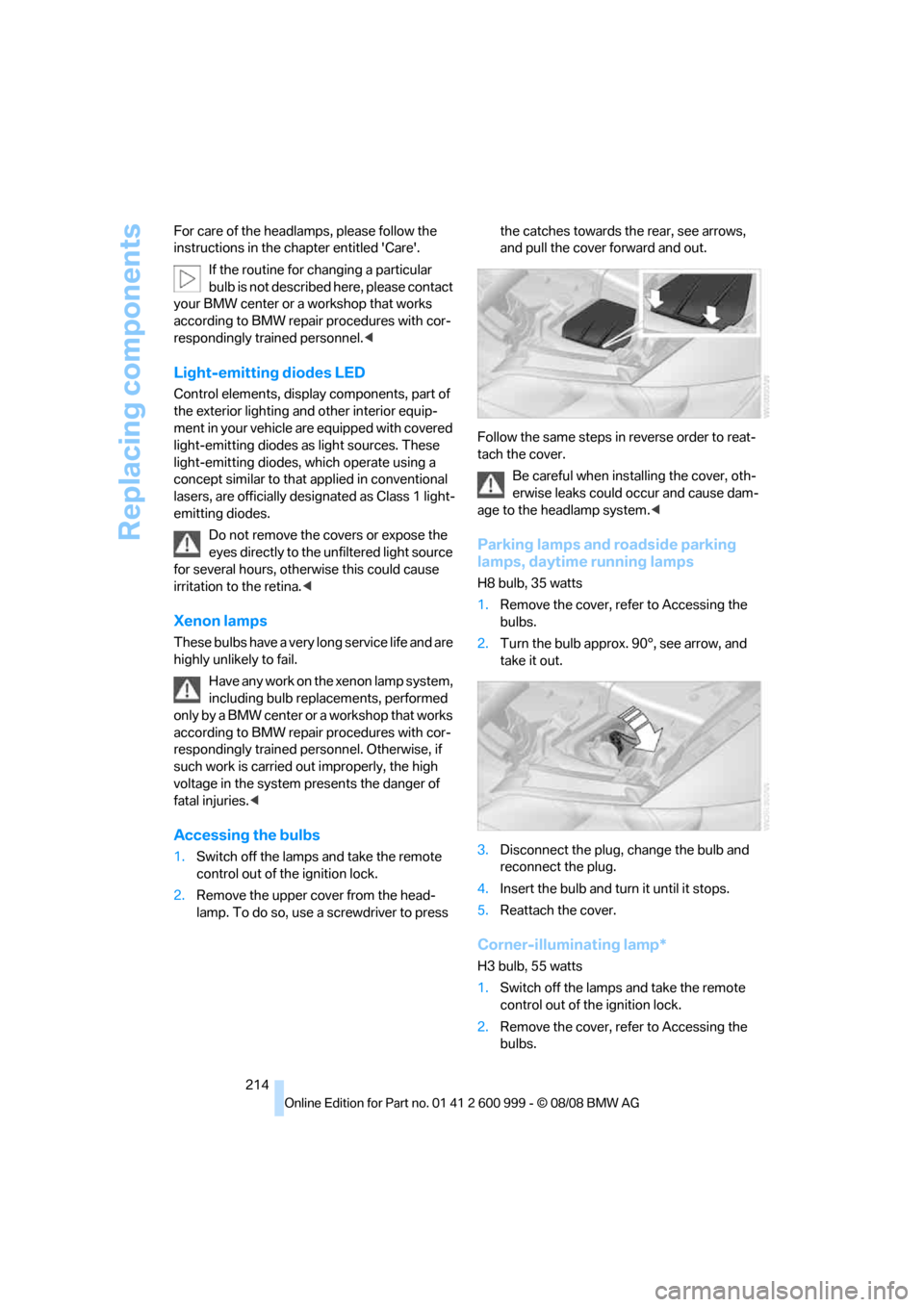
2.Remove the upper cover from the head-
lamp. To do so, use a screwdriver to press the catches towards the rear, see arrows,
and pull the cover forward and out.
Follow the same steps in reverse order to reat-
tach the cover.
Be careful when installing the cover, oth-
erwise leaks could occur and cause dam-
age to the headlamp system.<
Parking lamps and roadside parking
lamps, daytime running lamps
H8 bulb, 35 watts
1.Remove the cover, refer to Accessing the
bulbs.
2.Turn the bulb approx. 90°, see arrow, and
take it out.
3.Disconnect the plug, change the bulb and
reconnect the plug.
4.Insert the bulb and turn it until it stops.
5.Reattach the cover.
Corner-illuminating lamp*
H3 bulb, 55 watts
1.Switch off the lamps and take the remote
control out of the ignition lock.
2.Remove the cover, refer to Accessing the
bulbs.
ba8_E9293M3_cic.book Seite 214 Dienstag, 19. August 2008 12:01 12
Page 234 of 256
Short commands for the voice activation system
232
Short commands for the voice activation
system
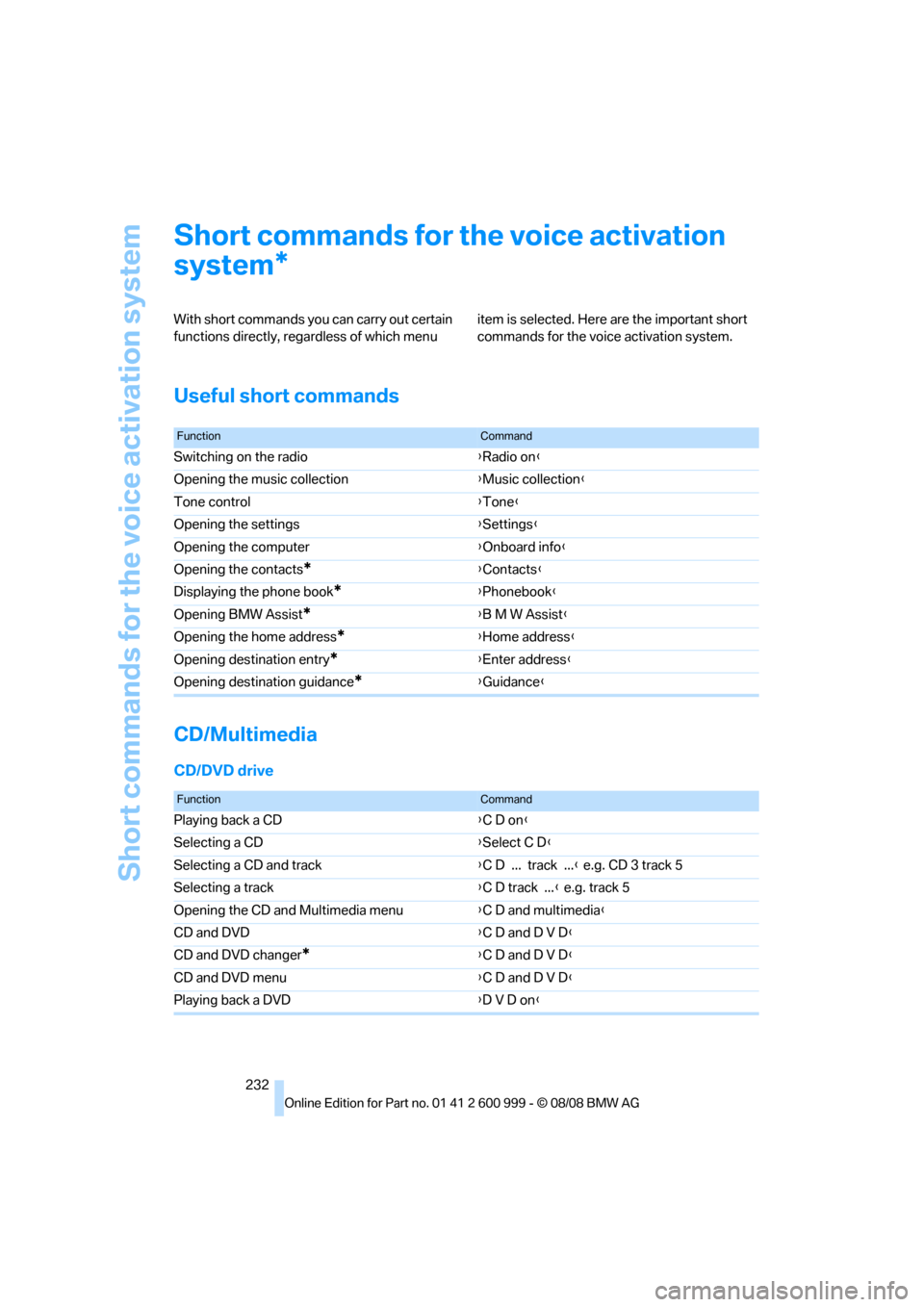
With short commands you can carry out certain
functions directly, regardless of which menu item is selected. Here are the important short
commands for the voice activation system.
Useful short commands
CD/Multimedia
CD/DVD drive
*
FunctionCommand
Switching on the radio{Radio on}
Opening the music collection{Music collection}
Tone control{Tone}
Opening the settings{Settings}
Opening the computer{Onboard info}
Opening the contacts
*{Contacts}
Displaying the phone book
*{Phonebook}
Opening BMW Assist
*{B M W Assist}
Opening the home address
*{Home address}
Opening destination entry
*{Enter address}
Opening destination guidance
*{Guidance}
FunctionCommand
Playing back a CD{C D on}
Selecting a CD{Select C D}
Selecting a CD and track{C D ... track ...} e.g. CD 3 track 5
Selecting a track{C D track ...} e.g. track 5
Opening the CD and Multimedia menu{C D and multimedia}
CD and DVD{C D and D V D}
CD and DVD changer
*{C D and D V D}
CD and DVD menu{C D and D V D}
Playing back a DVD{D V D on}
ba8_E9293M3_cic.book Seite 232 Dienstag, 19. August 2008 12:01 12
Page 242 of 256
Everything from A - Z
240 Care209
– automatic car washes209
– care products209
– carpets211
– CD/DVD drives212
– chrome parts210
– displays211
– exterior209
– fine wood parts211
– headlamps210
– high-pressure washer209
– interior211
– leather211
– light-alloy wheels211
– paintwork210
– plastic parts211
– retractable hardtop210
– rubber seals210
– safety belts211
– sensors and cameras211
– upholstery and cloth
trim211
– washing the car
manually210
– windows210
– wiper blades210
Cargo, securing119
Cargo bay
– capacity231
– convenient access34
– folding up the floor
panel110
– lamp, refer to Interior
lamps94
– opening from inside31
– opening from outside31
Cargo loading
– securing cargo119
– stowing cargo119
– vehicle118
Car jack
– jacking points219
Car key, refer to Remote
control26
Car phone
– installation location, refer to
Center armrest105
– refer to separate Owner's
ManualCar phone, refer to
Telephone172
Car radio, refer to Radio149
Car shampoo211
Car wash
– before entering57
Catalytic converter, refer to
Hot exhaust system116
CBS Condition Based
Service
207
CD, audio playback154
CD changer154
– controls146
– fast forward/reverse156
– installation location158
– random play sequence155
– selecting a track154
– switching on/off146
– tone control146
– volume146
CD player154
– controls146
– fast forward/reverse156
– random play sequence155
– selecting a track154
– switching on/off146
– tone control146
– volume146
Center armrest105
Center brake lamp
– replacing bulb217
Center console, refer to
Around the center
console14
Central locking
– from inside30
– from outside27
Central locking system27
– convenient access34
– hotel function31
Changes, technical, refer to
For your own safety5
Changing bulbs, refer to
Lamps and bulbs213
Changing gears60
Changing the language on the
Control Display79Changing the measurement
units on the Control
Display71
Changing wheels219
Chassis number, refer to
Engine compartment203
Check Control76
Child-restraint fixing system
LATCH54
Child-restraint systems53
Child seats, refer to
Transporting children
safely53
Chrome parts211
Chrome polish211
Cigarette lighter, refer to
Lighter107
Cleaning headlamps65
– washer fluid66
Cleaning your BMW, refer to
Care209
Clock
68
– 12h/24h mode75
– setting the time and date75
– setting time74
Closing
– from inside30
– from outside27
Clothes hooks106
Cockpit10
Cold start, refer to Starting the
engine56
Combined instrument, refer to
Instrument cluster12
Comfort access, refer to
Convenient access34
Comfort area, refer to Around
the center console14
Compartment for remote
control, refer to Ignition
lock55
Compass103
Computer69
– displays on Control
Display70
Computer, refer to iDrive16
Concierge service185
Condensation, refer to When
the vehicle is parked118
ba8_E9293M3_cic.book Seite 240 Dienstag, 19. August 2008 12:01 12
Page 246 of 256
Everything from A - Z
244 Heated
– mirrors49
– rear window99
– seats46
Heating
– mirrors49
– rear window99
– residual heat98
– seats46
Heating and ventilation, refer
to Climate96
Heating while at a standstill,
refer to Using residual
heat98
Heavy loads, refer to Stowing
cargo119
Height, refer to
Dimensions229
Height adjustment
– seats43
– steering wheel50
High beams94
– headlamp flasher94
– indicator lamp13
High Definition Radio150
High-pressure
washer209,210
High water, refer to Driving
through water117
Highways, refer to Route
criteria137
Hills117
Holders for cups106
Homepage BMW4
Hood202
Hooks for shopping bags109
Horn10,11
Hotel function31
Hot exhaust system116
Hydraulic brake assist, refer to
Brake assist82
Hydroplaning117
I
IBOC, refer to High Definition
Radio150
Ice warning, refer to Outside
temperature warning68ID3 tag, refer to Information
about the track155
ID3 tags, refer to Album
information163
Identification marks, tire
coding198
iDrive16
– adjusting brightness79
– changing language79
– changing units of measure
and display format71
– controls16
– menu guidance17
– operating principle16
– overview16
– setting the date and time75
– start menu17
– status information19
iDrive operating principle16
Ignition55
– switched off56
– switched on55
Ignition key, refer to Remote
control26
Ignition key position 1, refer to
Radio readiness55
Ignition key position 2, refer to
Ignition on55
Ignition lock55
Imprint2
Indicator and warning
lamps13
– MDrive51
– M Dynamic Mode83
– Tire Pressure Monitor
TPM86
Inflation pressure, refer to Tire
inflation pressure196
Inflation pressure monitoring,
refer to Tire Pressure
Monitor TPM85Initializing
– after power failure220
– compass, refer to Digital
compass, calibrating103
– Flat Tire Monitor FTM84
– glass roof37
– radio, refer to Station,
storing149
– refer to Setting the time and
date75
Installation location
– CD changer158
– navigation DVD drive126
– telephone105
Instructions for navigation
system, refer to Voice
instructions138
Instrument cluster12
Instrument lighting94
Instrument panel, refer to
Cockpit10
Integrated key26
Integrated universal remote
control101
Interior lamps94
– remote control28
Interior motion sensor33
Interior rearview mirror49
– automatic dimming
feature49
– compass103
Intermittent mode of the
wipers65
Intersection, entering,
navigation128
iPod, connecting, refer to
AUX-IN port165
iPod, connecting, refer to
USB-audio interface166
J
Jacking points219
Joystick, refer to iDrive16
Jumpering, refer to Jump
starting222
Jump starting222
ba8_E9293M3_cic.book Seite 244 Dienstag, 19. August 2008 12:01 12
Page 249 of 256
Reference 247
At a glance
Controls
Driving tips
Communications
Navigation
Entertainment
Mobility
P
Paintwork care210
Park assistant, refer to Park
Distance Control81
Park Distance Control PDC81
Parked car ventilation99
– preselecting switch-on
times100
– switching on and off
directly100
Parking
– vehicle56
Parking aid, refer to Park
Distance Control PDC81
Parking brake57
– indicator lamp57
Parking lamps92
Parking lamps/low beams92
Passenger-side mirror tilt
function49
Pathway lighting93
Personal Profile26
Phone book175
Phone numbers
– dialing176
Pinch protection system
– glass roof, electric37
– windows36
Placing a call, refer to
telephone owner's manual
Polish211
Pollen
– refer to Microfilter/activated-
charcoal filter for automatic
climate control99
Position, refer to Current
position, displaying143
Postal code, entering for
navigation128
Power failure220
Power windows35
Power windows, refer to
Windows35
Pressure, tires196
Pressure monitoring, tires84
– Flat Tire Monitor84Pressure monitoring of tires,
refer to Tire Pressure
Monitor TPM85
Programmable buttons on the
steering wheel11
Protection function, refer to
Pinch protection system
– glass roof, electric37
– windows36
Providing medical assistance,
refer to First aid pouch222
Puncture
– Flat Tire Monitor84
R
Radio
– controls146
– High Definition Radio150
– satellite radio152
– selecting a waveband149
– storing stations149
– switching on/off146
– tone control146
– volume146
Radio-operated key, refer to
Remote control26
Radio position, refer to Radio
readiness55
Radio readiness55
– switched off56
– switched on55
Rain sensor65
Reading lamps95
Rear lamps, refer to Tail
lamps215
– replacing bulb215
Rear seats
– adjusting head restraints45
– folding down backrests108
Rear turn signals
– replacing bulb215
Rear ventilation99
Rearview mirror, refer to
Mirrors48
Rear window defroster99
Rear window roller blind, refer
to Roller sun blinds104Receiving level of mobile
phone, refer to Status
information19
Reception
– quality150
– radio station150
Recirculated-air mode98
Recirculation of air, refer to
Recirculated-air mode98
Reclining seat, refer to
Backrest43
Refueling194
Releasing
– hood202
Remaining distance, refer to
Cruising range70
Remote control26
– battery renewal35
– convenient access34
– garage door opener101
– luggage compartment lid28
– malfunction29,35
– removing from the ignition
lock55
– service data207
Replacement remote
control
26
Replacing bulbs, refer to
Lamps and bulbs213
Replacing tires199
Replacing tires, refer to New
wheels and tires199
Reporting safety defects6
Reserve warning, refer to Fuel
gauge69
Reset, refer to Resetting tone
settings148
Residual heat98
Restraint systems
– for children53
– refer to Safety belts47
Retractable hardtop38
– convenient operation28
– opening and closing39
– remote control28
Reverse
– CD changer156
– CD player156
ba8_E9293M3_cic.book Seite 247 Dienstag, 19. August 2008 12:01 12
Page 251 of 256
Reference 249
At a glance
Controls
Driving tips
Communications
Navigation
Entertainment
Mobility
Shuffled, refer to Random
– CD changer155
– CD player155
Side airbags88
Side windows, refer to
Windows35
Signal horn, refer to
Horn10,11
Sitting safely42
– with airbags42
– with head restraint42
– with safety belts42
Ski bag110
Ski bag for convertible, refer to
Through-loading opening
with integrated transport
bag111
Sliding/tilt sunroof, refer to
Glass roof, electric37
Slot for remote control55
Smokers' package, refer to
Ashtray107
Snap-in adapter
– inserting/removing181
– use172
Snap-in adapter, refer to
Center armrest storage
compartment105
Snow chains201
Socket, On-Board Diagnosis
OBD208
Socket, refer to Connecting
electrical appliances107
SOS, refer to Sending an
Emergency Request221
Sound output for
entertainment on/off146
Spare fuses,220
Spare fuses, refer to
Fuses220
Special destinations130
Speed
– with winter tires200
Speed limit78
Speed limit warning, refer to
Speed limit78
Speedometer12
Speed Volume147Split screen, refer to Control
Display, switching on/off19
Split screen content, refer to
Display for split screen
content, selecting19
Spray nozzles, refer to
Cleaning windshield and
headlamps65
Stability control, refer to
Driving stability control
systems82
Start/stop button55
– starting the engine56
– switching off the engine56
Starting, refer to Starting the
engine56
Starting assistance, refer to
Jump starting222
Starting difficulties
– jump starting222
Starting the engine
– start/stop button55
Start menu17
State/province, for
navigation127
Station, selecting
– radio149
Status of this Owner's Manual
at time of printing5
Steam jet209,210
Steering wheel50
– adjustment50
– buttons on steering
wheel11
– lock55
– locking with convenient
access34
– MDrive button50
– shift paddles60
Steering wheel buttons, refer
to Shift paddles60
Storage212
Storage compartments105
Storage nets109
"Store Channel"
on the radio153
Storing music161
Storing seat positions, refer to
Seat and mirror memory46Storing tires200
Stowage, refer to Storage
compartments105
Street, entering,
navigation128
Summer tires, refer to Wheels
and tires196
Surface ice, refer to Outside
temperature warning68
SVCD156
SW, waveband149
Switches, refer to Cockpit10
Switching off
– engine56
Switching on
– audio146
– CD changer146
– CD player146
– radio146
Switching the cooling function
on and off99
Switch-on times of parked car
ventilation, preselecting100
Symbols4
– status information19
– traffic bulletins for navigation
system140
T
Tachometer68
Tail lamp
– replacing bulb217
Tail lamps215
– replacing bulb215
Tank contents, refer to
Capacities231
Technical data228
– capacities231
– dimensions229
Technical modifications, refer
to For your own safety5
Telephone172
– installation location, refer to
Center armrest105
– refer to separate Owner's
Manual
TeleService Diagnosis186
TeleService Help186
ba8_E9293M3_cic.book Seite 249 Dienstag, 19. August 2008 12:01 12