buttons BMW X3 2015 F25 Owner's Guide
[x] Cancel search | Manufacturer: BMW, Model Year: 2015, Model line: X3, Model: BMW X3 2015 F25Pages: 257, PDF Size: 5.26 MB
Page 166 of 257
4.Likewise, press and hold the button of the
desired function on the hand-held trans‐
mitter.5.Release both buttons as soon as the inte‐
rior rearview mirror LED flashes more rap‐
idly. The LED flashing faster indicates that
the button on the interior rearview mirror
has been programmed. The system can
then be controlled by the button on the in‐
terior rearview mirror.
If the LED does not flash faster after at
least 60 seconds, change the distance and
repeat the step. Several more attempts at
different distances may be necessary. Wait
at least 15 seconds between attempts.
Canada: if programming with the hand-
held transmitter was interrupted, hold
down the interior rearview mirror button
and repeatedly press and release the
hand-held transmitter button for 2 sec‐
onds.
Controls
Before operation
Before operating a system using the uni‐
versal garage door opener, ensure that there are no people, animals, or objects within the
range of movement of the remote-controlled
system; otherwise, there is a risk of injury or
damage.
Also follow the safety instructions of the hand-
held transmitter.◀
The system, such as the garage door, can be
operated using the button on the interior rear‐
view mirror while the engine is running or when
the ignition is started. To do this, hold down
the button within receiving range of the system
until the function is activated. The interior rear‐ view mirror LED stays lit while the wireless sig‐
nal is being transmitted.
Deleting stored functions Press and hold the left and right button on the
interior rearview mirror simultaneously for ap‐
proximately 20 seconds until the LED flashes
rapidly. All stored functions are deleted. The
functions cannot be deleted individually.
Sun visor Glare shieldFold the sun visor down or up.
Glare shield from the side
Folding out1.Fold the sun visor down.2.Unhook it from the holder and swing it to
the side.3.Move it back to the desired position.
Folding up
Proceed in the reverse order to close the sun
visor.
Vanity mirror A vanity mirror is located in the sun visor be‐
hind a cover. When the cover is opened, the
mirror lighting switches on.
Ashtray/cigarette lighter
Ashtray
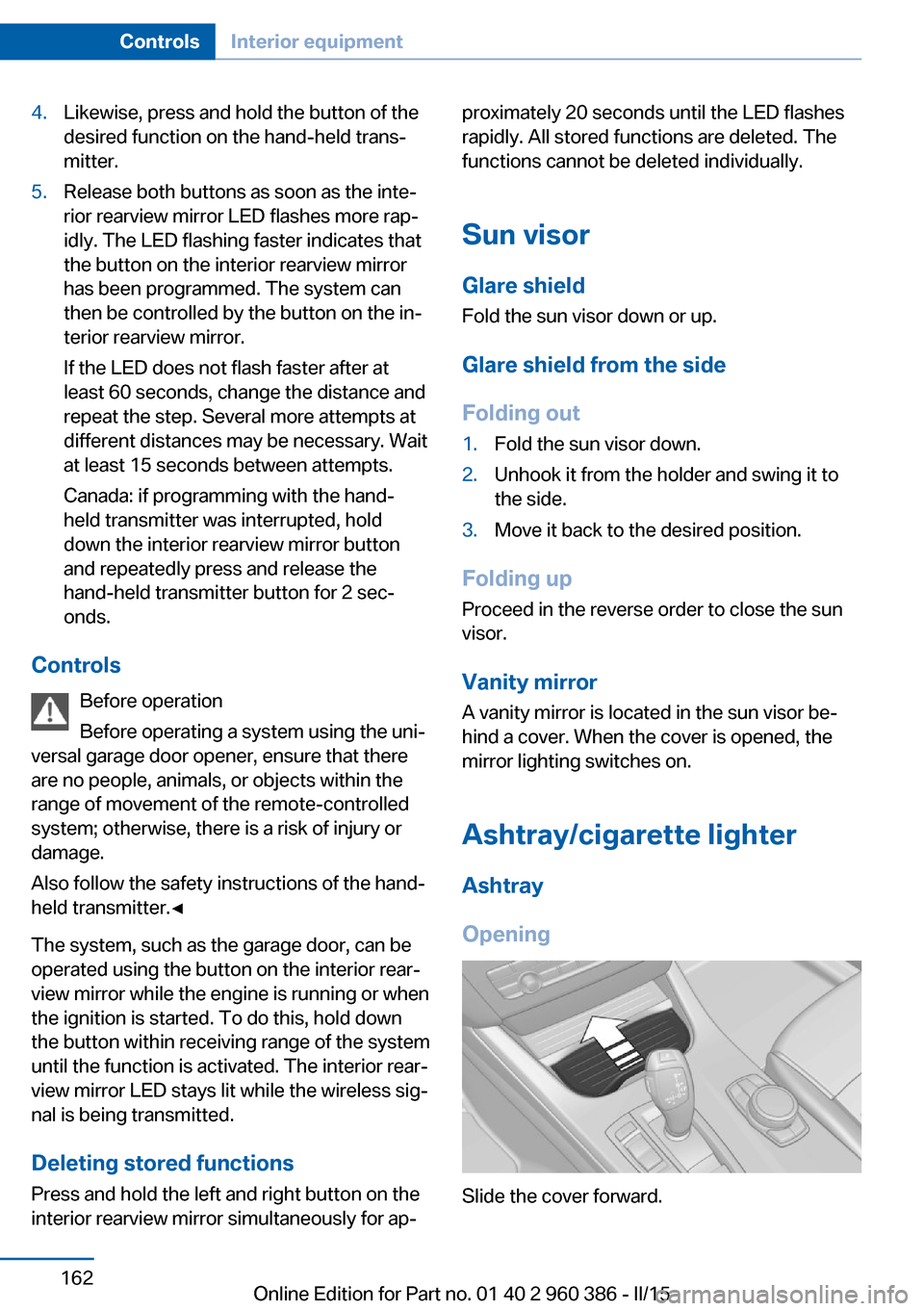
Opening
Slide the cover forward.
Seite 162ControlsInterior equipment162
Online Edition for Part no. 01 40 2 960 386 - II/15
Page 251 of 257
Lights 95
Lights and bulbs 218
Light switch 95
Load 179
Loading 178
Lock, door 39
Locking/unlocking via door lock 39
Locking/unlocking with re‐ mote control 37
Locking, automatic 46
Locking, settings 45
Locking via tailgate 40
Lock, power window 49
Locks, doors, and win‐ dows 65
Low beams 95
Low beams, automatic, refer to High-beam Assistant 97
Lower back support 54
Low-Sulfur Diesel 193
Luggage rack, refer to Roof- mounted luggage rack 180
Lumbar support 54
M
Maintenance 215
Maintenance require‐ ments 215
Maintenance, service require‐ ments 86
Maintenance system, BMW 215
Make-up mirror 162
Malfunction displays, see Check Control 81
Manual air distribu‐ tion 153, 156
Manual air flow 153, 156
Manual brake, refer to Parking brake 70
Manual mode, Steptronic transmission 77
Manual operation, door lock 39 Manual operation, exterior
mirrors 59
Manual operation, fuel filler flap 190
Manual operation, Park Dis‐ tance Control PDC 140
Manual operation, rearview camera 142
Manual operation, Top View 145
Marking on approved tires 203
Marking, run-flat tires 204
Master key, refer to Remote control 34
Maximum cooling 156
Maximum speed, display 88
Maximum speed, winter tires 203
Measure, units of 93
Medical kit 227
Memory, seat, mirror 58
Menu, EfficientDynamics 184
Menu in instrument clus‐ ter 89
Menus, operating, iDrive 18
Menus, refer to iDrive operat‐ ing concept 20
Messages, see Check Con‐ trol 81
Microfilter 154, 157
Minimum tread, tires 202
Mirror 59
Mirror memory 58
Mobile communication devi‐ ces in the vehicle 175
Mobility System 204
Modifications, technical, refer to Safety 7
Moisture in headlight 218
Monitor, refer to Control Dis‐ play 18
Mounting of child restraint systems 62
Moving sun visor 162 Multifunction steering wheel,
buttons 14
N
Navigation, see user's manual for Navigation, Entertain‐
ment and Communication
Neck restraints, front, refer to Head restraints 56
Neck restraints, rear, refer to Head restraints 57
Neutral cleaner, see wheel cleaner 233
New wheels and tires 202
Nylon rope for tow-starting/ towing 229
O OBD Onboard Diagnosis 216
OBD, see OBD Onboard Di‐ agnosis 216
Obstacle marking, rearview camera 143
Octane rating, refer to Rec‐ ommended fuel grade 192
Odometer 85
Office, see user's manual for Navigation, Entertainment
and Communication
Offroad trips 174
Oil 210
Oil, adding 211
Oil additives 211
Oil change 212
Oil change interval, service requirements 86
Oil filler neck 211
Oil types, alternative 212
Oil types, approved 212
Old batteries, disposal 224
On-board computer 90
On-board computer, refer to On-board computer 90 Seite 247Everything from A to ZReference247
Online Edition for Part no. 01 40 2 960 386 - II/15