change wheel BMW X3 XDRIVE 35I 2014 User Guide
[x] Cancel search | Manufacturer: BMW, Model Year: 2014, Model line: X3 XDRIVE 35I, Model: BMW X3 XDRIVE 35I 2014Pages: 208, PDF Size: 5.21 MB
Page 109 of 208
Use HDC in low gears or in transmission posi‐
tion D or R only.
Increasing or decreasing vehiclespeed
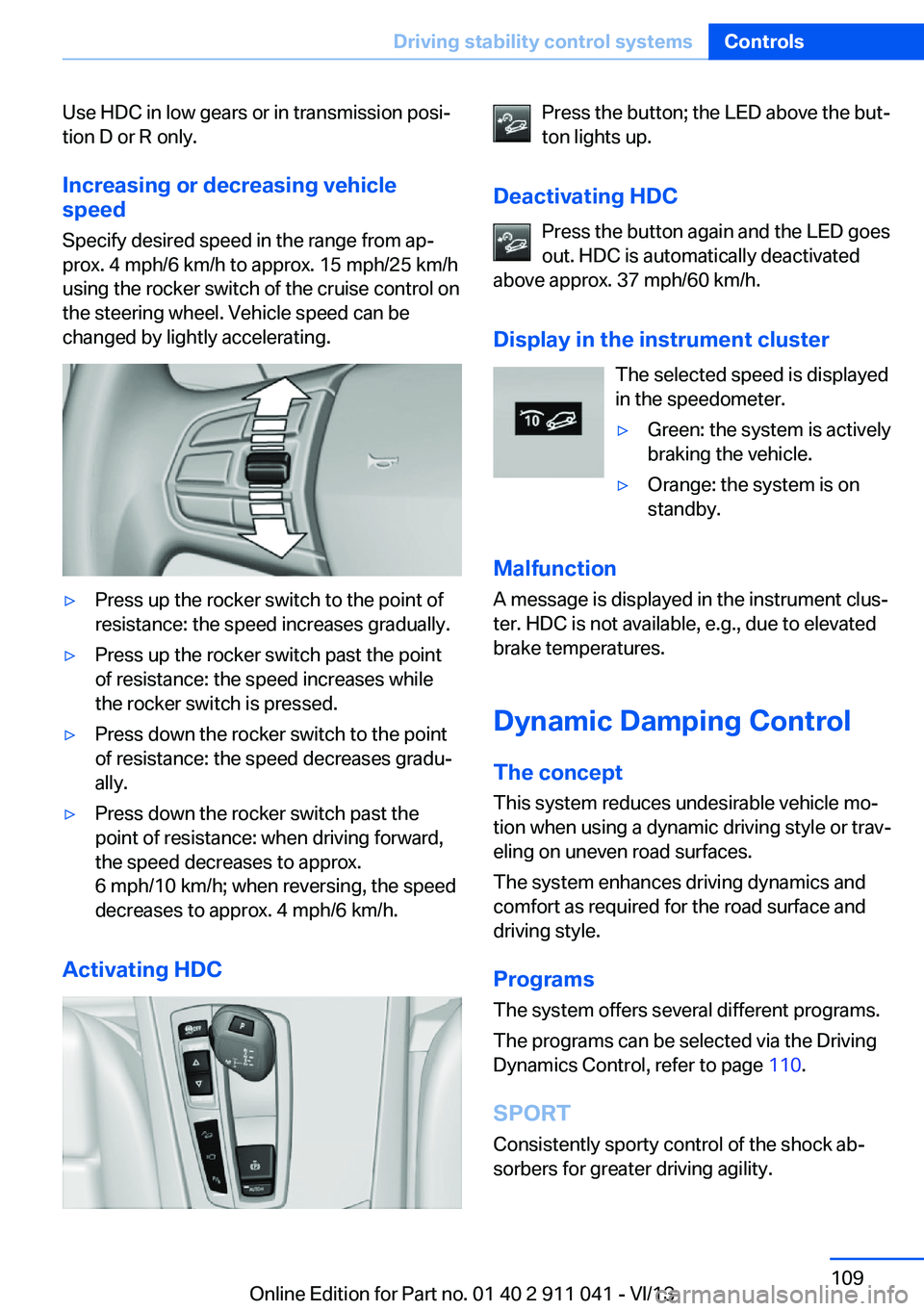
Specify desired speed in the range from ap‐
prox. 4 mph/6 km/h to approx. 15 mph/25 km/h
using the rocker switch of the cruise control on
the steering wheel. Vehicle speed can be
changed by lightly accelerating.▷Press up the rocker switch to the point of
resistance: the speed increases gradually.▷Press up the rocker switch past the point
of resistance: the speed increases while
the rocker switch is pressed.▷Press down the rocker switch to the point
of resistance: the speed decreases gradu‐
ally.▷Press down the rocker switch past the
point of resistance: when driving forward,
the speed decreases to approx.
6 mph/10 km/h; when reversing, the speed
decreases to approx. 4 mph/6 km/h.
Activating HDC
Press the button; the LED above the but‐
ton lights up.
Deactivating HDC Press the button again and the LED goes
out. HDC is automatically deactivated
above approx. 37 mph/60 km/h.
Display in the instrument cluster The selected speed is displayed
in the speedometer.▷Green: the system is actively
braking the vehicle.▷Orange: the system is on
standby.
Malfunction
A message is displayed in the instrument clus‐
ter. HDC is not available, e.g., due to elevated
brake temperatures.
Dynamic Damping Control
The concept This system reduces undesirable vehicle mo‐
tion when using a dynamic driving style or trav‐
eling on uneven road surfaces.
The system enhances driving dynamics and
comfort as required for the road surface and
driving style.
Programs The system offers several different programs.
The programs can be selected via the Driving
Dynamics Control, refer to page 110.
SPORT Consistently sporty control of the shock ab‐
sorbers for greater driving agility.
Seite 109Driving stability control systemsControls109
Online Edition for Part no. 01 40 2 911 041 - VI/13
Page 110 of 208
SPORT+Consistently sporty control of the shock ab‐
sorbers for greater driving agility when driving
with limited driving stabilization.
COMFORT/ECO PRO
Balanced control of the vehicle.
Variable sport steering The variable sport steering increases the
steering angle of the front wheels at large
steering wheel angles, e.g., in tight curves or
when parking. Steering becomes more direct.
It also varies the force required to turn the
wheels in accordance with the vehicle speed.
This results in a sporty steering response. In
addition, it becomes easier to steer during
parking and maneuvering.
Driving Dynamics Control
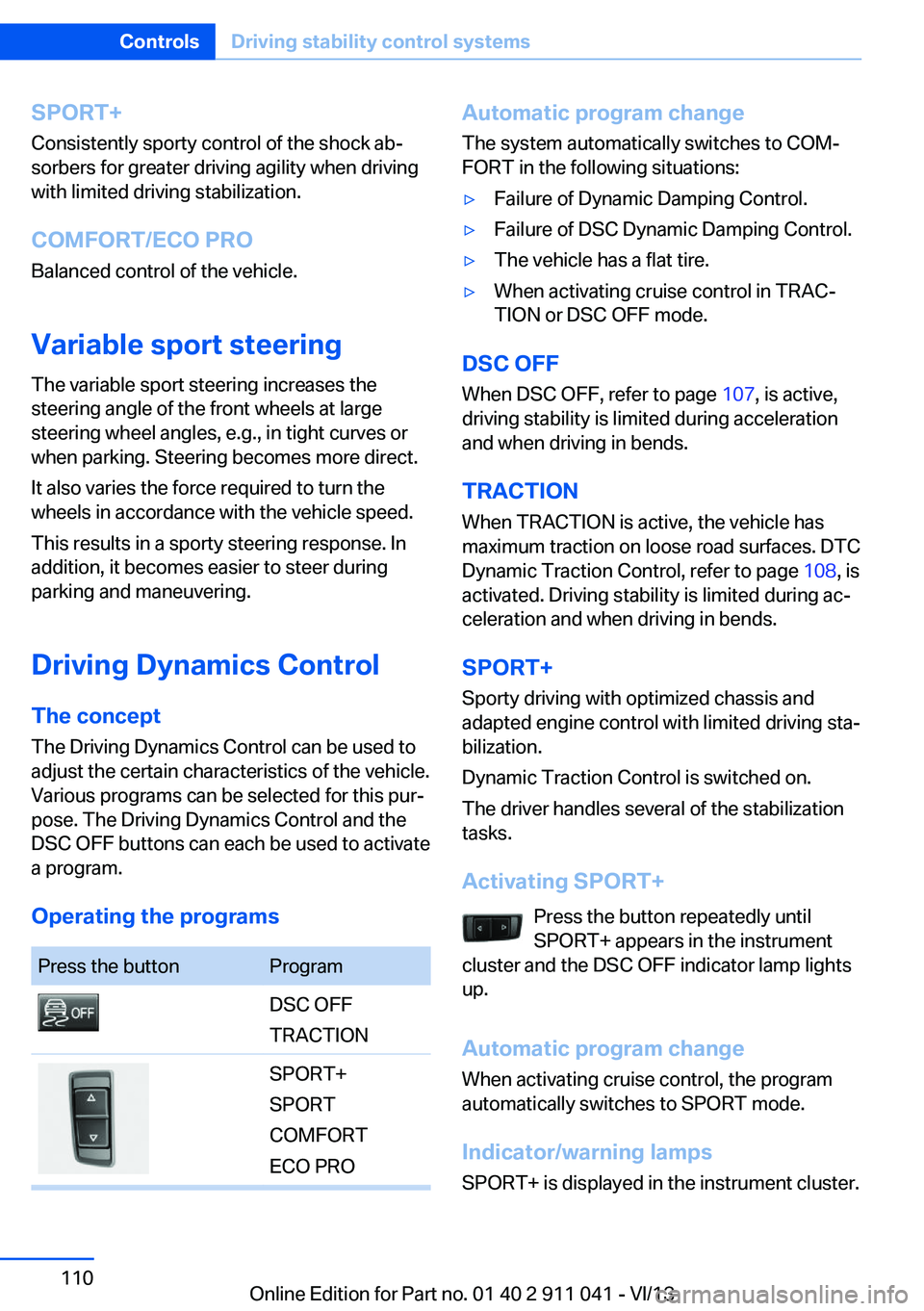
The concept The Driving Dynamics Control can be used to
adjust the certain characteristics of the vehicle.
Various programs can be selected for this pur‐ pose. The Driving Dynamics Control and the
DSC OFF buttons can each be used to activate
a program.
Operating the programsPress the buttonProgramDSC OFF
TRACTIONSPORT+
SPORT
COMFORT
ECO PROAutomatic program change
The system automatically switches to COM‐
FORT in the following situations:▷Failure of Dynamic Damping Control.▷Failure of DSC Dynamic Damping Control.▷The vehicle has a flat tire.▷When activating cruise control in TRAC‐
TION or DSC OFF mode.
DSC OFF
When DSC OFF, refer to page 107, is active,
driving stability is limited during acceleration
and when driving in bends.
TRACTION When TRACTION is active, the vehicle has
maximum traction on loose road surfaces. DTC
Dynamic Traction Control, refer to page 108, is
activated. Driving stability is limited during ac‐
celeration and when driving in bends.
SPORT+
Sporty driving with optimized chassis and
adapted engine control with limited driving sta‐
bilization.
Dynamic Traction Control is switched on.
The driver handles several of the stabilization
tasks.
Activating SPORT+ Press the button repeatedly until
SPORT+ appears in the instrument
cluster and the DSC OFF indicator lamp lights
up.
Automatic program change When activating cruise control, the program
automatically switches to SPORT mode.
Indicator/warning lamps
SPORT+ is displayed in the instrument cluster.
Seite 110ControlsDriving stability control systems110
Online Edition for Part no. 01 40 2 911 041 - VI/13
Page 180 of 208
Changing wheels
Hints
The vehicle equipment does not include a
spare tire.
When using run-flat tires or tire sealants, a tire
does not need to be changed immediately in
the event of pressure loss due to a flat tire.
The tools for changing wheels are available as
accessories from your service center.
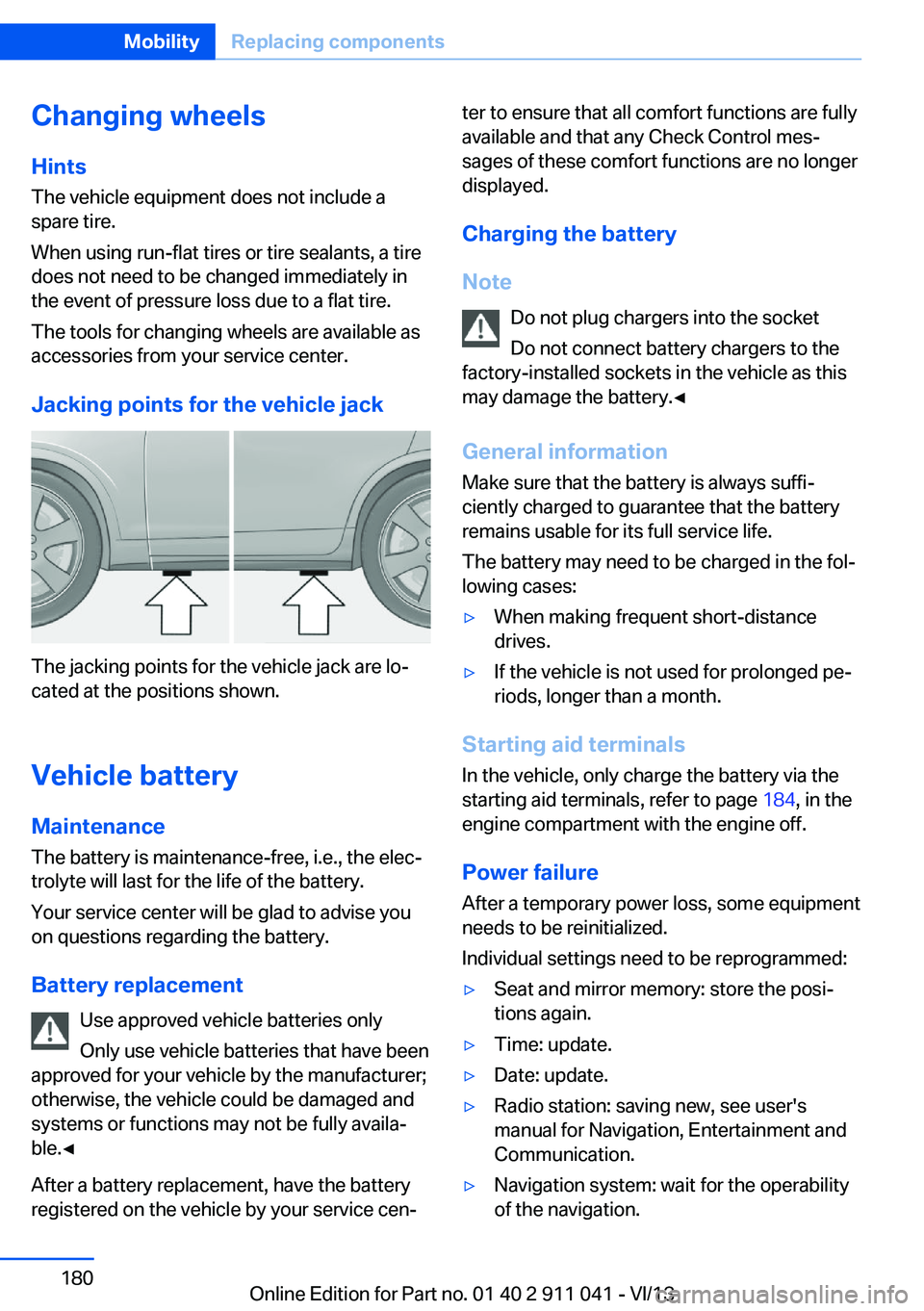
Jacking points for the vehicle jack
The jacking points for the vehicle jack are lo‐
cated at the positions shown.
Vehicle battery Maintenance
The battery is maintenance-free, i.e., the elec‐
trolyte will last for the life of the battery.
Your service center will be glad to advise you
on questions regarding the battery.
Battery replacement Use approved vehicle batteries only
Only use vehicle batteries that have been
approved for your vehicle by the manufacturer;
otherwise, the vehicle could be damaged and
systems or functions may not be fully availa‐
ble.◀
After a battery replacement, have the battery
registered on the vehicle by your service cen‐
ter to ensure that all comfort functions are fully
available and that any Check Control mes‐
sages of these comfort functions are no longer
displayed.
Charging the battery
Note Do not plug chargers into the socketDo not connect battery chargers to the
factory-installed sockets in the vehicle as this
may damage the battery.◀
General information Make sure that the battery is always suffi‐
ciently charged to guarantee that the battery
remains usable for its full service life.
The battery may need to be charged in the fol‐
lowing cases:▷When making frequent short-distance
drives.▷If the vehicle is not used for prolonged pe‐
riods, longer than a month.
Starting aid terminals
In the vehicle, only charge the battery via the
starting aid terminals, refer to page 184, in the
engine compartment with the engine off.
Power failure After a temporary power loss, some equipment
needs to be reinitialized.
Individual settings need to be reprogrammed:
▷Seat and mirror memory: store the posi‐
tions again.▷Time: update.▷Date: update.▷Radio station: saving new, see user's
manual for Navigation, Entertainment and
Communication.▷Navigation system: wait for the operability
of the navigation.Seite 180MobilityReplacing components180
Online Edition for Part no. 01 40 2 911 041 - VI/13
Page 199 of 208
Brake pads, breaking in 144
Braking, hints 145
Breakdown assis‐ tance 182, 183
Breaking in 144
Brightness of Control Dis‐ play 88
Bulb replacement 175
Bulb replacement, front 176
Bulb replacement, rear 178
Bulbs and lamps 175
Button, Start/Stop 61
Bypassing, refer to Jump- starting 183
C
California Proposition 65 Warning 7
Camera, care 190
Camera, rearview cam‐ era 118
Camera, Top View 120
Can holder, refer to Cu‐ pholder 139
Car battery 180
Car care products 188
Care, displays 190
Care, vehicle 188
Cargo 147
Cargo area 135
Cargo area, enlarging 136
Cargo area lid 38
Cargo area, storage compart‐ ments 140
Cargo cover 135
Cargo, securing 148
Cargo straps, securing cargo 148
Car key, refer to Remote con‐ trol 32
Carpet, care 190
Car wash 187
Catalytic converter, refer to Hot exhaust system 144 CBS Condition Based Serv‐
ice 172
CD/Multimedia, see user's manual for Navigation, En‐
tertainment and Communi‐
cation
Center armrest 139
Center console 14
Center-Lock, see button for central locking 35
Central locking system 35
Central screen, refer to Con‐ trol Display 16
Changes, technical, refer to Safety 7
Changing parts 174
Changing wheels 180
Changing wheels/tires 164
Check Control 78
Checking the oil level elec‐ tronically 169
Children, seating position 57
Children, transporting safely 57
Child restraint fixing sys‐ tem 57
Child restraint fixing system LATCH 58
Child restraint fixing systems, mounting 57
Child safety locks 60
Child seat, mounting 57
Child seats 57
Chrome parts, care 189
Cleaning, displays 190
Climate control 124, 126
Clock 81
Closing/opening from in‐ side 38
Closing/opening via door lock 37
Closing/opening with remote control 35
Clothes hooks 140
Cockpit 12
Collision warning 102 Combination switch, refer to
Turn signals 67
Combination switch, refer to Wiper system 68
Comfort Access 41
COMFORT program, Dy‐ namic Driving Control 111
Compartments in the doors 139
Computer 85
Condensation on win‐ dows 125, 128
Condensation under the vehi‐ cle 146
Condition Based Service CBS 172
Confirmation signal 42
ConnectedDrive, see user's manual for Navigation, En‐
tertainment and Communi‐
cation
ConnectedDrive Services
Connecting electrical devi‐ ces 133
Control Display 16
Control Display, settings 87
Controller 16, 17
Control systems, driving sta‐ bility 107
Convenient opening 36
Coolant 171
Coolant temperature 80
Cooling function 125, 128
Cooling, maximum 127
Cooling system 171
Corrosion on brake discs 146
Cruise control 113
Cruising range 81
Cupholder 139
Current fuel consumption 81
D
Damage, tires 163
Damping control, dy‐ namic 109 Seite 199Everything from A to ZReference199
Online Edition for Part no. 01 40 2 911 041 - VI/13
Page 200 of 208
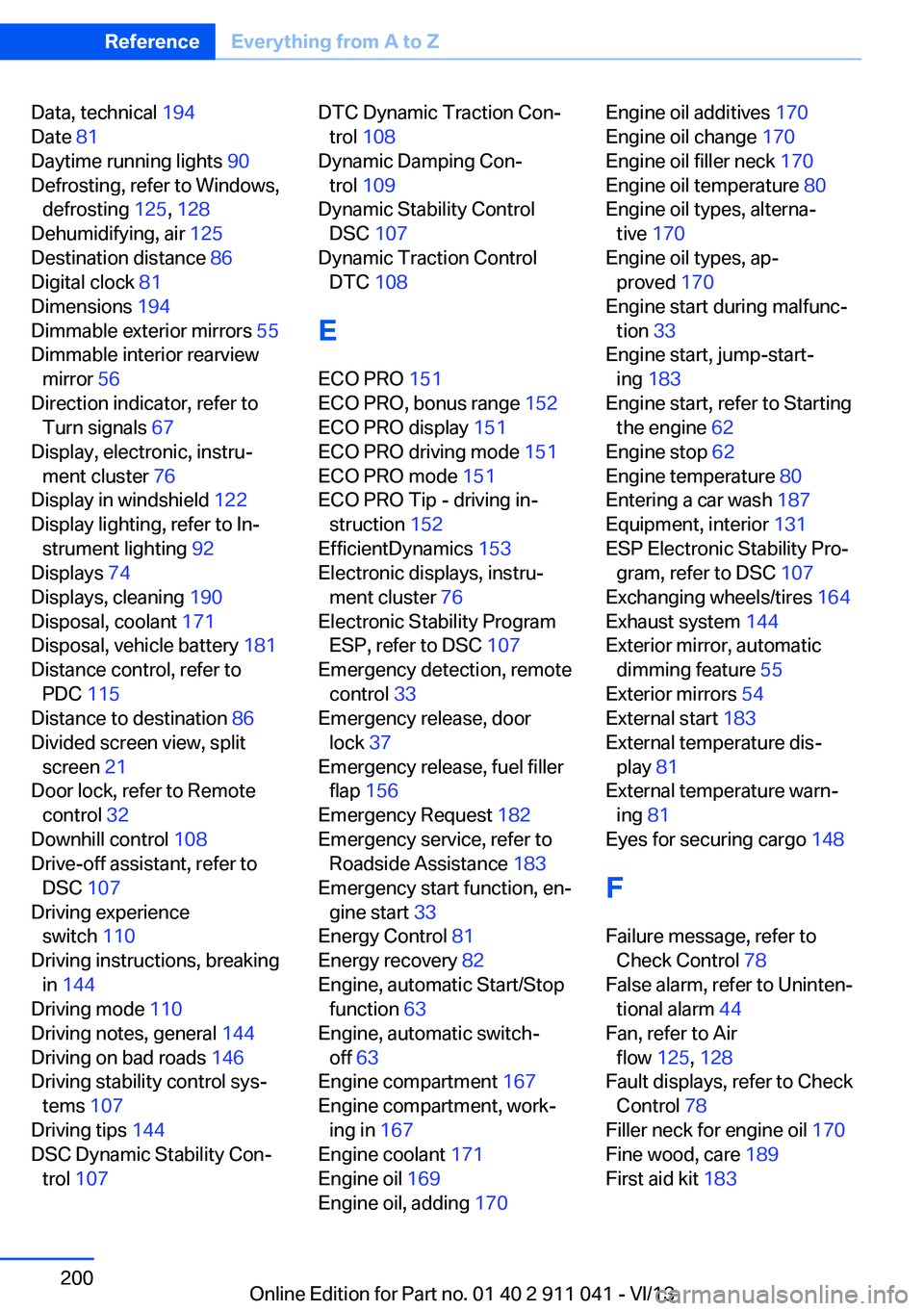
Data, technical 194
Date 81
Daytime running lights 90
Defrosting, refer to Windows, defrosting 125, 128
Dehumidifying, air 125
Destination distance 86
Digital clock 81
Dimensions 194
Dimmable exterior mirrors 55
Dimmable interior rearview mirror 56
Direction indicator, refer to Turn signals 67
Display, electronic, instru‐ ment cluster 76
Display in windshield 122
Display lighting, refer to In‐ strument lighting 92
Displays 74
Displays, cleaning 190
Disposal, coolant 171
Disposal, vehicle battery 181
Distance control, refer to PDC 115
Distance to destination 86
Divided screen view, split screen 21
Door lock, refer to Remote control 32
Downhill control 108
Drive-off assistant, refer to DSC 107
Driving experience switch 110
Driving instructions, breaking in 144
Driving mode 110
Driving notes, general 144
Driving on bad roads 146
Driving stability control sys‐ tems 107
Driving tips 144
DSC Dynamic Stability Con‐ trol 107 DTC Dynamic Traction Con‐
trol 108
Dynamic Damping Con‐ trol 109
Dynamic Stability Control DSC 107
Dynamic Traction Control DTC 108
E
ECO PRO 151
ECO PRO, bonus range 152
ECO PRO display 151
ECO PRO driving mode 151
ECO PRO mode 151
ECO PRO Tip - driving in‐ struction 152
EfficientDynamics 153
Electronic displays, instru‐ ment cluster 76
Electronic Stability Program ESP, refer to DSC 107
Emergency detection, remote control 33
Emergency release, door lock 37
Emergency release, fuel filler flap 156
Emergency Request 182
Emergency service, refer to Roadside Assistance 183
Emergency start function, en‐ gine start 33
Energy Control 81
Energy recovery 82
Engine, automatic Start/Stop function 63
Engine, automatic switch- off 63
Engine compartment 167
Engine compartment, work‐ ing in 167
Engine coolant 171
Engine oil 169
Engine oil, adding 170 Engine oil additives 170
Engine oil change 170
Engine oil filler neck 170
Engine oil temperature 80
Engine oil types, alterna‐ tive 170
Engine oil types, ap‐ proved 170
Engine start during malfunc‐ tion 33
Engine start, jump-start‐ ing 183
Engine start, refer to Starting the engine 62
Engine stop 62
Engine temperature 80
Entering a car wash 187
Equipment, interior 131
ESP Electronic Stability Pro‐ gram, refer to DSC 107
Exchanging wheels/tires 164
Exhaust system 144
Exterior mirror, automatic dimming feature 55
Exterior mirrors 54
External start 183
External temperature dis‐ play 81
External temperature warn‐ ing 81
Eyes for securing cargo 148
F
Failure message, refer to Check Control 78
False alarm, refer to Uninten‐ tional alarm 44
Fan, refer to Air flow 125, 128
Fault displays, refer to Check Control 78
Filler neck for engine oil 170
Fine wood, care 189
First aid kit 183 Seite 200ReferenceEverything from A to Z200
Online Edition for Part no. 01 40 2 911 041 - VI/13
Page 201 of 208
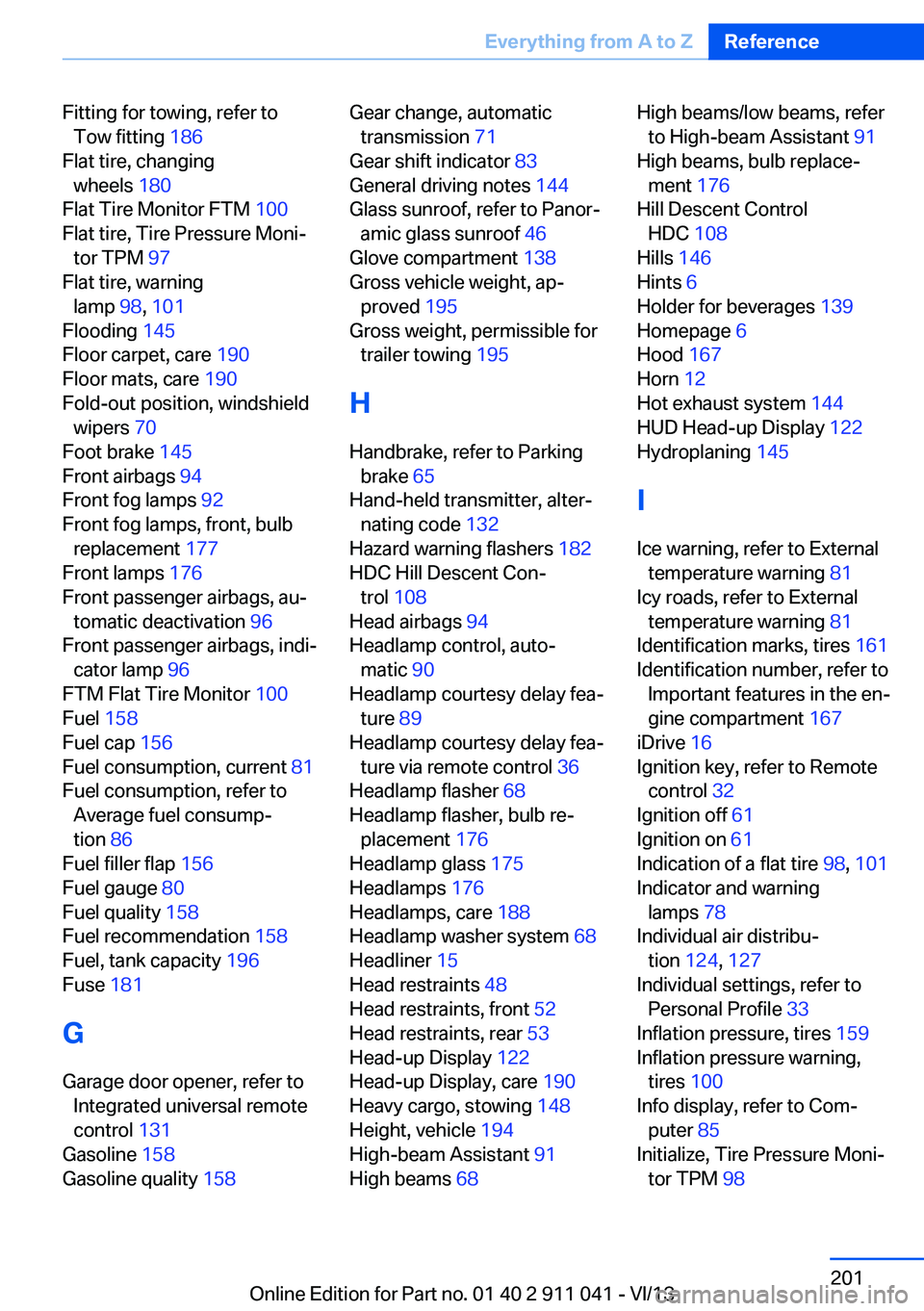
Fitting for towing, refer toTow fitting 186
Flat tire, changing wheels 180
Flat Tire Monitor FTM 100
Flat tire, Tire Pressure Moni‐ tor TPM 97
Flat tire, warning lamp 98, 101
Flooding 145
Floor carpet, care 190
Floor mats, care 190
Fold-out position, windshield wipers 70
Foot brake 145
Front airbags 94
Front fog lamps 92
Front fog lamps, front, bulb replacement 177
Front lamps 176
Front passenger airbags, au‐ tomatic deactivation 96
Front passenger airbags, indi‐ cator lamp 96
FTM Flat Tire Monitor 100
Fuel 158
Fuel cap 156
Fuel consumption, current 81
Fuel consumption, refer to Average fuel consump‐
tion 86
Fuel filler flap 156
Fuel gauge 80
Fuel quality 158
Fuel recommendation 158
Fuel, tank capacity 196
Fuse 181
G
Garage door opener, refer to Integrated universal remote
control 131
Gasoline 158
Gasoline quality 158 Gear change, automatic
transmission 71
Gear shift indicator 83
General driving notes 144
Glass sunroof, refer to Panor‐ amic glass sunroof 46
Glove compartment 138
Gross vehicle weight, ap‐ proved 195
Gross weight, permissible for trailer towing 195
H
Handbrake, refer to Parking brake 65
Hand-held transmitter, alter‐ nating code 132
Hazard warning flashers 182
HDC Hill Descent Con‐ trol 108
Head airbags 94
Headlamp control, auto‐ matic 90
Headlamp courtesy delay fea‐ ture 89
Headlamp courtesy delay fea‐ ture via remote control 36
Headlamp flasher 68
Headlamp flasher, bulb re‐ placement 176
Headlamp glass 175
Headlamps 176
Headlamps, care 188
Headlamp washer system 68
Headliner 15
Head restraints 48
Head restraints, front 52
Head restraints, rear 53
Head-up Display 122
Head-up Display, care 190
Heavy cargo, stowing 148
Height, vehicle 194
High-beam Assistant 91
High beams 68 High beams/low beams, refer
to High-beam Assistant 91
High beams, bulb replace‐ ment 176
Hill Descent Control HDC 108
Hills 146
Hints 6
Holder for beverages 139
Homepage 6
Hood 167
Horn 12
Hot exhaust system 144
HUD Head-up Display 122
Hydroplaning 145
I Ice warning, refer to External temperature warning 81
Icy roads, refer to External temperature warning 81
Identification marks, tires 161
Identification number, refer to Important features in the en‐
gine compartment 167
iDrive 16
Ignition key, refer to Remote control 32
Ignition off 61
Ignition on 61
Indication of a flat tire 98, 101
Indicator and warning lamps 78
Individual air distribu‐ tion 124, 127
Individual settings, refer to Personal Profile 33
Inflation pressure, tires 159
Inflation pressure warning, tires 100
Info display, refer to Com‐ puter 85
Initialize, Tire Pressure Moni‐ tor TPM 98 Seite 201Everything from A to ZReference201
Online Edition for Part no. 01 40 2 911 041 - VI/13
Page 203 of 208
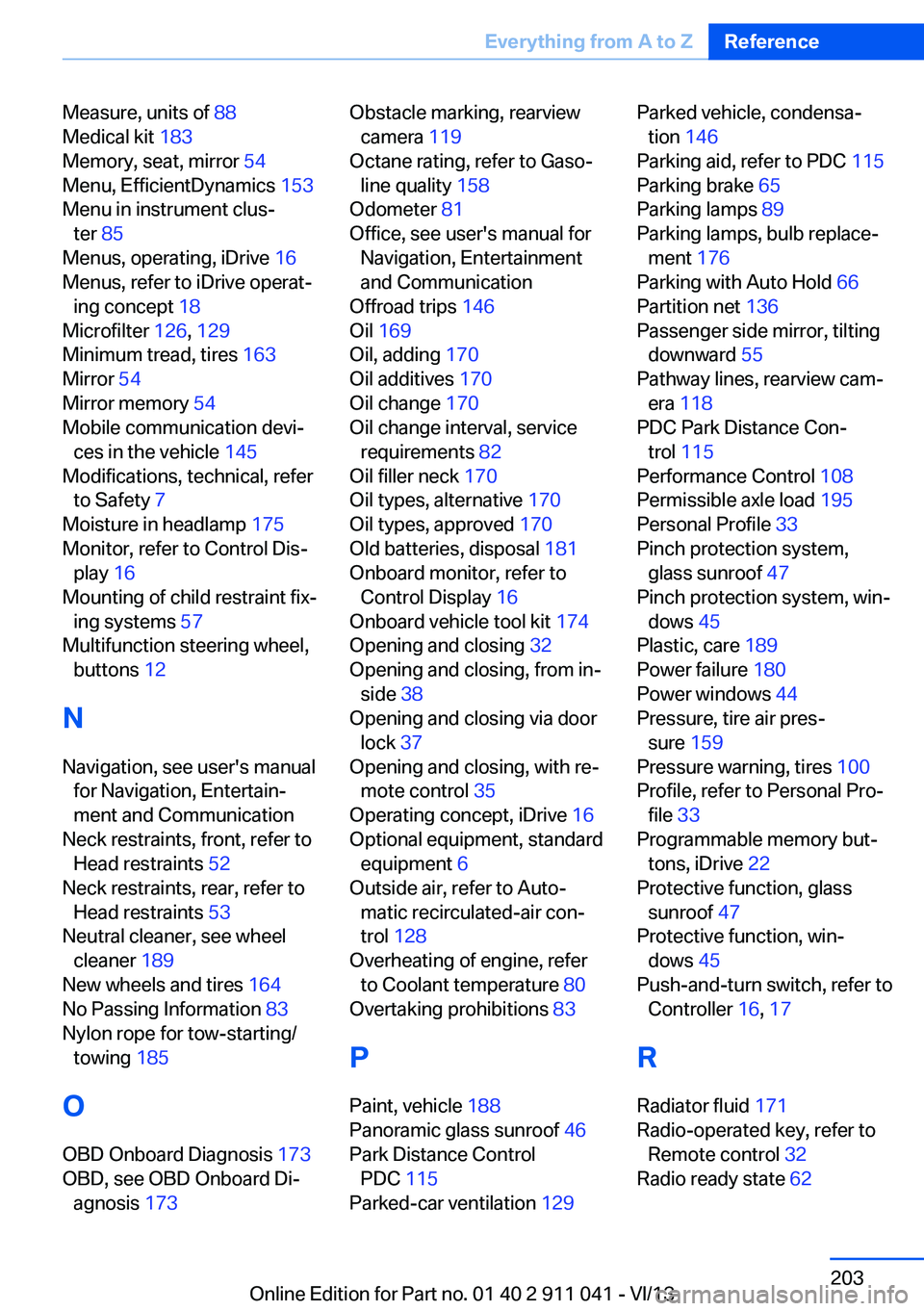
Measure, units of 88
Medical kit 183
Memory, seat, mirror 54
Menu, EfficientDynamics 153
Menu in instrument clus‐ ter 85
Menus, operating, iDrive 16
Menus, refer to iDrive operat‐ ing concept 18
Microfilter 126, 129
Minimum tread, tires 163
Mirror 54
Mirror memory 54
Mobile communication devi‐ ces in the vehicle 145
Modifications, technical, refer to Safety 7
Moisture in headlamp 175
Monitor, refer to Control Dis‐ play 16
Mounting of child restraint fix‐ ing systems 57
Multifunction steering wheel, buttons 12
N Navigation, see user's manual for Navigation, Entertain‐
ment and Communication
Neck restraints, front, refer to Head restraints 52
Neck restraints, rear, refer to Head restraints 53
Neutral cleaner, see wheel cleaner 189
New wheels and tires 164
No Passing Information 83
Nylon rope for tow-starting/ towing 185
O OBD Onboard Diagnosis 173
OBD, see OBD Onboard Di‐ agnosis 173 Obstacle marking, rearview
camera 119
Octane rating, refer to Gaso‐ line quality 158
Odometer 81
Office, see user's manual for Navigation, Entertainment
and Communication
Offroad trips 146
Oil 169
Oil, adding 170
Oil additives 170
Oil change 170
Oil change interval, service requirements 82
Oil filler neck 170
Oil types, alternative 170
Oil types, approved 170
Old batteries, disposal 181
Onboard monitor, refer to Control Display 16
Onboard vehicle tool kit 174
Opening and closing 32
Opening and closing, from in‐ side 38
Opening and closing via door lock 37
Opening and closing, with re‐ mote control 35
Operating concept, iDrive 16
Optional equipment, standard equipment 6
Outside air, refer to Auto‐ matic recirculated-air con‐
trol 128
Overheating of engine, refer to Coolant temperature 80
Overtaking prohibitions 83
P Paint, vehicle 188
Panoramic glass sunroof 46
Park Distance Control PDC 115
Parked-car ventilation 129 Parked vehicle, condensa‐
tion 146
Parking aid, refer to PDC 115
Parking brake 65
Parking lamps 89
Parking lamps, bulb replace‐ ment 176
Parking with Auto Hold 66
Partition net 136
Passenger side mirror, tilting downward 55
Pathway lines, rearview cam‐ era 118
PDC Park Distance Con‐ trol 115
Performance Control 108
Permissible axle load 195
Personal Profile 33
Pinch protection system, glass sunroof 47
Pinch protection system, win‐ dows 45
Plastic, care 189
Power failure 180
Power windows 44
Pressure, tire air pres‐ sure 159
Pressure warning, tires 100
Profile, refer to Personal Pro‐ file 33
Programmable memory but‐ tons, iDrive 22
Protective function, glass sunroof 47
Protective function, win‐ dows 45
Push-and-turn switch, refer to Controller 16, 17
R Radiator fluid 171
Radio-operated key, refer to Remote control 32
Radio ready state 62 Seite 203Everything from A to ZReference203
Online Edition for Part no. 01 40 2 911 041 - VI/13
Page 205 of 208
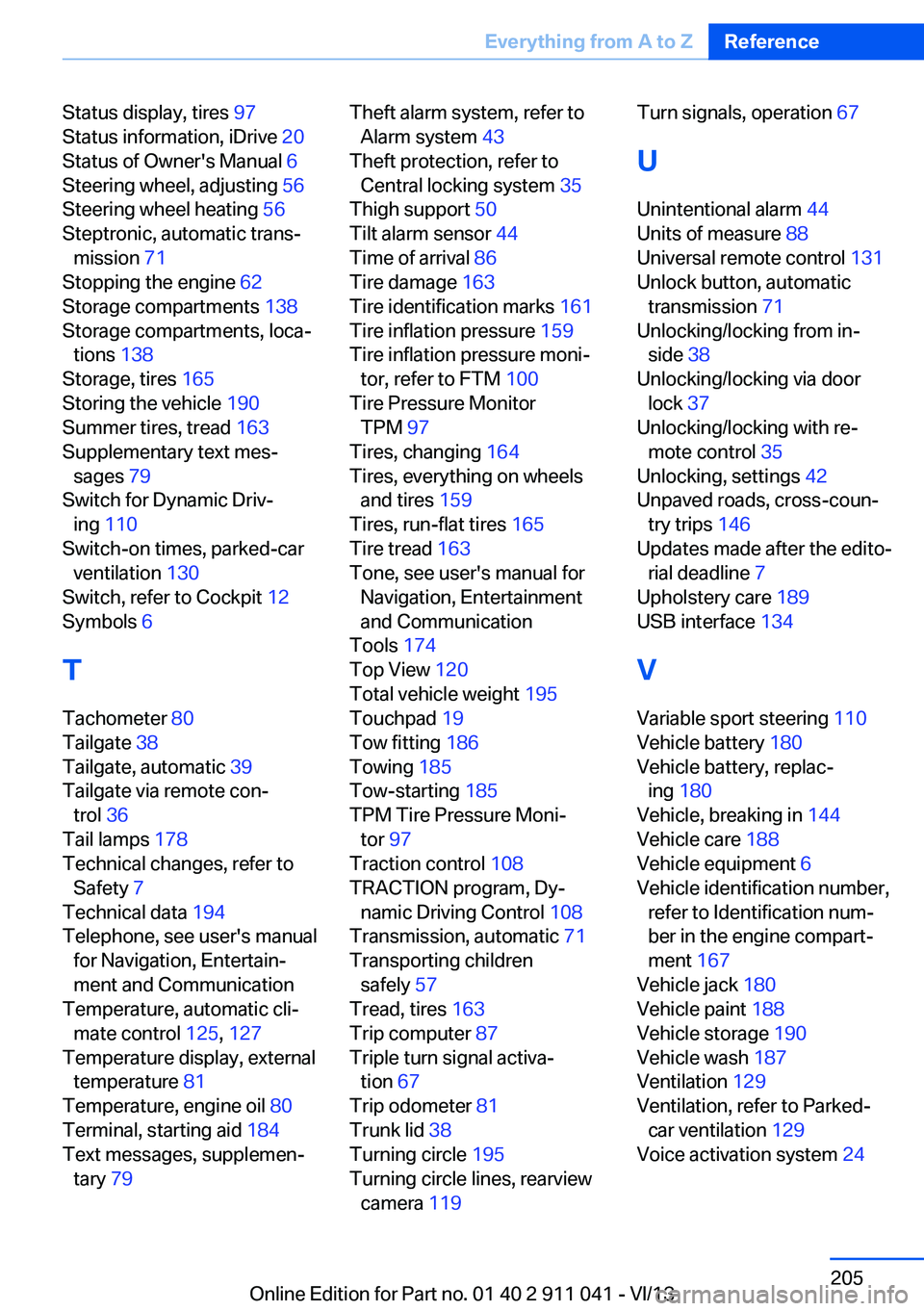
Status display, tires 97
Status information, iDrive 20
Status of Owner's Manual 6
Steering wheel, adjusting 56
Steering wheel heating 56
Steptronic, automatic trans‐ mission 71
Stopping the engine 62
Storage compartments 138
Storage compartments, loca‐ tions 138
Storage, tires 165
Storing the vehicle 190
Summer tires, tread 163
Supplementary text mes‐ sages 79
Switch for Dynamic Driv‐ ing 110
Switch-on times, parked-car ventilation 130
Switch, refer to Cockpit 12
Symbols 6
T Tachometer 80
Tailgate 38
Tailgate, automatic 39
Tailgate via remote con‐ trol 36
Tail lamps 178
Technical changes, refer to Safety 7
Technical data 194
Telephone, see user's manual for Navigation, Entertain‐
ment and Communication
Temperature, automatic cli‐ mate control 125, 127
Temperature display, external temperature 81
Temperature, engine oil 80
Terminal, starting aid 184
Text messages, supplemen‐ tary 79 Theft alarm system, refer to
Alarm system 43
Theft protection, refer to Central locking system 35
Thigh support 50
Tilt alarm sensor 44
Time of arrival 86
Tire damage 163
Tire identification marks 161
Tire inflation pressure 159
Tire inflation pressure moni‐ tor, refer to FTM 100
Tire Pressure Monitor TPM 97
Tires, changing 164
Tires, everything on wheels and tires 159
Tires, run-flat tires 165
Tire tread 163
Tone, see user's manual for Navigation, Entertainment
and Communication
Tools 174
Top View 120
Total vehicle weight 195
Touchpad 19
Tow fitting 186
Towing 185
Tow-starting 185
TPM Tire Pressure Moni‐ tor 97
Traction control 108
TRACTION program, Dy‐ namic Driving Control 108
Transmission, automatic 71
Transporting children safely 57
Tread, tires 163
Trip computer 87
Triple turn signal activa‐ tion 67
Trip odometer 81
Trunk lid 38
Turning circle 195
Turning circle lines, rearview camera 119 Turn signals, operation 67
U Unintentional alarm 44
Units of measure 88
Universal remote control 131
Unlock button, automatic transmission 71
Unlocking/locking from in‐ side 38
Unlocking/locking via door lock 37
Unlocking/locking with re‐ mote control 35
Unlocking, settings 42
Unpaved roads, cross-coun‐ try trips 146
Updates made after the edito‐ rial deadline 7
Upholstery care 189
USB interface 134
V Variable sport steering 110
Vehicle battery 180
Vehicle battery, replac‐ ing 180
Vehicle, breaking in 144
Vehicle care 188
Vehicle equipment 6
Vehicle identification number, refer to Identification num‐
ber in the engine compart‐
ment 167
Vehicle jack 180
Vehicle paint 188
Vehicle storage 190
Vehicle wash 187
Ventilation 129
Ventilation, refer to Parked- car ventilation 129
Voice activation system 24 Seite 205Everything from A to ZReference205
Online Edition for Part no. 01 40 2 911 041 - VI/13