fuel BMW X6 XDRIVE 35I 2014 Owner's Manual
[x] Cancel search | Manufacturer: BMW, Model Year: 2014, Model line: X6 XDRIVE 35I, Model: BMW X6 XDRIVE 35I 2014Pages: 323, PDF Size: 8.36 MB
Page 261 of 323
Seite 261FuelMobility261
Online Edition for Part no. 01 40 2 910 876 - VII/13
Page 268 of 323
Recommended tire brands
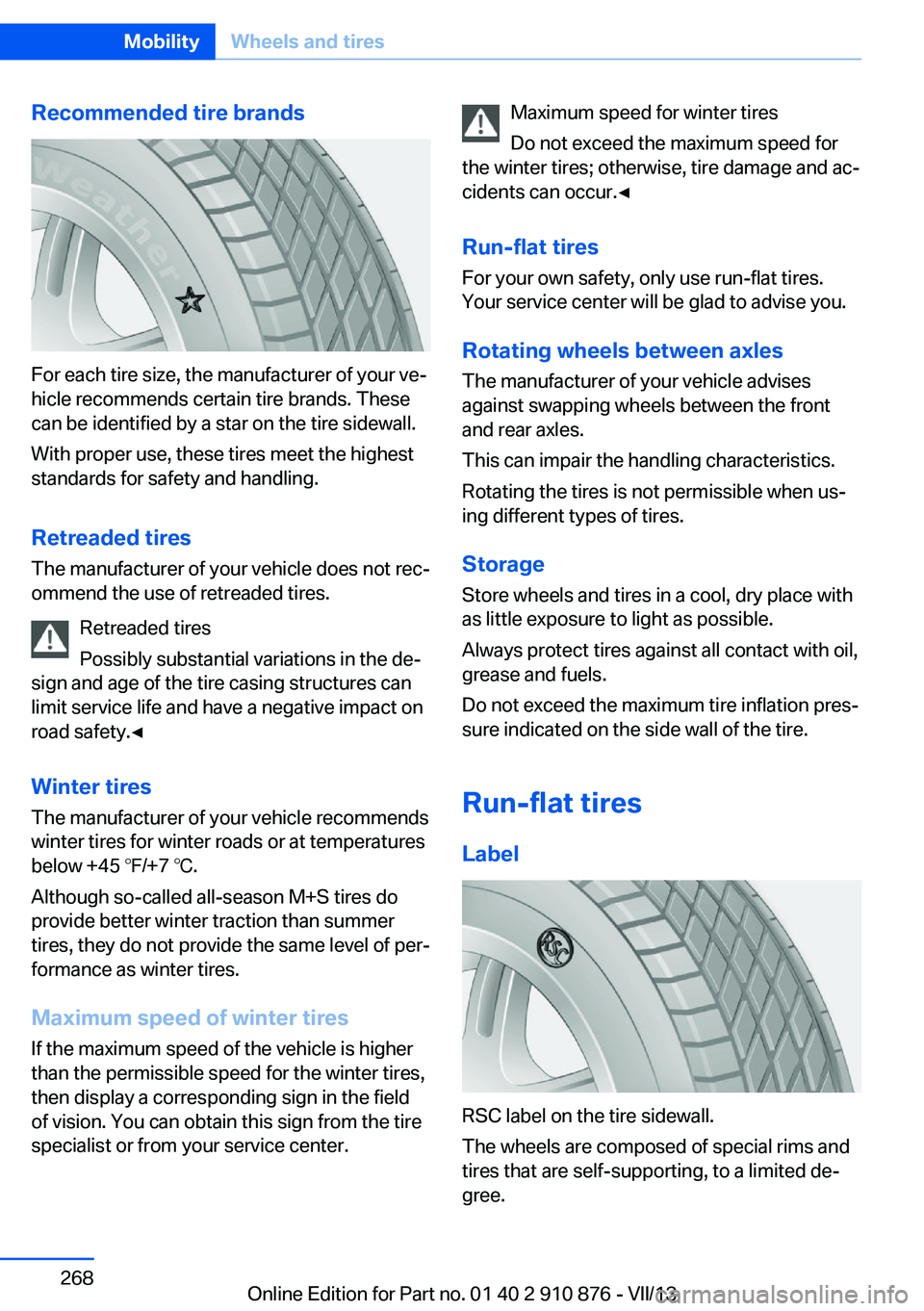
For each tire size, the manufacturer of your ve‐
hicle recommends certain tire brands. These
can be identified by a star on the tire sidewall.
With proper use, these tires meet the highest
standards for safety and handling.
Retreaded tires The manufacturer of your vehicle does not rec‐
ommend the use of retreaded tires.
Retreaded tires
Possibly substantial variations in the de‐
sign and age of the tire casing structures can
limit service life and have a negative impact on
road safety.◀
Winter tires
The manufacturer of your vehicle recommends
winter tires for winter roads or at temperatures
below +45 ℉/+7 ℃.
Although so-called all-season M+S tires do
provide better winter traction than summer tires, they do not provide the same level of per‐
formance as winter tires.
Maximum speed of winter tires
If the maximum speed of the vehicle is higher
than the permissible speed for the winter tires,
then display a corresponding sign in the field
of vision. You can obtain this sign from the tire
specialist or from your service center.
Maximum speed for winter tires
Do not exceed the maximum speed for
the winter tires; otherwise, tire damage and ac‐
cidents can occur.◀
Run-flat tires
For your own safety, only use run-flat tires.
Your service center will be glad to advise you.
Rotating wheels between axlesThe manufacturer of your vehicle advises
against swapping wheels between the front
and rear axles.
This can impair the handling characteristics.
Rotating the tires is not permissible when us‐
ing different types of tires.
Storage
Store wheels and tires in a cool, dry place with
as little exposure to light as possible.
Always protect tires against all contact with oil,
grease and fuels.
Do not exceed the maximum tire inflation pres‐
sure indicated on the side wall of the tire.
Run-flat tires
Label
RSC label on the tire sidewall.
The wheels are composed of special rims and
tires that are self-supporting, to a limited de‐
gree.
Seite 268MobilityWheels and tires268
Online Edition for Part no. 01 40 2 910 876 - VII/13
Page 271 of 323
If this work is not carried out properly, there is
the danger of subsequent damage and related
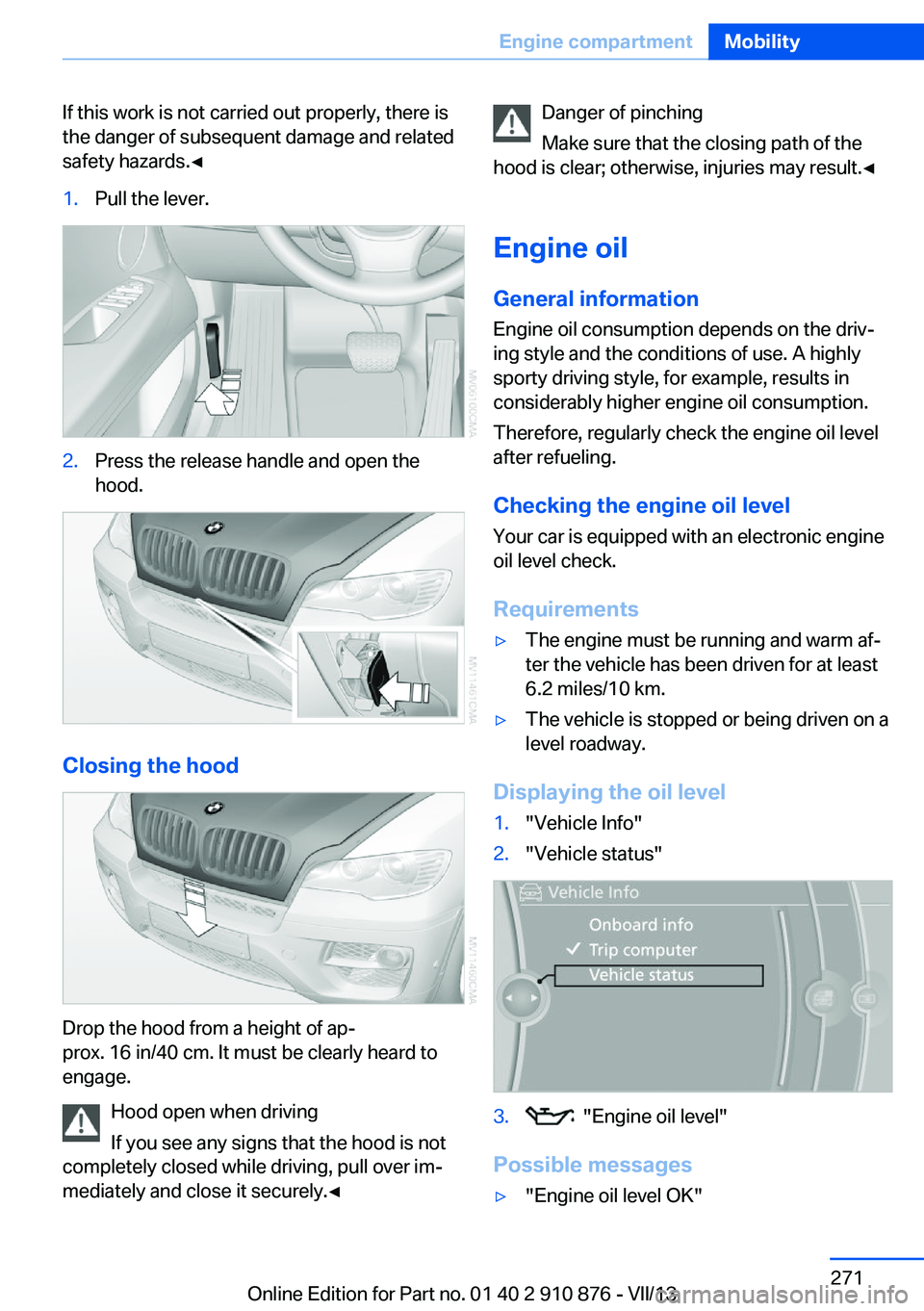
safety hazards.◀1.Pull the lever.2.Press the release handle and open the
hood.
Closing the hood
Drop the hood from a height of ap‐
prox. 16 in/40 cm. It must be clearly heard to
engage.
Hood open when driving
If you see any signs that the hood is not
completely closed while driving, pull over im‐
mediately and close it securely.◀
Danger of pinching
Make sure that the closing path of the
hood is clear; otherwise, injuries may result.◀
Engine oil
General information Engine oil consumption depends on the driv‐
ing style and the conditions of use. A highly
sporty driving style, for example, results in
considerably higher engine oil consumption.
Therefore, regularly check the engine oil level
after refueling.
Checking the engine oil level Your car is equipped with an electronic engine
oil level check.
Requirements▷The engine must be running and warm af‐
ter the vehicle has been driven for at least
6.2 miles/10 km.▷The vehicle is stopped or being driven on a
level roadway.
Displaying the oil level
1."Vehicle Info"2."Vehicle status"3. "Engine oil level"
Possible messages
▷"Engine oil level OK"Seite 271Engine compartmentMobility271
Online Edition for Part no. 01 40 2 910 876 - VII/13
Page 275 of 323
Maintenance and repair should be performed
by your service center. Make sure to have reg‐
ular maintenance procedures recorded in the
vehicle's Service and Warranty Information
Booklet for US models, and in the Warranty
and Service Guide Booklet for Canadian mod‐
els. These entries are proof of regular mainte‐
nance.
Socket for OBD Onboard
Diagnosis
Socket for Onboard Diagnosis
The socket for Onboard Diagnosis may
only be used by the service center, by work‐
shops that operate according to the specifica‐
tions of the vehicle manufacturer with appro‐
priately trained personnel, and by other
authorized persons. Otherwise, its use may
lead to vehicle malfunctions.◀
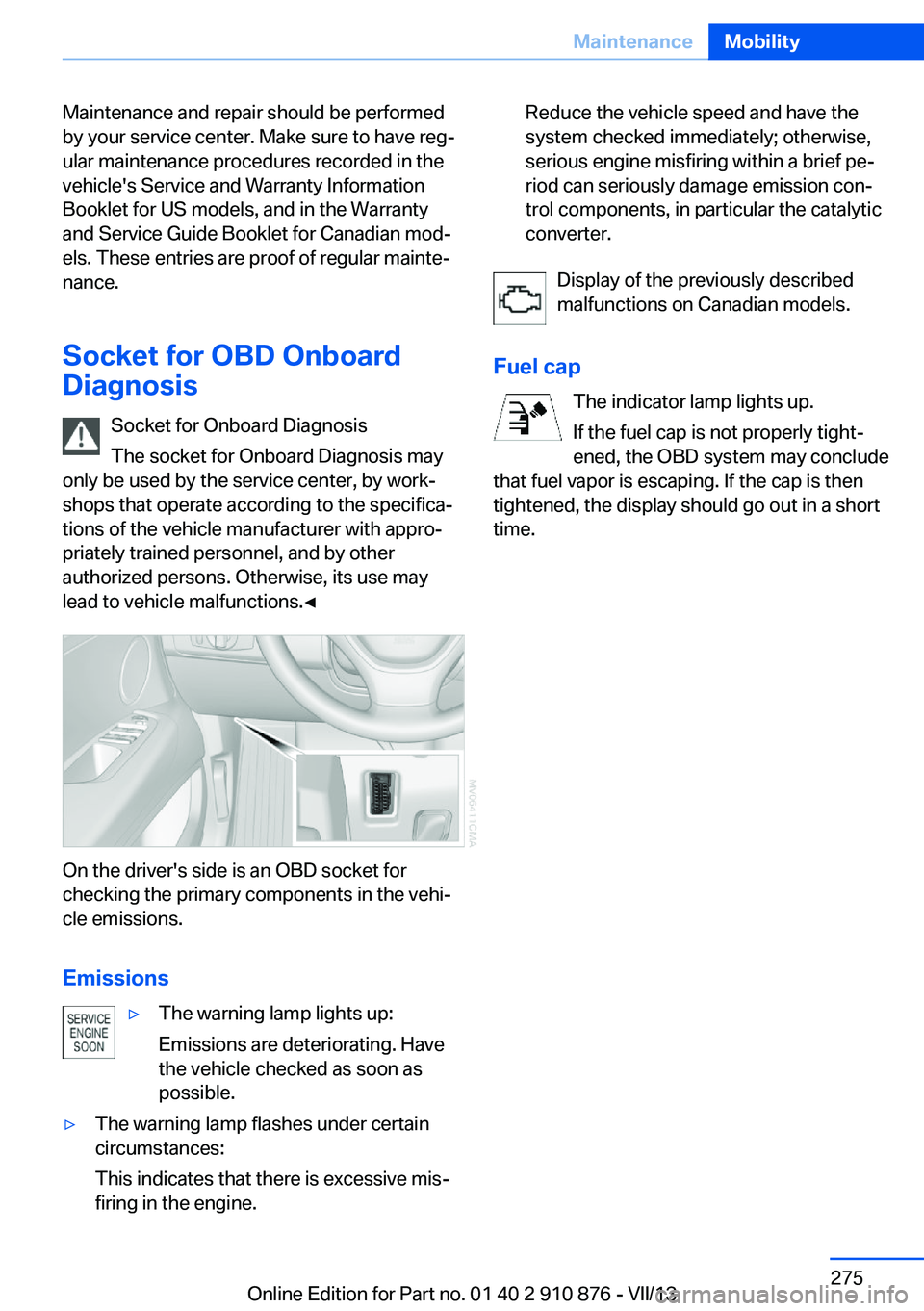
On the driver's side is an OBD socket for
checking the primary components in the vehi‐
cle emissions.
Emissions
▷The warning lamp lights up:
Emissions are deteriorating. Have
the vehicle checked as soon as
possible.▷The warning lamp flashes under certain
circumstances:
This indicates that there is excessive mis‐
firing in the engine.Reduce the vehicle speed and have the
system checked immediately; otherwise,
serious engine misfiring within a brief pe‐
riod can seriously damage emission con‐
trol components, in particular the catalytic
converter.
Display of the previously described
malfunctions on Canadian models.
Fuel cap The indicator lamp lights up.
If the fuel cap is not properly tight‐
ened, the OBD system may conclude
that fuel vapor is escaping. If the cap is then
tightened, the display should go out in a short
time.
Seite 275MaintenanceMobility275
Online Edition for Part no. 01 40 2 910 876 - VII/13
Page 292 of 323
▷When the remote control is removed from
the ignition lock.
Mixed tires
Note the vehicle width
Before driving into a car wash, make sure
that the vehicle width is not too large for the
car wash, as otherwise the vehicle and the car
wash could be damaged.◀
Headlamps
▷Do not rub dry and do not use abrasive or
caustic cleansers.▷Soak areas that have been soiled e.g. due
to insects, with shampoo and wash off with
water.▷Thaw ice with de-icing spray; do not use an
ice scraper.
After washing the vehicle
After washing the vehicle, apply the brakes
briefly to dry them; otherwise, braking action
can be reduced and corrosion of the brake
discs can occur.
Fully remove any residue from the windows to
prevent obstruction of view from streaking,
wiping noises, and wiper wear.
Vehicle careCar care productsBMW recommends using cleaning and care
products from BMW, since these have been
tested and approved.
Car care and cleaning products
Follow the instructions on the container.
When cleaning the interior, open the doors or
windows.
Only use products intended for cleaning vehi‐
cles.
Cleansers can contain substances that are
dangerous and harmful to your health.◀
Vehicle paint
Regular care contributes to driving safety and value retention. Environmental influences in
areas with high air pollution or natural contami‐
nants, such as tree resin or pollen, can have an
impact on the vehicle paint. Tailor the fre‐
quency and extent of your car care to these in‐
fluences.
Immediately remove aggressive substances,
such as spilled fuel, oil, grease, or bird drop‐
pings, to prevent damage to or discoloration of
the paintwork.
Leather care
Remove dust from the leather often, using a
cloth or vacuum cleaner.
Otherwise, particles of dust and road grime
chafe in pores and folds, and lead to increased
wear and premature degradation of the leather
surface.
To guard against discoloration, such as from
clothing, provide leather care roughly every
two months.
Clean light-colored leather more frequently as
dust and dirt are more noticeable.
Use leather care products; otherwise, dirt and
grease will gradually break down the protective
layer of the leather surface.
Suitable care products are available from the
service center.
Upholstery material care Vacuum regularly with a vacuum cleaner.
If they are very dirty, e.g., beverage stains, use
a soft sponge or microfiber cloth with a suita‐
ble interior cleaner.
Clean the upholstery down to the seams using
large sweeping motions. Avoid rubbing the
material vigorously.Seite 292MobilityCare292
Online Edition for Part no. 01 40 2 910 876 - VII/13
Page 293 of 323
Damage from Velcro® fasteners
Open Velcro® fasteners on pants or
other articles of clothing can damage the seat
covers. Ensure that any Velcro® fasteners are
closed.◀
Caring for special components
Light-alloy wheels When cleaning the wheels on the vehicle, only
use a neutral wheel rim cleaner with a pH value
of 5 to 9. Do not use abrasive cleaners or a
steam jet hotter than 140 ℉/60 ℃; otherwise,
damage may result. Adhere to the manufac‐
turer instructions.
Aggressive, acidic, or alkaline cleaners may
destroy the protective coating of neighboring
components such as the brake disc.
Chrome surfaces
Carefully clean components such as the radia‐
tor grille or door handles with an ample supply
of water, possibly with shampoo added, partic‐
ularly when they have been exposed to road
salt.
Aluminum running boards
A rust film on the aluminum running boards
can be removed with a special cleaning agent.
Rubber components
Aside from water, treat only with rubber
cleansers.
When cleaning rubber seals, do not use any
silicon-containing car care products in order to
avoid damage or reduced noise damping.
Fine wood parts Clean fine wood facing and fine wood compo‐
nents only with a moist rag. Then dry with a
soft cloth.
Plastic components These include:▷Imitation leather surfaces.▷Headliner.▷Lamp lenses.▷Instrument cluster cover.▷Matte black spray-coated components.▷Painted parts in the interior.
Clean with a microfiber cloth.
Moisten the cloth lightly with water if neces‐
sary.
Do not soak the headliner.
Do not use cleansers that contain alcohol
or solvents
Do not use cleansers that contain alcohol or
solvents, such as lacquer thinners, heavy-duty
grease removers, fuel, or such; this could lead
to surface damage.◀
Safety belts
Dirty belt straps impede the reeling action and
thus have a negative impact on safety.
No chemical cleaning
Do not clean chemically; this can destroy
the webbing.◀
Use only a mild soapy solution, with the safety
belts clipped into their buckles.
Do not allow the reels to retract the safety
belts until they are dry.
Carpets and floor mats No objects in the area around the pedals
Keep floor mats, carpets, and any other
objects out of the area of motion of the pedals;
otherwise, the function of the pedals could be
impeded while driving
Do not place additional floor mats over existing
mats or other objects.
Only use floor mats that have been approved
for the vehicle and can be properly fixed in
place.
Seite 293CareMobility293
Online Edition for Part no. 01 40 2 910 876 - VII/13
Page 299 of 323
Never exceed either the approved axle loads or
the gross vehicle weight.
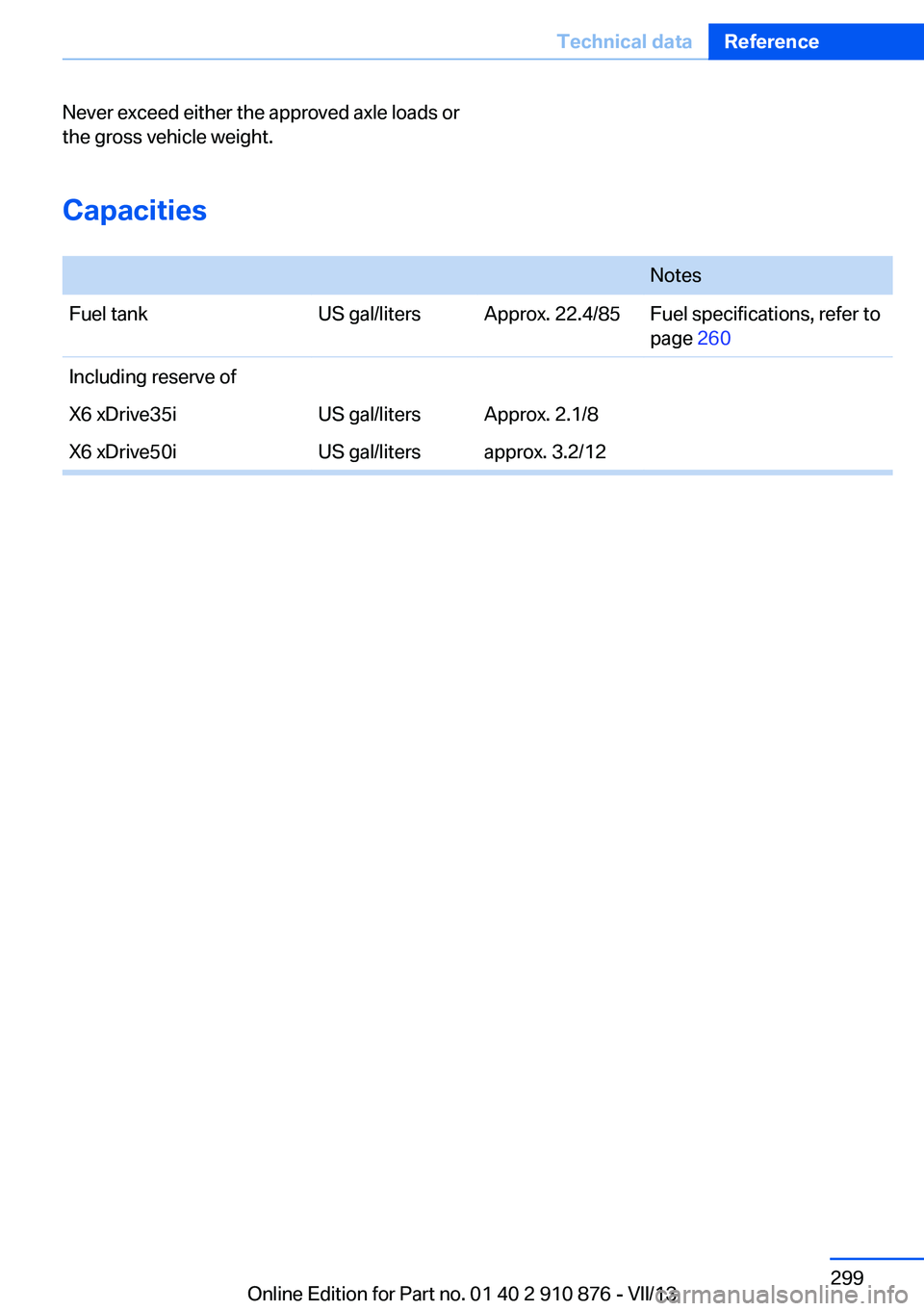
Capacities
NotesFuel tankUS gal/litersApprox. 22.4/85Fuel specifications, refer to
page 260Including reserve ofX6 xDrive35iUS gal/litersApprox. 2.1/8X6 xDrive50iUS gal/litersapprox. 3.2/12Seite 299Technical dataReference299
Online Edition for Part no. 01 40 2 910 876 - VII/13
Page 309 of 323
Automatic climate control inrear, air supply 127
Automatic climate control in rear, deactivating on Control
Display 126
Automatic climate control in rear, switching off 127
Automatic climate control, switching off 125, 127
Automatic climate control, ventilation in rear 126
Automatic climate control, with 2-zone control 122
Automatic climate control, with 4-zone control 126
Automatic, cruise control 109
Automatic Cruise Con‐ trol 102
Automatic Curb Monitor 52
Automatic headlamp con‐ trol 81, 82
Automatic Hold 62
Automatic Hold, activating 62
Automatic Hold, deactivat‐ ing 62
Automatic Hold, parking 63
Automatic recirculated air control 124
Automatic Soft Closing, doors 35
Automatic tailgate opera‐ tion 36
Automatic transmission with Steptronic 67
Automatic transmission with
Steptronic– Kickdown 67
AUTO program with auto‐
matic climate con‐
trol 122 , 127
AUX-IN port 138, 202
Average fuel consumption 73
Average fuel consumption, setting the units 79
Average speed 72
Average speed, refer to Com‐ puter 72
Axle loads, refer to
Weights 298
B
Backrest curvature, refer to Lumbar support 45
Backrest width 45
Back seats, adjusting the head restraints 50
Backup camera 113
Backup camera, obstacle marking 115
Backup camera, pathway lines 114
Backup camera, turning lines 114
Balance 180
Band-aids, refer to First aid kit 287
Bass 180
Battery– Remote control 30
Battery change, remote con‐
trol for rear DVD sys‐
tem 212
Battery disposal 284
Battery, refer to Vehicle bat‐ tery 283
Battery replacement, remote control for vehicle 39
Before entering the car wash 291
Belts, refer to Safety belts 47
Belt tensioners, refer to Safety belts 47
Beverage holder, refer to Cu‐ pholder 139
Black and white map dis‐ play 174
Blower, refer to Air flow rate 123
Bluetooth audio 205
Bluetooth connection, acti‐ vating/deactivating 227
BMW Apps 255
BMW EfficientDynamics, re‐
fer to Saving fuel 153
BMW Homepage 6
BMW Internet page 6
BMW maintenance sys‐ tem 274
BMW Online 252
Bottle holder, refer to Cu‐ pholder 139
Brake assistant 96
Brake discs, breaking in 146
Brake fluid, refer to Service requirements 74
Brake force display 95
Brake force distribution, elec‐ tronic 96
Brake lamps, brake force dis‐ play 95
Brake lights, adaptive 95
Brake pads, breaking in 146
Brakes, BMW maintenance system 274
Brakes, parking brake 61
Brakes, service require‐ ments 74
Brake system, BMW mainte‐ nance system 274
Braking, notes 147
Breakdown assistance 287
Breakdown, transporting the vehicle 289
Breaking in 146
Brightness, on the Control Display 79
Bulb replacement, refer to Lamp and bulb replace‐
ment 276
Button for starting the engine, refer to Start/Stop but‐
ton 59
C
Calendar 244
Calibration, driver's seat 49 Seite 309Everything from A to ZReference309
Online Edition for Part no. 01 40 2 910 876 - VII/13
Page 311 of 323
Concierge service 251
Condensation on windows, removing 123
Condensation under the vehi‐ cle 148
Condition Based Service CBS 274
Confirmation signals for lock‐ ing/unlocking the vehicle 33
Connecting, mobile phone, refer to Pairing the mobile
phone 227
Consumption, refer to Aver‐ age fuel consumption 73
Contacts 240, 248
Control Display 19
Control Display, care 294
Control Display, setting the brightness 79
Controller, refer to Con‐ trols 18
Controls and displays 12
Controls, rear DVD sys‐ tem 210
Control systems, driving sta‐ bility 96
Convenient operation– Glass sunroof 33– Window 33
Coolant 273
Coolant, checking the level 273
Coolant temperature 71
Cooling function, switching on and off 124
Cooling, maximum 124
Cooling system, refer to Cool‐ ant 273
Cornering Brake Control CBC 96
Corrosion on brake discs 148
Courtesy lamps, refer to Inte‐ rior lamps 85
Cradle for telephone or mo‐ bile phone, refer to Snap-in
adapter 237
Cruise control 109
Cruise control– Malfunction 110
Cruise control, active 102
Cupholder 139
Curb weight, refer to Weights 298
Current fuel consumption 71
Current location, storing 162
Curve lights, refer to Adaptive Light Control 82
D
Dashboard lighting, refer to Instrument lighting 85
Dashboard, refer to Cock‐ pit 12
Data, technical 298
Date 70
Date, display format 79
Date, retrieving 70
Date, setting 78
Daytime running lights 82
Defroster, rear window 123
Defrosting windows 123
Defrost setting, refer to De‐ frosting windows 123
Destination entry via the ad‐ dress book 162
Destination guidance 169
Destination guidance with in‐ termediate destinations 167
Destination input, naviga‐ tion 160
Digital clock 70
Digital compass 131
Digital radio 183
Dimming mirrors 52
Directional indicators, refer to Turn signals 64
Display in front wind‐ shield 118
Display lighting, refer to In‐ strument lighting 85
Displays and controls 12
Displays, care 294
Displays, cleaning 294
Displays, refer to Instrument
cluster 14
Disposal, coolant 273
Disposal, vehicle battery 284
Distance control, refer to Ac‐ tive Cruise Control 102
Distance, selecting, with Ac‐ tive Cruise Control 104
Distance warning, refer to Park Distance Control
PDC 111
Divided screen view, split screen 22
Door key, refer to Remote control with integrated
key 30
Door lock 34
Doors, manual operation 34
Doors, unlocking and locking– Confirmation signals 33– From the inside 35– From the outside 32
DOT Quality Grades 265
Downhill control 99
Draft-free ventilation 125
Drive-off assistant 100
Driver's seat, calibrating 49
Driving away on inclines, refer to Drive-off assistant 100
Driving notes, breaking in 146
Driving notes, general 146
Driving on poor roads 148
Driving stability control sys‐ tems 96
Driving through water 147
Driving tips, refer to Driving notes 146
Dry air, refer to Cooling func‐ tion 124
DSC Dynamic Stability Con‐ trol 96
DTC Dynamic Traction Con‐ trol 97
DTMF suffix dialing 232
DVD/CD 190
DVDs, storing 197
Seite 311Everything from A to ZReference311
Online Edition for Part no. 01 40 2 910 876 - VII/13
Page 312 of 323
DVD system in rear 210
DVD, video 192
Dynamic destination guid‐ ance 176
Dynamic Performance Con‐ trol 98
Dynamic Stability Control DSC 96
Dynamic Traction Control DTC 97
E
Easy entry/exit 53
EfficientDynamics, refer to Saving fuel 153
Electrical malfunction– Door lock 34– Driver's door 34– Fuel filler flap 258
Electrical malfunction, park‐
ing brake 63
Electric seat adjustment 45
Electric steering wheel ad‐
justment 53
Electronic brake-force distri‐ bution 96
Electronic engine oil level check 271
Electronic Stability Program ESP, refer to Dynamic Sta‐
bility Control DSC 96
Emergency operation
– Door lock, refer to Manual
operation 34
Emergency operation, fuel
filler flap, unlocking man‐
ually 258
Emergency Request 286
Emergency service, refer to Roadside Assistance 287
Energy-conscious driving, re‐ fer to Current fuel consump‐
tion 71
Energy, saving, refer to Sav‐ ing fuel 153
Engine, breaking in 146
Engine compartment 270
Engine coolant, refer to Cool‐ ant 273
Engine oil, adding 272
Engine oil, additives, refer to Approved engine oils 272
Engine oil, alternative oil types 273
Engine oil, BMW maintenance system 274
Engine oil change intervals, refer to Service require‐
ments 74
Engine oil, checking the level 271
Engine oil, filling ca‐ pacity 299
Engine oil temperature 71
Engine oil types, alterna‐ tive 272
Engine oil types, ap‐ proved 272
Engine, overheating, refer to Coolant temperature 71
Engine start, assistance 287
Engine, starting 60
Engine, starting– Comfort Access 37
Engine, starting, Start/Stop
button 59
Engine, stopping, Start/Stop button 59
Engine, switching off 60
Environmentally friendly driv‐ ing, refer to Current fuel
consumption 71
Equalizer 180
Equipment, interior 129
ESP Electronic Stability Pro‐ gram, refer to Dynamic Sta‐
bility Control DSC 96
Exchanging wheels/tires 267
Exhaust system 146
Exterior mirrors 51
Exterior mirrors, adjusting 51
Exterior mirrors, automatic dimming 52
Exterior mirrors, automatic
heating 52
Exterior mirrors, folding in and out 52
External audio device 138
External devices 202
External temperature dis‐ play 70
External temperature display, changing the units of meas‐
ure, changing the units of
measure on the Control Dis‐
play 79
External temperature warn‐ ing 70
Externel temperature dis‐ play 70
Eyes for securing cargo 151
F
Fader 180
Failure messages, refer to Check Control 76
False alarm– Avoiding unintentional
alarms 40– Ending an alarm 40
Fastening safety belts, refer
to Safety belts 47
Fault messages, refer to Check Control 76
Filling capacities 299
Filter, refer to Microfilter/acti‐ vated-charcoal filter 126
Fine wood, care 293
First aid kit 287
Fitting for towing 290
Fixing system, adaptive 140
Flashing when locking/ unlocking 33
Flat Tire Monitor FTM 88
Flat Tire Monitor FTM, snow chains 269
Flat tire, run-flat tires 268
Flat tire, Tire Pressure Moni‐ tor TPM 90
Seite 312ReferenceEverything from A to Z312
Online Edition for Part no. 01 40 2 910 876 - VII/13