check oil BMW Z4 SDRIVE30I 2009 Owners Manual
[x] Cancel search | Manufacturer: BMW, Model Year: 2009, Model line: Z4 SDRIVE30I, Model: BMW Z4 SDRIVE30I 2009Pages: 248, PDF Size: 7.63 MB
Page 14 of 248
Cockpit
12
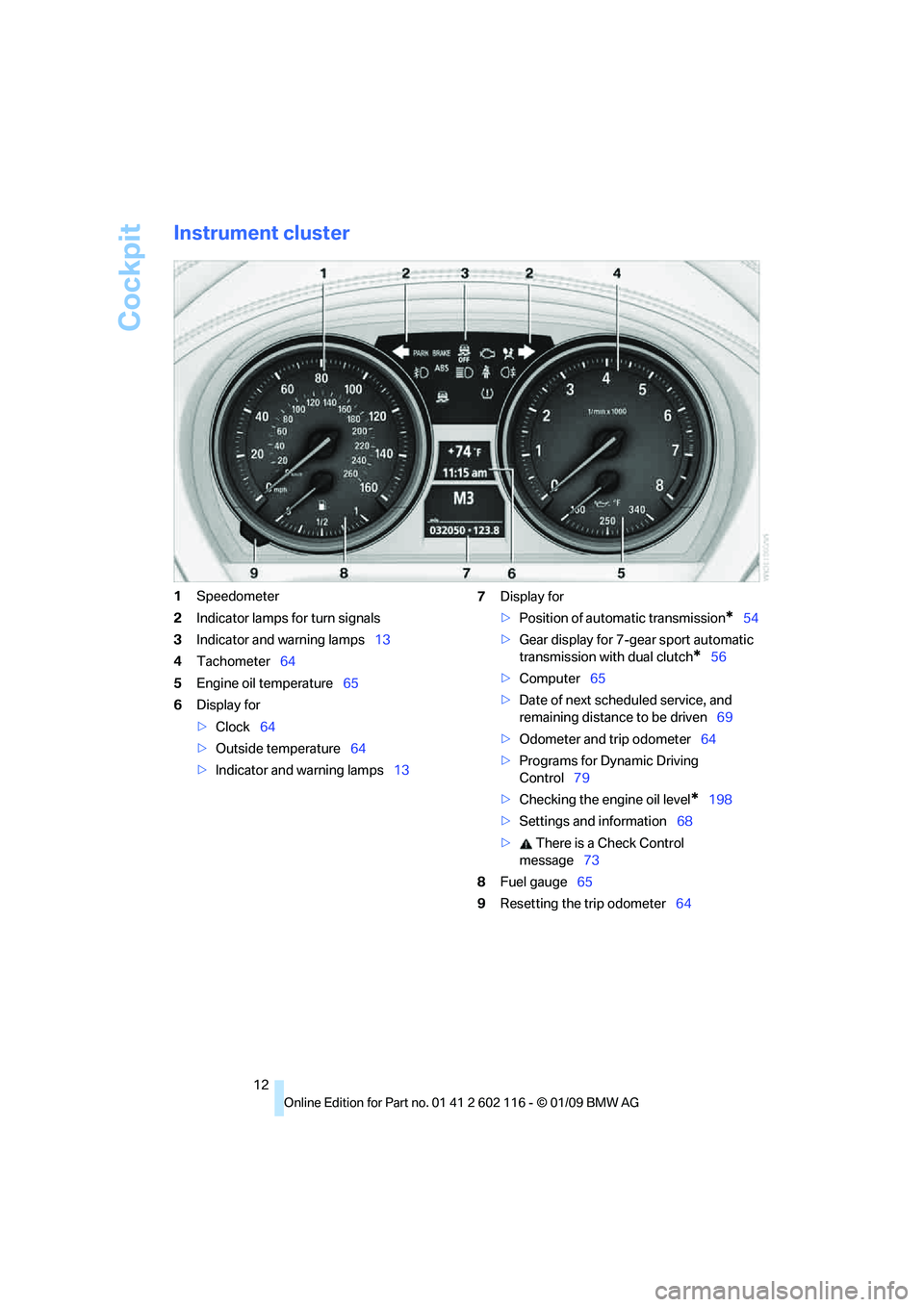
Instrument cluster
1Speedometer
2 Indicator lamps for turn signals
3 Indicator and warning lamps 13
4 Tachometer 64
5 Engine oil temperature 65
6 Display for
>Clock 64
> Outside temperature 64
> Indicator and warning lamps 137
Display for
>Position of automatic transmission
*54
> Gear display for 7-gear sport automatic
transmission with dual clutch
*56
> Computer 65
> Date of next scheduled service, and
remaining distance to be driven 69
> Odometer and trip odometer 64
> Programs for Dynamic Driving
Control 79
> Checking the engine oil level
*198
> Settings and information 68
> There is a Check Control
message 73
8 Fuel gauge 65
9 Resetting the trip odometer 64
Page 67 of 248
Controls
65Reference
At a glance
Driving tips
Communications
Navigation
Entertainment
Mobility
Coolant temperature
A warning lamp will come on if the coolant, and
therefore the engine, becomes too hot. In addi-
tion, a message will appear on the Control
Display.
Check coolant level, refer to page201.
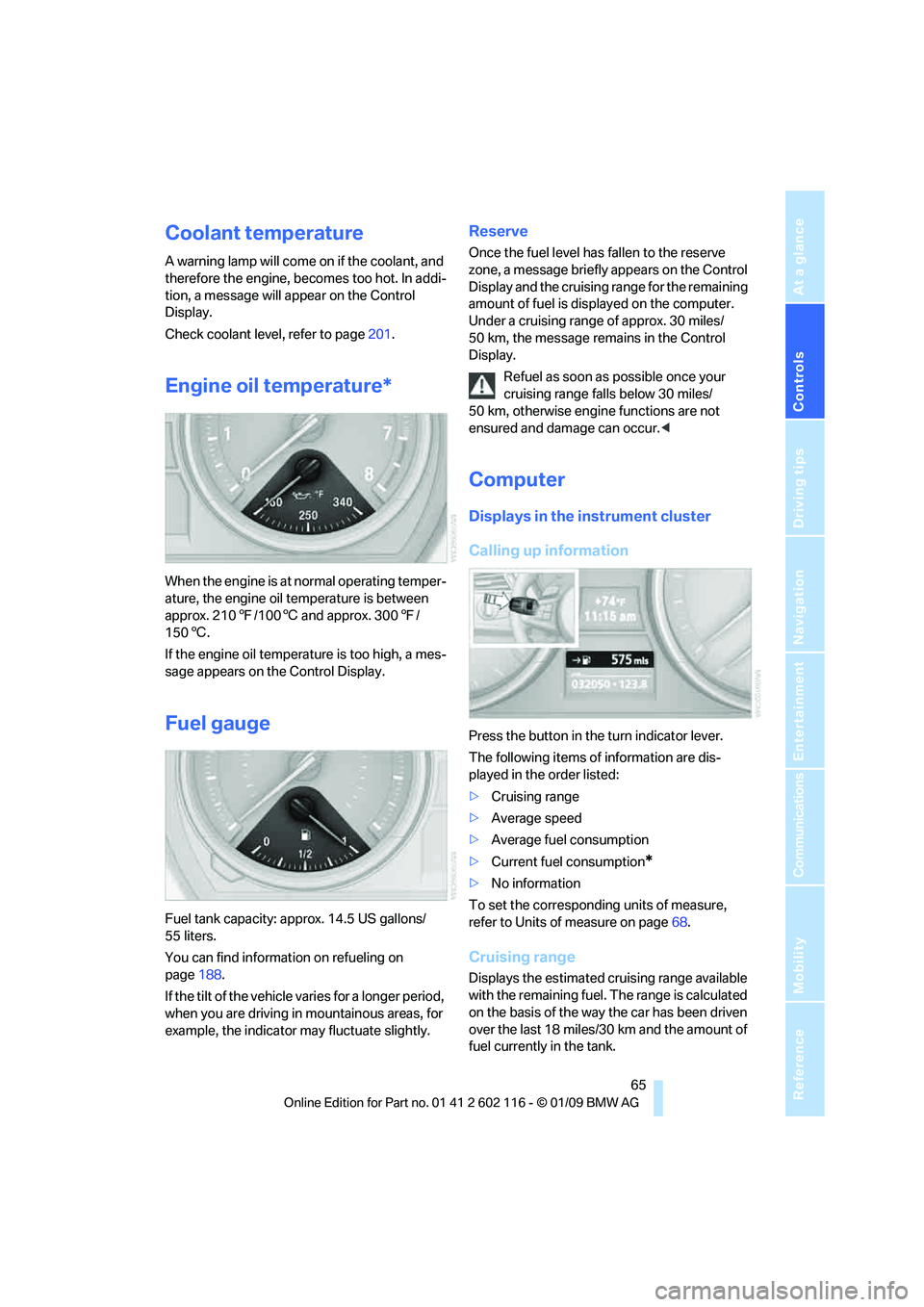
Engine oil temperature*
When the engine is at normal operating temper-
ature, the engine oil temperature is between
approx. 210 7/100 6 and approx. 300 7/
150 6.
If the engine oil temperature is too high, a mes-
sage appears on the Control Display.
Fuel gauge
Fuel tank capacity: approx. 14.5 US gallons/
55 liters.
You can find information on refueling on
page 188.
If the tilt of the vehicle varies for a longer period,
when you are driving in mountainous areas, for
example, the indicator may fluctuate slightly.
Reserve
Once the fuel level has fallen to the reserve
zone, a message briefly appears on the Control
Display and the cruising range for the remaining
amount of fuel is displayed on the computer.
Under a cruising range of approx. 30 miles/
50 km, the message remains in the Control
Display.
Refuel as soon as possible once your
cruising range falls below 30 miles/
50 km, otherwise engine functions are not
ensured and damage can occur. <
Computer
Displays in the instrument cluster
Calling up information
Press the button in the turn indicator lever.
The following items of information are dis-
played in the order listed:
>Cruising range
> Average speed
> Average fuel consumption
> Current fuel consumption
*
>No information
To set the corresponding units of measure,
refer to Units of measure on page 68.
Cruising range
Displays the estimated cr uising range available
with the remaining fuel. The range is calculated
on the basis of the way the car has been driven
over the last 18 miles/30 km and the amount of
fuel currently in the tank.
Page 70 of 248
Everything under control
68
Settings and information
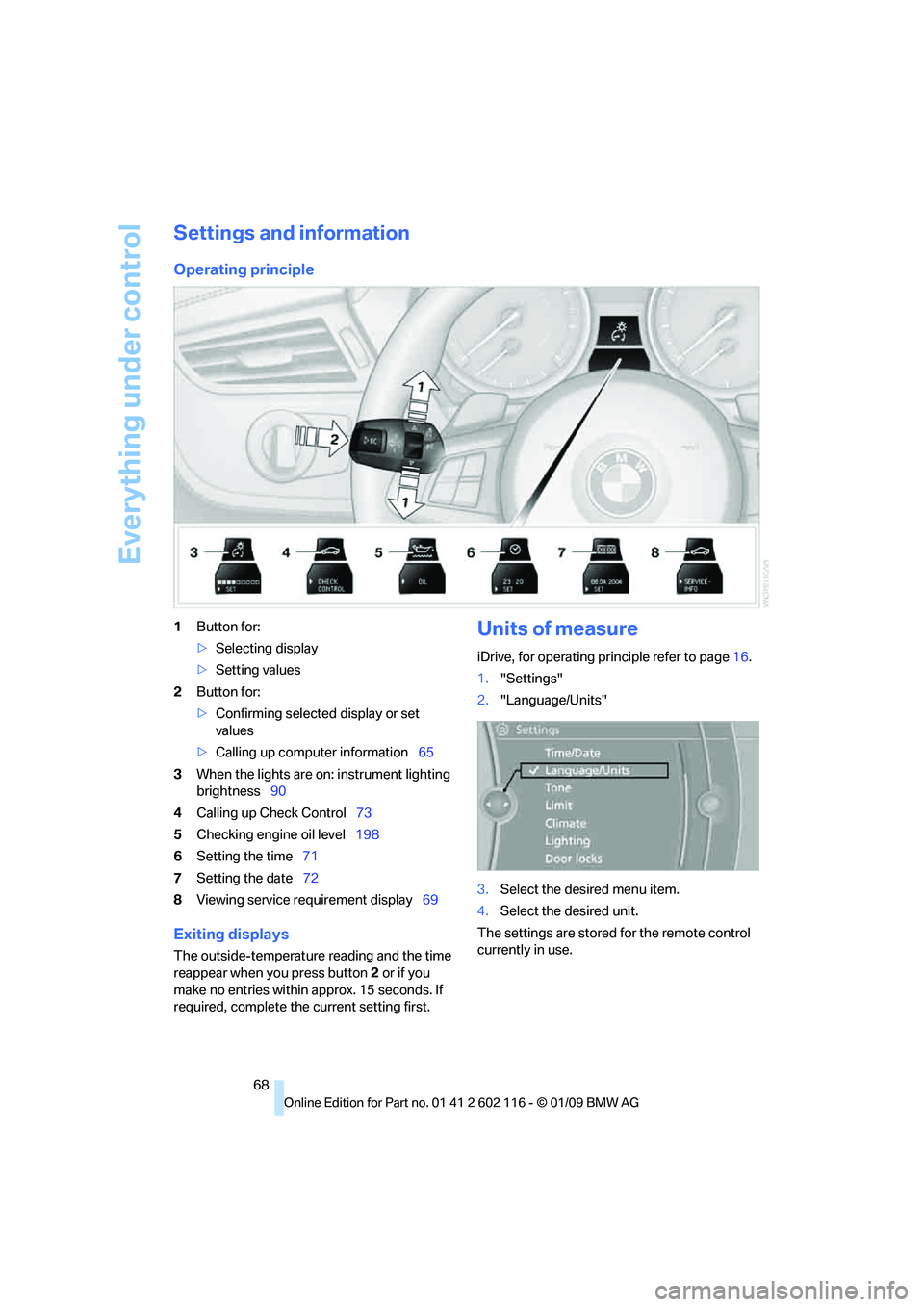
Operating principle
1Button for:
>Selecting display
> Setting values
2 Button for:
>Confirming selected display or set
values
> Calling up computer information 65
3 When the lights are on: instrument lighting
brightness 90
4 Calling up Check Control 73
5 Checking engine oil level 198
6 Setting the time 71
7 Setting the date 72
8 Viewing service re quirement display 69
Exiting displays
The outside-temperature reading and the time
reappear when you press button 2 or if you
make no entries within approx. 15 seconds. If
required, complete the current setting first.
Units of measure
iDrive, for operating principle refer to page16.
1. "Settings"
2. "Language/Units"
3. Select the desired menu item.
4. Select the desired unit.
The settings are stored for the remote control
currently in use.
Page 200 of 248
Under the hood
198
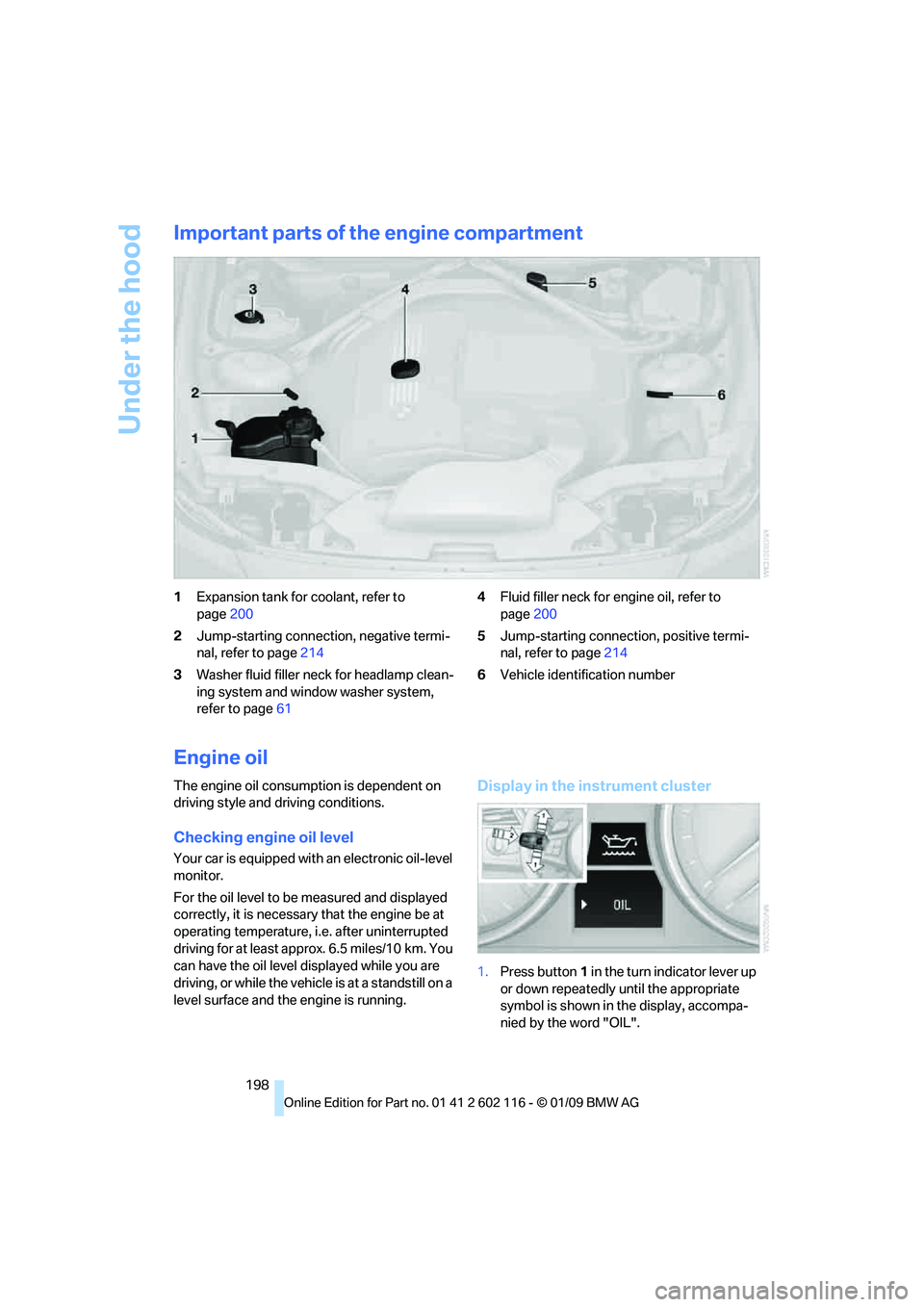
Important parts of the engine compartment
1Expansion tank for coolant, refer to
page 200
2 Jump-starting connection, negative termi-
nal, refer to page 214
3 Washer fluid filler neck for headlamp clean-
ing system and window washer system,
refer to page 61 4
Fluid filler neck for engine oil, refer to
page 200
5 Jump-starting connection, positive termi-
nal, refer to page 214
6 Vehicle identification number
Engine oil
The engine oil consumption is dependent on
driving style and driving conditions.
Checking engine oil level
Your car is equipped with an electronic oil-level
monitor.
For the oil level to be measured and displayed
correctly, it is necessary that the engine be at
operating temperature, i.e. after uninterrupted
driving for at least approx. 6.5 miles/10 km. You
can have the oil level displayed while you are
driving, or while the vehicle is at a standstill on a
level surface and the engine is running.
Display in the instrument cluster
1.Press button 1 in the turn indicator lever up
or down repeatedly until the appropriate
symbol is shown in the display, accompa-
nied by the word "OIL".
Page 201 of 248
Mobility
199Reference
At a glance
Controls
Driving tips
Communications
Navigation
Entertainment
2.Press button 2 in the turn in dicator lever.
The oil level is checke d and the reading dis-
played.
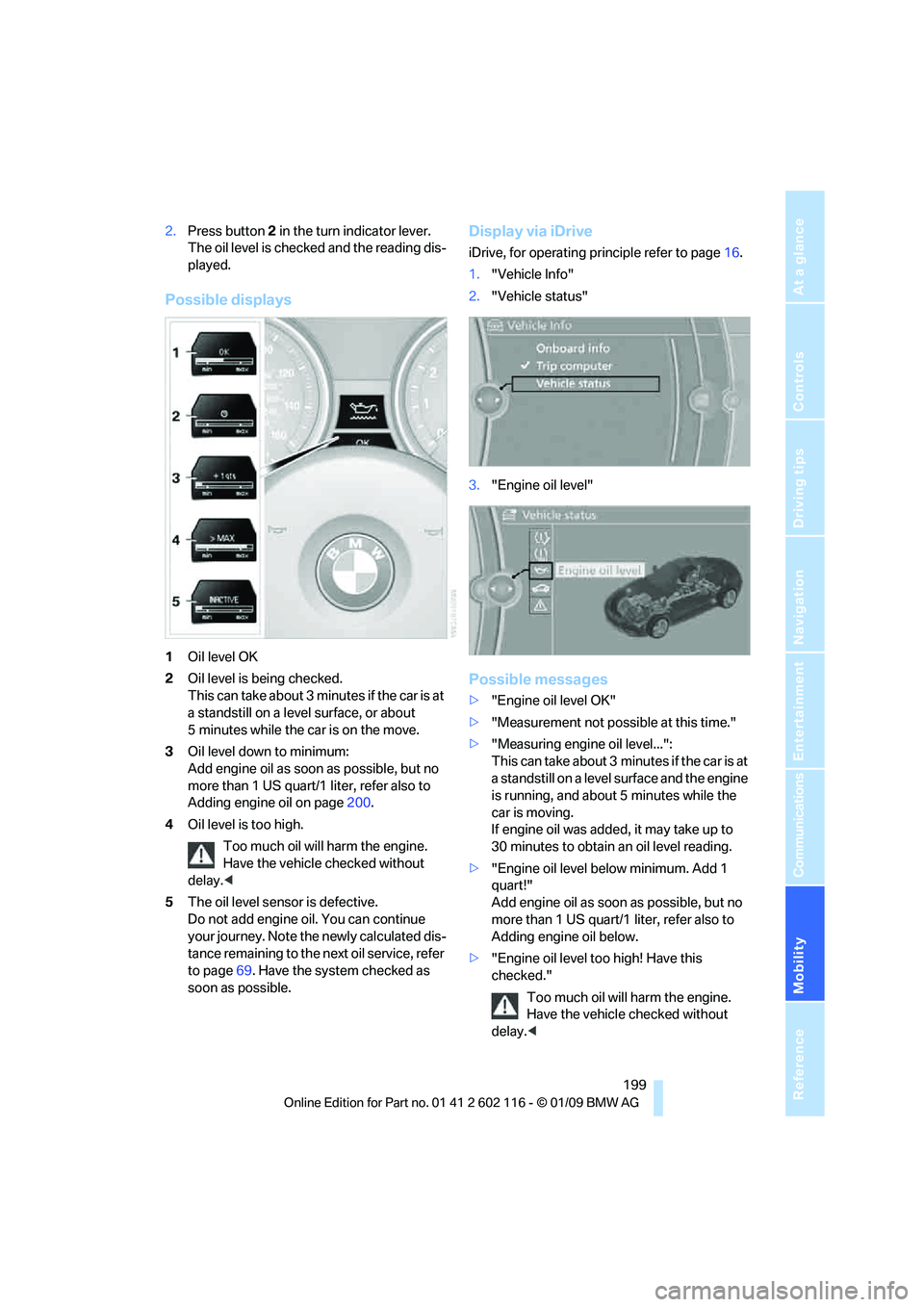
Possible displays
1 Oil level OK
2 Oil level is being checked.
This can take about 3 minutes if the car is at
a standstill on a level surface, or about
5 minutes while the car is on the move.
3 Oil level down to minimum:
Add engine oil as soon as possible, but no
more than 1 US quart/1 liter, refer also to
Adding engine oil on page 200.
4 Oil level is too high.
Too much oil will harm the engine.
Have the vehicle checked without
delay. <
5 The oil level sensor is defective.
Do not add engine o il. You can continue
your journey. Note the newly calculated dis-
tance remaining to the next oil service, refer
to page 69. Have the system checked as
soon as possible.
Display via iDrive
iDrive, for operating pr inciple refer to page16.
1. "Vehicle Info"
2. "Vehicle status"
3. "Engine oil level"
Possible messages
>"Engine oil level OK"
> "Measurement not possi ble at this time."
> "Measuring engine oil level...":
This can take about 3 minutes if the car is at
a standstill on a level surface and the engine
is running, and about 5 minutes while the
car is moving.
If engine oil was added, it may take up to
30 minutes to obtain an oil level reading.
> "Engine oil level below minimum. Add 1
quart!"
Add engine oil as soon as possible, but no
more than 1 US quart/1 liter, refer also to
Adding engine oil below.
> "Engine oil level too high! Have this
checked."
Too much oil will harm the engine.
Have the vehicle checked without
delay. <
Page 202 of 248
Under the hood
200
>
"Measurement inactive. Have this
checked."
Do not add engine oil. You can continue
your journey. Note the newly calculated dis-
tance remaining to the ne xt oil service, refer
to page 69. Have the system checked as
soon as possible.
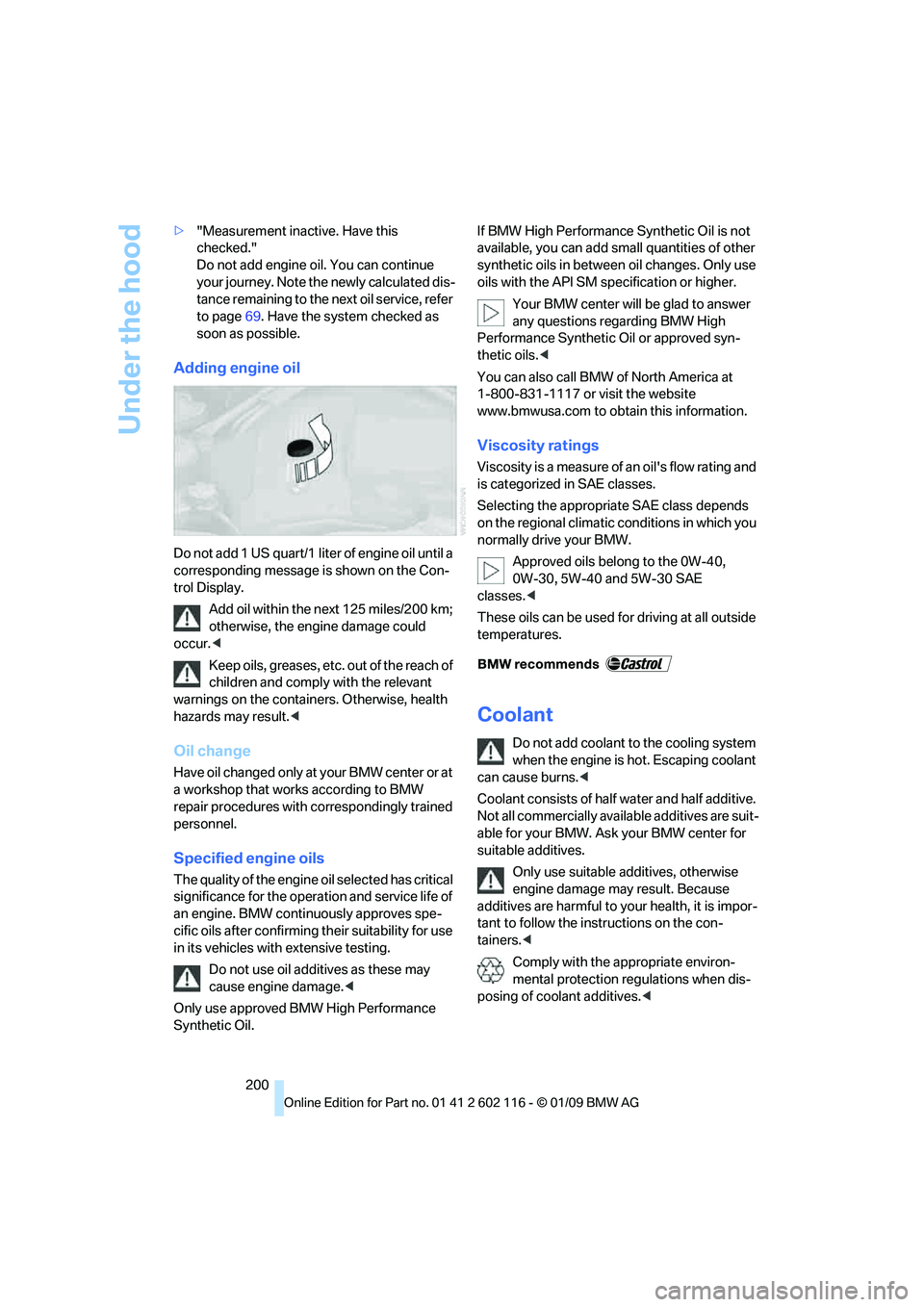
Adding engine oil
Do not add 1 US quart/1 liter of engine oil until a
corresponding message is shown on the Con-
trol Display.
Add oil within the next 125 miles/200 km;
otherwise, the engine damage could
occur. <
Keep oils, greases, etc. out of the reach of
children and comply with the relevant
warnings on the containers. Otherwise, health
hazards may result. <
Oil change
Have oil changed only at your BMW center or at
a workshop that works according to BMW
repair procedures with correspondingly trained
personnel.
Specified engine oils
The quality of the engine oil selected has critical
significance for the oper ation and service life of
an engine. BMW continuously approves spe-
cific oils after confirming their suitability for use
in its vehicles with extensive testing.
Do not use oil additives as these may
cause engine damage. <
Only use approved BMW High Performance
Synthetic Oil. If BMW High Performance Synthetic Oil is not
available, you can add small quantities of other
synthetic oils in betwee
n oil changes. Only use
oils with the API SM sp ecification or higher.
Your BMW center will be glad to answer
any questions regarding BMW High
Performance Synthetic Oil or approved syn-
thetic oils. <
You can also call BMW of North America at
1-800-831-1117 or visit the website
www.bmwusa.com to obtain this information.
Viscosity ratings
Viscosity is a measure of an oil's flow rating and
is categorized in SAE classes.
Selecting the appropri ate SAE class depends
on the regional climatic conditions in which you
normally drive your BMW.
Approved oils belong to the 0W-40,
0W-30, 5W-40 and 5W-30 SAE
classes. <
These oils can be used fo r driving at all outside
temperatures.
Coolant
Do not add coolant to the cooling system
when the engine is hot. Escaping coolant
can cause burns. <
Coolant consists of half water and half additive.
Not all commercially available additives are suit-
able for your BMW. Ask your BMW center for
suitable additives.
Only use suitable ad ditives, otherwise
engine damage may result. Because
additives are harmful to your health, it is impor-
tant to follow the instructions on the con-
tainers. <
Comply with the appropriate environ-
mental protection regulations when dis-
posing of coolant additives. <
Page 204 of 248
Maintenance
202
Maintenance
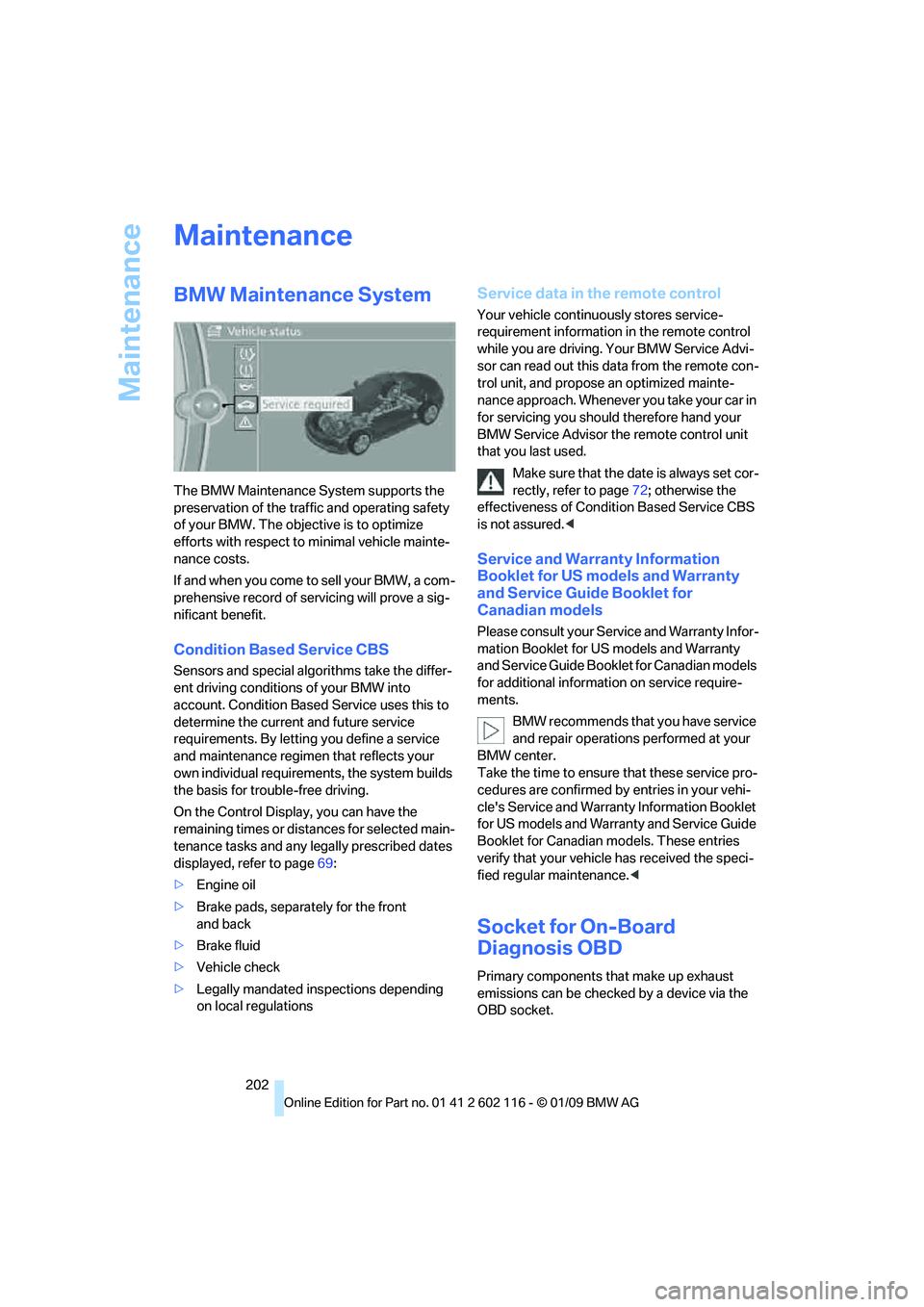
BMW Maintenance System
The BMW Maintenance System supports the
preservation of the traffic and operating safety
of your BMW. The objective is to optimize
efforts with respect to minimal vehicle mainte-
nance costs.
If and when you come to sell your BMW, a com-
prehensive record of servicing will prove a sig-
nificant benefit.
Condition Based Service CBS
Sensors and special algo rithms take the differ-
ent driving conditions of your BMW into
account. Condition Based Service uses this to
determine the current and future service
requirements. By letting you define a service
and maintenance regimen that reflects your
own individual requirem ents, the system builds
the basis for trouble-free driving.
On the Control Displa y, you can have the
remaining times or distan ces for selected main-
tenance tasks and any le gally prescribed dates
displayed, refer to page 69:
> Engine oil
> Brake pads, separately for the front
and back
> Brake fluid
> Vehicle check
> Legally mandated in spections depending
on local regulations
Service data in the remote control
Your vehicle continuo usly stores service-
requirement information in the remote control
while you are driving. Your BMW Service Advi-
sor can read out this da ta from the remote con-
trol unit, and propose an optimized mainte-
nance approach. Whenever you take your car in
for servicing you should therefore hand your
BMW Service Advisor the remote control unit
that you last used.
Make sure that the date is always set cor-
rectly, refer to page 72; otherwise the
effectiveness of Condit ion Based Service CBS
is not assured. <
Service and Warranty Information
Booklet for US models and Warranty
and Service Guide Booklet for
Canadian models
Please consult your Service and Warranty Infor-
mation Booklet for US models and Warranty
and Service Guide Booklet for Canadian models
for additional information on service require-
ments.
BMW recommends that you have service
and repair operations performed at your
BMW center.
Take the time to ensure that these service pro-
cedures are confirmed by entries in your vehi-
cle's Service and Warranty Information Booklet
for US models and Warranty and Service Guide
Booklet for Canadian models. These entries
verify that your vehicle has received the speci-
fied regular maintenance. <
Socket for On-Board
Diagnosis OBD
Primary components that make up exhaust
emissions can be checked by a device via the
OBD socket.
Page 206 of 248
Care
204
Care
Care products
Regular cleaning and care contributes signifi-
cantly to the value retention of your BMW.
BMW recommends cleaning and caring for your
vehicle with products that are approved by
BMW for this purpose.
Your BMW center will be happy to advise you on
the products and services available for cleaning
and caring for your BMW.
Original BMW CareProducts have been
material tested, labo ratory checked and
proven in the field, and offer optimal care and
protection for your vehicle. <
Do not use cleaners that contain alcohol
or solvents as these may result in
damage. <
Cleaning agents can contain substances
that are dangerous or hazardous to your
health. Therefore, follow the warning and safety
instructions on the packaging. When cleaning
inside the vehicle, always open the doors or
windows of the vehicle. In enclosed areas, pro-
vide for sufficient ventilation. Only use products
designed for cleaning vehicles. <
Exterior care
Washing the vehicle
Especially during the winter months,
ensure that the vehicle is washed more
frequently. Heavy soiling and road salt can lead
to vehicle damage. <
After washing the vehicle, apply the
brakes briefly to dry them, otherwise
water can reduce braking efficiency over the
short term and brake discs can corrode. <
Automatic car washes
Preference should be given to cloth car washes.
Do not use high-pressure car washes,
otherwise water may drip into the vehicle
around the windows. <
Before driving into a car wash, ensure that it is
suitable for your BMW. Check the following:
> Dimensions of your vehicle, refer to
page 221.
> If necessary: fold in the exterior mirrors,
refer to page 45.
> Maximum permissible tire width.
Avoid car washes with guide rail heights
over 4 in/10 cm, otherwise there is danger
of damaging chassis parts. <
Preparations before driv ing into an automatic
car wash:
> Unscrew the rod antenna
*
>Deactivate the rain sensor* to avoid unin-
tentional activation of the wipers.
> Remove additional attachments, e.g.
spoiler or telephone an tennas, if there is a
possibility that they could be damaged.
Automatic transmission
Before driving into an automatic car wash, per-
form the following steps to ensure that the vehi-
cle can roll:
1. Insert the remote cont rol, even with conve-
nient access, into the ignition lock.
2. Move the selector lever to position N.
3. Release the parking brake.
4. Switch off the engine.
5. Leave the remote control in the ignition lock
so that the vehicle can roll.
Page 236 of 248
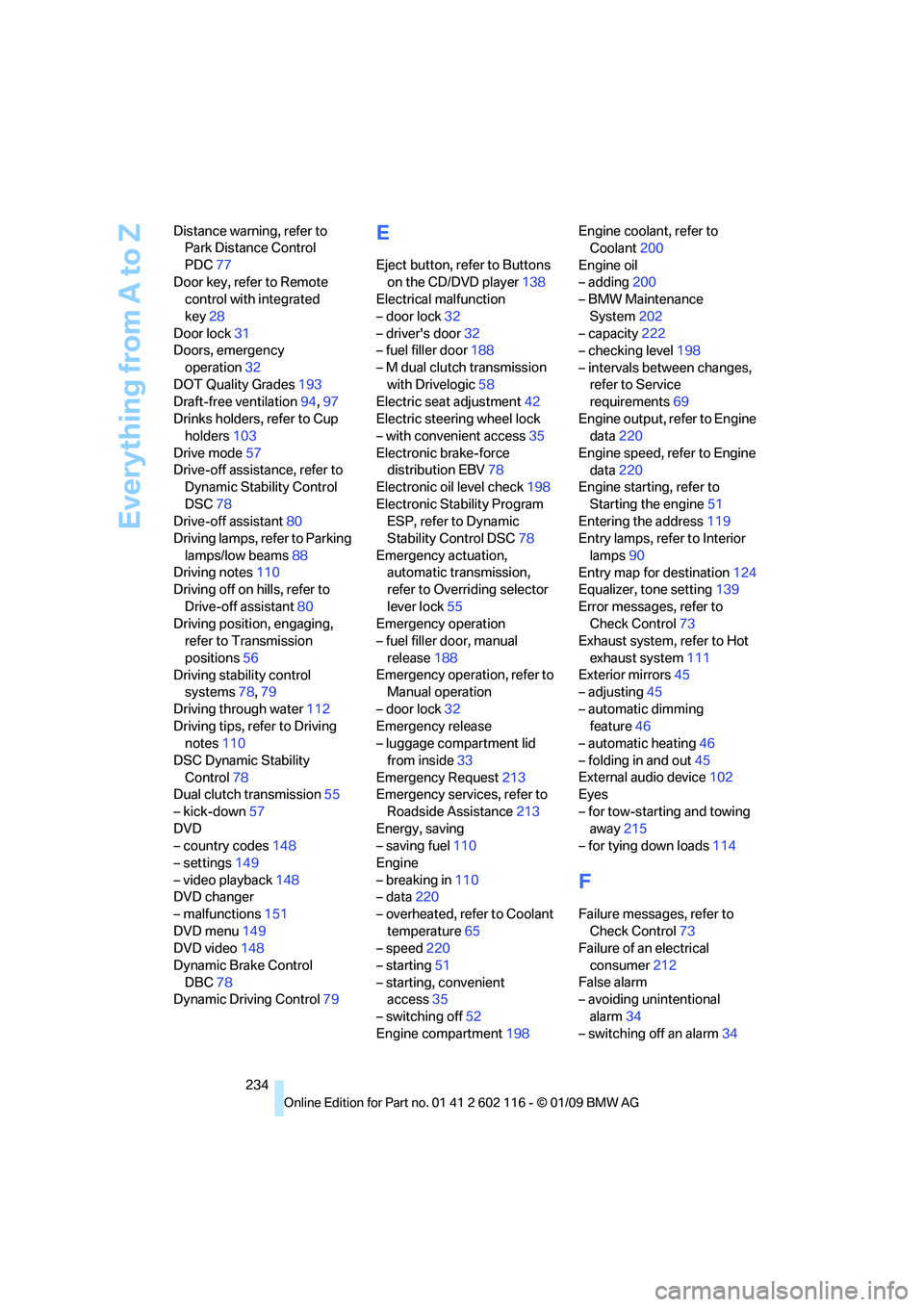
Everything from A to Z
234
Distance warning, refer to
Park Distance Control
PDC 77
Door key, refer to Remote control with integrated
key 28
Door lock 31
Doors, emergency
operation 32
DOT Quality Grades 193
Draft-free ventilation 94,97
Drinks holders, refer to Cup holders 103
Drive mode 57
Drive-off assistance, refer to Dynamic Stability Control
DSC 78
Drive-off assistant 80
Driving lamps, refer to Parking
lamps/low beams 88
Driving notes 110
Driving off on hills, refer to
Drive-off assistant 80
Driving position, engaging, refer to Transmission
positions 56
Driving stability control systems 78,79
Driving through water 112
Driving tips, refer to Driving notes 110
DSC Dynamic Stability Control 78
Dual clutch transmission 55
– kick-down 57
DVD
– country codes 148
– settings 149
– video playback 148
DVD changer
– malfunctions 151
DVD menu 149
DVD video 148
Dynamic Brake Control DBC 78
Dynamic Driving Control 79
E
Eject button, refer to Buttons
on the CD/DVD player 138
Electrical malfunction
– door lock 32
– driver's door 32
– fuel filler door 188
– M dual clutch transmission with Drivelogic 58
Electric seat adjustment 42
Electric steering wheel lock
– with convenient access 35
Electronic brake-force distribution EBV 78
Electronic oil level check 198
Electronic Stability Program ESP, refer to Dynamic
Stability Control DSC 78
Emergency actuation, automatic transmission,
refer to Overriding selector
lever lock 55
Emergency operation
– fuel filler door, manual
release 188
Emergency operation, refer to Manual operation
– door lock 32
Emergency release
– luggage compartment lid
from inside 33
Emergency Request 213
Emergency services, refer to
Roadside Assistance 213
Energy, saving
– saving fuel 110
Engine
– breaking in 110
– data 220
– overheated, refer to Coolant temperature 65
– speed 220
– starting 51
– starting, convenient access 35
– switching off 52
Engine compartment 198Engine coolant, refer to
Coolant 200
Engine oil
– adding 200
– BMW Maintenance
System 202
– capacity 222
– checking level 198
– intervals between changes, refer to Service
requirements 69
Engine output, refer to Engine data 220
Engine speed, refer to Engine data 220
Engine starting, refer to
Starting the engine 51
Entering the address 119
Entry lamps, refer to Interior
lamps 90
Entry map for destination 124
Equalizer, tone setting 139
Error messages, refer to Check C
ontrol73
Exhaust system, refer to Hot
exhaust system 111
Exterior mirrors 45
– adjusting 45
– automatic dimming feature 46
– automatic heating 46
– folding in and out 45
External audio device 102
Eyes
– for tow-starting and towing away 215
– for tying down loads 114
F
Failure messages, refer to
Check Control 73
Failure of an electrical
consumer 212
False alarm
– avoiding unintentional
alarm 34
– switching off an alarm 34