key BMW Z4 SDRIVE35I ROADSTER 2010 User Guide
[x] Cancel search | Manufacturer: BMW, Model Year: 2010, Model line: Z4 SDRIVE35I ROADSTER, Model: BMW Z4 SDRIVE35I ROADSTER 2010Pages: 254, PDF Size: 8.04 MB
Page 146 of 254
Radio
144
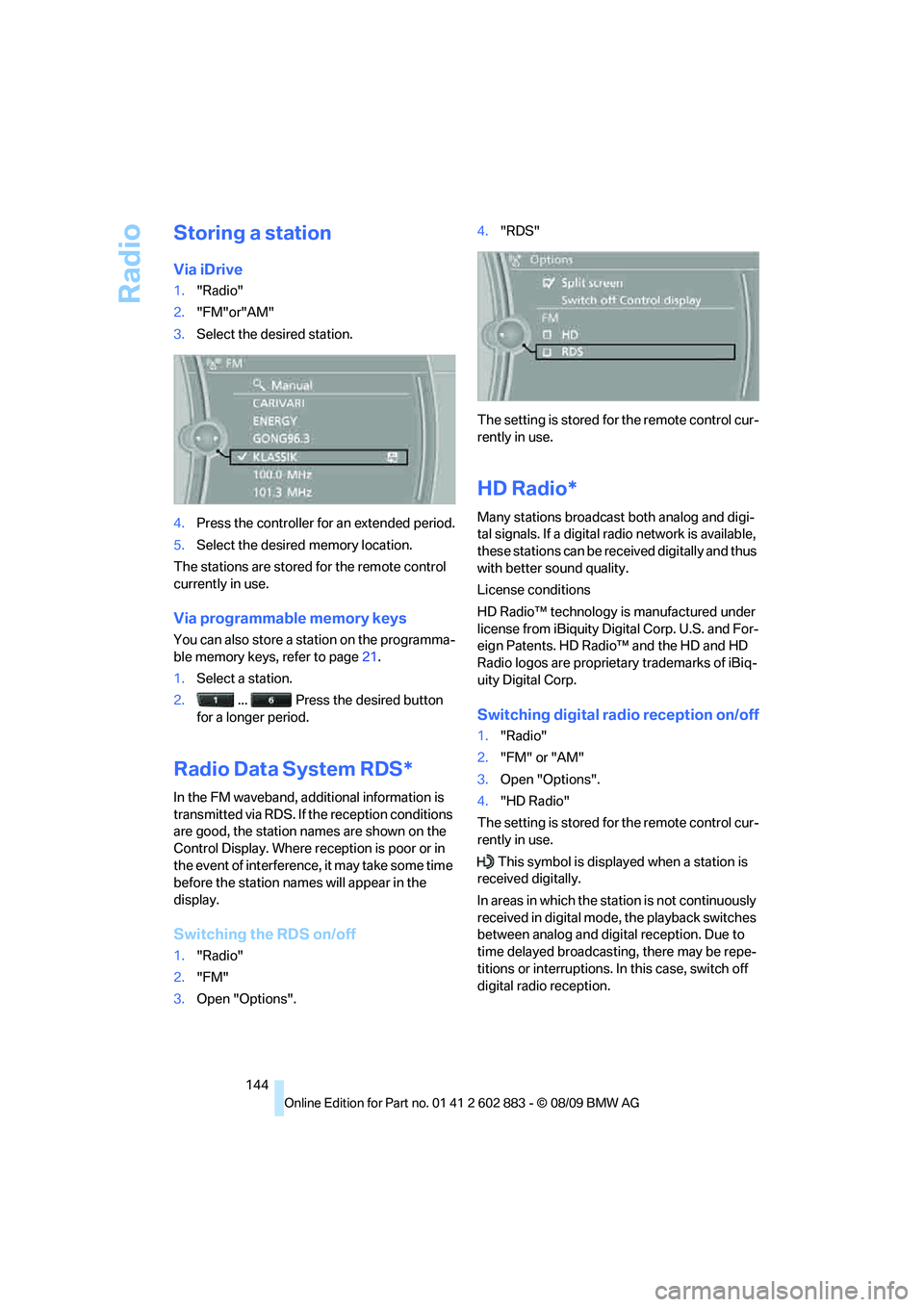
Storing a station
Via iDrive
1."Radio"
2."FM"or"AM"
3.Select the desired station.
4.Press the controller for an extended period.
5.Select the desired memory location.
The stations are stored for the remote control
currently in use.
Via programmable memory keys
You can also store a station on the programma-
ble memory keys, refer to page21.
1.Select a station.
2. ... Press the desired button
for a longer period.
Radio Data System RDS*
In the FM waveband, additional information is
transmitted via RDS. If the reception conditions
are good, the station names are shown on the
Control Display. Where reception is poor or in
the event of interference, it may take some time
before the station names will appear in the
display.
Switching the RDS on/off
1."Radio"
2."FM"
3.Open "Options".4."RDS"
The setting is stored for the remote control cur-
rently in use.
HD Radio*
Many stations broadcast both analog and digi-
tal signals. If a digital radio network is available,
these stations can be received digitally and thus
with better sound quality.
License conditions
HD Radio™ technology is manufactured under
license from iBiquity Digital Corp. U.S. and For-
eign Patents. HD Radio™ and the HD and HD
Radio logos are proprietary trademarks of iBiq-
uity Digital Corp.
Switching digital radio reception on/off
1."Radio"
2."FM" or "AM"
3.Open "Options".
4."HD Radio"
The setting is stored for the remote control cur-
rently in use.
This symbol is displayed when a station is
received digitally.
In areas in which the station is not continuously
received in digital mode, the playback switches
between analog and digital reception. Due to
time delayed broadcasting, there may be repe-
titions or interruptions. In this case, switch off
digital radio reception.
Page 147 of 254
Navigation
Entertainment
Driving tips
145Reference
At a glance
Controls
Communications
Mobility
Displaying additional information
Some stations broadcast additional information
on the current track, such as the name of the
artist.
1.Select the desired station.
2.Open "Options".
3."Station info"
Selecting a substation
1.Select the desired station.
2.Press the controller.
3.Select the substation.
Presets
It is possible to store up to 40 stations.
Calling up a station
1."Radio"
2."Presets"
3.Select the desired station.
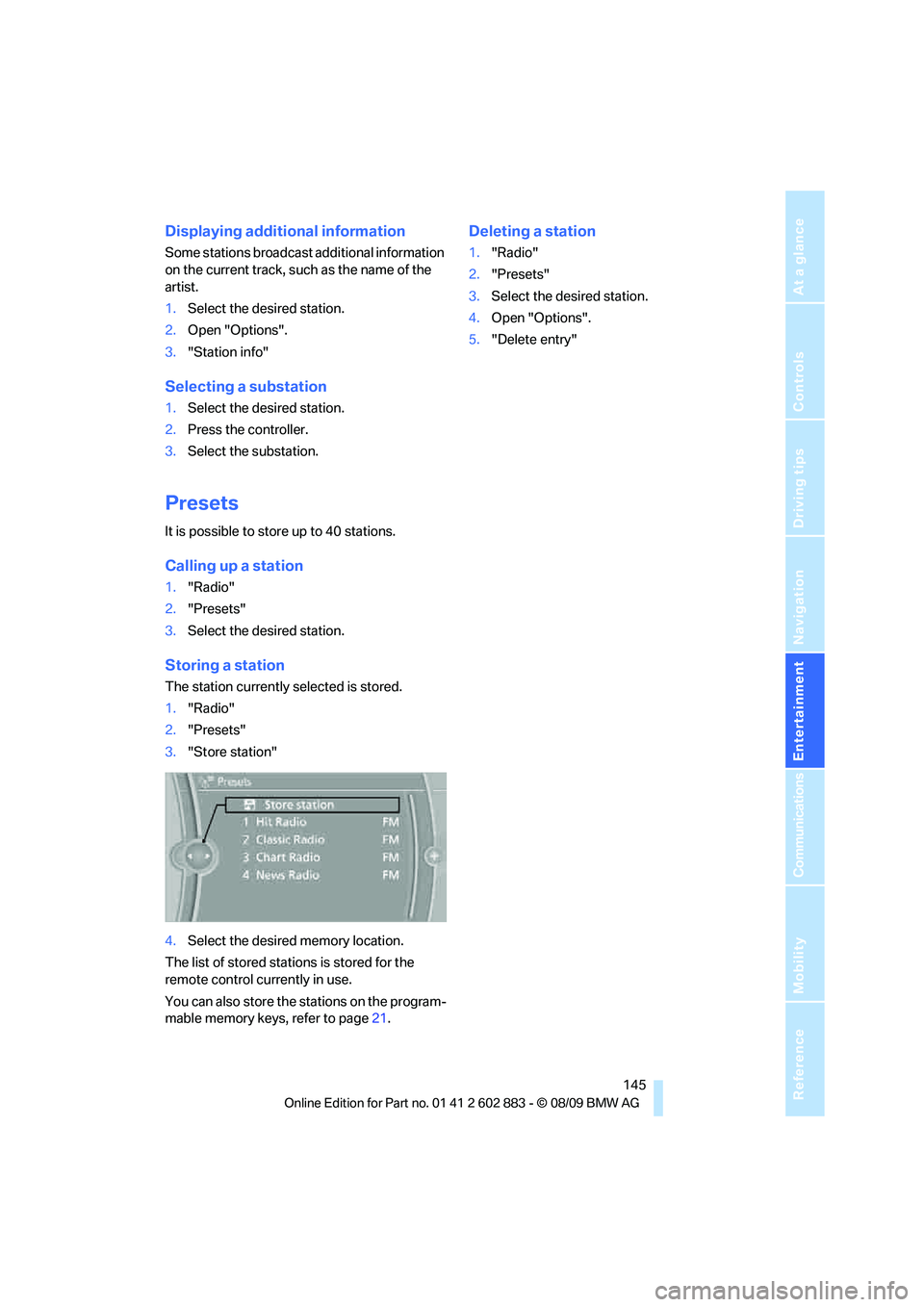
Storing a station
The station currently selected is stored.
1."Radio"
2."Presets"
3."Store station"
4.Select the desired memory location.
The list of stored stations is stored for the
remote control currently in use.
You can also store the stations on the program-
mable memory keys, refer to page21.
Deleting a station
1."Radio"
2."Presets"
3.Select the desired station.
4.Open "Options".
5."Delete entry"
Page 149 of 254
Navigation
Entertainment
Driving tips
147Reference
At a glance
Controls
Communications
Mobility
The phone number and an electronic serial
number, ESN, are displayed.
5.Call Sirius to unsubscribe from the
channels.
Selecting a channel
You can only listen to enabled channels.
The selected channel is stored for the remote
control currently in use.
Via iDrive
1."Radio"
2."Satellite radio"
3.Select "All Channels" or the desired
category.
4.Select the desired channel.
Via the button in the area of the CD/
DVD player
Press the button for the corresponding
direction.
The next channel is selected.
Via direct channel entry
1."Radio"
2."Satellite radio"
3."Select channel"
4.Turn the controller until the desired channel
is reached and press the controller.
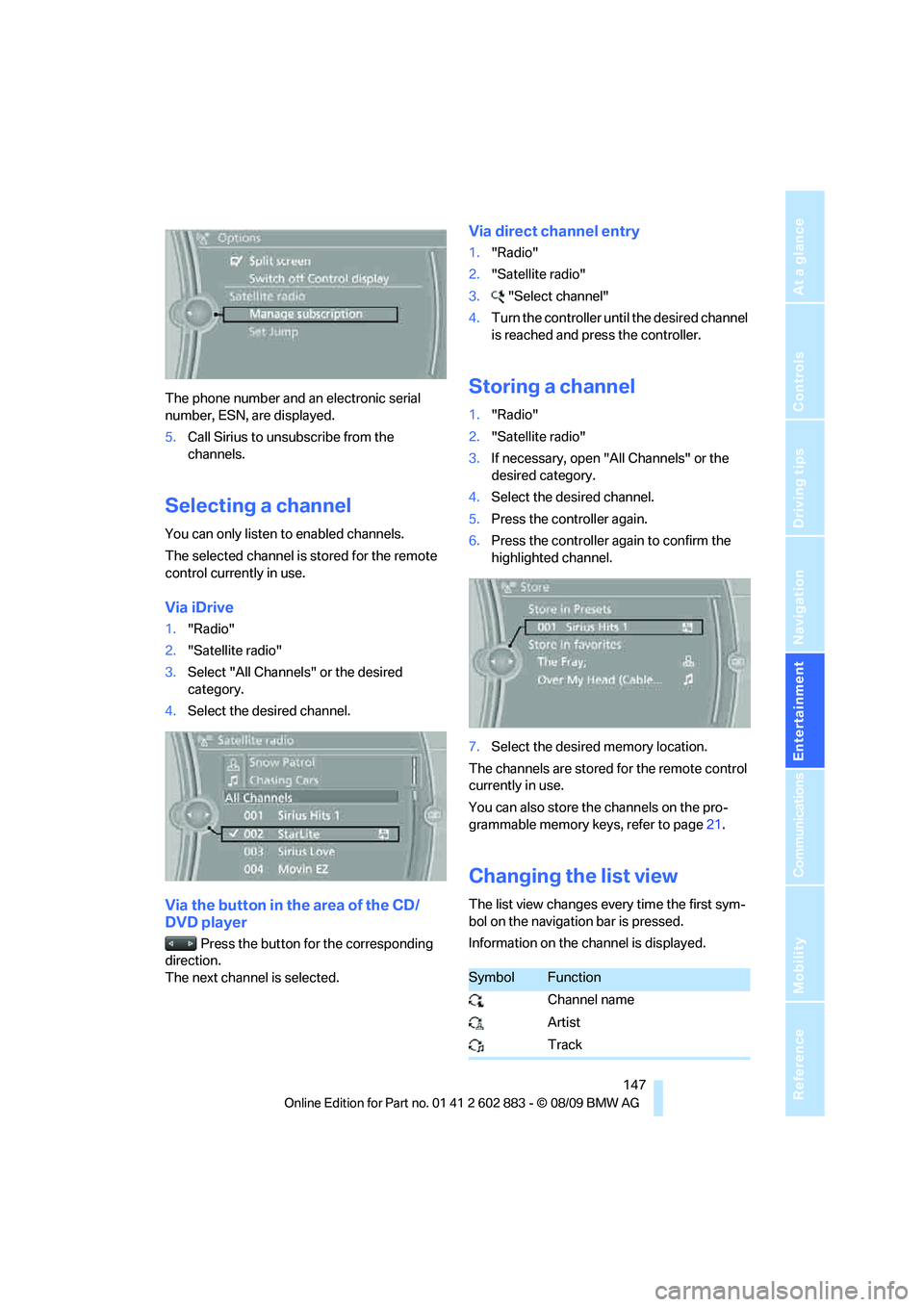
Storing a channel
1."Radio"
2."Satellite radio"
3.If necessary, open "All Channels" or the
desired category.
4.Select the desired channel.
5.Press the controller again.
6.Press the controller again to confirm the
highlighted channel.
7.Select the desired memory location.
The channels are stored for the remote control
currently in use.
You can also store the channels on the pro-
grammable memory keys, refer to page21.
Changing the list view
The list view changes every time the first sym-
bol on the navigation bar is pressed.
Information on the channel is displayed.
SymbolFunction
Channel name
Artist
Track
Page 172 of 254
Telephone
170
Telephone
The concept
Your BMW is equipped with a full preparation
package mobile phone. After pairing a suitable
mobile phone with the vehicle once, you can
operate the mobile phone via the iDrive, the
buttons on the steering wheel or using voice
commands
*.
Once a mobile phone has been paired with your
vehicle, it is automatically recognized as soon
as it is inside the vehicle while the engine is run-
ning or the ignition is switched on. You can
store the pairing data for up to four mobile
phones simultaneously. If several mobile
phones are detected at the same time, the
mobile phone last paired can be operated via
the vehicle.
Using the telephone inside
the vehicle
Using the snap-in adapter*
The so-called snap-in adapter, a holder for
mobile phones, allows you to charge the mobile
phone's battery and connect the mobile phone
to your vehicle's outside antenna. This ensures
better network reception and consistent repro-
duction quality. Please contact your
BMW center to find out for which mobile
phones there are snap-in adapters available.
For your safety
A car phone makes life more convenient in
many ways, and can even save lives in an emer-
gency. While you should consult your mobile
phone's separate operating instructions for a
detailed description of safety precautions and
information, we request that you direct your
particular attention to the following:
Only make entries when the traffic situa-
tion allows you to do so. Do not hold the
mobile phone in your hand while you are driving;
use the hands-free system instead. If you do not observe this precaution, your being dis-
tracted can endanger vehicle occupants and
other road users.<
Suitable mobile phones
Please ask your BMW center which mobile
phones with Bluetooth interface are supported
by the mobile phone preparation package and
which mobile phones are compatible with the
snap-in adapter. By virtue of their particular
software versions, these mobile phones sup-
port the functions described in this Owner's
Manual. Malfunctions may occur with other
mobile phones.
Operating options
You can operate the mobile phone using:
>Buttons on the steering wheel, refer
to page10
>iDrive, refer to page16
>Voice commands
*, refer to page178
>Programmable memory keys, refer
to page21
Avoid operating a mobile phone recognized by
the vehicle via the mobile phone's keypad; oth-
erwise, malfunctions may result.
Start-up
Pairing the mobile phone with the
vehicle
The following prerequisites must be met:
>Compatible mobile phone: The mobile
phone is supported by the full preparation
package mobile phone. You can obtain
information on the Internet at:
www.bmw.com/bluetooth
*
Page 173 of 254
171
Entertainment
Reference
At a glance
Controls
Driving tips Communications
Navigation
Mobility
>The mobile phone is ready to operate.
>Bluetooth is activated in the vehicle, refer to
page173, and on the mobile phone.
>Depending on the mobile phone, certain
settings may be necessary on the mobile
phone, e.g., via the following menu items:
>Bluetooth switched on
>Connection must be allowed without
requiring further confirmation
>Reconnection
>Depending on the mobile phone type, the
power-saving mode setting, for example,
may result in a paired mobile phone not
being detected by the vehicle.
>For pairing purposes, define any 4 to 16-
digit number as a Bluetooth passkey,
e.g. 25081107. A long and complex number
offers the best protection against unautho-
rized access. This Bluetooth passkey is no
longer required after pairing has been suc-
cessful.
>The ignition is switched on.
Pair the mobile phone with the vehicle
only when the car is stationary, to avoid
endangering the car's occupants and other
road users by being distracted.<
Switch on ignition
1.Insert remote control all the way into the
ignition lock.
2.Switch on ignition without operating the
brake or clutch or pressing the start/stop
button.
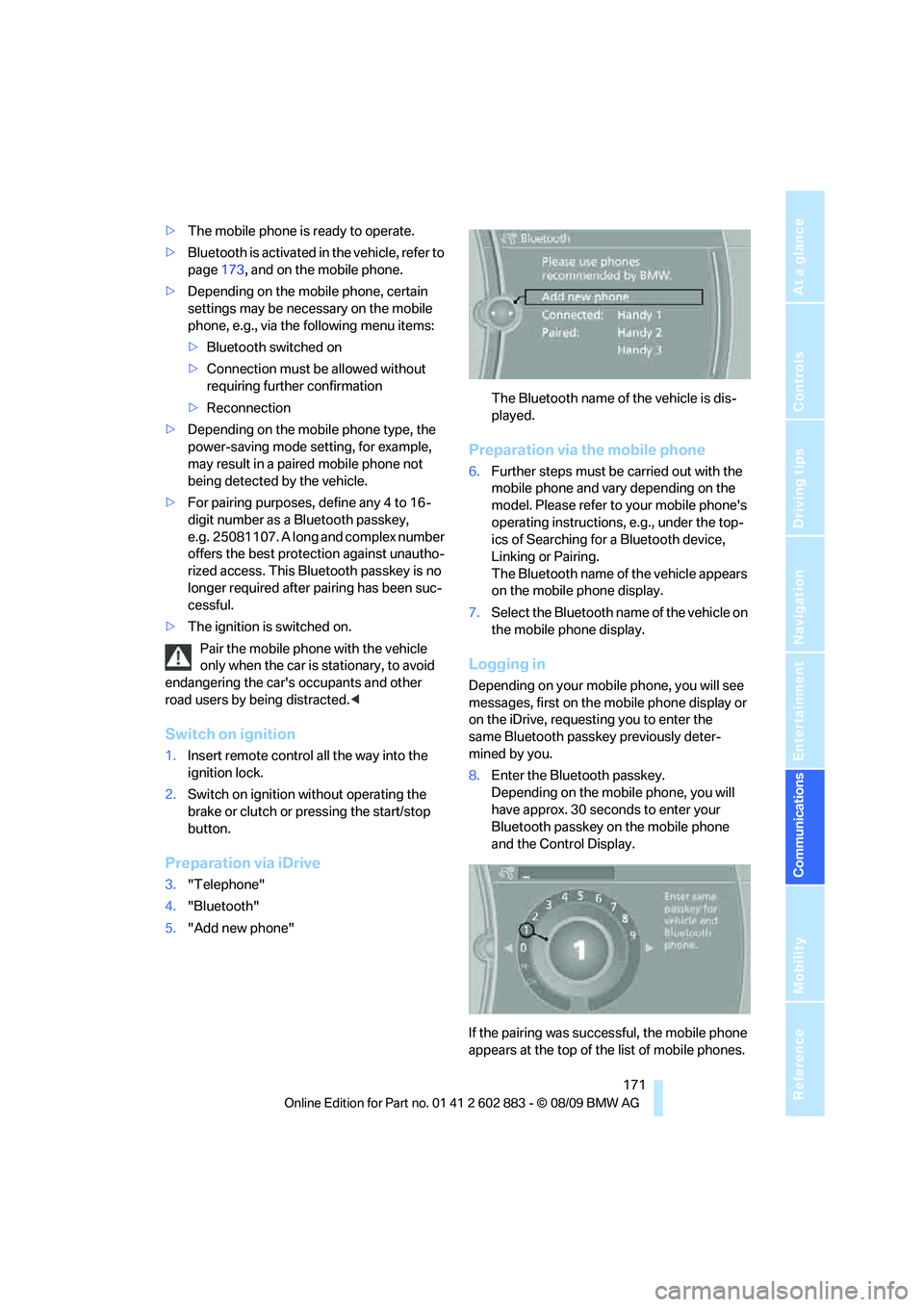
Preparation via iDrive
3."Telephone"
4."Bluetooth"
5."Add new phone"The Bluetooth name of the vehicle is dis-
played.
Preparation via the mobile phone
6.Further steps must be carried out with the
mobile phone and vary depending on the
model. Please refer to your mobile phone's
operating instructions, e.g., under the top-
ics of Searching for a Bluetooth device,
Linking or Pairing.
The Bluetooth name of the vehicle appears
on the mobile phone display.
7.Select the Bluetooth name of the vehicle on
the mobile phone display.
Logging in
Depending on your mobile phone, you will see
messages, first on the mobile phone display or
on the iDrive, requesting you to enter the
same Bluetooth passkey previously deter-
mined by you.
8.Enter the Bluetooth passkey.
Depending on the mobile phone, you will
have approx. 30 seconds to enter your
Bluetooth passkey on the mobile phone
and the Control Display.
If the pairing was successful, the mobile phone
appears at the top of the list of mobile phones.
Page 174 of 254
Telephone
172
Following the initial pairing
>The mobile phone is detected/connected in
the vehicle within 2 minutes if the engine is
running or the ignition is switched on.
>As soon as a mobile phone is detected by
the vehicle, the phone book entries stored
on the SIM card or on your mobile phone are
transmitted to the vehicle. This transmis-
sion is dependent on your mobile phone,
refer to the operating instructions of the
mobile phone if necessary, and can take
several minutes.
>Four mobile phones can be paired.
>Specific settings may be necessary in some
mobile phones, e.g., authorization or a
secure connection, refer to the mobile
phone operating instructions.
If not all phone book entries are displayed:
>Transfer all phone book entries from the
SIM card to the mobile phone, if necessary.
>Phone book entries with special characters
may not be displayed.
Checks to perform if pairing is
unsuccessful
>Is the mobile phone supported by the
mobile phone preparation package? You
can obtain information on the Internet at:
www.bmw.com/bluetooth.
>Do the Bluetooth passkeys on the mobile
phone and vehicle match? The same Blue-
tooth passkey must be entered on the
mobile phone's display and via iDrive.
>Did it take you more than 30 seconds to
enter the Bluetooth passkey? Then repeat
the pairing procedure.
>Are too many Bluetooth devices connected
to the mobile phone? If so, delete the con-
nections with other devices on the mobile
phone.
>Is the mobile phone no longer responding?
Switch the mobile phone off and on or
briefly disconnect the power supply.>Repeat the pairing procedure.
>If all items on the list have been checked
and the mobile phone still cannot be paired,
please contact Customer Relations.
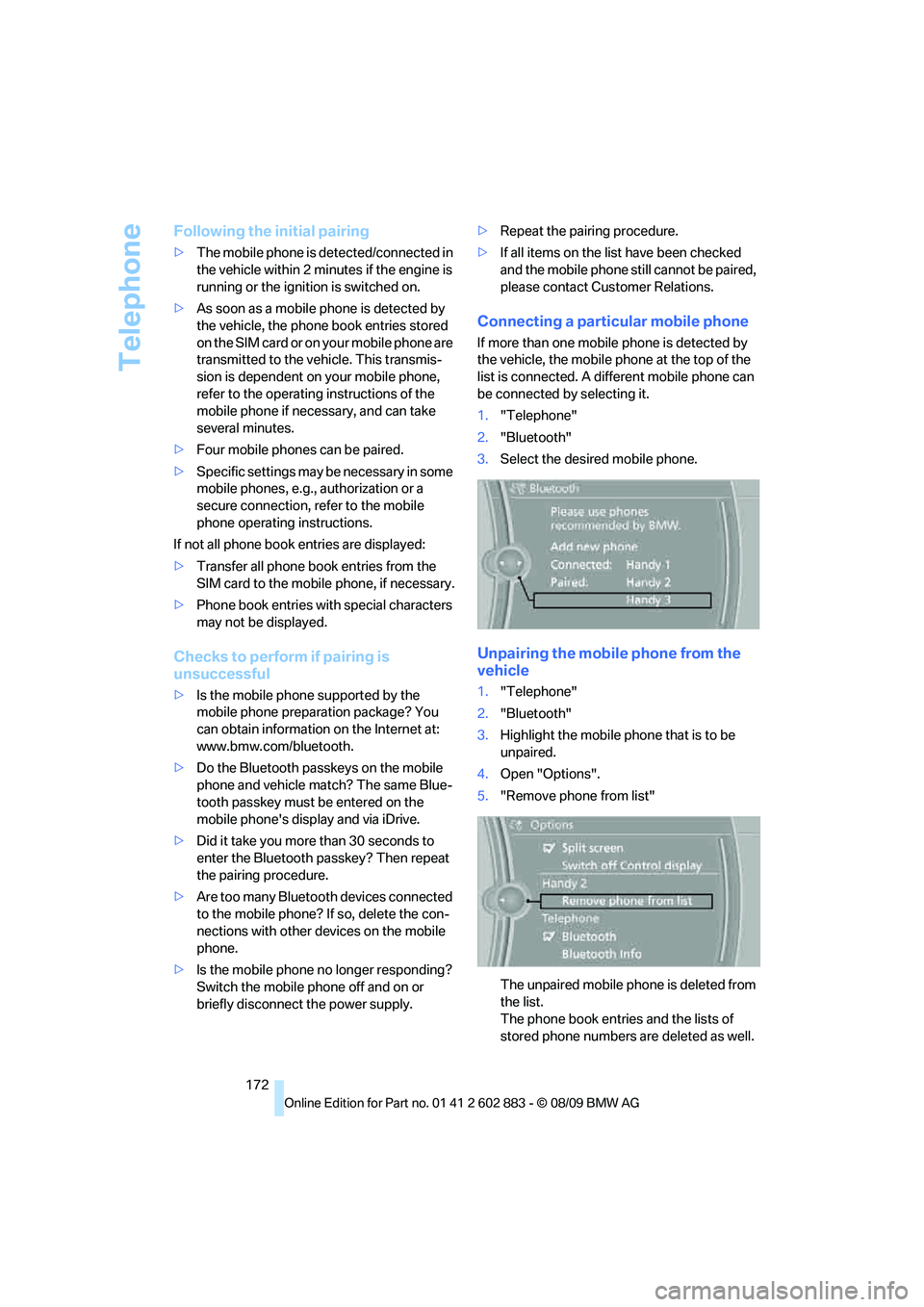
Connecting a particular mobile phone
If more than one mobile phone is detected by
the vehicle, the mobile phone at the top of the
list is connected. A different mobile phone can
be connected by selecting it.
1."Telephone"
2."Bluetooth"
3.Select the desired mobile phone.
Unpairing the mobile phone from the
vehicle
1."Telephone"
2."Bluetooth"
3.Highlight the mobile phone that is to be
unpaired.
4.Open "Options".
5."Remove phone from list"
The unpaired mobile phone is deleted from
the list.
The phone book entries and the lists of
stored phone numbers are deleted as well.
Page 240 of 254
Everything from A to Z
238 Call
– accepting174
– ending174
– rejecting174
Calling, refer to Phone
numbers, dialing174
Can holders, refer to
Cupholders105
Capacities228
Capacity of the cargo area228
Car battery, refer to Vehicle
battery216
Car care, refer to Care208
Care208
– automatic car washes208
– care products208
– carpets210
– CD/DVD drives211
– chrome parts210
– displays211
– exterior208
– fine wood parts211
– headlamps209
– high-pressure washer209
– interior210
– leather210
– light-alloy wheels210
– paintwork209
– plastic parts211
– retractable hardtop209
– rubber seals210
– safety belts211
– sensors and cameras211
– upholstery and cloth
trim210
– washing the car
manually209
– windows209
Cargo, securing116
Cargo area
– capacity228
– Comfort Access35
– lamp, refer to Interior
lamps92
– opening from inside32
– opening from outside33Cargo loading
– securing cargo116
– stowing cargo116
– vehicle115
Car jack
– jacking points215
Car key, refer to Integrated
key/remote control28
Car phone
– installation location, refer to
Center armrest
104
– refer to separate Owner's
Manual
Car phone, refer to
Telephone170
Car radio, refer to Radio143
Car shampoo211
Car wash115
– with Comfort Access36
Car wash, refer to the Caring
for your vehicle brochure
Catalytic converter, refer to
Hot exhaust system113
CBS Condition Based
Service206
CD, audio playback152
CD/DVD changer
– filling or emptying the
magazine156
CD changer151,155
– controls140
– fast forward/reverse153
– random play sequence152
– selecting a track152
– switching on/off140
– tone control140
– volume140
CD player151
– controls140
– fast forward/reverse153
– random play sequence152
– selecting a track152
– switching on/off140
– tone control140
– volume140
Center armrest104
Center brake lamp
– replacing bulb215Center console, refer to
Around the center
console14
Central locking
– from inside32
– from outside29
Central locking system29
– Comfort Access34
– setting unlocking
characteristics29
Changes, technical, refer to
For your own safety5
Changing bulbs, refer to
Lamps and bulbs212
Changing the measurement
units on the Control
Display68
Changing wheels215
Chassis number, refer to
Engine compartment202
Check Control73
Child restraint systems48
Child seats, refer to
Transporting children
safely48
Chrome parts211
Chrome polish211
Cleaning headlamps61
– washer fluid61
Cleaning your BMW, refer to
Care208
Clock64
– 12h/24h mode72
– setting the time and date72
– setting time71
Closing
– from inside32
– from outside29
Cockpit10
Cold start, refer to Starting the
engine51
Combined instrument, refer to
Instrument cluster12
Comfort Access34
– replacing the battery36
– what to observe before
entering a car wash36
Comfort access, refer to
Comfort Access34
Page 242 of 254
Everything from A to Z
240 Display, refer to iDrive
controls16
Display lighting, refer to
Instrument lighting91
Displays
– on the Control Display16
Displays, refer to Instrument
cluster12
Displays and controls10
Disposal
– coolant204
– remote control battery36
– vehicle battery216
Distance remaining to service,
refer to Service
requirements69
Distance warning, refer to
Park Distance Control
PDC77
Door key, refer to Remote
control with integrated
key28
Door lock31
Doors, emergency
operation31
DOT Quality Grades197
Draft-free ventilation95,98
Drinks holders, refer to
Cupholders105
Drive mode56
Drive-off assistance, refer to
Dynamic Stability Control
DSC78
Drive-off assistant80
Driving lamps, refer to Parking
lamps/low beams88
Driving notes112
Driving off on hills, refer to
Drive-off assistant80
Driving position, engaging,
refer to Transmission
positions56
Driving stability control
systems78,79
Driving through water114
Driving tips, refer to Driving
notes112
DSC Dynamic Stability
Control78Dual clutch transmission55
– kickdown56
DVD
– country codes153
– settings154
– video playback153
DVD changer155
– malfunctions157
DVD changer, refer to CD
changer151
DVD menu154
DVD player, refer to CD
player151
DVD video153
Dynamic Brake Control
DBC78
Dynamic destination
guidance131
Dynamic Driving Control79
E
Eject button, refer to Buttons
on the CD/DVD player140
Electrical malfunction
– door lock31
– driver's door31
– fuel filler flap192
– M dual clutch transmission
with Drivelogic58
Electric seat adjustment42
Electric steering wheel lock
– with Comfort Access35
Electronic brake-force
distribution EBV78
Electronic oil level check202
Electronic Stability Program
ESP, refer to Dynamic
Stability Control DSC78
Emergency actuation,
automatic transmission,
refer to Overriding selector
lever lock55
Emergency operation
– fuel filler flap, manual
release192
Emergency operation, refer to
Manual operation
– door lock31Emergency release
– luggage compartment lid
from inside33
Emergency Request218
Emergency services, refer to
Roadside Assistance218
Energy, saving
– saving fuel112
Engine
– breaking in112
– data226
– overheated, refer to Coolant
temperature65
– speed226
– starting51
– starting, Comfort Access34
– switching off52
Engine compartment202
Engine coolant, refer to
Coolant204
Engine oil
– adding204
– additives, refer to Specified
engine oils204
– alternative oil types204
– BMW Maintenance
System206
– capacity228
– checking level202
– intervals between changes,
refer to Service
requirements69
– specified engine oils204
Engine output, refer to Engine
data226
Engine speed, refer to Engine
data226
Engine starting, refer to
Starting the engine51
Entering special destinations
by name126
Entering the
address121,127
Entry lamps, refer to Interior
lamps92
Entry map for destination126
Equalizer, tone setting141
Error messages, refer to
Check Control73
Page 244 of 254
Everything from A to Z
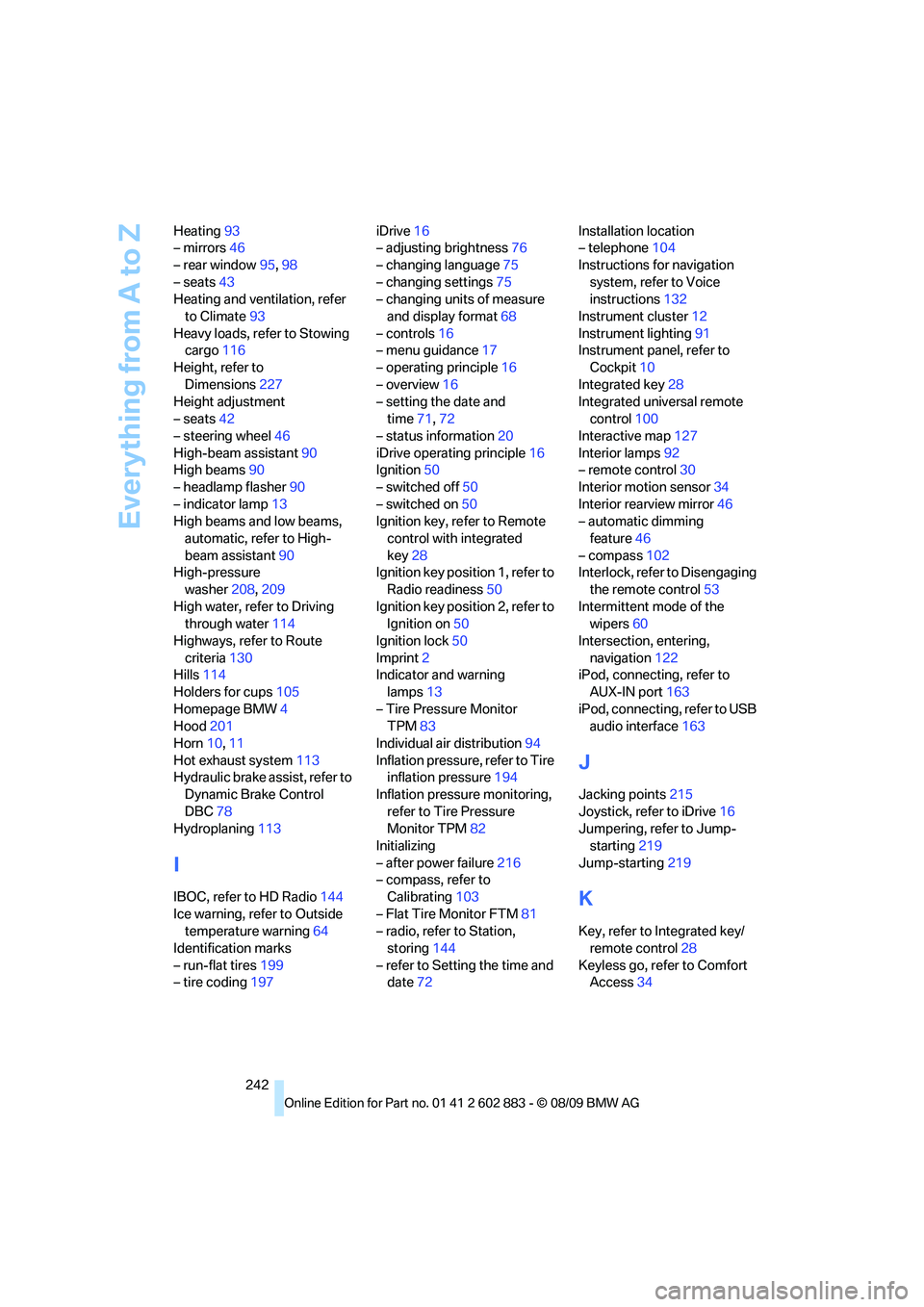
242 Heating93
– mirrors46
– rear window95,98
– seats43
Heating and ventilation, refer
to Climate93
Heavy loads, refer to Stowing
cargo116
Height, refer to
Dimensions227
Height adjustment
– seats42
– steering wheel46
High-beam assistant90
High beams90
– headlamp flasher90
– indicator lamp13
High beams and low beams,
automatic, refer to High-
beam assistant90
High-pressure
washer208,209
High water, refer to Driving
through water114
Highways, refer to Route
criteria130
Hills114
Holders for cups105
Homepage BMW4
Hood201
Horn10,11
Hot exhaust system113
Hydraulic brake assist, refer to
Dynamic Brake Control
DBC78
Hydroplaning113
I
IBOC, refer to HD Radio144
Ice warning, refer to Outside
temperature warning64
Identification marks
– run-flat tires199
– tire coding197iDrive16
– adjusting brightness76
– changing language75
– changing settings75
– changing units of measure
and display format68
– controls16
– menu guidance17
– operating principle16
– overview16
– setting the date and
time71,72
– status information20
iDrive operating principle16
Ignition50
– switched off50
– switched on50
Ignition key, refer to Remote
control with integrated
key28
Ignition key position 1, refer to
Radio readiness50
Ignition key position 2, refer to
Ignition on50
Ignition lock50
Imprint2
Indicator and warning
lamps13
– Tire Pressure Monitor
TPM83
Individual air distribution94
Inflation pressure, refer to Tire
inflation pressure194
Inflation pressure monitoring,
refer to Tire Pressure
Monitor TPM82
Initializing
– after power failure216
– compass, refer to
Calibrating103
– Flat Tire Monitor FTM81
– radio, refer to Station,
storing144
– refer to Setting the time and
date72Installation location
– telephone104
Instructions for navigation
system, refer to Voice
instructions132
Instrument cluster12
Instrument lighting91
Instrument panel, refer to
Cockpit10
Integrated key28
Integrated universal remote
control100
Interactive map127
Interior lamps92
– remote control30
Interior motion sensor34
Interior rearview mirror46
– automatic dimming
feature46
– compass102
Interlock, refer to Disengaging
the remote control53
Intermittent mode of the
wipers60
Intersection, entering,
navigation122
iPod, connecting, refer to
AUX-IN port163
iPod, connecting, refer to USB
audio interface163
J
Jacking points215
Joystick, refer to iDrive16
Jumpering, refer to Jump-
starting219
Jump-starting219
K
Key, refer to Integrated key/
remote control28
Keyless go, refer to Comfort
Access34
Page 245 of 254
Reference 243
At a glance
Controls
Driving tips
Communications
Navigation
Entertainment
Mobility
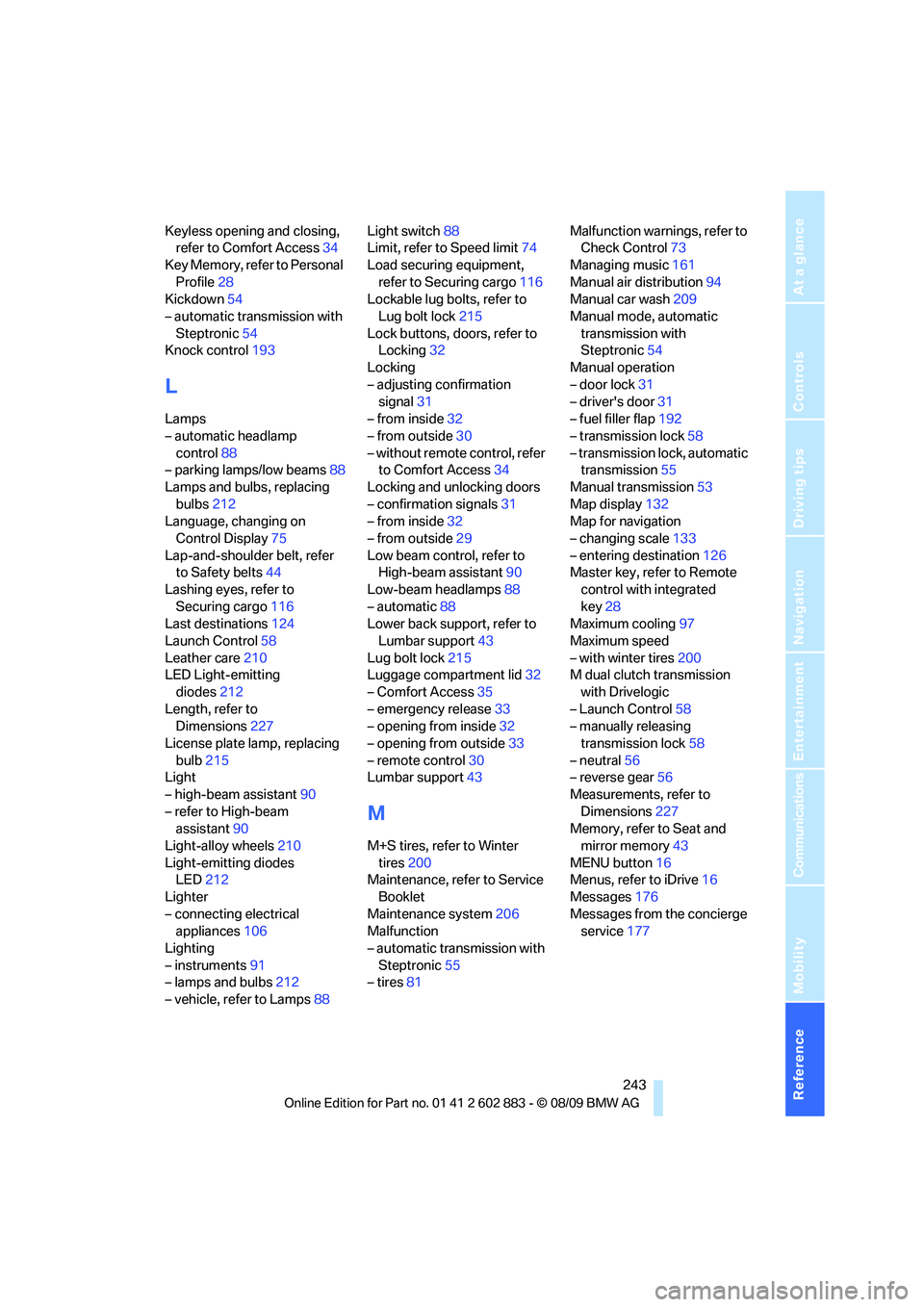
Keyless opening and closing,
refer to Comfort Access34
Key Memory, refer to Personal
Profile28
Kickdown54
– automatic transmission with
Steptronic54
Knock control193
L
Lamps
– automatic headlamp
control88
– parking lamps/low beams88
Lamps and bulbs, replacing
bulbs212
Language, changing on
Control Display75
Lap-and-shoulder belt, refer
to Safety belts44
Lashing eyes, refer to
Securing cargo116
Last destinations124
Launch Control58
Leather care210
LED Light-emitting
diodes212
Length, refer to
Dimensions227
License plate lamp, replacing
bulb215
Light
– high-beam assistant90
– refer to High-beam
assistant90
Light-alloy wheels210
Light-emitting diodes
LED212
Lighter
– connecting electrical
appliances106
Lighting
– instruments91
– lamps and bulbs212
– vehicle, refer to Lamps88Light switch88
Limit, refer to Speed limit74
Load securing equipment,
refer to Securing cargo116
Lockable lug bolts, refer to
Lug bolt lock215
Lock buttons, doors, refer to
Locking32
Locking
– adjusting confirmation
signal31
– from inside32
– from outside30
– without remote control, refer
to Comfort Access34
Locking and unlocking doors
– confirmation signals31
– from inside32
– from outside29
Low beam control, refer to
High-beam assistant90
Low-beam headlamps88
– automatic88
Lower back support, refer to
Lumbar support43
Lug bolt lock215
Luggage compartment lid32
– Comfort Access
35
– emergency release33
– opening from inside32
– opening from outside33
– remote control30
Lumbar support43
M
M+S tires, refer to Winter
tires200
Maintenance, refer to Service
Booklet
Maintenance system206
Malfunction
– automatic transmission with
Steptronic55
– tires81Malfunction warnings, refer to
Check Control73
Managing music161
Manual air distribution94
Manual car wash209
Manual mode, automatic
transmission with
Steptronic54
Manual operation
– door lock31
– driver's door31
– fuel filler flap192
– transmission lock58
– transmission lock, automatic
transmission55
Manual transmission53
Map display132
Map for navigation
– changing scale133
– entering destination126
Master key, refer to Remote
control with integrated
key28
Maximum cooling97
Maximum speed
– with winter tires200
M dual clutch transmission
with Drivelogic
– Launch Control58
– manually releasing
transmission lock58
– neutral56
– reverse gear56
Measurements, refer to
Dimensions227
Memory, refer to Seat and
mirror memory43
MENU button16
Menus, refer to iDrive16
Messages176
Messages from the concierge
service177