ignition BUICK LACROSSE 2010 User Guide
[x] Cancel search | Manufacturer: BUICK, Model Year: 2010, Model line: LACROSSE, Model: BUICK LACROSSE 2010Pages: 414
Page 22 of 414
1-16 Keys, Doors and Windows
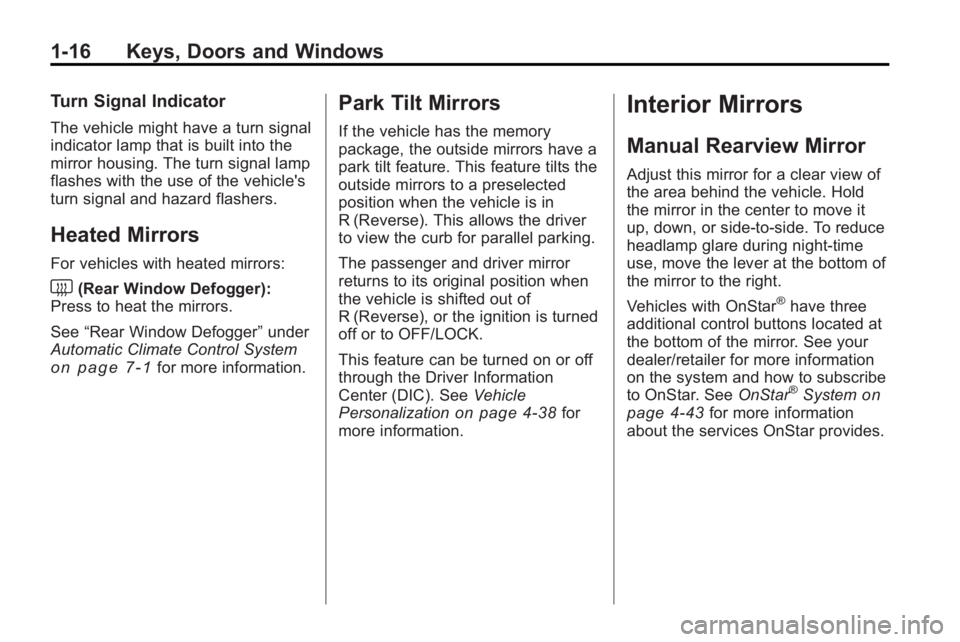
Turn Signal Indicator
The vehicle might have a turn signal
indicator lamp that is built into the
mirror housing. The turn signal lamp
flashes with the use of the vehicle's
turn signal and hazard flashers.
Heated Mirrors
For vehicles with heated mirrors:
<(Rear Window Defogger):
Press to heat the mirrors.
See “Rear Window Defogger” under
Automatic Climate Control System
on page 7‑1for more information.
Park Tilt Mirrors
If the vehicle has the memory
package, the outside mirrors have a
park tilt feature. This feature tilts the
outside mirrors to a preselected
position when the vehicle is in
R (Reverse). This allows the driver
to view the curb for parallel parking.
The passenger and driver mirror
returns to its original position when
the vehicle is shifted out of
R (Reverse), or the ignition is turned
off or to OFF/LOCK.
This feature can be turned on or off
through the Driver Information
Center (DIC). See Vehicle
Personalization
on page 4‑38for
more information.
Interior Mirrors
Manual Rearview Mirror
Adjust this mirror for a clear view of
the area behind the vehicle. Hold
the mirror in the center to move it
up, down, or side-to-side. To reduce
headlamp glare during night-time
use, move the lever at the bottom of
the mirror to the right.
Vehicles with OnStar
®have three
additional control buttons located at
the bottom of the mirror. See your
dealer/retailer for more information
on the system and how to subscribe
to OnStar. See OnStar
®Systemon
page 4‑43for more information
about the services OnStar provides.
Page 23 of 414
Keys, Doors and Windows 1-17
Windows
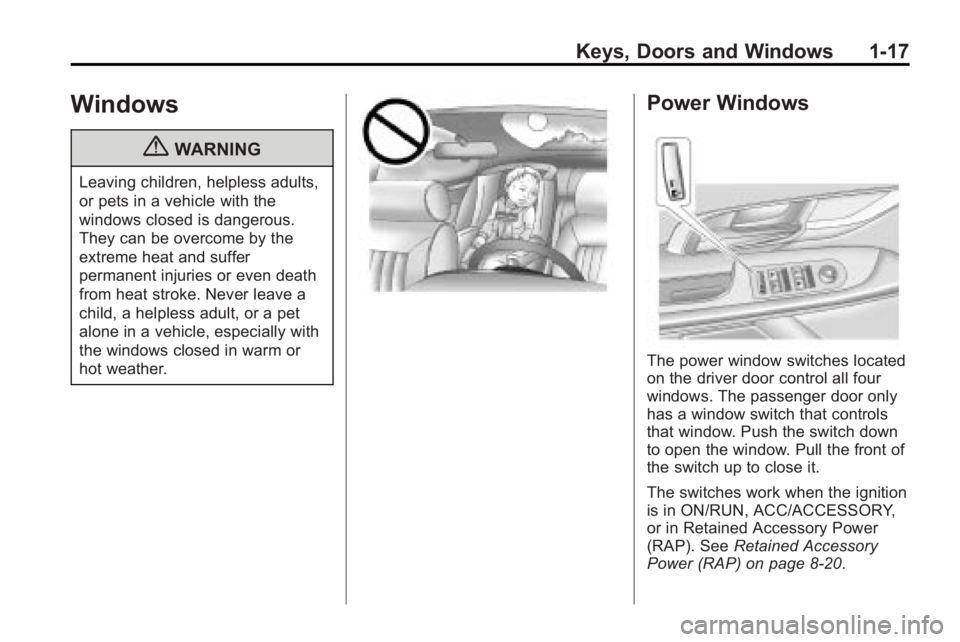
{WARNING
Leaving children, helpless adults,
or pets in a vehicle with the
windows closed is dangerous.
They can be overcome by the
extreme heat and suffer
permanent injuries or even death
from heat stroke. Never leave a
child, a helpless adult, or a pet
alone in a vehicle, especially with
the windows closed in warm or
hot weather.
Power Windows
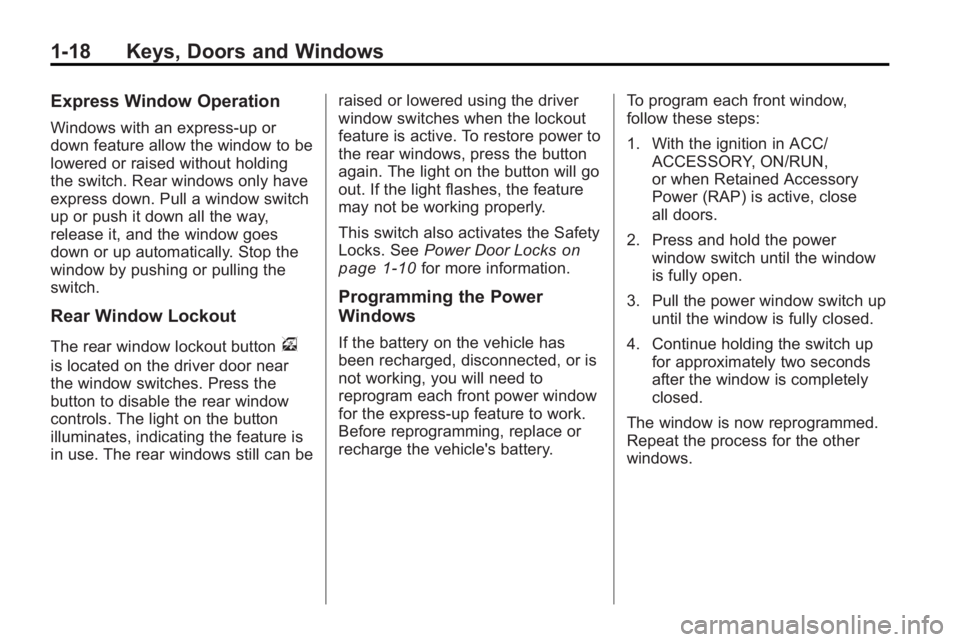
The power window switches located
on the driver door control all four
windows. The passenger door only
has a window switch that controls
that window. Push the switch down
to open the window. Pull the front of
the switch up to close it.
The switches work when the ignition
is in ON/RUN, ACC/ACCESSORY,
or in Retained Accessory Power
(RAP). SeeRetained Accessory
Power (RAP) on page 8‑20.
Page 24 of 414
1-18 Keys, Doors and Windows
Express Window Operation
Windows with an express-up or
down feature allow the window to be
lowered or raised without holding
the switch. Rear windows only have
express down. Pull a window switch
up or push it down all the way,
release it, and the window goes
down or up automatically. Stop the
window by pushing or pulling the
switch.
Rear Window Lockout
The rear window lockout buttonv
is located on the driver door near
the window switches. Press the
button to disable the rear window
controls. The light on the button
illuminates, indicating the feature is
in use. The rear windows still can beraised or lowered using the driver
window switches when the lockout
feature is active. To restore power to
the rear windows, press the button
again. The light on the button will go
out. If the light flashes, the feature
may not be working properly.
This switch also activates the Safety
Locks. See
Power Door Locks
on
page 1‑10for more information.
Programming the Power
Windows
If the battery on the vehicle has
been recharged, disconnected, or is
not working, you will need to
reprogram each front power window
for the express-up feature to work.
Before reprogramming, replace or
recharge the vehicle's battery. To program each front window,
follow these steps:
1. With the ignition in ACC/
ACCESSORY, ON/RUN,
or when Retained Accessory
Power (RAP) is active, close
all doors.
2. Press and hold the power window switch until the window
is fully open.
3. Pull the power window switch up until the window is fully closed.
4. Continue holding the switch up for approximately two seconds
after the window is completely
closed.
The window is now reprogrammed.
Repeat the process for the other
windows.
Page 25 of 414
Keys, Doors and Windows 1-19
Sun Visors
Pull the sun visor toward you or
move it to the side to reduce glare.
Rear Window Sunshade
On vehicles with this feature the
switch
Qis located on the center
console, to the right of the shifter.
The engine must be running to
operate it.
Press the switch
Qto raise or
lower the sunshade.
If the shade is up, and the vehicle is
shifted into R (Reverse) it will
automatically lower. When the
vehicle is shifted out of R (Reverse)
it does not automatically raise itself.
To raise the sunshade, press the
front of the switch.
Roof
Sunroof
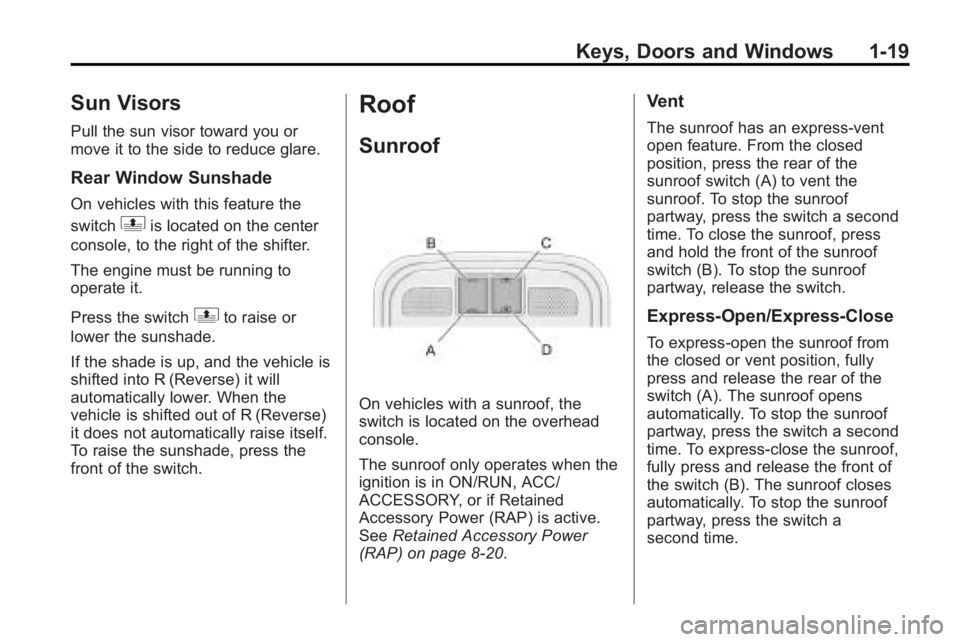
On vehicles with a sunroof, the
switch is located on the overhead
console.
The sunroof only operates when the
ignition is in ON/RUN, ACC/
ACCESSORY, or if Retained
Accessory Power (RAP) is active.
See Retained Accessory Power
(RAP) on page 8‑20.
Vent
The sunroof has an express-vent
open feature. From the closed
position, press the rear of the
sunroof switch (A) to vent the
sunroof. To stop the sunroof
partway, press the switch a second
time. To close the sunroof, press
and hold the front of the sunroof
switch (B). To stop the sunroof
partway, release the switch.
Express-Open/Express-Close
To express-open the sunroof from
the closed or vent position, fully
press and release the rear of the
switch (A). The sunroof opens
automatically. To stop the sunroof
partway, press the switch a second
time. To express-close the sunroof,
fully press and release the front of
the switch (B). The sunroof closes
automatically. To stop the sunroof
partway, press the switch a
second time.
Page 31 of 414
Seats and Restraints 2-5
Using the Remote Keyless Entry
(RKE) transmitter to enter the
vehicle with the remote recall
memory feature on causes
automatic seat and mirror
adjustment associated with that
transmitter. There is no adjustment
when the position has not been
changed by another seating
position.
To stop recall movement of the
memory feature at any time, press
one of the power seat controls,
memory buttons, or power mirror
buttons.
If something has blocked the driver
seat while recalling a memory
position, the driver seat recall may
stop working. If this happens, press
the appropriate control for the area
that is not recalling for two seconds,
after the obstruction is removed.Then try recalling the memory
position again by pressing the
appropriate memory button. If the
memory position is still not being
recalled, see your dealer/retailer for
service.
Easy Exit Seat
With this feature, the driver seat
automatically moves back to give
the driver more room to exit when
the ignition is turned to OFF and the
driver door is opened.
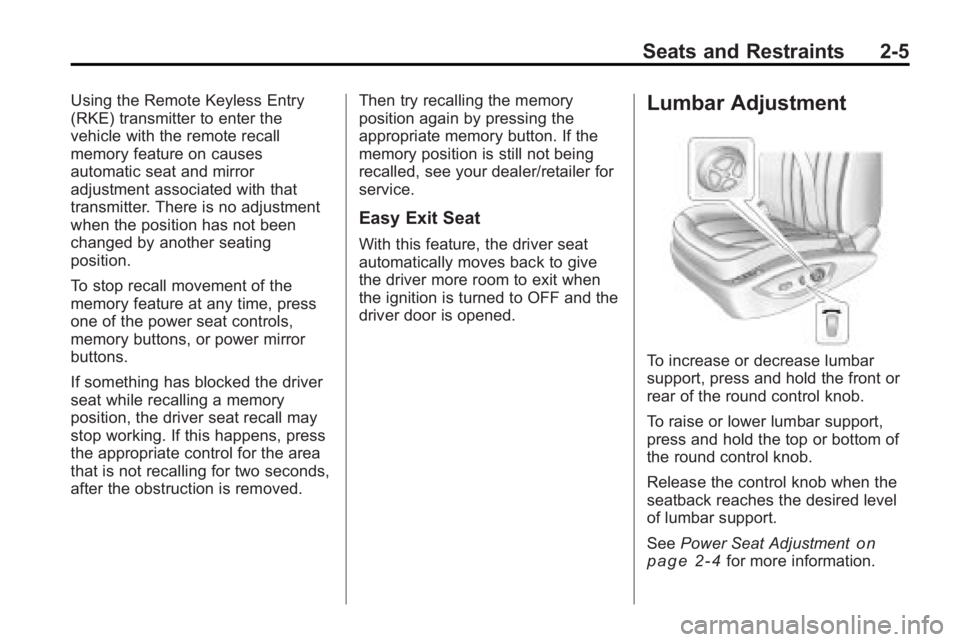
Lumbar Adjustment
To increase or decrease lumbar
support, press and hold the front or
rear of the round control knob.
To raise or lower lumbar support,
press and hold the top or bottom of
the round control knob.
Release the control knob when the
seatback reaches the desired level
of lumbar support.
See
Power Seat Adjustment
on
page 2‑4for more information.
Page 34 of 414
2-8 Seats and Restraints
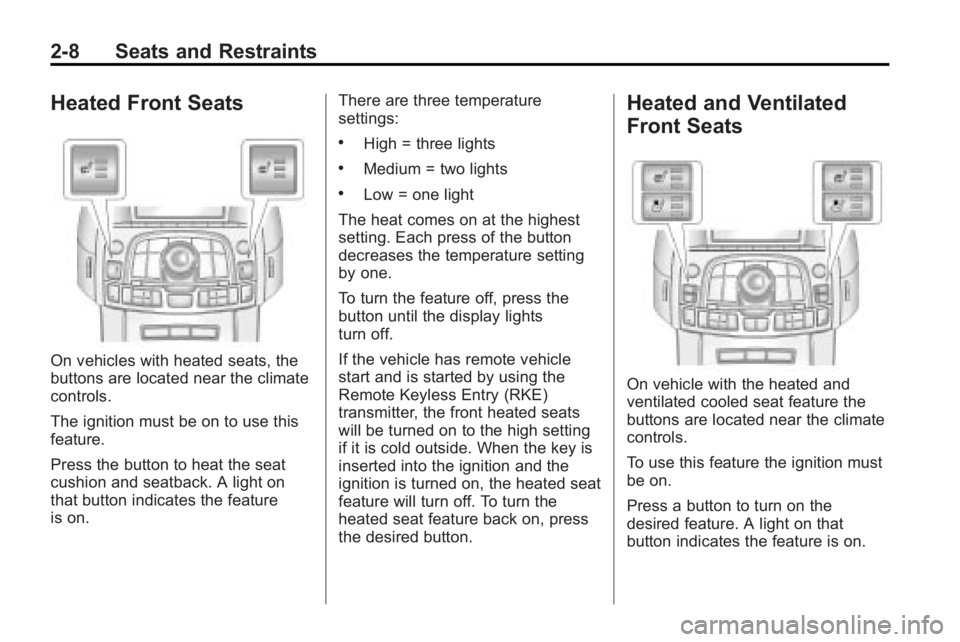
Heated Front Seats
On vehicles with heated seats, the
buttons are located near the climate
controls.
The ignition must be on to use this
feature.
Press the button to heat the seat
cushion and seatback. A light on
that button indicates the feature
is on.There are three temperature
settings:
.High = three lights
.Medium = two lights
.Low = one light
The heat comes on at the highest
setting. Each press of the button
decreases the temperature setting
by one.
To turn the feature off, press the
button until the display lights
turn off.
If the vehicle has remote vehicle
start and is started by using the
Remote Keyless Entry (RKE)
transmitter, the front heated seats
will be turned on to the high setting
if it is cold outside. When the key is
inserted into the ignition and the
ignition is turned on, the heated seat
feature will turn off. To turn the
heated seat feature back on, press
the desired button.
Heated and Ventilated
Front Seats
On vehicle with the heated and
ventilated cooled seat feature the
buttons are located near the climate
controls.
To use this feature the ignition must
be on.
Press a button to turn on the
desired feature. A light on that
button indicates the feature is on.
Page 35 of 414
Seats and Restraints 2-9
There are three temperature
settings for each feature:
.High = three
.Medium = two
.Low = one
Press a button to turn the feature on
at the maximum setting. Each press
of the button changes the
temperature one setting.
Turn the feature off by pressing the
button until the display lights
turn off.
If the vehicle has remote vehicle
start and is started by using the
remote keyless entry transmitter, the
heated and ventilated seats turn on
at the maximum setting according to
the temperature outside. When the
key is inserted into the ignition and
the ignition is turned on, the heated
or cooled seat feature turns off. To
turn this feature back on, press the
desired button.
Rear Seats
The vehicle's rear seat can be
folded down to allow for more cargo
space or it can be placed back into
a locked upright position. Adjust the
seatback only when the vehicle is
not moving.
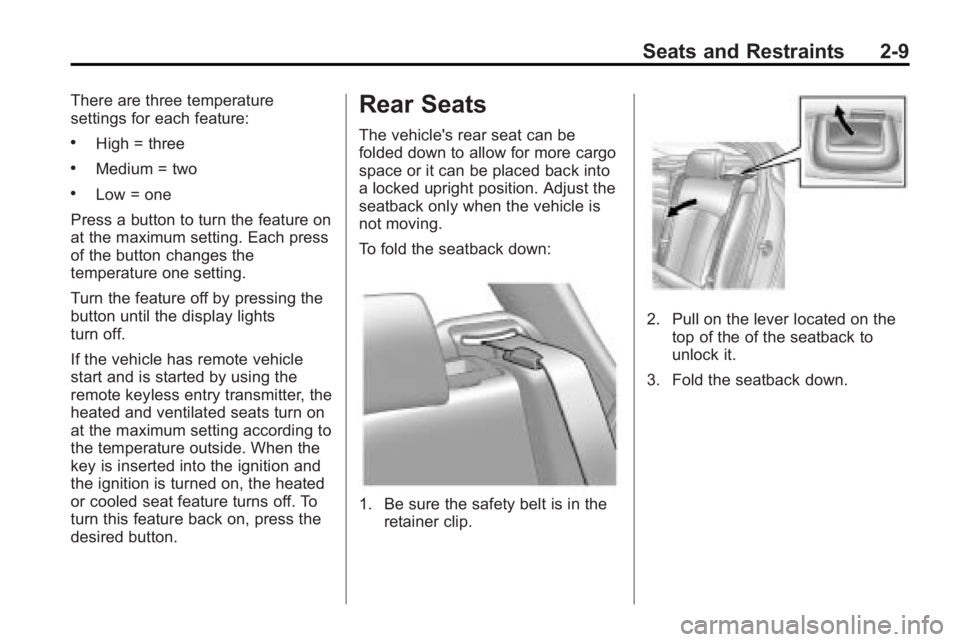
To fold the seatback down:
1. Be sure the safety belt is in the retainer clip.
2. Pull on the lever located on the
top of the of the seatback to
unlock it.
3. Fold the seatback down.
Page 63 of 414
Seats and Restraints 2-37
operates. We recommend that you
not use seat covers or other
aftermarket equipment except when
approved by GM for your specific
vehicle. SeeAdding Equipment to
the Airbag-Equipped Vehicle
on
page 2‑38for more information
about modifications that can affect
how the system operates.
{WARNING
Stowing of articles under the
passenger seat or between the
passenger seat cushion and
seatback may interfere with the
proper operation of the passenger
sensing system.
Servicing the
Airbag-Equipped Vehicle
Airbags affect how the vehicle
should be serviced. There are parts
of the airbag system in several
places around the vehicle. Your
dealer/retailer and the service
manual have information about
servicing the vehicle and the airbag
system. To purchase a service
manual, see Service Publications
Ordering Information on page 12‑12.
{WARNING
For up to 10 seconds after the
ignition is turned off and the
battery is disconnected, an airbag
can still inflate during improper
service. You can be injured if you
are close to an airbag when it
inflates. Avoid yellow connectors.
They are probably part of the
airbag system. Be sure to follow
proper service procedures, and
make sure the person performing
work for you is qualified to do so.
Page 93 of 414
Instruments and Controls 4-5
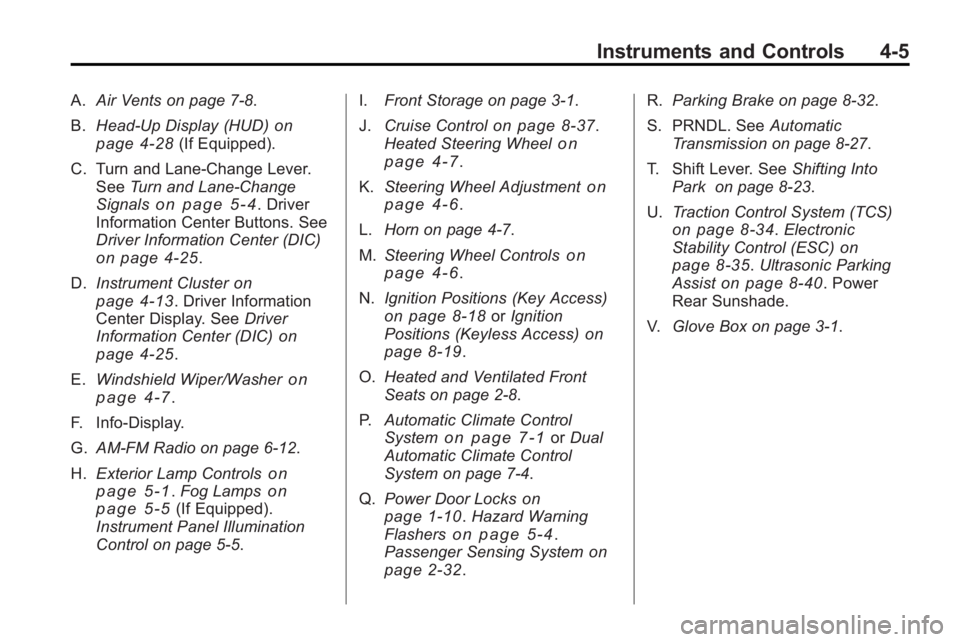
A.Air Vents on page 7‑8.
B. Head-Up Display (HUD)
on
page 4‑28(If Equipped).
C. Turn and Lane-Change Lever. See Turn and Lane-Change
Signals
on page 5‑4. Driver
Information Center Buttons. See
Driver Information Center (DIC)
on page 4‑25.
D. Instrument Cluster
on
page 4‑13. Driver Information
Center Display. See Driver
Information Center (DIC)
on
page 4‑25.
E. Windshield Wiper/Washer
on
page 4‑7.
F. Info-Display.
G. AM-FM Radio on page 6‑12.
H. Exterior Lamp Controls
on
page 5‑1. Fog Lampson
page 5‑5(If Equipped).
Instrument Panel Illumination
Control on page 5‑5. I.
Front Storage on page 3‑1.
J. Cruise Control
on page 8‑37.
Heated Steering Wheelon
page 4‑7.
K. Steering Wheel Adjustment
on
page 4‑6.
L. Horn on page 4‑7.
M. Steering Wheel Controls
on
page 4‑6.
N. Ignition Positions (Key Access)
on page 8‑18orIgnition
Positions (Keyless Access)on
page 8‑19.
O. Heated and Ventilated Front
Seats on page 2‑8.
P. Automatic Climate Control
System
on page 7‑1orDual
Automatic Climate Control
System on page 7‑4.
Q. Power Door Locks
on
page 1‑10. Hazard Warning
Flasherson page 5‑4.
Passenger Sensing Systemon
page 2‑32. R.
Parking Brake on page 8‑32.
S. PRNDL. See Automatic
Transmission on page 8‑27.
T. Shift Lever. See Shifting Into
Park on page 8‑23.
U. Traction Control System (TCS)
on page 8‑34.Electronic
Stability Control (ESC)on
page 8‑35. Ultrasonic Parking
Assiston page 8‑40. Power
Rear Sunshade.
V. Glove Box on page 3‑1.
Page 95 of 414
Instruments and Controls 4-7
Heated Steering Wheel
For vehicles with a heated steering
wheel, the button for this feature is
located on the climate control
system.
(:Press to turn the heated
steering wheel on or off. A light on
the button displays when the feature
is turned on.
The steering wheel takes about
three minutes to start heating.
Horn
Press near or on the horn symbols
on the steering wheel pad to sound
the horn.
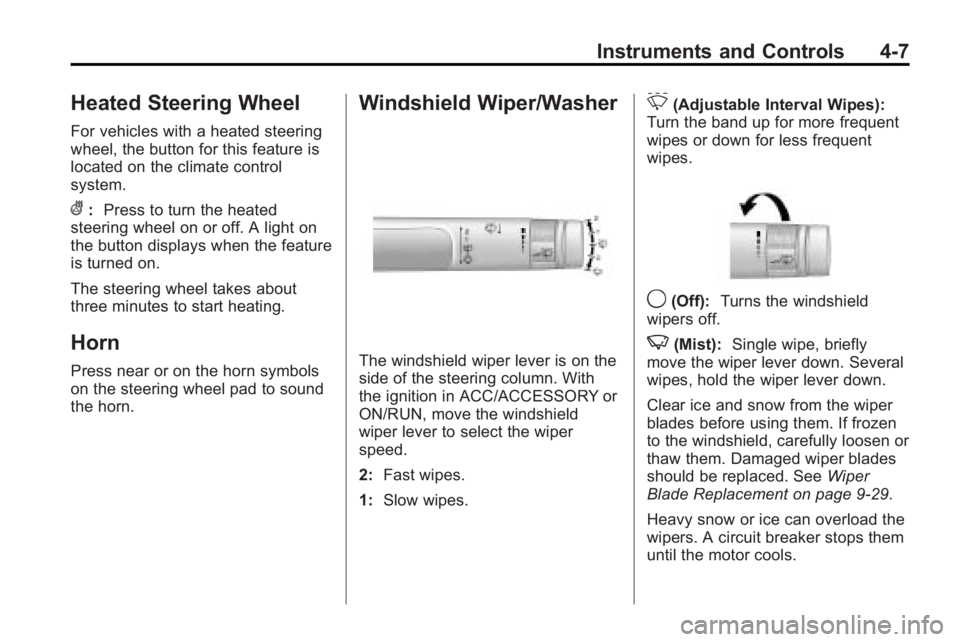
Windshield Wiper/Washer
The windshield wiper lever is on the
side of the steering column. With
the ignition in ACC/ACCESSORY or
ON/RUN, move the windshield
wiper lever to select the wiper
speed.
2: Fast wipes.
1: Slow wipes.
&(Adjustable Interval Wipes):
Turn the band up for more frequent
wipes or down for less frequent
wipes.
9(Off): Turns the windshield
wipers off.
3(Mist): Single wipe, briefly
move the wiper lever down. Several
wipes, hold the wiper lever down.
Clear ice and snow from the wiper
blades before using them. If frozen
to the windshield, carefully loosen or
thaw them. Damaged wiper blades
should be replaced. See Wiper
Blade Replacement on page 9‑29.
Heavy snow or ice can overload the
wipers. A circuit breaker stops them
until the motor cools.