change wheel CADILLAC ELDORADO 1996 10.G Owners Manual
[x] Cancel search | Manufacturer: CADILLAC, Model Year: 1996, Model line: ELDORADO, Model: CADILLAC ELDORADO 1996 10.GPages: 354, PDF Size: 19.33 MB
Page 96 of 354
Downloaded from www.Manualslib.com manuals search engine Cruise Control
I
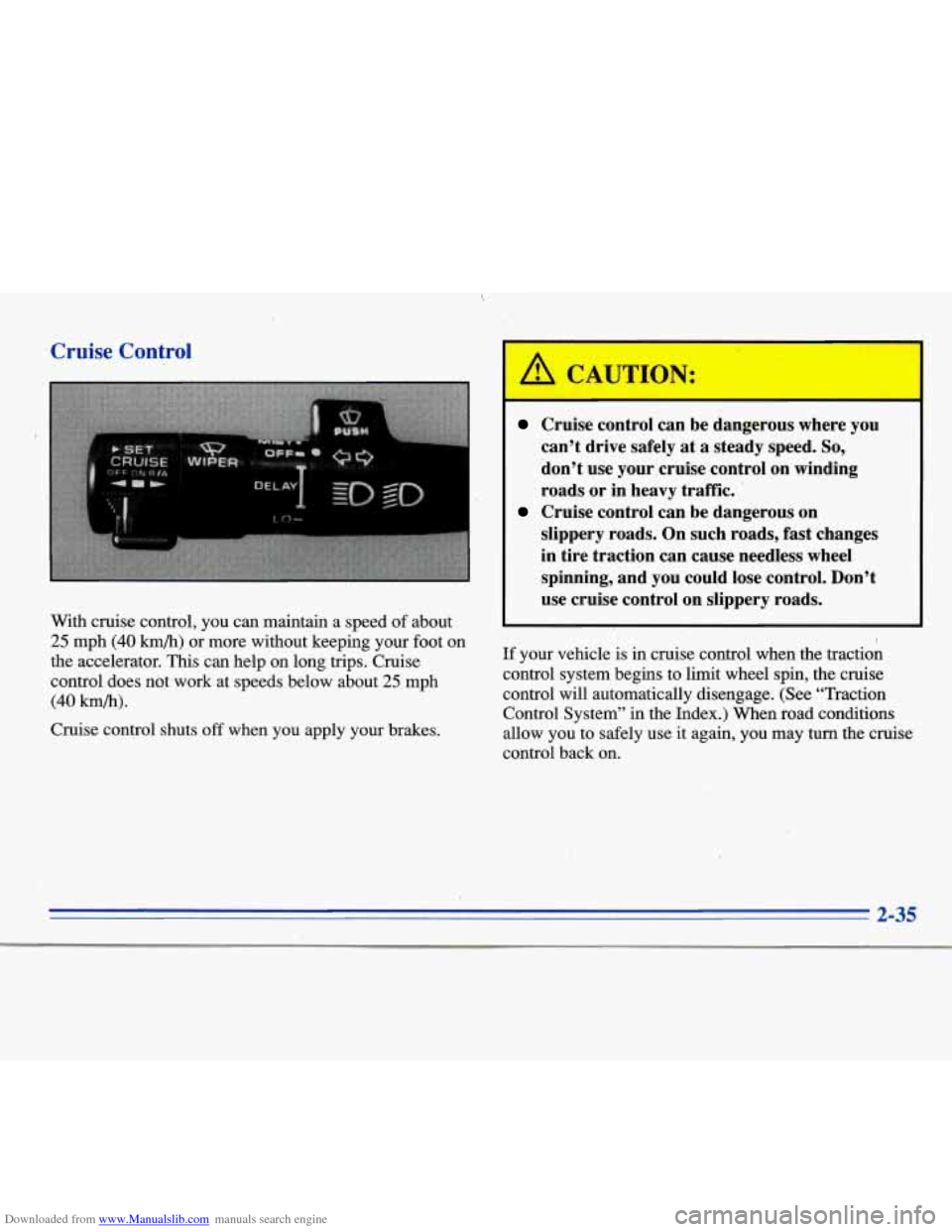
With cruise control, you can maintain a speed of about
25 mph (40 kmb) or more without keeping your foot on
the accelerator. This can help on long trips. Cruise
control does not work at speeds below about
25 mph
(40 hb).
Cruise control shuts off when you apply your brakes.
I
Cruise control can be dangerous where you
can’t drive safely at
a steady speed. So,
don’t use your-cruise control on winding
roads or in heavy traffic.
slippery roads. On such roads, fast changes
in tire traction can cause needless wheel
spinning, and you could lose control. Don’t
use cruise control on slippery roads.
Cruise control can be dangerous on
If your vehicle is in cruise control when the traction
control system begins to limit wheel
spin, the cruise
control will automatically disengage. (See “Traction Control System” in the Index.) When road conditions
allow you to safely use
it again, you may turn the cruise
control back on.
2-35
Page 142 of 354
Downloaded from www.Manualslib.com manuals search engine ENGINE COOLANT HOT-IDLE ENGINE - 44:
This message will appear when the engine coolant
temperature is over
248 OF (126°C). To avoid added
strain on a hot engine, turn off the climate control
system. Stop and allow your vehicle to idle until it cools
down or
the message is removed. If it does not cool
down, turn off the engine and have it serviced before
driving it again. Severe engine damage can result from
an overheated engine. See “Engine Overheating” in
the Index.
FUEL LEVEL VERY LOW - 11: This message serves
as a warning that the fuel level in the tank is critically
low. Stop for fuel immediately.
MONITORED SYSTEMS OK - 1: This message only
appears in the “recall” mode by pressing the RESET
button. It lets you know that no other messages are
stored or currently active.
PASS KEY NOT PROGRAMMED - 31: This
warning message displays when the PASS-Key pellet
information has not been programmed into your vehicle.
See your Cadillac dealership for service.
PCM FAULT - 110: The circuit in the Powertrain
Control Module (PCM) has shorted or is loose when this
message appears. Have your Cadillac serviced by your
dealership at once.
REDUCED ENGINE POWER - 41: This message
informs the driver that due to wheel slippage your
vehicle is reducing engine power to compensate for the
loss of traction. Accelerating too fast causing the tires to
spin is an example of when this message would display.
REMOVE KEY - 70: This message will appear when
the Personalized Automotive Security System
(PASS-Key
11) is unable to read the pellet on the
ignition key or an improper key pellet has been inserted.
Wait for the DIC to display STARTING DISABLED
DUE TO THEFT SYSTEM REMOVE IGNITION
KEY. The instrument panel cluster will then run a timer
and change the messages to WAIT
3 MINUTES, WAIT
2 MINUTES, WAIT 1 MINUTE and then START CAR.
When the REMOVE KEY message is displayed, remove
the ignition key. Check the ignition key for damage.
If it
is damaged, it may need to be replaced. If you see no
damage, clean the pellet contacts with a soft cloth or
2-81
Page 146 of 354
Downloaded from www.Manualslib.com manuals search engine Traction Active
When your traction control system is limiting wheel spin,
the TRACTION ACTIVE message will
be displayed.
Slippery road conditions may exist
if this message is
displayed,
so adjust your driving accordingly. This
message will stay on for a few seconds after the traction
control system stops limiting wheel spin.
Road Sensing Suspension
The Road Sensing Suspension (RSS) and the optional
Continuous Variable-Road Sensing Suspension
(CV-RSS) automatically adjust the ride of your vehicle,
with the CV-RSS having a wider range of control.
Automatic ride control is achieved through the RSS
controller, a computer used to control and monitor the
suspension system. The controller receives inputs from
various sensors to determine the proper system response.
If the controller detects a problem within the system, the
DIC will display
a SERVICE RIDE CONTROL
message. If this message appears, have your vehicle
serviced at your Cadillac dealership.
Oil Life Indicator
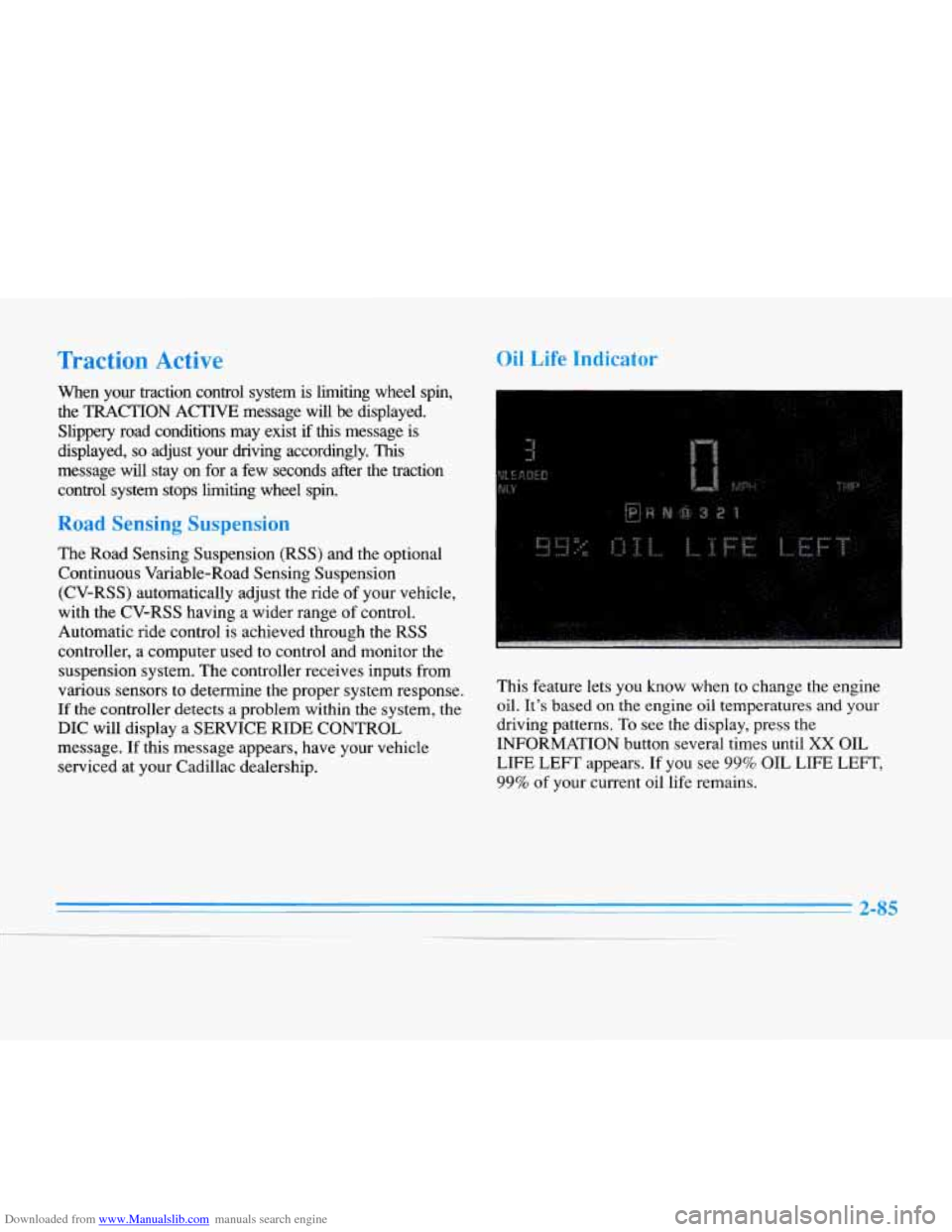
This feature lets you know when to change the engine
oil.
It’s based on the engine oil temperatures and your
driving patterns. To see the display, press the
INFORMATION button several times until
XX OIL
LIFE
LEFT appears. If you see 99% OIL LIFE LEFT,
99% of your current oil life remains.
2-85
-__
Page 160 of 354
Downloaded from www.Manualslib.com manuals search engine Steering Wheel Controls for
Climate Control
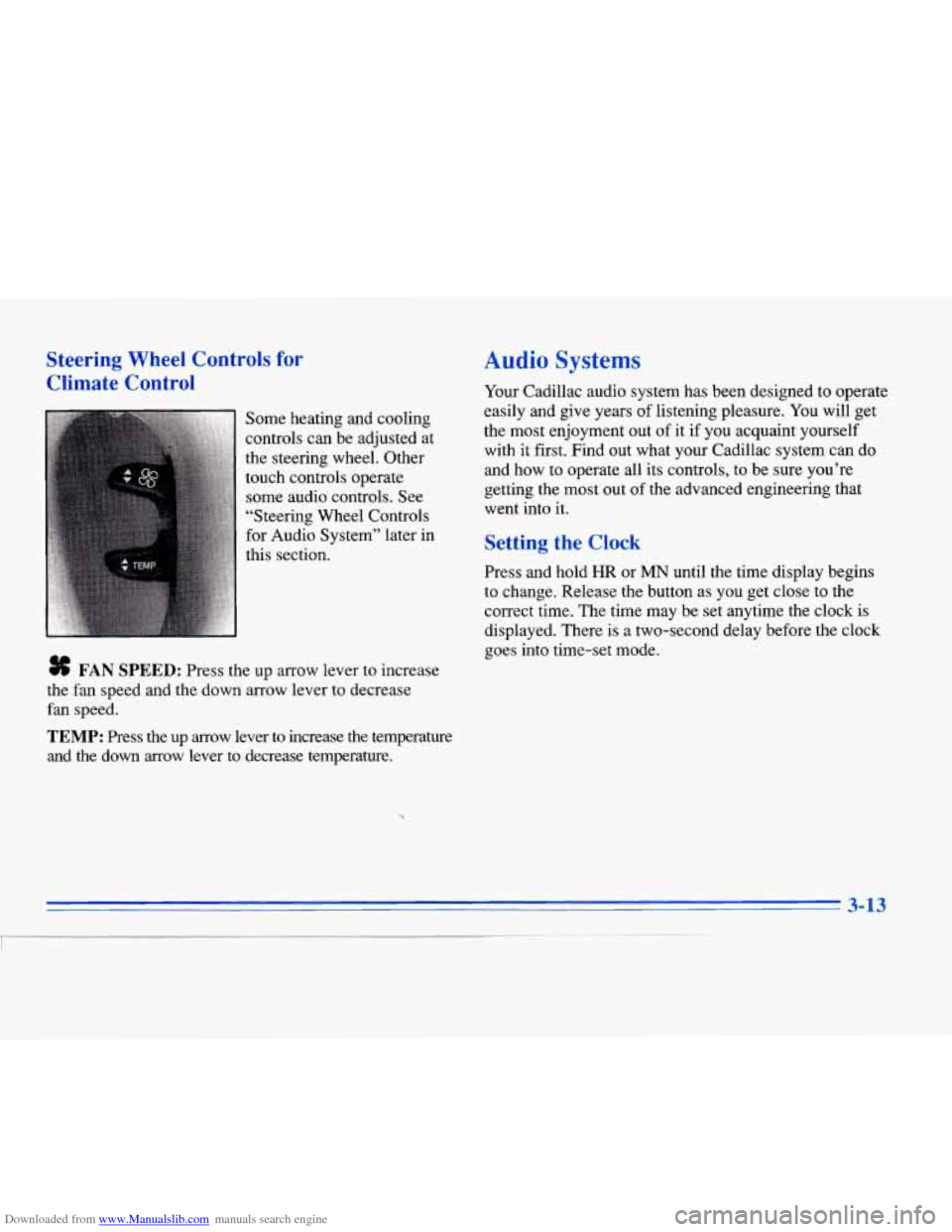
Some heating and cooling
controls can be adjusted at
the steering wheel. Other
touch controls operate some audio controls. See
“Steering Wheel Controls
for Audio System” later in
this section.
# FAN SPEED: Press the up arrow lever to increase
the fan speed and the down arrow lever to decrease
fan speed.
TEMP: Press the up arrow lever to increase the temperature
and the down arrow lever
to decrease temperature.
Audio Systems
Your Cadillac audio system has been designed to operate
easily and give years of listening pleasure.
You will get
the most enjoyment out of
it if you acquaint yourself
with it first. Find out what your Cadillac system can do
and how to operate all its controls, to be sure you’re
getting the most out of the advanced engineering that
went into
it.
Setting the Clock
Press and hold HR or MN until the time display begins
to change. Release the button as you get close to the
correct time. The time may be set anytime the clock
is
displayed. There is a two-second delay before the clock
goes into time-set mode.
3-13
I
Page 180 of 354
Downloaded from www.Manualslib.com manuals search engine CD CHANGER DOOR OPEN is displayed when the
CD changer door is left open. Completely close the
changer door to restore normal operation.
CD CHANGER
NO DISCS is displayed when an empty
magazine is inserted in the CD changer. Try the
magazine again with a disc loaded on one of the trays.
If any error occurs repeatedly or if an error cannot be
corrected, please contact your dealer. If your radio
displays an error number, write
it down and provide it to
your dealer when reporting the problem.
Theft-Deterrent Feature
Your Cadillac has a “built-in” theft-deterrent feature on
each radio that is automatic -- there is no programming
required. The radio in your Cadillac cannot be used in
any other vehicle besides another Cadillac
if it were to
be removed.
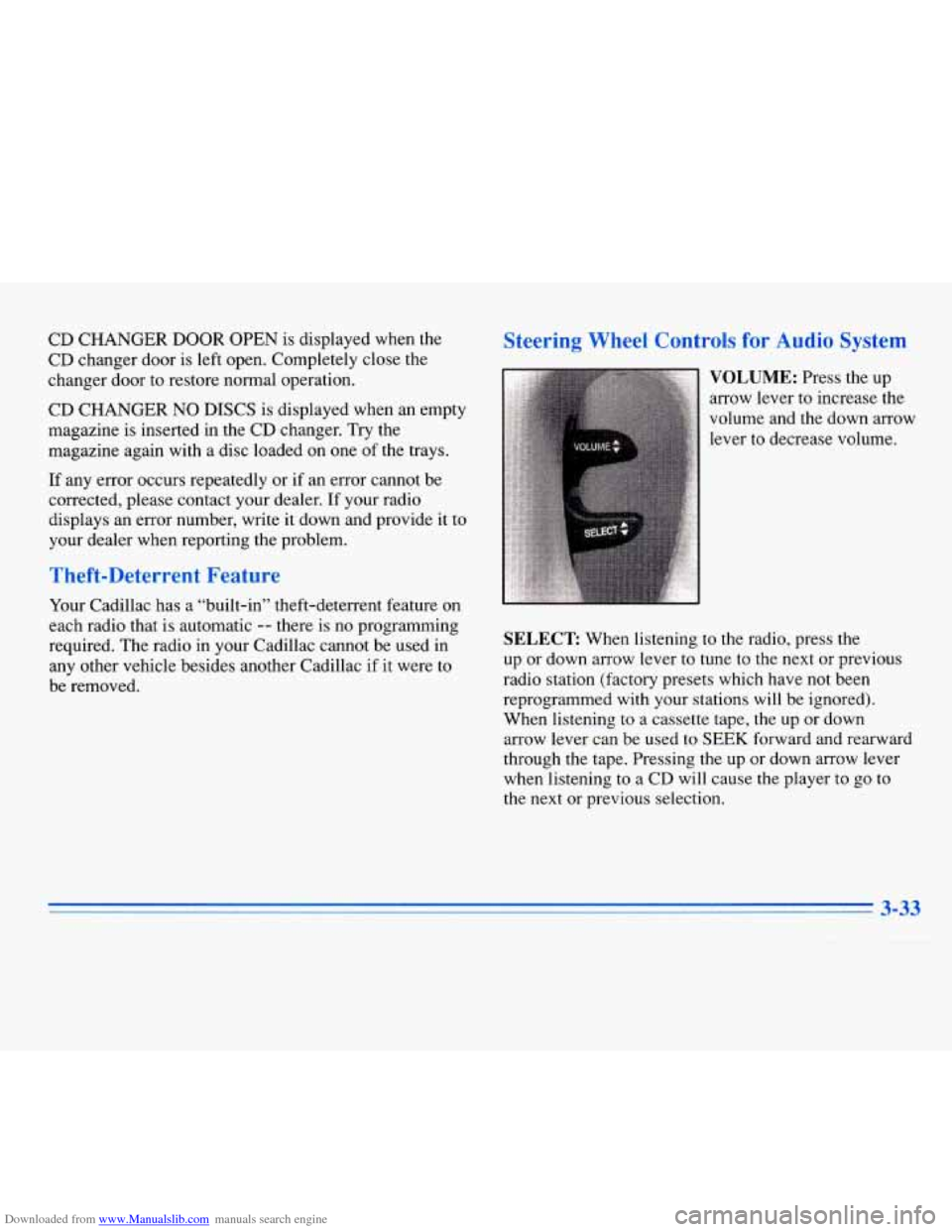
Steering Wheel Controls for Audio System
SELECT: When listening to the radio, press the
up or down arrow lever to tune to the next or previous
radio station (factory presets which have not been
reprogrammed with your stations will be ignored).
When listening to a cassette tape, the up
or down
arrow lever can be used to
SEEK forward and rearward
through the tape. Pressing the up or down arrow lever
when listening to
a CD will cause the player to go to
the next or previous selection.
3-33
Page 190 of 354
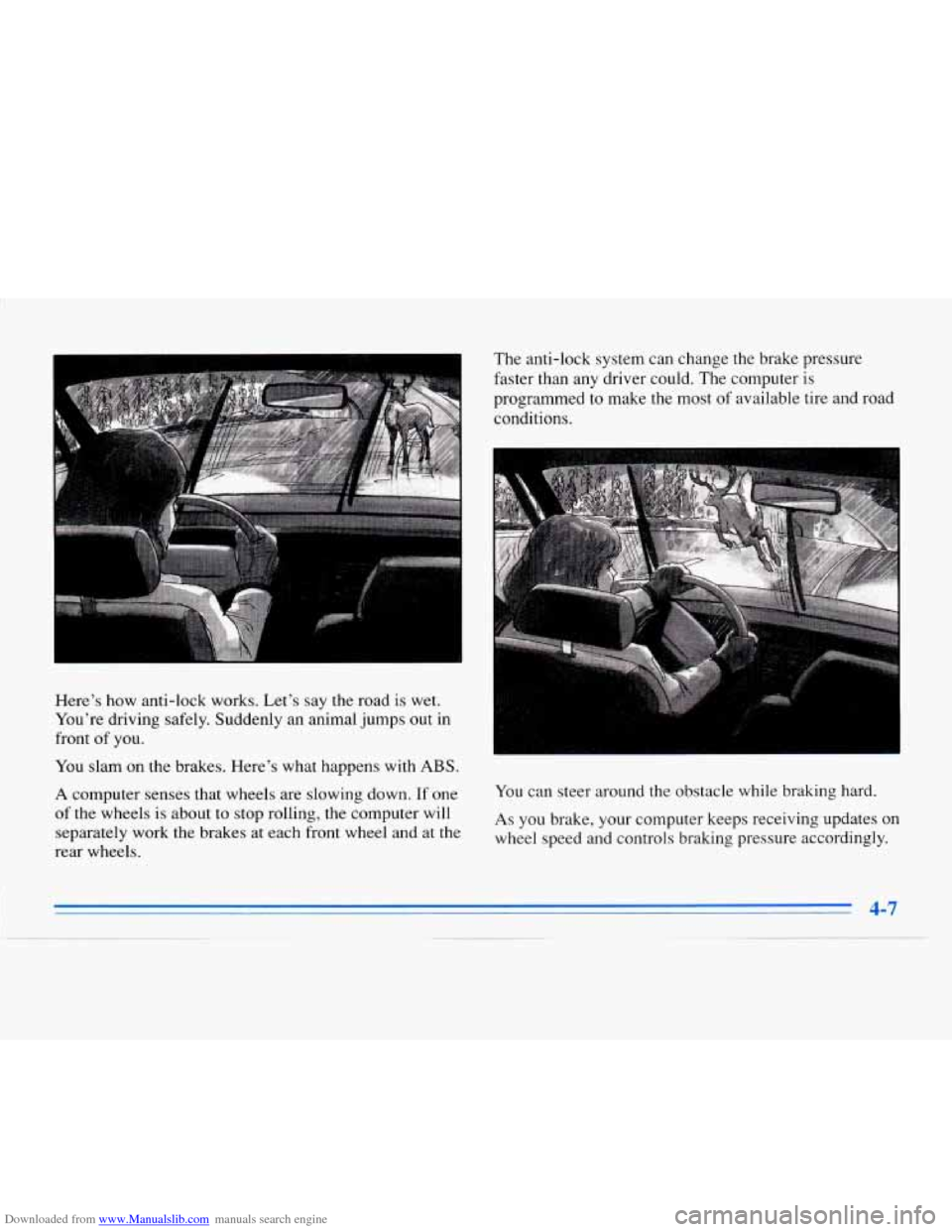
Downloaded from www.Manualslib.com manuals search engine Here’s how anti-lock works. Let’s say the road is wet.
You’re driving safely. Suddenly an animal jumps out in
front
of you.
You slam on the brakes. Here’s what happens with
ABS.
A computer senses that wheels are slowing down. If one
of the wheels is about to stop rolling, the computer will
separately work the brakes at each front wheel and at the
rear wheels. The
anti-lock system can change the brake pressure
faster than any driver could. The computer is
programmed to make the
most of available tire and road
conditions.
You can steer around the obstacle while braking hard.
As you brake, your computer keeps receiving updates on
wheel speed and controls braking pressure accordingly.
4-7
Page 191 of 354
Downloaded from www.Manualslib.com manuals search engine Remember: Anti-lock doesn’t change the time you need
to get your
foot up to the brake pedal or always decrease
stopping distance. If you get too close to the vehicle in
front of you, you won’t have time to apply your brakes
if that vehicle suddenly slows or stops, Always leave
enough room up ahead to stop, even though you have
anti-lock brakes.
Don’t pump the brakes. Just hold
the brake pedal down
and let anti-lock work for you. You may hear the
anti-lock pump or motor operate, and feel the brake
pedal pulsate, but this
is normal. Your
vehicle has a traction control system that limits
wheel spin.
This is especially useful in slippery road
conditions. The system operates only
if it senses that one
or both of the front wheels are spinning or beginning to
lose traction. When this happens, the system works the
front brakes and reduces engine power to limit wheel
spin.
The
TRACTION ACTIVE message will display on the
Driver Information Center when the traction control
system
is limiting wheel spin. See “Driver Information
Center Messages” in the Index. You may feel or hear the
system working, but this is normal.
If your vehicle is in cruise control when the traction
control system begins to limit wheel spin, the cruise
control will automatically disengage. When road
conditions allow you
to safely use it again, you may
reengage the cruise control. (See “Cruise Control” in
the Index.)
Page 193 of 354
Downloaded from www.Manualslib.com manuals search engine Braking in Emergencies
Use your anti-lock braking system when you need to.
With anti-lock, you can steer and brake at the same
time. In many emergencies, steering can help you more
than even the very best braking.
Steering
Power Stewing
If you lose power steering assist because the engine
stops or the system is not functioning, you can steer but
it will take much more effort.
MAGNASTEER * (ETC Only)
Your vehicle may be equipped with GM MAGNASTEER,
a system that continuously adjusts the effort you feel when
steering at all vehicle speeds.
It provides ease when
parking yet a firm, solid feel at highway speeds.
Speed Sensitive Steering (SSS)
(Eldorado Only)
This system varies the amount of steering effort
proportionate to your vehicle speed. Steering is easier at
a lower speed for maneuvering and parking ease.
As
your vehicle speed increases, the steering effort also
increases. At highway speeds, the amount of steering
effort
is increased to provide manual-like steering for
maximum control and stability.
Steering Tips
Driving on Curves
It’s important to take curves at a reasonable speed.
A lot of the “driver lost control” accidents mentioned on
the news happen on curves. Here’s why:
Experienced driver or beginner, each
of us is subject to
the same laws
of physics when driving on curves. The
traction
of the tires against the road surface makes it
possible for the vehicle to change its path when you turn
the l‘ront wheels.
If there’s no traction, inertia will keep
the vehicle going in the same direction. If you’ve ever
tried to steer
a vehicle on wet ice, you’ll understand this.
4-10
Page 197 of 354
Downloaded from www.Manualslib.com manuals search engine 0 Check your mirrors, glance over your shoulder and start your left lane change signal before moving out
of the right lane to pass. When you are far enough
ahead of the passed vehicle to see its front
in your
inside mirror, activate your right lane change signal
and move back into the right lane. (Remember that
your right outside mirror is convex. The vehicle you
just passed may seem
to be farther away from you
than
it really is.)
Try not to pass more than one vehicle at a time on
two-lane roads. Reconsider before passing the next
vehicle.
Don’t overtake a slowly moving vehicle too rapidly.
Even though the brake lamps are not flashing, it may
be slowing down or starting to turn.
If you’re being passed, make it easy for the
following driver
to get ahead of you. Perhaps you
can ease a little to the right.
’C
s review wnat arlving experts say about what
happens when the three control systems (brakes, steering
and acceleration) don’t have enough friction where the
tires meet the road
to do what the driver has asked.
In any emergency, don’t give up. Keep trying to steer and
constantly seek an escape route or area
of less danger.
In a skid, a driver can lose control of the vehicle.
Defensive drivers avoid most skids by taking reasonable
care suited to existing conditions, and by not
“overdriving” those conditions. But skids are always
possible.
The
three types of skids correspond to your Cadillac’s
three control systems. In the braking skid, your wheels
aren’t rolling.
In the steering or cornering skid, too
much speed or steering
in a curve causes tires to slip and
lose cornering force. And in the acceleration skid, too
much throttle causes the driving wheels to spin.
A cornering skid is best handled by easing your foot off
the accelerator pedal.
Remember:
Any traction control system helps avoid
only the acceleration skid.
If your traction control system is
off, then an
acceleration skid is also best handled by easing your
foot off the accelerator pedal.
If your vehicle starts to slide, ease your foot off the
accelerator pedal and quickly steer the way you want the
vehicle to
go. If you start steering quickly enough, your
vehicle may straighten out. Always be ready
for a
second skid
if it occurs.
Page 215 of 354
Downloaded from www.Manualslib.com manuals search engine Your vehicle can tow a trailer if it is equipped with
proper towing equipment. To identify what the vehicle
trailering capacity is for your vehicle, you should read
the information in “Weight of the Trailer” that appears
later in this section. But trailering is different than just
driving your vehicle by itself. Trailering means changes
in handling, durdbility and fuel economy. Successful,
safe trailering takes correct equipment, and
it has to be
used properly.
That’s the reason for this part. In
it are many
time-tested, important trailering tips and safety rules.
Many of these are important for your safety and that of
your passengers.
So please read this section carefully
before you pull a trailer.
Load-pulling components such as
the engine, transaxle,
wheel assemblies and tires are forced to work harder
against the drag of the added weight. The engine
is
required to operate at relatively higher speeds and under
greater loads, generating extra heat. What’s more, the
trailer adds considerably to wind resistance, increasing
the pulling requirements.
If You Do Decide To Pull A Trailer
If you do, here are some important points.
0
0
0
0
0
There are many different laws, including speed limit
restrictions, having
to do with trailering. Make sure
your rig will be legal, not only where you live but
also where you’ll be driving.
A good source for this
information can be state or provincial police.
Consider using a sway control.
You can ask a hitch
dealer about sway controls.
Don’t tow a trailer at all during the first
1,000 miles
(1 600 km) your new vehicle is driven. Your engine,
axle or other parts could be damaged.
Then, during the first
SO0 miles (800 km) that you
tow a trailer, don’t drive over
SO mph (80 h/h) and
don’t make starts at full throttle. This helps
your
engine and other parts of your vehicle wear in at the
heavier loads.
Obey speed limit restrictions when towing a trailer.
Don’t drive faste.r than the maximum posted speed
for trailers (or
no more than 55 mph (90 km/h)) to
save wear on your vehicle’s parts.