ABS CADILLAC ESCALADE 2023 User Guide
[x] Cancel search | Manufacturer: CADILLAC, Model Year: 2023, Model line: ESCALADE, Model: CADILLAC ESCALADE 2023Pages: 461, PDF Size: 7.99 MB
Page 310 of 461

Cadillac Escalade Owner Manual (GMNA-Localizing-U.S./Canada/Mexico-
16417396) - 2023 - CRC - 5/11/22
308 Driving and Operating
Launching and Retrieving a Boat
Backing the Trailer into the Water
{Warning
.Have all passengers get out of the
vehicle before backing onto the sloped
part of the ramp. Lower the driver and
passenger side windows before
backing onto the ramp. This will
provide a means of escape in the
unlikely event the vehicle slides into
the water.
.If the boat launch surface is slippery,
have the driver remain in the vehicle
with the brake pedal applied while the
boat is being launched. The boat
launch can be especially slippery at
low tide when part of the ramp was
previously submerged at high tide. Do
not back onto the ramp to launch the
boat if you are not sure the vehicle
can maintain traction.
.Do not move the vehicle if someone is
in the path of the trailer. Some parts
of the trailer might be underwater and
not visible to people who are assisting
in launching the boat.Disconnect the wiring to the trailer before
backing the trailer into the water to prevent
damage to the electrical circuits on the
trailer. Reconnect the wiring to the trailer
after removing the trailer from the water.
If the trailer has electric brakes that can
function when the trailer is submerged, it
might help to leave the electrical trailer
connector attached to maintain trailer brake
functionality while on the boat ramp.
To back the trailer into the water:
1. If equipped, place the vehicle in Four-Wheel Drive High or Automatic
Four-Wheel Drive.
2. Slowly back down the boat ramp until the boat is floating, but no further than
necessary.
3. Press and hold the brake pedal, but do not shift into P (Park) yet.
4. Have someone place chocks under the front wheels of the vehicle.
5. Gradually release the brake pedal to allow the chocks to absorb the load of
the trailer.
6. Reapply the brake pedal. Then apply the parking brake and shift into P (Park).
7. Release the brake pedal. Pulling the Trailer from the Water
1. Press and hold the brake pedal.
2. Start the engine and shift into a gear.
3. Release the parking brake.
4. Let up on the brake pedal.
5. Drive slowly until the tires are clear of the chocks.
6. Stop and have someone pick up and store the chocks.
7. Slowly pull the trailer from the water.
8. Once the vehicle and trailer have been driven from the sloped part of the boat
ramp, the vehicle can be shifted from
four-wheel-drive high. Shift into the drive
mode that is appropriate for the road
conditions.
Caution
If the vehicle tires begin to spin and the
vehicle begins to slide toward the water,
remove your foot from the accelerator
pedal and apply the brake pedal. Seek
help to have the vehicle towed up
the ramp.
Page 316 of 461

Cadillac Escalade Owner Manual (GMNA-Localizing-U.S./Canada/Mexico-
16417396) - 2023 - CRC - 5/11/22
314 Driving and Operating
Conventional Hitch
A conventional hitch is bolted to the frame
or cross member of the tow vehicle, and is
generally rated Class 2, 3, or 4.
Always use the correct hitch equipment for
your vehicle. Crosswinds, large trucks going
by, and rough roads can affect the trailer
and the hitch.
Proper hitch equipment for your vehicle
helps maintain control of the vehicle-trailer
combination. Many trailers can be towed
using a weight-carrying hitch which has a
coupler latched to the hitch ball, or a tow
eye latched to a pintle hook. Other trailers
may require a weight-distributing hitch that
uses spring bars to distribute the trailer
tongue weight between your vehicle and
trailer axles. See“Maximum Trailer Tongue
Weight Rating” underTrailer Towing 0309
for weight limits with various hitch types.
Avoid sharp turns when using a step-bumper
hitch to prevent damage. Make wider turns
to prevent contact between your trailer and
your bumper.Hitch Cover
To remove hitch cover, if equipped:
1. Remove the two fasteners on the lower tabs (2).
2. Pull the lower edge of the cover to about a 45 degree angle.
3. Pull the cover upward to disengage the upper attachments (1). To reinstall hitch cover:
1. Hold cover at a 45 degree angle to the vehicle and push the upper tabs into the
slots in the bumper.
2. Push the bottom of the cover forward until the lower tabs line up with the
lower slots.
3. Snap the hitch cover into place by pushing the upper corners forward (1).
4. Reinstall the two fasteners on the lower tabs (2).
Consider using mechanical sway controls
with any trailer. Ask a trailering professional
about sway controls or refer to the trailer
manufacturer's recommendations and
instructions.
Weight-Distributing Hitch Adjustment
A weight-distributing hitch may be useful
with some trailers. Use the following
guidelines to determine if a
weight-distributing hitch should be used.
Page 321 of 461

Cadillac Escalade Owner Manual (GMNA-Localizing-U.S./Canada/Mexico-
16417396) - 2023 - CRC - 5/11/22
Driving and Operating 319
Tow/Haul Mode
For instructions on how to enter Tow/Haul
mode, seeDriver Mode Control 0240.
Tow/Haul assists when pulling a heavy
trailer or a large or heavy load.
Tow/Haul Mode is designed to be most
effective when the vehicle and trailer
combined weight is at least 75% of the
vehicle's Gross Combined Weight Rating
(GCWR). See “Maximum Trailer Weight”
under Trailer Towing 0309.
Tow/Haul Mode is most useful when towing
a heavy trailer or carrying a large or
heavy load:
.through rolling terrain
.in stop-and-go traffic
.in busy parking lots
Operating the vehicle in Tow/Haul Mode
when lightly loaded or not towing will not
cause damage; however, it is not
recommended and may result in unpleasant
engine and transmission driving
characteristics and reduced fuel economy.
Integrated Trailer Brake Control System
The vehicle may have an Integrated Trailer
Brake Control (ITBC) system for use with
electric trailer brakes or most electric over
hydraulic trailer brake systems. These
instructions apply to both types of electric
trailer brakes.
This symbol is on the Trailer Brake Control
Panel on vehicles with an ITBC system. The
power output to the trailer brakes is
proportional to the amount of vehicle
braking. This available power output to the
trailer brakes can be adjusted to a wide
range of trailering situations.
The ITBC system is integrated with the
vehicle brakes, Antilock Brake System (ABS),
and StabiliTrak/Electronic Stability Control
(ESC) systems. In trailering conditions that
cause the ABS or StabiliTrak/ESC systems to
activate, power sent to the trailer brakes automatically adjusts to minimize trailer
wheel lock-up. This does not imply that the
trailer has StabiliTrak/ESC.
If the vehicle brakes, ABS, or StabiliTrak/ESC
systems are not functioning properly, the
ITBC system may not function fully or at all.
Make sure all of these systems are fully
operational to allow the ITBC system to
function properly.
The ITBC system is powered through the
vehicle's electrical system. Turning the
ignition off will also turn off the ITBC
system. The ITBC system is fully functional
only when the ignition is in ON/RUN.
{Warning
Connecting a trailer that has an air brake
system may result in reduced or
complete loss of trailer braking, including
increased stopping distance or trailer
instability which could result in serious
injury, death, or property damage. Only
use the ITBC system with electric or
electric over hydraulic trailer brake
systems.
Page 356 of 461

Cadillac Escalade Owner Manual (GMNA-Localizing-U.S./Canada/Mexico-
16417396) - 2023 - CRC - 5/9/22
354 Vehicle Care
Checking Brake Fluid
With the vehicle in P (Park) on a level
surface, the brake fluid level should be
between the minimum and maximum marks
on the brake fluid reservoir.
There are only two reasons why the brake
fluid level in the reservoir may go down:
.Normal brake lining wear. When new
linings are installed, the fluid level goes
back up.
.A fluid leak in the brake hydraulic system.
Have the brake hydraulic system fixed.
With a leak, the brakes will not
work well.
Always clean the brake fluid reservoir cap
and the area around the cap before
removing it.
Do not top off the brake fluid. Adding fluid
does not correct a leak. If fluid is added
when the linings are worn, there will be too
much fluid when new brake linings are
installed. Add or remove fluid, as necessary,
only when work is done on the brake
hydraulic system.
{Warning
If too much brake fluid is added, it can
spill on the engine and burn, if the
engine is hot enough. You or others could
be burned, and the vehicle could be
damaged. Add brake fluid only when
work is done on the brake hydraulic
system.
When the brake fluid falls to a low level,
the brake warning light comes on. See Brake
System Warning Light 0115.
Brake fluid absorbs water over time which
degrades the effectiveness of the brake fluid.
Replace brake fluid at the specified intervals
to prevent increased stopping distance. See
Maintenance Schedule 0415.
What to Add
Use only GM approved DOT 4 brake fluid
from a clean, sealed container. See
Recommended Fluids and Lubricants 0419.
{Warning
The wrong or contaminated brake fluid
could result in damage to the brake
system. This could result in the loss of
(Continued)
Warning (Continued)
braking leading to a possible injury.
Always use the proper GM approved
brake fluid.
Caution
If brake fluid is spilled on the vehicle's
painted surfaces, the paint finish can be
damaged. Immediately wash off any
painted surface.
Battery - North America
The original equipment battery is
maintenance free. Do not remove the cap
and do not add fluid.
Refer to the replacement number shown on
the original battery label when a new
battery is needed. SeeEngine Compartment
Overview 0339 for battery location.
The vehicle has an Absorbent Glass Mat
(AGM) 12-volt battery. Installation of a
standard 12-volt battery will result in
reduced 12-volt battery life.
When using a 12-volt battery charger on the
12-volt AGM battery, some chargers have an
AGM battery setting on the charger.
Page 367 of 461

Cadillac Escalade Owner Manual (GMNA-Localizing-U.S./Canada/Mexico-
16417396) - 2023 - CRC - 5/9/22
Vehicle Care 365
Instrument Panel Fuse Block
The right instrument panel fuse block access
door is on the passenger side edge of the
instrument panel.
Pull off the cover to access the fuse block.
A fuse puller is available on the right
instrument panel end cap.
There are relays on the back of the fuse
block. To access, press the tabs and remove
the fuse block.The vehicle may not be equipped with all of
the fuses, relays, and features shown.
Fuses Usage
F1 Right Door
Page 408 of 461

Cadillac Escalade Owner Manual (GMNA-Localizing-U.S./Canada/Mexico-
16417396) - 2023 - CRC - 5/9/22
406 Vehicle Care
Caution
Do not tow this vehicle with two wheels
on the ground, or vehicle damage could
occur. This damage would not be covered
by the vehicle warranty.
Dolly towing this vehicle is not allowed with
either the front or the rear tires on the
ground for two-wheel drive or four-wheel
drive, regardless of transfer case.
Appearance Care
Exterior Care
Locks
Locks are lubricated at the factory. Use a
de-icing agent only when absolutely
necessary, and have the locks greased after
using. See Recommended Fluids and
Lubricants 0419.
Washing the Vehicle
To preserve the vehicle finish, wash it often
and out of direct sunlight.
Caution
Do not use petroleum-based, acidic,
or abrasive cleaning agents as they can
damage the vehicle's paint, metal,
or plastic parts. If damage occurs, it
would not be covered by the vehicle
warranty. Approved cleaning products can
be obtained from your dealer. Follow all
manufacturer directions regarding correct
product usage, necessary safety
precautions, and appropriate disposal of
any vehicle care product.
Caution
Avoid using high-pressure washes closer
than 30 cm (12 in) to the surface of the
vehicle. Use of power washers exceeding
8 274 kPa (1,200 psi) can result in
damage or removal of paint and decals.
If using an automatic car wash, follow the
car wash instructions. The windshield wiper
and rear window wiper, if equipped, must
be off. Remove any accessories that may be
damaged or interfere with the car wash
equipment. Rinse the vehicle well, before washing and
after, to remove all cleaning agents
completely. Dried on cleaning agents may
stain the finish.
Dry the finish with a soft, clean chamois or
an all-cotton towel to avoid surface
scratches and water spotting.
Cleaning Underhood Components
Caution
Do not power wash any component
under the hood that has this
e
symbol.
This could cause damage that would not
be covered by the vehicle warranty.
Solvents or aggressive cleaners may harm
underhood components. The use of these
chemicals should be avoided.
Recommend water only.
If a pressure washer is used, use with care.
The following criteria must be followed:
.Water pressure must be kept below
14,000 KPa (2,000 PSI).
.Water temperature must be below 80 °C
(180 °F).
Page 449 of 461
Cadillac Escalade Owner Manual (GMNA-Localizing-U.S./Canada/Mexico-
16417396) - 2023 - CRC - 5/9/22
Index 447
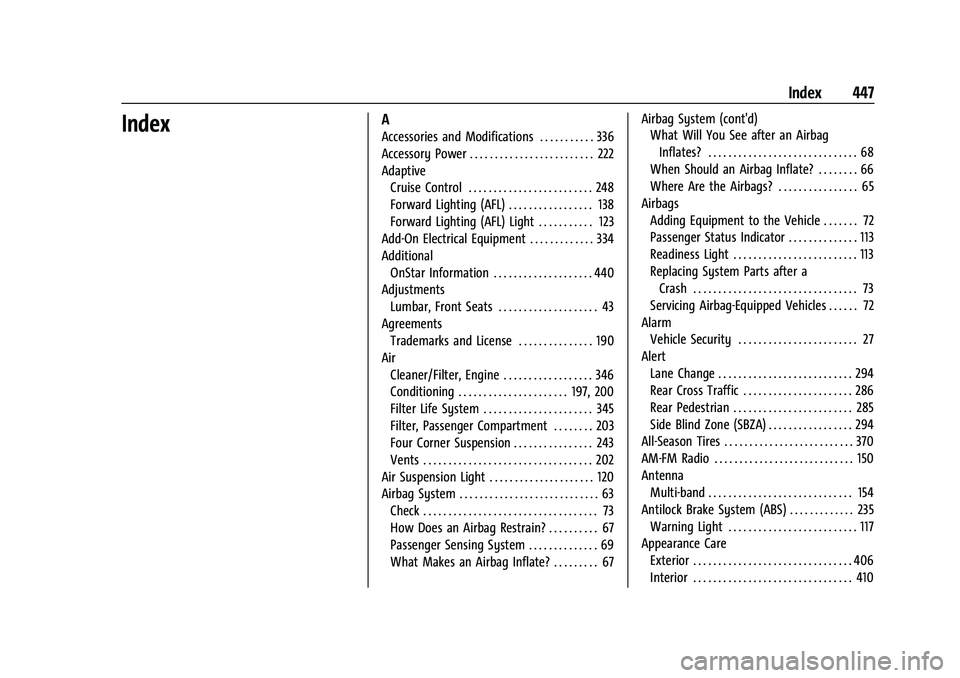
IndexA
Accessories and Modifications . . . . . . . . . . . 336
Accessory Power . . . . . . . . . . . . . . . . . . . . . . . . . 222
AdaptiveCruise Control . . . . . . . . . . . . . . . . . . . . . . . . . 248
Forward Lighting (AFL) . . . . . . . . . . . . . . . . . 138
Forward Lighting (AFL) Light . . . . . . . . . . . 123
Add-On Electrical Equipment . . . . . . . . . . . . . 334
Additional OnStar Information . . . . . . . . . . . . . . . . . . . . 440
Adjustments Lumbar, Front Seats . . . . . . . . . . . . . . . . . . . . 43
Agreements Trademarks and License . . . . . . . . . . . . . . . 190
Air Cleaner/Filter, Engine . . . . . . . . . . . . . . . . . . 346
Conditioning . . . . . . . . . . . . . . . . . . . . . . 197, 200
Filter Life System . . . . . . . . . . . . . . . . . . . . . . 345
Filter, Passenger Compartment . . . . . . . . 203
Four Corner Suspension . . . . . . . . . . . . . . . . 243
Vents . . . . . . . . . . . . . . . . . . . . . . . . . . . . . . . . . . 202
Air Suspension Light . . . . . . . . . . . . . . . . . . . . . 120
Airbag System . . . . . . . . . . . . . . . . . . . . . . . . . . . . 63 Check . . . . . . . . . . . . . . . . . . . . . . . . . . . . . . . . . . . 73
How Does an Airbag Restrain? . . . . . . . . . . 67
Passenger Sensing System . . . . . . . . . . . . . . 69
What Makes an Airbag Inflate? . . . . . . . . . 67 Airbag System (cont'd)
What Will You See after an Airbag
Inflates? . . . . . . . . . . . . . . . . . . . . . . . . . . . . . . 68
When Should an Airbag Inflate? . . . . . . . . 66
Where Are the Airbags? . . . . . . . . . . . . . . . . 65
Airbags Adding Equipment to the Vehicle . . . . . . . 72
Passenger Status Indicator . . . . . . . . . . . . . . 113
Readiness Light . . . . . . . . . . . . . . . . . . . . . . . . . 113
Replacing System Parts after a
Crash . . . . . . . . . . . . . . . . . . . . . . . . . . . . . . . . . 73
Servicing Airbag-Equipped Vehicles . . . . . . 72
Alarm Vehicle Security . . . . . . . . . . . . . . . . . . . . . . . . 27
Alert Lane Change . . . . . . . . . . . . . . . . . . . . . . . . . . . 294
Rear Cross Traffic . . . . . . . . . . . . . . . . . . . . . . 286
Rear Pedestrian . . . . . . . . . . . . . . . . . . . . . . . . 285
Side Blind Zone (SBZA) . . . . . . . . . . . . . . . . . 294
All-Season Tires . . . . . . . . . . . . . . . . . . . . . . . . . . 370
AM-FM Radio . . . . . . . . . . . . . . . . . . . . . . . . . . . . 150
Antenna Multi-band . . . . . . . . . . . . . . . . . . . . . . . . . . . . . 154
Antilock Brake System (ABS) . . . . . . . . . . . . . 235 Warning Light . . . . . . . . . . . . . . . . . . . . . . . . . . 117
Appearance Care
Exterior . . . . . . . . . . . . . . . . . . . . . . . . . . . . . . . . 406
Interior . . . . . . . . . . . . . . . . . . . . . . . . . . . . . . . . 410
Page 455 of 461

Cadillac Escalade Owner Manual (GMNA-Localizing-U.S./Canada/Mexico-
16417396) - 2023 - CRC - 5/9/22
Index 453
LightsAdaptive Forward Lighting (AFL)
Light . . . . . . . . . . . . . . . . . . . . . . . . . . . . . . . . . 123
Airbag Readiness . . . . . . . . . . . . . . . . . . . . . . . 113
Antilock Brake System (ABS) Warning . . . . . . . . . . . . . . . . . . . . . . . . . . . . . . 117
Automatic Emergency Braking
(AEB) Disabled . . . . . . . . . . . . . . . . . . . . . . . . 118
Automatic Vehicle Hold . . . . . . . . . . . . . . . . . 117
Brake System Warning . . . . . . . . . . . . . . . . . 115
Charging System . . . . . . . . . . . . . . . . . . . . . . . 114
Check Engine (Malfunction Indicator) . . . . . . . . . . . . . . . . . . . . . . . . . . . . . 114
Cruise Control Light . . . . . . . . . . . . . . . . . . . . 123
Door Ajar . . . . . . . . . . . . . . . . . . . . . . . . . . . . . . 124
Driver Mode Control . . . . . . . . . . . . . . . . . . . 120
Electric Parking Brake . . . . . . . . . . . . . . . . . . . 116
Engine Coolant Temperature Warning . . . . . . . . . . . . . . . . . . . . . . . . . . . . . . 119
Engine Oil Pressure . . . . . . . . . . . . . . . . . . . . 122
Four Corner Air Suspension . . . . . . . . . . . . 120
Four-Wheel-Drive . . . . . . . . . . . . . . . . . . . . . . . 117
Gauges and Indicators . . . . . . . . . . . . . . . . . 106
High-Beam On . . . . . . . . . . . . . . . . . . . . . . . . . 123
Lane Keep Assist . . . . . . . . . . . . . . . . . . . . . . . . 117
Low Fuel Warning . . . . . . . . . . . . . . . . . . . . . 122
Seat Belt Reminders . . . . . . . . . . . . . . . . . . . . 112
Security . . . . . . . . . . . . . . . . . . . . . . . . . . . . . . . . 122 Lights (cont'd)
Service Electric Parking Brake . . . . . . . . . . . 116
StabiliTrak OFF . . . . . . . . . . . . . . . . . . . . . . . . . . 119
Tire Pressure . . . . . . . . . . . . . . . . . . . . . . . . . . . . 121
Traction Control System
(TCS)/StabiliTrak . . . . . . . . . . . . . . . . . . . . . . 119
Traction Off . . . . . . . . . . . . . . . . . . . . . . . . . . . . . 118
Lock Steering Column . . . . . . . . . . . . . . . . . . . . . . . . 29
Locking Rear Axle . . . . . . . . . . . . . . . . . . . . . . . . 243
Locks Automatic Door . . . . . . . . . . . . . . . . . . . . . . . . . 18
Delayed Locking . . . . . . . . . . . . . . . . . . . . . . . . 18
Door . . . . . . . . . . . . . . . . . . . . . . . . . . . . . . . . . . . . . 15
Lockout Protection . . . . . . . . . . . . . . . . . . . . . . 19
Power Door . . . . . . . . . . . . . . . . . . . . . . . . . . . . . 18
Safety . . . . . . . . . . . . . . . . . . . . . . . . . . . . . . . . . . 19
Loss of Control . . . . . . . . . . . . . . . . . . . . . . . . . . 209
Low Fuel Warning Light . . . . . . . . . . . . . . . . . . 122
Low-Profile Tires . . . . . . . . . . . . . . . . . . . . . . . . . 370
Lower Anchors and Tethers for Children (LATCH System) . . . . . . . . . . . . . . . . 80
Lumbar Adjustment . . . . . . . . . . . . . . . . . . . . . . . 43 Front Seats . . . . . . . . . . . . . . . . . . . . . . . . . . . . . 43
M
Magnetic Ride Control . . . . . . . . . . . . . . . . . . . 243 Maintenance
Records . . . . . . . . . . . . . . . . . . . . . . . . . . . . . . . . 422
Maintenance Schedule . . . . . . . . . . . . . . . . . . . .415 Recommended Fluids andLubricants . . . . . . . . . . . . . . . . . . . . . . . . . . . . 419
Malfunction Indicator Lamp . . . . . . . . . . . . . . . 114
Manual Mode . . . . . . . . . . . . . . . . . . . . . . . . . . . . . 229, 230
Map Data Updates . . . . . . . . . . . . . . . . . . . . . . . . 173
Maps . . . . . . . . . . . . . . . . . . . . . . . . . . . . . . . . . . . . 166
Massage Seats . . . . . . . . . . . . . . . . . . . . . . . . . . . . . . . . . . . 44
Media Avoiding Untrusted Devices . . . . . . . . . . . . 154
Memory Seats . . . . . . . . . . . . . . . . . . . . . . . . . . . . 44
Messages Engine Power . . . . . . . . . . . . . . . . . . . . . . . . . . 130
Vehicle . . . . . . . . . . . . . . . . . . . . . . . . . . . . . . . . 130
Vehicle Speed . . . . . . . . . . . . . . . . . . . . . . . . . . . 131
Mirrors Automatic Dimming . . . . . . . . . . . . . . . . . . . . 32
Automatic Dimming Rearview . . . . . . . . . . 32
Convex . . . . . . . . . . . . . . . . . . . . . . . . . . . . . . . . . 30
Folding . . . . . . . . . . . . . . . . . . . . . . . . . . . . . . . . . . 31
Heated . . . . . . . . . . . . . . . . . . . . . . . . . . . . . . . . . 32
Interior Rearview . . . . . . . . . . . . . . . . . . . . . . . 32
Power . . . . . . . . . . . . . . . . . . . . . . . . . . . . . . . . . . 30
Rear Camera . . . . . . . . . . . . . . . . . . . . . . . . . . . . 32