key CADILLAC STS 2009 1.G Workshop Manual
[x] Cancel search | Manufacturer: CADILLAC, Model Year: 2009, Model line: STS, Model: CADILLAC STS 2009 1.GPages: 514, PDF Size: 2.73 MB
Page 241 of 514
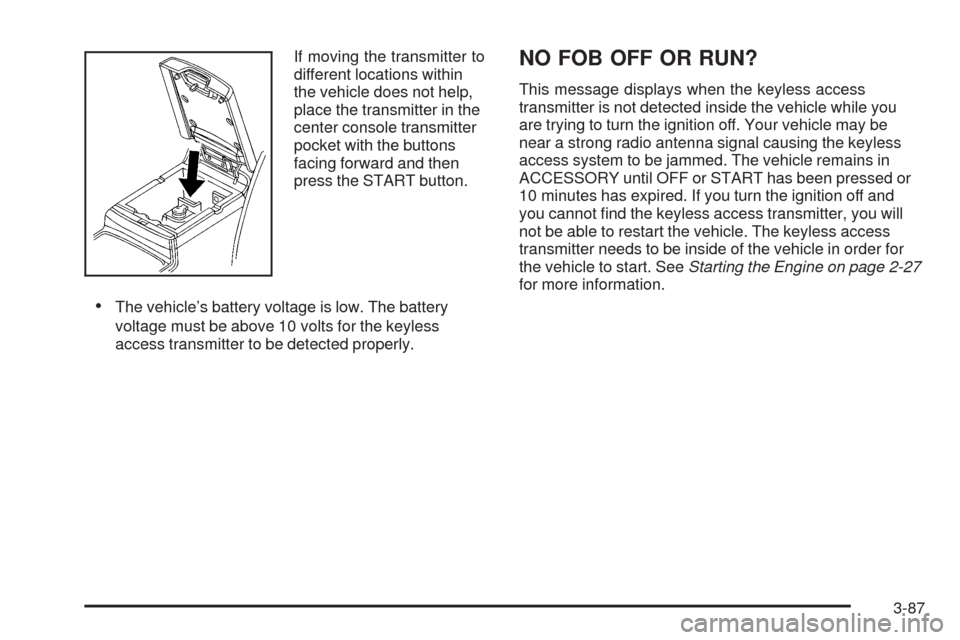
If moving the transmitter to
different locations within
the vehicle does not help,
place the transmitter in the
center console transmitter
pocket with the buttons
facing forward and then
press the START button.
The vehicle’s battery voltage is low. The battery
voltage must be above 10 volts for the keyless
access transmitter to be detected properly.
NO FOB OFF OR RUN?
This message displays when the keyless access
transmitter is not detected inside the vehicle while you
are trying to turn the ignition off. Your vehicle may be
near a strong radio antenna signal causing the keyless
access system to be jammed. The vehicle remains in
ACCESSORY until OFF or START has been pressed or
10 minutes has expired. If you turn the ignition off and
you cannot nd the keyless access transmitter, you will
not be able to restart the vehicle. The keyless access
transmitter needs to be inside of the vehicle in order for
the vehicle to start. SeeStarting the Engine on page 2-27
for more information.
3-87
Page 242 of 514
OIL PRESSURE LOW STOP ENGINE
Notice:If you drive your vehicle while the engine
oil pressure is low, severe engine damage may
occur. If a low oil pressure warning appears on
the instrument panel cluster and/or DIC, stop the
vehicle as soon as possible. Do not drive the vehicle
until the cause of the low oil pressure is corrected.
SeeEngine Oil on page 5-18for more information.
This message displays when the vehicle’s engine
oil pressure is low.
A multiple chime sounds when this message is
displayed. SeeEngine Oil on page 5-18for more
information.
Stop the vehicle immediately, as engine damage can
result from driving a vehicle with low oil pressure.
Have the vehicle serviced by your dealer/retailer as
soon as possible when this message is displayed.
PASSENGER DOOR AJAR
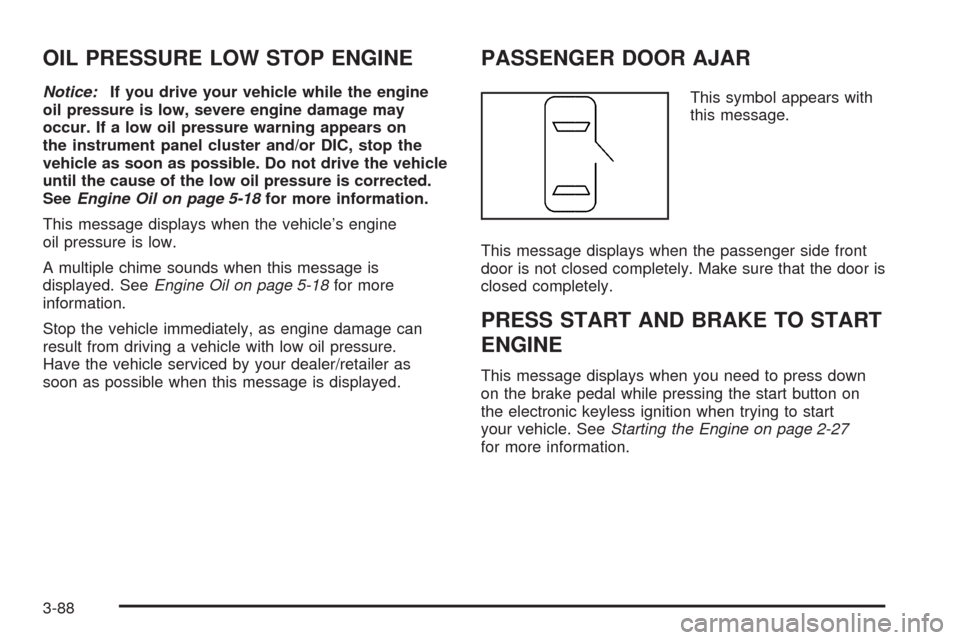
This symbol appears with
this message.
This message displays when the passenger side front
door is not closed completely. Make sure that the door is
closed completely.
PRESS START AND BRAKE TO START
ENGINE
This message displays when you need to press down
on the brake pedal while pressing the start button on
the electronic keyless ignition when trying to start
your vehicle. SeeStarting the Engine on page 2-27
for more information.
3-88
Page 250 of 514
TRUNK OPEN
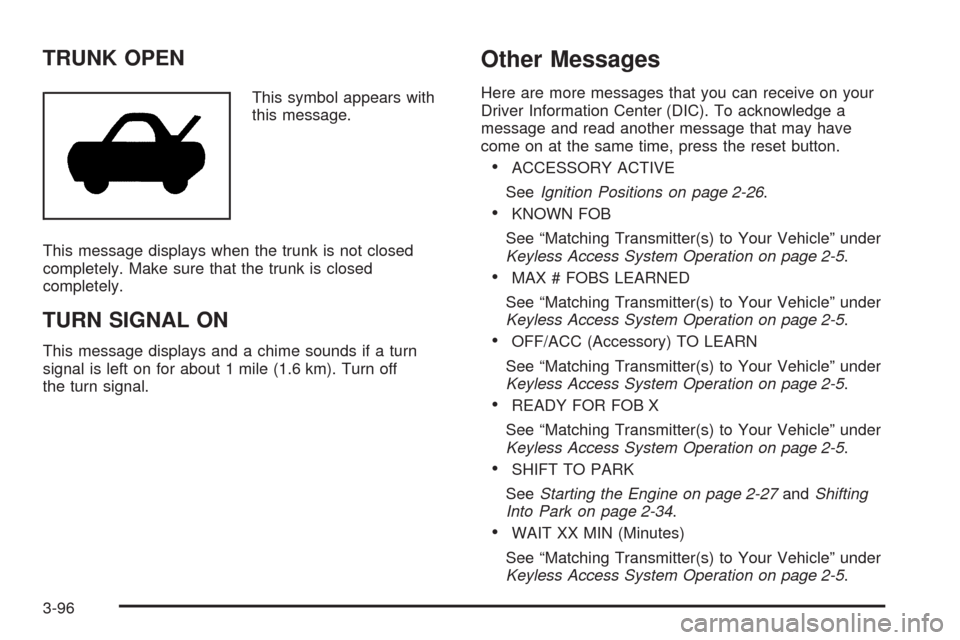
This symbol appears with
this message.
This message displays when the trunk is not closed
completely. Make sure that the trunk is closed
completely.
TURN SIGNAL ON
This message displays and a chime sounds if a turn
signal is left on for about 1 mile (1.6 km). Turn off
the turn signal.
Other Messages
Here are more messages that you can receive on your
Driver Information Center (DIC). To acknowledge a
message and read another message that may have
come on at the same time, press the reset button.
ACCESSORY ACTIVE
SeeIgnition Positions on page 2-26.
KNOWN FOB
See “Matching Transmitter(s) to Your Vehicle” under
Keyless Access System Operation on page 2-5.
MAX # FOBS LEARNED
See “Matching Transmitter(s) to Your Vehicle” under
Keyless Access System Operation on page 2-5.
OFF/ACC (Accessory) TO LEARN
See “Matching Transmitter(s) to Your Vehicle” under
Keyless Access System Operation on page 2-5.
READY FOR FOB X
See “Matching Transmitter(s) to Your Vehicle” under
Keyless Access System Operation on page 2-5.
SHIFT TO PARK
SeeStarting the Engine on page 2-27andShifting
Into Park on page 2-34.
WAIT XX MIN (Minutes)
See “Matching Transmitter(s) to Your Vehicle” under
Keyless Access System Operation on page 2-5.
3-96
Page 264 of 514
CD Messages
If the CD ejects, it could be for one of the following
reasons:
The CD player is very hot. When the temperature
returns to normal, the CD should play.
The road is very rough. When the road becomes
smoother, the CD should play.
The CD is dirty, scratched, wet, or upside down.
The air is very humid. If so, wait about an hour and
try again.
The format of the CD might not be compatible. See
Using an MP3 on page 3-111later in this section.
A problem may have occurred while burning the CD.
The label could be caught in the CD player.
If the CD is not playing correctly for any other reason,
try a known good CD.
If any error occurs repeatedly or if an error cannot
be corrected, contact your dealer/retailer. If the radio
displays an error message, write it down and provide it
to your dealer/retailer when reporting the problem.
Congurable Radio Display Keys
The four keys located on each side of the radio display
can be congured to adjust the radio features and other
non-radio related features. The congurable keys can be
changed at any time. Once a feature is programmed to a
key, the feature does not display when programming the
remaining congurable keys.
To program the congurable radio display keys:
1. Press
wto enter the main menu.
2. Turn
wuntil SETUP displays.
3. Press
wto enter into SETUP.
4. Turn
wuntil CONFIGURE DISPLAY KEYS
displays.
5. Press
wto enter into CONFIGURE
DISPLAY KEYS.
6. Turn and then press
wto select the
congurable key to be changed. The currently
assigned feature displays.
7. Turn
wto nd the feature that will be stored to
the key.
8. Press
wto select the desired feature. The
display updates by showing the symbol of the
feature selected next to the congurable key.
9. Repeat the previous steps for each congurable key.
3-110
Page 270 of 514
Navigation/Radio System
For vehicles with a navigation radio system, see the
separate Navigation System manual.
Bluetooth®
For vehicles with a Navigation System and Bluetooth,
see the Navigation System manual for information about
how to use the Bluetooth system.
For vehicles without a Navigation System, the Bluetooth
system can use a Bluetooth capable cell phone with a
Hands Free Prole to make and receive phone calls.
The system can be used while the key is in ON/RUN or
ACC/ACCESSORY position. The range of the Bluetooth
system can be up to 30 ft. (9.1 m). Not all phones support
all functions, and not all phones are guaranteed to work
with the in-vehicle Bluetooth system. See gm.com/
bluetooth for more information on compatible phones.
Voice Recognition
The Bluetooth system uses voice recognition to interpret
voice commands to dial phone numbers and name tags.
Noise:Keep interior noise levels to a minimum.
The system may not recognize voice commands
if there is too much background noise.
When to Speak:A short tone sounds after the system
responds indicating when it is waiting for a voice
command. Wait until the tone and then speak.
How to Speak:Speak clearly in a calm and natural
voice.
Audio System
When using the in-vehicle Bluetooth system, sound
comes through the vehicle’s front audio system speakers
and over-rides the audio system. Use the audio system
volume knob, during a call, to change the volume level.
The adjusted volume level remains in memory for later
calls. To prevent missed calls, a minimum volume level
is used if the volume is turned down too low.
3-116
Page 279 of 514
To Transfer Audio to the In-Vehicle
Bluetooth System
The cellular phone must be paired and connected with
the Bluetooth system before a call can be transferred.
The connection process can take up to two minutes after
the key is turned to the ON/RUN or ACC/ACCESSORY
position.
During a call with the audio on the cell phone,
press
bgfor more than two seconds. The audio
switches from the cell phone to the vehicle.
Voice Pass-Thru
Voice Pass-Thru allows access to the voice recognition
commands on the cell phone. See the cell phone
manufacturers user guide to see if the cell phone
supports this feature. This feature can be used to
verbally access contacts stored in the cell phone.
1. Press and hold
bgfor two seconds. The system
responds with “Ready” followed by a tone.
2. Say “Bluetooth”. The system responds with
“Bluetooth ready” followed by a tone.
3. Say “Voice”. The system responds with
“OK, accessing
The cell phone’s normal prompt messages will
go through its cycle according to the phone’s
operating instructions.
Dual Tone Multi-Frequency (DTMF)
Tones
The in-vehicle Bluetooth system can send numbers and
numbers stored as name tags during a call. This is used
when calling a menu driven phone system. Account
numbers can be programmed into the phonebook for
retrieval during menu driven calls.
Sending a Number During a Call
1. Pressbg. The system responds with “Ready”
followed by a tone.
2. Say “Dial”. The system responds with
“Say a number to send tones” followed by
a tone.
3. Say the number to send.
If the system clearly recognizes the number it
responds with “OK, Sending Number” and the
dial tones are sent and the call continues.
If the system is not sure it recognized the
number properly, it responds “Dial Number,
Please say yes or no?” followed by a tone.
If the number is correct, say “Yes”. The system
responds with “OK, Sending Number” and
the dial tones are sent and the call continues.
3-125
Page 283 of 514
LANG (Language):This item allows the language on
the radio display to be changed.
To change the language:
1. Press
wto enter the main menu.
2. Turn
wuntil LANGUAGE displays.
3. Press
wto enter the language settings and
then turn
wto scroll through the following
available languages:
ENGLISH
GERMAN
FRENCH
SPANISH
JAPANESE
4. Press
wto set the language.
5. Press F6 to exit the display. To return to the
original display, repeatedly press F6 or wait for
the display to time out.SETUP:The following submenus are available when
this item is selected:
PERSONAL SETTINGS MENU
DRIVER SELECTION
DRIVER EXIT SETTINGS
CONFIGURE DISPLAY KEYS
SETUP Submenu Items
The following choices are available for programming.
PERSONAL SETTINGS MENU
This item turns the entire list of personalization features
on or off, and allows a preferred setting for up to two
people to be programmed. The number of available
features varies depending on which options the vehicle
has. A check mark appears after it when this item is
on. For more information on the PERSONAL SETTINGS
MENU item, seeVehicle Personalization on page 2-61.
3-129
Page 284 of 514
DRIVER SELECTION
The following submenu displays when this item is
selected:
DRIVER 1
DRIVER 2
RECALL DRIVER SETTINGS
STORE DRIVER SETTINGS
For more information on the DRIVER SELECTION
submenu item, see “Recalling Driver Settings”
and “Storing Driver Settings” underMemory Seat,
Mirrors and Steering Wheel on page 2-77.
DRIVER EXIT SETTINGS
The following submenu displays when this item is
selected:
RECALL EXIT SETTINGS
STORE EXIT SETTINGSFor more information on the DRIVER EXIT SETTINGS
submenu item, see “Recalling Exit Settings” and “Storing
Exit Settings” underMemory Seat, Mirrors and Steering
Wheel on page 2-77.
CONFIGURE DISPLAY KEYS
(Base Audio System)
This item allows the four congurable keys located to
the left and right of the audio display to be customized.
See “Congurable Radio Display Keys” underRadio(s)
on page 3-98for programming information.
Theft-Deterrent Feature
THEFTLOCK®is designed to discourage theft of the
vehicle’s radio by learning a portion of the Vehicle
Identication Number (VIN). The radio does not operate
if it is stolen or moved to a different vehicle.
3-130
Page 330 of 514
California Proposition 65 Warning
Most motor vehicles, including this one, contain and/or
emit chemicals known to the State of California to cause
cancer and birth defects or other reproductive harm.
Engine exhaust, many parts and systems (including
some inside the vehicle), many uids, and some
component wear by-products contain and/or emit
these chemicals.
California Perchlorate Materials
Requirements
Certain types of automotive applications, such as
airbag initiators, seat belt pretensioners, and lithium
batteries contained in remote keyless transmitters,
may contain perchlorate materials. Special handling
may be necessary. For additional information, see
www.dtsc.ca.gov/hazardouswaste/perchlorate.
Doing Your Own Service Work
{CAUTION:
You can be injured and the vehicle could be
damaged if you try to do service work on a
vehicle without knowing enough about it.
Be sure you have sufficient knowledge,
experience, the proper replacement parts,
and tools before attempting any vehicle
maintenance task.
Be sure to use the proper nuts, bolts, and
other fasteners. English and metric fasteners
can be easily confused. If the wrong fasteners
are used, parts can later break or fall off.
You could be hurt.
If doing some of your own service work, use the proper
service manual. It tells you much more about how to
service the vehicle than this manual can. To order
the proper service manual, seeService Publications
Ordering Information on page 7-15.
5-4
Page 396 of 514

TPMS Sensor Matching Process
Each TPMS sensor has a unique identication code.
Any time you replace one or more of the TPMS sensors
or rotate your vehicle’s tires, the identication codes
will need to be matched to the new tire/wheel position.
The sensors are matched to the tire/wheel positions
in the following order: driver side front tire, passenger
side front tire, passenger side rear tire, and driver
side rear tire using a TPMS diagnostic tool. See your
dealer/retailer for service.
The TPMS sensors may also be matched to each
tire/wheel position by increasing or decreasing the
tire’s air pressure. When increasing the tire’s pressure,
do not exceed the maximum ination pressure indicated
on the tire’s sidewall. If using this method to match TPMS
sensors, the complete procedure outlined below must
be performed within 15 minutes of the vehicle being
stationary.
To decrease air-pressure out of a tire you can use the
pointed end of the valve cap, a pencil-style air pressure
gage, or a key.
You will have one minute to match the rst tire/wheel
position, and ve minutes overall, to match all four
tire/wheel positions. If it takes longer than one minute to
match the rst tire and wheel, or more than ve minutes
to match all four tire/wheel positions, the matching
process stops and you will need to start over.The TPM matching process is outlined below:
1. Set the parking brake.
2. Press the push-button ignition switch to Acc.
3. Using the keyless access transmitter, lock and
unlock the vehicle’s doors.
4. Press the lock and unlock buttons, at the same
time, on the keyless access transmitter. The horn
sounds twice, indicating that the TPMS is ready,
and the sensor matching process can begin.
5. Start with the driver side front tire.
6. Remove the valve cap from the valve stem.
Activate the TPMS sensor by increasing or
decreasing the tire’s air pressure for ve seconds,
or until a horn chirp sounds. The horn chirp,
which may take up to 30 seconds to sound,
conrms that the sensor identication code
has been matched to this tire position.
7. Proceed to the passenger side front tire, and repeat
the procedure in Step 6.
8. Proceed to the passenger side rear tire, and repeat
the procedure in Step 6.
9. Proceed to the driver side rear tire, and repeat the
procedure in Step 6.
10. After hearing the conrming single horn chirp for the
driver side rear tire, a double horn chirp will sound to
signal the tire matching mode is no longer active.
Press the push-button ignition switch to Acc.
5-70