transmission CADILLAC XLR 2004 1.G Owners Manual
[x] Cancel search | Manufacturer: CADILLAC, Model Year: 2004, Model line: XLR, Model: CADILLAC XLR 2004 1.GPages: 356, PDF Size: 2.36 MB
Page 57 of 356

Keys...............................................................2-2
Keyless Access System...................................2-3
Keyless Access System Operation....................2-4
Doors and Locks.............................................2-8
Door Locks....................................................2-8
Power Door Locks........................................2-10
Programmable Automatic Door Locks..............2-10
Lockout Protection........................................2-11
Leaving Your Vehicle....................................2-11
Trunk..........................................................2-11
Windows........................................................2-14
Power Windows............................................2-15
Sun Visors...................................................2-16
Theft-Deterrent Systems..................................2-17
Theft-Deterrent System..................................2-17
Starting and Operating Your Vehicle................2-19
New Vehicle Break-In....................................2-19
Ignition Positions..........................................2-19
Starting Your Engine.....................................2-20
Engine Coolant Heater..................................2-21
Automatic Transmission Operation...................2-23
Parking Brake..............................................2-26
Shifting Into Park (P).....................................2-28
Shifting Out of Park (P).................................2-30
Parking Over Things That Burn.......................2-31Engine Exhaust............................................2-31
Running Your Engine While You Are Parked. . . .2-32
Mirrors...........................................................2-33
Automatic Dimming Rearview Mirror
with OnStar
ž............................................2-33
Outside Power Heated Mirrors........................2-33
Outside Automatic Dimming Mirror..................2-34
Outside Curb View Assist Mirror.....................2-34
Outside Convex Mirror...................................2-34
OnStar
žSystem.............................................2-35
HomeLinkžTransmitter...................................2-37
Programming the HomeLinkžTransmitter.........2-37
Storage Areas................................................2-41
Glove Box...................................................2-41
Cupholder(s)................................................2-41
Center Console Storage Area.........................2-41
Map Pocket.................................................2-42
Floor Mats...................................................2-42
Rear Storage Area........................................2-43
Convenience Net..........................................2-43
Retractable Hardtop........................................2-44
Lowering the Retractable Hardtop...................2-44
Raising the Retractable Hardtop......................2-45
Vehicle Personalization...................................2-53
Memory Seat, Mirrors and Steering Wheel.......2-53
Section 2 Features and Controls
2-1
Page 76 of 356

When the engine is off, press this button to place the
vehicle in ACCESSORY mode. ACCESSORY
MODE ACTIVE will display on the Driver Information
Center (DIC). This mode allows you to use things
like the radio and the windshield wipers while the engine
is off. Use ACCESSORY if you must have your vehicle
in motion while the engine is off, for example, if your
vehicle is being pushed or towed. If the door is
open while in ACCESSORY, the key in reminder chime
will sound continuously.
Retained Accessory Power (RAP)
The following accessories on your vehicle may be used
for up to 10 minutes after the engine is turned off:
·Radio
·Power Windows
·Audio Steering Wheel Controls
Power to these accessories stops after 10 minutes or if
a door is opened. If you want power for another
10 minutes, close all the doors and press the
OFF/ACCESSORY button to place the vehicle in
ACCESSORY mode. Press the button again and the
vehicle will return to RAP.
Starting Your Engine
Move your shift lever to PARK (P) or NEUTRAL (N).
Your engine will not start in any other position ± that is
a safety feature. To restart when you are already
moving, use NEUTRAL (N) only.
The keyless access transmitter must be in the vehicle
for the ignition to work.
Notice:Do not try to shift to PARK (P) if your
vehicle is moving. If you do, you could damage the
transmission. Shift to PARK (P) only when your
vehicle is stopped.
1. With your foot on the brake pedal, press the
START button. When the engine begins cranking,
let go of the button. The idle speed will go down as
your engine gets warm.
If the battery in the keyless access transmitter is
weak, the DIC will display FOB BATTERY
LOW. You can still drive the vehicle. See ªBattery
Replacementº under
Keyless Access System
Operation on page 2-4for more information.
2-20
Page 79 of 356
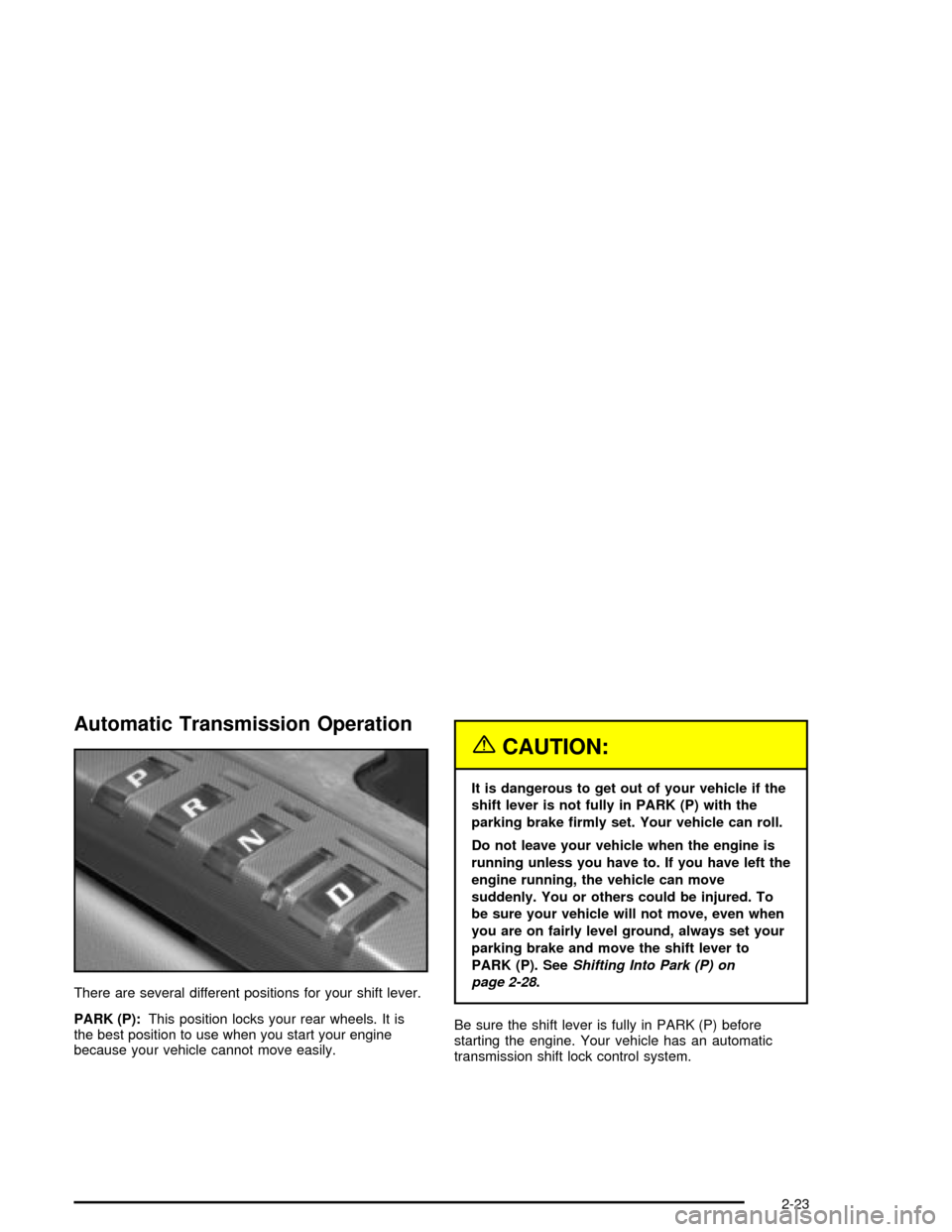
Automatic Transmission Operation
There are several different positions for your shift lever.
PARK (P):This position locks your rear wheels. It is
the best position to use when you start your engine
because your vehicle cannot move easily.
{CAUTION:
It is dangerous to get out of your vehicle if the
shift lever is not fully in PARK (P) with the
parking brake ®rmly set. Your vehicle can roll.
Do not leave your vehicle when the engine is
running unless you have to. If you have left the
engine running, the vehicle can move
suddenly. You or others could be injured. To
be sure your vehicle will not move, even when
you are on fairly level ground, always set your
parking brake and move the shift lever to
PARK (P). See
Shifting Into Park (P) on
page 2-28
.
Be sure the shift lever is fully in PARK (P) before
starting the engine. Your vehicle has an automatic
transmission shift lock control system.
2-23
Page 80 of 356

You have to fully apply your regular brakes before you
can shift from PARK (P) when the vehicle is running.
If you cannot shift out of PARK (P), ease pressure
on the shift lever and push the shift lever all the way
into PARK (P) as you maintain brake application. Then
move the shift lever into the gear you wish. See
Shifting Out of Park (P) on page 2-30.
REVERSE (R):Use this gear to back up.
Notice:Shifting to REVERSE (R) while your vehicle
is moving forward could damage the transmission.
The repairs would not be covered by your warranty.
Shift to REVERSE (R) only after your vehicle is
stopped.
To rock your vehicle back and forth to get out of snow,
ice or sand without damaging your transmission,
see If You Are Stuck: In Sand, Mud, Ice or Snow on
page 4-31.
NEUTRAL (N):In this position, your engine does not
connect with the wheels. To restart when you are
already moving, use NEUTRAL (N) only. Also, use
NEUTRAL (N) when your vehicle is being towed.
{CAUTION:
Shifting into a drive gear while your engine is
running at high speed is dangerous. Unless
your foot is ®rmly on the brake pedal, your
vehicle could move very rapidly. You could
lose control and hit people or objects. Do not
shift into a drive gear while your engine is
running at high speed.
Notice:Shifting out of PARK (P) or NEUTRAL (N)
with the engine running at high speed may damage
the transmission. The repairs would not be
covered by your warranty. Be sure the engine is not
running at high speed when shifting your vehicle.
AUTOMATIC OVERDRIVE (D):This position is
for normal driving.
Notice:Spinning the tires or holding the vehicle in
one place on a hill using only the accelerator
pedal may damage the transmission. If you are
stuck, do not spin the tires. When stopping on a hill,
use the brakes to hold the vehicle in place.
Maximum engine speed is limited to protect driveline
components from improper operation.
2-24
Page 81 of 356

Driver Shift Control
The driver shift control feature gives you more manual
control over the operation of the transmission.
To use this feature, move
the shift lever from the
AUTOMATIC OVERDRIVE
(D) position to the left
and into the driver
shift control gate.
A plus symbol will also appear on the shift console
above the AUTOMATIC OVERDRIVE (D) indicator and
minus symbol will appear below the indicator.
To request an upshift, brie¯y move the shift lever up
toward the plus symbol. To request a downshift, brie¯y
move the shift lever down toward the minus symbol.
The Head-Up Display (HUD) will display the change in
gear range, though the actual upshift or downshift
may be delayed until the engine speed is correct for the
requested gear range.The currently selected gear will be remembered as the
selected gear range and will be displayed in the
HUD. SeeHead-Up Display (HUD) on page 3-27.
The gear range indicated in the HUD is only a requested
range of available gears. It does not indicate that the
vehicle will operate only in that speci®c gear. The actual
gear the vehicle will choose depends on a combination
of the driver-requested gear range, vehicle speed
and throttle position.
If you do not upshift as the engine approaches the
redline engine rpm for the selected gear range,
an engine speed limiter will prevent over-revving by
limiting the engine rpm available. No automatic upshift
will occur until you request it. Operating the engine
for extended periods of time against the speed limiter is
not recommended.
Not all manual downshift requests will be accepted by
the transmission. To prevent over-revving the engine,
each gear range has a maximum vehicle speed
associated with it. Any downshift request above this
speed will be ignored by the transmission.
2-25
Page 82 of 356
Some automatic downshifts may occur to maintain
minimum engine speed. This will only occur if you leave
the vehicle in too high of a gear range for the speed
the vehicle is traveling. For example, if you have been
driving in ®fth gear range and come to a stop without
manually downshifting, ®fth gear range will continue to
display in the HUD. The transmission will automatically
downshift to second gear. As you begin to drive
and accelerate, the transmission will automatically
upshift as quickly as possible to the selected ®fth
gear range.
In higher gear ranges, an automatic downshift will occur
if you press the accelerator pedal to the ¯oor. This
feature provides you with adequate acceleration
capabilities if you forget to downshift manually.
Automatic upshifts and downshifts will not display in
the HUD.
Driver shift control is available while the cruise control is
engaged. The shift behavior of the transmission will
react differently than when cruise control is not engaged.
This is not a malfunction and is necessary to allow
proper operation of the cruise control.
To return to fully automatic operation, move the shift
lever to the right and back into the AUTOMATIC
OVERDRIVE (D) position.Parking Brake
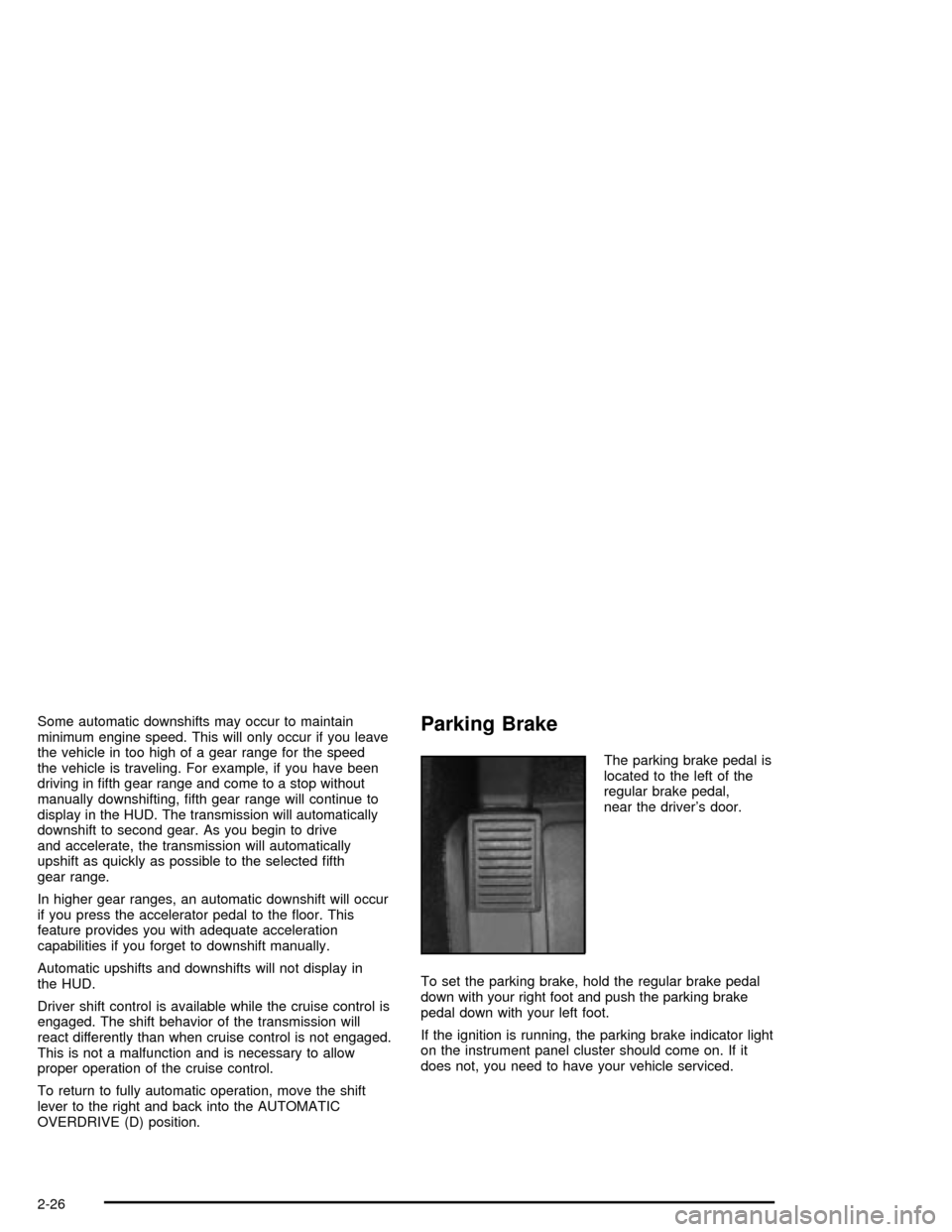
The parking brake pedal is
located to the left of the
regular brake pedal,
near the driver's door.
To set the parking brake, hold the regular brake pedal
down with your right foot and push the parking brake
pedal down with your left foot.
If the ignition is running, the parking brake indicator light
on the instrument panel cluster should come on. If it
does not, you need to have your vehicle serviced.
2-26
Page 85 of 356
Leaving Your Vehicle With the Engine
Running
{CAUTION:
It can be dangerous to leave your vehicle with
the engine running. Your vehicle could move
suddenly if the shift lever is not fully in
PARK (P) with the parking brake ®rmly set.
And, if you leave the vehicle with the engine
running, it could overheat and even catch ®re.
You or others could be injured. Do not leave
your vehicle with the engine running.
If you have to leave your vehicle with the engine
running, be sure your vehicle is in PARK (P) and your
parking brake is ®rmly set before you leave it. After you
have moved the shift lever into PARK (P), hold down
the regular brake pedal. See if you can move the
shift lever away from PARK (P) without ®rst pulling it
toward you. If you can, it means that the shift lever was
not fully locked into PARK (P).
Torque Lock
If you are parking on a hill and you do not shift your
transmission into PARK (P) properly, the weight of the
vehicle may put too much force on the parking pawl
in the transmission. You may ®nd it difficult to pull the
shift lever out of PARK (P). This is called ªtorque
lock.º To prevent torque lock, set the parking brake and
then shift into PARK (P) properly before you leave
the driver's seat. To ®nd out how, see ªShifting
Into PARK (P)º listed previously in this section.
When you are ready to drive, move the shift lever out of
PARK (P) before you release the parking brake.
If torque lock does occur, you may need to have another
vehicle push yours a little uphill to take some of the
pressure from the parking pawl in the transmission, so
you can pull the shift lever out of PARK (P).
2-29
Page 86 of 356

Shifting Out of Park (P)
Your vehicle has an automatic transmission shift lock
control system. You have to fully apply your regular
brake before you can shift from PARK (P) when
the vehicle is running. See
Automatic Transmission
Operation on page 2-23.
If you cannot shift out of PARK (P), ease pressure on
the shift lever ± push the shift lever all the way into
PARK (P) and release the shift lever button as
you maintain brake application. Then press the shift
lever button and move the shift lever into the gear
you wish.If you ever hold the brake pedal down but still cannot
shift out of PARK (P), try this:
1. Press the ACCESSORY button twice to place the
ignition in accessory mode.
2. Apply and hold the brake until the end of Step 4.
3. Shift to NEUTRAL (N).
4. Start the engine and then shift to the drive gear
you want.
5. Have your vehicle inspected by your dealer as soon
as possible.
2-30
Page 94 of 356

Keep the original transmitter for use in other vehicles as
well as for future HomeLinkžprogramming. It is also
recommended that upon the sale of the vehicle,
the programmed HomeLink
žbuttons should be erased
for security purposes. Refer to ªErasing HomeLinkž
Buttonsº or, for assistance, contact HomeLinkžon the
internet at: www.homelink.com or by calling
1-800-355-3515.
Be sure that people and objects are clear of the garage
door or gate operator you are programming. When
programming a garage door, it is advised to park outside
of the garage.
It is recommended that a new battery be installed in
your hand-held transmitter for quicker and more
accurate transmission of the radio frequency.
Your vehicle's engine should be turned off while
programming the transmitter. Follow these steps to
program up to three channels:
1. Press and hold down the two outside buttons,
releasing only when the indicator light begins to
¯ash, after 20 seconds. Do not hold down the
buttons for longer than 30 seconds and do not
repeat this step to program a second and/or third
transmitter to the remaining two HomeLink
žbuttons.
2. Position the end of your hand-held transmitter about
1 to 3 inches (3 to 8 cm) away from the HomeLink
ž
buttons while keeping the indicator light in view.3. Simultaneously press and hold both the desired
button on HomeLink
žand the hand-held transmitter
button. Do not release the buttons until Step 4
has been completed.
Some entry gates and garage door openers may
require you to substitute Step 3 with the procedure
noted in ªGate Operator and Canadian
Programmingº later in this section.
4. The indicator light will ¯ash slowly at ®rst and then
rapidly after HomeLink
žsuccessfully receives the
frequency signal from the hand-held transmitter.
Release both buttons.
5. Press and hold the newly-trained HomeLink
žbutton
and observe the indicator light.
If the indicator light stays on constantly,
programming is complete and your device should
activate when the HomeLink
žbutton is pressed and
released.
To program the remaining two HomeLink
žbuttons,
begin with Step 2 under ªProgramming HomeLinkž.º
Do not repeat Step 1 as this will erase all of the
programmed channels.
If the indicator light blinks rapidly for two seconds
and then turns to a constant light, continue with
Steps 6 through 8 following to complete the
programming of a rolling-code equipped device
(most commonly, a garage door opener).
2-38
Page 95 of 356

6. Locate in the garage, the garage door opener
receiver (motor-head unit). Locate the ªLearnº
or ªSmartº button. This can usually be found where
the hanging antenna wire is attached to the
motor-head unit.
7. Firmly press and release the ªLearnº or ªSmartº
button. The name and color of the button may
vary by manufacturer.
You will have 30 seconds to start Step 8.
8. Return to the vehicle. Firmly press and hold the
programmed HomeLink
žbutton for two seconds,
then release. Repeat the press/hold/release
sequence a second time, and depending on the
brand of the garage door opener (or other rolling
code device), repeat this sequence a third time
to complete the programming.
HomeLink
žshould now activate your rolling-code
equipped device.
To program the remaining two HomeLink
žbuttons,
begin with Step 2 of ªProgramming HomeLinkž.º Do not
repeat Step 1.
Gate Operator and Canadian
Programming
Canadian radio-frequency laws require transmitter
signals to ªtime outº or quit after several seconds of
transmission. This may not be long enough for
HomeLink
žto pick up the signal during programming.
Similarly, some U.S. gate operators are manufactured to
ªtime outº in the same manner.
If you live in Canada, or you are having difficulty
programming a gate operator by using the
ªProgramming HomeLink
žº procedures (regardless of
where you live), replace Step 3 under ªProgramming
HomeLink
žº with the following:
Continue to press and hold the HomeLink
žbutton while
you press and release every two seconds (cycle)
your hand-held transmitter until the frequency signal has
been successfully accepted by HomeLink
ž. The
indicator light will ¯ash slowly at ®rst and then rapidly.
Proceed with Step 4 under ªProgramming HomeLink
žº
to complete.
2-39