maintenance CHEVROLET CAPTIVA SPORT 2015 Owner's Manual
[x] Cancel search | Manufacturer: CHEVROLET, Model Year: 2015, Model line: CAPTIVA SPORT, Model: CHEVROLET CAPTIVA SPORT 2015Pages: 373, PDF Size: 4.11 MB
Page 2 of 373
Black plate (1,1)Chevrolet Captiva Sport Owner Manual (GMNA-Localizing-U.S./Mexico-
7576028) - 2015 - First Edition - 3/21/14
2015 Chevrolet Captiva Sport Owner ManualM
In Brief. . . . . . . . . . . . . . . . . . . . . . . . 1-1
Instrument Panel . . . . . . . . . . . . . . 1-2
Initial Drive Information . . . . . . . . 1-4
Vehicle Features . . . . . . . . . . . . . 1-16
Performance and Maintenance . . . . . . . . . . . . . . . . 1-20
Keys, Doors, and Windows . . . . . . . . . . . . . . . . . . . . 2-1
Keys and Locks . . . . . . . . . . . . . . . 2-1
Doors . . . . . . . . . . . . . . . . . . . . . . . . . . 2-8
Vehicle Security . . . . . . . . . . . . . . . . 2-9
Exterior Mirrors . . . . . . . . . . . . . . . 2-11
Interior Mirrors . . . . . . . . . . . . . . . . 2-12
Windows . . . . . . . . . . . . . . . . . . . . . 2-13
Roof . . . . . . . . . . . . . . . . . . . . . . . . . . 2-14
Seats and Restraints . . . . . . . . . 3-1
Head Restraints . . . . . . . . . . . . . . . 3-2
Front Seats . . . . . . . . . . . . . . . . . . . . 3-3
Rear Seats . . . . . . . . . . . . . . . . . . . . 3-8
Safety Belts . . . . . . . . . . . . . . . . . . . . 3-9
Airbag System . . . . . . . . . . . . . . . . 3-17
Child Restraints . . . . . . . . . . . . . . 3-30 Storage
. . . . . . . . . . . . . . . . . . . . . . . 4-1
Storage Compartments . . . . . . . . 4-1
Additional Storage Features . . . 4-2
Roof Rack System . . . . . . . . . . . . . 4-3
Instruments and Controls . . . . 5-1
Controls . . . . . . . . . . . . . . . . . . . . . . . 5-2
Warning Lights, Gauges, and
Indicators . . . . . . . . . . . . . . . . . . . . 5-8
Information Displays . . . . . . . . . . 5-23
Vehicle Messages . . . . . . . . . . . . 5-28
Vehicle Personalization . . . . . . . 5-35
Universal Remote System . . . . 5-41
Lighting . . . . . . . . . . . . . . . . . . . . . . . 6-1
Exterior Lighting . . . . . . . . . . . . . . . 6-1
Interior Lighting . . . . . . . . . . . . . . . . 6-4
Lighting Features . . . . . . . . . . . . . . 6-6
Infotainment System . . . . . . . . . 7-1
Introduction . . . . . . . . . . . . . . . . . . . . 7-1
Radio . . . . . . . . . . . . . . . . . . . . . . . . . . 7-5
Audio Players . . . . . . . . . . . . . . . . . . 7-9
Phone . . . . . . . . . . . . . . . . . . . . . . . . 7-19 Climate Controls
. . . . . . . . . . . . . 8-1
Climate Control Systems . . . . . . 8-1
Air Vents . . . . . . . . . . . . . . . . . . . . . . . 8-8
Maintenance . . . . . . . . . . . . . . . . . . . 8-9
Driving and Operating . . . . . . . . 9-1
Driving Information . . . . . . . . . . . . . 9-2
Starting and Operating . . . . . . . 9-14
Engine Exhaust . . . . . . . . . . . . . . 9-20
Automatic Transmission . . . . . . 9-21
Drive Systems . . . . . . . . . . . . . . . . 9-24
Brakes . . . . . . . . . . . . . . . . . . . . . . . 9-25
Ride Control Systems . . . . . . . . 9-28
Cruise Control . . . . . . . . . . . . . . . . 9-30
Driver Assistance Systems . . . 9-32
Fuel . . . . . . . . . . . . . . . . . . . . . . . . . . 9-36
Trailer Towing . . . . . . . . . . . . . . . . 9-40
Conversions and Add-Ons . . . 9-47
Vehicle Care . . . . . . . . . . . . . . . . . 10-1
General Information . . . . . . . . . . 10-2
Vehicle Checks . . . . . . . . . . . . . . . 10-3
Headlamp Aiming . . . . . . . . . . . 10-27
Bulb Replacement . . . . . . . . . . 10-27
Electrical System . . . . . . . . . . . . 10-30
Wheels and Tires . . . . . . . . . . . 10-37
Page 3 of 373
Black plate (2,1)Chevrolet Captiva Sport Owner Manual (GMNA-Localizing-U.S./Mexico-
7576028) - 2015 - First Edition - 3/21/14
2015 Chevrolet Captiva Sport Owner ManualM
Jump Starting . . . . . . . . . . . . . . . 10-66
Towing the Vehicle . . . . . . . . . . 10-70
Appearance Care . . . . . . . . . . . 10-74
Service and Maintenance . . . 11-1
General Information . . . . . . . . . . 11-1
Maintenance Schedule . . . . . . . 11-2
Special Application Services . . . . . . . . . . . . . . . . . . . . 11-8
Additional Maintenance and Care . . . . . . . . . . . . . . . . . . . . 11-8
Recommended Fluids . . . . . . . 11-12
Maintenance Records . . . . . . . 11-15
Technical Data . . . . . . . . . . . . . . . 12-1
Vehicle Identification . . . . . . . . . 12-1
Vehicle Data . . . . . . . . . . . . . . . . . . 12-2
Customer Information . . . . . . . 13-1
Customer Information . . . . . . . . 13-1
Reporting Safety Defects . . . . 13-12
Vehicle Data Recording and
Privacy . . . . . . . . . . . . . . . . . . . . 13-13 OnStar
. . . . . . . . . . . . . . . . . . . . . . . 14-1
OnStar Overview . . . . . . . . . . . . . 14-1
OnStar Services . . . . . . . . . . . . . . 14-2
OnStar Additional
Information . . . . . . . . . . . . . . . . . . 14-6
Index . . . . . . . . . . . . . . . . . . . . . i-1
Page 6 of 373
Black plate (1,1)Chevrolet Captiva Sport Owner Manual (GMNA-Localizing-U.S./Mexico-
7576028) - 2015 - First Edition - 3/21/14
In Brief 1-1
In Brief
Instrument Panel
Instrument Panel . . . . . . . . . . . . . . 1-2
Initial Drive Information
Initial Drive Information . . . . . . . . 1-4
Remote Keyless Entry (RKE)System . . . . . . . . . . . . . . . . . . . . . . 1-4
Remote Vehicle Start . . . . . . . . . 1-4
Door Locks . . . . . . . . . . . . . . . . . . . 1-5
Liftgate . . . . . . . . . . . . . . . . . . . . . . . . 1-6
Windows . . . . . . . . . . . . . . . . . . . . . . 1-6
Seat Adjustment . . . . . . . . . . . . . . 1-7
Second Row Seats . . . . . . . . . . . 1-9
Heated Seats . . . . . . . . . . . . . . . . . 1-9
Head Restraint Adjustment . . . . . . . . . . . . . . . . . 1-10 Safety Belts . . . . . . . . . . . . . . . . . . 1-10
Passenger Sensing System
(United States) . . . . . . . . . . . . . 1-10
Mirror Adjustment . . . . . . . . . . . . 1-11
Steering Wheel Adjustment . . . . . . . . . . . . . . . . . 1-12
Interior Lighting . . . . . . . . . . . . . . 1-12
Exterior Lighting . . . . . . . . . . . . . 1-13
Windshield Wiper/Washer . . . . 1-13
Climate Controls . . . . . . . . . . . . . 1-14
Transmission . . . . . . . . . . . . . . . . 1-15
Vehicle Features
Radio(s) . . . . . . . . . . . . . . . . . . . . . 1-16
Satellite Radio . . . . . . . . . . . . . . . 1-17
Portable Audio Devices . . . . . . 1-17
Bluetooth
®. . . . . . . . . . . . . . . . . . . 1-17
Steering Wheel Controls . . . . . 1-17
Cruise Control . . . . . . . . . . . . . . . 1-18 Driver Information
Center (DIC) . . . . . . . . . . . . . . . 1-18
Rear Vision Camera (RVC) . . . . . . . . . . . . . 1-19
Parking Assist . . . . . . . . . . . . . . . 1-19
Power Outlets . . . . . . . . . . . . . . . 1-19
Universal Remote System . . . 1-19
Performance and Maintenance
Traction Control/Electronic
Stability Control . . . . . . . . . . . . 1-20
Tire Pressure Monitor . . . . . . . . 1-20
Engine Oil Life System . . . . . . 1-21
E85 or FlexFuel . . . . . . . . . . . . . . 1-21
Driving for Better Fuel Economy . . . . . . . . . . . . . . . . . . . 1-21
Roadside Assistance
Program . . . . . . . . . . . . . . . . . . . . 1-22
OnStar
®. . . . . . . . . . . . . . . . . . . . . 1-22
Page 25 of 373
Black plate (20,1)Chevrolet Captiva Sport Owner Manual (GMNA-Localizing-U.S./Mexico-
7576028) - 2015 - First Edition - 3/21/14
1-20 In Brief
Performance and
Maintenance
Traction Control/
Electronic Stability
Control
The Traction Control System (TCS)
limits wheel spin. The system turns
on automatically every time the
vehicle is started.
The StabiliTrak system assists with
directional control of the vehicle in
difficult driving conditions. The
system also turns on automatically
every time the vehicle is started.
.To turn off or on TCS, press and
release the TCS/StabiliTrak
button
gon the instrument
panel. The appropriate DIC
message displays.
.To turn off both Traction Control
and StabiliTrak, press and hold
the TCS/StabiliTrak button
g
until the StabiliTrak Off lightg
illuminates and the appropriate
DIC message displays.
.Press the TCS/StabiliTrak buttongagain to turn on both systems.
The appropriate DIC message
displays.
See Traction Control/Electronic
Stability Control on page 9-28.
This vehicle also has a Brake Pedal
Override feature that limits engine
torque when the brake pedal is
applied. See Traction Control/
Electronic Stability Control on
page 9-28.
Tire Pressure Monitor
This vehicle may have a Tire
Pressure Monitor System (TPMS).
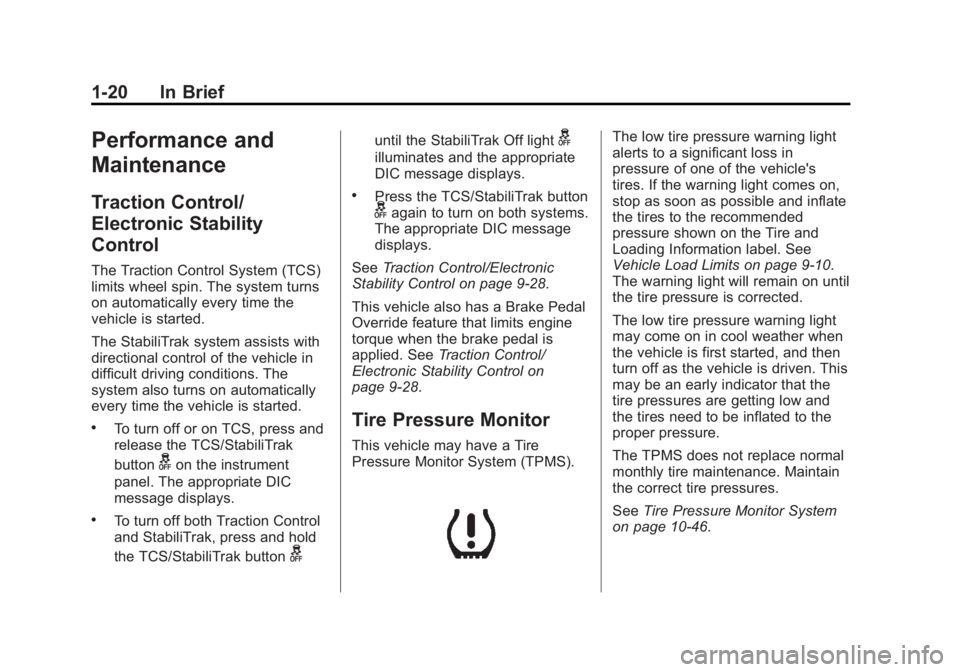
The low tire pressure warning light
alerts to a significant loss in
pressure of one of the vehicle's
tires. If the warning light comes on,
stop as soon as possible and inflate
the tires to the recommended
pressure shown on the Tire and
Loading Information label. See
Vehicle Load Limits on page 9-10.
The warning light will remain on until
the tire pressure is corrected.
The low tire pressure warning light
may come on in cool weather when
the vehicle is first started, and then
turn off as the vehicle is driven. This
may be an early indicator that the
tire pressures are getting low and
the tires need to be inflated to the
proper pressure.
The TPMS does not replace normal
monthly tire maintenance. Maintain
the correct tire pressures.
See Tire Pressure Monitor System
on page 10-46.
Page 27 of 373
Black plate (22,1)Chevrolet Captiva Sport Owner Manual (GMNA-Localizing-U.S./Mexico-
7576028) - 2015 - First Edition - 3/21/14
1-22 In Brief
.Replace the vehicle's tires with
the same TPC Spec number
molded into the tire's sidewall
near the size.
.Follow recommended scheduled
maintenance.
Roadside Assistance
Program
U.S.: 1-800-243-8872
TTY Users (U.S. Only):
1-888-889-2438
Canada: 1-800-268-6800
New Chevrolet owners are
automatically enrolled in the
Roadside Assistance Program.
SeeRoadside Assistance Program
on page 13-5.
OnStar®
This vehicle may be equipped with a
comprehensive, in-vehicle system
that can connect to a live OnStar
Advisor for Emergency, Security,
Navigation, Connection, and
Diagnostic Services. OnStar
services may require a paid
subscription. See OnStar Overview
on page 14-1.
Page 72 of 373
Black plate (29,1)Chevrolet Captiva Sport Owner Manual (GMNA-Localizing-U.S./Mexico-
7576028) - 2015 - First Edition - 3/21/14
Seats and Restraints 3-29
operation of the airbag system can
also be affected by changing any
parts of the front seats, safety belts,
the airbag sensing and diagnostic
module, steering wheel, instrument
panel, any of the airbag modules,
ceiling or pillar garnish trim, front
sensors, side impact sensors,
or airbag wiring.
Your dealer and the service manual
have information about the location
of the airbag sensors, sensing and
diagnostic module, and airbag
wiring.
In addition, the vehicle has a
passenger sensing system for the
front outboard passenger position,
which includes sensors that are part
of the passenger seat. The
passenger sensing system may not
operate properly if the original seat
trim is replaced with non-GM
covers, upholstery, or trim; or with
GM covers, upholstery, or trim
designed for a different vehicle. Any
object, such as an aftermarket seat
heater or a comfort-enhancing pad
or device, installed under or on topof the seat fabric, could also
interfere with the operation of the
passenger sensing system. This
could either prevent proper
deployment of the passenger
airbag(s) or prevent the passenger
sensing system from properly
turning off the passenger airbag(s).
See
Passenger Sensing System
(United States) on page 3-24.
The vehicle has rollover roof-rail
airbags. See Different Size Tires
and Wheels on page 10-54 for
additional important information.
If you have to modify your vehicle
because you have a disability and
have questions about whether the
modifications will affect the vehicle's
airbag system, or if you have
questions about whether the airbag
system will be affected if the vehicle
is modified for any other reason, call
Customer Assistance. See
Customer Assistance Offices on
page 13-3.Airbag System Check
The airbag system does not need
regularly scheduled maintenance or
replacement. Make sure the airbag
readiness light is working. See
Airbag Readiness Light on
page 5-12.
{Caution
If an airbag covering is damaged,
opened, or broken, the airbag
may not work properly. Do not
open or break the airbag
coverings. If there are any
opened or broken airbag
coverings, have the airbag
covering and/or airbag module
replaced. For the location of the
airbags, see Where Are the
Airbags? on page 3-19. See your
dealer for service.
Page 111 of 373
Black plate (14,1)Chevrolet Captiva Sport Owner Manual (GMNA-Localizing-U.S./Mexico-
7576028) - 2015 - First Edition - 3/21/14
5-14 Instruments and Controls
Malfunction
Indicator Lamp
A computer system called OBD II
(On-Board Diagnostics-Second
Generation) monitors the operation
of the vehicle to ensure emissions
are at acceptable levels, helping to
maintain a clean environment. The
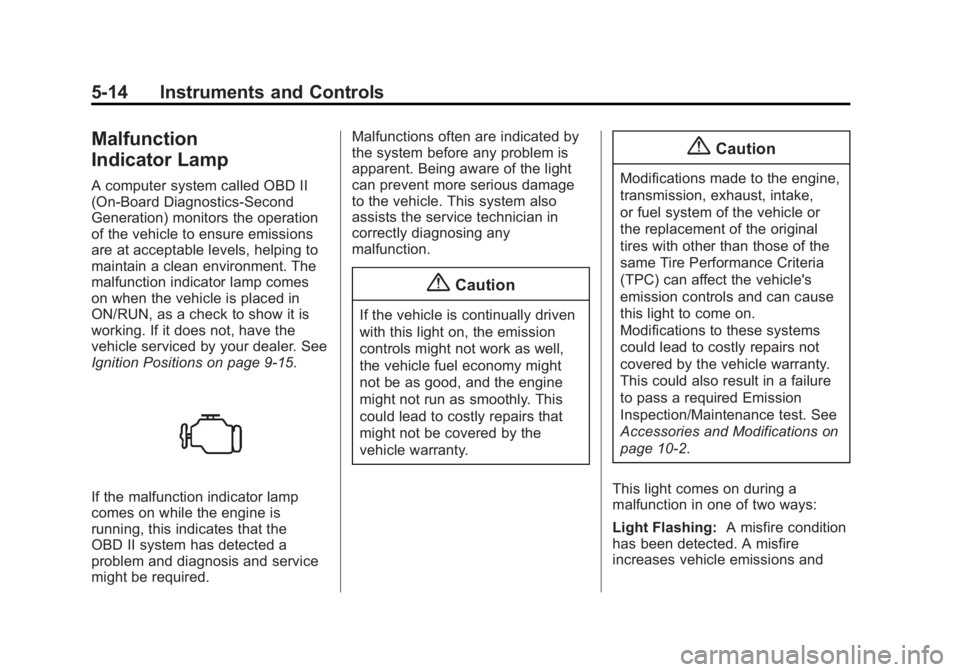
malfunction indicator lamp comes
on when the vehicle is placed in
ON/RUN, as a check to show it is
working. If it does not, have the
vehicle serviced by your dealer. See
Ignition Positions on page 9-15.
If the malfunction indicator lamp
comes on while the engine is
running, this indicates that the
OBD II system has detected a
problem and diagnosis and service
might be required.Malfunctions often are indicated by
the system before any problem is
apparent. Being aware of the light
can prevent more serious damage
to the vehicle. This system also
assists the service technician in
correctly diagnosing any
malfunction.
{Caution
If the vehicle is continually driven
with this light on, the emission
controls might not work as well,
the vehicle fuel economy might
not be as good, and the engine
might not run as smoothly. This
could lead to costly repairs that
might not be covered by the
vehicle warranty.
{Caution
Modifications made to the engine,
transmission, exhaust, intake,
or fuel system of the vehicle or
the replacement of the original
tires with other than those of the
same Tire Performance Criteria
(TPC) can affect the vehicle's
emission controls and can cause
this light to come on.
Modifications to these systems
could lead to costly repairs not
covered by the vehicle warranty.
This could also result in a failure
to pass a required Emission
Inspection/Maintenance test. See
Accessories and Modifications on
page 10-2.
This light comes on during a
malfunction in one of two ways:
Light Flashing: A misfire condition
has been detected. A misfire
increases vehicle emissions and
Page 112 of 373
Black plate (15,1)Chevrolet Captiva Sport Owner Manual (GMNA-Localizing-U.S./Mexico-
7576028) - 2015 - First Edition - 3/21/14
Instruments and Controls 5-15
could damage the emission control
system on the vehicle. Diagnosis
and service might be required.
To prevent more serious damage to
the vehicle:
.Reduce vehicle speed.
.Avoid hard accelerations.
.Avoid steep uphill grades.
.If towing a trailer, reduce the
amount of cargo being hauled as
soon as it is possible.
If the light continues to flash, find a
safe place to stop and park the
vehicle. Turn the vehicle off, wait at
least 10 seconds, and restart the
engine. If the light is still flashing,
follow the previous steps and see
your dealer for service as soon as
possible.
Light On Steady: An emission
control system malfunction has
been detected on the vehicle.
Diagnosis and service might be
required. The following may correct an
emission control system
malfunction:
.Check that the fuel cap is fully
installed. See
Filling the Tank on
page 9-38. The diagnostic
system can determine if the fuel
cap has been left off or
improperly installed. A loose or
missing fuel cap allows fuel to
evaporate into the atmosphere.
A few driving trips with the cap
properly installed should turn the
light off.
.Check that good quality fuel is
used. Poor fuel quality causes
the engine not to run as
efficiently as designed and may
cause stalling after start-up,
stalling when the vehicle is
changed into gear, misfiring,
hesitation on acceleration,
or stumbling on acceleration.
These conditions might go away
once the engine is warmed up. If one or more of these conditions
occurs, change the fuel brand used.
It may require at least one full tank
of the proper fuel to turn the light off.
See
Fuel on page 9-36.
If none of the above have made the
light turn off, your dealer can check
the vehicle. The dealer has the
proper test equipment and
diagnostic tools to fix any
mechanical or electrical problems
that might have developed.
Emissions Inspection and
Maintenance Programs
Depending on where you live, your
vehicle may be required to
participate in an emission control
system inspection and maintenance
program. For the inspection, the
emission system test equipment will
likely connect to the vehicle's Data
Link Connector (DLC).
Page 123 of 373
Black plate (26,1)Chevrolet Captiva Sport Owner Manual (GMNA-Localizing-U.S./Mexico-
7576028) - 2015 - First Edition - 3/21/14
5-26 Instruments and Controls
Time will continue to be counted as
long as the ignition is on, even if
another display is being shown on
the DIC. The timer will record up to
99 hours, 59 minutes and
59 seconds (99:59:59) after which
the display will return to zero.
To stop the timer, press
Vbriefly
while ELAPSED TIME is displayed.
To reset the timer to zero, press and
hold
Vwhile ELAPSED TIME is
displayed.
Instantaneous Fuel Economy
If the vehicle has this display, press
3until INSTANT FUEL
ECONOMY displays. This display
shows the approximate current fuel
economy at a particular moment
and will change frequently as driving
conditions change. This display
shows the approximate
instantaneous fuel economy in liters
per 100 kilometers (L/100 km) or
miles per gallon (mpg). Unlike
average fuel economy, this display
cannot be reset. Blank Display
This display shows no information.
Vehicle Information Menu
Items
T(Vehicle Information):
Press
this button to scroll through the
following menu items:
Oil Life
Press
Tuntil OIL LIFE
REMAINING displays. This display
shows an estimate of the oil's
remaining useful life. If you see
99% OIL LIFE REMAINING on the
display, that means 99% of the
current oil life remains. The engine
oil life system will alert you to
change the oil on a schedule
consistent with the driving
conditions.
When the remaining oil life is low,
the CHANGE ENGINE OIL SOON
message will appear on the display.
See Engine Oil Messages on
page 5-30. You should change the
oil as soon as you can. See EngineOil on page 10-8. In addition to the
engine oil life system monitoring the
oil life, additional maintenance is
recommended in the Maintenance
Schedule. See
Maintenance
Schedule on page 11-2. Whenever
the oil is changed, the Oil Life
System will need to be reset. To
reset the system through the DIC,
press and hold
Vwhile this display
is shown. When the system is reset,
the display will show 100% OIL LIFE
REMAINING.
Park Assist
If the vehicle has the Rear Parking
Assist (RPA) system, press
Tuntil
PARK ASSIST displays. This
display allows the system to be
turned on or off. Once in this
display, press
Vto select between
ON or OFF. The RPA system
automatically turns back on after
each vehicle start. When the RPA
system is turned off and the vehicle
is shifted out of P (Park), the DIC
will display the PARK ASSIST OFF
message as a reminder that the
Page 127 of 373
Black plate (30,1)Chevrolet Captiva Sport Owner Manual (GMNA-Localizing-U.S./Mexico-
7576028) - 2015 - First Edition - 3/21/14
5-30 Instruments and Controls
ENGINE OVERHEATED IDLE
ENGINE
This message displays when the
engine coolant temperature is too
hot. Stop and allow the vehicle to
idle until it cools down.
ENGINE OVERHEATED STOP
ENGINE
This message displays along with a
continuous chime when the engine
has overheated. Stop and turn the
engine off immediately to avoid
severe engine damage. SeeEngine
Overheating on page 10-18.
Engine Oil Messages
CHANGE ENGINE OIL NOW
This message displays when
service is urgently required. This
indicates that the oil life remaining is
less than one percent and the oil
cannot work correctly to avoid
engine wear or damage. See your dealer. See
Engine Oil on page 10-8
and Maintenance Schedule on
page 11-2.
Acknowledging this message will
not reset the OIL LIFE REMAINING
display. That must be done at the
OIL LIFE screen. See “Oil Life”
under Driver Information Center
(DIC) on page 5-23 andEngine Oil
Life System on page 10-10.
CHANGE ENGINE OIL SOON
This message displays when oil life
remaining is between one and
five percent and service is required
for the vehicle. See your dealer. See
Engine Oil on page 10-8 and
Maintenance Schedule on
page 11-2.
Acknowledging this message will
not reset the OIL LIFE REMAINING
display. That must be done at the
OIL LIFE screen. See “Oil Life”
under Driver Information Center
(DIC) on page 5-23 andEngine Oil
Life System on page 10-10.
ENGINE OIL LOW —ADD OIL
On some vehicles, this message
displays when the engine oil level
may be too low. Check the oil level
before filling to the recommended
level. If the oil is not low and this
message remains on, take the
vehicle to your dealer for service.
See Engine Oil on page 10-8.
OIL PRESSURE LOW STOP
ENGINE
{Caution
If you drive the vehicle while the
engine oil pressure is low, severe
engine damage may occur. Stop
the vehicle as soon as possible.
Do not drive the vehicle until the
cause of the low oil pressure is
corrected. See Engine Oil on
page 10-8.
This message displays when the
vehicle's engine oil pressure is low.