door lock CHEVROLET CORVETTE 2011 6.G Owners Manual
[x] Cancel search | Manufacturer: CHEVROLET, Model Year: 2011, Model line: CORVETTE, Model: CHEVROLET CORVETTE 2011 6.GPages: 428, PDF Size: 6.63 MB
Page 1 of 428

Black plate (1,1)Chevrolet Corvette Owner Manual - 2011
2011 Chevrolet Corvette Owner ManualM
In Brief. . . . . . . . . . . . . . . . . . . . . . . . 1-1
Instrument Panel . . . . . . . . . . . . . . 1-2
Initial Drive Information . . . . . . . . 1-4
Vehicle Features . . . . . . . . . . . . . 1-16
Performance and Maintenance . . . . . . . . . . . . . . . . 1-21
Keys, Doors and Windows . . . 2-1
Keys and Locks . . . . . . . . . . . . . . . 2-2
Doors . . . . . . . . . . . . . . . . . . . . . . . . 2-10
Vehicle Security . . . . . . . . . . . . . . 2-12
Exterior Mirrors . . . . . . . . . . . . . . . 2-15
Interior Mirrors . . . . . . . . . . . . . . . . 2-16
Windows . . . . . . . . . . . . . . . . . . . . . 2-17
Roof . . . . . . . . . . . . . . . . . . . . . . . . . . 2-18
Seats and Restraints . . . . . . . . . 3-1
Head Restraints . . . . . . . . . . . . . . . 3-2
Front Seats . . . . . . . . . . . . . . . . . . . . 3-2
Safety Belts . . . . . . . . . . . . . . . . . . . . 3-9
Airbag System . . . . . . . . . . . . . . . . 3-22
Child Restraints . . . . . . . . . . . . . . 3-37
Storage . . . . . . . . . . . . . . . . . . . . . . . 4-1
Storage Compartments . . . . . . . . 4-1
Additional Storage Features . . . 4-2 Instruments and Controls
. . . . 5-1
Controls . . . . . . . . . . . . . . . . . . . . . . . 5-2
Warning Lights, Gauges, and Indicators . . . . . . . . . . . . . . . . . . . . 5-8
Information Displays . . . . . . . . . . 5-25
Vehicle Messages . . . . . . . . . . . . 5-35
Vehicle Personalization . . . . . . . 5-55
Universal Remote System . . . . 5-64
Lighting . . . . . . . . . . . . . . . . . . . . . . . 6-1
Exterior Lighting . . . . . . . . . . . . . . . 6-1
Interior Lighting . . . . . . . . . . . . . . . . 6-5
Lighting Features . . . . . . . . . . . . . . 6-6
Infotainment System . . . . . . . . . 7-1
Introduction . . . . . . . . . . . . . . . . . . . . 7-1
Radio . . . . . . . . . . . . . . . . . . . . . . . . . . 7-5
Audio Players . . . . . . . . . . . . . . . . 7-11
Phone . . . . . . . . . . . . . . . . . . . . . . . . 7-18
Climate Controls . . . . . . . . . . . . . 8-1
Climate Control Systems . . . . . . 8-1
Air Vents . . . . . . . . . . . . . . . . . . . . . . . 8-6
Maintenance . . . . . . . . . . . . . . . . . . . 8-7 Driving and Operating
. . . . . . . . 9-1
Driving Information . . . . . . . . . . . . . 9-2
Starting and Operating . . . . . . . 9-18
Engine Exhaust . . . . . . . . . . . . . . 9-26
Automatic Transmission . . . . . . 9-28
Manual Transmission . . . . . . . . . 9-32
Brakes . . . . . . . . . . . . . . . . . . . . . . . 9-34
Ride Control Systems . . . . . . . . 9-36
Cruise Control . . . . . . . . . . . . . . . . 9-44
Fuel . . . . . . . . . . . . . . . . . . . . . . . . . . 9-48
Towing . . . . . . . . . . . . . . . . . . . . . . . 9-54
Conversions and Add-Ons . . . 9-54
Vehicle Care . . . . . . . . . . . . . . . . . 10-1
General Information . . . . . . . . . . 10-3
Vehicle Checks . . . . . . . . . . . . . . . 10-8
Headlamp Aiming . . . . . . . . . . . 10-48
Bulb Replacement . . . . . . . . . . 10-48
Electrical System . . . . . . . . . . . . 10-50
Wheels and Tires . . . . . . . . . . . 10-58
Jump Starting . . . . . . . . . . . . . . . 10-82
Towing . . . . . . . . . . . . . . . . . . . . . . 10-86
Appearance Care . . . . . . . . . . . 10-86
Page 7 of 428
Black plate (1,1)Chevrolet Corvette Owner Manual - 2011
In Brief 1-1
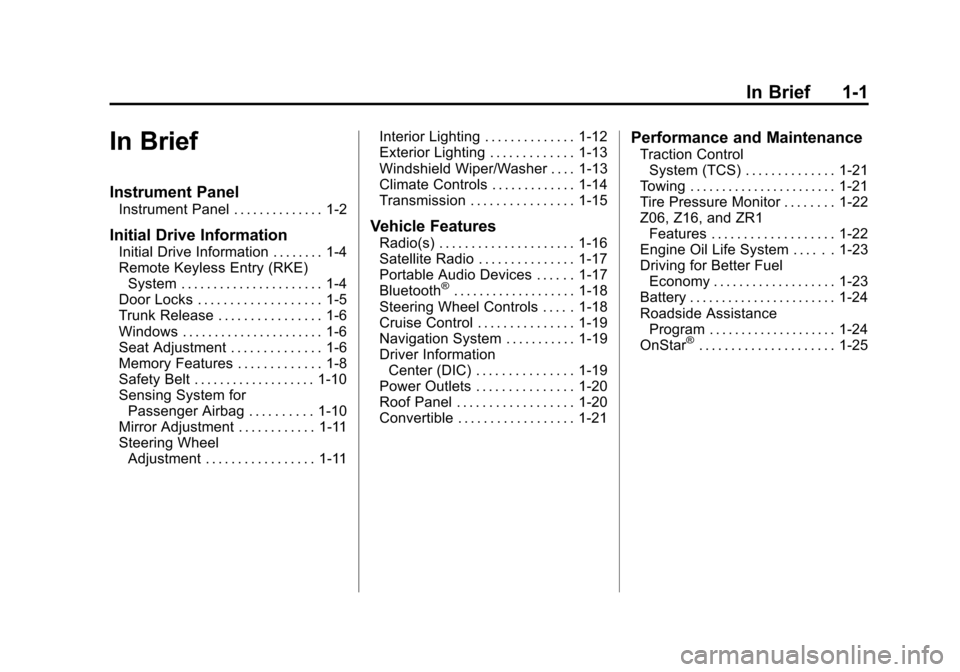
In Brief
Instrument Panel
Instrument Panel . . . . . . . . . . . . . . 1-2
Initial Drive Information
Initial Drive Information . . . . . . . . 1-4
Remote Keyless Entry (RKE)System . . . . . . . . . . . . . . . . . . . . . . 1-4
Door Locks . . . . . . . . . . . . . . . . . . . 1-5
Trunk Release . . . . . . . . . . . . . . . . 1-6
Windows . . . . . . . . . . . . . . . . . . . . . . 1-6
Seat Adjustment . . . . . . . . . . . . . . 1-6
Memory Features . . . . . . . . . . . . . 1-8
Safety Belt . . . . . . . . . . . . . . . . . . . 1-10
Sensing System for Passenger Airbag . . . . . . . . . . 1-10
Mirror Adjustment . . . . . . . . . . . . 1-11
Steering Wheel Adjustment . . . . . . . . . . . . . . . . . 1-11 Interior Lighting . . . . . . . . . . . . . . 1-12
Exterior Lighting . . . . . . . . . . . . . 1-13
Windshield Wiper/Washer . . . . 1-13
Climate Controls . . . . . . . . . . . . . 1-14
Transmission . . . . . . . . . . . . . . . . 1-15
Vehicle Features
Radio(s) . . . . . . . . . . . . . . . . . . . . . 1-16
Satellite Radio . . . . . . . . . . . . . . . 1-17
Portable Audio Devices . . . . . . 1-17
Bluetooth
®. . . . . . . . . . . . . . . . . . . 1-18
Steering Wheel Controls . . . . . 1-18
Cruise Control . . . . . . . . . . . . . . . 1-19
Navigation System . . . . . . . . . . . 1-19
Driver Information Center (DIC) . . . . . . . . . . . . . . . 1-19
Power Outlets . . . . . . . . . . . . . . . 1-20
Roof Panel . . . . . . . . . . . . . . . . . . 1-20
Convertible . . . . . . . . . . . . . . . . . . 1-21
Performance and Maintenance
Traction Control
System (TCS) . . . . . . . . . . . . . . 1-21
Towing . . . . . . . . . . . . . . . . . . . . . . . 1-21
Tire Pressure Monitor . . . . . . . . 1-22
Z06, Z16, and ZR1 Features . . . . . . . . . . . . . . . . . . . 1-22
Engine Oil Life System . . . . . . 1-23
Driving for Better Fuel Economy . . . . . . . . . . . . . . . . . . . 1-23
Battery . . . . . . . . . . . . . . . . . . . . . . . 1-24
Roadside Assistance Program . . . . . . . . . . . . . . . . . . . . 1-24
OnStar
®. . . . . . . . . . . . . . . . . . . . . 1-25
Page 9 of 428

Black plate (3,1)Chevrolet Corvette Owner Manual - 2011
In Brief 1-3
A.Air Vents on page 8‑6.
B. Head-Up Display (HUD) on
page 5‑31 (If Equipped).
C. Turn and Lane‐Change Lever. See Turn and Lane-Change
Signals (Auto Signal) on
page 6‑4.
Cruise Control on page 9‑44.
Fog Lamps on page 6‑5.
Exterior Lamp Controls on
page 6‑1.
D. Manual Shift Paddles (If Equipped). See Automatic
Transmission on page 9‑28.
E. Driver Information Center (DIC)
on page 5‑25.
F. Instrument Cluster on page 5‑9.
G. Windshield Wiper/Washer on
page 5‑4.
H. Driver Information Center (DIC) Buttons. See Driver Information
Center (DIC) on page 5‑25.
I. Hazard Warning Flashers on
page 6‑4. J.
AM-FM Radio on page 7‑5.
K. Dual Automatic Climate Control
System on page 8‑1.
L. Fuel Door Release Button. See Filling the Tank on page 9‑51.
Hatch/Trunk Release Button.
See “Hatch/Trunk Lid Release”
under Hatch on page 2‑10.
M. Instrument Panel Illumination
Control on page 6‑5.
N. Data Link Connector (DLC). See Malfunction Indicator Lamp
on page 5‑18.
O. Power Folding Top Switch (If Equipped). See Convertible
Top on page 2‑22.
P. Bluetooth on page 7‑18
(If Equipped).
Steering Wheel Controls on
page 5‑3 (If Equipped).
Q. Steering Wheel Adjustment on
page 5‑2.
R. Horn on page 5‑4. S. Telescopic Wheel Button
(If Equipped). See Steering
Wheel Adjustment on page 5‑2.
T. Ignition Positions on page 9‑20.
U. Heated Front Seats on page 3‑8
(If Equipped).
V. Shift Lever (Automatic Shown). See Automatic Transmission on
page 9‑28 orManual
Transmission on page 9‑32.
W. Active Handling System on
page 9‑37.
X. Power Outlets on page 5‑6.
Y. Selective Ride Control on
page 9‑42.
Z. Cupholders on page 4‑1.
AA. Ashtrays on page 5‑8.
Cigarette Lighter on page 5‑7.
AB. Parking Brake on page 9‑35.
AC. Glove Box on page 4‑1.
AD. Instrument Panel Fuse Block on
page 10‑55.
Page 10 of 428
Black plate (4,1)Chevrolet Corvette Owner Manual - 2011
1-4 In Brief
Initial Drive
Information
This section provides a brief
overview about some of the
important features that may or may
not be on your specific vehicle.
For more detailed information, refer
to each of the features which can be
found later in this owner manual.
Remote Keyless Entry
(RKE) System
The keyless access transmitter is
used to lock and unlock the doors
from up to 30 m (100 feet) away
from the vehicle.
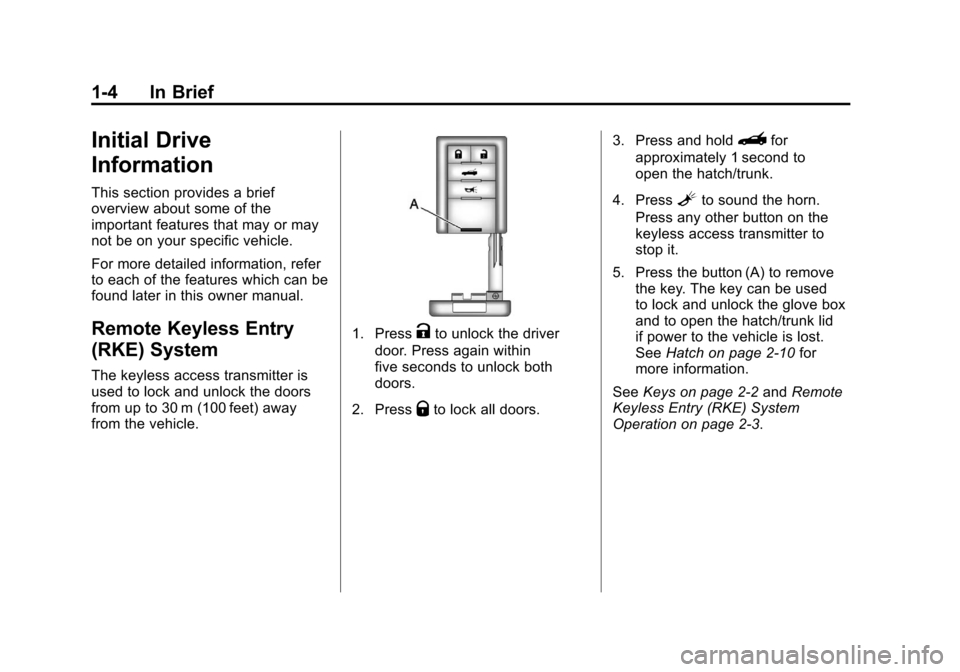
1. PressKto unlock the driver
door. Press again within
five seconds to unlock both
doors.
2. Press
Qto lock all doors. 3. Press and hold
}for
approximately 1 second to
open the hatch/trunk.
4. Press
Lto sound the horn.
Press any other button on the
keyless access transmitter to
stop it.
5. Press the button (A) to remove the key. The key can be used
to lock and unlock the glove box
and to open the hatch/trunk lid
if power to the vehicle is lost.
See Hatch on page 2‑10 for
more information.
See Keys on page 2‑2 andRemote
Keyless Entry (RKE) System
Operation on page 2‑3.
Page 11 of 428
Black plate (5,1)Chevrolet Corvette Owner Manual - 2011
In Brief 1-5
Door Locks
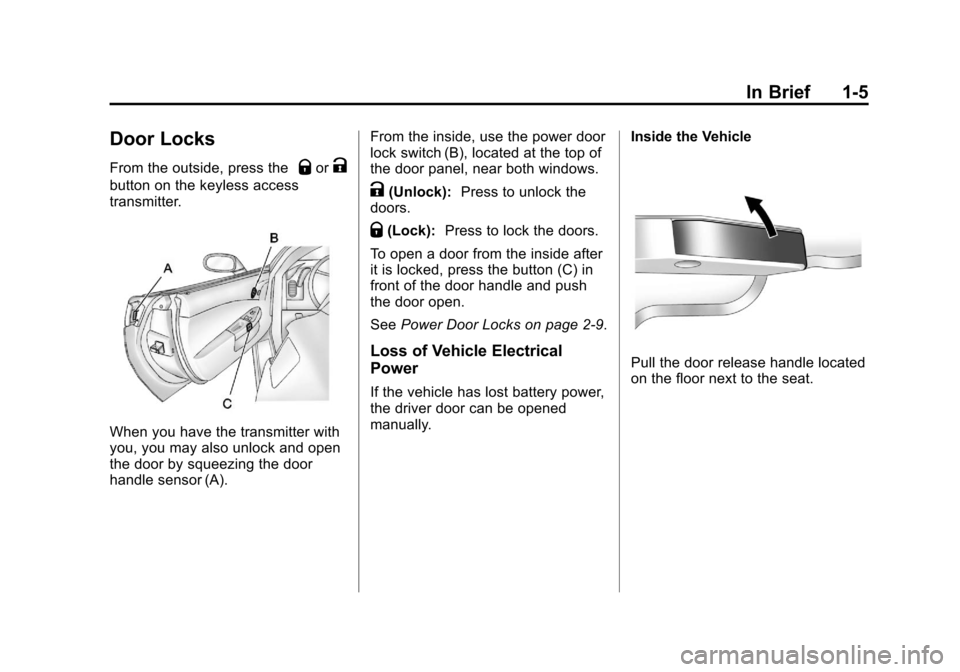
From the outside, press theQorK
button on the keyless access
transmitter.
When you have the transmitter with
you, you may also unlock and open
the door by squeezing the door
handle sensor (A).From the inside, use the power door
lock switch (B), located at the top of
the door panel, near both windows.
K(Unlock):
Press to unlock the
doors.
Q(Lock): Press to lock the doors.
To open a door from the inside after
it is locked, press the button (C) in
front of the door handle and push
the door open.
See Power Door Locks on page 2‑9.
Loss of Vehicle Electrical
Power
If the vehicle has lost battery power,
the driver door can be opened
manually. Inside the Vehicle
Pull the door release handle located
on the floor next to the seat.
Page 12 of 428
Black plate (6,1)Chevrolet Corvette Owner Manual - 2011
1-6 In Brief
Trunk Release
Opening and Closing the
Hatch/Trunk
There are three ways to open the
hatch/trunk:
.Touch the button located above
the license plate. The Keyless
Access transmitter must be
within three feet of the button.
.Press theVbutton located to
the left of the steering wheel.
.Press the}button on the
Keyless Access transmitter.
For more information see Hatch on
page 2‑10.
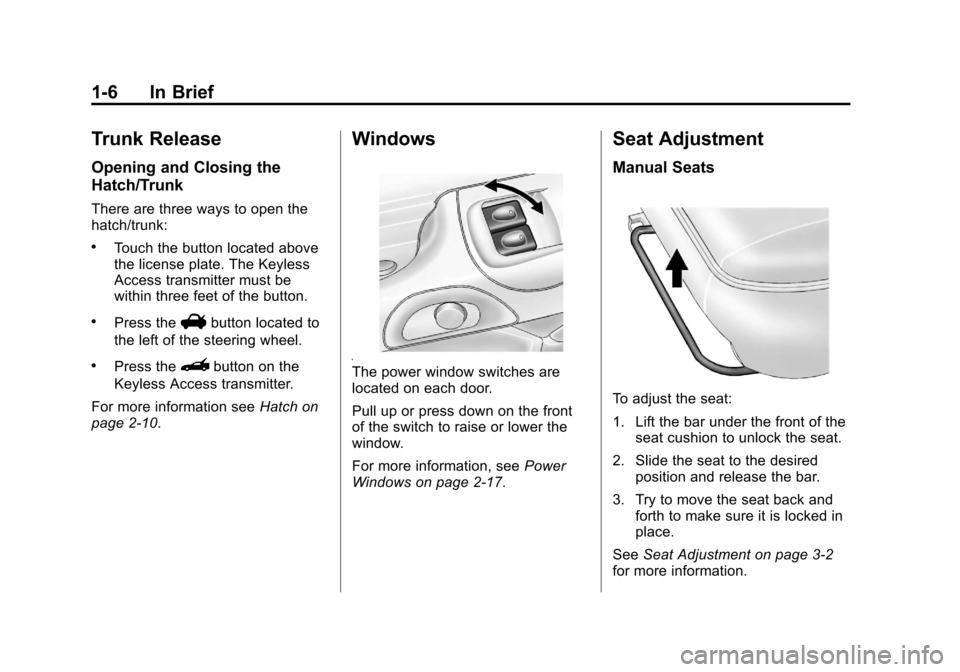
Windows
The power window switches are
located on each door.
Pull up or press down on the front
of the switch to raise or lower the
window.
For more information, see Power
Windows on page 2‑17.
Seat Adjustment
Manual Seats
To adjust the seat:
1. Lift the bar under the front of the seat cushion to unlock the seat.
2. Slide the seat to the desired position and release the bar.
3. Try to move the seat back and forth to make sure it is locked in
place.
See Seat Adjustment on page 3‑2
for more information.
Page 14 of 428
Black plate (8,1)Chevrolet Corvette Owner Manual - 2011
1-8 In Brief
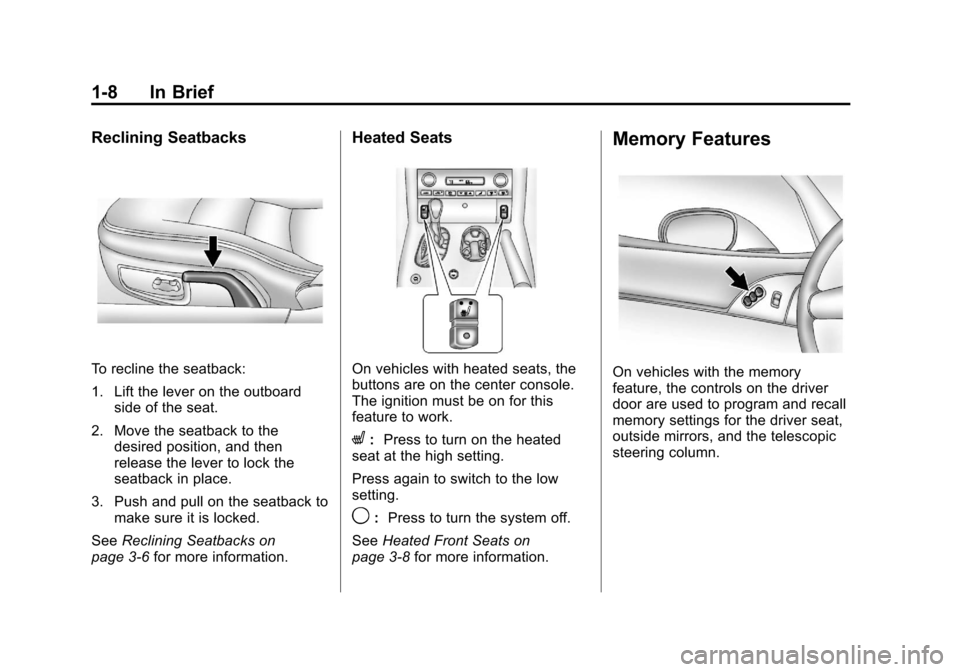
Reclining Seatbacks
To recline the seatback:
1. Lift the lever on the outboardside of the seat.
2. Move the seatback to the desired position, and then
release the lever to lock the
seatback in place.
3. Push and pull on the seatback to make sure it is locked.
See Reclining Seatbacks on
page 3‑6 for more information.
Heated Seats
On vehicles with heated seats, the
buttons are on the center console.
The ignition must be on for this
feature to work.
L:Press to turn on the heated
seat at the high setting.
Press again to switch to the low
setting.
9: Press to turn the system off.
See Heated Front Seats on
page 3‑8 for more information.
Memory Features
On vehicles with the memory
feature, the controls on the driver
door are used to program and recall
memory settings for the driver seat,
outside mirrors, and the telescopic
steering column.
Page 17 of 428
Black plate (11,1)Chevrolet Corvette Owner Manual - 2011
In Brief 1-11
Mirror Adjustment
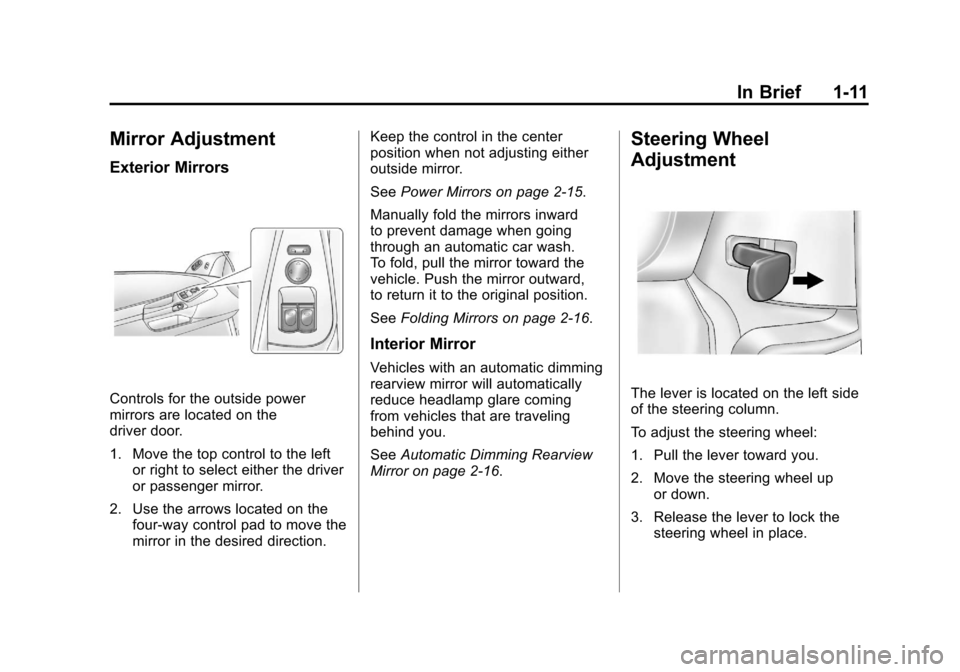
Exterior Mirrors
Controls for the outside power
mirrors are located on the
driver door.
1. Move the top control to the leftor right to select either the driver
or passenger mirror.
2. Use the arrows located on the four-way control pad to move the
mirror in the desired direction. Keep the control in the center
position when not adjusting either
outside mirror.
See
Power Mirrors on page 2‑15.
Manually fold the mirrors inward
to prevent damage when going
through an automatic car wash.
To fold, pull the mirror toward the
vehicle. Push the mirror outward,
to return it to the original position.
See Folding Mirrors on page 2‑16.
Interior Mirror
Vehicles with an automatic dimming
rearview mirror will automatically
reduce headlamp glare coming
from vehicles that are traveling
behind you.
SeeAutomatic Dimming Rearview
Mirror on page 2‑16.
Steering Wheel
Adjustment
The lever is located on the left side
of the steering column.
To adjust the steering wheel:
1. Pull the lever toward you.
2. Move the steering wheel up
or down.
3. Release the lever to lock the steering wheel in place.
Page 26 of 428
Black plate (20,1)Chevrolet Corvette Owner Manual - 2011
1-20 In Brief
TRIP:Press to display your total
and trip distance driven, the elapsed
time function, your average speed,
and the engine oil life.
OPTION: Press to choose personal
options that are available on your
vehicle, depending on the options
your vehicle is equipped with, such
as door locks, easy entry seats, and
language.
RESET: Press, along with the other
buttons, to reset system functions,
select personal options, and turn
off or acknowledge messages on
the DIC.
For more information, see Driver
Information Center (DIC) on
page 5‑25.Vehicle Personalization
Some vehicle features can be
programmed by using the DIC
buttons on the left side of the
steering wheel. The features that
can be programmed include:
.Units
.Memory Features
.Lighting Features
.Lock and Unlock Feedback
.Door Lock and Unlock Settings
.Language
.Personalization Name
See Vehicle Personalization on
page 5‑55.
Power Outlets
The accessory power outlet can be
used to plug in electrical equipment,
such as a cell phone or MP3 player.
The accessory power outlet is
located inside the center console
storage compartment, on the
forward left side.
Remove the cover to access and
replace when not in use.
See Power Outlets on page 5‑6.
Roof Panel
On vehicles with a removable
roof panel, there are three release
latches. Two are located on the front
of the roof panel and the other is
located on the back of the roof
panel. See “Removing the Roof
Panel” underRoof Panel on
page 2‑18.
Page 31 of 428
Black plate (25,1)Chevrolet Corvette Owner Manual - 2011
In Brief 1-25
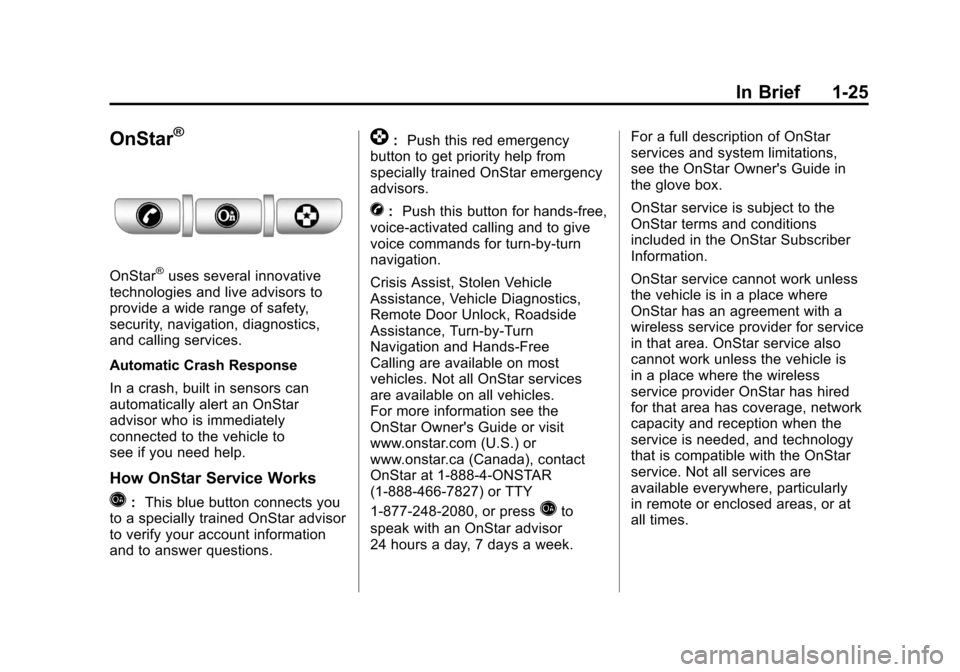
OnStar®
OnStar®uses several innovative
technologies and live advisors to
provide a wide range of safety,
security, navigation, diagnostics,
and calling services.
Automatic Crash Response
In a crash, built in sensors can
automatically alert an OnStar
advisor who is immediately
connected to the vehicle to
see if you need help.
How OnStar Service Works
Q: This blue button connects you
to a specially trained OnStar advisor
to verify your account information
and to answer questions.
]: Push this red emergency
button to get priority help from
specially trained OnStar emergency
advisors.
X: Push this button for hands‐free,
voice‐activated calling and to give
voice commands for turn‐by‐turn
navigation.
Crisis Assist, Stolen Vehicle
Assistance, Vehicle Diagnostics,
Remote Door Unlock, Roadside
Assistance, Turn‐by‐Turn
Navigation and Hands‐Free
Calling are available on most
vehicles. Not all OnStar services
are available on all vehicles.
For more information see the
OnStar Owner's Guide or visit
www.onstar.com (U.S.) or
www.onstar.ca (Canada), contact
OnStar at 1-888-4-ONSTAR
(1‐888‐466‐7827) or TTY
1‐877‐248‐2080, or press
Qto
speak with an OnStar advisor
24 hours a day, 7 days a week. For a full description of OnStar
services and system limitations,
see the OnStar Owner's Guide in
the glove box.
OnStar service is subject to the
OnStar terms and conditions
included in the OnStar Subscriber
Information.
OnStar service cannot work unless
the vehicle is in a place where
OnStar has an agreement with a
wireless service provider for service
in that area. OnStar service also
cannot work unless the vehicle is
in a place where the wireless
service provider OnStar has hired
for that area has coverage, network
capacity and reception when the
service is needed, and technology
that is compatible with the OnStar
service. Not all services are
available everywhere, particularly
in remote or enclosed areas, or at
all times.