ECO mode CHEVROLET EXPRESS 2016 User Guide
[x] Cancel search | Manufacturer: CHEVROLET, Model Year: 2016, Model line: EXPRESS, Model: CHEVROLET EXPRESS 2016Pages: 289, PDF Size: 11.46 MB
Page 119 of 289

Chevrolet Express Owner Manual (GMNA-Localizing-U.S./Canada/Mexico-
15555951) - 2022 - CRC - 1/27/22
118 Climate Controls
Rear Climate Control Panel
1. Fan Control
2. Air Delivery Mode Control
3. Temperature Control
For vehicles with a rear climate control
panel, it is located overhead behind the
driver and front passenger, centered in front
of the second row. To adjust the rear
climate control panel settings by a rear seat
passenger, the front climate control panel
fan knob must be in the AUX position. The
fan speed, air delivery mode, and
temperature can then be adjusted. AUX :
Turn the fan knob on the front
climate control panel to AUX to let rear seat
passengers use the control panel in the rear
seating area. This disables the front control
panel. To return control to the front panel,
move the fan knob out of AUX.
9: Turns the system off.
9:Turn clockwise or counterclockwise to
increase or decrease the fan speed in the
rear seating area.
Temperature Control : Turn clockwise or
counterclockwise to increase or decrease the
temperature in the rear seating area. The air conditioning system on the main
climate control panel must be turned on to
direct cooled air to the rear of the vehicle.
If it is not on, then the temperature in the
rear of the vehicle remains at cabin
temperature.
Air Delivery Mode Control :
Turn clockwise
or counterclockwise to change the direction
of the airflow in the rear seating area.
To change the current mode, select one of
the following:
H: Air is directed to the upper outlets,
with some directed to the floor outlets.
2: Air is directed to the floor outlets.
Be sure to keep the area under the front
seats clear of any objects so that the air
inside of the vehicle can circulate effectively.
For information on how to use the main
climate control system, see Climate Control
Systems 0114. For information on
ventilation, see Air Vents0118.
Air Vents
Use the outlets located near the center and
on the sides of the instrument panel to
change the direction of airflow.
Page 121 of 289
Chevrolet Express Owner Manual (GMNA-Localizing-U.S./Canada/Mexico-
15555951) - 2022 - CRC - 1/27/22
120 Driving and Operating
Driving and Operating
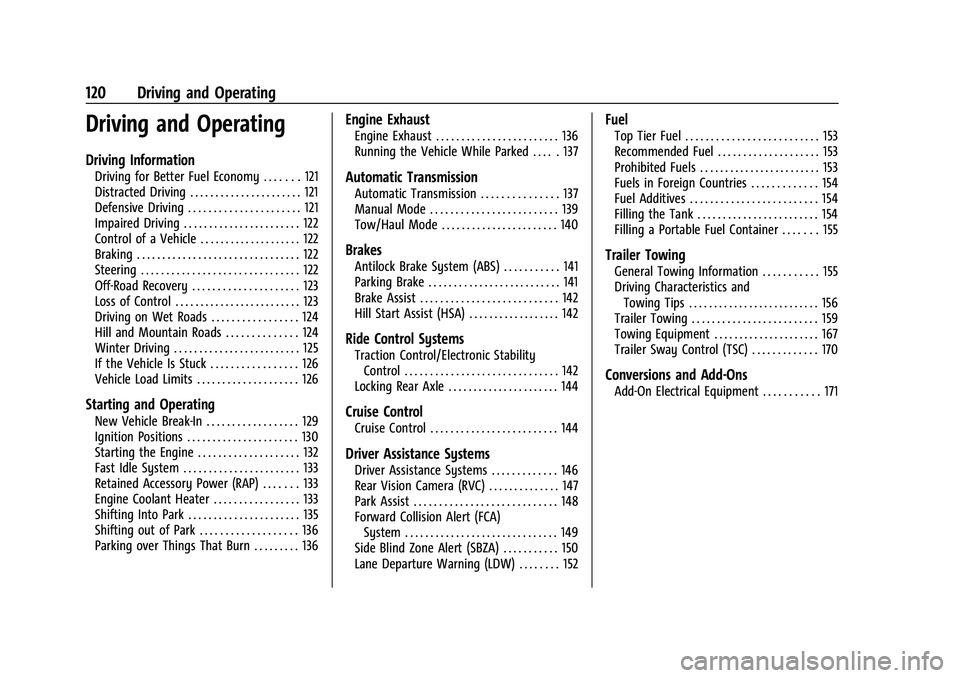
Driving Information
Driving for Better Fuel Economy . . . . . . . 121
Distracted Driving . . . . . . . . . . . . . . . . . . . . . . 121
Defensive Driving . . . . . . . . . . . . . . . . . . . . . . 121
Impaired Driving . . . . . . . . . . . . . . . . . . . . . . . 122
Control of a Vehicle . . . . . . . . . . . . . . . . . . . . 122
Braking . . . . . . . . . . . . . . . . . . . . . . . . . . . . . . . . 122
Steering . . . . . . . . . . . . . . . . . . . . . . . . . . . . . . . 122
Off-Road Recovery . . . . . . . . . . . . . . . . . . . . . 123
Loss of Control . . . . . . . . . . . . . . . . . . . . . . . . . 123
Driving on Wet Roads . . . . . . . . . . . . . . . . . 124
Hill and Mountain Roads . . . . . . . . . . . . . . 124
Winter Driving . . . . . . . . . . . . . . . . . . . . . . . . . 125
If the Vehicle Is Stuck . . . . . . . . . . . . . . . . . 126
Vehicle Load Limits . . . . . . . . . . . . . . . . . . . . 126
Starting and Operating
New Vehicle Break-In . . . . . . . . . . . . . . . . . . 129
Ignition Positions . . . . . . . . . . . . . . . . . . . . . . 130
Starting the Engine . . . . . . . . . . . . . . . . . . . . 132
Fast Idle System . . . . . . . . . . . . . . . . . . . . . . . 133
Retained Accessory Power (RAP) . . . . . . . 133
Engine Coolant Heater . . . . . . . . . . . . . . . . . 133
Shifting Into Park . . . . . . . . . . . . . . . . . . . . . . 135
Shifting out of Park . . . . . . . . . . . . . . . . . . . 136
Parking over Things That Burn . . . . . . . . . 136
Engine Exhaust
Engine Exhaust . . . . . . . . . . . . . . . . . . . . . . . . 136
Running the Vehicle While Parked . . . . . 137
Automatic Transmission
Automatic Transmission . . . . . . . . . . . . . . . 137
Manual Mode . . . . . . . . . . . . . . . . . . . . . . . . . 139
Tow/Haul Mode . . . . . . . . . . . . . . . . . . . . . . . 140
Brakes
Antilock Brake System (ABS) . . . . . . . . . . . 141
Parking Brake . . . . . . . . . . . . . . . . . . . . . . . . . . 141
Brake Assist . . . . . . . . . . . . . . . . . . . . . . . . . . . 142
Hill Start Assist (HSA) . . . . . . . . . . . . . . . . . . 142
Ride Control Systems
Traction Control/Electronic StabilityControl . . . . . . . . . . . . . . . . . . . . . . . . . . . . . . 142
Locking Rear Axle . . . . . . . . . . . . . . . . . . . . . . 144
Cruise Control
Cruise Control . . . . . . . . . . . . . . . . . . . . . . . . . 144
Driver Assistance Systems
Driver Assistance Systems . . . . . . . . . . . . . 146
Rear Vision Camera (RVC) . . . . . . . . . . . . . . 147
Park Assist . . . . . . . . . . . . . . . . . . . . . . . . . . . . 148
Forward Collision Alert (FCA) System . . . . . . . . . . . . . . . . . . . . . . . . . . . . . . 149
Side Blind Zone Alert (SBZA) . . . . . . . . . . . 150
Lane Departure Warning (LDW) . . . . . . . . 152
Fuel
Top Tier Fuel . . . . . . . . . . . . . . . . . . . . . . . . . . 153
Recommended Fuel . . . . . . . . . . . . . . . . . . . . 153
Prohibited Fuels . . . . . . . . . . . . . . . . . . . . . . . . 153
Fuels in Foreign Countries . . . . . . . . . . . . . 154
Fuel Additives . . . . . . . . . . . . . . . . . . . . . . . . . 154
Filling the Tank . . . . . . . . . . . . . . . . . . . . . . . . 154
Filling a Portable Fuel Container . . . . . . . 155
Trailer Towing
General Towing Information . . . . . . . . . . . 155
Driving Characteristics and Towing Tips . . . . . . . . . . . . . . . . . . . . . . . . . . 156
Trailer Towing . . . . . . . . . . . . . . . . . . . . . . . . . 159
Towing Equipment . . . . . . . . . . . . . . . . . . . . . 167
Trailer Sway Control (TSC) . . . . . . . . . . . . . 170
Conversions and Add-Ons
Add-On Electrical Equipment . . . . . . . . . . . 171
Page 140 of 289

Chevrolet Express Owner Manual (GMNA-Localizing-U.S./Canada/Mexico-
15555951) - 2022 - CRC - 1/27/22
Driving and Operating 139
The transmission uses adaptive shift
controls. Adaptive shift controls continually
compare key shift parameters to
pre-programmed ideal shifts stored in the
transmission’s computer. The transmission
constantly makes adjustments to improve
vehicle performance according to how the
vehicle is being used, such as with a heavy
load or when the temperature changes.
During this adaptive shift control process,
shifting might feel different as the
transmission determines the best settings.
The shift quality of a new vehicle may not
be ideal because the adaptive shift control
process may not have determined the best
settings for a particular shift or condition.
Shift quality will improve with continued
driving.
When temperatures are very cold, the
transmission's gear shifting could be
delayed, providing more stable shifts until
the engine warms up. Shifts could be more
noticeable with a cold transmission. This
difference in shifting is normal.
M :This position lets drivers select the
range of gears appropriate for current
driving conditions. If the vehicle has this
feature, see “Range Selection Mode” under
Manual Mode 0139. 1 :
This position reduces vehicle speed
without using the brakes. You can use it for
major/severe downgrades where the vehicle
would otherwise accelerate due to steepness
of grade. When you shift to 1 (First) it
provides the lowest gear appropriate to
current road speed and continues to
downshift as the vehicle slows, eventually
downshifting to 1 (First) gear. The
transmission can be held in 1 (First) gear
using Range Selection Mode or the shift
lever. See “Range Selection Mode” under
Manual Mode 0139.
Caution
Spinning the tires or holding the vehicle
in one place on a hill using only the
accelerator pedal may damage the
transmission. The repair will not be
covered by the vehicle warranty. If the
vehicle is stuck, do not spin the tires.
When stopping on a hill, use the brakes
to hold the vehicle in place.
Normal Mode Grade Braking
This mode is enabled when the vehicle is
started, but is not enabled in Range
Selection Mode. It assists in maintaining
desired vehicle speeds when driving on downhill grades by using the engine and
transmission to slow the vehicle. The first
time the system activates for each ignition
key cycle.
To disable or enable Normal Mode Grade
Braking within the current ignition key cycle,
press and hold the Tow/Haul button for
three seconds.
For other forms of grade braking,
see
Tow/Haul Mode 0140 and
Cruise Control 0144.
Manual Mode
Range Selection Mode
If equipped, Range Selection Mode helps
control the vehicle's transmission and vehicle
speed while driving downhill or towing a
trailer by letting you select a desired range
of gears.
Page 141 of 289

Chevrolet Express Owner Manual (GMNA-Localizing-U.S./Canada/Mexico-
15555951) - 2022 - CRC - 1/27/22
140 Driving and Operating
To use this feature:1. Move the shift lever to M (Manual Mode).
2. Press the +/− buttons on the shift lever
to select the desired range of gears for
current driving conditions.
When M (Manual Mode) is selected, the
transmission will downshift and a number
displays in the Driver Information
Center (DIC) next to the M indicating the
current gear.
This number is the highest gear that can be
used. However, the vehicle can automatically
shift to lower gears as it adjusts to driving
conditions. This means that all gears below
that number are available. When 5 (Fifth) is
selected, 1 (First) through 5 (Fifth) gears are
automatically shifted by the vehicle, but
6 (Sixth) cannot be used until the +/−
button on the shift lever is used to change
to the gear.
Grade Braking is not available when Range
Selection Mode is active. See Tow/Haul
Mode 0140.
While using Range Selection Mode, cruise
control and the Tow/Haul Mode can
be used.Caution
Spinning the tires or holding the vehicle
in one place on a hill using only the
accelerator pedal may damage the
transmission. The repair will not be
covered by the vehicle warranty. If the
vehicle is stuck, do not spin the tires.
When stopping on a hill, use the brakes
to hold the vehicle in place.
Tow/Haul Mode
If equipped, Tow/Haul Mode adjusts the
transmission shift pattern to reduce shift
cycling, providing increased performance,
vehicle control, and transmission cooling
when towing or hauling heavy loads.
Turn the Tow/Haul Mode on and off by
pressing the button on the instrument
panel. When Tow/Haul is on, a light on the
instrument cluster will come on.
See Tow/Haul Mode Light 079.
Also see “Tow/Haul Mode” underTowing
Equipment 0167.
Tow/Haul Mode Grade Braking
Tow/Haul Mode Grade Braking is only
enabled while the Tow/Haul Mode is
selected and the vehicle is not in the Range
Selection Mode. See “Tow/Haul Mode”listed
previously and Manual Mode0139. Tow/
Haul Mode Grade Braking assists in
maintaining desired vehicle speeds when
driving on downhill grades by using the
engine and transmission to slow the vehicle.
To disable or enable Tow/Haul Mode Grade
Braking within the current ignition key cycle,
press and hold the Tow/Haul button for
three seconds.
See Towing Equipment 0167.
Page 157 of 289

Chevrolet Express Owner Manual (GMNA-Localizing-U.S./Canada/Mexico-
15555951) - 2022 - CRC - 1/27/22
156 Driving and Operating
Driving Characteristics and
Towing Tips
{Warning
You can lose control when towing a
trailer if the correct equipment is not
used or the vehicle is not driven properly.
For example, if the trailer is too heavy or
the trailer brakes are inadequate for the
load, the vehicle may not stop as
expected. You and others could be
seriously injured. The vehicle may also be
damaged, and the repairs would not be
covered by the vehicle warranty. Pull a
trailer only if all the steps in this section
have been followed. Ask your dealer for
advice and information about towing a
trailer with the vehicle.
Driving with a Trailer
Trailering is different than just driving the
vehicle by itself. Trailering means changes in
handling, acceleration, braking, durability,
and fuel economy. Successful, safe trailering
takes correct equipment, and it has to be
used properly.The following information has many
time-tested, important trailering tips and
safety rules. Many of these are important
for your safety and that of your passengers.
Read this section carefully before pulling a
trailer.
When towing a trailer:
.Become familiar with and follow all state
and local laws that apply to trailer
towing. These requirements vary from
state to state.
.State laws may require the use of
extended side view mirrors. Even if not
required, you should install extended side
view mirrors if your visibility is limited or
restricted while towing.
.Do not tow a trailer during the first
800 km (500 mi) of vehicle use to prevent
damage to the engine, axle, or other
parts.
.It is recommended to perform the first oil
change before heavy towing.
.During the first 800 km (500 mi) of trailer
towing, do not drive over 80 km/h
(50 mph) and do not make starts at full
throttle.
.Vehicles can tow in D (Drive). Tow/Haul
Mode is recommended for heavier trailers.
See
Tow/Haul Mode 0140. If the transmission downshifts too often, a
lower gear may be selected using Manual
Mode. See
Manual Mode 0139.
If equipped, the following driver assistance
features should be turned off when towing
a trailer:
.Adaptive Cruise Control (ACC)
.Super Cruise Control
.Lane Keep Assist (LKA)
.Park Assist
.Automatic Parking Assist (APA)
.Reverse Automatic Braking (RAB)
If equipped, the following driver assistance
features should be turned to alert or off
when towing a trailer:
.Automatic Emergency Braking (AEB)
.Intelligent Brake Assist (IBA)
.Front Pedestrian Braking (FPB)
If equipped with Lane Change Alert (LCA),
the LCA detection zones that extend back
from the side of the vehicle do not move
further back when a trailer is towed. Use
caution while changing lanes when towing a
trailer.
If equipped with Rear Cross Traffic Alert
(RCTA), use caution while backing up when
towing a trailer, as the RCTA detection zones
Page 171 of 289

Chevrolet Express Owner Manual (GMNA-Localizing-U.S./Canada/Mexico-
15555951) - 2022 - CRC - 1/27/22
170 Driving and Operating
Operating the vehicle in Tow/Haul Mode
when lightly loaded or not towing will not
cause damage; however, it is not
recommended and may result in unpleasant
engine and transmission driving
characteristics and reduced fuel economy.
Trailer Sway Control (TSC)
Vehicles with StabiliTrak/Electronic Stability
Control (ESC) have a Trailer Sway Control
(TSC) feature. Trailer sway is unintended
side-to-side motion of a trailer while towing.
If the vehicle is towing a trailer and the TSC
detects that sway is increasing, the vehicle
brakes are selectively applied at each wheel,
to help reduce excessive trailer sway.
If TSC is enabled, the Traction Control
System (TCS)/StabiliTrak/ESC warning light
will flash on the instrument cluster. Reduce
vehicle speed by gradually removing your
foot from the accelerator. If trailer sway
continues, StabiliTrak/ESC can reduce engine
torque to help slow the vehicle. TSC will notfunction if StabiliTrak/ESC is turned off. See
Traction Control/Electronic Stability Control
0
142.
{Warning
Trailer sway can result in a crash and in
serious injury or death, even if the
vehicle is equipped with TSC.
If the trailer begins to sway, reduce
vehicle speed by gradually removing your
foot from the accelerator. Then pull over
to check the trailer and vehicle to help
correct possible causes, including an
improperly or overloaded trailer,
unrestrained cargo, improper trailer hitch
configuration, or improperly inflated or
incorrect vehicle or trailer tires. See
Towing Equipment 0167 for trailer
ratings and hitch setup recommendations.
Trailer Tires
Special Trailer (ST) tires differ from vehicle
tires. Trailer tires are designed with stiff
sidewalls to help prevent sway and to
support heavy loads. These features can
make it difficult to determine if the trailer
tire pressures are low only based on a visual
inspection. Always check all trailer tire pressures before
each trip when the tires are cool. Low trailer
tire pressure is a leading cause of trailer tire
blow-outs.
Trailer tires deteriorate over time. The trailer
tire sidewall will show the week and year
the tire was manufactured. Many trailer tire
manufacturers recommend replacing tires
more than six years old.
Overloading is another leading cause of
trailer tire blow-outs. Never load your trailer
with more weight than the tires are
designed to support. The load rating is
located on the trailer tire sidewall.
Always know the maximum speed rating for
the trailer tires before driving. This may be
significantly lower than the vehicle tire
speed rating. The speed rating may be on
the trailer tire sidewall. If the speed rating is
not shown, the default trailer tire speed
rating is 105 km/h (65 mph).
Page 182 of 289
Chevrolet Express Owner Manual (GMNA-Localizing-U.S./Canada/Mexico-
15555951) - 2022 - CRC - 1/27/22
Vehicle Care 181
trash or pouring it on the ground, into
sewers, or into streams or bodies of water.
Recycle it by taking it to a place that
collects used oil.
Engine Oil Life System
When to Change Engine Oil
This vehicle has a computer system that
indicates when to change the engine oil and
filter. This is based on a combination of
factors which include engine revolutions,
engine temperature, and miles driven. Based
on driving conditions, the mileage at which
an engine oil change is indicated can vary
considerably. For the oil life system to work
properly, the system must be reset every
time the oil is changed.
When the system has calculated that oil life
has been diminished, it indicates that an oil
change is necessary. A CHANGE ENGINE OIL
SOON message comes on. Change the oil as
soon as possible within the next 1 000 km
(600 mi). It is possible that, if driving under
the best conditions, the oil life system
might indicate that an oil change is not
necessary for up to a year. The engine oil
and filter must be changed at least once a
year and, at this time, the system must be
reset. Your dealer has trained service peoplewho will perform this work and reset the
system. It is also important to check the oil
regularly over the course of an oil drain
interval and keep it at the proper level.
If the system is ever reset accidentally, the
oil must be changed at 5 000 km (3,000 mi)
since the last oil change. Remember to reset
the oil life system whenever the oil is
changed.
How to Reset the Engine Oil Life System
Reset the system whenever the engine oil is
changed so that the system can calculate
the next engine oil change.
To reset the Engine Oil Life System on most
models:
1. Display the OIL LIFE REMAINING on the DIC. See Driver Information Center (DIC)
0 82.
2. Press and hold
Von the DIC while the
Oil Life display is active. The oil life will
change to 100%.
The oil life system can also be reset as
follows: 1. Display the OIL LIFE REMAINING on the DIC. See Driver Information Center (DIC)
0 82. 2. Fully press and release the accelerator
pedal three times within five seconds.
If the display shows 100%, the system is
reset.
If the CHANGE ENGINE OIL SOON message
comes back on when the vehicle is started,
the engine oil life system has not reset.
Repeat the procedure.
Automatic Transmission Fluid
How to Check Automatic Transmission
Fluid
It is not necessary to check the transmission
fluid level. A transmission fluid leak is the
only reason for fluid loss. If a leak occurs,
take the vehicle to your dealer and have it
repaired as soon as possible.
There is a special procedure for checking and
changing the transmission fluid. Because this
procedure is difficult, this should be done at
your dealer. Contact your dealer for
additional information.
Caution
Use of the incorrect automatic
transmission fluid may damage the
vehicle, and the damage may not be
(Continued)
Page 210 of 289
Chevrolet Express Owner Manual (GMNA-Localizing-U.S./Canada/Mexico-
15555951) - 2022 - CRC - 1/27/22
Vehicle Care 209
Motor Vehicle Safety Standards. The
DOT code includes the Tire Identification
Number (TIN), an alphanumeric
designator which can also identify the
tire manufacturer, production plant,
brand, and date of production.
GVWR
:Gross Vehicle Weight Rating.
See Vehicle Load Limits 0126.
GAWR FRT
:Gross Axle Weight Rating
for the front axle. See Vehicle Load
Limits 0126.
GAWR RR
:Gross Axle Weight Rating
for the rear axle. See Vehicle Load
Limits 0126.
Intended Outboard Sidewall
:The side
of an asymmetrical tire that must
always face outward when mounted on
a vehicle.
Kilopascal (kPa)
:The metric unit for air
pressure.
Light Truck (LT-Metric) Tire
:A tire used
on light duty trucks and some
multipurpose passenger vehicles. Load Index
:An assigned number
ranging from 1 to 279 that corresponds
to the load carrying capacity of a tire.
Maximum Inflation Pressure
:The
maximum air pressure to which a cold
tire can be inflated. The maximum air
pressure is molded onto the sidewall.
Maximum Load Rating
:The load rating
for a tire at the maximum permissible
inflation pressure for that tire.
Maximum Loaded Vehicle Weight
:The
sum of curb weight, accessory weight,
vehicle capacity weight, and production
options weight.
Normal Occupant Weight
:The number
of occupants a vehicle is designed to
seat multiplied by 68 kg (150 lb). See
Vehicle Load Limits 0126.
Occupant Distribution
:Designated
seating positions.
Outward Facing Sidewall
:The side of
an asymmetrical tire that has a
particular side that faces outward when
mounted on a vehicle. The side of the
tire that contains a whitewall, bears white lettering, or bears manufacturer,
brand, and/or model name molding
that is higher or deeper than the same
moldings on the other sidewall of
the tire.
Passenger (P-Metric) Tire
:A tire used
on passenger cars and some light duty
trucks and multipurpose vehicles.
Recommended Inflation Pressure
:
Vehicle manufacturer's recommended
tire inflation pressure as shown on the
tire placard. See Tire Pressure0210 and
Vehicle Load Limits 0126.
Radial Ply Tire
:A pneumatic tire in
which the ply cords that extend to the
beads are laid at 90 degrees to the
centerline of the tread.
Rim
:A metal support for a tire and
upon which the tire beads are seated.
Sidewall
:The portion of a tire between
the tread and the bead.
Speed Rating
:An alphanumeric code
assigned to a tire indicating the
maximum speed at which a tire can
operate.
Page 215 of 289
Chevrolet Express Owner Manual (GMNA-Localizing-U.S./Canada/Mexico-
15555951) - 2022 - CRC - 1/27/22
214 Vehicle Care
2. Turn the ignition on without starting thevehicle. See Ignition Positions 0130.
3. Press the Remote Keyless Entry (RKE) transmitter's
QandKbuttons at the
same time for approximately
five seconds. The horn sounds twice to
signal the receiver is in relearn mode
and TIRE LEARNING ACTIVE message
displays on the DIC screen.
If the vehicle does not have RKE, press
the Driver Information Center (DIC)
vehicle information button until the
PRESS VTO RELEARN TIRE POSITIONS
message displays. The horn sounds twice
to signal the receiver is in relearn mode
and TIRE LEARNING ACTIVE message
displays on the DIC screen.
4. Start with the driver side front tire.
5. Place the relearn tool against the tire sidewall, near the valve stem. Then press
the button to activate the TPMS sensor.
A horn chirp confirms that the sensor
identification code has been matched to
this tire and wheel position.
6. Proceed to the passenger side front tire, and repeat the procedure in Step 5.
7. Proceed to the passenger side rear tire, and repeat the procedure in Step 5. 8. Proceed to the driver side rear tire, and
repeat the procedure in Step 5. The horn
sounds two times to indicate the sensor
identification code has been matched to
the driver side rear tire, and the TPMS
sensor matching process is no longer
active. The TIRE LEARNING ACTIVE
message on the DIC display screen
goes off.
9. Turn the vehicle off.
10. Set all four tires to the recommended air pressure level as indicated on the Tire
and Loading Information label.
Tire Inspection
We recommend that the tires, including
the spare tire, if the vehicle has one, be
inspected for signs of wear or damage
at least once a month.
Replace the tire if:
.The indicators at three or more
places around the tire can be seen.
.There is cord or fabric showing
through the tire's rubber.
.The tread or sidewall is cracked, cut,
or snagged deep enough to show
cord or fabric.
.The tire has a bump, bulge, or split.
.The tire has a puncture, cut, or other
damage that cannot be repaired well
because of the size or location of the
damage.
Tire Rotation
Tires should be rotated every 12 000 km
(7,500 mi). See Maintenance Schedule
0 245.
Tires are rotated to achieve a more
uniform wear for all tires. The first
rotation is the most important.
Anytime unusual wear is noticed, rotate
the tires as soon as possible, check for
proper tire inflation pressure, and check
for damaged tires or wheels. If the
unusual wear continues after the
rotation, check the wheel alignment.
See When It Is Time for New Tires 0216
and Wheel Replacement 0220.
Page 222 of 289
Chevrolet Express Owner Manual (GMNA-Localizing-U.S./Canada/Mexico-
15555951) - 2022 - CRC - 1/27/22
Vehicle Care 221
Caution (Continued)
Tighten them as tightly as possible with
the ends securely fastened. Drive slowly
and follow the chain manufacturer's
instructions. If the chains contact the
vehicle, stop and retighten them. If the
contact continues, slow down until it
stops. Driving too fast or spinning the
wheels with chains on will damage the
vehicle.
For Cutaway models with LT245/75R16 or
LT225/75R16 size single or dual rear tires, use
Low Profile Z-Chain or SAE Class S cables.
For Cargo or Passenger models with
LT225/75R16 or LT245/75R16 size tires, use
Low Profile Z-Chain cables. SAE Class S chains
are not recommended.
If the vehicle has dual rear tires, do not use
individual tire chains. Use tire chains that fit
across both dual tires.
If a Tire Goes Flat
It is unusual for a tire to blow out while
driving, especially if the tires are maintained
properly. See Tires0204. If air goes out of
a tire, it is much more likely to leak out slowly. But if there is ever a blowout, here
are a few tips about what to expect and
what to do:
If a front tire fails, the flat tire creates a
drag that pulls the vehicle toward that side.
Take your foot off the accelerator pedal and
grip the steering wheel firmly. Steer to
maintain lane position, and then gently
brake to a stop, well off the road,
if possible.
A rear blowout, particularly on a curve, acts
much like a skid and may require the same
correction as used in a skid. Stop pressing
the accelerator pedal and steer to straighten
the vehicle. It may be very bumpy and
noisy. Gently brake to a stop, well off the
road, if possible.
{Warning
Driving on a flat tire will cause
permanent damage to the tire.
Re-inflating a tire after it has been driven
on while severely underinflated or flat
may cause a blowout and a serious crash.
Never attempt to re-inflate a tire that has
been driven on while severely
(Continued)
Warning (Continued)
underinflated or flat. Have your dealer or
an authorized tire service center repair or
replace the flat tire as soon as possible.
{Warning
Lifting a vehicle and getting under it to
do maintenance or repairs is dangerous
without the appropriate safety equipment
and training. If a jack is provided with
the vehicle, it is designed only for
changing a flat tire. If it is used for
anything else, you or others could be
badly injured or killed if the vehicle slips
off the jack. If a jack is provided with the
vehicle, only use it for changing a
flat tire.
If a tire goes flat, avoid further tire and
wheel damage by driving slowly to a level
place, well off the road, if possible. Turn on
the hazard warning flashers. See Hazard
Warning Flashers 093.