keyless CHEVROLET TAHOE 2015 4.G Owner's Manual
[x] Cancel search | Manufacturer: CHEVROLET, Model Year: 2015, Model line: TAHOE, Model: CHEVROLET TAHOE 2015 4.GPages: 495, PDF Size: 6.56 MB
Page 63 of 495
Black plate (28,1)Chevrolet 2015i Tahoe/Suburban Owner Manual (GMNA-Localizing-U.S./
Canada/Mexico-8431502) - 2015 - crc - 1/12/15
2-28 Keys, Doors, and Windows
The system has one or more
transmitters matched to an
immobilizer control unit in the
vehicle. Only a correctly matched
transmitter will start the vehicle.
If the transmitter is ever damaged,
you may not be able to start the
vehicle.
When trying to start the vehicle, the
security light comes on briefly when
the ignition is turned on.
If the engine does not start and the
security light stays on, there is a
problem with the system. Turn the
vehicle off and try again.
If the RKE transmitter appears to be
undamaged, try another transmitter
or place the transmitter in the
transmitter pocket/insert next to the
center console storage area
between the driver and frontpassenger seats. See
“Starting the
Vehicle with a Low Transmitter”
under Remote Keyless Entry (RKE)
System Operation (Key Access) on
page 2-5 orRemote Keyless Entry
(RKE) System Operation (Keyless
Access) on page 2-8.
If the engine does not start with the
other transmitter or when the
transmitter is in the pocket in the
center console, the vehicle needs
service. See your dealer who can
service the theft-deterrent system
and have a new transmitter
programmed to the vehicle.
Do not leave the transmitter or
device that disarms or deactivates
the theft-deterrent system in the
vehicle.Exterior Mirrors
Convex Mirrors
{Warning
A convex mirror can make things,
like other vehicles, look farther
away than they really are. If you
cut too sharply into the right lane,
you could hit a vehicle on the
right. Check the inside mirror or
glance over your shoulder before
changing lanes.
The passenger side mirror is convex
shaped. A convex mirror's surface is
curved so more can be seen from
the driver seat.
Page 68 of 495
Black plate (33,1)Chevrolet 2015i Tahoe/Suburban Owner Manual (GMNA-Localizing-U.S./
Canada/Mexico-8431502) - 2015 - crc - 1/12/15
Keys, Doors, and Windows 2-33
The vehicle aerodynamics are
designed to improve fuel economy
performance. This may result in a
pulsing sound when either rear
window is down and the front
windows are up. To reduce the
sound, open either a front window
or the sunroof, if equipped.
Power Windows
{Warning
Children could be seriously
injured or killed if caught in the
path of a closing window. Never
leave keys in a vehicle with
children. When there are children
in the rear seat, use the window
lockout button to prevent
operation of the windows. See
Keys (Key) on page 2-2orKeys
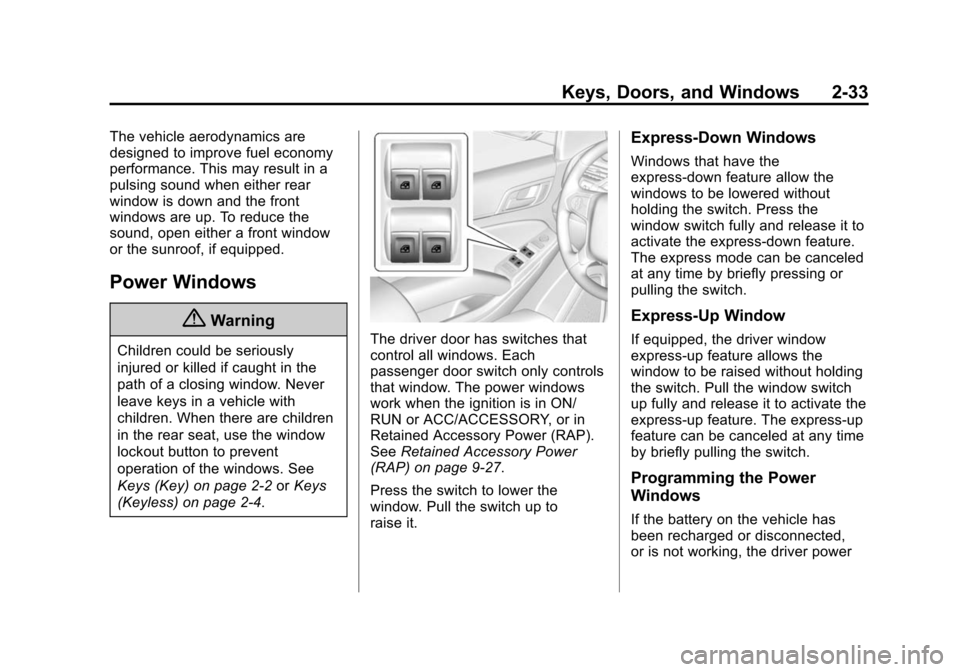
(Keyless) on page 2-4.The driver door has switches that
control all windows. Each
passenger door switch only controls
that window. The power windows
work when the ignition is in ON/
RUN or ACC/ACCESSORY, or in
Retained Accessory Power (RAP).
See Retained Accessory Power
(RAP) on page 9-27.
Press the switch to lower the
window. Pull the switch up to
raise it.
Express-Down Windows
Windows that have the
express-down feature allow the
windows to be lowered without
holding the switch. Press the
window switch fully and release it to
activate the express-down feature.
The express mode can be canceled
at any time by briefly pressing or
pulling the switch.
Express-Up Window
If equipped, the driver window
express-up feature allows the
window to be raised without holding
the switch. Pull the window switch
up fully and release it to activate the
express-up feature. The express-up
feature can be canceled at any time
by briefly pulling the switch.
Programming the Power
Windows
If the battery on the vehicle has
been recharged or disconnected,
or is not working, the driver power
Page 79 of 495
Black plate (8,1)Chevrolet 2015i Tahoe/Suburban Owner Manual (GMNA-Localizing-U.S./
Canada/Mexico-8431502) - 2015 - crc - 1/12/15
3-8 Seats and Restraints
work. This selection may be found
under Settings, Comfort and
Convenience, Auto Memory Recalls.
The Auto (Automatic) Memory
Recall feature automatically recalls
the current driver’s previously stored
“1” or“2” position when entering the
vehicle.
If the Auto Memory Recall feature is
enabled in the vehicle
personalization menu, memory “1”
or “2” positions are recalled in the
following ways:
.PressKon the RKE transmitter
and open the driver door.
.PressKon the RKE transmitter
when the driver door is open.
.If equipped with Keyless Access,
press the lock/unlock button on
the outside driver door handle
and open the driver door. The
RKE transmitter must be present
for the recall to activate.
See Vehicle Personalization on
page 5-47. To stop recall movement, press one
of the memory, power mirror,
or power seat controls; press the
power tilt and telescoping steering
column control (if equipped); or
press the adjustable pedal control (if
equipped).
RKE transmitters are not labeled
with a number. If your memory seat
position is stored to
”1”or“2” but
this position is not automatically
recalling, then change the stored
position or switch RKE transmitters
with the other driver.
Easy Exit Recall
Easy Exit Recall must be enabled in
the personalization menu for this
automatic recall feature to work.
This selection may be found under
Settings, Comfort and Convenience,
Easy Exit Recalls.
If programmed on in the vehicle
personalization menu, the easy exit
feature automatically moves the
driver seat, power tilt and
telescoping steering column (if
equipped), adjustable pedals (if equipped), and outside mirrors on
some vehicles to the memory
positions stored to the
B(Exit)
button. See “Storing Memory
Positions” listed previously. See
also Vehicle Personalization on
page 5-47.
Easy exit recall automatically
activates when one of the following
occurs:
.The vehicle is turned off and the
driver door is opened within a
short time.
.The vehicle is turned off with the
driver door open.
Obstructions
If something has blocked the driver
seat, power tilt and telescoping
steering column, and/or the
adjustable pedals while recalling a
memory position, the recall may
stop. Remove the obstruction. Then
do one of the following:
.If automatically or manually
recalling the stored memory
position, press and hold the
Page 152 of 495
Black plate (9,1)Chevrolet 2015i Tahoe/Suburban Owner Manual (GMNA-Localizing-U.S./
Canada/Mexico-8431502) - 2015 - crc - 1/12/15
Instruments and Controls 5-9
Power Outlets
Accessory power outlets can be
used to plug in electrical equipment,
such as a cell phone, MP3
player, etc.
The vehicle may have up to five
accessory power outlets:
Vehicles with a Center Console
.One in front of the cupholders on
the center console.
.One inside the center storage
console.
.One on the rear of the center
storage console.
.One in the third row seat on the
driver side.
.One in the rear cargo area on
the passenger side.
Vehicles with Bench Seats
.One on the center stack below
the climate control system.
.One in the storage area on the
bench seat.
.One on the rear of the center
armrest storage.
.One in the third row seat area on
the driver side.
.One in the rear cargo area on
the passenger side.
Lift the cover to access and replace
when not in use.
The accessory power outlets are
powered as follows:
.The power outlet near the
cupholders for vehicles with a
center console or on the center
stack for vehicles with bench
seats, can be configured to
operate using Retained
Accessory Power (RAP) or
battery power modes. If these
power outlets are used while in
the battery power mode, this
could cause interference
between the Remote Keyless
Entry (RKE) transmitter and the
vehicle, and the vehicle may not start. See
Ignition Positions (Key
Access) on page 9-20 orIgnition
Positions (Keyless Access) on
page 9-22.
.The power outlets in the third
row seat area or in the rear
cargo area are powered at all
times. The power outlets inside
the storage area, on the rear of
the console, or on the bench
seat are only powered when the
ignition is in ON/RUN or ACC/
ACCESSORY, or when RAP is
active.
{Warning
Power is always supplied to the
outlet, if configured accordingly.
Do not leave electrical equipment
plugged in when the vehicle is not
in use because the vehicle could
catch fire and cause injury or
death.
Page 165 of 495
Black plate (22,1)Chevrolet 2015i Tahoe/Suburban Owner Manual (GMNA-Localizing-U.S./
Canada/Mexico-8431502) - 2015 - crc - 1/12/15
5-22 Instruments and Controls
a check to show the light is working.
It should go out when the engine is
started.
If the light stays on, or comes on
while driving, there may be a
problem with the electrical charging
system. Have it checked by your
dealer. Driving while this light is on
could drain the battery.
When this light comes on, or is
flashing, the Driver Information
Center (DIC) also displays a
message.
SeeBattery Voltage and Charging
Messages on page 5-35.
If a short distance must be driven
with the light on, be sure to turn off
all accessories, such as the radio
and air conditioner.
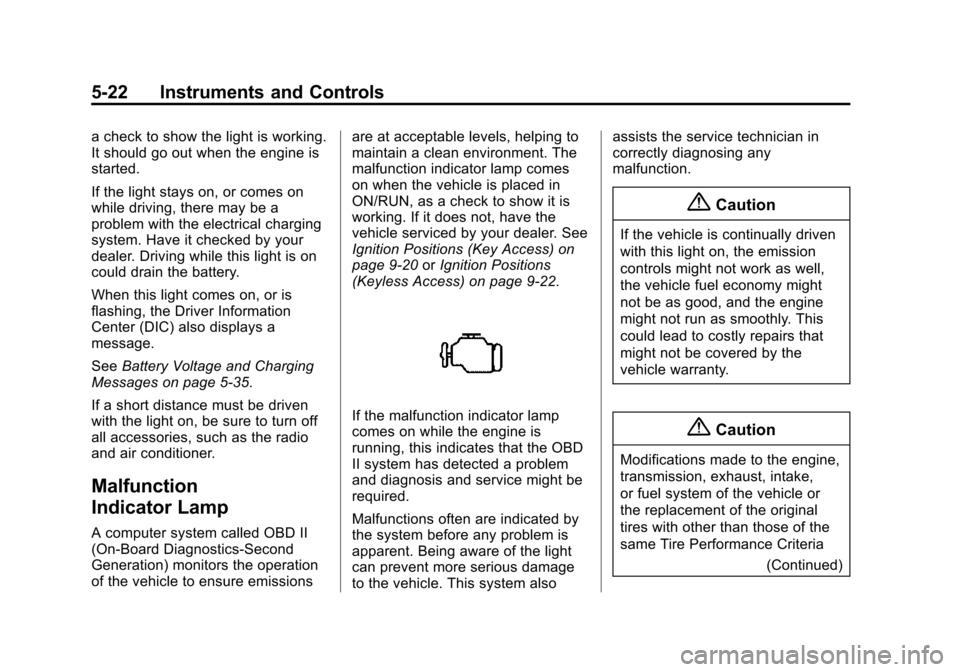
Malfunction
Indicator Lamp
A computer system called OBD II
(On-Board Diagnostics-Second
Generation) monitors the operation
of the vehicle to ensure emissions are at acceptable levels, helping to
maintain a clean environment. The
malfunction indicator lamp comes
on when the vehicle is placed in
ON/RUN, as a check to show it is
working. If it does not, have the
vehicle serviced by your dealer. See
Ignition Positions (Key Access) on
page 9-20
orIgnition Positions
(Keyless Access) on page 9-22.
If the malfunction indicator lamp
comes on while the engine is
running, this indicates that the OBD
II system has detected a problem
and diagnosis and service might be
required.
Malfunctions often are indicated by
the system before any problem is
apparent. Being aware of the light
can prevent more serious damage
to the vehicle. This system also assists the service technician in
correctly diagnosing any
malfunction.
{Caution
If the vehicle is continually driven
with this light on, the emission
controls might not work as well,
the vehicle fuel economy might
not be as good, and the engine
might not run as smoothly. This
could lead to costly repairs that
might not be covered by the
vehicle warranty.
{Caution
Modifications made to the engine,
transmission, exhaust, intake,
or fuel system of the vehicle or
the replacement of the original
tires with other than those of the
same Tire Performance Criteria
(Continued)
Page 171 of 495
Black plate (28,1)Chevrolet 2015i Tahoe/Suburban Owner Manual (GMNA-Localizing-U.S./
Canada/Mexico-8431502) - 2015 - crc - 1/12/15
5-28 Instruments and Controls
pressure value shown on the Tire
and Loading Information label. See
Tire Pressure on page 10-53.
When the Light Flashes First and
Then Is On Steady
If the light flashes for about a minute
and then stays on, there may be a
problem with the TPMS. If the
problem is not corrected, the light
will come on at every ignition cycle.
SeeTire Pressure Monitor
Operation on page 10-56.
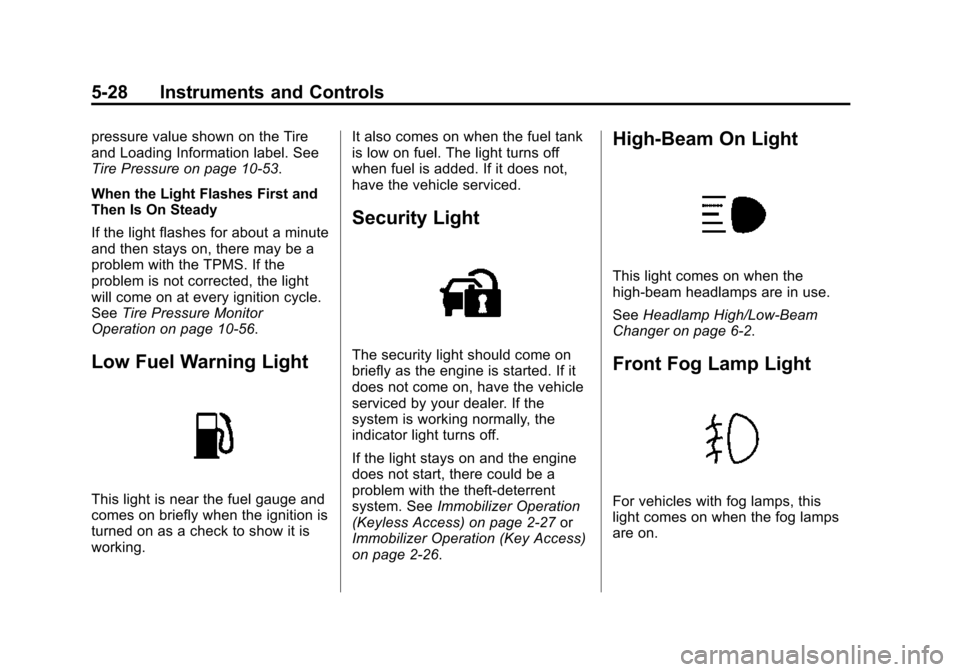
Low Fuel Warning Light
This light is near the fuel gauge and
comes on briefly when the ignition is
turned on as a check to show it is
working. It also comes on when the fuel tank
is low on fuel. The light turns off
when fuel is added. If it does not,
have the vehicle serviced.
Security Light
The security light should come on
briefly as the engine is started. If it
does not come on, have the vehicle
serviced by your dealer. If the
system is working normally, the
indicator light turns off.
If the light stays on and the engine
does not start, there could be a
problem with the theft-deterrent
system. See
Immobilizer Operation
(Keyless Access) on page 2-27 or
Immobilizer Operation (Key Access)
on page 2-26.
High-Beam On Light
This light comes on when the
high-beam headlamps are in use.
See Headlamp High/Low-Beam
Changer on page 6-2.
Front Fog Lamp Light
For vehicles with fog lamps, this
light comes on when the fog lamps
are on.
Page 178 of 495
Black plate (35,1)Chevrolet 2015i Tahoe/Suburban Owner Manual (GMNA-Localizing-U.S./
Canada/Mexico-8431502) - 2015 - crc - 1/12/15
Instruments and Controls 5-35
Battery Voltage and
Charging Messages
BATTERY LOW START
VEHICLE
When the vehicle’s battery is
severely discharged, this message
will display and four chimes will
sound. Start the vehicle
immediately. If the vehicle is not
started and the battery continues to
discharge, the climate controls,
heated seats, and audio systems
will shut off and the vehicle may
require a jump start. These systems
will function again after the vehicle
is started.
BATTERY SAVER ACTIVE
This message displays when the
battery voltage drops below
expected levels and features are
disabled. Turn off all unnecessary
accessory features.
SERVICE BATTERY
CHARGING SYSTEM
On some vehicles, this message
displays if there is a problem with
the battery charging system. Under
certain conditions, the charging
system light may also turn on in the
instrument cluster. See Charging
System Light on page 5-21. Driving
with this problem could drain the
battery. Turn off all unnecessary
accessories. Have the electrical
system checked as soon as
possible. See your dealer.
TRANSPORT MODE ON
This message is displayed when the
vehicle is in transport mode. Some
features can be disabled while in
this mode, including Remote
Keyless Entry (RKE), remote start,
and the vehicle alarm system. Take
the vehicle to your dealer for service
to turn transport mode off.
Brake System Messages
BRAKE FLUID LOW
This message is displayed when the
brake fluid level is low. See Brake
Fluid on page 10-23.
SERVICE BRAKE ASSIST
This message may be displayed
when there is a problem with the
brake boost assist system. When
this message is displayed, the brake
boost assist motor might be heard
operating and you might notice
pulsation in the brake pedal. This is
normal under these conditions. Take
the vehicle to your dealer for
service.
SERVICE TRAILER BRAKE
SYSTEM
On vehicles with the Integrated
Trailer Brake Control (ITBC) system,
this message displays and a chime
may sound when there is a problem
with the ITBC system.
Page 182 of 495
Black plate (39,1)Chevrolet 2015i Tahoe/Suburban Owner Manual (GMNA-Localizing-U.S./
Canada/Mexico-8431502) - 2015 - crc - 1/12/15
Instruments and Controls 5-39
this message stays on, the vehicle
should be taken to your dealer for
service as soon as possible.
Fuel System Messages
FUEL LEVEL LOW
This message displays and a chime
may sound if the fuel level is low.
Refuel as soon as possible. See
Fuel Gauge on page 5-16andFuel
on page 9-69.
TIGHTEN GAS CAP
This message may display along
with the malfunction indicator lamp
on the instrument cluster if the
vehicle's fuel cap is not tightened
properly. See Malfunction Indicator
Lamp on page 5-22. Reinstall the
fuel cap fully. See Filling the Tank
on page 9-71. The diagnostic
system can determine if the fuel cap
has been left off or improperly
installed. A loose or missing fuel
cap allows fuel to evaporate into the atmosphere. A few driving trips with
the cap properly installed should
turn this light and message off.
Key and Lock Messages
NO REMOTE DETECTED
This message displays when the
transmitter battery may be weak.
See
“Starting the Vehicle with a Low
Transmitter Battery” underRemote
Keyless Entry (RKE) System
Operation (Key Access) on
page 2-5 orRemote Keyless Entry
(RKE) System Operation (Keyless
Access) on page 2-8.
NO REMOTE KEY WAS
DETECTED PLACE KEY IN
TRANSMITTER POCKET THEN
START YOUR VEHICLE
This message displays when trying
to start the vehicle if an RKE
transmitter is not detected. The
transmitter battery may be weak. See
“Starting the Vehicle with a Low
Transmitter Battery” underRemote
Keyless Entry (RKE) System
Operation (Key Access) on
page 2-5 orRemote Keyless Entry
(RKE) System Operation (Keyless
Access) on page 2-8.
NO REMOTE DETECTED
PRESS BRAKE TO RESTART
This message displays when
attempting to turn off the vehicle
and the RKE transmitter is no longer
detected. Restarting is allowed
without the RKE transmitter for
five minutes. Press the brake pedal
to restart the vehicle.
NUMBER OF KEYS
PROGRAMMED
This message displays when
programming new keys to the
vehicle.
REMOTE LEFT IN VEHICLE
This message displays when
leaving the vehicle with the RKE
transmitter still inside.
Page 186 of 495
Black plate (43,1)Chevrolet 2015i Tahoe/Suburban Owner Manual (GMNA-Localizing-U.S./
Canada/Mexico-8431502) - 2015 - crc - 1/12/15
Instruments and Controls 5-43
STABILITRAK OFF
This message displays when the
StabiliTrak system has been turned
off. Adjust your driving accordingly.
To limit wheel spin and realize the
full benefits of the stability
enhancement system, you should
normally leave StabiliTrak on. See
Traction Control/Electronic Stability
Control on page 9-44.
STABILITRAK OFF may also
display when the stability control
has been automatically disabled.
Several conditions can cause this
message to appear:
.If the system is overheating,
which could occur if StabiliTrak
activates continuously for an
extended period of time.
.If the brake system warning light
is on. SeeBrake System
Warning Light on page 5-24.
.If the stability system takes
longer than usual to complete its
diagnostic checks due to driving
conditions.
.If an engine or vehicle-related
problem has been detected and
the vehicle needs service. See
your dealer.
.If the transfer case is in
Four-Wheel Drive Low.
The message turns off as soon as
the conditions that caused the
message to be displayed are no
longer present.
Airbag System Messages
SERVICE AIRBAG
This message displays if there is a
problem with the airbag system.
Take the vehicle to your dealer for
service.
Security Messages
SERVICE THEFT DETERRENT
SYSTEM
This message displays when there
is a problem with the theft-deterrent
system. The vehicle may or may not
restart, so you may want to take the vehicle to your dealer before turning
off the engine. See
Immobilizer
Operation (Keyless Access) on
page 2-27 orImmobilizer Operation
(Key Access) on page 2-26.
Steering System
Messages
STEERING ASSIST IS
REDUCED DRIVE WITH CARE
This message may display if a
problem occurs with the electric
power steering system. If this
message appears, steering effort
may be slightly higher than normal.
The vehicle is still safe to drive. Use
caution while in reduced assist
mode. If this message is persistent
or appears repeatedly, take the
vehicle to your dealer for service.
See Steering on page 9-4.
Page 195 of 495
Black plate (52,1)Chevrolet 2015i Tahoe/Suburban Owner Manual (GMNA-Localizing-U.S./
Canada/Mexico-8431502) - 2015 - crc - 1/12/15
5-52 Instruments and Controls
Auto Mirror Folding
When on, the outside rearview
mirrors will automatically fold or
unfold when the Remote Keyless
Entry (RKE) lock or unlock button is
pressed and held.
Select Off or On.
Auto Wipe in Reverse Gear
When on, the rear wiper will
automatically activate when the
vehicle is shifted to R (Reverse).
Select Off or On.
Lighting
Select the Lighting menu and the
following may display:
.Vehicle Locator Lights
.Exit Lighting
Vehicle Locator Lights
This feature will flash the exterior
lights and allows some of the
exterior lamps and most of the
interior lamps to turn on briefly when
Kon the Remote Keyless Entry
(RKE) transmitter is pressed to
locate the vehicle.
Select On or Off.
Exit Lighting
This allows the selection of how
long the exterior lamps stay on
when leaving the vehicle when it is
dark outside.
Select Off, 30 Seconds, 60
Seconds, or 120 Seconds.
Power Door Locks
Select Power Door Locks and the
following displays:
.Unlocked Door Anti-Lockout
.Auto Door Unlock
.Delayed Door Lock
Unlocked Door Anti-Lockout
When on, this feature will keep the
driver door from locking when the
door is open and the key is in the ignition. If Off is selected, the
Delayed Door Lock menu will be
available.
Select On or Off.
Auto Door Unlock
This allows selection of which of the
doors will automatically unlock when
the vehicle is shifted into P (Park).
Select Off, All Doors, or Driver Door.
Delayed Door Lock
When on, this feature will delay the
locking of the doors. To override the
delay, press the power door lock
switch on the door.
Select On or Off.
Remote Lock, Unlock, Start
Select Remote Lock, Unlock, Start
and the following may display:
.Remote Unlock Light Feedback
.Remote Lock Feedback
.Remote Door Unlock
.Remote Start Auto Cooled Seats