towing CHEVROLET TAHOE 2015 4.G Owner's Manual
[x] Cancel search | Manufacturer: CHEVROLET, Model Year: 2015, Model line: TAHOE, Model: CHEVROLET TAHOE 2015 4.GPages: 495, PDF Size: 6.56 MB
Page 287 of 495
Black plate (36,1)Chevrolet 2015i Tahoe/Suburban Owner Manual (GMNA-Localizing-U.S./
Canada/Mexico-8431502) - 2015 - crc - 1/12/15
9-36 Driving and Operating
button. When the Tow/Haul Mode is
enabled, a light on the instrument
cluster will come on.
SeeTow/Haul Mode Light on
page 5-26 andHill and Mountain
Roads on page 9-11.
Also see “Tow/Haul Mode” under
Towing Equipment on page 9-81.
Tow/Haul Mode Grade Braking
Tow/Haul Mode Grade Braking is
only enabled while the Tow/Haul
Mode is selected and the vehicle is
not in the Range Selection Mode.
See “Tow/Haul Mode” listed
previously and Manual Mode on
page 9-34. Tow/Haul Mode Grade
Braking assists in maintaining
desired vehicle speeds when driving
on downhill grades by using the
engine and transmission to slow the
vehicle. To disable or enable Tow/Haul
Grade Braking within the current
ignition key cycle, press and hold
the Tow/Haul button for
five seconds. When the button is
released, the requested mode
change is made. A DIC message is
displayed. See
Transmission
Messages on page 5-44.
See Towing Equipment on
page 9-81.
For other forms of grade braking,
see Automatic Transmission on
page 9-31 andCruise Control on
page 9-47.
Drive Systems
Four-Wheel Drive
If equipped, four-wheel drive
engages the front axle for extra
traction. Read the appropriate
section for transfer case operation
before using.
{Caution
Do not drive on clean, dry
pavement in 4
mand 4n(if
equipped) for an extended period
of time. These conditions may
cause premature wear on the
vehicle’s powertrain.
Driving on clean, dry pavement in
four-wheel drive may:
.Cause a vibration to be felt in
the steering system.
.Cause tires to wear faster.
.Make the transfer case harder to
shift, and cause it to run noisier.
Page 288 of 495
Black plate (37,1)Chevrolet 2015i Tahoe/Suburban Owner Manual (GMNA-Localizing-U.S./
Canada/Mexico-8431502) - 2015 - crc - 1/12/15
Driving and Operating 9-37
{Warning
Shifting the transfer case to
N (Neutral) can cause the vehicle
to roll even if the transmission is
in P (Park). You or someone else
could be seriously injured. Be
sure to set the parking brake
before placing the transfer case in
N (Neutral). SeeParking Brake on
page 9-42.
{Caution
Extended high-speed operation in
4
nmay damage or shorten the
life of the drivetrain.
Engagement noise and bump when
shifting between 4
nand 4mor from
N (Neutral), with the engine running,
is normal. Shifting into 4
nwill turn Traction
Control and StabiliTrak®off. See
Traction Control/Electronic Stability
Control on page 9-44.
Two Speed Automatic
Transfer Case
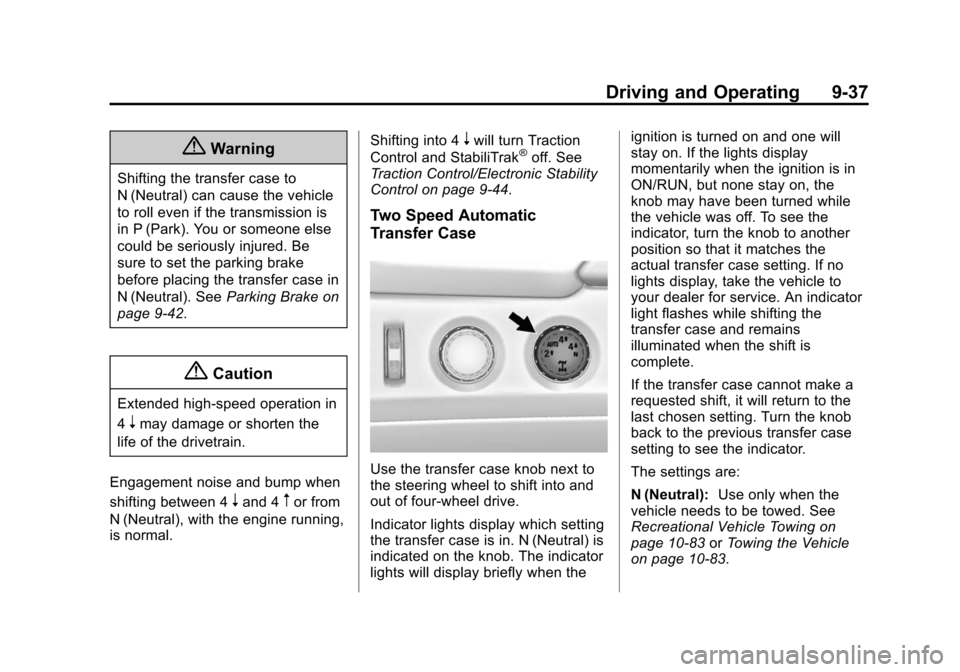
Use the transfer case knob next to
the steering wheel to shift into and
out of four-wheel drive.
Indicator lights display which setting
the transfer case is in. N (Neutral) is
indicated on the knob. The indicator
lights will display briefly when the ignition is turned on and one will
stay on. If the lights display
momentarily when the ignition is in
ON/RUN, but none stay on, the
knob may have been turned while
the vehicle was off. To see the
indicator, turn the knob to another
position so that it matches the
actual transfer case setting. If no
lights display, take the vehicle to
your dealer for service. An indicator
light flashes while shifting the
transfer case and remains
illuminated when the shift is
complete.
If the transfer case cannot make a
requested shift, it will return to the
last chosen setting. Turn the knob
back to the previous transfer case
setting to see the indicator.
The settings are:
N (Neutral):
Use only when the
vehicle needs to be towed. See
Recreational Vehicle Towing on
page 10-83 orTowing the Vehicle
on page 10-83.
Page 291 of 495
Black plate (40,1)Chevrolet 2015i Tahoe/Suburban Owner Manual (GMNA-Localizing-U.S./
Canada/Mexico-8431502) - 2015 - crc - 1/12/15
9-40 Driving and Operating
9. Place the transmission shiftlever in P (Park). See
Recreational Vehicle Towing on
page 10-83.
10. Turn the ignition to LOCK/OFF.
Shifting Out of N (Neutral)
To shift:
1. Set the parking brake and apply the brake pedal.
2. Turn the ignition to ON/RUN with the engine off.
3. Shift the transmission to N (Neutral).
4. Turn the transfer case knob to the desired setting.
After the transfer case has
shifted out of N (Neutral), the
N (Neutral) light will go out.
5. Release the parking brake.
6. Start the engine and shift the transmission to the desired gear.Single Speed Automatic
Transfer Case
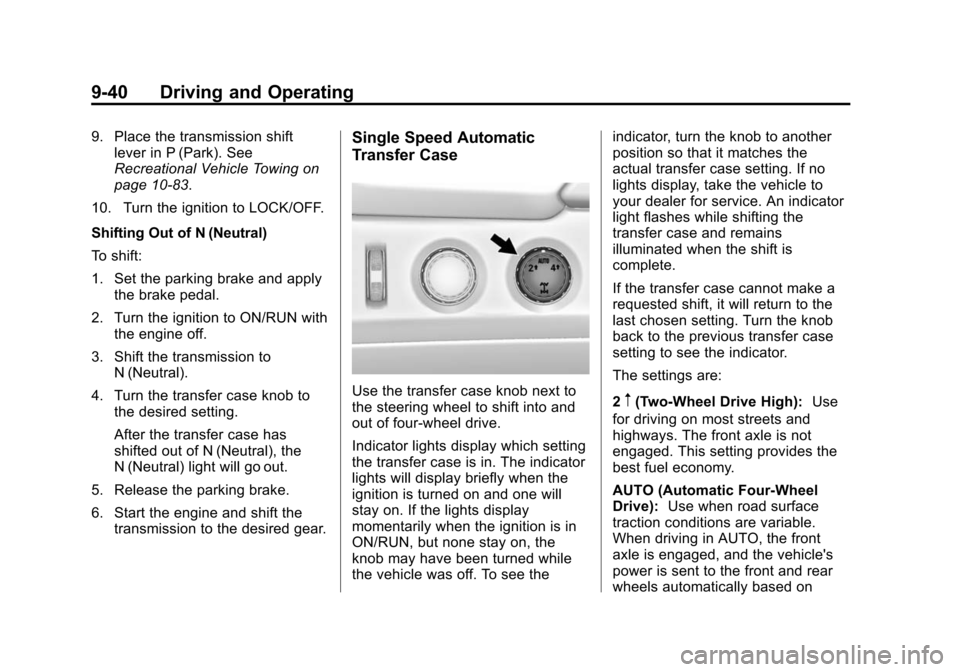
Use the transfer case knob next to
the steering wheel to shift into and
out of four-wheel drive.
Indicator lights display which setting
the transfer case is in. The indicator
lights will display briefly when the
ignition is turned on and one will
stay on. If the lights display
momentarily when the ignition is in
ON/RUN, but none stay on, the
knob may have been turned while
the vehicle was off. To see the indicator, turn the knob to another
position so that it matches the
actual transfer case setting. If no
lights display, take the vehicle to
your dealer for service. An indicator
light flashes while shifting the
transfer case and remains
illuminated when the shift is
complete.
If the transfer case cannot make a
requested shift, it will return to the
last chosen setting. Turn the knob
back to the previous transfer case
setting to see the indicator.
The settings are:
2m(Two-Wheel Drive High):
Use
for driving on most streets and
highways. The front axle is not
engaged. This setting provides the
best fuel economy.
AUTO (Automatic Four-Wheel
Drive): Use when road surface
traction conditions are variable.
When driving in AUTO, the front
axle is engaged, and the vehicle's
power is sent to the front and rear
wheels automatically based on
Page 293 of 495
Black plate (42,1)Chevrolet 2015i Tahoe/Suburban Owner Manual (GMNA-Localizing-U.S./
Canada/Mexico-8431502) - 2015 - crc - 1/12/15
9-42 Driving and Operating
suddenly slows or stops. Always
leave enough room up ahead to
stop, even with ABS.
Using ABS
Do not pump the brakes. Just hold
the brake pedal down firmly and let
ABS work. You may hear the ABS
pump or motor operating and feel
the brake pedal pulsate. This is
normal.
Braking in Emergencies
ABS allows you to steer and brake
at the same time. In many
emergencies, steering can help
more than even the very best
braking.
Parking Brake
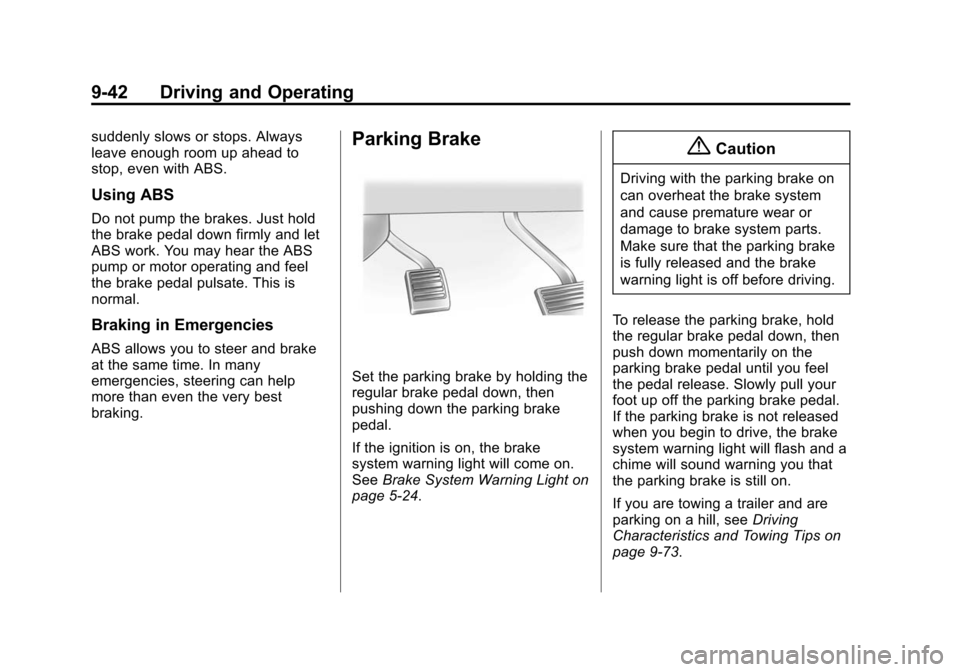
Set the parking brake by holding the
regular brake pedal down, then
pushing down the parking brake
pedal.
If the ignition is on, the brake
system warning light will come on.
SeeBrake System Warning Light on
page 5-24.
{Caution
Driving with the parking brake on
can overheat the brake system
and cause premature wear or
damage to brake system parts.
Make sure that the parking brake
is fully released and the brake
warning light is off before driving.
To release the parking brake, hold
the regular brake pedal down, then
push down momentarily on the
parking brake pedal until you feel
the pedal release. Slowly pull your
foot up off the parking brake pedal.
If the parking brake is not released
when you begin to drive, the brake
system warning light will flash and a
chime will sound warning you that
the parking brake is still on.
If you are towing a trailer and are
parking on a hill, see Driving
Characteristics and Towing Tips on
page 9-73.
Page 297 of 495
Black plate (46,1)Chevrolet 2015i Tahoe/Suburban Owner Manual (GMNA-Localizing-U.S./
Canada/Mexico-8431502) - 2015 - crc - 1/12/15
9-46 Driving and Operating
StabiliTrak will automatically turn on
if the vehicle exceeds 56 km/h
(35 mph). Traction control will
remain off.
The vehicle has a Trailer Sway
Control (TSC) feature and a Hill
Start Assist (HSA) feature. See
Trailer Sway Control (TSC) on
page 9-87orHill Start Assist (HSA)
on page 9-43.
Adding accessories can affect the
vehicle performance. See
Accessories and Modifications on
page 10-3.
Magnetic Ride Control
This vehicle may have a semi-active
damping system called Magnetic
Ride Control. With this feature,
improved vehicle ride and handling
is provided under a variety of
passenger and loading conditions. Magnetic Ride Control is fully
automatic and uses a computer
controller to continuously monitor
vehicle speed, wheel to body
position, lift/dive, and steering
position of the vehicle. The
controller then sends signals to
each shock absorber to
independently adjust the damping
level to provide the optimum
vehicle ride.
Magnetic Ride Control also interacts
with the Tow/Haul Mode that, when
activated, will provide additional
control of the shock absorbers. This
additional control results in better
ride and handling characteristics
when the vehicle is loaded or towing
a trailer. See
“Tow/Haul Mode”
under Towing Equipment on
page 9-81.
Locking Rear Axle
Vehicles with a locking rear axle can
give more traction on snow, mud,
ice, sand, or gravel. It works like a
standard axle most of the time, but
when traction is low, this feature will
allow the rear wheel with the most
traction to move the vehicle.
Automatic Level Control
The Automatic Level Control (ALC)
rear suspension is available on
light-duty vehicles and comes as a
part of the Magnetic Ride Control
suspension, if equipped. ALC may
also be available as a stand alone
feature.
This type of level control is fully
automatic and will provide a better
leveled riding position as well as
better handling under a variety of
passenger and loading conditions.
An air compressor connected to the
rear shocks will raise or lower the
rear of the vehicle to maintain
proper vehicle height. The system is
activated when the ignition key is
Page 307 of 495
Black plate (56,1)Chevrolet 2015i Tahoe/Suburban Owner Manual (GMNA-Localizing-U.S./
Canada/Mexico-8431502) - 2015 - crc - 1/12/15
9-56 Driving and Operating
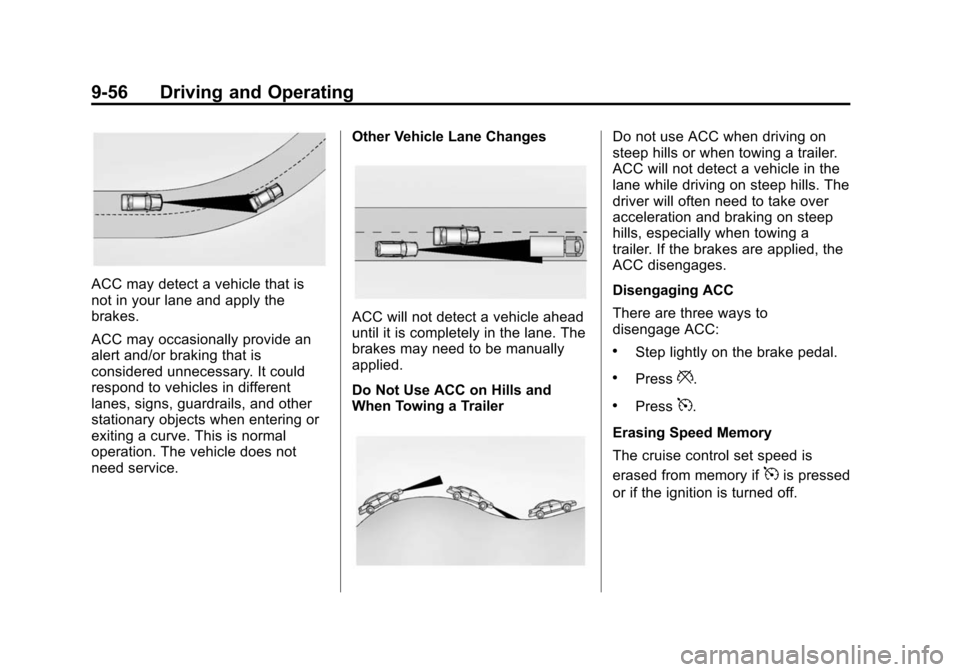
ACC may detect a vehicle that is
not in your lane and apply the
brakes.
ACC may occasionally provide an
alert and/or braking that is
considered unnecessary. It could
respond to vehicles in different
lanes, signs, guardrails, and other
stationary objects when entering or
exiting a curve. This is normal
operation. The vehicle does not
need service.Other Vehicle Lane Changes
ACC will not detect a vehicle ahead
until it is completely in the lane. The
brakes may need to be manually
applied.
Do Not Use ACC on Hills and
When Towing a Trailer
Do not use ACC when driving on
steep hills or when towing a trailer.
ACC will not detect a vehicle in the
lane while driving on steep hills. The
driver will often need to take over
acceleration and braking on steep
hills, especially when towing a
trailer. If the brakes are applied, the
ACC disengages.
Disengaging ACC
There are three ways to
disengage ACC:
.Step lightly on the brake pedal.
.Press*.
.Press5.
Erasing Speed Memory
The cruise control set speed is
erased from memory if
5is pressed
or if the ignition is turned off.
Page 311 of 495
Black plate (60,1)Chevrolet 2015i Tahoe/Suburban Owner Manual (GMNA-Localizing-U.S./
Canada/Mexico-8431502) - 2015 - crc - 1/12/15
9-60 Driving and Operating
the front or rear depending on
object location, or both sides of the
Safety Alert Seat will pulse five
times. Beeps for FPA are higher
pitched than for RPA.
Rear Cross Traffic Alert (RCTA)
If equipped, when the vehicle is
shifted into R (Reverse), RCTA
displays a red warning triangle with
a left or right pointing arrow on the
RVC screen to warn of traffic
coming from the left or right. This
system detects objects coming from
up to 20 m (65 ft) from the left or
right side of the vehicle. When an
object is detected, either three
beeps sound from the left or right or
three Safety Alert Seat pulses occur
on the left or right side, depending
on the direction of the detected
vehicle.
Use caution while backing up when
towing a trailer, as the RCTA
detection zones that extend out
from the back of the vehicle do not
move further back when a trailer is
towed.Turning the Features On or Off
TheXbutton to the left of the
steering wheel is used to turn on or
off the Front and Rear Parking
Assist. The indicator light in the
button comes on when the features
are on and turns off when the
features have been disabled.
Front and Rear Parking Assist can
be turned off, on, or on with towbar
through vehicle personalization. See
“Parking Assist” underVehicle
Personalization on page 5-47. If the
parking assist is turned off through
vehicle personalization, the parking
assist button will be disabled. To
turn the parking assist on again,
select On in the vehicle
personalization menu. The On with
Towbar setting allows for the parking assist to work properly with
a small item attached to the trailer
hitch. Turn off parking assist when
towing a trailer.
To turn the rear parking assist
symbols, guidance lines, or Rear
Cross Traffic Alert on or off, see
“Rear Camera”
underVehicle
Personalization on page 5-47
Assistance Systems for
Driving
If equipped, when driving the
vehicle in a forward gear, Forward
Collision Alert (FCA), Lane
Departure Warning (LDW), Side
Blind Zone Alert (SBZA), Lane
Change Alert (LCA), and/or the
Active Emergency Braking System
can help to avoid a crash or reduce
crash damage.
Page 316 of 495

Black plate (65,1)Chevrolet 2015i Tahoe/Suburban Owner Manual (GMNA-Localizing-U.S./
Canada/Mexico-8431502) - 2015 - crc - 1/12/15
Driving and Operating 9-65
{Warning
Using the Automatic Collision
Preparation System while towing
a trailer could cause you to lose
control of the vehicle and crash.
Turn the system off when towing
a trailer.
Side Blind Zone
Alert (SBZA)
If equipped, the SBZA system is a
lane-changing aid that assists
drivers with avoiding crashes that
occur with vehicles in the side blind
zone (or spot) areas. When the
vehicle is in a forward gear, the left
or right side mirror display will light
up if a moving vehicle is detected in
that blind zone. If the turn signal is
activated and a vehicle is also
detected on the same side, the
display will flash as an extra
warning not to change lanes. Since
this system is part of the LaneChange Alert system, read the
entire Lane Change Alert section
before using this feature.
Lane Change Alert (LCA)
If equipped, the Lane Change Alert
(LCA) system is a lane-changing aid
that assists drivers with avoiding
lane change crashes that occur with
vehicles in the side blind zone (or
spot) areas or with vehicles rapidly
approaching these areas from
behind. The LCA warning display
will light up in the corresponding
outside side mirror and will flash if
the turn signal is on.
{Warning
LCA does not alert the driver to
vehicles outside of the system
detection zones, pedestrians,
bicyclists, or animals. It may not
provide alerts when changing
lanes under all driving conditions.
Failure to use proper care when
(Continued)
Warning (Continued)
changing lanes may result in
injury, death, or vehicle damage.
Before making a lane change,
always check mirrors, glance over
your shoulder, and use the turn
signals.
1. SBZA Detection Zone
2. LCA Detection Zone
LCA Detection Zones
The LCA sensor covers a zone of
approximately one lane over from
both sides of the vehicle, or 3.5 m
(11 ft). The height of the zone is
Page 317 of 495
Black plate (66,1)Chevrolet 2015i Tahoe/Suburban Owner Manual (GMNA-Localizing-U.S./
Canada/Mexico-8431502) - 2015 - crc - 1/12/15
9-66 Driving and Operating
approximately between 0.5 m (1.5 ft)
and 2 m (6 ft) off the ground. The
Side Blind Zone Alert (SBZA)
warning area starts at approximately
the middle of the vehicle and goes
back 5 m (16 ft). Drivers are also
warned of vehicles rapidly
approaching from up to 70 m (230 ft)
behind the vehicle.
How the System Works
The LCA symbol lights up in the
side mirrors when the system
detects a vehicle in the next lane
over that is in the side blind zone or
rapidly approaching from behind.
A lit LCA symbol indicates it may be
unsafe to change lanes. Before
making a lane change, check the
LCA display, check mirrors, glance
over your shoulder, and use the turn
signals.
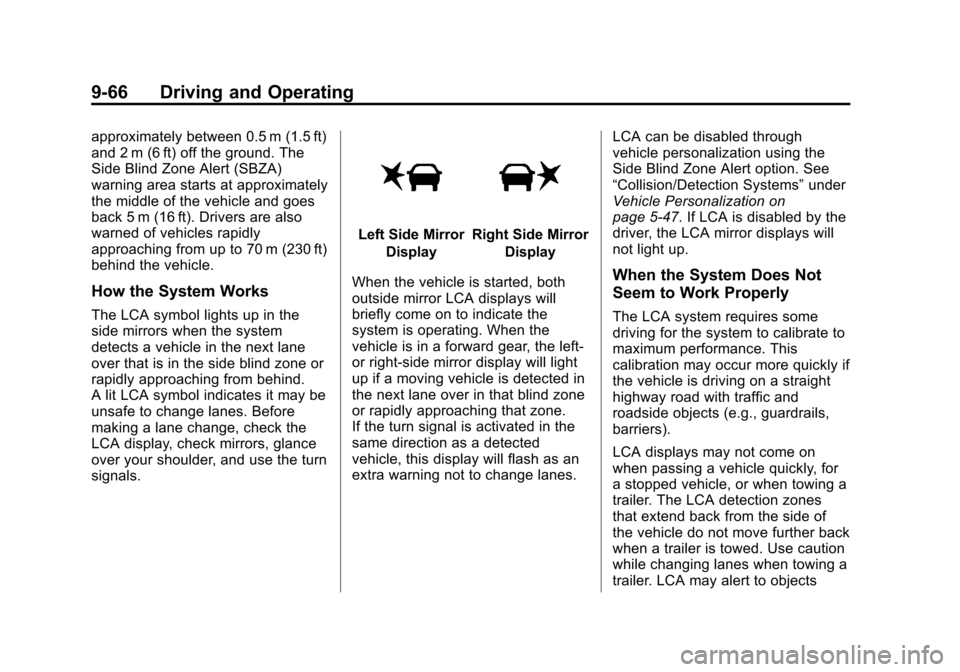
Left Side MirrorDisplayRight Side Mirror Display
When the vehicle is started, both
outside mirror LCA displays will
briefly come on to indicate the
system is operating. When the
vehicle is in a forward gear, the left-
or right-side mirror display will light
up if a moving vehicle is detected in
the next lane over in that blind zone
or rapidly approaching that zone.
If the turn signal is activated in the
same direction as a detected
vehicle, this display will flash as an
extra warning not to change lanes. LCA can be disabled through
vehicle personalization using the
Side Blind Zone Alert option. See
“Collision/Detection Systems”
under
Vehicle Personalization on
page 5-47. If LCA is disabled by the
driver, the LCA mirror displays will
not light up.
When the System Does Not
Seem to Work Properly
The LCA system requires some
driving for the system to calibrate to
maximum performance. This
calibration may occur more quickly if
the vehicle is driving on a straight
highway road with traffic and
roadside objects (e.g., guardrails,
barriers).
LCA displays may not come on
when passing a vehicle quickly, for
a stopped vehicle, or when towing a
trailer. The LCA detection zones
that extend back from the side of
the vehicle do not move further back
when a trailer is towed. Use caution
while changing lanes when towing a
trailer. LCA may alert to objects
Page 324 of 495
Black plate (73,1)Chevrolet 2015i Tahoe/Suburban Owner Manual (GMNA-Localizing-U.S./
Canada/Mexico-8431502) - 2015 - crc - 1/12/15
Driving and Operating 9-73
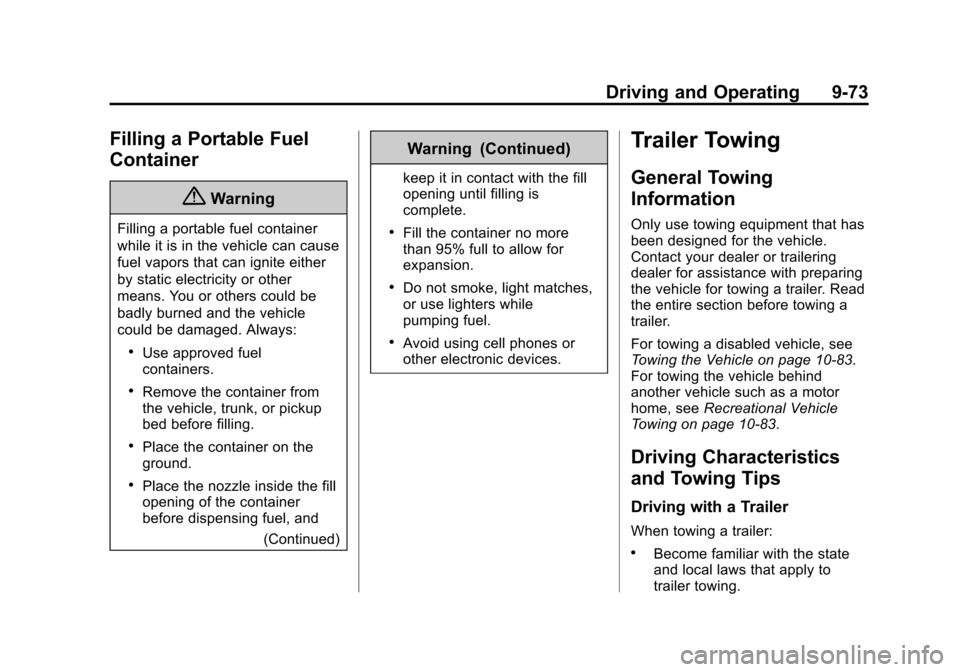
Filling a Portable Fuel
Container
{Warning
Filling a portable fuel container
while it is in the vehicle can cause
fuel vapors that can ignite either
by static electricity or other
means. You or others could be
badly burned and the vehicle
could be damaged. Always:
.Use approved fuel
containers.
.Remove the container from
the vehicle, trunk, or pickup
bed before filling.
.Place the container on the
ground.
.Place the nozzle inside the fill
opening of the container
before dispensing fuel, and(Continued)
Warning (Continued)
keep it in contact with the fill
opening until filling is
complete.
.Fill the container no more
than 95% full to allow for
expansion.
.Do not smoke, light matches,
or use lighters while
pumping fuel.
.Avoid using cell phones or
other electronic devices.
Trailer Towing
General Towing
Information
Only use towing equipment that has
been designed for the vehicle.
Contact your dealer or trailering
dealer for assistance with preparing
the vehicle for towing a trailer. Read
the entire section before towing a
trailer.
For towing a disabled vehicle, see
Towing the Vehicle on page 10-83.
For towing the vehicle behind
another vehicle such as a motor
home, seeRecreational Vehicle
Towing on page 10-83.
Driving Characteristics
and Towing Tips
Driving with a Trailer
When towing a trailer:
.Become familiar with the state
and local laws that apply to
trailer towing.