battery CHEVROLET VOLT 2011 Workshop Manual
[x] Cancel search | Manufacturer: CHEVROLET, Model Year: 2011, Model line: VOLT, Model: CHEVROLET VOLT 2011Pages: 516, PDF Size: 6.61 MB
Page 330 of 516
Black plate (28,1)Chevrolet Volt Owner Manual - 2011
9-28 Driving and Operating
Press the Drive Mode button again
to return to Normal Mode and it
becomes active in three seconds.
If Mountain Mode is not selected
for these conditions, propulsion
power may be reduced and the
engine speed may increase. See
Propulsion Power Messages on
page 5‑50.
The vehicle returns to Normal Mode
at each start to maintain a smaller
battery charge reserve for normal
driving.
Out of Fuel/Engine
Unavailable
If the vehicle runs out of fuel,
or the engine will not start due
to a malfunction, the vehicle can
continue to be driven in Electric
Mode. The vehicle will have
less responsive acceleration.DIC messages indicate reduced
propulsion power, that the engine
is not available, and the need for
fuel or service.
Once the vehicle is refueled, or the
malfunction is corrected, the engine
will start the next time the vehicle is
turned on to perform a self test, and
DIC messages will not be displayed.
Once the engine starts successfully,
normal operation will continue in
either Electric or Extended Range
Mode. The engine will stop running
after the self test is completed,
and based on the current mode
of operation. See
Fuel System
Messages on page 5‑48 and
Service Vehicle Messages on
page 5‑51.
Maintenance Modes
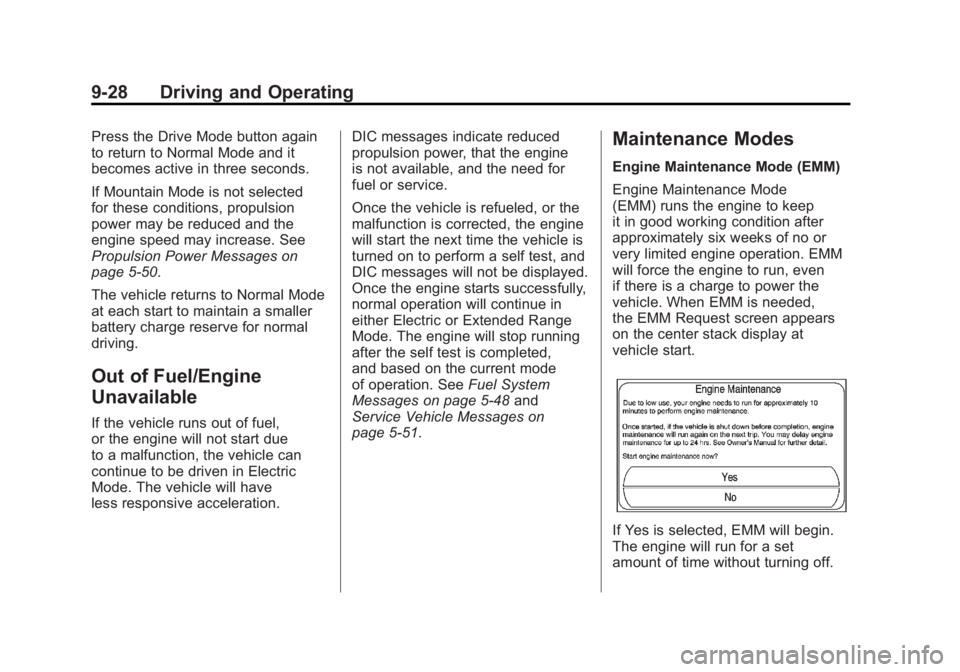
Engine Maintenance Mode (EMM)
Engine Maintenance Mode
(EMM) runs the engine to keep
it in good working condition after
approximately six weeks of no or
very limited engine operation. EMM
will force the engine to run, even
if there is a charge to power the
vehicle. When EMM is needed,
the EMM Request screen appears
on the center stack display at
vehicle start.
If Yes is selected, EMM will begin.
The engine will run for a set
amount of time without turning off.
Page 337 of 516
Black plate (35,1)Chevrolet Volt Owner Manual - 2011
Driving and Operating 9-35
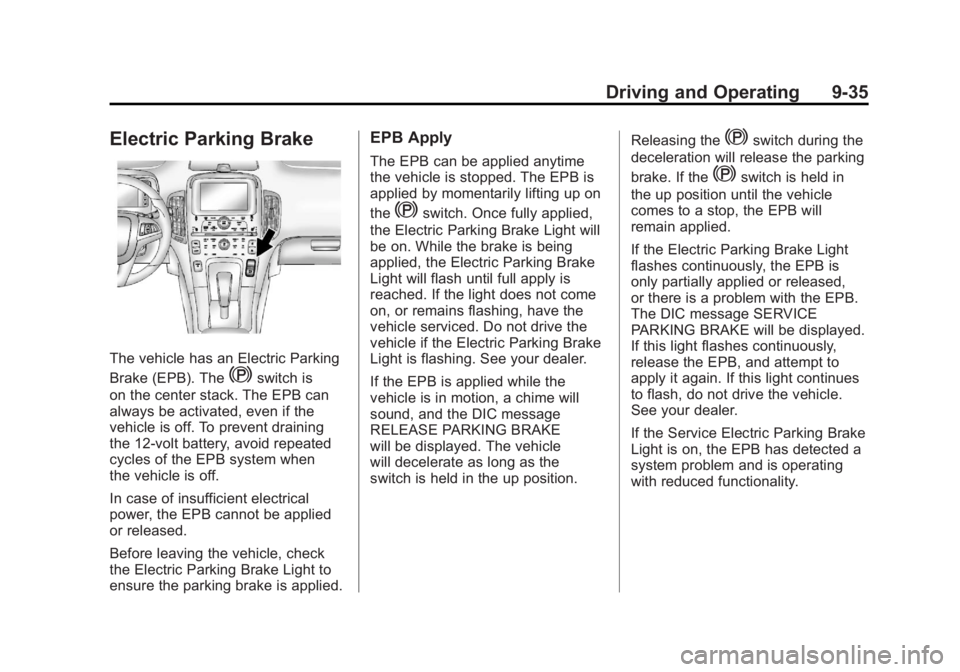
Electric Parking Brake
The vehicle has an Electric Parking
Brake (EPB). The
Yswitch is
on the center stack. The EPB can
always be activated, even if the
vehicle is off. To prevent draining
the 12‐volt battery, avoid repeated
cycles of the EPB system when
the vehicle is off.
In case of insufficient electrical
power, the EPB cannot be applied
or released.
Before leaving the vehicle, check
the Electric Parking Brake Light to
ensure the parking brake is applied.
EPB Apply
The EPB can be applied anytime
the vehicle is stopped. The EPB is
applied by momentarily lifting up on
the
Yswitch. Once fully applied,
the Electric Parking Brake Light will
be on. While the brake is being
applied, the Electric Parking Brake
Light will flash until full apply is
reached. If the light does not come
on, or remains flashing, have the
vehicle serviced. Do not drive the
vehicle if the Electric Parking Brake
Light is flashing. See your dealer.
If the EPB is applied while the
vehicle is in motion, a chime will
sound, and the DIC message
RELEASE PARKING BRAKE
will be displayed. The vehicle
will decelerate as long as the
switch is held in the up position. Releasing the
Yswitch during the
deceleration will release the parking
brake. If the
Yswitch is held in
the up position until the vehicle
comes to a stop, the EPB will
remain applied.
If the Electric Parking Brake Light
flashes continuously, the EPB is
only partially applied or released,
or there is a problem with the EPB.
The DIC message SERVICE
PARKING BRAKE will be displayed.
If this light flashes continuously,
release the EPB, and attempt to
apply it again. If this light continues
to flash, do not drive the vehicle.
See your dealer.
If the Service Electric Parking Brake
Light is on, the EPB has detected a
system problem and is operating
with reduced functionality.
Page 339 of 516
Black plate (37,1)Chevrolet Volt Owner Manual - 2011
Driving and Operating 9-37
Regenerative Braking
Regenerative braking takes some of
the energy from the moving vehicle
and turns it back into electrical
energy. This energy is then stored
back into the high voltage battery
system, contributing to increased
energy efficiency.
The hydraulic disc brakes work with
the regenerative braking to ensure
effective braking, such as when a
high braking demand is requested.
The braking system is
computer controlled and
blends the regenerative braking
with the conventional hydraulic disc
brakes to meet any requirements
for deceleration. The controllerinterprets the braking request
and uses regenerative braking,
conventional hydraulic braking, or a
combination of both as necessary.
Because the controller applies the
hydraulic brakes through its high
pressure accumulator, you may
occasionally hear the motor‐driven
pump when it recharges the system.
This is normal.
See
Warning Lights, Gauges,
and Indicators on page 5‑9 and
Driver Information Center (DIC) on
page 5‑43. In the event of a
controller problem, the brake pedal
may be harder to push and the
stopping distance may be longer.
Ride Control Systems
Traction Control
System (TCS)
The vehicle has a Traction Control
System (TCS) that limits wheel
spin. The system operates if it
senses that one or both of the drive
wheels are spinning or beginning to
lose traction. When this happens,
the system brakes the spinning
wheel(s) and/or reduces power
to limit wheel spin.
The system may be heard or felt
while it is working, but this is
normal.
To assist with directional control
of the vehicle, TCS comes on
automatically whenever the vehicle
is started and cannot be turned off.
Page 351 of 516

Black plate (49,1)Chevrolet Volt Owner Manual - 2011
Driving and Operating 9-49
When the System Does Not
Seem To Work Properly
The RVC system may not work
properly or display a clear image if:
.The RVC is turned off.
See“Turning the Rear Vision
Camera System On or Off”
earlier in this section.
.It is dark.
.The sun or the beam of
headlamps is shining directly
into the camera lens.
.Ice, snow, mud, or anything else
has built up on the camera lens.
Clean the lens, rinse it with
water, and wipe it with a soft
cloth.
.The back of the vehicle was in
an accident. The position and
mounting angle of the camera
can change or the camera can
be affected. Be sure to have
the camera and its position and
mounting angle checked at your
dealer.
Charging
Plug-In Charging
This section explains the process
for charging the vehicle's high
voltage battery. Do not allow the
vehicle to remain in temperature
extremes for long periods without
being driven or plugged in. It is
recommended that the vehicle
be plugged in when temperatures
are below 0°C (32°F) and above
32°C (90°F) to maximize high
voltage battery life.
The charging system may run fans
and pumps that result in sounds
from the vehicle while it is turned
off. Additional unexpected clicking
sounds may be experienced caused
by the electrical devices used while
charging.
Charging
Start Charge
1. The charge port door release button is on the driver door inner
trim panel. With the vehicle in
P (Park), press the button for
one second and release to open
the charge port door. The charge
port door can also be opened
using the RKE transmitter.
See Remote Keyless Entry
(RKE) System Operation on
page 2‑3.
Page 352 of 516
Black plate (50,1)Chevrolet Volt Owner Manual - 2011
9-50 Driving and Operating
In cold weather conditions, ice
may form around the charge port
door. The charge port door may
not open on the first attempt.
Remove ice from the area and
repeat attempting to open the
charge port door.
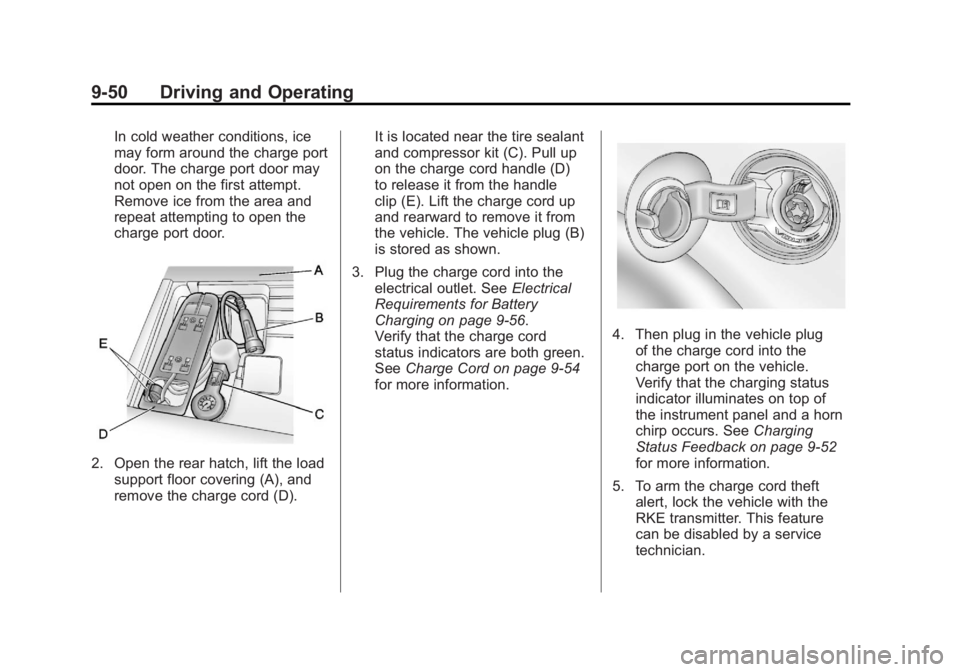
2. Open the rear hatch, lift the loadsupport floor covering (A), and
remove the charge cord (D). It is located near the tire sealant
and compressor kit (C). Pull up
on the charge cord handle (D)
to release it from the handle
clip (E). Lift the charge cord up
and rearward to remove it from
the vehicle. The vehicle plug (B)
is stored as shown.
3. Plug the charge cord into the electrical outlet. See Electrical
Requirements for Battery
Charging on page 9‑56.
Verify that the charge cord
status indicators are both green.
See Charge Cord on page 9‑54
for more information.
4. Then plug in the vehicle plug of the charge cord into the
charge port on the vehicle.
Verify that the charging status
indicator illuminates on top of
the instrument panel and a horn
chirp occurs. See Charging
Status Feedback on page 9‑52
for more information.
5. To arm the charge cord theft alert, lock the vehicle with the
RKE transmitter. This feature
can be disabled by a service
technician.
Page 354 of 516
Black plate (52,1)Chevrolet Volt Owner Manual - 2011
9-52 Driving and Operating
Delayed Charging
Override
To temporarily override a delayed
charge event, unplug the charge
cord from the charge port and then
plug it back in within five seconds.
A single horn chirp will sound and
charging will begin immediately.
To cancel a temporary override,
unplug the charge cord, wait for
10 seconds, and then plug the
charge cord back in. A double horn
chirp will sound and charging will
be delayed.
See“Programmable Charging” in
Charging on page 5‑33 for advance
charge scheduling options.
Charging Status
Feedback
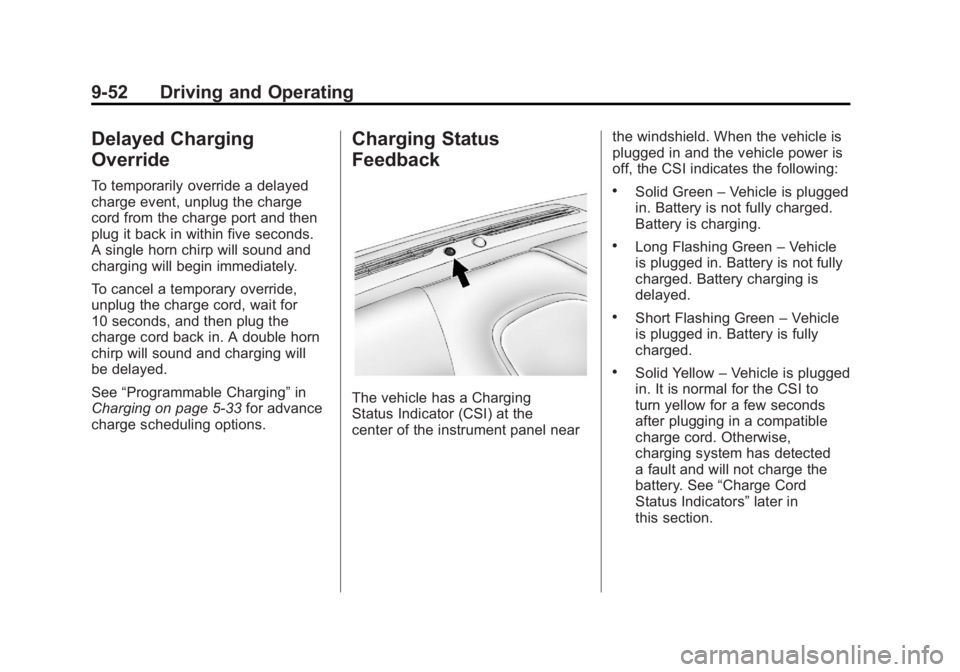
The vehicle has a Charging
Status Indicator (CSI) at the
center of the instrument panel near the windshield. When the vehicle is
plugged in and the vehicle power is
off, the CSI indicates the following:
.Solid Green
–Vehicle is plugged
in. Battery is not fully charged.
Battery is charging.
.Long Flashing Green –Vehicle
is plugged in. Battery is not fully
charged. Battery charging is
delayed.
.Short Flashing Green –Vehicle
is plugged in. Battery is fully
charged.
.Solid Yellow –Vehicle is plugged
in. It is normal for the CSI to
turn yellow for a few seconds
after plugging in a compatible
charge cord. Otherwise,
charging system has detected
a fault and will not charge the
battery. See “Charge Cord
Status Indicators” later in
this section.
Page 355 of 516
Black plate (53,1)Chevrolet Volt Owner Manual - 2011
Driving and Operating 9-53
The system may be thermally
conditioning the battery during
any of the states above, requiring
electrical energy to be transferred
to the vehicle.
If the vehicle is plugged in and
vehicle power is on, the CSI will be
on solid green. The same is true
during a remote start if the vehicle
is plugged in.
If the vehicle is plugged in and the
CSI is off, a charging fault has been
detected. See“Charge Cord Status
Indicators” later in this section.
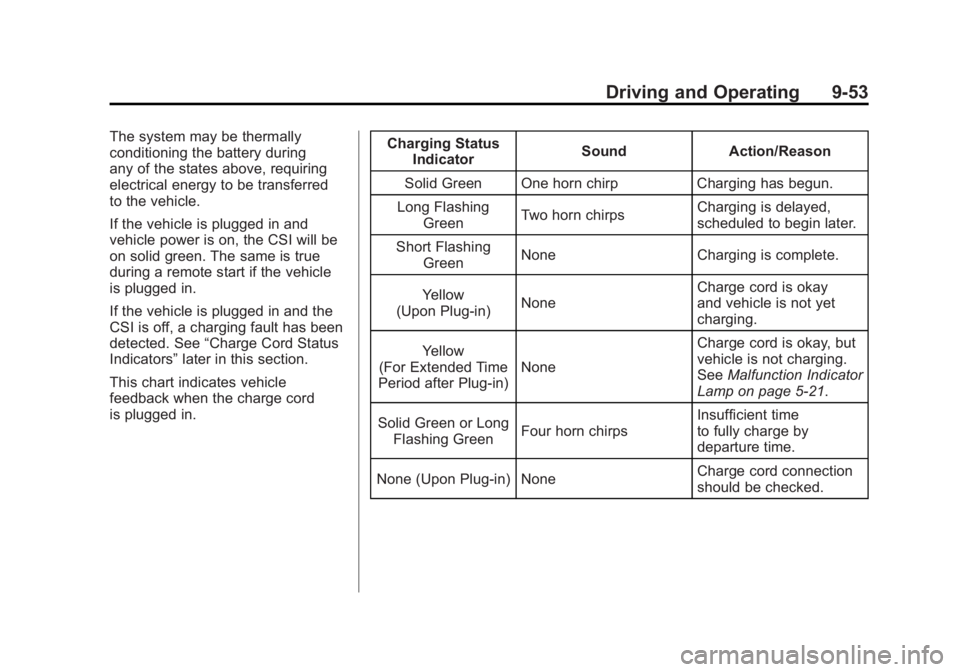
This chart indicates vehicle
feedback when the charge cord
is plugged in. Charging Status
Indicator Sound Action/Reason
Solid Green One horn chirp Charging has begun.
Long Flashing Green Two horn chirps Charging is delayed,
scheduled to begin later.
Short Flashing Green None Charging is complete.
Yellow
(Upon Plug‐in) None Charge cord is okay
and vehicle is not yet
charging.
Yellow
(For Extended Time
Period after Plug‐in) None Charge cord is okay, but
vehicle is not charging.
See
Malfunction Indicator
Lamp on page 5‑21.
Solid Green or Long Flashing Green Four horn chirps Insufficient time
to fully charge by
departure time.
None (Upon Plug‐in) None Charge cord connection
should be checked.
Page 357 of 516
Black plate (55,1)Chevrolet Volt Owner Manual - 2011
Driving and Operating 9-55
A portable charge cord used to
charge the vehicle high voltage
battery is stored under the rear
luggage compartment.
The charge cord used to charge the
vehicle is a high‐powered electrical
device. During normal operation, the
AC wall plug of the charge cord may
feel warm. The AC wall plug must fit
tightly into an AC outlet that is in
good condition.
{WARNING
Using the charge cord with a
worn or damaged AC outlet
may cause burns or start a fire.
Periodically, check the AC wall
plug and charge cord while the
vehicle is charging. If the AC wall
plug feels hot, unplug the charge
cord and have the AC outlet
replaced by a qualified electrician.
Replace the charge cord if the AC
wall plug or cord are damaged.
Do not use an AC outlet that is
worn or damaged.
{WARNING
An extension cord should not
be used to charge the vehicle.
Use of an extension cord may
increase the risk of electric
shock or other hazards.
If an extension cord is used
because of limited access
to 120V AC power, use the
following safeguards:
The 120V AC outlet should be
GFCI protected.
The extension cord should be:
.GFCI protected.
.12 or 14 gage, 3 conductor.
.Rated for outdoor.
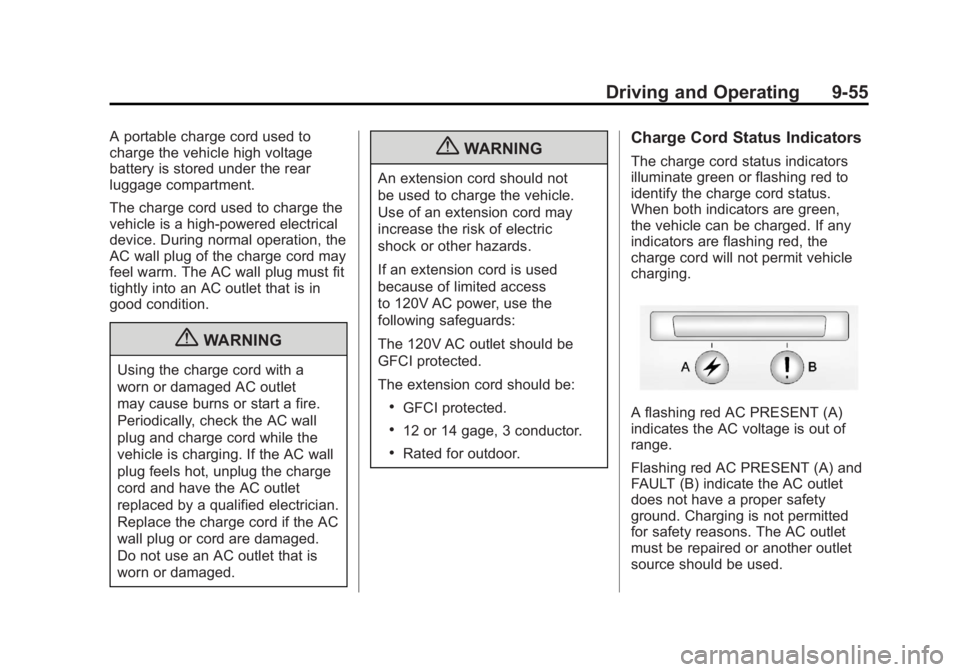
Charge Cord Status Indicators
The charge cord status indicators
illuminate green or flashing red to
identify the charge cord status.
When both indicators are green,
the vehicle can be charged. If any
indicators are flashing red, the
charge cord will not permit vehicle
charging.
A flashing red AC PRESENT (A)
indicates the AC voltage is out of
range.
Flashing red AC PRESENT (A) and
FAULT (B) indicate the AC outlet
does not have a proper safety
ground. Charging is not permitted
for safety reasons. The AC outlet
must be repaired or another outlet
source should be used.
Page 358 of 516
Black plate (56,1)Chevrolet Volt Owner Manual - 2011
9-56 Driving and Operating
A flashing red FAULT (B) indicates a
charge cord fault. The charge cord
will attempt to reset automatically.
If the flashing red FAULT (B)
continues for more than
30 seconds, unplug the charge
cord from the wall to reset. If the
fault remains, see your dealer for
service.
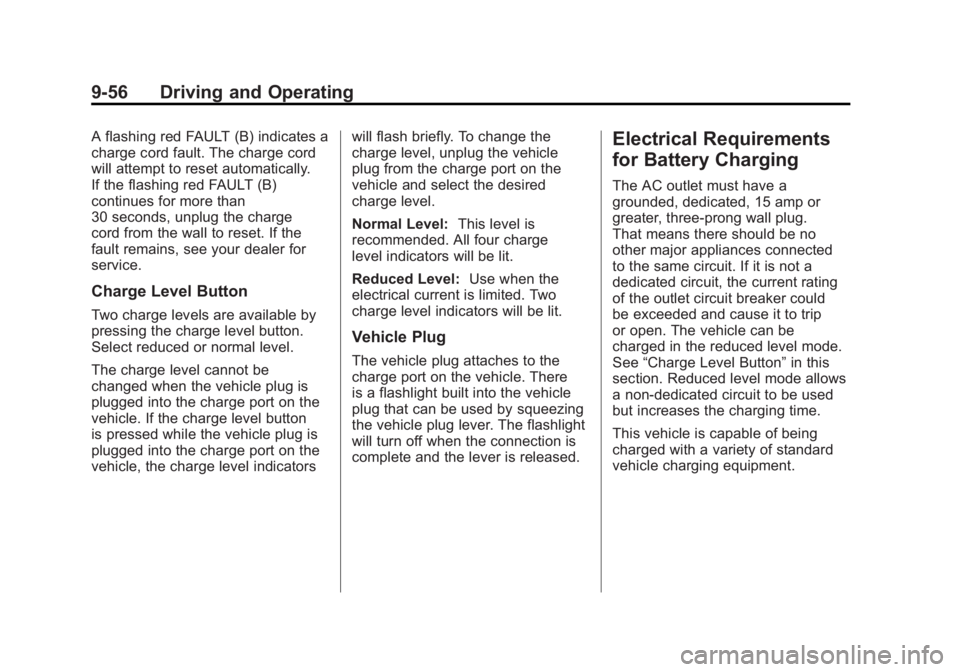
Charge Level Button
Two charge levels are available by
pressing the charge level button.
Select reduced or normal level.
The charge level cannot be
changed when the vehicle plug is
plugged into the charge port on the
vehicle. If the charge level button
is pressed while the vehicle plug is
plugged into the charge port on the
vehicle, the charge level indicatorswill flash briefly. To change the
charge level, unplug the vehicle
plug from the charge port on the
vehicle and select the desired
charge level.
Normal Level:
This level is
recommended. All four charge
level indicators will be lit.
Reduced Level: Use when the
electrical current is limited. Two
charge level indicators will be lit.
Vehicle Plug
The vehicle plug attaches to the
charge port on the vehicle. There
is a flashlight built into the vehicle
plug that can be used by squeezing
the vehicle plug lever. The flashlight
will turn off when the connection is
complete and the lever is released.
Electrical Requirements
for Battery Charging
The AC outlet must have a
grounded, dedicated, 15 amp or
greater, three‐prong wall plug.
That means there should be no
other major appliances connected
to the same circuit. If it is not a
dedicated circuit, the current rating
of the outlet circuit breaker could
be exceeded and cause it to trip
or open. The vehicle can be
charged in the reduced level mode.
See “Charge Level Button” in this
section. Reduced level mode allows
a non‐dedicated circuit to be used
but increases the charging time.
This vehicle is capable of being
charged with a variety of standard
vehicle charging equipment.
Page 359 of 516
Black plate (57,1)Chevrolet Volt Owner Manual - 2011
Driving and Operating 9-57
The following are the minimum
requirements for circuits used to
charge this vehicle:
.120V/15Amp
.240V/20Amp
Charging equipment with a
rating of at least 240V/20Amp
will provide the fastest charging
time to recharge the high voltage
battery. 240V/40Amp circuits
provide flexibility for future vehicle
charging needs. Contact your
dealer for more information.
Do not use non‐grounded electrical
plug adapters.
Notice: Do not use portable or
stationary backup generating
equipment to charge the vehicle.
This may cause damage to the
vehicle's charging system. Only
charge the vehicle from utility
supplied power.
Fuel
Use of the recommended fuel
is an important part of the proper
maintenance of this vehicle.
To help keep the engine clean
and maintain optimum vehicle
performance, we recommend
the use of gasoline advertised as
TOP TIER Detergent Gasoline.
Look for the TOP TIER label on
the fuel pump to ensure gasoline
meets enhanced detergency
standards developed by auto
companies. A list of marketers
providing TOP TIER Detergent
Gasoline can be found at
www.toptiergas.com.
Use premium unleaded gasoline
with a posted octane rating of 91
or higher. If the octane is less than
91, you could damage the engine.
If heavy knocking is heard when
using gasoline rated at 91 octane
or higher, the engine needs service.