homelink CHRYSLER ASPEN 2008 2.G Owners Manual
[x] Cancel search | Manufacturer: CHRYSLER, Model Year: 2008, Model line: ASPEN, Model: CHRYSLER ASPEN 2008 2.GPages: 479, PDF Size: 4.3 MB
Page 83 of 479
NTo Accelerate For Passing...............159
mRear Park Assist System Ð If Equipped.......160
mRear Camera Ð If Equipped...............163
mOverhead Console......................165
NCourtesy/Reading Lights................166
mOverhead Console With Electronic Vehicle
Information Center (EVIC) Ð If Equipped.....166
NDome/Reading Lights..................166
NElectronic Vehicle Information Center (EVIC) Ð
If Equipped.........................167
NCompass/Temperature Button............173
mGarage Door Opener Ð If Equipped.........176
NProgramming HomeLinkt...............177
NGate Operator/Canadian Programming.....180NUsing HomeLinkt.....................181
NReprogramming A Single HomeLinkt
Button.............................181
NSecurity............................181
NTroubleshooting Tips...................181
NGeneral Information...................182
mPower Sunroof Ð If Equipped.............182
NExpress Open Feature..................183
NWind Buffeting.......................184
NSunroof Maintenance...................184
mElectrical Power Outlets..................185
N115V Inverter Outlet ± If Equipped.........185
NElectrical Outlet Use With Engine Off (Battery
Fed Configuration)....................187
82 UNDERSTANDING THE FEATURES OF YOUR VEHICLE
Page 177 of 479
GARAGE DOOR OPENER Ð IF EQUIPPED
HomeLinktreplaces up to three remote controls (hand-
held transmitters) that operate devices such as garage
door openers, motorized gates, lighting, or home security
systems. The HomeLinktunit operates off your vehicle's
battery.
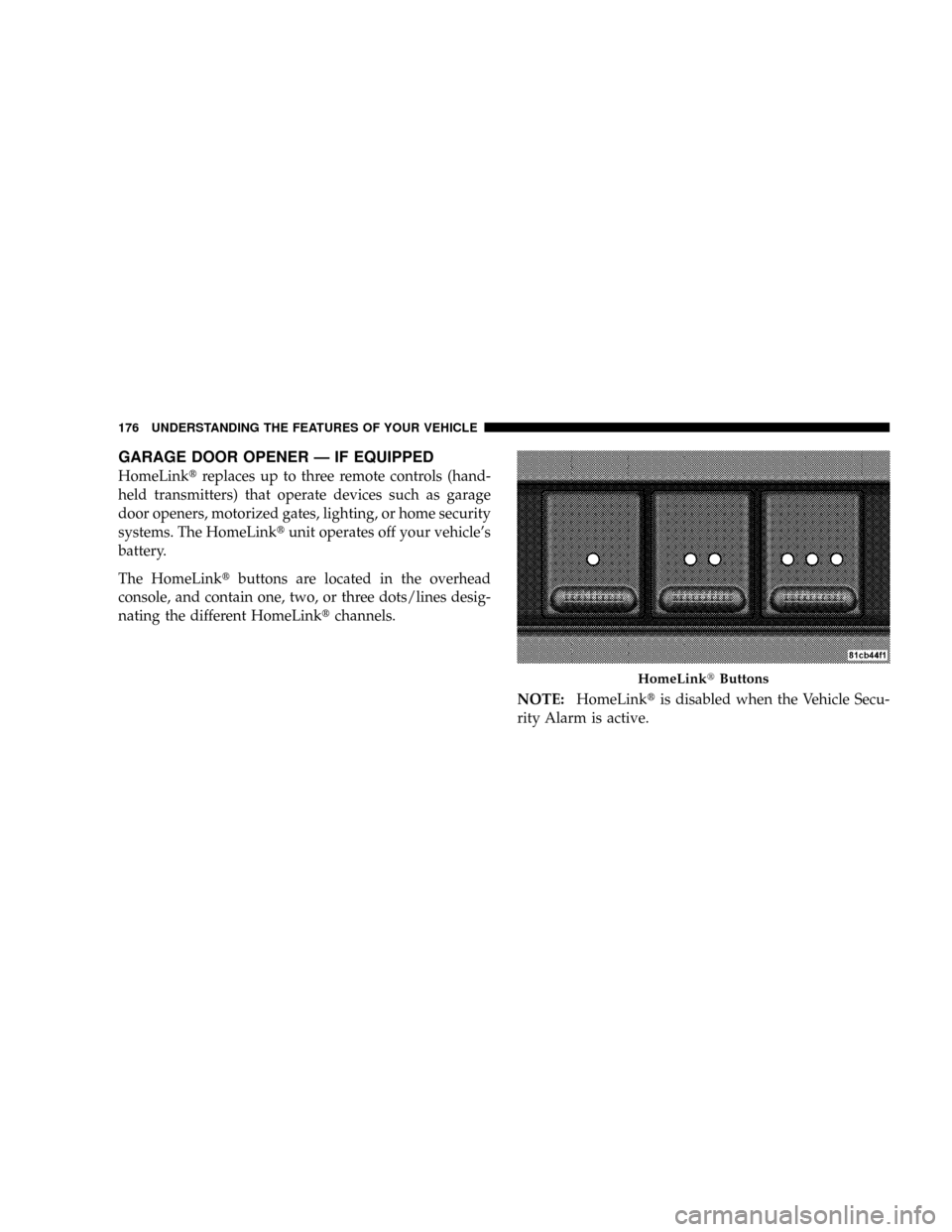
The HomeLinktbuttons are located in the overhead
console, and contain one, two, or three dots/lines desig-
nating the different HomeLinktchannels.
NOTE:HomeLinktis disabled when the Vehicle Secu-
rity Alarm is active.
HomeLinktButtons
176 UNDERSTANDING THE FEATURES OF YOUR VEHICLE
Page 178 of 479

WARNING!
Your motorized door or gate will open and close
while you are training the Universal Transceiver. Do
not train the transceiver if people or pets are in the
path of the door or gate. Only use this transceiver
with a garage door opener that has a ªstop and
reverseº feature as required by federal safety stan-
dards. This includes most garage door opener models
manufactured after 1982. Do not use a garage door
opener without these safety features. Call toll-free
1±800±355±3515 or, on the Internet at
www.HomeLink.com for safety information or
assistance.
WARNING!
Vehicle exhaust contains carbon monoxide, a danger-
ous gas. Do not run your vehicle in the garage while
training the transceiver. Exhaust gas can cause seri-
ous injury or death.
Programming HomeLinkT
Before You Begin
If you have not trained any of the HomeLinktbuttons,
erase all channels before you begin training.
To do this, press and hold the two outside buttons for 20
seconds. The EVIC will display ªCLEARING CHAN-
NELS.º Release the buttons when the EVIC message
states ªCHANNELS CLEARED.º
UNDERSTANDING THE FEATURES OF YOUR VEHICLE 177
3
Page 179 of 479
It is recommended that a new battery be placed in the
hand-held transmitter of the device being programmed
to HomeLinktfor more efficient training and accurate
transmission of the radio-frequency signal.
Your vehicle should be parked outside of the garage
while training.
1. Turn the ignition switch to the ON/RUN position.
2. Place the hand-held transmitter 1 to 3 in (3 to 8 cm)
from the HomeLinktbuttons while keeping the EVIC
display in view.
For optimal training, point the battery end of the hand-
held transmitter away from the HomeLinkt.
3. Simultaneously, press and hold both the chosen
HomeLinktbutton and the hand-held transmitter button
until the EVIC display changes from ªCHANNEL #
TRAININGº to ªCHANNEL # TRAINED.ºThen release both the HomeLinktand hand-held trans-
mitter buttons.
If the EVIC display states ªDID NOT TRAINº repeat Step
3. If the signal is too weak, replace the battery in the
original hand-held transmitter.
It may take up to 30 seconds, or longer, in rare cases. The
garage door may open and close while you train.
NOTE:Some gate operators and garage door openers
may require you to replace Step 3 with procedures noted
in the ªGate Operator/Canadian Programmingº section.
4. Press and hold the just-trained HomeLinktbutton. If
the channel has been trained, the EVIC display will now
state ªCHANNEL # TRANSMIT.º
If the EVIC display still states ªCHANNEL # TRAIN-
INGº repeat Step 3.
178 UNDERSTANDING THE FEATURES OF YOUR VEHICLE
Page 180 of 479
NOTE:After training a HomeLinktchannel, if the
garage door does not operate with HomeLinktand the
garage door opener was manufactured after 1995, the
garage door opener may have rolling code. If so, proceed
to the heading ªProgramming A Rolling Code System.º
5. PROGRAMMING A ROLLING CODE SYSTEM
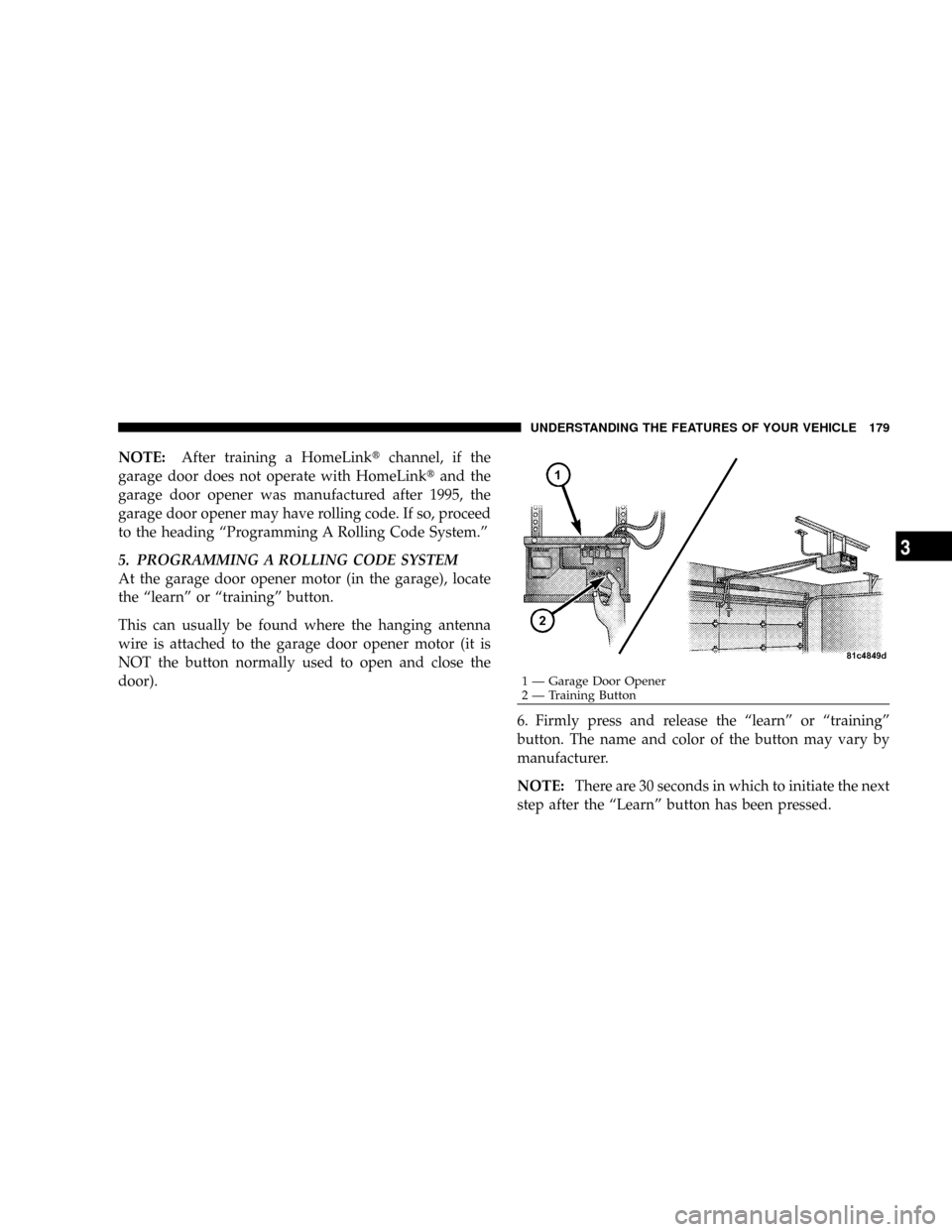
At the garage door opener motor (in the garage), locate
the ªlearnº or ªtrainingº button.
This can usually be found where the hanging antenna
wire is attached to the garage door opener motor (it is
NOT the button normally used to open and close the
door).
6. Firmly press and release the ªlearnº or ªtrainingº
button. The name and color of the button may vary by
manufacturer.
NOTE:There are 30 seconds in which to initiate the next
step after the ªLearnº button has been pressed.
1 Ð Garage Door Opener
2 Ð Training ButtonUNDERSTANDING THE FEATURES OF YOUR VEHICLE 179
3
Page 181 of 479
7. Return to the vehicle and press the programmed
HomeLinktbutton twice (holding the button for two
seconds each time). If the device is plugged in and
activates, programming is complete.
If the device does not activate, press the button a third
time (for two seconds) to complete the training.
If you have any problems, or require assistance, please
call toll-free 1±800±355±3515 or, on the Internet at
www.HomeLink.com for information or assistance.
To program the remaining two HomeLinktbuttons,
repeat each step for each remaining button. DO NOT
erase the channels.
Gate Operator/Canadian Programming
Canadian radio-frequency laws require transmitter sig-
nals to ªtime-outº (or quit) after several seconds of
transmission ± which may not be long enough for
HomeLinktto pick up the signal during programming.Similar to this Canadian law, some U.S. gate operators are
designed to ªtime-outº in the same manner.
It may be helpful to unplug the device during the cycling
process to prevent possible overheating of the garage
door or gate motor.
If you are having difficulties programming a garage door
opener or a gate operator, replace ªProgramming
HomeLinkº Step 3 with the following:
3. Continue to press and hold the HomeLinktbutton
while you press and release - every two seconds
(ªcycleº) your hand-held transmitter until HomeLinkt
has successfully accepted the frequency signal. The
EVIC display will change from ªCHANNEL # TRAIN-
INGº to ªCHANNEL # TRAINED.º
If you unplugged the device for training, plug it back in
at this time.
Then proceed with Step 4 under ªProgramming
HomeLinktº earlier in this section.
180 UNDERSTANDING THE FEATURES OF YOUR VEHICLE
Page 182 of 479

Using HomeLinkT
To operate, simply press and release the programmed
HomeLinktbutton. Activation will now occur for the
trained device (i.e., garage door opener, gate operator,
security system, entry door lock, home/office lighting,
etc.) The hand-held transmitter of the device may also be
used at any time.
Reprogramming A Single HomeLinkTButton
To reprogram a channel that has been previously trained,
follow these steps:
1. Turn the ignition switch to the ON/RUN position.
2. Press and hold the desired HomeLinktbutton for 20
seconds until the EVIC display states ªCHANNEL #
TRAINING.ºDo not release the button.
3.Without releasing the button,proceed with Program-
ming HomeLinktStep 2 and follow all remaining steps.
Security
It is advised to erase all channels before you sell or turn
in your vehicle.
To do this, press and hold the two outside buttons for 20
seconds until the EVIC message states ªCHANNELS
CLEARED.º Note that all channels will be erased. Indi-
vidual channels cannot be erased.
The HomeLinktUniversal Transceiver is disabled when
the Vehicle Security Alarm is active.
Troubleshooting Tips
If you are having trouble programming HomeLinkt, here
are some of the most common solutions:
²Replace the battery in the original transmitter.
²Press the learn button on the garage door opener to
complete the training for rolling code.
UNDERSTANDING THE FEATURES OF YOUR VEHICLE 181
3
Page 183 of 479
²Did you unplug the device for training, and remember
to plug it back in?
If you are having any problems or require assistance,
please call toll-free 1±800±355±3515 or, on the Internet at
www.HomeLink.com for information or assistance.
General Information
This device complies with FCC rules Part 15 and Industry
Canada RSS-210. Operation is subject to the following
two conditions:
1. This device may not cause harmful interference
2. This device must accept any interference that may be
received including interference that may cause undesired
operation
NOTE:The transmitter has been tested and it complies
with FCC and IC rules. Changes or modifications notexpressly approved by the party responsible for compli-
ance could void the user 's authority to operate the
device.
The term ªIC:º before the certification/registration num-
ber only signifies that Industry Canada technical specifi-
cations were met.POWER SUNROOF Ð IF EQUIPPED
The power sunroof control is located between the sun
visors on the overhead console.
Pressing the9open9end of the rocker switch once moves
the panel to the open position.
To close the panel, the9close9end of the switch must be
pressed and held.
Pressing the ªventº button from a fully closed position
raises the trailing edge of the panel for ventilation. When
182 UNDERSTANDING THE FEATURES OF YOUR VEHICLE
Page 465 of 479
Power Steering........................ 398
Transfer Case......................... 413
Fluids, Lubricants and Genuine Parts.......... 437
Fog Lights..........................148,435
Folding Rear Seat.....................129,133
Four Wheel Drive....................... 280
Operation........................... 280
Four-Way Hazard Flasher.................. 366
Freeing A Stuck Vehicle................... 378
Front Axle (Differential)................... 414
Fuel................................. 331
Filler Cap (Gas Cap).................336,337
Filter............................... 395
Gauge.............................. 203
Octane Rating......................331,437
Requirements......................331,436
Tank Capacity........................ 436Fuel, Flexible.............See Flexible Fuel Vehicles
Fuel System Caution..................... 338
Fuses.....................188,419,420,423,426
Garage Door Opener (HomeLinkt) ........... 176
Gas Cap (Fuel Filler Cap)............336,337,386
Gas Gauge (Fuel Gauge)................... 203
Gasoline (Fuel)......................... 331
Gasoline, Reformulated................... 332
Gauges
Coolant Temperature.................... 203
Fuel................................ 203
Odometer.........................206,208
Speedometer......................... 205
Tachometer.......................... 206
Gear Ranges........................... 275
General Information.................17,115,331
464 INDEX
Page 466 of 479

Glass Cleaning.......................... 418
Gross Axle Weight Rating...............343,346
Gross Cargo Weight...................... 342
Gross Vehicle Weight Rating................ 345
GVWR............................342,345
Hands-Free Phone (UConnectŸ)........88,220,221
Hard Drive (HDD)....................217,220
Hazard
Driving Through Flowing, Rising, or Shallow
Standing Water........................ 286
Hazard Warning Flasher................... 366
Headlights............................ 429
Cleaning............................ 418
Delay.............................. 146
High Beam........................... 151
High Beam/Low Beam Select Switch........ 151
Lights On Reminder.................... 148
Passing............................. 150Replacing............................ 429
Heated Mirrors.......................... 87
Heated Seats........................... 124
Heater............................... 249
Heater, Engine Block..................... 274
High Beam Indicator..................... 204
High Beam/Low Beam Select (Dimmer) Switch . . 151
Hitches
Trailer Towing........................ 350
HomeLinkt(Garage Door Opener) Transmitter . . . 176
Hood Release.......................... 142
Hoses................................ 407
Ignition.............................12,17
Key ................................. 12
Lock................................ 17
Ignition Key Removal..................... 12
Illuminated Entry........................ 20
Immobilizer (Sentry Key)................... 13
INDEX 465
10