warning CITROEN BERLINGO VAN 2018 Owner's Manual
[x] Cancel search | Manufacturer: CITROEN, Model Year: 2018, Model line: BERLINGO VAN, Model: CITROEN BERLINGO VAN 2018Pages: 324, PDF Size: 9.41 MB
Page 31 of 324
29
Instruments
1– Air conditioning system controls (depending
on version).
For safety reasons, always stop the
vehicle before performing operations
that require sustained attention.
Some functions are not accessible while
driving.
Recommendations
Do not use pointed objects on the touch screen.
Do not touch the touch screen with wet hands.
Use a soft, clean cloth to clean the touch screen.
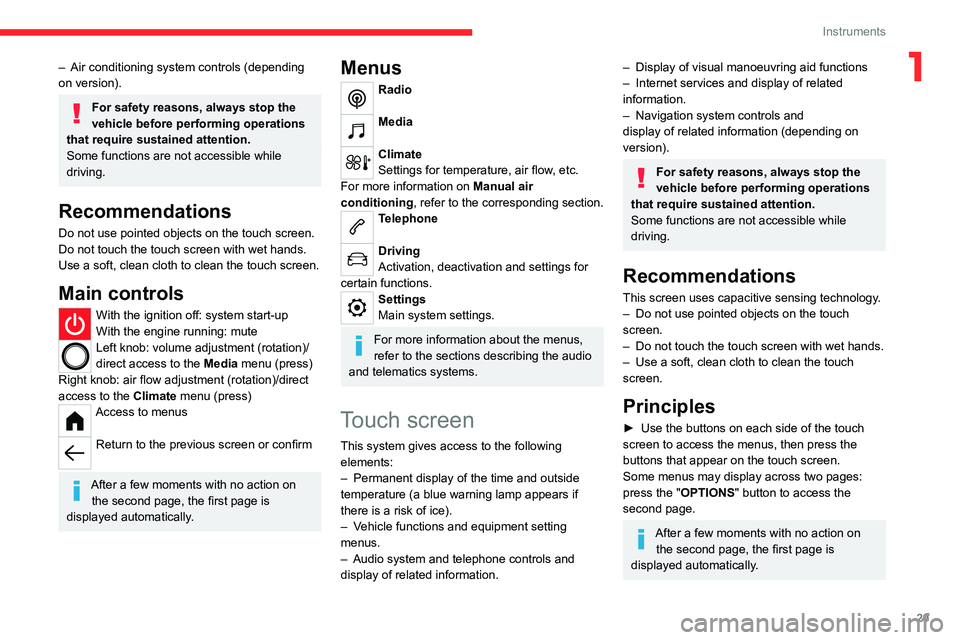
Main controls
With the ignition off: system start-up
With the engine running: mute
Left knob: volume adjustment (rotation)/
direct access to the Media menu (press)
Right knob: air flow adjustment (rotation)/direct
access to the Climate menu (press)
Access to menus
Return to the previous screen or confirm
After a few moments with no action on
the second page, the first page is
displayed automatically.
Menus
Radio
Media
Climate
Settings for temperature, air flow, etc.
For more information on Manual air
conditioning , refer to the corresponding section.
Telephone
Driving
Activation, deactivation and settings for
certain functions.
Settings
Main system settings.
For more information about the menus,
refer to the sections describing the audio
and telematics systems.
Touch screen
This system gives access to the following elements:
–
Permanent display of the time and outside
temperature (a blue warning lamp appears if
there is a risk of ice).
–
V
ehicle functions and equipment setting
menus.
–
Audio system and telephone controls and
display of related information.
– Display of visual manoeuvring aid functions
– Internet services and display of related
information.
–
Navigation system controls and
display
of related information (depending on
version).
For safety reasons, always stop the
vehicle before performing operations
that require sustained attention.
Some functions are not accessible while
driving.
Recommendations
This screen uses capacitive sensing technology.
– Do not use pointed objects on the touch
screen.
–
Do not touch the touch screen with wet hands.
–
Use a soft, clean cloth to clean the touch
screen.
Principles
► Use the buttons on each side of the touch
screen to access the menus, then press the
buttons that appear on the touch screen.
Some menus may display across two pages:
press the "OPTIONS" button to access the
second page.
After a few moments with no action on the second page, the first page is
displayed automatically.
Page 32 of 324
30
Instruments
To deactivate/activate a function, select "OFF"
or "ON".
Configuring a function
Access to additional information on the function
Confirm
Return to the previous page or confirm
Menus
Press the touch screen with three fingers
to show all of the menu buttons.
For more information about the menus,
refer to the sections describing the audio
and telematics systems.
Radio/Media
Navigation (Depending on equipment)
Driving or Vehicle (Depending on
equipment)
Activation, deactivation and settings for certain
functions.
The functions are organised in 2 tabs: " Driving
functions" and "Vehicle settings".
Telephone
Applications Display of available connected services.
Energy (with CITROËN Connect Nav)
Access the specific Electric functions
(energy flow, consumption statistics, deferred
charge) organised in the corresponding 3 tabs.
or
Settings
Main settings for the audio system and
touch
screen.
Audio system on/off Volume adjustment/mute
Upper bar
Certain information is displayed permanently in
the upper bar of the touch screen:
–
T
ime and outside temperature (a blue warning
lamp appears if there is a risk of ice).
–
Reminder of information from the
RadioMedia
and Telephone menus and
navigation instructions (depending on
equipment).
–
Notifications.
– Access to the Settings.
Energy menu
This menu is only available with CITROËN
Connect Nav .
Depending on version, this is accessible either:
– directly, by pressing the button near the
touch screen.
– via the Applications menu.
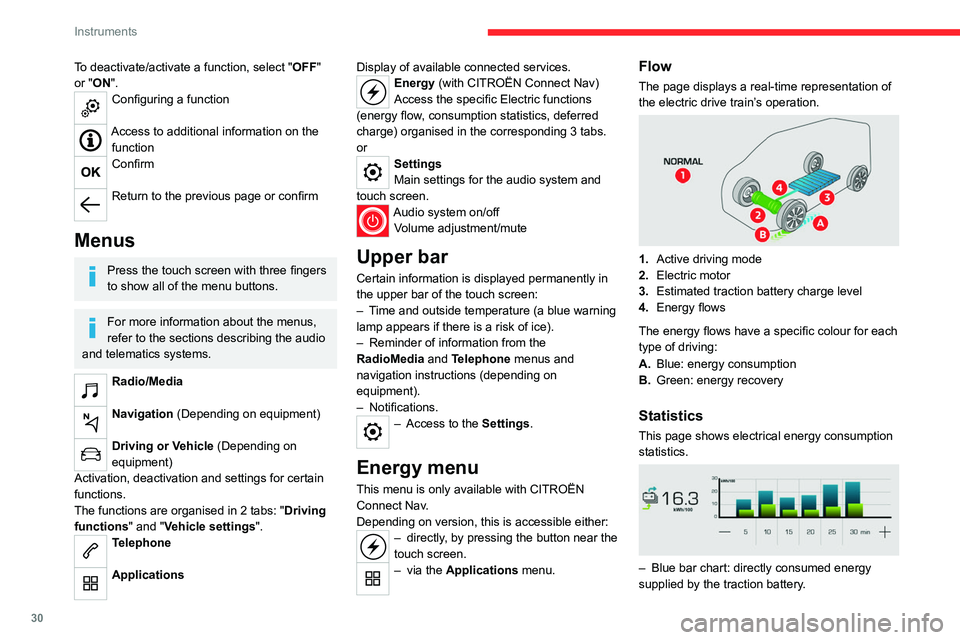
Flow
The page displays a real-time representation of
the electric drive train’s operation.
1.Active driving mode
2. Electric motor
3. Estimated traction battery charge level
4. Energy flows
The energy flows have a specific colour for each
type of driving:
A. Blue: energy consumption
B. Green: energy recovery
Statistics
This page shows electrical energy consumption
statistics.
– Blue bar chart: directly consumed energy
supplied by the traction battery .
Page 40 of 324
38
Access
– when the vehicle is stationary and engine
running, this warning lamp comes on,
accompanied by a warning message for a few
seconds,
–
when the vehicle is moving (at speeds above
6 mph (10 km/h)), this warning lamp comes on,
accompanied by an audible signal and a warning
message for a few seconds.
Deadlocking
Deadlocking renders the exterior and
interior door controls inoperative. It also
deactivate the manual central control button.
The horn remains operational.
Never leave anyone inside the vehicle
when it is deadlocked.
With the key
► To deadlock the vehicle, turn the key in the
driver's door lock towards the rear of the vehicle.
►
Then
within five seconds , turn the key
towards the rear again.
With the remote control
► To deadlock the vehicle, press this
button.
►
Then press this button again within five
seconds after locking
.
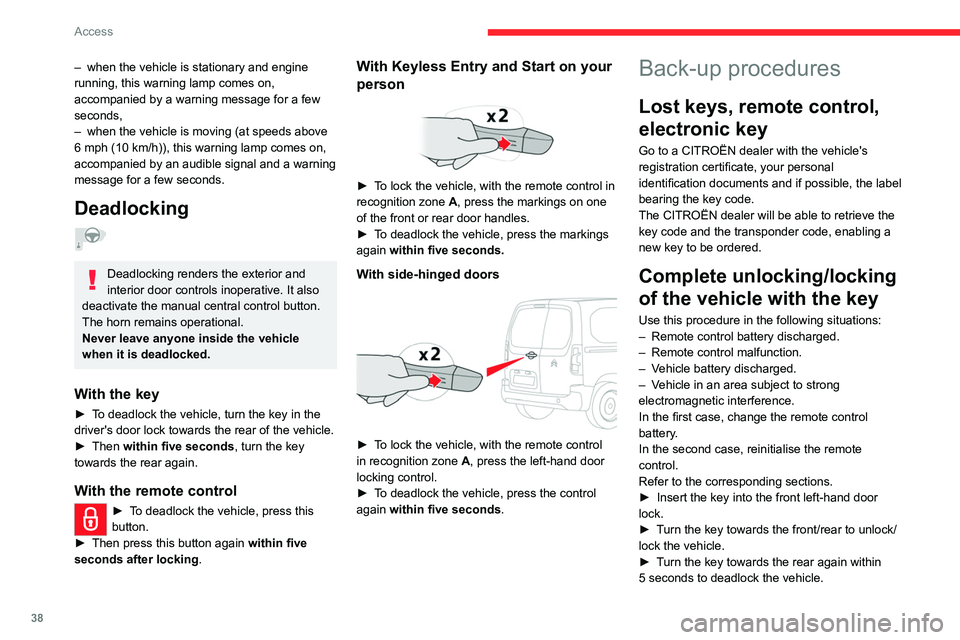
With Keyless Entry and Start on your
person
► To lock the vehicle, with the remote control in
recognition zone A, press the markings on one
of the front or rear door handles.
►
T
o deadlock the vehicle, press the markings
again within five seconds.
With side-hinged doors
► To lock the vehicle, with the remote control
in recognition zone A, press the left-hand door
locking control.
►
T
o deadlock the vehicle, press the control
again within five seconds .
Back-up procedures
Lost keys, remote control,
electronic key
Go to a CITROËN dealer with the vehicle's
registration certificate, your personal
identification documents and if possible, the label
bearing the key code.
The CITROËN dealer will be able to retrieve the
key code and the transponder code, enabling a
new key to be ordered.
Complete unlocking/locking
of the vehicle with the key
Use this procedure in the following situations:
–
Remote control battery discharged.
–
Remote control malfunction.
–
V
ehicle battery discharged.
–
V
ehicle in an area subject to strong
electromagnetic interference.
In the first case, change the remote control
battery.
In the second case, reinitialise
the remote
control.
Refer to the corresponding sections.
►
Insert the key into the front left-hand door
lock.
►
T
urn the key towards the front/rear to unlock/
lock the vehicle.
►
T
urn the key towards the rear again within
5
seconds to deadlock the vehicle.
Page 42 of 324
40
Access
If the battery is discharged and your
vehicle is equipped with a tailgate and
an
Extenso Cab, you will not be able to
access the loading area.
Replace the battery to regain access.
For more information on the 12 V battery,
refer to the corresponding section.
In the event of a malfunction or if you
experience difficulty opening or closing
the tailgate, have it checked by a CITROËN
dealer or a qualified workshop without delay,
to avoid the issue deteriorating and prevent
any risk of the tailgate dropping, potentially
causing serious injury.
Changing the battery
If the battery is flat, this warning lamp
comes on, accompanied by an audible
signal and the display of a message.
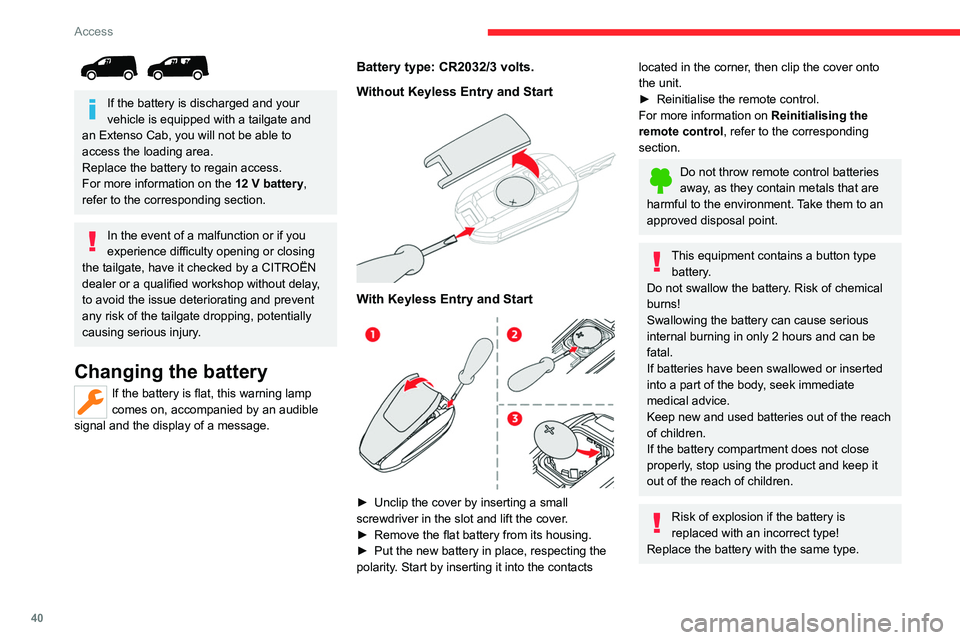
Battery type: CR2032/3 volts.
Without Keyless Entry and Start
With Keyless Entry and Start
► Unclip the cover by inserting a small
screwdriver in the slot and lift the cover .
►
Remove the flat battery from its housing.
►
Put the new battery in place, respecting the
polarity
. Start by inserting it into the contacts
located in the corner, then clip the cover onto
the unit.
►
Reinitialise the remote control.
For more information on Reinitialising the
remote control
, refer to the corresponding
section.
Do not throw remote control batteries
away, as they contain metals that are
harmful to the environment. Take them to an
approved disposal point.
This equipment contains a button type battery.
Do not swallow the battery. Risk of chemical
burns!
Swallowing the battery can cause serious
internal burning in only 2 hours and can be
fatal.
If batteries have been swallowed or inserted
into a part of the body, seek immediate
medical advice.
Keep new and used batteries out of the reach
of children.
If the battery compartment does not close
properly, stop using the product and keep it
out of the reach of children.
Risk of explosion if the battery is
replaced with an incorrect type!
Replace the battery with the same type.
Page 44 of 324
42
Access
If one of the doors is open, the central
locking from the inside does not function.
This is signalled by a mechanical noise from
the locks.
If the boot is open, only the locking of the
other doors is carried out. The indicator lamp
in the button remains off.
When locking from inside, the door
mirrors do not fold.
The indicator lamp also goes off when unlocking one or more accesses.
Automatic mode
This is the automatic central locking of the
vehicle when driving, also called anti-intrusion
security.
For more information on Anti-intrusion
security, refer to the corresponding section.
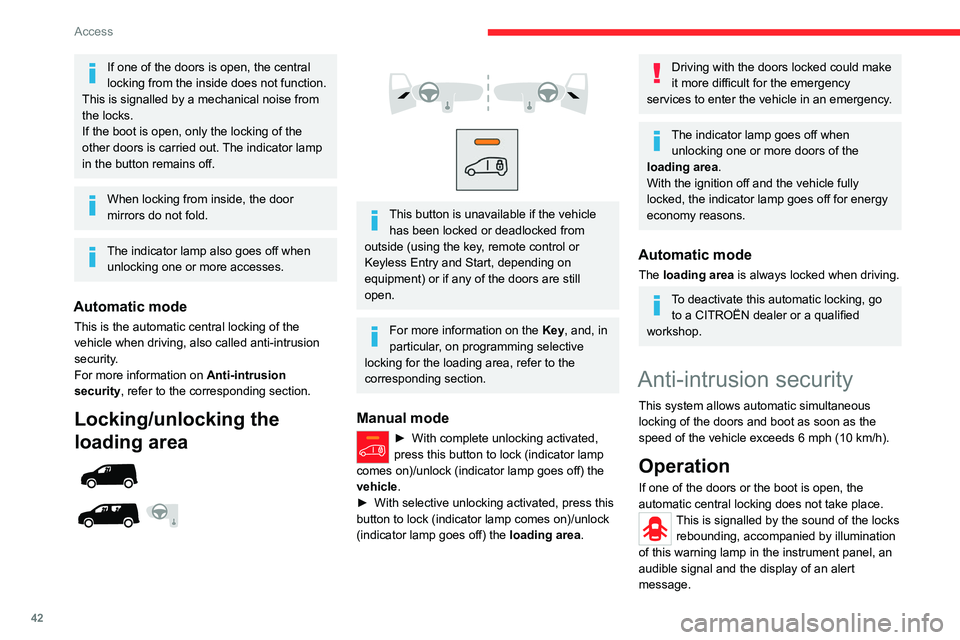
Locking/unlocking the
loading area
This button is unavailable if the vehicle has been locked or deadlocked from
outside (using the key, remote control or
Keyless Entry and Start, depending on
equipment) or if any of the doors are still
open.
For more information on the Key, and, in
particular, on programming selective
locking for the loading area, refer to the
corresponding section.
Manual mode
► With complete unlocking activated,
press this button to lock (indicator lamp
comes on)/unlock (indicator lamp goes off) the
vehicle
.
►
With selective unlocking activated, press this
button to lock (indicator lamp comes on)/unlock
(indicator lamp goes off) the loading area
.
Driving with the doors locked could make
it more difficult for the emergency
services to enter the vehicle in an emergency.
The indicator lamp goes off when unlocking one or more doors of the
loading area.
With the ignition off and the vehicle fully
locked, the indicator lamp goes off for energy
economy reasons.
Automatic mode
The loading area is always locked when driving.
To deactivate this automatic locking, go to a CITROËN dealer or a qualified
workshop.
Anti-intrusion security
This system allows automatic simultaneous
locking of the doors and boot as soon as the
speed of the vehicle exceeds 6 mph (10 km/h).
Operation
If one of the doors or the boot is open, the
automatic central locking does not take place.
This is signalled by the sound of the locks rebounding, accompanied by illumination
of this warning lamp in the instrument panel, an
audible signal and the display of an alert
message.
Page 46 of 324
44
Access
The audible warning, the lighting of the "door
open" warning lamp and the message on the
screen are there to remind you. Contact a
CITROËN dealer or a qualified workshop if
you want to deactivate this warning.
Lock the vehicle when you use an automatic
car wash.
Before opening or closing and while
moving doors, ensure that no person,
animal or object is in the door frame or any
other position that would block the desired
movement, inside or outside the vehicle.
If this advice is not followed, injuries or
damage may occur if any part of a person or
an object is trapped or caught.
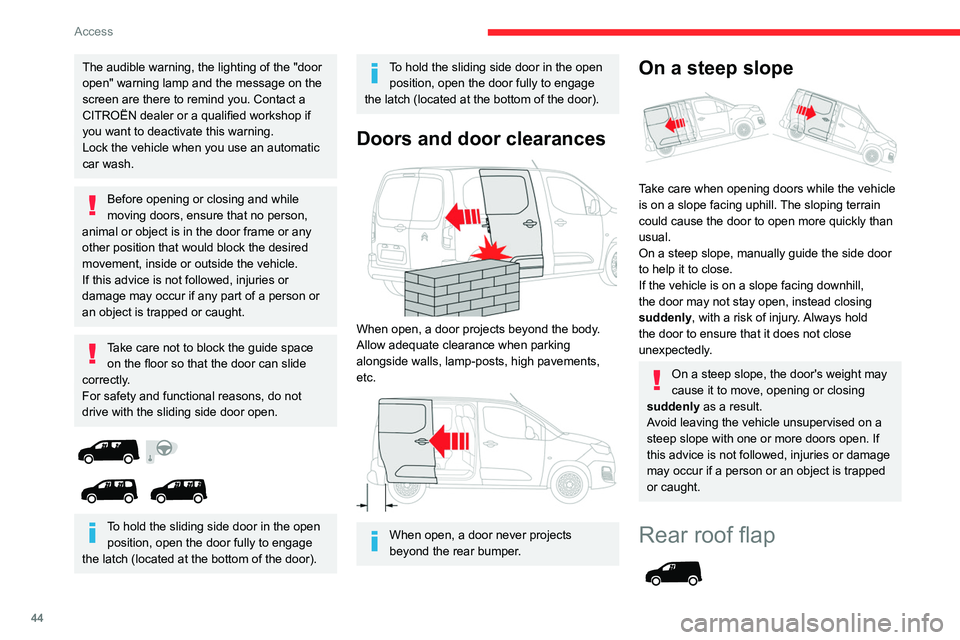
Take care not to block the guide space on the floor so that the door can slide
correctly.
For safety and functional reasons, do not
drive with the sliding side door open.
To hold the sliding side door in the open position, open the door fully to engage
the latch (located at the bottom of the door).
To hold the sliding side door in the open position, open the door fully to engage
the latch (located at the bottom of the door).
Doors and door clearances
When open, a door projects beyond the body.
Allow adequate clearance when parking
alongside walls, lamp-posts, high pavements,
etc.
When open, a door never projects
beyond the rear bumper.
On a steep slope
Take care when opening doors while the vehicle
is on a slope facing uphill. The sloping terrain
could cause the door to open more quickly than
usual.
On a steep slope, manually guide the side door
to help it to close.
If the vehicle is on a slope facing downhill,
the door may not stay open, instead closing
suddenly, with a risk of injury. Always hold
the door to ensure that it does not close
unexpectedly.
On a steep slope, the door's weight may
cause it to move, opening or closing
suddenly as a result.
Avoid leaving the vehicle unsupervised on a
steep slope with one or more doors open. If
this advice is not followed, injuries or damage
may occur if a person or an object is trapped
or caught.
Rear roof flap
Page 47 of 324
45
Access
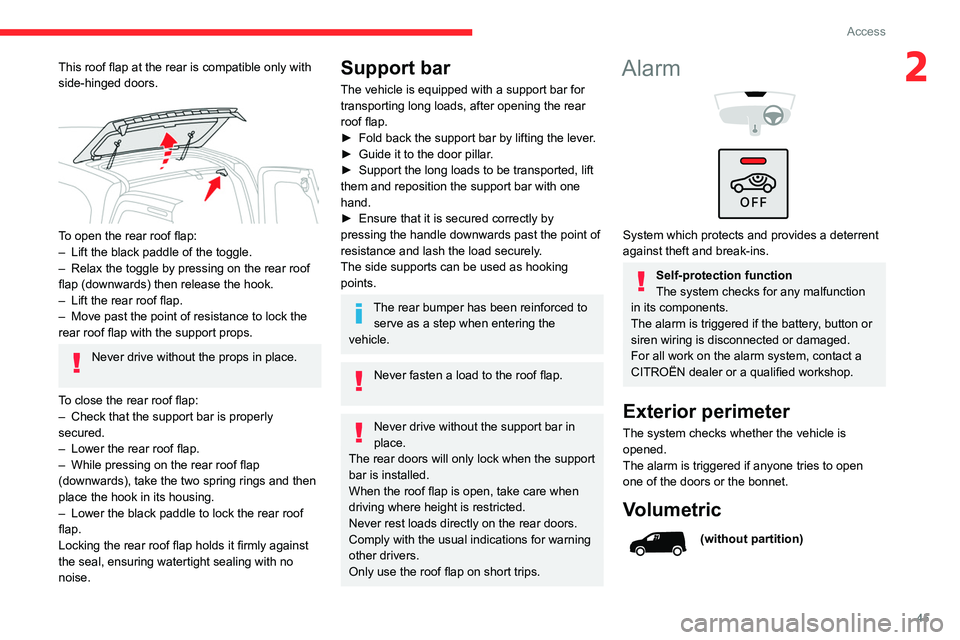
2This roof flap at the rear is compatible only with
side-hinged doors.
To open the rear roof flap:
– Lift the black paddle of the toggle.
–
Relax the toggle by pressing on the rear roof
flap (downwards) then release the hook.
–
Lift the rear roof flap.
–
Move past the point of resistance to lock the
rear roof flap with the support props.
Never drive without the props in place.
To close the rear roof flap:
–
Check that the support bar is properly
secured.
–
Lower the rear roof flap.
–
While pressing on the rear roof flap
(downwards), take the two spring rings and then
place the hook in its housing.
–
Lower the black paddle to lock the rear roof
flap.
Locking the rear roof flap holds it firmly against
the seal, ensuring watertight sealing with no
noise.
Support bar
The vehicle is equipped with a support bar for
transporting long loads, after opening the rear
roof flap.
►
Fold back the support bar by lifting the lever
.
►
Guide it to the door pillar
.
►
Support the long loads to be transported, lift
them and reposition the support bar with one
hand.
►
Ensure that it is secured correctly by
pressing the handle downwards past the point of
resistance and lash the load securely
.
The side supports can be used as hooking
points.
The rear bumper has been reinforced to serve as a step when entering the
vehicle.
Never fasten a load to the roof flap.
Never drive without the support bar in
place.
The rear doors will only lock when the support
bar is installed.
When the roof flap is open, take care when
driving where height is restricted.
Never rest loads directly on the rear doors.
Comply with the usual indications for warning
other drivers.
Only use the roof flap on short trips.
Alarm
System which protects and provides a deterrent
against theft and break-ins.
Self-protection function
The system checks for any malfunction
in its components.
The alarm is triggered if the battery, button or
siren wiring is disconnected or damaged.
For all work on the alarm system, contact a
CITROËN dealer or a qualified workshop.
Exterior perimeter
The system checks whether the vehicle is
opened.
The alarm is triggered if anyone tries to open
one of the doors or the bonnet.
Volumetric
(without partition)
Page 69 of 324
67
Ease of use and comfort
3On the floor, behind the front seats, a vertical
partition protects the driver and front passengers
against the risk of load movement.
Steel or glazed partitions separate the loading
area from the cab.
When washing your vehicle, never clean
the inside directly using a water jet.
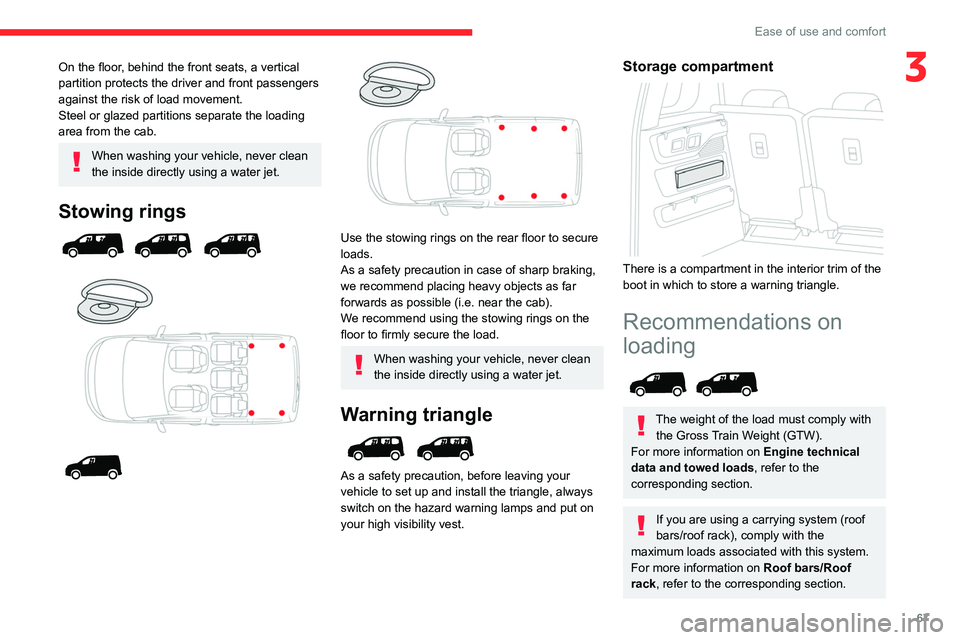
Stowing rings
Use the stowing rings on the rear floor to secure
loads.
As a safety precaution in case of sharp braking,
we recommend placing heavy objects as far
forwards as possible (i.e. near the cab).
We recommend using the stowing rings on the
floor to firmly secure the load.
When washing your vehicle, never clean
the inside directly using a water jet.
Warning triangle
As a safety precaution, before leaving your
vehicle to set up and install the triangle, always
switch on the hazard warning lamps and put on
your high visibility vest.
Storage compartment
There is a compartment in the interior trim of the
boot in which to store a warning triangle.
Recommendations on
loading
The weight of the load must comply with the Gross Train Weight (GTW).
For more information on Engine technical
data and towed loads , refer to the
corresponding section.
If you are using a carrying system (roof
bars/roof rack), comply with the
maximum loads associated with this system.
For more information on Roof bars/Roof
rack , refer to the corresponding section.
Page 87 of 324
85
Lighting and visibility
4on the part of the driver. They can also come
on if rain is detected, at the same time as the
automatic rain sensitive wipers.
As soon as the brightness returns to a sufficient
level or after the windscreen wipers are switched
off, the lamps are switched off automatically.
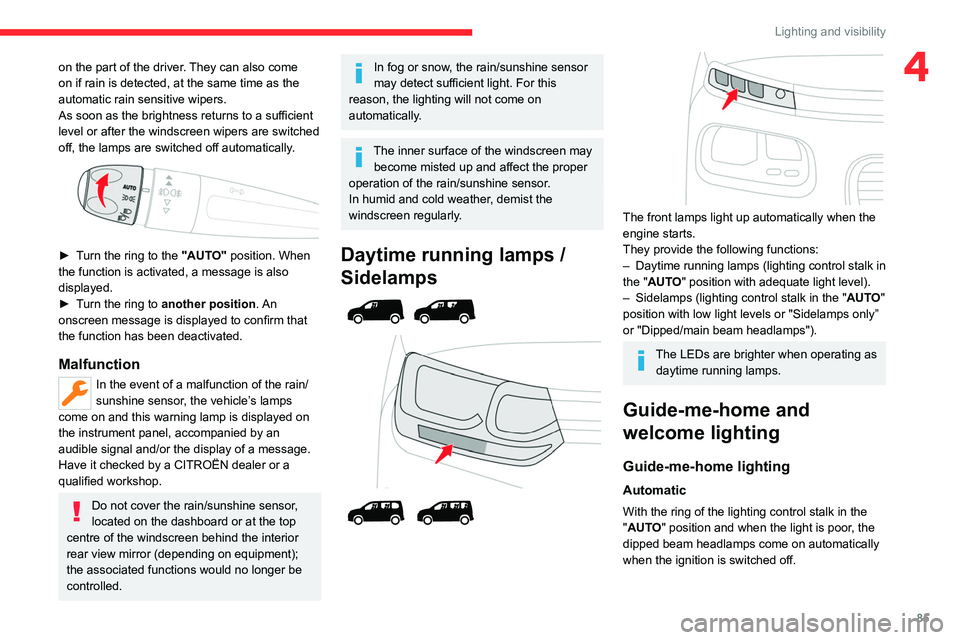
► Turn the ring to the "AUTO" position. When
the function is activated, a message is also
displayed.
►
T
urn the ring to another position . An
onscreen message is displayed to confirm that
the function has been deactivated.
Malfunction
In the event of a malfunction of the rain/
sunshine sensor, the vehicle’s lamps
come on and this warning lamp is displayed on
the instrument panel, accompanied by an
audible signal and/or the display of a message.
Have it checked by a CITROËN dealer or a
qualified workshop.
Do not cover the rain/sunshine sensor,
located on the dashboard or at the top
centre of the windscreen behind the interior
rear view mirror (depending on equipment);
the associated functions would no longer be
controlled.
In fog or snow, the rain/sunshine sensor
may detect sufficient light. For this
reason, the lighting will not come on
automatically.
The inner surface of the windscreen may become misted up and affect the proper
operation of the rain/sunshine sensor.
In humid and cold weather, demist the
windscreen regularly.
Daytime running lamps /
Sidelamps
The front lamps light up automatically when the
engine starts.
They provide the following functions:
–
Daytime running lamps (lighting control stalk in
the "
AUTO" position with adequate light level).
–
Sidelamps (lighting control stalk in the " AUT
O"
position with low light levels or "Sidelamps only”
or "Dipped/main beam headlamps").
The LEDs are brighter when operating as daytime running lamps.
Guide-me-home and
welcome lighting
Guide-me-home lighting
Automatic
With the ring of the lighting control stalk in the
"AUTO" position and when the light is poor, the
dipped beam headlamps come on automatically
when the ignition is switched off.
Page 91 of 324
89
Lighting and visibility
4To avoid damaging the wiper blades, do not operate the screenwash if the
screenwash reservoir is empty.
Only operate the screenwash if there is no
risk of the fluid freezing on the windscreen
and hindering visibility. During the winter
period, use "very cold climate" rated products.
Never top up with water.
Low screenwash fluid level
When the low level of the reservoir is
reached, this warning lamp lights up on
the instrument panel, accompanied by an
audible signal and a message.
It comes on when the ignition is switched on,
or every time the stalk is operated, until the
reservoir is refilled.
Refill the screenwash reservoir (or have it
refilled) the next time you stop.
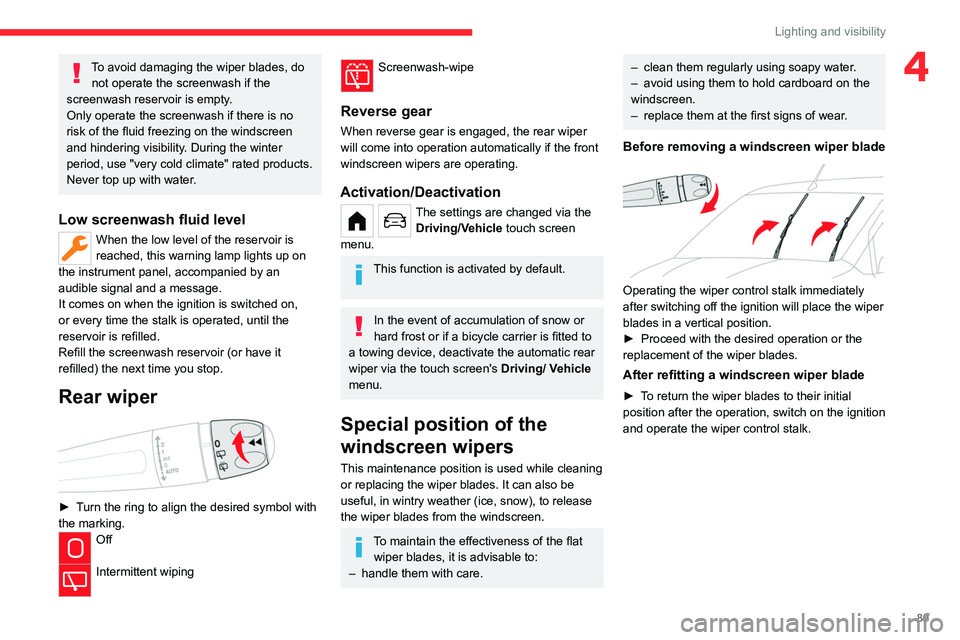
Rear wiper
► Turn the ring to align the desired symbol with
the marking.
Off
Intermittent wiping
Screenwash-wipe
Reverse gear
When reverse gear is engaged, the rear wiper
will come into operation automatically if the front
windscreen wipers are operating.
Activation/Deactivation
The settings are changed via the Driving/Vehicle touch screen
menu.
This function is activated by default.
In the event of accumulation of snow or
hard frost or if a bicycle carrier is fitted to
a towing device, deactivate the automatic rear
wiper via the touch screen's
Driving/ V
ehicle
menu.
Special position of the
windscreen wipers
This maintenance position is used while cleaning
or replacing the wiper blades. It can also be
useful, in wintry weather (ice, snow), to release
the wiper blades from the windscreen.
To maintain the effectiveness of the flat wiper blades, it is advisable to:
–
handle them with care.
– clean them regularly using soapy water .
– avoid using them to hold cardboard on the
windscreen.
–
replace them at the first signs of wear
.
Before removing a windscreen wiper blade
Operating the wiper control stalk immediately
after switching off the ignition will place the wiper
blades in a vertical position.
►
Proceed with the desired operation or the
replacement of the wiper blades.
After refitting a windscreen wiper blade
► To return the wiper blades to their initial
position after the operation, switch on the ignition
and operate the wiper control stalk.