ad blue Citroen C4 PICASSO RHD 2014.5 1.G User Guide
[x] Cancel search | Manufacturer: CITROEN, Model Year: 2014.5, Model line: C4 PICASSO RHD, Model: Citroen C4 PICASSO RHD 2014.5 1.GPages: 428, PDF Size: 10.03 MB
Page 43 of 428
41
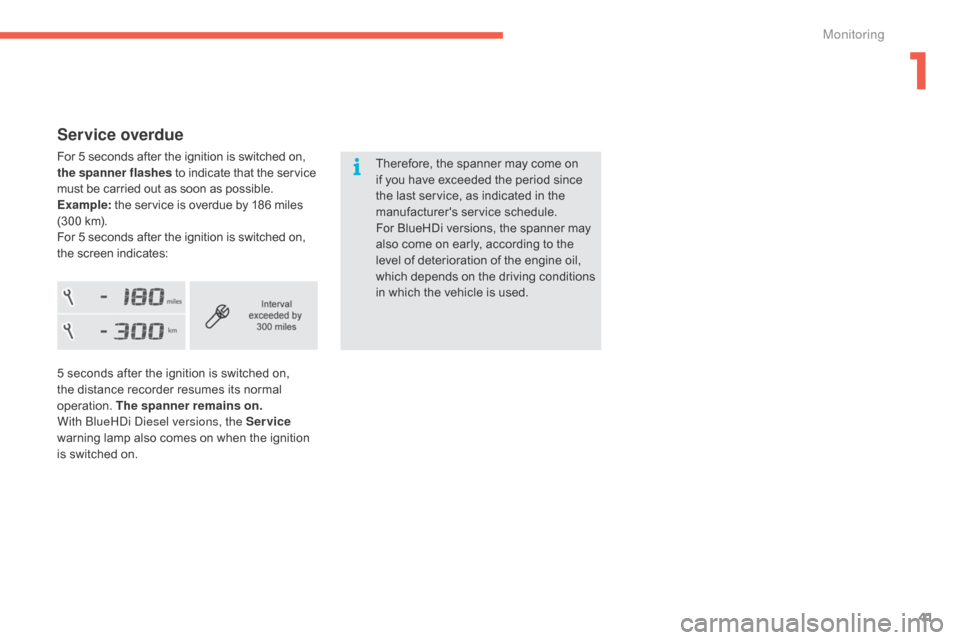
Service overdue
For 5 seconds after the ignition is switched on, the spanner flashes to indicate that the service m
ust be carried out as soon as possible.
Example:
the service is overdue by 186 miles
(
300 km).
For
5 seconds after the ignition is switched on,
t
he screen indicates: Therefore,
the spanner may come on
i
f you have exceeded the period since
t
he last service, as indicated in the
ma
nufacturer's
ser
vice
s
chedule.
For
BlueHDi versions, the spanner may
a
lso come on early, according to the
l
evel of deterioration of the engine oil,
w
hich
d
epends
o
n
t
he
d
riving
c
onditions
i
n which the vehicle is used.
5
seconds after the ignition is switched on,
t
he distance recorder resumes its normal
ope
ration.
T
he spanner remains on .
With
b
l
ueH
di
d
i
esel versions, the Service
warning
lamp also comes on when the ignition
i
s switched on.
1
Monitoring
Page 98 of 428

96
Heating
Temperature adjustment
F Press one of these buttons, or move the cursor from blue
(
cold) to red (hot) to adjust the
t
emperature to your wishes.
Air flow adjustment
F Press one of these buttons to increase or decrease the speed
o
f the booster fan.
Air distribution adjustmentThe intake of exterior air prevents and eliminates misting of the windscreen and side
w
indows.
The
recirculation of interior air prevents exterior
o
dours and smoke entering the passenger
c
ompartment.
Windscreen.
Centre
and
side
vents.
Footwells. The
air distribution can be varied by using more
t
han one button.
Each press of a button activates or deactivates
t
he function.
The indicator lamp is on when the button is
a
ctivated. For an even distribution of air in the
p
assenger compartment, the three buttons can
b
e activated simultaneously.
Air intake / Air recirculation
F Press this button to recirculate
the interior air. The indicator
l
amp in the button comes on.
F
P
ress the button again to allow
t
he intake of exterior air. This is
c
onfirmed by the indicator lamp
g
oing off.
Avoid
driving
for
too
long
without
v
entilation
(risk
of
misting
and
d
eterioration
of
air
quality).
The
heating
system
works
only
when
the
e
ngine
is
running.
Press the button for the " Air conditioning"
menu
to
display
the
page
for
the
system
c
ontrols.
The
symbol
for
air flow
(a
fan)
fills
progressively
a
ccording
to
the
air
flow
setting
made.
By
reducing
the
air
flow
to
the
minimum,
you
a
re
stopping
ventilation
of
the
passenger
c
ompartment.
Comfort
Page 99 of 428

97
Dual-zone manual air conditioning with temperature regulation
The air conditioning system operates with the engine r unning.
The
temperature at the nozzles and vents
i
s regulated by the system according to the
t
emperature in the passenger compartment
a
nd the temperature setting.
Press the button for the " Air conditioning"
menu
to display the system controls page.Temperature adjustment
F Press one of these buttons to reduce (blue) or increase (red)
t
he value.
Air flow adjustment
Press one of these buttons to
increase or decrease the speed of
t
he air booster fan.
The
driver
and
front
passenger
can
each
adjust
t
he t
emperature.
The value indicated corresponds to a level of c
omfort and not to a temperature in degrees Celsius o
r Fahrenheit (depending on the unit selected).
A setting of around 21 provides optimum comfort. Depending on your requirements,
a
setting between 18 and 24 is normal.
In
addition, it is recommended that a difference
b
etween left and right of more than 3 should be
av
oided. The
air flow symbol (a fan) fills progressively
a
ccording to the quantity of air wanted.
By reducing the air flow to minimum, you are
s
topping
v
entilation.
Avoid
d
riving
t
oo
l
ong
w
ithout
v
entilation
(
risk of misting and deterioration of air
q
uality).
3
Comfort
Page 152 of 428

150
Operation
Gear efficiency indicator
System which reduces fuel consumption by recommending the most suitable gear.
T he system adapts its gear change
r
ecommendation according to the
d
riving conditions (slope, load, ...) and
t
he demands of the driver (power,
a
cceleration, braking, ...).
The
system never suggests:
-
e
ngaging first gear,
-
enga
ging
r
everse
g
ear,
Example:
The
information appears in the instrument
p
anel in the form of an arrow.
On
vehicles with manual gearbox, the arrow
c
an be accompanied by the recommended
g
e a r.
Depending
on the driving situation and your
v
ehicle's equipment, the system may advise
y
ou to skip one or more gears.
You
can follow this instruction without going
t
hrough the intermediate gears.
The
gear engagement recommendations must
n
ot be considered compulsory.
This
is because the configuration of the road,
t
raffic density and safety remain important
f
actors in the choice of the best gear.
So
the decision to follow or not the indications
f
rom the system remains with the driver.-
Y
ou are in third gear.
-
Y
ou press the accelerator pedal.
-
T
he system may suggest that you engage
a
higher gear.
With
an electronic or automatic gearbox, the system is only active in manual mode.
On
BlueHDi 135 and 150 versions with manual
g
earbox,
t
he
s
ystem
m
ay
s
uggest
c
hanging
i
nto
n
eutral so that the engine can go into standby
(
Stop
m
ode with Stop
&
S
tart),
i
n
c
ertain driving
c
onditions. This
function cannot be deactivated.
Driving
Page 153 of 428
151
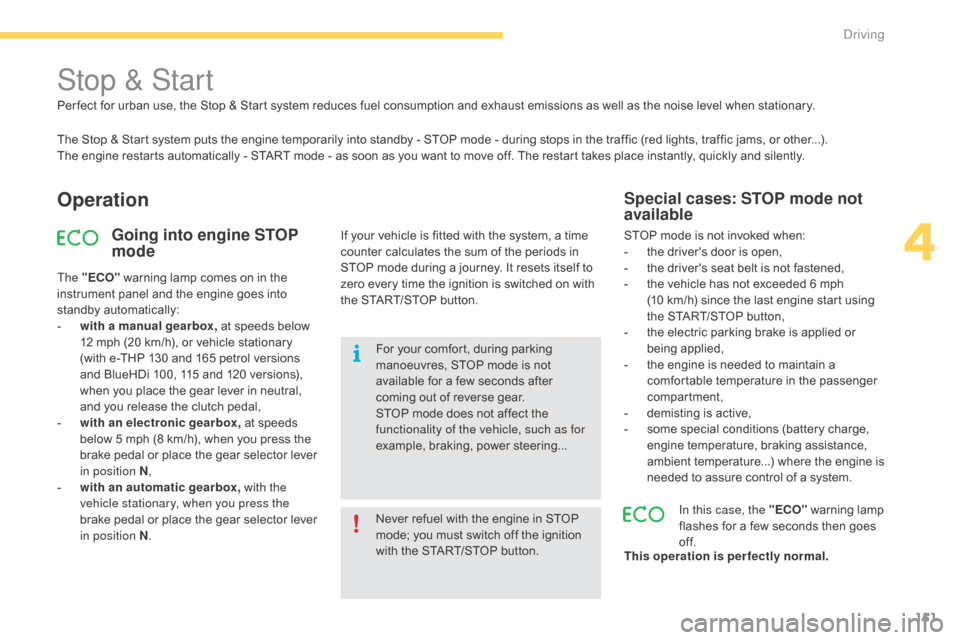
Stop & Start
The Stop & Start system puts the engine temporarily into standby - STOP mode - during stops in the traffic (red lights, traffic jams, or other...).
T he engine restarts automatically - START mode - as soon as you want to move off. The restart takes place instantly, quickly and silently.
Operation
Going into engine STOP
mode
The "ECO" warning lamp comes on in the i
nstrument panel and the engine goes into
s
tandby
a
utomatically:
-
w
ith a manual gearbox, at speeds below
1
2 mph (20 km/h), or vehicle stationary
(
with e-THP 130 and 165 petrol versions
a
nd BlueHDi 100, 115 and 120 versions),
w
hen you place the gear lever in neutral,
a
nd you release the clutch pedal,
-
w
ith an electronic gearbox, at speeds
b
elow 5 mph (8 km/h), when you press the
b
rake pedal or place the gear selector lever
i
n position N ,
-
w
ith an automatic gearbox, with the
vehicle stationary, when you press the
brake
pedal or place the gear selector lever
i
n position N . Never
refuel with the engine in STOP
m
ode; you must switch off the ignition
w
ith the START/STOP button.
For
your comfort, during parking
m
anoeuvres, STOP mode is not
a
vailable for a few seconds after
c
oming out of reverse gear.
STOP
mode does not affect the
f
unctionality of the vehicle, such as for
example,
braking, power steering...
Special cases: STOP mode not
available
STOP mode is not invoked when:
- t he driver's door is open,
-
t
he driver's seat belt is not fastened,
-
t
he vehicle has not exceeded 6 mph
(
10 km/h) since the last engine start using
t
he START/STOP button,
-
t
he electric parking brake is applied or
be
ing
a
pplied,
-
t
he engine is needed to maintain a
c
omfortable temperature in the passenger
c
ompartment,
-
d
emisting is active,
-
s
ome special conditions (battery charge,
e
ngine temperature, braking assistance,
a
mbient temperature...) where the engine is
n
eeded to assure control of a system.
In this case, the "ECO"
warning lamp
f
lashes for a few seconds then goes
o
f f.
This operation is perfectly normal.
Per fect
for
urban
use,
the
Stop
&
Start
system
reduces
fuel
consumption
and
exhaust
emissions
as
well
as the noise level when stationary.
If
your
vehicle
is
fitted
with
the
system,
a
time
c
ounter
calculates
the
sum
of
the
periods
in
S
TOP
mode
during
a
journey.
It
resets
itself
to
z
ero
every
time
the
ignition
is
switched
on
with
t
he
START/STOP
button.
4
driving
Page 154 of 428
152
Going into engine START mode
The "ECO" warning lamp goes off a
nd the engine starts automatically:
-
w
ith a manual gearbox , when you fully
depress
the clutch pedal,
-
w
ith an electronic gearbox:
●
g
ear selector lever in position A or M,
when
you release the brake pedal,
●
o
r
gear selector lever in position N
and
the brake pedal released, when
y
ou place the gear selector lever in
p
osition
A or M ,
●
o
r
when you engage reverse gear.
-
w
ith an automatic gearbox:
●
g
ear selector in position D or M, when
you
release the brake pedal,
●
o
r
gear selector in position N and brake
p
edal released, when you place the gear
s
elector in position D or M ,
●
o
r
when you engage reverse. START
mode is invoked automatically when:
- y ou open the the driver's door,
-
y
ou unfasten the driver's seat belt,
-
t
he speed of the vehicle exceeds 15 mph
(
25 km/h) with a manual gearbox (2 mph
(
3 km/h) with e-THP 130 and 165 petrol
v
ersions and BlueHDi 100, 115 and
1
20 versions), 7 mph (11 km/h) with an
e
lectronic gearbox and 2 mph (3 km/h) with
a
n automatic gearbox,
-
t
he electric parking brake is being applied,
-
s
ome special conditions (battery charge,
e
ngine temperature, braking assistance,
a
mbient temperature...) where the engine is
n
eeded for control of a system.
Special cases: START invoked
automatically
If the system has been deactivated in STOP mode, the engine restarts
i
mmediately.
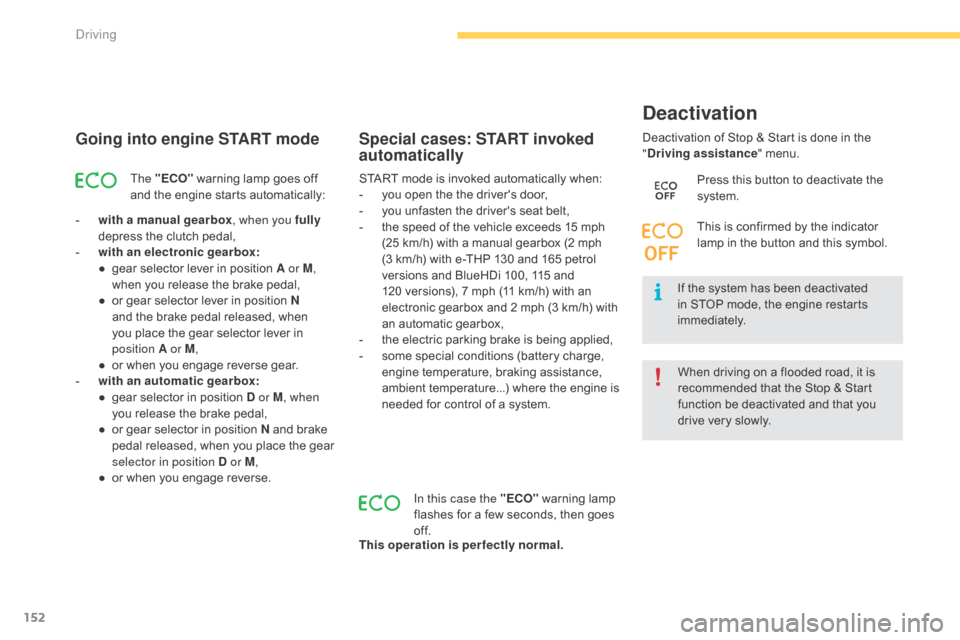
Deactivation
of Stop & Start is done in the
"
D
riving assistance
" menu.
Deactivation
In this case the "ECO"
warning lamp f
lashes for a few seconds, then goes
o
f f.
This operation is perfectly normal. Press
this button to deactivate the
s
ystem.
This is confirmed by the indicator
l
amp in the button and this symbol.
When driving on a flooded road, it is
r
ecommended that the Stop & Start
f
unction be deactivated and that you
d
rive very slowly.
Driving
Page 184 of 428

182
Reversing camera
Clean the reversing camera regularly u
sing a soft, dry cloth.
The
reversing
camera
is
activated
automatically
w
hen
r
everse
g
ear
i
s
enga
ged.
Depending
on
version,
the
image
is
displayed
in
t
he
touch
screen
tablet
or
the
instrument
panel.
The
superimposed
representation
of
guide
l
ines
helps
with
the
manoeuvre.
The
blue lines represent the general direction
o
f
the
vehicle (the difference corresponds to
t
he
width of your vehicle without the mirrors).
The
red lines represent a distance of about
3
0
cm
beyond the edge of your vehicle's rear
b
u m p e r.
The
green lines represent distances of about 1
a
nd
2
metres beyond the edge of your vehicle's
r
ear
bumper.
The turquoise blue curves represent the
maximum turning circle.
The
reversing
camera
cannot
in
any
c
ircumstances
be
a
substitute
for
v
igilance
on
the
part
of
the
driver.
Opening the tailgate causes the display
t
o disappear.
The
reversing
camera
function
may
be
c
ompleted
with
parking
sensors.
High pressure jet washing
When
washing
your
vehicle,
do
not
d
irect
the
lance
within
30
cm
of
the
c
amera
lens. They
are
represented
by
lines
marked
"
on
the
ground"
and
do
not
allow
the
p
osition
of
the
vehicle
to
be
determined
r
elative
to
tall
obstacles
(for
example:
other
v
ehicles, ...).
Some
deformation
of
the
image
is
normal.
driving
Page 185 of 428

183
360 Vision
This system provides a view in the instrument panel of the near surroundings of your vehicle,
u
sing cameras mounted at the front and rear of
y
our vehicle and under the door mirrors.
Depending
on the angle of view chosen (front
v
iew, rear view or 360° panoramic view),
3
60 Vision provides special visual assistance
i
n particular driving conditions such as when
e
ntering a blind crossing or manoeuvring in
a
reas of reduced visibility.
Once
activated, this function operates up to
9 m
ph (15 km/h). Above 18 mph (30 km/h), the
f
unction is deactivated automatically. This
system is a visual aid which in no
c
ircumstances can replace the need for
v
igilance on the part of the driver.
The images provided by the cameras
m
ay be deformed by the relief. The
p
resence of areas in shade, in sunny
c
onditions, or of low ambient light may
d
arken the image and reduce contrast.
Forward vision
The camera located in the front bumper is a
ctivated and views of the areas located at
f
ront left and front right appear simultaneously
i
n the instrument panel.
Rear vision
The camera located in the tailgate is activated and the view of the area behind your vehicle is
d
isplayed in the instrument panel and behaves
l
ike a reversing camera, whatever the position
o
f the gear selector lever.
The
blue lines represent the width of your
v
ehicle (excluding mirrors): they move
a
ccording to the position of the steering wheel.
The
red line represents a distance of 30 cm
f
rom the rear bumper, and the two green
l
ines, 1 m and 2 m from the rear bumper,
r
espectively. Rear
vision is displayed automatically
w
hen engaging reverse, regardless of
t
he state of the system.
4
Driving
Page 293 of 428

291
Exiting economy mode
These functions are reactivated automatically next time the vehicle is driven.
F
I
n order to restore the use of these
f
unctions immediately, start the engine and
l
et it run:
-
f
or less than ten minutes, to use
t
he equipment for approximately
f
ive minutes,
-
f
or more than ten minutes, to use the
e
quipment for up to approximately
t
hirty
m
inutes.
Let
the engine run for the duration specified to
e
nsure that the battery charge is sufficient.
Do
not repeatedly and continuously restart the
e
ngine in order to charge the battery.
A
flat battery prevents the engine from starting
(
refer to the "Battery" section).
Load reduction mode
System which manages the use of certain functions according to the level of charge
r
emaining in the battery.
When
the vehicle is being driven, the load
r
eduction function temporarily deactivates
c
ertain functions, such as the air conditioning,
t
he heated rear screen...
The
deactivated functions are reactivated
a
utomatically as soon as conditions permit.
Energy economy mode
Switching to economy mode
A message then appears in the instrument p
anel screen indicating that the vehicle has
s
witched to economy mode and the active
f
unctions are put on standby.
If
a telephone call is being made at this time,
i
t will be maintained for around 10 minutes
w
ith the Bluetooth hands-free system of your
a
udio system.
System
which manages the duration of use of
c
ertain functions to conserve a sufficient level
of charge in the battery.
After the engine has stopped, you can
s
till use functions such as the audio and
t
elematics system, windscreen wipers, dipped
b
eam headlamps, courtesy lamps, etc. for
a
maximum combined duration of about
f
orty
m
inutes.
7
Practical information
Page 314 of 428

312
Running out of fuel (Diesel)
On vehicles fitted with HDi engines, the fuel system must be primed if you run out of fuel;
r
efer to the corresponding engine compartment
v
iew.
1.6 HDi engine
F Fill the fuel tank with at least five litres of d
iesel.
F
O
pen the bonnet.
F
I
f necessary, unclip the styling cover for
a
ccess to the priming pump.
F
S
queeze and release the priming pump
r
epeatedly until resistance is felt (there
m
ay be resistance at the first press).
F
O
perate the starter until the engine starts
(
if the engine does not start at the first
a
ttempt, wait around 15 seconds before
t
rying
ag
ain).
F
I
f the engine does not start after a few
a
ttempts, operate the priming pump again
t
hen start the engine.
F
R
efit the styling cover and clip it in place.
F
C
lose the bonnet.
If
the
tank
on
your
vehicle
is
fitted
with
a
misfuel
prevention
device,
refer
to
the
"
Misfuel
prevention
(Diesel)"
section.
If
the
engine
does
not
start
first
time,
d
on't
keep
trying
but
start
the
procedure
a
gain
from
the
beginning.
1.6 BlueHDi engine
F Fill the fuel tank with at least five litres of D
iesel.
F
S
witch on the ignition (without starting the
e
ngine).
F
W
ait around 6 seconds and switch off the
ig
nition.
F
R
epeat the operation 10 times.
F
O
perate the starter to run the engine.
Checks