wheel CITROEN C6 2012 Handbook (in English)
[x] Cancel search | Manufacturer: CITROEN, Model Year: 2012, Model line: C6, Model: CITROEN C6 2012Pages: 216, PDF Size: 10.23 MB
Page 50 of 216
48
II
TRIP COMPUTER
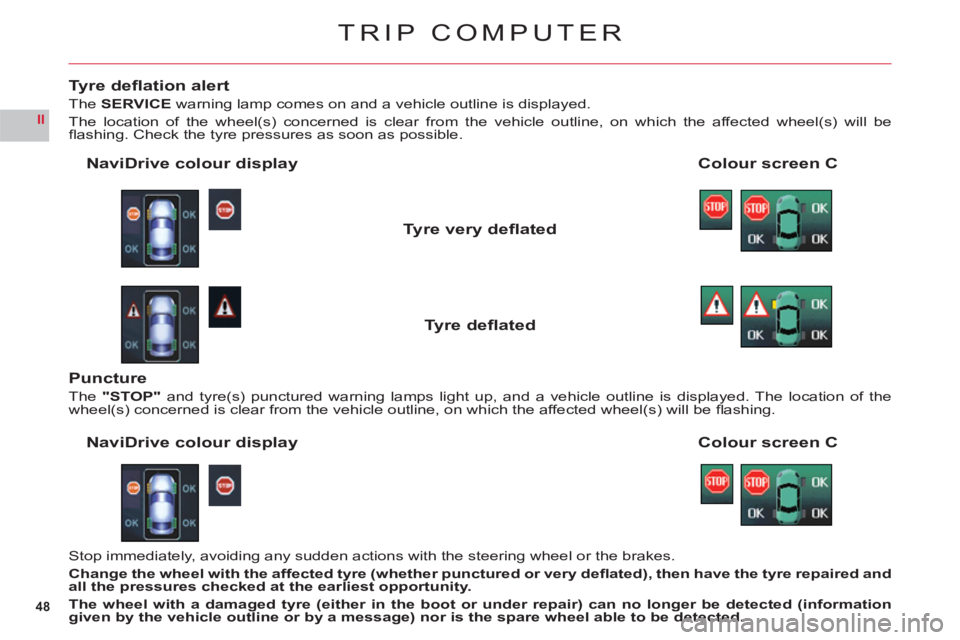
Tyre defl ation alert
TheSERVICEwarning lamp comes on and a vehicle outline is displayed.
The location of the wheel(s) concerned is clear from the vehicle outline, on which the affected wheel(s) will befl ashing. Check the tyre pressures as soon as possible.
Colour screen C NaviDrive colour display
Tyre very defl ated
Tyre defl ated
Stop immediately, avoiding any sudden actions with the steering wheel or the brakes.
Chan
ge the wheel with the affected tyre (whether punctured or very defl ated), then have the tyre repaired and
all the pressures checked at the earliest opportunity.
The wheel with a damaged tyre (either in the boot or under repair) can no longer be detected (informationgiven by the vehicle outline or by a message) nor is the spare wheel able to be detected.
Puncture
The"STOP"and tyre(s) punctured warning lamps light up, and a vehicle outline is displayed. The location of the
wheel(s) concerned is clear from the vehicle outline, on which the affected wheel(s) will be fl ashing.
Colour screen CNaviDrive colour display
Page 51 of 216
49
II
TRIP COMPUTER
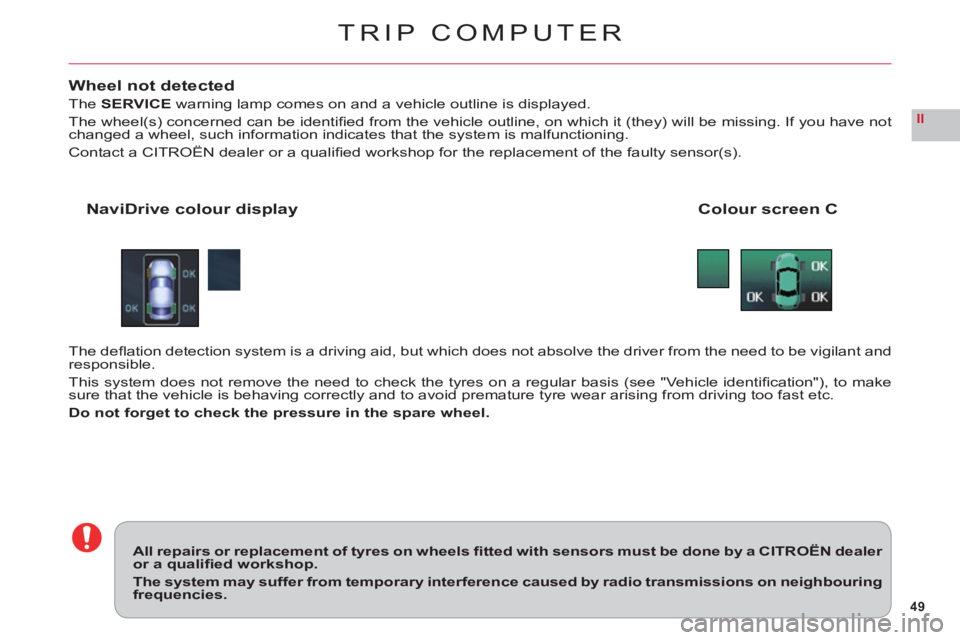
Wheel not detected
TheSERVICEwarning lamp comes on and a vehicle outline is displayed.
The wheel(s) concerned can be identifi ed from the vehicle outline, on which it (they) will be missing. If you have notchanged a wheel, such information indicates that the system is malfunctioning.
Contact a CITROËN dealer or a qualifi ed workshop for the replacement of the faulty sensor(s).
Colour screen CNaviDrive colour display
The defl ation detection system is a driving aid, but which does not absolve the driver from the need to be vigilant andresponsible.
This system does not remove the need to check the tyres on a regular basis (see "Vehicle identifi cation"), to makesure that the vehicle is behaving correctly and to avoid premature tyre wear arising from driving too fast etc.
Do not forget to check the pressure in the spare wheel.
All repairs or replacement of tyres on wheels fi tted with sensors must be done by a CITROËN dealer or a qualifi ed workshop.
The system may suffer from temporary interference caused by radio transmissions on neighbouringfrequencies.
Page 52 of 216
50
II
SIGNALLING
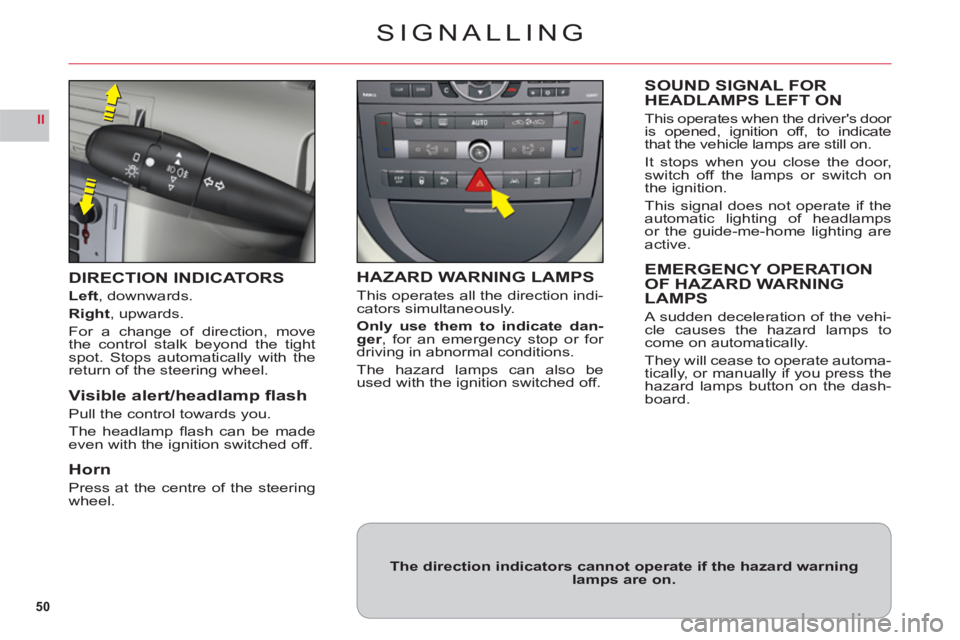
DIRECTION INDICATORS
Left, downwards.
Right, upwards.
For a change of direction, move
the control stalk beyond the tightspot. Stops automatically with thereturn of the steering wheel.
Visible alert/headlamp fl ash
Pull the control towards you.
The headlam
p fl ash can be madeeven with the ignition switched off.
Horn
Press at the centre of the steeringwheel.
HAZARD WARNING LAMPS
This operates all the direction indi-cators simultaneously.
Only use them to indicate dan-ger, for an emergency stop or for
driving in abnormal conditions.
The hazard lamps can also be
used with the ignition switched off.
SOUND SIGNAL FORHEADLAMPS LEFT ON
This operates when the driver's door
is opened, ignition off, to indicate
that the vehicle lamps are still on.
It stops when you close the door,switch off the lamps or switch on
the ignition.
This si
gnal does not operate if the
automatic lighting of headlamps
or the guide-me-home lighting areactive.
EMERGENCY OPERATION
OF HAZARD WARNING
LAMPS
A sudden deceleration of the vehi-cle causes the hazard lamps tocome on automatically.
The
y will cease to operate automa-
tically, or manually if you press thehazard lamps button on the dash-board.
The direction indicators cannot operate if the hazard warninglamps are on.
Page 59 of 216
57
II
STEERING COLUMN ADJUSTMENT –
SEAT BELT HEIGHT ADJUSTMENT
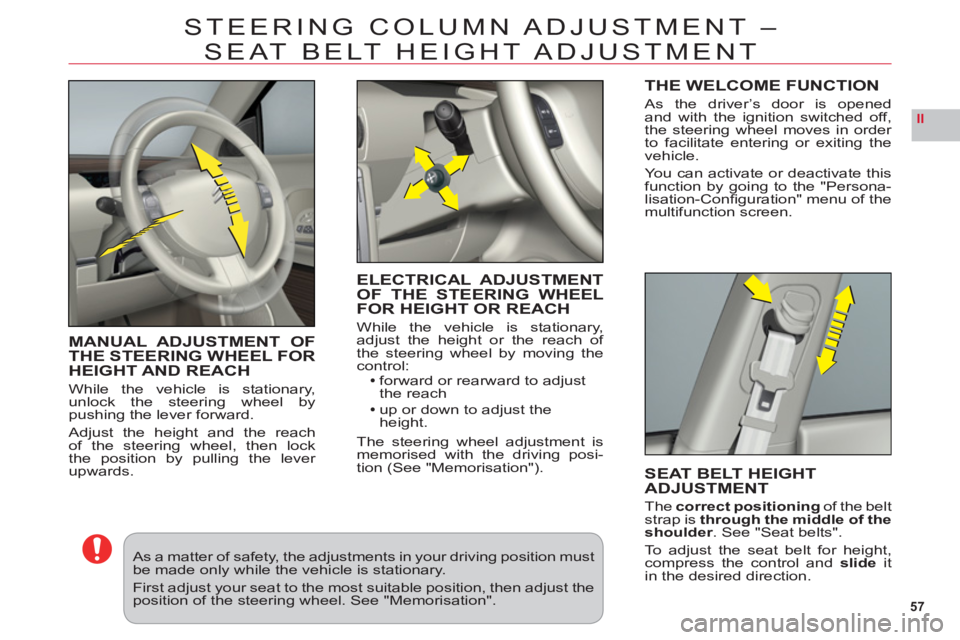
MANUAL ADJUSTMENT OFTHE STEERING WHEEL FORHEIGHT AND REACH
While the vehicle is stationary,unlock the steering wheel bypushing the lever forward.
Adjust the height and the reach
of the steering wheel, then lock
the position by pulling the lever upwards.
ELECTRICAL ADJUSTMENT
OF THE STEERING WHEEL
FOR HEIGHT OR REAC
H
While the vehicle is stationary,
adjust the height or the reach of
the steering wheel by moving the control:forward or rearward to adjust
the reach
up or down to adjust the
height.
The steering wheel adjustment is
memorised with the driving posi-
tion (See "Memorisation").
SEAT BELT HEIGHT
ADJUSTMENT
Thecorrect positioningof the beltstrap is through the middle of the
shoulder. See "Seat belts".
To a d
just the seat belt for height,compress the control andslideitin the desired direction.
As a matter of safety, the adjustments in your driving position must be made only while the vehicle is stationary.
First adjust your seat to the most suitable position, then adjust the position of the steering wheel. See "Memorisation".
THE WELCOME FUNCTION
As the driver’s door is opened
and with the ignition switched off,
the steering wheel moves in order
to
facilitate entering or exiting the
vehicle.
Yo u can activate or deactivate thisfunction by going to the "Persona-lisation-Confi guration" menu of themultifunction screen.
Page 62 of 216
60
II
21
M
MEMORISAT ION
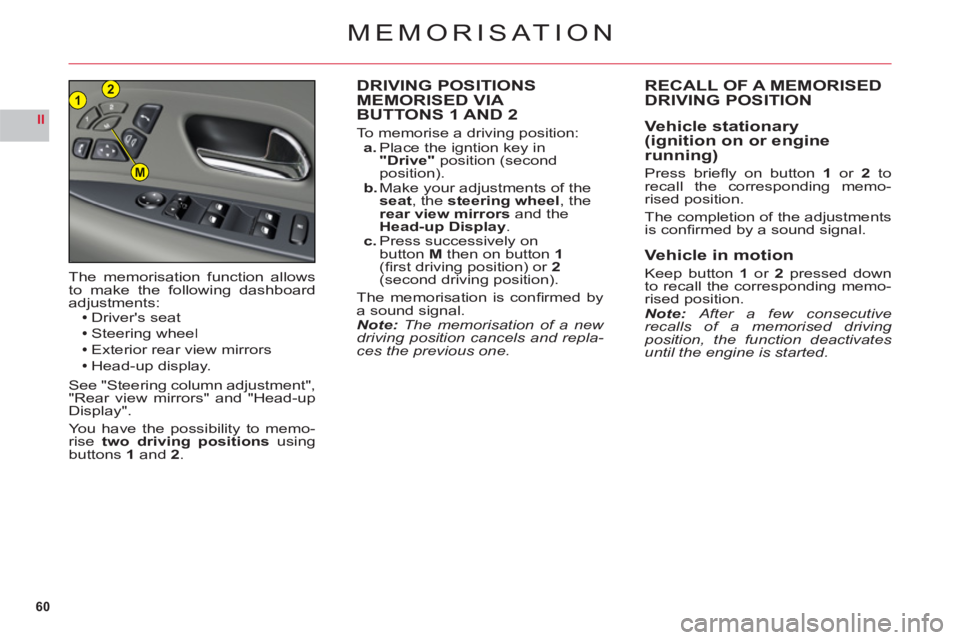
DRIVING POSITIONS MEMORISED VIA
BUTTONS 1 AND 2
To memorise a driving position:a. Place the igntion key in "Drive"position (second
position).b. Make your adjustments of the
seat, the steering wheel, the
rear view mirrors and theHead-up Display.c. Press successively on button M then on button 1(fi rst driving position) or 2(second driving position).
The memorisation is confi rmed by
a sound signal.Note: The memorisation of a new driving position cancels and repla-ces the previous one. Th
e memorisation function allowsto make the following dashboard
adjustments:Driver's seat
Steering wheelExterior rear view mirrors
Head-up display.
See "Steering column adjustment","Rear view mirrors" and "Head-up
Display".
You have the possibility to memo-rise two driving positions usingbuttons1and2.
RECALL OF A MEMORISEDDRIVING POSITION
Vehicle stationary(ignition on or enginerunning)
Press briefl y on button1 or 2 torecall the corresponding memo-rised position.
The completion of the adjustments
is confi rmed by a sound signal.
Vehicle in motion
Keep button 1or 2pressed down
to recall the corresponding memo-rised position.Note: After a few consecutiverecalls of a memorised driving position, the function deactivates until the engine is started.
Page 68 of 216

66
II
AUTOMATIC GEARBOX
The engine can only be started when the lever is at position P or N.
A safety device ensures that starting is impossible in the other positions.
After starting the engine, with selector on P, depress the brake pedal then shift the selector toD, R or M:Dfor automatic mode.
Rfor reverse gear.
Mto change to manual mode.
The chan
ge from positionD (driving in automatic mode) to position M(driving
in sequential mode) or vice versa can be made at any time.
USING THE AUTOMATIC GEARBOX
Do not select position N if the vehicle is moving (except in absolute necessity).Never select positions P or R if the vehicle is notcompletely stationary.
If while the vehicle is moving you inadvertently select position N,leave the engine to idle before engaging position D or M.
Parking
To avoid any movement of the vehicle when parked, select position P. Only engage it when the vehicle iscompletely stationary. In this position the driving wheels are locked. Check that the selector is in the correctposition. Apply the electric parking brake fi rmly.
Reverse gear
Do not engage until the vehicle is stationary, foot on brake. To avoid gearbox snatching, do not accelerate
immediately after the selection.
Neutral
Do not select positionNif the
vehicle is moving (except in
absolute necessity).
Page 75 of 216
73
II
ELECTRONIC STABILITY PROGRAMME
TheESP system offers increased
driving safety but is not in place toencourage the driver to take addi-
tional risks or to drive at excessivespeeds.
The operation of this s
ystem is
assured provided that the manufac-
turer’s recommendations concern-
ing the wheels (tyres and rims),
braking components and electricalcomponents are observed, as wellas the fi tting and repair proceduresused by CITROËN dealers andgpp
qualifi ed workshops.
Following an accident, have thesystem checked by a CITROËNg,
dealer or a qualifi ed workshop.
ELECTRONIC STABILITY PROGRAMME (ESP) AND TRACTION CONTROL (ASR)
These systems are closely associated with ABS and additional to it. In the event of a loss of control of the vehicle by the driver, theESPsystem acts
automatically on one or more wheels and also on the engine to bring the
vehicle back on trajectory. The ASRsystem optimises traction and prevents
wheel spin by acting on the brakes of the driving wheels as well as on the engine. It also improves steering stability during acceleration.
OPERATION
When either the ESPor the ASR system is brought into operation
the warning lamp "ESP/ASR" fl ashes.
DEACTIVATION
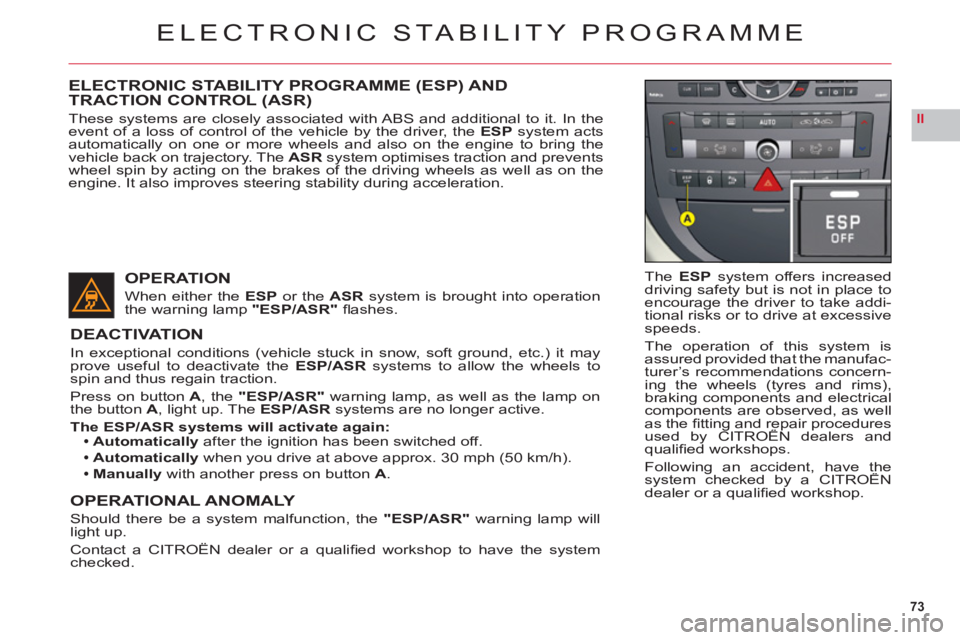
In exceptional conditions (vehicle stuck in snow, soft ground, etc.) it mayprove useful to deactivate theESP/ASR systems to allow the wheels tospin and thus regain traction.
Press on buttonA, the"ESP/ASR" warning lamp, as well as the lamp on
the buttonA, light up. TheESP/ASR systems are no longer active.
The ESP/ASR systems will activate again:Automatically after the ignition has been switched off.
Automatically when you drive at above approx. 30 mph (50 km/h).
Manuallywith another press on button A.
OPERATIONAL ANOMALY
Should there be a system malfunction, the "ESP/ASR"warning lamp willlight up.
Contact a CITROËN dealer or a qualifi ed workshop to have the systemchecked.
Page 76 of 216
74
II
BRAKES
ABS system
The ABS system enhances your safety by preventing the wheels from locking in the event of sudden brakingor in conditions of poor road adherence. It enables you to retain control of the steering.
The
functioning capability of all the electrical components essential to the ABS is monitored electronically before and
during your journey. The ABS warning lamp lights up when you switch on the ignition: it should go out after a fewseconds.
If the monitoring warning lamp does not go out, that means that the ABS has disconnected because there is a fault.Also, the fact that the monitoring warning lamp comes on during the journey shows that the ABS system is inactive.
In both cases, the normal braking system remains effi cient, exactly as on a vehicle without ABS. However, to restorethe level of safety provided by correct operation of the ABS, the vehicle should be inspected as soon as possible bya CITROÀN dealer or a qualifi ed workshop.yp y p
On roads with poor adherence (chippings, snow, ice etc.), it is always imperative to drive with prudence.
SYSTEM OF EMERGENCY BRAKING ASSISTANCE
The emergency braking assistance system helps you to attain the required braking pressure more rapidly, thus
to reduce the stopping distance. It operates depending on the speed of action on the brake pedal, decreasing theresistance to this action. To prolong this action of the emergency braking assistance system, simply keep your foot
on the brake pedal.
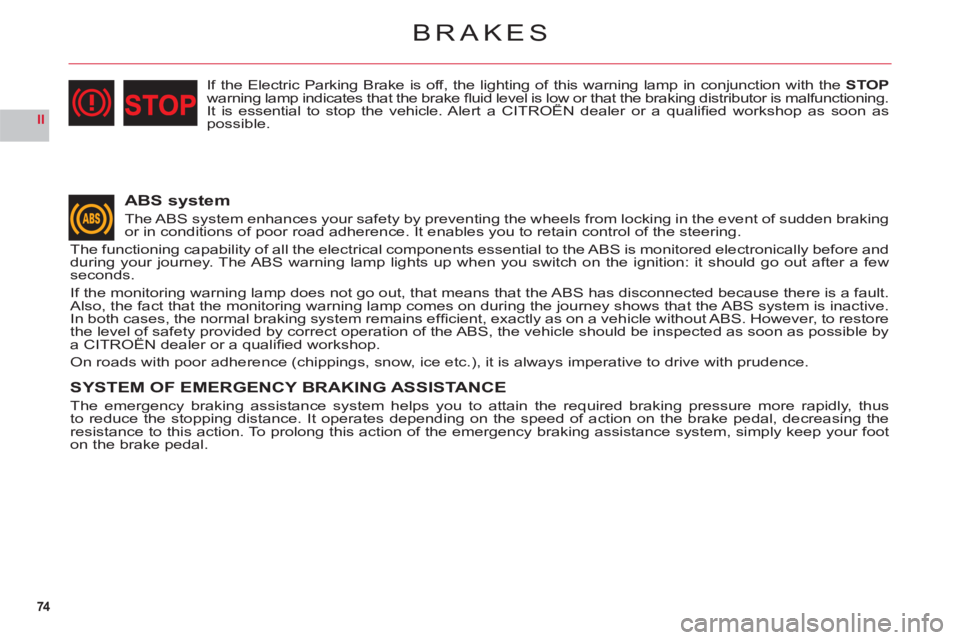
If the Electric Parking Brake is off, the lighting of this warning lamp in conjunction with the STOPwarning lamp indicates that the brake fl uid level is low or that the braking distributor is malfunctioning.It is essential to stop the vehicle. Alert a CITROËN dealer or a qualifi ed workshop as soon asgpgg
possible.
Page 88 of 216

86
III
AUTOMATIC AIR CONDITIONING
AIR CONDITIONING
This system automatically adjusts the temperature, the fl ow of air and the distribution of air inside the cabin,
depending on your desired comfort level.
Provided
you retain automatic mode (by pressing button "AUTO") and all the air vents are open, you will main-
tain an optimum comfort level, also removing humidity
and misting, whatever the ambient climatic conditions.
The temperature inside the cabin cannot be lower than
the temperature outside if the air conditioning is not
operating.
To be e
ffective, the air conditioning should only be used
with the windows closed. If after a lengthy stop in bright sunlight the interior temperature is excessive, air the passenger compartment by opening the windows for a
few moments, then close them again.
To keep the air conditioning compressor well sealed, it
is essential to operate the air conditioning at least once every month.
The air conditioning operates by using power from the engine. This results in a slight increase in fuel con-sumption.
Sensors
The automatic regulation of the air conditioning inside
the cabin makes use of a number of sensors, relieving you of the need to make adjustments, other than the desired cabin temperature.
Take care not to obstruct sensor A.
Air inlet
Check that the exterior grille for the air inlet, at the bot-
tom of the windscreen, is clean and free of dead leaves,snow, etc.
If washing the vehicle with a high pressure jet, avoid
targeting the air inlet zone.
Air circulation
For your comfort we advise you to maintain a proper
distribution of air within the cabin, both at the front andat the rear.
The air vents to the
face have thumbwheels so that you can
adjust the fl ow of air, and grilles to orient the direction.
Th
ere are air vents on the fl oor underneath the frontseats and on the rear control panel, for enhancedheating of the rear seat positions.
Do not obstruct the air outlets located in the boot area.
Dust/pollen fi lter
There is a fi lter for excluding pollen and dust.
This
fi lter has to be changed according to the vehicle
maintenance schedule. See "Maintenance and WarrantyGuide".
Page 109 of 216

107
III
GROUND CLEARANCE ADJUSTMENT
Position changes may only bemade when the engine is running.
The ground clearance is adjusted
automatically. You can however modify the vehicle height in certainspecifi c cases.
To change the position
Press once on one of the adjustmentcontrols. The change of position is
indicated at the start of the adjust-ment by:A message or
Temporary display of the initialposition with the symbol for the position requested.
Note: You are recommended toavoid any changing of position whileyou have your foot on the brake.
Viewing of the position of the
vehicle
On completion of the adjustmentyou see either a message or an
illustration of the position attained
by the vehicle, with the appropriatesymbol.
•
•
Maximum height
Changing a wheel.
Intermediate position
For an increased ground clearance.
For use on diffi cult roads when travel-ling at reduced speed, as well as oncarpark ramps.
Normal road position
Minimum height
To facilitate loading or unloading of
the vehicle.
For workshop inspections.
Not to be used in normal drivin
g.
For your safety if you are operating underneath the vehicle,it is obligatory to support the vehicle with axle stands.
Display of the position requested confi rms the completion of the adjustment.