radio CITROEN RELAY 2016 Handbook (in English)
[x] Cancel search | Manufacturer: CITROEN, Model Year: 2016, Model line: RELAY, Model: CITROEN RELAY 2016Pages: 308, PDF Size: 10.98 MB
Page 234 of 308

232First steps
On/off, volume setting.
Select FM and AM wavebands.
Display the list of connected
telephones.Rotate: scroll through a list or adjust
radio station.
Press: confirm the option displayed in
the screen.
Select USB or AUX source. Information on the current radio
station or media.Repeat play.
Select preset stations.
FM-A, FM-B, FM- C, AM-A, AM-B,
AM-C. Mute / restore sound. Radio buttons 1 to 6:
Select a pre-set radio station.
Long press: pre-set a station.
Random (shuffle) play
Automatic frequency search up.
Select the next USB track.
Press and hold: fast for ward.
Display the menu and adjust options. Automatic frequency search down.
Select the previous USB track.
Press and hold: fast back.
Abandon the current operation.
Go up one level (menu or folder).
Audio System
Page 235 of 308

233Steering mounted controls
Pause / restore the CD, USB/iPod,
Bluetooth® sources.
Mute / restore sound from the radio.
Switch the microphone off / on during
a telephone call.
Switch voice recognition on.
Interrupt a voice message to start a
new voice command.
Interrupt voice recognition. Push up or down: increase or
decrease the volume for voice
announcements and music sources,
hands-free and speaking texts. Accept an incoming call.
Accept a second incoming call and
put the current call on hold.
Switch on voice recognition for the
telephone function.
Interrupt a voice message to issue
another voice command.
Interrupt voice recognition.
Radio, push up or down: select the
next / previous station.
Radio, hold up or down: sweep
frequencies up / down until the button
is released.
Media, push up or down: select the
next / previous track.
Media, hold up or down: fast for ward
/
b
ack until the button is released.
Reject the incoming call.
End the call in progress.
Audio System
AUDIO and TELEMATICS
10
Page 236 of 308

234
Briefly press one of the buttons to
carry out an automatic search down/
up for radio stations. Press the "
rAd
IO
" button to select
the FM or AM waveband.
Turn the dial to carry out a manual
search down/up for radio stations.
Press the dial to display the list of
stations received locally.
Turn the dial to choose a radio station
then press to select it. Press the "
rAd
IO
" button to select
the FM or AM waveband.
Press the ME
nu b
utton.
Press the "
A-B-
c" b
utton to select
one of the three sets of preset
stations.
Select "re gional" then press to
switch RDS on or off.
Make a long press one of the buttons
to preset the current radio station.
The name of the station is displayed
and an audible signal confirms the
preset.
Press "
InFO" t o display information
on the current radio station.
Presetting a station
Selecting a station
The surroundings (hills, buildings,
tunnel, parking, under ground...) may
prevent reception, including RDS
alternative frequencies.
This phenomenon is normal in the
propagation of radio waves and does
not in any way imply a fault with the
audio system.RDS, if displayed, makes it possible
to continue listening to the same radio
station using the alternative frequencies
function. However, in certain conditions
it may not be possible to stay with the
same station as not all radio stations
cover the entire country. When reception
is poor the system switches to a regional
frequency.
Radio
rdS
Audio System
Page 237 of 308
235
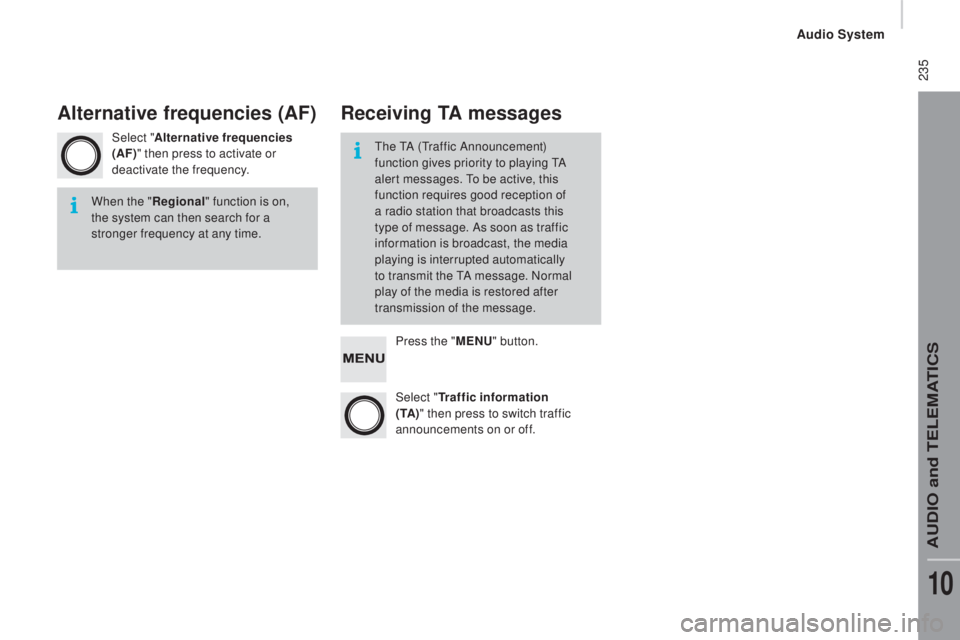
Select "Alternative frequencies
(AF)" then press to activate or
deactivate the frequency.
Press the "ME
nu" b
utton.
Select "
tr
affic information
(
t
A )" then press to switch traffic
announcements on or off.
When the "
re
gional" function is on,
the system can then search for a
stronger frequency at any time. The TA (Traffic Announcement)
function gives priority to playing TA
alert messages. To be active, this
function requires good reception of
a radio station that broadcasts this
type of message. As soon as traffic
information is broadcast, the media
playing is interrupted automatically
to transmit the TA message. Normal
play of the media is restored after
transmission of the message.
Alternative frequencies (AF)re
ceiving tA messages
Audio System
AUDIO and TELEMATICS
10
Page 242 of 308

240Voice commands
Steering mounted controls
Information - using the system
Instead of touching the screen, you can
use your voice to issue commands to
the system. Voice interaction can be quickly used
if these buttons are pressed during
a voice message from the system; It
allows a voice command to be issued
di r e c t l y.
For example, if the system is speaking
a voice help message and if you want
to know the command to give the
system, by pressing these buttons, the
voice message is interrupted and the
desired voice command can be spoken
directly (so avoiding the need to listed
to the complete voice help message).
When the system is waiting for a voice
command from the user, pressing these
buttons closes the voice session.
To ensure that your voice commands
are always recognised by the system,
we recommend that you follow the
advice below:
-
s
peak with a normal tone of voice,
-
b
efore speaking, always wait for
the "beep" (audible signal),
-
t
he system is able to recognise
the voice commands delivered,
independent off gender, tone and
inflexion of the voice of the person
speaking,
-
k
eep the noise level inside the
vehicle as low as possible,
-
b
efore speaking a voice command,
ask other passengers not to speak.
As the system recognizes voice
commands whatever is said, when
more than one person speaks
at the same time, it is possible
that the system will recognise
commands different or additional to
the one intended, Every time a button is pressed, a
"beep" (audible signal) is produced
and the screen displays a page of
suggestions asking the user to speak a
command.
-
f or best operation, it is
recommended that the windows
and opening roof (for versions/
markets where it is available) be
closed to avoid inter ference from
extraneous noises.
This button switches on the
"Telephone" voice recognition mode,
which makes it possible to start calls,
view the log of recent /received/made,
display contacts, etc.
This button switches on the "Radio/
Media" voice recognition mode,
which makes it possible to tune to a
specific radio station radio or specific
AM/FM radio frequency, play a track
or an album on a USB memory stick /
iPod/MP3 CD.
Audio System
Page 246 of 308
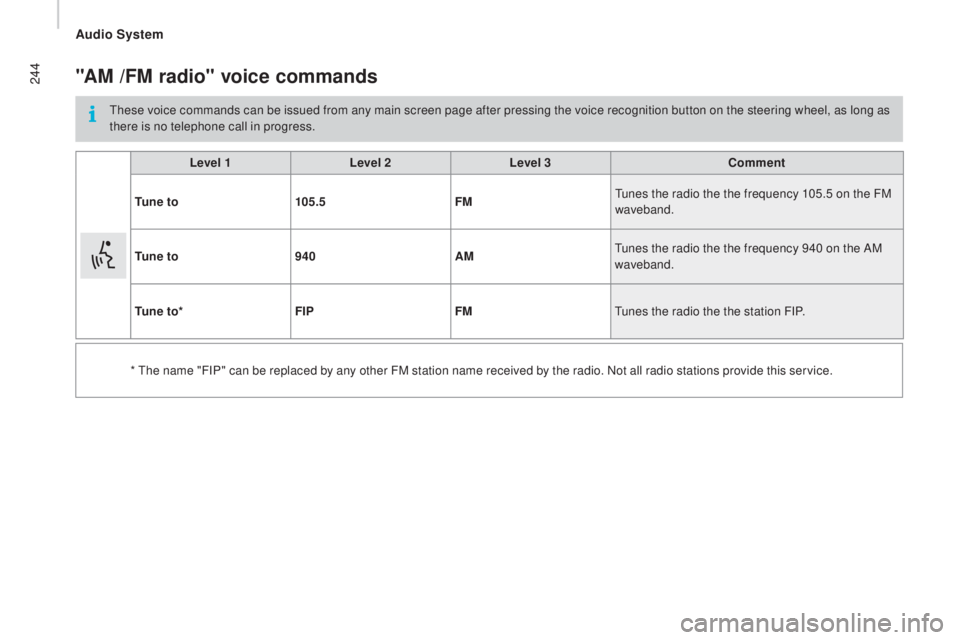
244"AM /FM radio" voice commands
These voice commands can be issued from any main screen page after pressing the voice recognition button on the steering wheel, as long as
there is no telephone call in progress.Level 1 Level 2Level 3
co
mment
t
u n e t o 105.5 FMTunes the radio the the frequency 105.5 on the FM
waveband.
t
u n e t o 940 AMTunes the radio the the frequency 940 on the AM
waveband.
t
u n e t o * FIP FMTunes the radio the the station FIP.
* The name "FIP" can be replaced by any other FM station name received by the radio. Not all radio stations provide this service.
Audio System
Page 281 of 308

3
2
READY
TO GO
Starting and switching off
BATTERY STANDBY SYSTEM
If the vehicle is not to be used for a
prolonged period, such as for winter storage,
for example, it is strongly recommended that
the battery be placed on standby in order to
protect it and optimise its service life.
To place the battery on standby:
- Switch off the engine ( STOP position).
- Press the red button, then turn the key
to the BATT position.
The battery goes into standby about
7 minutes later.
This time is necessary to:
- Allow the user to get out of the vehicle
and lock the doors with the remote
control.
- Ensure that all of the vehicle's electrical
systems are deactivated.
When the battery is on standby,
access to the vehicle is only possible
by unlocking the vehicle using the key in the
lock barrel in the driver's door.
After placing the battery on standby,
settings (time, date, radio station
presets...) are memorised.
To take the battery out of standby:
- Turn the key to the MAR position.
- Start the engine normally ( AV V position).
Page 288 of 308

10
Vehicle configuration
Using the touch screen audio system
This audio system control panel, located in
the middle of the dashboard, gives access to
personalisation menus for certain systems.
The corresponding information appears in
the touch screen.
Nine languages are offered: Dutch, English,
French, German, Italian, Polish, Portuguese,
Spanish and Turkish.
As a safety precaution, some menus
can only be accessed when the ignition
is off.
This control panel button gives
access to the "Settings" menu.
"Settings" menu
1. "Display".
2. "Voice commands".
3. "Time and Date".
4. "Safety / Help".
5. "Lighting".
6. "Doors & locking".
7. "Audio".
8. "Telephone / Bluetooth".
9. "Radio settings".
10. "Restore Settings" to return to factory
settings.
11 . "Del. pers. data" to delete all of your
personal data, related to the Bluetooth
equipment in the audio system.
This button in the screen allows
you to go up a level in a menu or
increase a value.
This button in the screen allows
you to go down a level in a menu
or decrease a value.
For more information on the audio
system, the telephone, the radio and the
navigation system, the sub-menus 2 , 7 ,
8 , 9 and 11 are described in detail in the
"Audio and telematics" section.
The settings for sub-menus 4 , 5 and
6 vary according to the equipment
installed on the vehicle.
Page 297 of 308

3
2
READY
TO GO
Starting and switching off
BATTERY STANDBY SYSTEM
If the vehicle is not to be used for a
prolonged period, such as for winter storage,
for example, it is strongly recommended that
the battery be placed on standby in order to
protect it and optimise its service life.
To place the battery on standby:
- Switch off the engine ( STOP position).
- Press the red button, then turn the key
to the BATT position.
The battery goes into standby about
7 minutes later.
This time is necessary to:
- Allow the user to get out of the vehicle
and lock the doors with the remote
control.
- Ensure that all of the vehicle's electrical
systems are deactivated.
When the battery is on standby,
access to the vehicle is only possible
by unlocking the vehicle using the key in the
lock barrel in the driver's door.
After placing the battery on standby,
settings (time, date, radio station
presets...) are memorised.
To take the battery out of standby:
- Turn the key to the MAR position.
- Start the engine normally ( AV V position).
Page 304 of 308
10
Vehicle configuration
Using the touch screen audio system
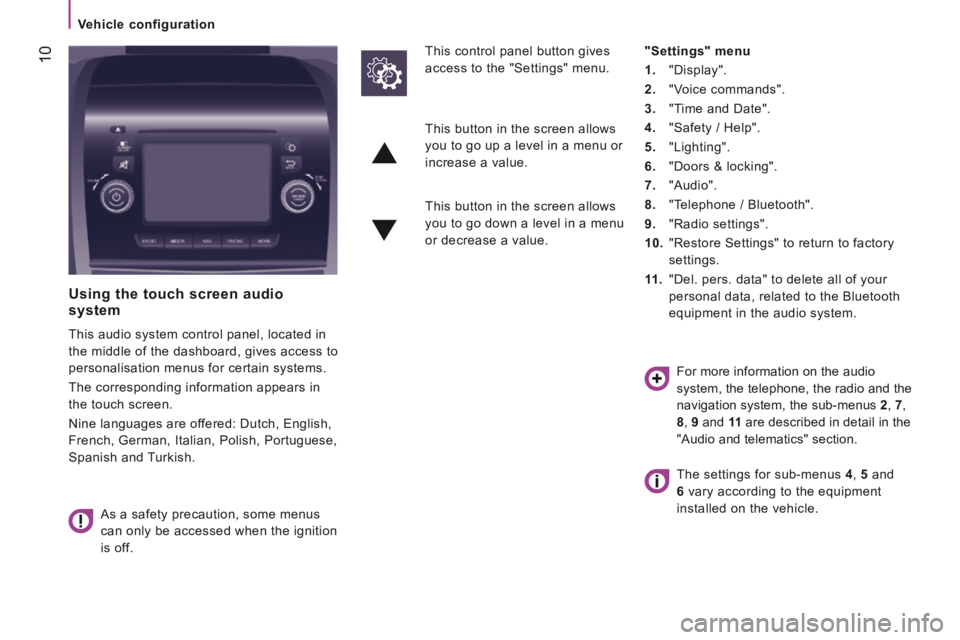
This audio system control panel, located in
the middle of the dashboard, gives access to
personalisation menus for certain systems.
The corresponding information appears in
the touch screen.
Nine languages are offered: Dutch, English,
French, German, Italian, Polish, Portuguese,
Spanish and Turkish.
As a safety precaution, some menus
can only be accessed when the ignition
is off.
This control panel button gives
access to the "Settings" menu.
"Settings" menu
1. "Display".
2. "Voice commands".
3. "Time and Date".
4. "Safety / Help".
5. "Lighting".
6. "Doors & locking".
7. "Audio".
8. "Telephone / Bluetooth".
9. "Radio settings".
10. "Restore Settings" to return to factory
settings.
11 . "Del. pers. data" to delete all of your
personal data, related to the Bluetooth
equipment in the audio system.
This button in the screen allows
you to go up a level in a menu or
increase a value.
This button in the screen allows
you to go down a level in a menu
or decrease a value.
For more information on the audio
system, the telephone, the radio and the
navigation system, the sub-menus 2 , 7 ,
8 , 9 and 11 are described in detail in the
"Audio and telematics" section.
The settings for sub-menus 4 , 5 and
6 vary according to the equipment
installed on the vehicle.