radio DODGE CARAVAN 2008 5.G User Guide
[x] Cancel search | Manufacturer: DODGE, Model Year: 2008, Model line: CARAVAN, Model: DODGE CARAVAN 2008 5.GPages: 531, PDF Size: 7.72 MB
Page 157 of 531
Plastic Grocery Bag Retainer Hooks
Retainer hooks which will hold plastic grocery bag
handles are built into the seatbacks of all rear seats and
some front seats. The floor supports the partial weight of
the bagged goods.
DRIVER MEMORY SEAT Ð IF EQUIPPED
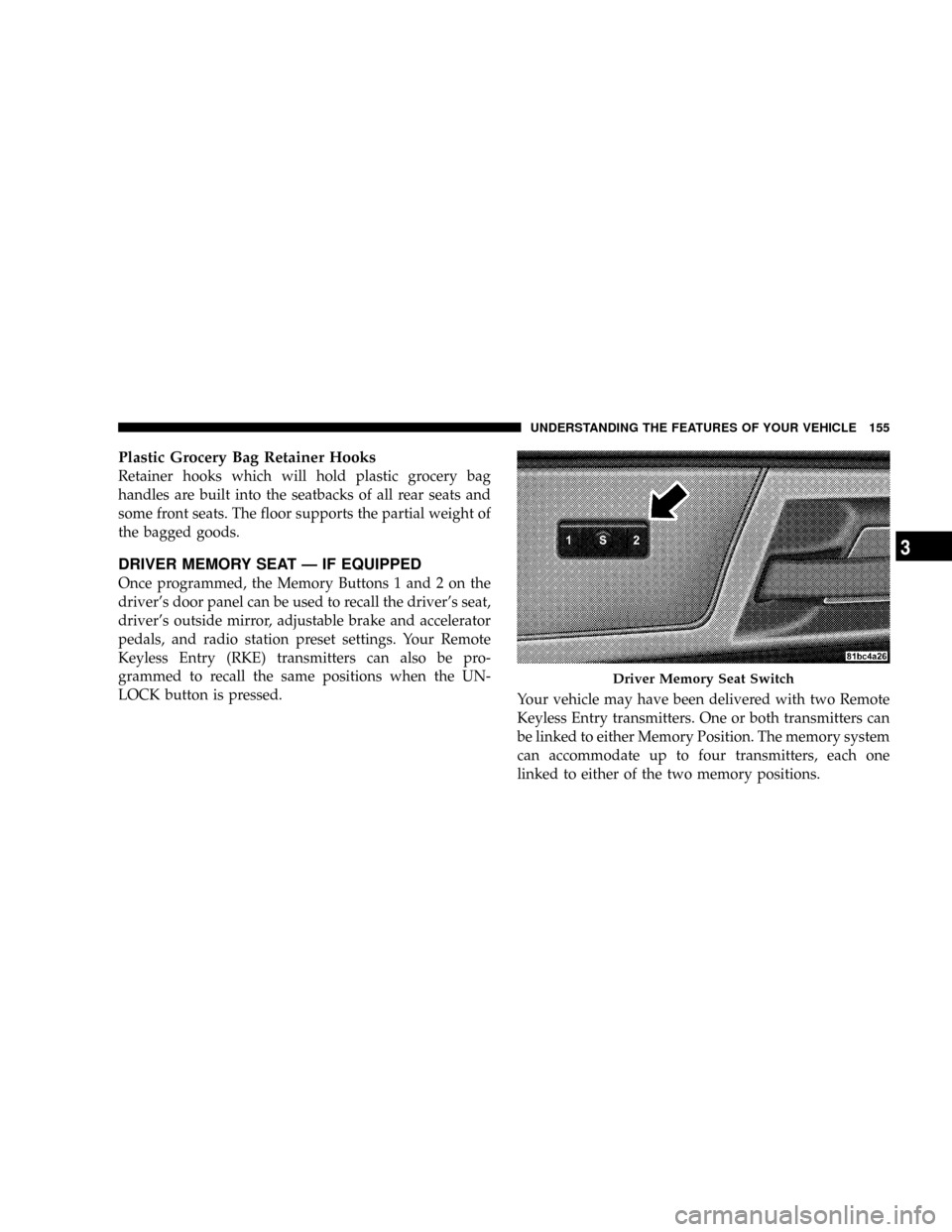
Once programmed, the Memory Buttons 1 and 2 on the
driver's door panel can be used to recall the driver's seat,
driver's outside mirror, adjustable brake and accelerator
pedals, and radio station preset settings. Your Remote
Keyless Entry (RKE) transmitters can also be pro-
grammed to recall the same positions when the UN-
LOCK button is pressed.
Your vehicle may have been delivered with two Remote
Keyless Entry transmitters. One or both transmitters can
be linked to either Memory Position. The memory system
can accommodate up to four transmitters, each one
linked to either of the two memory positions.
Driver Memory Seat Switch
UNDERSTANDING THE FEATURES OF YOUR VEHICLE 155
3
Page 158 of 531
Setting Memory Positions And Linking RKE
Transmitter To Memory
NOTE:Each time the SET(S) button and a numbered
button (1 or 2) are pressed, you erase the memory settings
for that button and store a new one.
1. Insert the ignition key and turn the ignition switch to
the ON position.
2. Press the driver door Memory Buttons number 1 if
you are setting the memory for driver 1, or button
number 2 if you are setting the memory for driver 2. The
system will recall any stored settings. Wait for the system
to complete the memory recall before continuing to step
3.
3. Adjust the driver's seat, recliner, and driver's side-
view mirror to the desired positions.
4. Adjust the brake and accelerator pedals to the desired
positions.5. Turn on the radio and set the radio station presets (up
to 10 AM and 10 FM stations can be set).
6. Turn the ignition switch to the OFF position and
remove the key.
7. Press and release the SET(S) button located on the
driver's door. A chime will sound signaling that you are
in the memory set mode.
8. Within five seconds, press and release Memory Button
1 or 2 on the driver's door. A chime will sound signaling
to you that the driver memory has been set. The next step
must be performed within five seconds if you desire to
also use a Remote Keyless Entry transmitter to recall
memory positions.
9. Press and release the LOCK button on one of the
transmitters. A chime will sound signaling to you that the
transmitter has been successfully linked to memory.
156 UNDERSTANDING THE FEATURES OF YOUR VEHICLE
Page 164 of 531
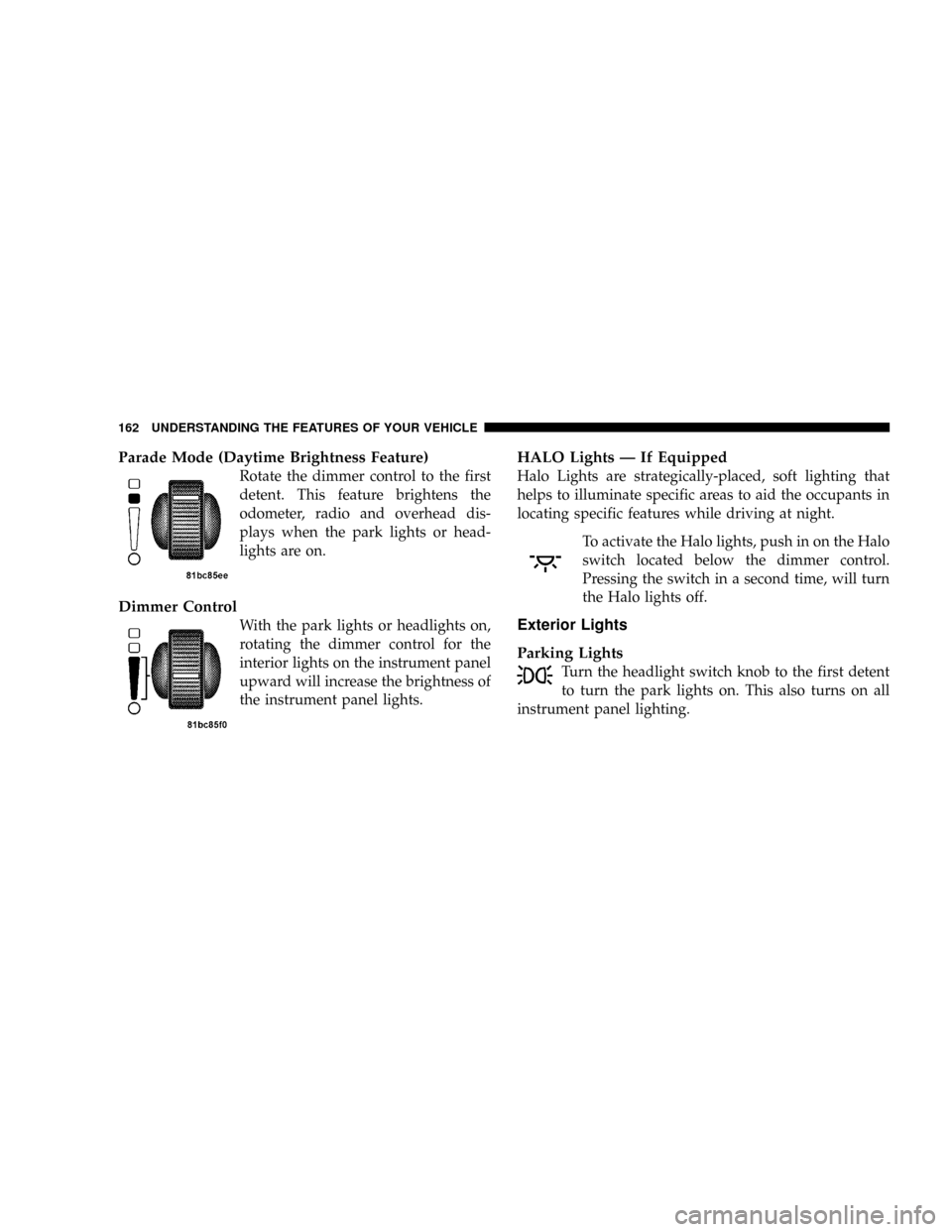
Parade Mode (Daytime Brightness Feature)
Rotate the dimmer control to the first
detent. This feature brightens the
odometer, radio and overhead dis-
plays when the park lights or head-
lights are on.
Dimmer Control
With the park lights or headlights on,
rotating the dimmer control for the
interior lights on the instrument panel
upward will increase the brightness of
the instrument panel lights.
HALO Lights Ð If Equipped
Halo Lights are strategically-placed, soft lighting that
helps to illuminate specific areas to aid the occupants in
locating specific features while driving at night.
To activate the Halo lights, push in on the Halo
switch located below the dimmer control.
Pressing the switch in a second time, will turn
the Halo lights off.
Exterior Lights
Parking Lights
Turn the headlight switch knob to the first detent
to turn the park lights on. This also turns on all
instrument panel lighting.
162 UNDERSTANDING THE FEATURES OF YOUR VEHICLE
Page 176 of 531
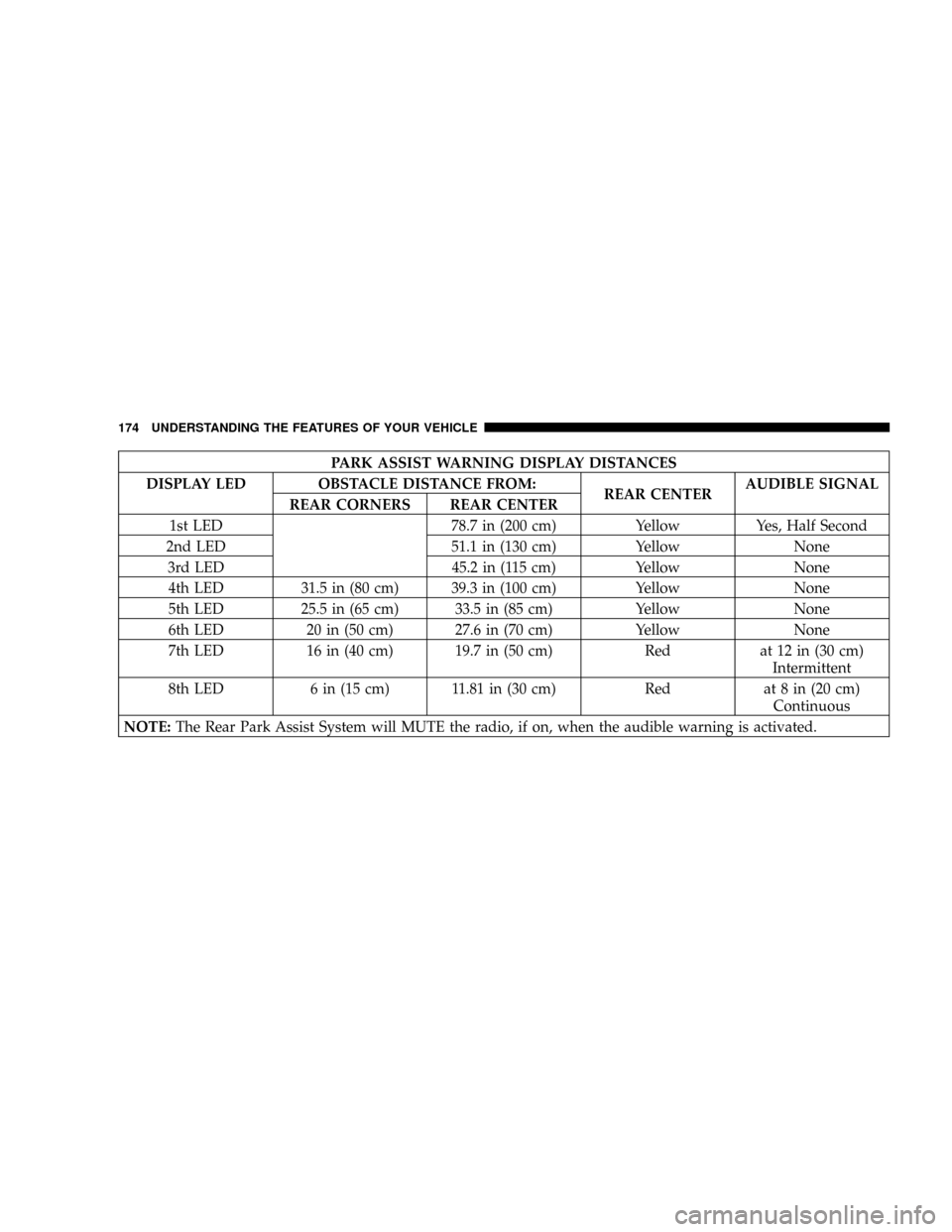
PARK ASSIST WARNING DISPLAY DISTANCES
DISPLAY LED OBSTACLE DISTANCE FROM:
REAR CENTERAUDIBLE SIGNAL
REAR CORNERS REAR CENTER
1st LED 78.7 in (200 cm) Yellow Yes, Half Second
2nd LED 51.1 in (130 cm) Yellow None
3rd LED 45.2 in (115 cm) Yellow None
4th LED 31.5 in (80 cm) 39.3 in (100 cm) Yellow None
5th LED 25.5 in (65 cm) 33.5 in (85 cm) Yellow None
6th LED 20 in (50 cm) 27.6 in (70 cm) Yellow None
7th LED 16 in (40 cm) 19.7 in (50 cm) Red at 12 in (30 cm)
Intermittent
8th LED 6 in (15 cm) 11.81 in (30 cm) Red at 8 in (20 cm)
Continuous
NOTE:The Rear Park Assist System will MUTE the radio, if on, when the audible warning is activated.
174 UNDERSTANDING THE FEATURES OF YOUR VEHICLE
Page 189 of 531
WARNING!
Vehicle exhaust contains carbon monoxide, a danger-
ous gas. Do not run your vehicle in the garage while
training the transceiver. Exhaust gas can cause seri-
ous injury or death.
PROGRAMMING HOMELINKT
Before You Begin
If you have not trained any of the HomeLinktbuttons,
erase all channels before you begin training.
To do this, press and hold the two outside buttons for 20
seconds until the red indicator flashes.
It is recommended that a new battery be placed in the
hand-held transmitter of the device being programmed
to HomeLinktfor more efficient training and accurate
transmission of the radio-frequency signal.Your vehicle should be parked outside of the garage
when programming.
Begin Programming
1. Turn the ignition switch to the ON/RUN position.
2. Hold the battery side of the hand-held transmitter
away from the HomeLinktbutton you wish to program.
Place the hand-held transmitter 1 to 3 in (3 to 8 cm) away
from the HomeLinktbutton you wish to program while
keeping the indicator light in view.
3. Simultaneously press and hold both the chosen
HomeLinktbutton and the hand-held transmitter button
until the HomeLinktindicator changes from a slow to a
rapidly blinking light, then release both the HomeLinkt
and hand-held transmitter buttons.
UNDERSTANDING THE FEATURES OF YOUR VEHICLE 187
3
Page 192 of 531
Using HomeLinkt
To operate, simply press and release the programmed
HomeLinktbutton. Activation will now occur for the
trained device (i.e., garage door opener, gate operator,
security system, entry door lock, home/office lighting,
etc. The hand-held transmitter of the device may also be
used at any time.
Reprogramming a Single HomelinktButton
To reprogram a channel that has been previously trained,
follow these steps:
1. Turn the ignition switch to the ON/RUN position.
2. Press and hold the desired HomeLinktbutton until
the indicator light begins to flash after 20 seconds.Do not
release the button.
3.Without releasing the button,proceed with Program-
ming HomelinktStep 2 and follow all remaining steps.
GATE OPERATOR/CANADIAN PROGRAMMING
Canadian radio frequency laws require transmitter sig-
nals to time-out (or quit) after several seconds of trans-
mission ± which may not be long enough for HomeLinkt
to pick up the signal during programming. Similar to this
Canadian law, some U.S. gate operators are designed to
time-out in the same manner.
It may be helpful to unplug the device during the cycling
process to prevent possible overheating of the garage
door or gate motor.
If you are having difficulties programming a garage door
opener or a gate operator, replace ªProgramming
HomeLinktº Step 3, with the following:
3. Continue to press and hold the HomeLinktbutton
while you press and release - every two seconds
(ªcycleº) your hand-held transmitter until HomeLinkt
190 UNDERSTANDING THE FEATURES OF YOUR VEHICLE
Page 221 of 531
UNDERSTANDING YOUR INSTRUMENT PANEL
CONTENTS
mInstrument Panels And Controls............223
mBase Instrument Cluster..................224
mPremium Instrument Cluster...............225
mInstrument Cluster Descriptions............226
mCompass Mini-Trip Computer (CMTC) Ð
If Equipped...........................238
NCompass Mini-Trip Computer (CMTC)
Odometer Displays....................238
NCompass Mini-Trip Computer (CMTC) Reset
Buttons............................238NCompass/Temperature Display...........240
mElectronic Vehicle Information Center (EVIC) Ð
If Equipped...........................241
NEVIC Displays.......................243
NTrip Functions.......................244
NCompass Display.....................246
NPersonal Settings
(Customer Programmable Features)........248
mRadio General Information................251
NRadio Broadcast Signals.................2514
Page 222 of 531
mSales Code REQ Ð AM/FM Stereo Radio And
6±Disc CD/DVD Changer
(MP3/WMA AUX Jack)..................252
NOperating Instructions - Radio Mode.......252
NOperation Instructions - (Disc Mode For CD
And MP3/WMA Audio Play, DVD-Video)....260
NNotes On Playing MP3/WMA Files........262
NList Button
(Disc Mode For MP3/WMA Play)..........265
NInfo Button
(Disc Mode For MP3/WMA Play)..........265
mSales Code RES Ð AM/FM Stereo Radio With
CD Player (MP3 AUX Jack)................268
NOperating Instructions - Radio Mode.......268NOperation Instructions - CD Mode For CD
And MP3 Audio Play..................274
NNotes On Playing MP3 Files.............276
NList Button (CD Mode For MP3 Play).......279
NInfo Button (CD Mode For MP3 Play).......279
mSales Code REN Ð Multimedia System Ð
If Equipped...........................280
NOperating Instructions Ð Satellite Radio
(If Equipped)........................281
NOperating Instructions Ð Voice Recognition
System (VR) (If Equipped)...............281
NOperating Instructions Ð Hands-Free
Communication (UConnectt) (If Equipped) . . . 281
NClock Setting Procedure.................281
220 UNDERSTANDING YOUR INSTRUMENT PANEL
Page 223 of 531
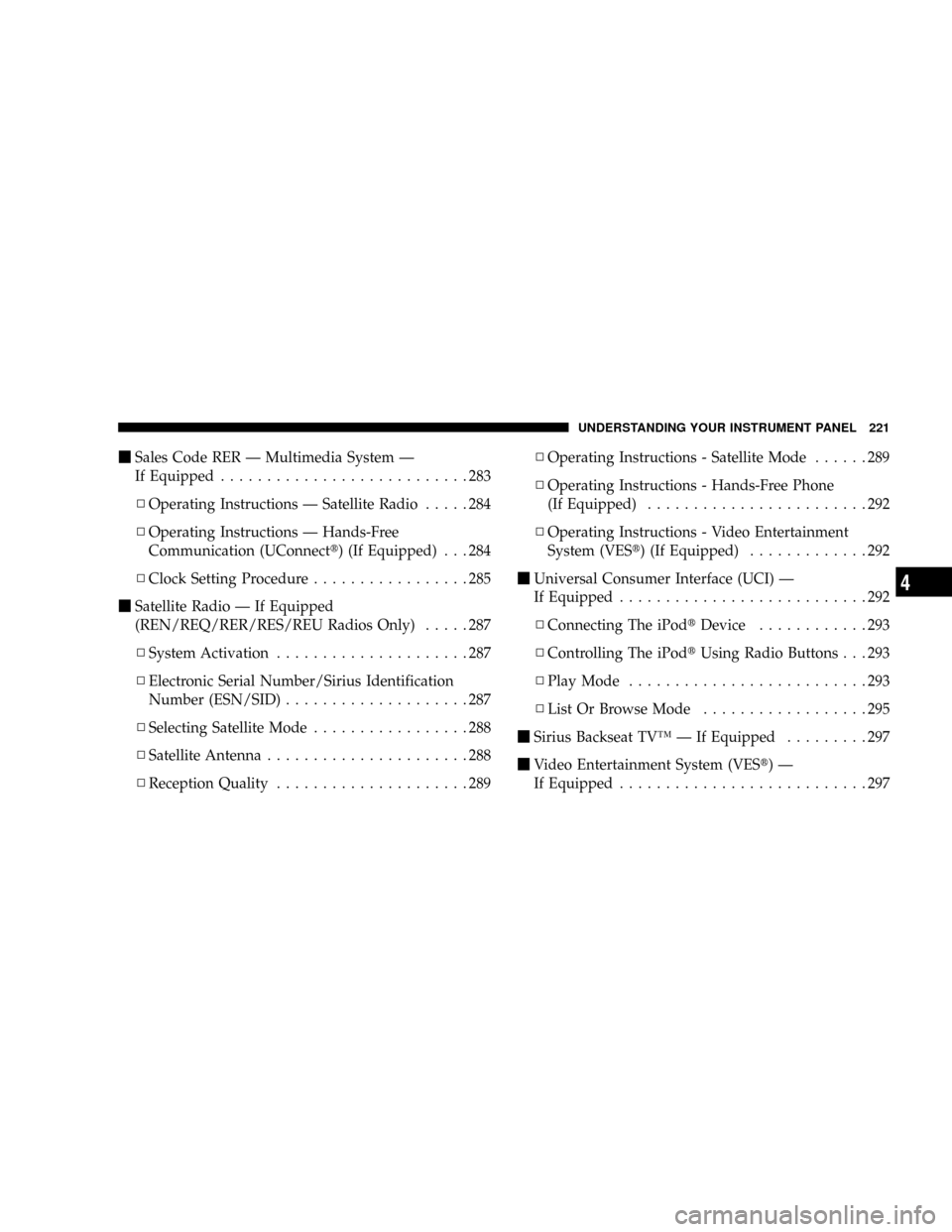
mSales Code RER Ð Multimedia System Ð
If Equipped...........................283
NOperating Instructions Ð Satellite Radio.....284
NOperating Instructions Ð Hands-Free
Communication (UConnectt) (If Equipped) . . . 284
NClock Setting Procedure.................285
mSatellite Radio Ð If Equipped
(REN/REQ/RER/RES/REU Radios Only).....287
NSystem Activation.....................287
NElectronic Serial Number/Sirius Identification
Number (ESN/SID)....................287
NSelecting Satellite Mode.................288
NSatellite Antenna......................288
NReception Quality.....................289NOperating Instructions - Satellite Mode......289
NOperating Instructions - Hands-Free Phone
(If Equipped)........................292
NOperating Instructions - Video Entertainment
System (VESt) (If Equipped).............292
mUniversal Consumer Interface (UCI) Ð
If Equipped...........................292
NConnecting The iPodtDevice............293
NControlling The iPodtUsing Radio Buttons . . . 293
NPlay Mode..........................293
NList Or Browse Mode..................295
mSirius Backseat TVŸ Ð If Equipped.........297
mVideo Entertainment System (VESt)Ð
If Equipped...........................297
UNDERSTANDING YOUR INSTRUMENT PANEL 221
4
Page 224 of 531
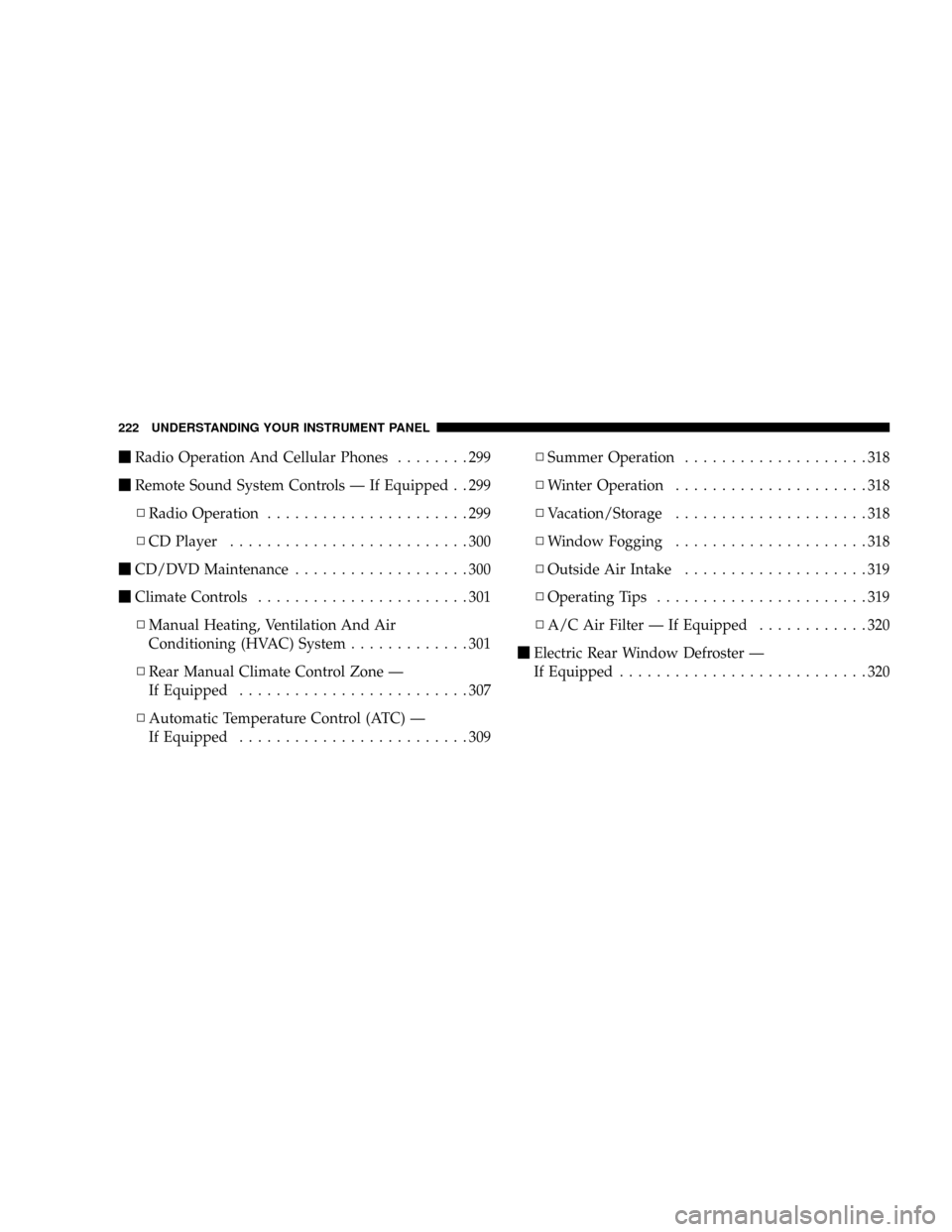
mRadio Operation And Cellular Phones........299
mRemote Sound System Controls Ð If Equipped . . 299
NRadio Operation......................299
NCD Player..........................300
mCD/DVD Maintenance...................300
mClimate Controls.......................301
NManual Heating, Ventilation And Air
Conditioning (HVAC) System.............301
NRear Manual Climate Control Zone Ð
If Equipped.........................307
NAutomatic Temperature Control (ATC) Ð
If Equipped.........................309NSummer Operation....................318
NWinter Operation.....................318
NVacation/Storage.....................318
NWindow Fogging.....................318
NOutside Air Intake....................319
NOperating Tips.......................319
NA/C Air Filter Ð If Equipped............320
mElectric Rear Window Defroster Ð
If Equipped...........................320
222 UNDERSTANDING YOUR INSTRUMENT PANEL