steering DODGE SPRINTER 2008 2.G Manual PDF
[x] Cancel search | Manufacturer: DODGE, Model Year: 2008, Model line: SPRINTER, Model: DODGE SPRINTER 2008 2.GPages: 666, PDF Size: 14.11 MB
Page 212 of 666
210 Controls in detailGood visibility
3
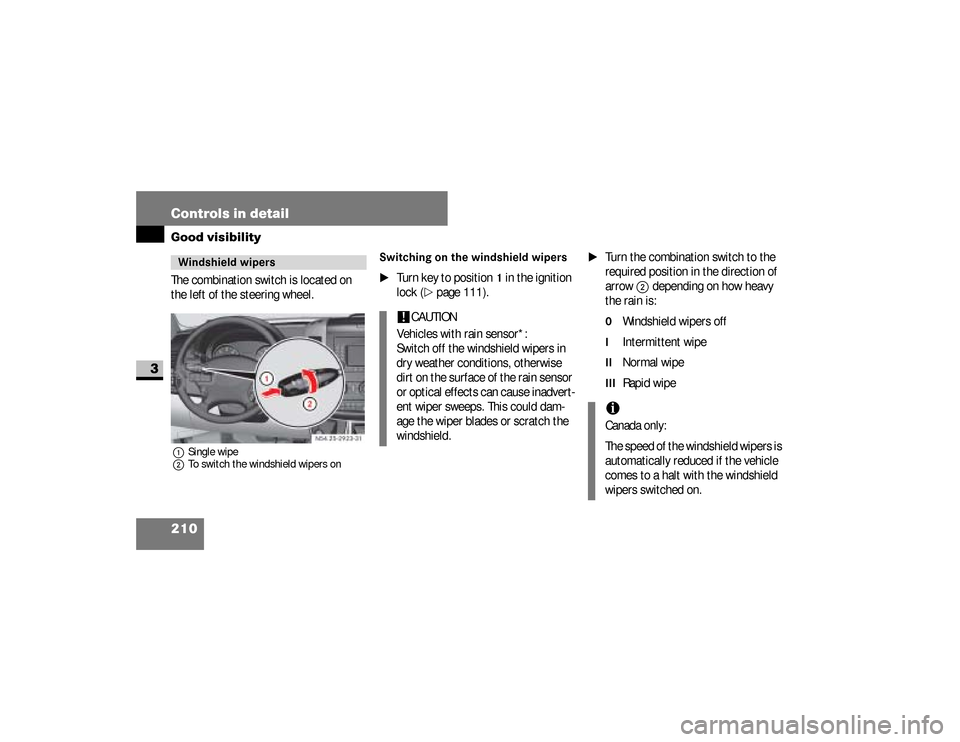
The combination switch is located on
the left of the steering wheel.1Single wipe
2To switch the windshield wipers on
Switching on the windshield wipers
\1
Turn key to position
1 in the ignition
lock (
\2
page 111).
\1
Turn the combination switch to the
required position in the direction of
arrow
2
depending on how heavy
the rain is:
0
Windshield wipers off
I
Intermittent wipe
II
Normal wipe
III
Rapid wipe
Windshield wipers
N54.25-2923-31
!
CAUTION
Vehicles with rain sensor*:
Switch off the windshield wipers in
dry weather conditions, otherwise
dirt on the surface of the rain sensor
or optical effects can cause inadvert-
ent wiper sweeps. This could dam-
age the wiper blades or scratch the
windshield.
iCanada only:
The speed of the windshield wipers is
automatically reduced if the vehicle
comes to a halt with the windshield
wipers switched on.
nf_BA.book Page 210 Friday, January 25, 2008 3:53 PM
Page 214 of 666
212 Controls in detailGood visibility
3
Intermittent wipeOnly switch on intermittent wipe in
damp weather conditions or when it is
raining.
Vehicles with rain sensor*:
The a rain sensor is activated when you
switch on intermittent wipe. The appro-
priate wiping frequency is set automati-
cally according to the rain falling on the
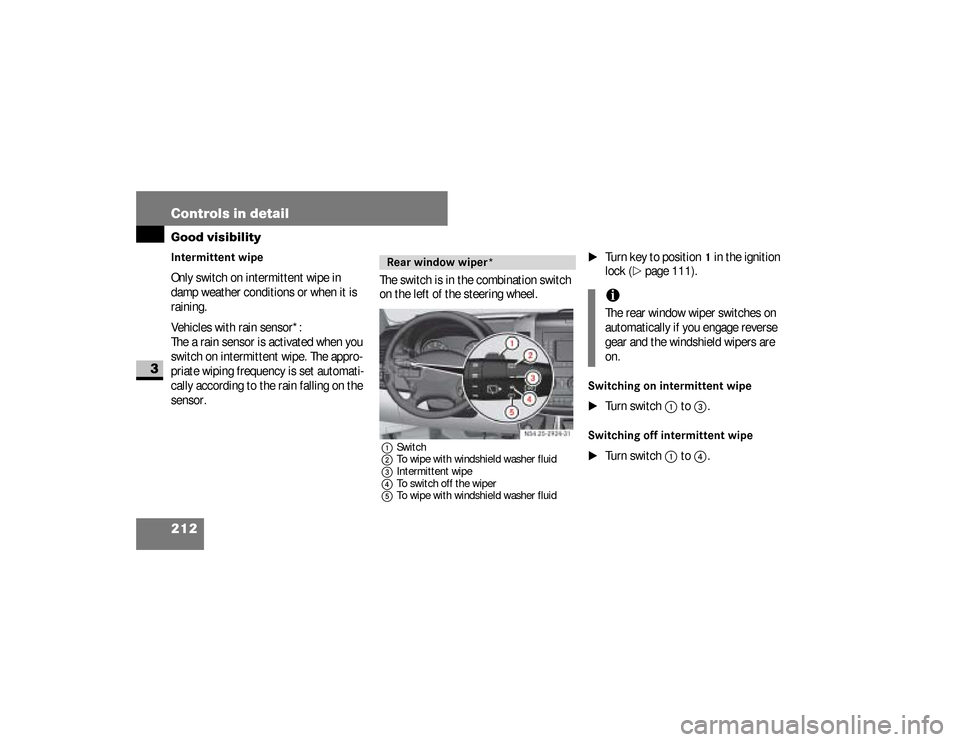
sensor.The switch is in the combination switch
on the left of the steering wheel.
1Switch
2To wipe with windshield washer fluid
3Intermittent wipe
4To switch off the wiper
5To wipe with windshield washer fluid
\1
Turn key to position
1 in the ignition
lock (
\2
page 111).
Switching on intermittent wipe
\1
Turn switch
1
to
3
.
Switching off intermittent wipe
\1
Turn switch
1
to
4
.
Rear window wiper*
N54.25-2924-31
iThe rear window wiper switches on
automatically if you engage reverse
gear and the windshield wipers are
on.
nf_BA.book Page 212 Friday, January 25, 2008 3:53 PM
Page 236 of 666
234 Controls in detailAir conditioning
3
\1To increase:
turn the temperature
selector control clockwise.
\1To reduce:
turn the temperature se-
lector control counterclockwise.
The fuel-fired heater booster system
heats the vehicle interior as quickly as
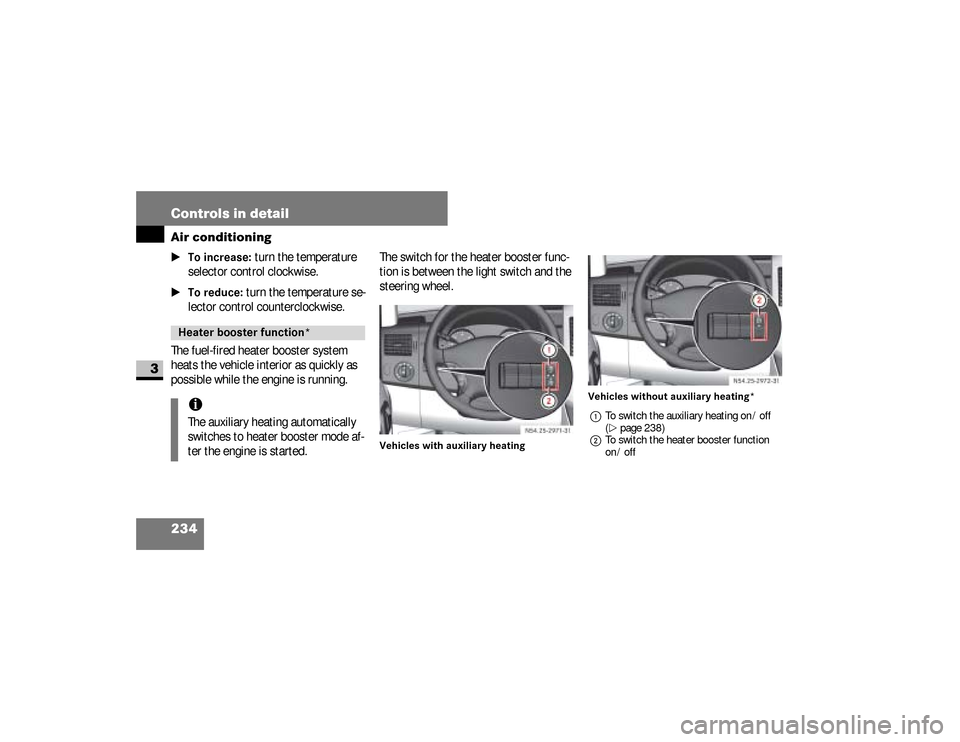
possible while the engine is running.The switch for the heater booster func-
tion is between the light switch and the
steering wheel.
Vehicles with auxiliary heatingVehicles without auxiliary heating*
1To switch the auxiliary heating on / off
(\2page 238)
2To switch the heater booster function
on / off
Heater booster function* iThe auxiliary heating automatically
switches to heater booster mode af-
ter the engine is started.
N54.25-2926-31
N54.25-2927-31
nf_BA.book Page 234 Friday, January 25, 2008 3:53 PM
Page 240 of 666
238 Controls in detailAuxiliary heating/ventilation*
3
Before switching on
\1
Adjust the heat output to the desired
temperature using the temperature
control selector (
\2
page 218).
\1
Set the air distribution as required.
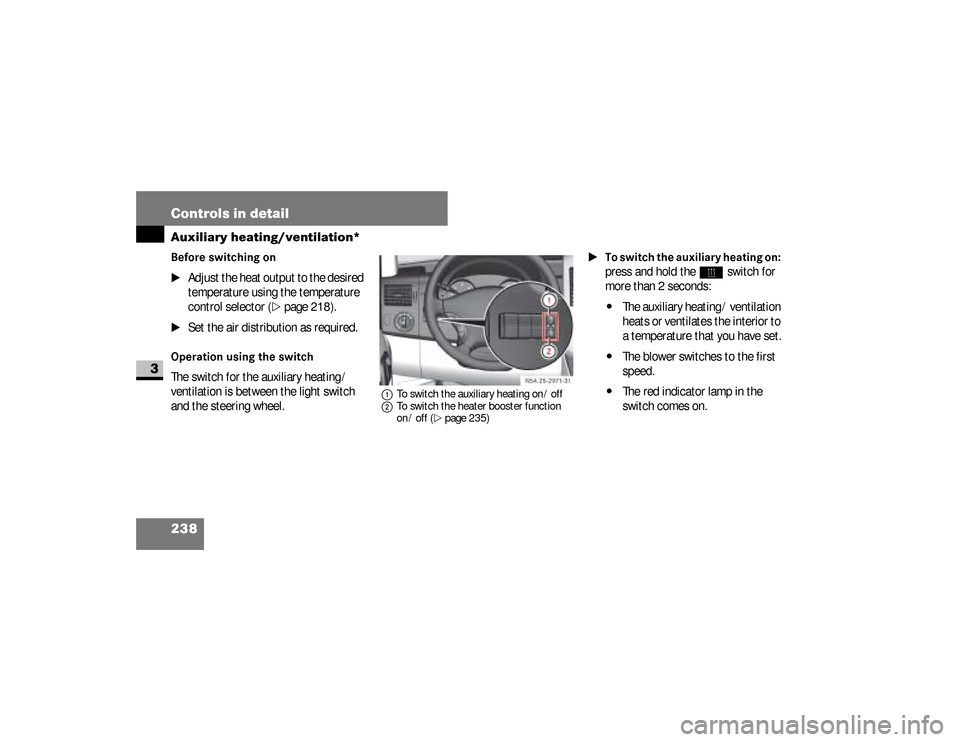
Operation using the switchThe switch for the auxiliary heating /
ventilation is between the light switch
and the steering wheel.
1To switch the auxiliary heating on / off
2To switch the heater booster function
on / off (\2page 235)
\1To switch the auxiliary heating on:
press and hold the
ö
switch for
more than 2 seconds:
\4
The auxiliary heating / ventilation
heats or ventilates the interior to
a temperature that you have set.
\4
The blower switches to the first
speed.
\4
The red indicator lamp in the
switch comes on. N54.25-2928-31
nf_BA.book Page 238 Friday, January 25, 2008 3:53 PM
Page 243 of 666
241 Controls in detail
Auxiliary heating/ventilation*
3
Operating system without steering
wheel buttons
\1
Switch on the ignition (
\2
page 111).
\1
Press the
ö
switch.
The
ö
symbol in the display flashes.
or \1
Press the
menu button on the
in-
strument cluster repeatedly until the
ö
symbol in the display flashes.
\1
Use the or button on the
in-
strument cluster to select desired
switch-on time
1 to
3.
The switch-on time selected is dis-
played.
\1
Wait 10 seconds for the standard
display to appear.The switch-on time is selected.
The yellow indicator lamp in
the
ö
switch comes on.
If you have not selected a switch-on time
and
--:--
appears in the display, the au-
tomatic switch-on is deactivated. The
yellow indicator lamp in the
ö
switch
goes out.
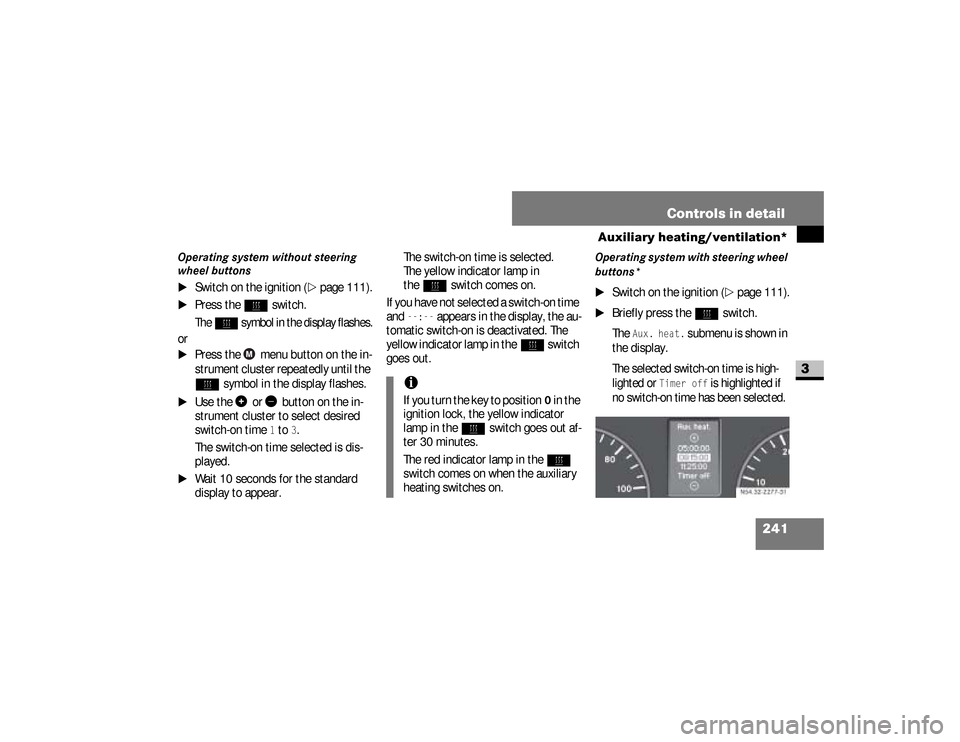
Operating system with steering wheel
buttons*
\1
Switch on the ignition (
\2
page 111).
\1
Briefly press the
ö
switch.
The
Aux. heat.
submenu is shown in
the display.
The selected switch-on time is high-
lighted or
Timer off
is highlighted if
no switch-on time has been selected.
iIf you turn the key to position
0 in the
ignition lock, the yellow indicator
lamp in the
ö
switch goes out af-
ter 30 minutes.
The red indicator lamp in the
ö
switch comes on when the auxiliary
heating switches on.
N54.32-2277-31
nf_BA.book Page 241 Friday, January 25, 2008 3:53 PM
Page 244 of 666
242 Controls in detailAuxiliary heating/ventilation*
3
\1
Press the
æ
or
ç
button to se-
lect the desired switch-on time. The
automatic switch-on is deactivated if
the
Timer off
setting is selected.
\1
Press the
è
button.
The switch-on time is selected.
The yellow indicator lamp in
the
ö
switch comes on.
Setting the switch-on time
Operating system without steering
wheel buttons
\1
Select a switch-on time as described
under “Selecting a switch-on time”
(\2
page 240).
\1
Press the reset button on the
in-
strument cluster to set the selected
switch-on time.
The hours figure flashes and
the
”
symbol appears in the dis-
play.
\1
Set the hours using the or
am
button on the
instrument cluster.
\1
Press the reset button.
The minute display flashes.
\1
Set the minutes using the
or button.
iYou can reach the
Aux. heat.
sub-
menu via the
Settings
menu
(
\2
page 161).
iIf you turn the key to position
0 in the
ignition lock, the yellow indicator
lamp in the
ö
switch goes out af-
ter 30 minutes.
The red indicator lamp in the
ö
switch comes on when the auxiliary
heating switches on.
nf_BA.book Page 242 Friday, January 25, 2008 3:53 PM
Page 245 of 666
243 Controls in detail
Auxiliary heating/ventilation*
3
Operating system with steering wheel
buttons
\1
Select a switch-on time as described
under “Selecting a switch-on time”
(\2
page 240).
\1
Press the
j
button.
The
Hours
menu appears in the dis-
play.
\1
Set the hours using the
æ
or
ç
button.
\1
Press the
j
button.
The
Minutes
menu appears in the
display.
\1
Set the minutes using the
æ
or
ç
button.
\1
Press the
è
button.
The switch-on time is set and selected.
iIf you keep the button pressed, the
values will change continuously.
To return to the standard display:\4
press and hold the button
on the
instrument cluster for
more than 1 second
\4
do not press a button for
10 seconds
iTo return to the standard display,
press the
è
or
ÿ
button re-
peatedly until the standard display
appears.
nf_BA.book Page 243 Friday, January 25, 2008 3:53 PM
Page 249 of 666
247 Controls in detail
Open air
3
Resetting the sliding sunroofThe sliding sunroof must be reset after:\4
the sunroof has been closed manual-
ly using the emergency operation
key (
\2
page 522)
\4
the sunroof has opened with a jerk
\4
a malfunction
\1
Switch on the ignition (
\2
page 111).
\1
Press the sliding sunroof switch in
the direction of arrow
2
(\2
page 246).
\1
Wait until the sliding sunroof is
closed and then keep the sliding sun-
roof switch pressed for approximate-
ly 3 seconds.
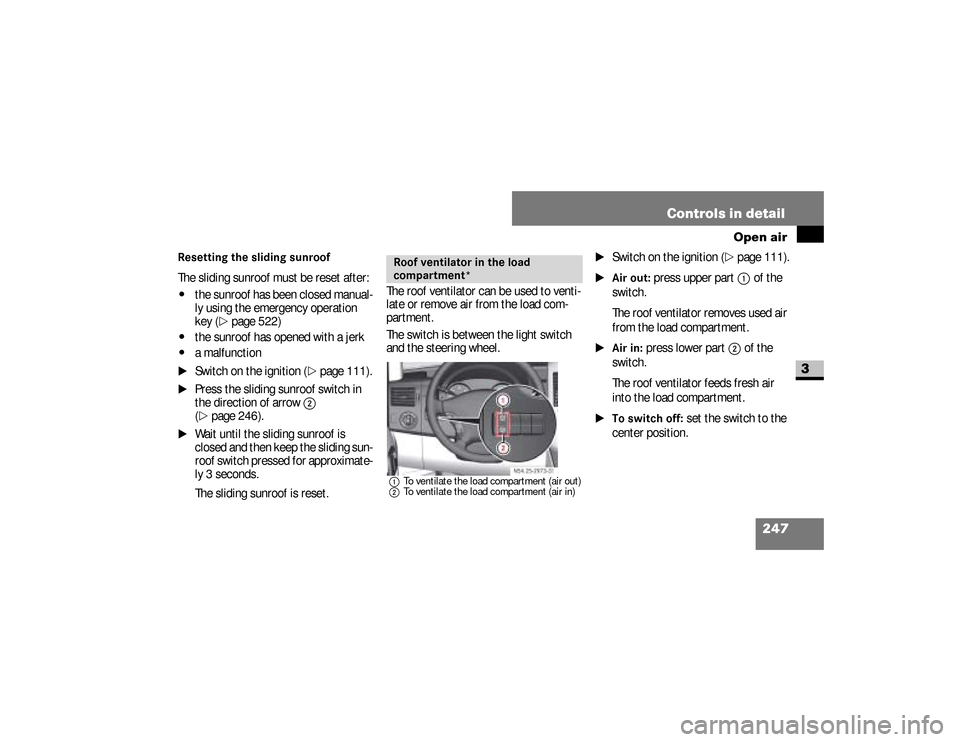
The sliding sunroof is reset.The roof ventilator can be used to venti-
late or remove air from the load com-
partment.
The switch is between the light switch
and the steering wheel.
1To ventilate the load compartment (air out)
2To ventilate the load compartment (air in)
\1
Switch on the ignition (
\2
page 111).
\1Air out:
press upper part
1
of the
switch.
The roof ventilator removes used air
from the load compartment.
\1Air in:
press lower part
2
of the
switch.
The roof ventilator feeds fresh air
into the load compartment.
\1To switch off:
set the switch to the
center position.
Roof ventilator in the load
compartment*
N54.25-2929-31
nf_BA.book Page 247 Friday, January 25, 2008 3:53 PM
Page 251 of 666
249 Controls in detail
Driving systems
3
Cruise control leverThe cruise control lever is the upper-
most lever on the left of the steering col-
umn.
Warning
G
The cruise control function cannot take
account of road and traffic conditions.
Always pay attention to road and traffic
conditions, even when cruise control is
activated.Cruise control is only an aid designed to
assist driving. You are responsible for the
vehicle’s speed and for braking in good
time.
If there is a change of drivers, advise the
new driver of the cruising speed that is
stored.
Warning
G
Do not use cruise control:
\4if road and traffic conditions do not
permit a constant driving speed to be
maintained (e.g. heavy traffic or wind-
ing roads). You could otherwise cause
an accident.
\4on slippery roads. The drive wheels
may lose their grip when braking or
accelerating and the vehicle could
skid
\4when visibility is poor, e.g. in fog,
heavy rain or snow
iCruise control may be unable to
maintain the stored speed on uphill
or downhill gradients. The stored
speed is resumed if the gradient
evens out and the vehicle’s speed
has not fallen below 20 mph
(30 km/h).
nf_BA.book Page 249 Friday, January 25, 2008 3:53 PM
Page 275 of 666
273 Controls in detail
Operating the vehicle
3
\3 Operating the vehicleWhen activated, the operating speed
governor (ADR) automatically increases
the engine speed to a preset or adjust-
able operating speed (
\2
page 275).
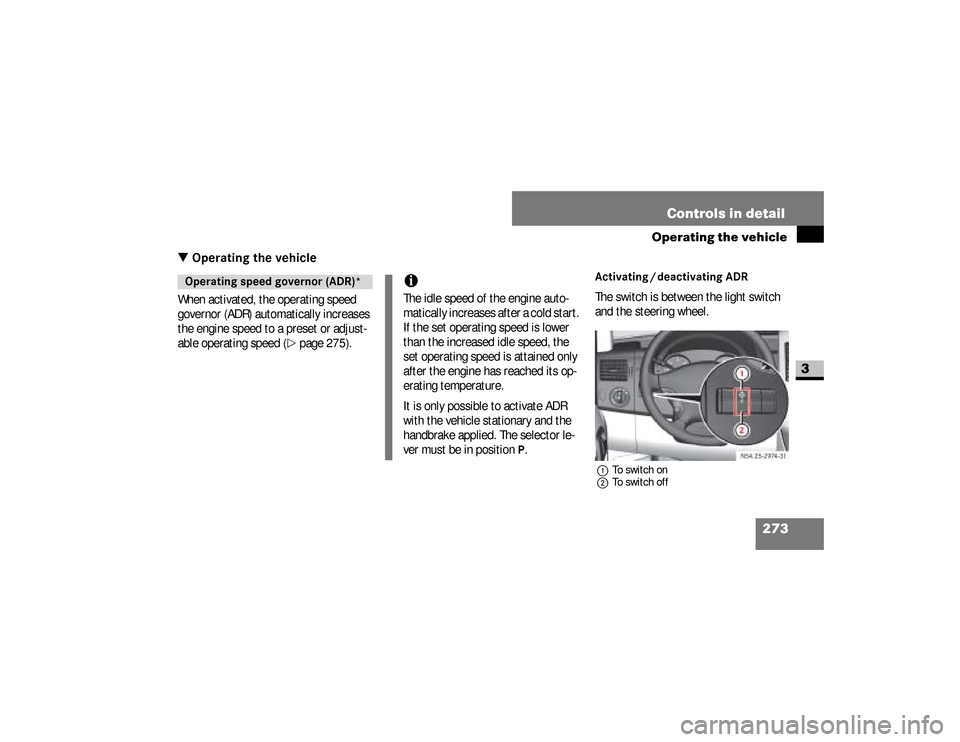
Activating / deactivating ADRThe switch is between the light switch
and the steering wheel.1To switch on
2To switch off
Operating speed governor (ADR)*
iThe idle speed of the engine auto-
matically increases after a cold start.
If the set operating speed is lower
than the increased idle speed, the
set operating speed is attained only
after the engine has reached its op-
erating temperature.
It is only possible to activate ADR
with the vehicle stationary and the
handbrake applied. The selector le-
ver must be in position
P.
N54.25-2932-31
nf_BA.book Page 273 Friday, January 25, 2008 3:53 PM