battery DODGE VIPER 2016 VX / 3.G Owner's Guide
[x] Cancel search | Manufacturer: DODGE, Model Year: 2016, Model line: VIPER, Model: DODGE VIPER 2016 VX / 3.GPages: 423, PDF Size: 2.75 MB
Page 335 of 423
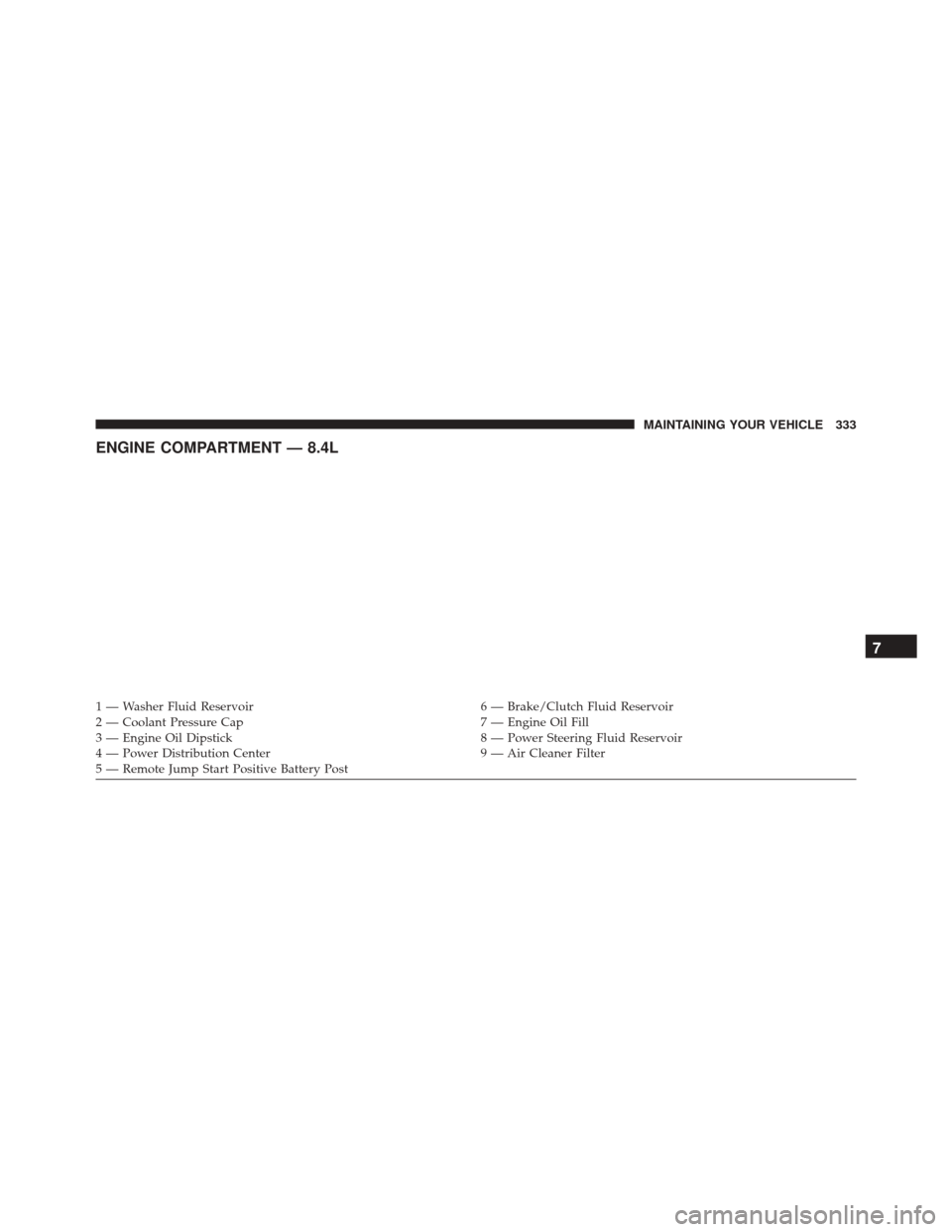
ENGINE COMPARTMENT — 8.4L
1 — Washer Fluid Reservoir6 — Brake/Clutch Fluid Reservoir
2 — Coolant Pressure Cap 7 — Engine Oil Fill
3 — Engine Oil Dipstick 8 — Power Steering Fluid Reservoir
4 — Power Distribution Center 9 — Air Cleaner Filter
5 — Remote Jump Start Positive Battery Post
7
MAINTAINING YOUR VEHICLE 333
Page 337 of 423
Indicator Light (MIL)” is functioning and is not on when
the engine is running, and that the OBD II system is
ready for testing.
Normally, the OBD II system will be ready. The OBD II
system maynotbe ready if your vehicle was recently
serviced, recently had a dead battery or a battery replace-
ment. If the OBD II system should be determined not
ready for the I/M test, your vehicle may fail the test.
Your vehicle has a simple ignition actuated test, which
you can use prior to going to the test station. To check if
your vehicle’s OBD II system is ready, you must do the
following:
1. Cycle the ignition switch to the ON position, but do not crank or start the engine.
NOTE: If you crank or start the engine, you will have to
start this test over. 2. As soon as you cycle the ignition switch to the ON
position, you will see the Malfunction Indicator Light
(MIL) symbol come on as part of a normal bulb check.
3. Approximately 15 seconds later, one of two things will happen:
• The MIL will flash for about 10 seconds and then
return to being fully illuminated until you turn OFF
the ignition or start the engine. This means that your
vehicle’s OBD II system is not readyand you should
not proceed to the I/M station.
• The MIL will not flash at all and will remain fully
illuminated until you place the ignition in the off
position or start the engine. This means that your
vehicle’s OBD II system is readyand you can proceed
to the I/M station.
If your OBD II system is not ready,you should see your
authorized dealer or repair facility. If your vehicle was
7
MAINTAINING YOUR VEHICLE 335
Page 338 of 423
recently serviced or had a battery failure or replacement,
you may need to do nothing more than drive your
vehicle as you normally would in order for your OBD II
system to update. A recheck with the above test routine
may then indicate that the system isnow ready.
Regardless of whether your vehicle’s OBD II system is
ready or not, if the MIL is illuminated during normal
vehicle operation you should have your vehicle serviced
before going to the I/M station. The I/M station can fail
your vehicle because the MIL is on with the engine
running.
REPLACEMENT PARTS
Use of genuine MOPAR parts for normal/scheduled
maintenance and repairs is highly recommended to en-
sure the designed performance. Damage or failures
caused by the use of non-MOPAR parts for maintenance
and repairs will not be covered by the New Vehicle
Limited Warranty.
DEALER SERVICE
Your authorized dealer has the qualified service person-
nel, special tools, and equipment to perform all service
operations in an expert manner. Service Manuals are
available which include detailed service information for
your vehicle. Refer to these Service Manuals before
attempting any procedure yourself.
NOTE: Intentional tampering with emissions control
systems may void your warranty and could result in civil
penalties being assessed against you.
WARNING!
You can be badly injured working on or around a
motor vehicle. Only do service work for which you
have the knowledge and the proper equipment. If
you have any doubt about your ability to perform a
service job, take your vehicle to a competent me-
chanic.
336 MAINTAINING YOUR VEHICLE
Page 343 of 423
Maintenance-Free Battery
The top of the maintenance-free battery is vented, and
must be replaced with a vented battery.
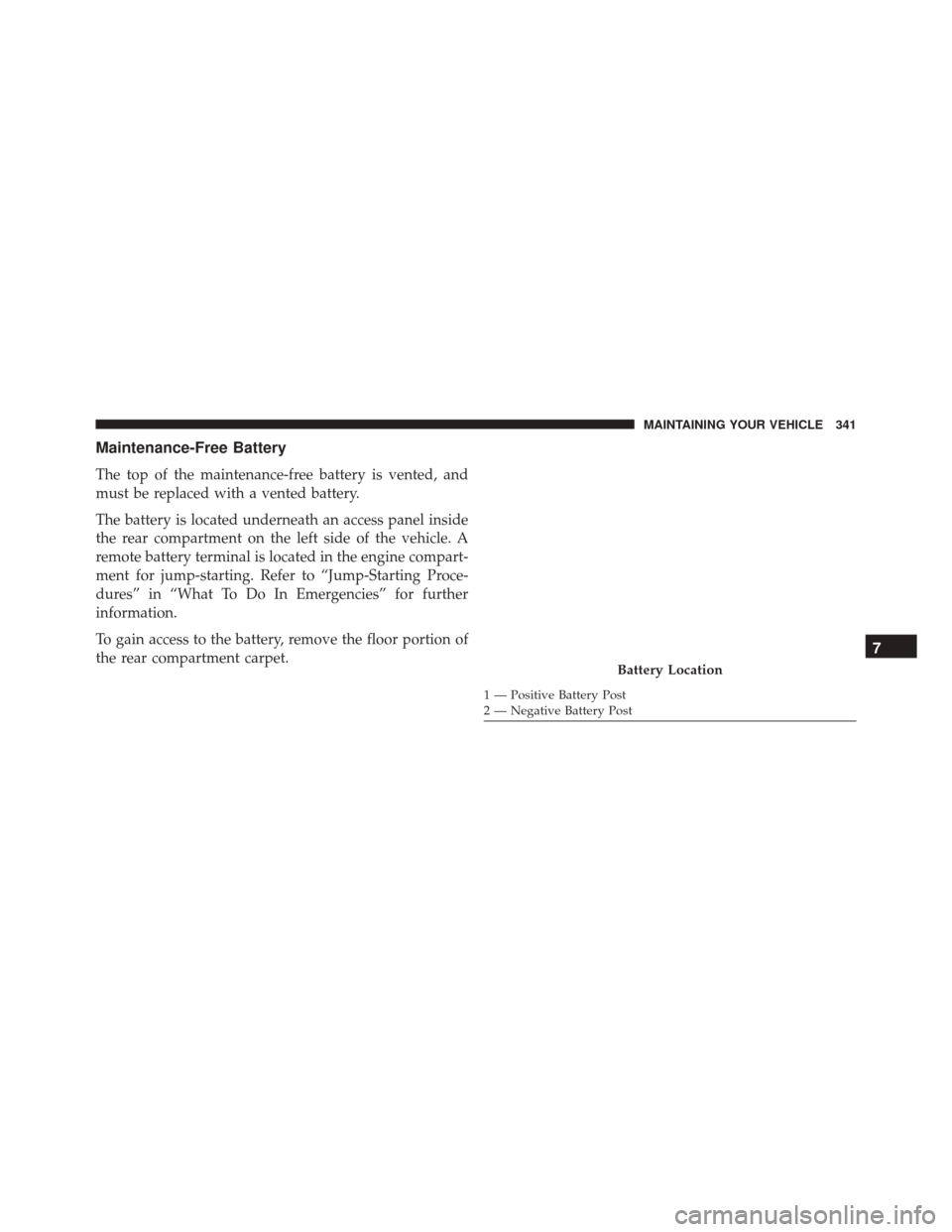
The battery is located underneath an access panel inside
the rear compartment on the left side of the vehicle. A
remote battery terminal is located in the engine compart-
ment for jump-starting. Refer to “Jump-Starting Proce-
dures” in “What To Do In Emergencies” for further
information.
To gain access to the battery, remove the floor portion of
the rear compartment carpet.
Battery Location
1 — Positive Battery Post
2 — Negative Battery Post
7
MAINTAINING YOUR VEHICLE 341
Page 344 of 423
WARNING!
•Battery fluid is a corrosive acid solution and can
burn or even blind you. Do not allow battery fluid
to contact your eyes, skin, or clothing. Do not lean
over a battery when attaching clamps. If acid
splashes in eyes or on skin, flush the area imme-
diately with large amounts of water.
• Battery gas is flammable and explosive. Keep
flame or sparks away from the battery. Do not use
a booster battery or any other booster source with
an output greater than 12 Volts. Do not allow cable
clamps to touch each other.
• Battery posts, terminals, and related accessories
contain lead and lead compounds. Wash hands
after handling.
CAUTION!
• It is essential when replacing the cables on the
battery that the positive cable is attached to the
positive post and the negative cable is attached to
the negative post. Battery posts are marked positive
(+) and negative (-) and are identified on the
battery case. Cable clamps should be tight on the
terminal posts and free of corrosion.
• If a “fast charger” is used while the battery is in the
vehicle, disconnect both vehicle battery cables be-
fore connecting the charger to the battery. Do not
use a “fast charger” to provide starting voltage.
Hibernation Mode
The Hibernation mode feature conserves battery power
when storing the vehicle. It allows for up to three months
342 MAINTAINING YOUR VEHICLE
Page 345 of 423
of storage time without losing radio and engine control-
ler adaptive memory. Using this feature is an alternative
to disconnecting the battery.
NOTE:This vehicle is designed to sit in storage with a
fully charged battery for up to 30 days. If you plan to
store the vehicle longer than 30 days, we recommend
doing one of the following:
• Disconnect the battery.
• Use the battery charger.
• Put the vehicle into Hibernation mode (3-month
charge).
To Activate Hibernation Mode
1. Cycle the ignition switch to (ACC).
2. Select Hibernation mode within the Driver Informa- tion Display (DID). 3. Push the right arrow button on the steering wheel
controls for one second. Vehicle will countdown from
ten seconds and enter Hibernation Mode.
NOTE: You may push the right arrow button on the
steering wheel controls during the countdown to abort
Hibernation Mode.
To Deactivate Hibernation Mode
1. Push the RKE UNLOCK button to unlock the vehicle.
2. Push the ignition switch to the ON/RUN position.
Air Conditioner Maintenance
For best possible performance, your air conditioner
should be checked and serviced by an authorized dealer
at the start of each warm season. This service should
include cleaning of the condenser fins and a performance
test. Drive belt tension should also be checked at this
time.
7
MAINTAINING YOUR VEHICLE 343
Page 375 of 423
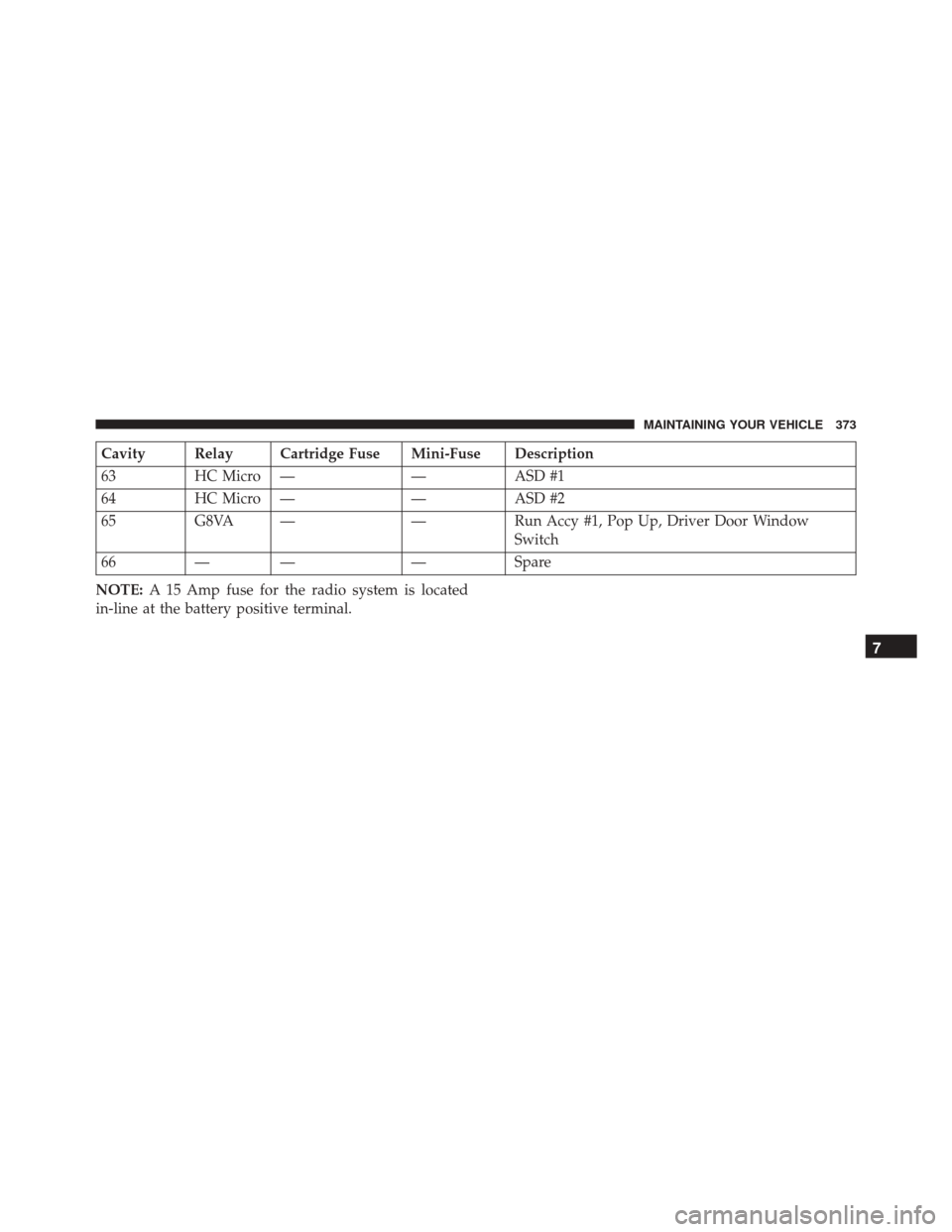
Cavity Relay Cartridge Fuse Mini-Fuse Description
63HC Micro — —ASD #1
64 HC Micro — —ASD #2
65 G8VA — —Run Accy #1, Pop Up, Driver Door Window
Switch
66 — — —Spare
NOTE: A 15 Amp fuse for the radio system is located
in-line at the battery positive terminal.
7
MAINTAINING YOUR VEHICLE 373
Page 377 of 423
•Block the wheels. Do not apply the parking brake.
• Cut blocks of plywood about the same size of the tires.
Cover each block with indoor/outdoor carpeting and
place them between the tires and concrete. This will
prevent tire flat spotting.
• For long-term storage, remove the tires and put the
vehicle up on blocks. Stack the tires on plywood and
cover with a tarp to prevent flat spotting.
• If the vehicle will be subjected to freezing tempera-
tures, either remove the battery and store it in a dry,
well ventilated area or connect a trickle charger (1.5
Amp) with automatic shutdown / overcharge protec-
tion to the battery. However, do not leave the trickle
charger hooked up to the battery without being
plugged in to a 110 Volt AC outlet, as this will result in
further drain on the vehicle’s battery. If the vehicle is
not going to be driven in the next three weeks, perform
the battery recharge procedure in the Service Manual. Then, either disconnect the battery at the negative
terminal or use the “Battery Save Feature” to conserve
battery power. Refer to “Maintenance Procedures/
Battery Save Feature” in “Maintaining Your Vehicle”
for further information.
• Cover the vehicle whenever possible to prevent acci-
dental damage to the finish.
NOTE: Disconnecting the battery causes the engine con-
trol system to lose memory of some “learned” functions.
After reconnecting the battery, the engine may run rough
until the control module “relearns” these functions. Us-
ing the Battery Save Feature will prevent the engine
controller from loosing its memory.
7
MAINTAINING YOUR VEHICLE 375
Page 378 of 423
CAUTION!
Use care when disconnecting the remote positive
cable. It is connected to the battery and can short out
to any metal on the vehicle. Always tape or wrap the
exposed cable end to prevent electrical shorts.
Check the battery every four to six weeks to ensure that
the voltage is above 12.10 Volts. The voltage will drop
more rapidly in hot temperatures. If battery voltage
drops below 12.10 Volts, follow the battery recharge
procedure in the Service Manual.
NOTE: To help prevent the battery from discharging
during shorter periods of inactivity, perform the follow-
ing:
1. Make sure that the liftgate, hood, doors, windows are completely closed. 2. Make sure that Remote Keyless Entry (RKE) transmit-
ter is operating and that the battery is good.
3. Make sure that the HOOD, LIFTGATE, and DOOR switches are in adjustment. Perform the quick system
check, which follows:
Use the remote transmitter to set the alarm. If the alarm
SET light comes on and flashes, the system is operating
properly. If not, there is a problem with a switch or the
system. See your authorized dealer for service.
If you plan to store the vehicle longer than 30 days, we
recommend using Hibernation Mode to conserve bat-
tery power. Refer to “Hibernation Mode” in Mainte-
nance Procedures for further information.
376 MAINTAINING YOUR VEHICLE
Page 389 of 423
Once A Month
•Check tire pressure and look for unusual wear or
damage. Rotate tires at the first sign of irregular wear,
even if it occurs before your next scheduled service.
• Inspect the battery, and clean and tighten the terminals
as required.
• Check the fluid levels of the coolant reservoir, brake
master cylinder, power steering, and transmission, and
add as needed.
• Check all lights and all other electrical items for correct
operation. At Each Oil Change
•
Change the engine oil filter.
• Inspect the exhaust system.
NOTE: Also, inspect the exhaust system if you notice a
change in the sound of the exhaust system, or if the
exhaust fumes can be detected inside the vehicle.
• Inspect the brake hoses.
• Inspect the suspension components.
• Lubricate door hinges and check springs.
• Check the engine coolant level, hoses, and clamps.
• Check power steering fluid level.
8
MAINTENANCE SCHEDULES 387