brake FIAT 500 ABARTH 2013 2.G User Guide
[x] Cancel search | Manufacturer: FIAT, Model Year: 2013, Model line: 500 ABARTH, Model: FIAT 500 ABARTH 2013 2.GPages: 84, PDF Size: 4.63 MB
Page 5 of 84
VEHICLES SOLD IN CANADA
With respect to any vehicles sold in Canada, the name Chrysler Group LLC shall be
deemed to be deleted and the name Chrysler Canada Inc. used in substitution.
WARNING!
• Pedals that cannot move freely can cause loss of vehicle control and in-
crease the risk of serious personal injury.
• Always make sure that objects cannot fall into the driver foot well while the
vehicle is moving. Objects can become trapped under the brake pedal and
accelerator pedal causing a loss of vehicle control.
• Failure to properly follow floor mat installation or mounting can cause inter-
ference with the brake pedal and accelerator pedal operation causing loss of
control of the vehicle.
• Never use the ‘PARK’ position as a substitute for the parking brake. Always
apply the parking brake fully when parked to guard against vehicle move-
ment and possible injury or damage.
• Refer to your Owner's Manual on the DVD for further details.
Use of Aftermarket Products (Electronics)
The use of aftermarket devices including cell phones, MP3 players, GPS systems,
or chargers may affect the performance of on-board wireless features including
Keyless Enter-N-Go™ and Remote Start range. If you are experiencing difficulties
with any of your wireless features, try disconnecting your aftermarket devices to see
if the situation improves. If your symptoms persist, please see an authorized studio.
FIAT is a registered trademark of FIAT Group Marketing & Corporate Communica-
tion SpA, used under license by Chrysler Group LLC.
COPYRIGHT ©2013 Chrysler Group LLC
INTRODUCTION/WELCOME
3
Page 8 of 84
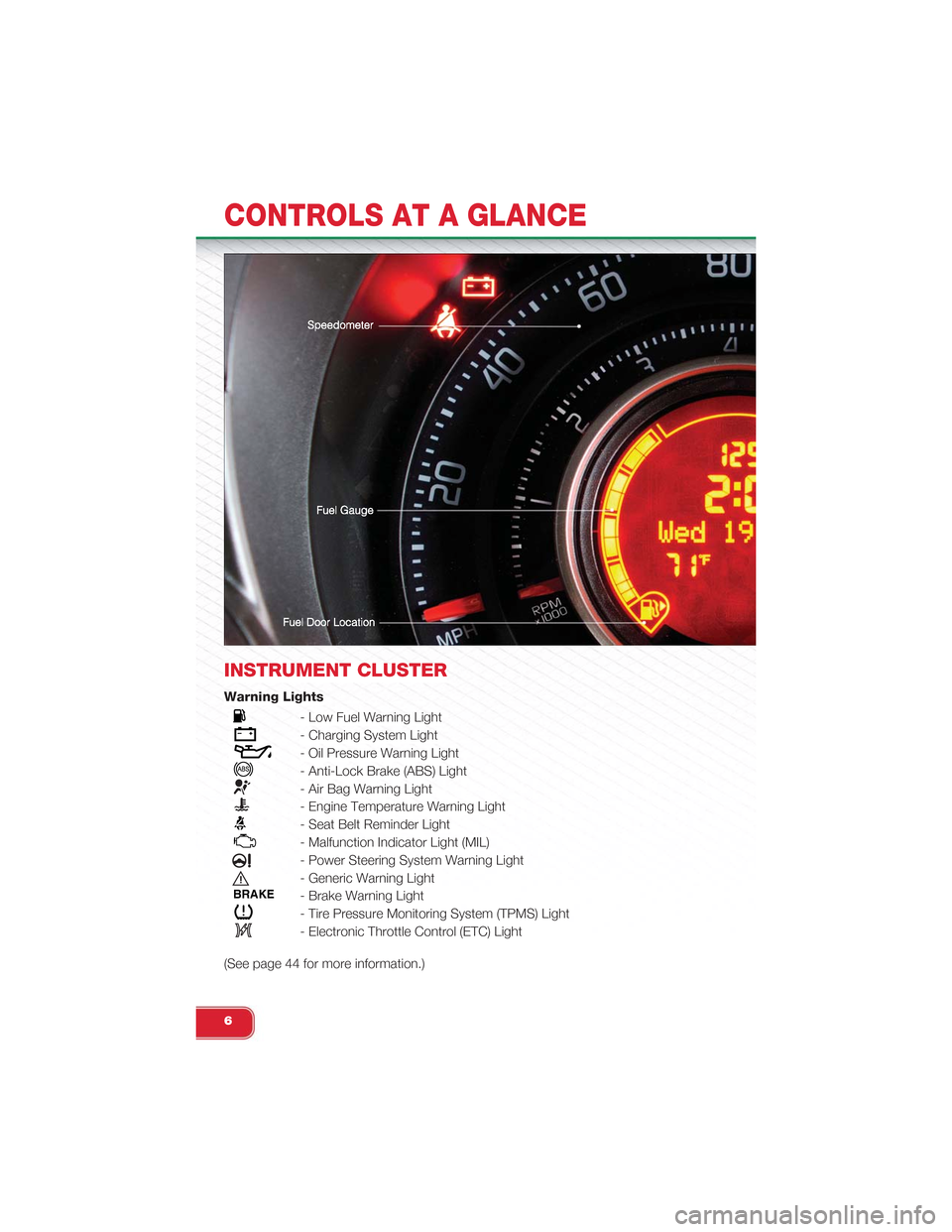
INSTRUMENT CLUSTER
Warning Lights
- Low Fuel Warning Light
- Charging System Light
- Oil Pressure Warning Light
- Anti-Lock Brake (ABS) Light
- Air Bag Warning Light
- Engine Temperature Warning Light
- Seat Belt Reminder Light
- Malfunction Indicator Light (MIL)
- Power Steering System Warning Light
- Generic Warning Light
BRAKE- Brake Warning Light
- Tire Pressure Monitoring System (TPMS) Light
- Electronic Throttle Control (ETC) Light
(See page 44 for more information.)
CONTROLS AT A GLANCE
6
Page 11 of 84
WARNING!
Failure to follow these warnings can result in injuries that are serious or fatal to
you, your passengers, and others around you:
• Before operating the power top, make sure that no moving parts of the con-
vertible top can injure a person or animal.
•Never place any extremities (hands, feet, etc.) near the convertible top compo-
nents, the upper windshield area, the shelf area behind the rear seats, or the
convertible top stowage area while raising or lowering the convertible top.
• When using the power top button on RKE transmitter, if potential danger
exists while lowering the top, release the button immediately to interrupt the
operation.
• Only drive the vehicle with the convertible top completely closed and latched
or fully lowered into its stowage compartment.
• Do not operate the power top when the vehicle is in motion.
Opening the Liftgate
• To open the liftgate, press the liftgate release handle located on the underside of
the license plate bar and pull the liftgate open with one fluid motion.
WARNING!
Never leave children alone in a vehicle, or with access to an unlocked vehicle.
Allowing children to be in a vehicle unattended is dangerous for a number of rea-
sons. A child or others could be severely injured or killed. Children should be
warned not to touch the parking brake, brake pedal, or the shift lever. Do not
leave the Key Fob in the vehicle, or in a location accessible to children. A child
could operate power windows, other controls, or move the vehicle.
THEFT ALARM
To Arm:
• Press the Key Fob LOCK button.
To Disarm:
• Press the Key Fob UNLOCK button or turn the ignition to the ON/RUN position.
GETTING STARTED
9
Page 23 of 84
SPEED CONTROL
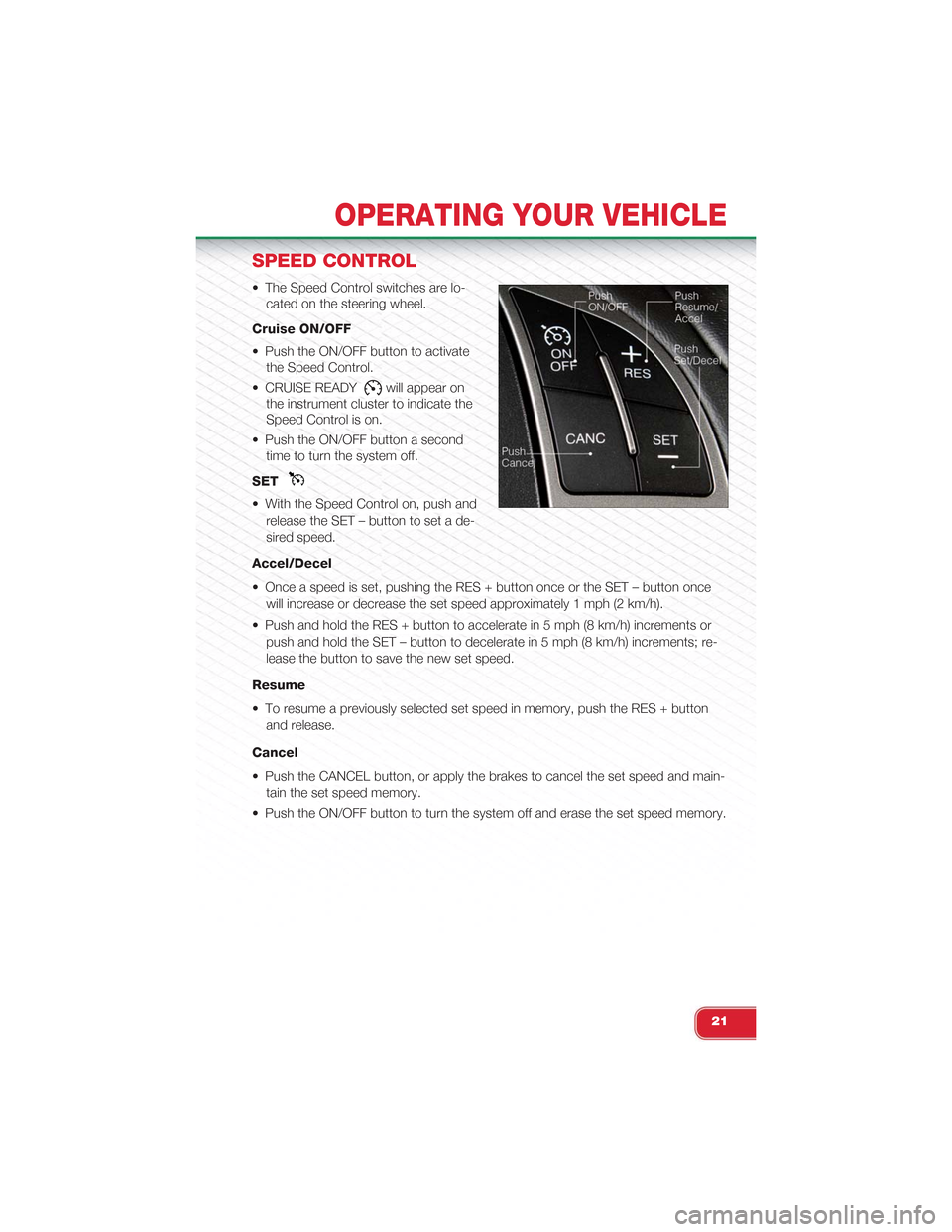
• The Speed Control switches are lo-
cated on the steering wheel.
Cruise ON/OFF
• Push the ON/OFF button to activate
the Speed Control.
• CRUISE READYwill appear on
the instrument cluster to indicate the
Speed Control is on.
• Push the ON/OFF button a second
time to turn the system off.
SET
• With the Speed Control on, push and
release the SET – button to set a de-
sired speed.
Accel/Decel
• Once a speed is set, pushing the RES + button once or the SET – button once
will increase or decrease the set speed approximately 1 mph (2 km/h).
• Push and hold the RES + button to accelerate in 5 mph (8 km/h) increments or
push and hold the SET – button to decelerate in 5 mph (8 km/h) increments; re-
lease the button to save the new set speed.
Resume
• To resume a previously selected set speed in memory, push the RES + button
and release.
Cancel
• Push the CANCEL button, or apply the brakes to cancel the set speed and main-
tain the set speed memory.
• Push the ON/OFF button to turn the system off and erase the set speed memory.
OPERATING YOUR VEHICLE
21
Page 47 of 84
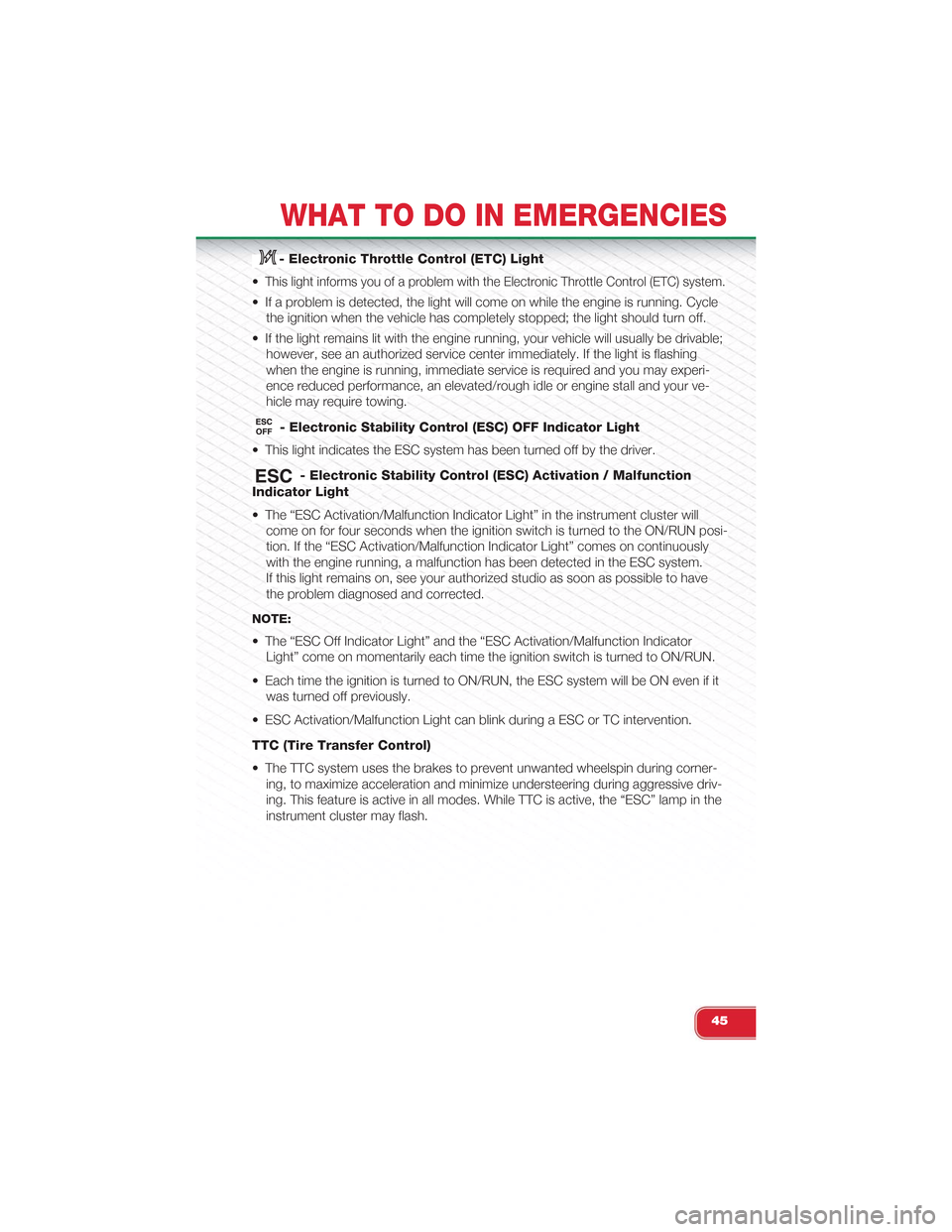
- Electronic Throttle Control (ETC) Light
•This light informs you of a problem with the Electronic Throttle Control (ETC) system.
• If a problem is detected, the light will come on while the engine is running. Cycle
the ignition when the vehicle has completely stopped; the light should turn off.
• If the light remains lit with the engine running, your vehicle will usually be drivable;
however, see an authorized service center immediately. If the light is flashing
when the engine is running, immediate service is required and you may experi-
ence reduced performance, an elevated/rough idle or engine stall and your ve-
hicle may require towing.
- Electronic Stability Control (ESC) OFF Indicator Light
• This light indicates the ESC system has been turned off by the driver.
- Electronic Stability Control (ESC) Activation / Malfunction
Indicator Light
• The “ESC Activation/Malfunction Indicator Light” in the instrument cluster will
come on for four seconds when the ignition switch is turned to the ON/RUN posi-
tion. If the “ESC Activation/Malfunction Indicator Light” comes on continuously
with the engine running, a malfunction has been detected in the ESC system.
If this light remains on, see your authorized studio as soon as possible to have
the problem diagnosed and corrected.
NOTE:
• The “ESC Off Indicator Light” and the “ESC Activation/Malfunction Indicator
Light” come on momentarily each time the ignition switch is turned to ON/RUN.
• Each time the ignition is turned to ON/RUN, the ESC system will be ON even if it
was turned off previously.
• ESC Activation/Malfunction Light can blink during a ESC or TC intervention.
TTC (Tire Transfer Control)
• The TTC system uses the brakes to prevent unwanted wheelspin during corner-
ing, to maximize acceleration and minimize understeering during aggressive driv-
ing. This feature is active in all modes. While TTC is active, the “ESC” lamp in the
instrument cluster may flash.
WHAT TO DO IN EMERGENCIES
45
Page 49 of 84
NOTE:
Tire pressures change by approximately 1 psi (7 kPa) per 12° F (7° C) of air tem-
perature change. Keep this in mind when checking tire pressure inside a garage,
especially in the winter. Example: If garage temperature is 68°F (20°C) and the out-
side temperature is 32°F (0°C), then the cold tire inflation pressure should be in-
creased by 3 psi (21 kPa), which equals 1 psi (7 kPa) for every 12°F (7°C) for this
outside temperature condition.
CAUTION!
The TPMS has been optimized for the original equipment tires and wheels. TPMS
pressures and warning have been established for the tire size equipped on your
vehicle. Undesirable system operation or sensor damage may result when using
replacement equipment that is not of the same size, type, and/or style. Aftermar-
ket wheels can cause sensor damage. Do not use tire sealant from a can, or bal-
ance beads if your vehicle is equipped with a TPMS, as damage to the sensors
may result.
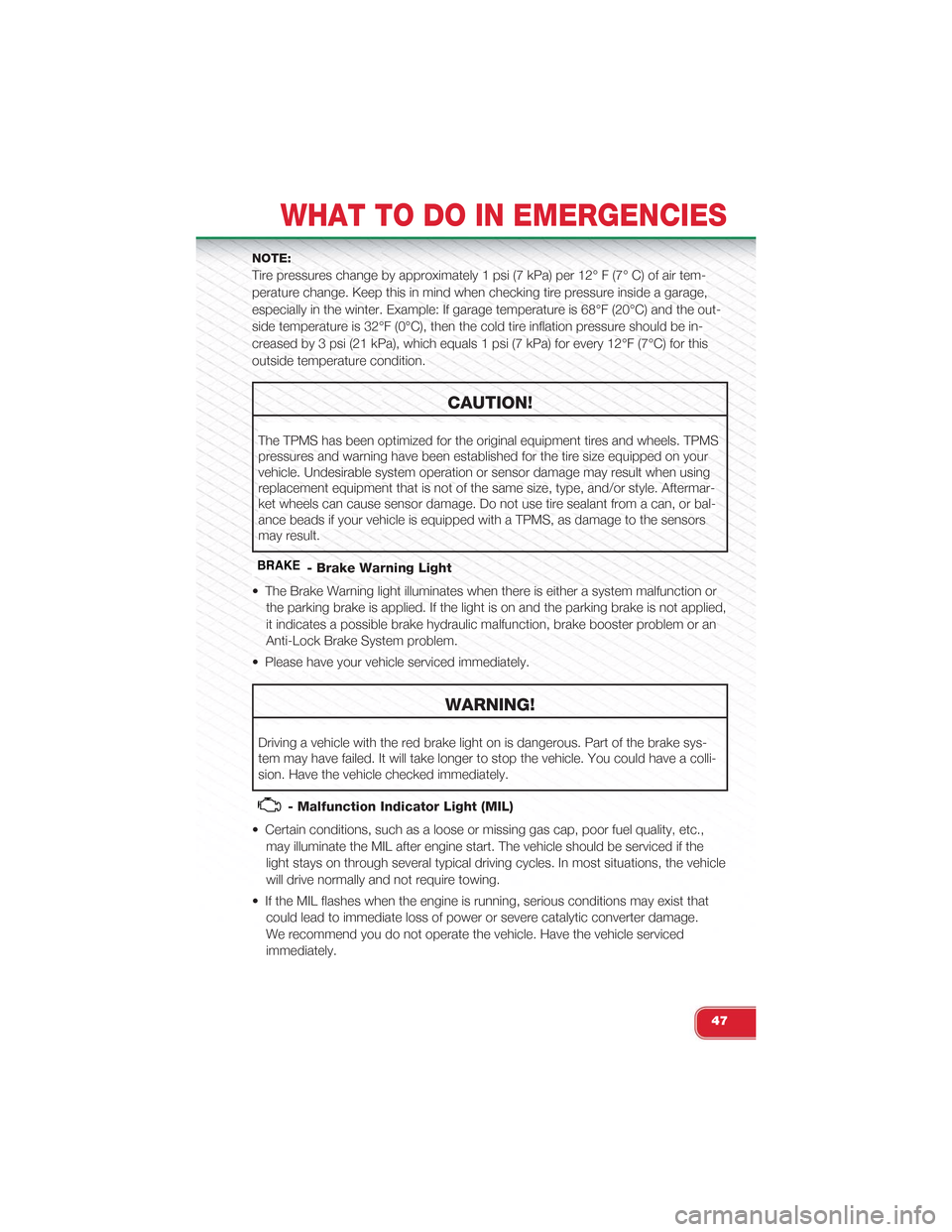
BRAKE- Brake Warning Light
• The Brake Warning light illuminates when there is either a system malfunction or
the parking brake is applied. If the light is on and the parking brake is not applied,
it indicates a possible brake hydraulic malfunction, brake booster problem or an
Anti-Lock Brake System problem.
• Please have your vehicle serviced immediately.
WARNING!
Driving a vehicle with the red brake light on is dangerous. Part of the brake sys-
tem may have failed. It will take longer to stop the vehicle. You could have a colli-
sion. Have the vehicle checked immediately.
- Malfunction Indicator Light (MIL)
• Certain conditions, such as a loose or missing gas cap, poor fuel quality, etc.,
may illuminate the MIL after engine start. The vehicle should be serviced if the
light stays on through several typical driving cycles. In most situations, the vehicle
will drive normally and not require towing.
• If the MIL flashes when the engine is running, serious conditions may exist that
could lead to immediate loss of power or severe catalytic converter damage.
We recommend you do not operate the vehicle. Have the vehicle serviced
immediately.
WHAT TO DO IN EMERGENCIES
47
Page 50 of 84
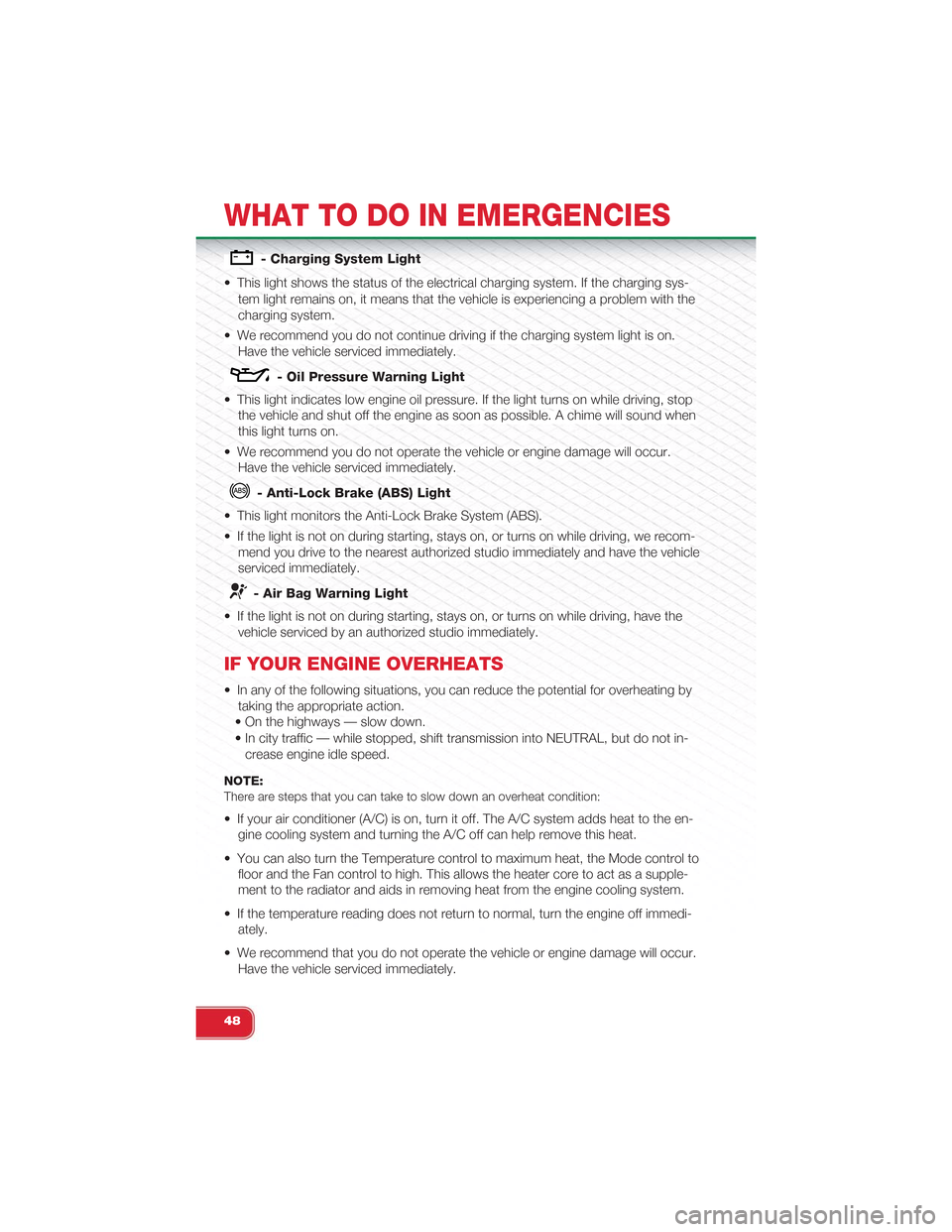
- Charging System Light
• This light shows the status of the electrical charging system. If the charging sys-
tem light remains on, it means that the vehicle is experiencing a problem with the
charging system.
• We recommend you do not continue driving if the charging system light is on.
Have the vehicle serviced immediately.
- Oil Pressure Warning Light
• This light indicates low engine oil pressure. If the light turns on while driving, stop
the vehicle and shut off the engine as soon as possible. A chime will sound when
this light turns on.
• We recommend you do not operate the vehicle or engine damage will occur.
Have the vehicle serviced immediately.
- Anti-Lock Brake (ABS) Light
• This light monitors the Anti-Lock Brake System (ABS).
• If the light is not on during starting, stays on, or turns on while driving, we recom-
mend you drive to the nearest authorized studio immediately and have the vehicle
serviced immediately.
- Air Bag Warning Light
• If the light is not on during starting, stays on, or turns on while driving, have the
vehicle serviced by an authorized studio immediately.
IF YOUR ENGINE OVERHEATS
• In any of the following situations, you can reduce the potential for overheating by
taking the appropriate action.
• On the highways — slow down.
• In city traffic — while stopped, shift transmission into NEUTRAL, but do not in-
crease engine idle speed.
NOTE:There are steps that you can take to slow down an overheat condition:
• If your air conditioner (A/C) is on, turn it off. The A/C system adds heat to the en-
gine cooling system and turning the A/C off can help remove this heat.
• You can also turn the Temperature control to maximum heat, the Mode control to
floor and the Fan control to high. This allows the heater core to act as a supple-
ment to the radiator and aids in removing heat from the engine cooling system.
• If the temperature reading does not return to normal, turn the engine off immedi-
ately.
• We recommend that you do not operate the vehicle or engine damage will occur.
Have the vehicle serviced immediately.
WHAT TO DO IN EMERGENCIES
48
Page 53 of 84
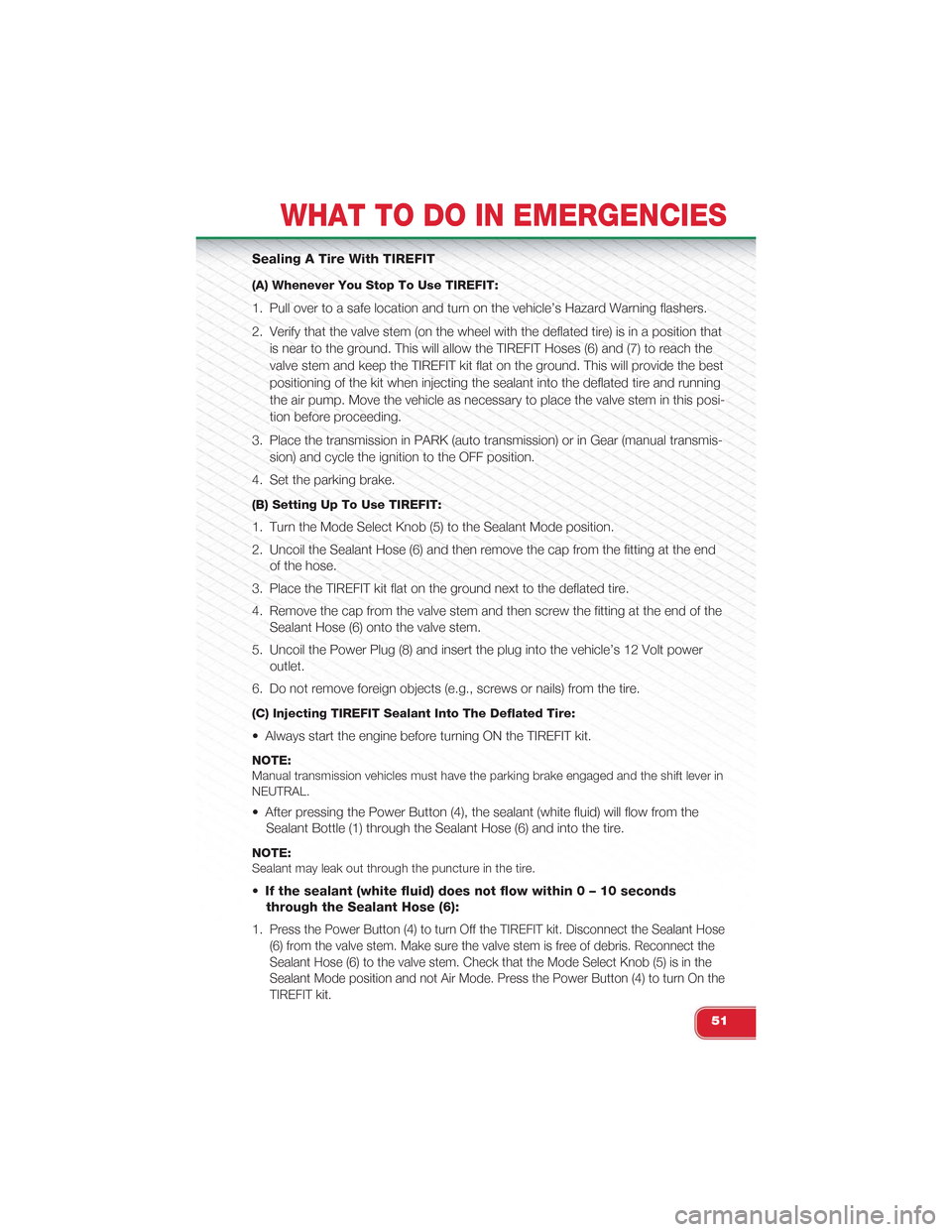
Sealing A Tire With TIREFIT
(A) Whenever You Stop To Use TIREFIT:
1. Pull over to a safe location and turn on the vehicle’s Hazard Warning flashers.
2. Verify that the valve stem (on the wheel with the deflated tire) is in a position that
is near to the ground. This will allow the TIREFIT Hoses (6) and (7) to reach the
valve stem and keep the TIREFIT kit flat on the ground. This will provide the best
positioning of the kit when injecting the sealant into the deflated tire and running
the air pump. Move the vehicle as necessary to place the valve stem in this posi-
tion before proceeding.
3. Place the transmission in PARK (auto transmission) or in Gear (manual transmis-
sion) and cycle the ignition to the OFF position.
4. Set the parking brake.
(B) Setting Up To Use TIREFIT:
1. Turn the Mode Select Knob (5) to the Sealant Mode position.
2. Uncoil the Sealant Hose (6) and then remove the cap from the fitting at the end
of the hose.
3. Place the TIREFIT kit flat on the ground next to the deflated tire.
4. Remove the cap from the valve stem and then screw the fitting at the end of the
Sealant Hose (6) onto the valve stem.
5. Uncoil the Power Plug (8) and insert the plug into the vehicle’s 12 Volt power
outlet.
6. Do not remove foreign objects (e.g., screws or nails) from the tire.
(C) Injecting TIREFIT Sealant Into The Deflated Tire:
• Always start the engine before turning ON the TIREFIT kit.
NOTE:Manual transmission vehicles must have the parking brake engaged and the shift lever inNEUTRAL.
• After pressing the Power Button (4), the sealant (white fluid) will flow from the
Sealant Bottle (1) through the Sealant Hose (6) and into the tire.
NOTE:Sealant may leak out through the puncture in the tire.
•If the sealant (white fluid) does not flow within 0 – 10seconds
through the Sealant Hose (6):
1.Press the Power Button (4) to turn Off the TIREFIT kit. Disconnect the Sealant Hose
(6) from the valve stem. Make sure the valve stem is free of debris. Reconnect the
Sealant Hose (6) to the valve stem. Check that the Mode Select Knob (5) is in the
Sealant Mode position and not Air Mode. Press the Power Button (4) to turn On the
TIREFIT kit.
WHAT TO DO IN EMERGENCIES
51
Page 57 of 84
JUMP-STARTING PROCEDURE
• If your vehicle has a discharged battery, it can be jump-started using a set of
jumper cables and a battery in another vehicle or by using a portable battery
booster pack. Jump-starting can be dangerous if done improperly so please fol-
low the procedures in this section carefully.
NOTE:When using a portable battery booster pack, follow the manufacturer’s operating instruc-tions and precautions.
Preparations For Jump-Start
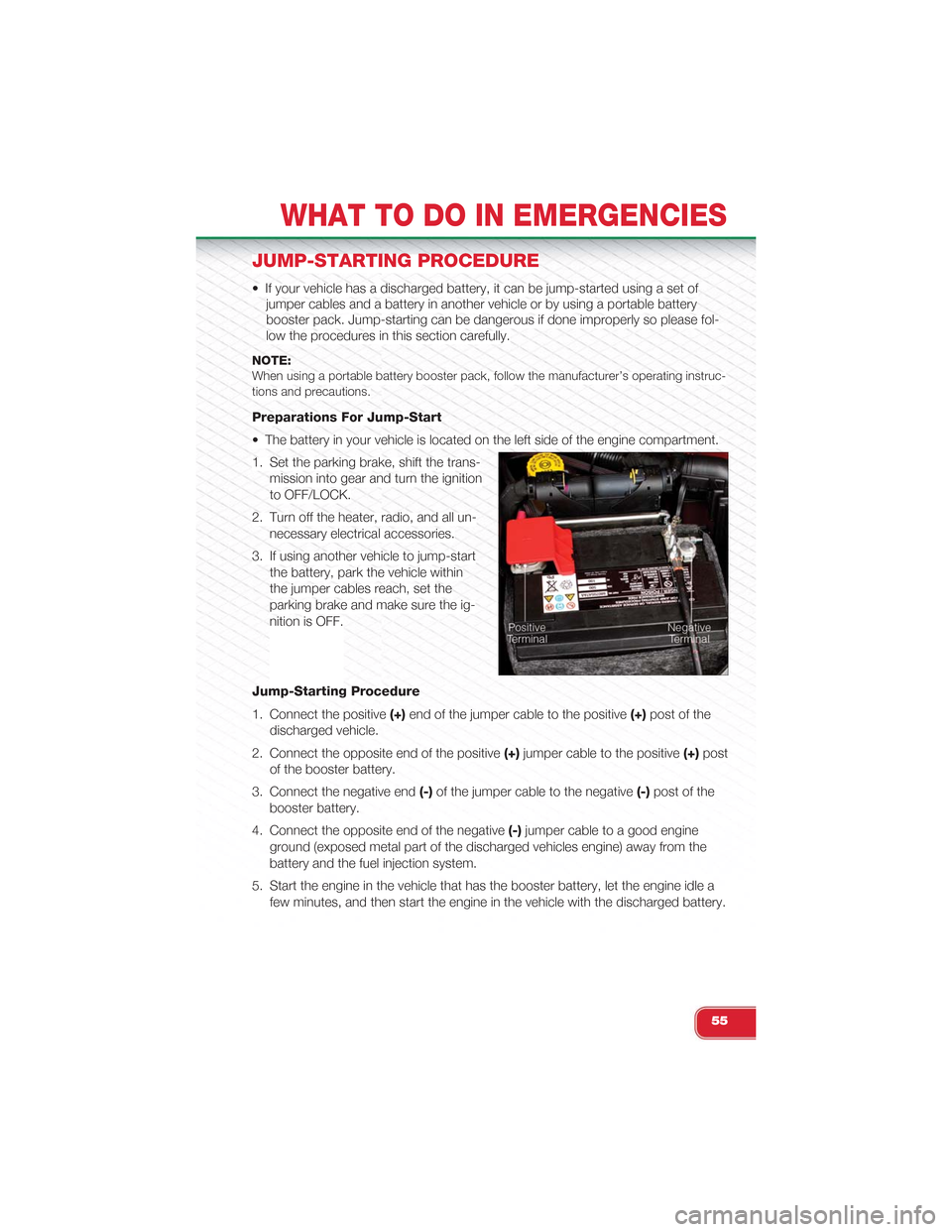
• The battery in your vehicle is located on the left side of the engine compartment.
1. Set the parking brake, shift the trans-
mission into gear and turn the ignition
to OFF/LOCK.
2. Turn off the heater, radio, and all un-
necessary electrical accessories.
3. If using another vehicle to jump-start
the battery, park the vehicle within
the jumper cables reach, set the
parking brake and make sure the ig-
nition is OFF.
Jump-Starting Procedure
1. Connect the positive(+)end of the jumper cable to the positive(+)post of the
discharged vehicle.
2. Connect the opposite end of the positive(+)jumper cable to the positive(+)post
of the booster battery.
3. Connect the negative end(-)of the jumper cable to the negative(-)post of the
booster battery.
4. Connect the opposite end of the negative(-)jumper cable to a good engine
ground (exposed metal part of the discharged vehicles engine) away from the
battery and the fuel injection system.
5. Start the engine in the vehicle that has the booster battery, let the engine idle a
few minutes, and then start the engine in the vehicle with the discharged battery.
WHAT TO DO IN EMERGENCIES
55
Page 62 of 84
EVENT DATA RECORDER (EDR)
• This vehicle is equipped with an Event Data Recorder (EDR). The main purpose of
an EDR is to record, in certain crash or near crash-like situations, such as an air
bag deployment or hitting a road obstacle, data that assists in understanding
how a vehicle’s systems performed. The EDR is designed to record data related
to vehicle dynamics and safety systems for a short period of time, typically 30
seconds or less. The EDR in this vehicle is designed to record such data as:
• How various systems in your vehicle were operating.
• Whether or not the driver and passenger safety belts were buckled/fastened.
• How far (if at all) the driver was depressing the accelerator and/or brake pedal.
• How fast the vehicle was traveling.
• These data can help provide a better understanding of the circumstances in
which crashes and injuries occur.
NOTE:EDR data are recorded by your vehicle only if a non-trivial crash situation occurs; no dataare recorded by the EDR under normal driving conditions and no personal data (e.g.name, gender, age, and crash location) are recorded. However, other parties, such aslaw enforcement, could combine the EDR data with the type of personally identifyingdata routinely acquired during a crash investigation.
• To read data recorded by an EDR, special equipment is required, and access to
the vehicle or the EDR is needed. In addition to the vehicle manufacturer, other
parties such as law enforcement, that have the special equipment, can read the
information if they have access to the vehicle or the EDR.
WHAT TO DO IN EMERGENCIES
60