window FIAT IDEA 2010 1.G User Guide
[x] Cancel search | Manufacturer: FIAT, Model Year: 2010, Model line: IDEA, Model: FIAT IDEA 2010 1.GPages: 210, PDF Size: 4.4 MB
Page 52 of 210
51
SAFETY
STARTING
AND DRIVING
WARNING
LIGHTS AND
MESSAGES
IN AN
EMERGENCY
MAINTENANCE
AND CARE
TECHNICAL
SPECIFICATIONS
ALPHABETICAL
INDEX
DASHBOARD
AND CONTROLS
AUTOMATIC TWO-
ZONE CLIMATE
CONTROL SYSTEM
(where provided)
GENERAL INFORMATION
The two-zone automatic climate control
system distributes air in the passenger
compartment in two zones: driver’s and
passenger’s side. Temperature is con-
trolled on the basis of an “equivalent tem-
perature” principle; in other words, the
system continuously works to keep the
comfort level inside the car constant and
to compensate for possible variations of
external conditions, including sun radia-
tion detected by a specific sensor.
The automatically controlled parameters
and functions are:
❒air temperature at the vents on dri-
ver/front passenger side;
❒air at vents on driver/front passenger
side;
❒fan speed (continuous air flow varia-
tion);
❒compressor activation (to cool/dehu-
midify air);
❒air recirculation.All functions may be manually changed. In
order words, you may select one or more
functions and change the parameters as
required. Automatic control of the man-
ually changed functions will be suspended:
the system will change override your set-
tings only for safety-related reasons (e.g.
risk of misting up).
Manual selections will always have higher
priority over automatic settings and will
be stored until the user switches the sys-
tem back to automatic mode, except for
the cases in which the system will inter-
vene for particular, safety-related reasons.
You can adjust one function automatical-
ly and have the automatic system control
all the others.
The amount of air introduced into the pas-
senger compartment is independent from
speed of the car because the fan is con-
trolled by the electronic system.
The temperature of the air taken in is al-
ways controlled automatically depending
on the temperature set on the display (ex-
cept when the system is turned off or un-
der certain conditions when the com-
pressor is off. The following parameters and functions
can be manually set:
❒air temperature on driver/front pas-
senger side;
❒fan speed (continuous variation);
❒air distribution to five positions (dri-
ver/front passenger side);
❒compressor enablement;
❒one-zone/two-zone distribution pri-
ority;
❒fast demist/defrost function;
❒air recirculation;
❒heated rear window;
❒system off.
036-092 LUM IDEA GB 2 ed.qxd 14-01-2010 12:14 Pagina 51
Page 53 of 210
52
SAFETY
STARTING
AND DRIVING
WARNING
LIGHTS AND
MESSAGES
IN AN
EMERGENCY
MAINTENANCE
AND CARE
TECHNICAL
SPECIFICATIONS
ALPHABETICAL
INDEX
DASHBOARD
AND CONTROLS
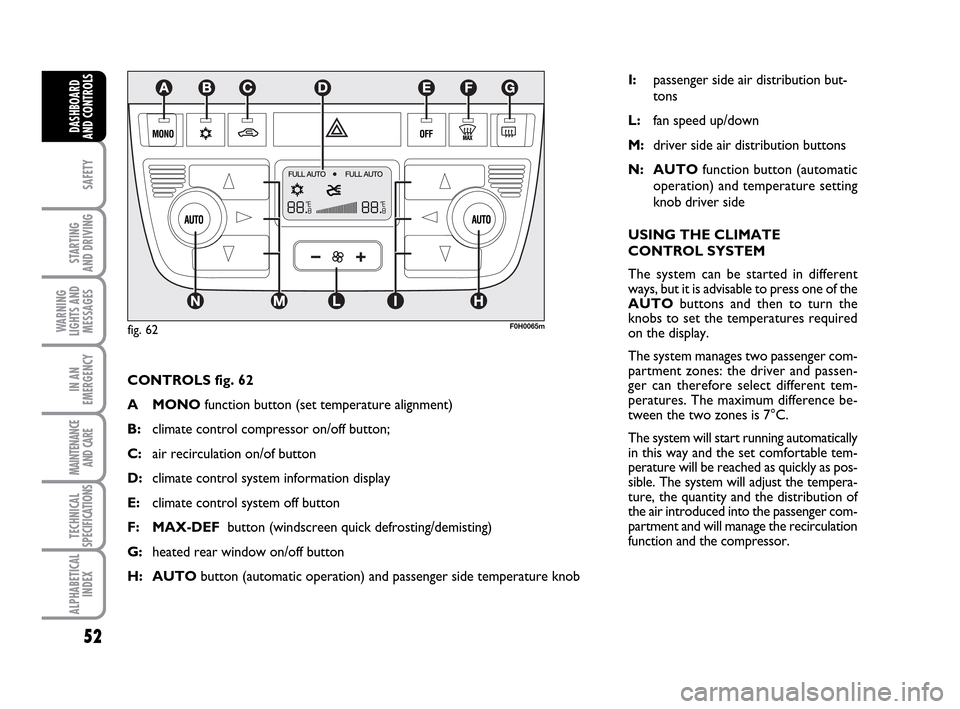
CONTROLS fig. 62
A MONOfunction button (set temperature alignment)
B:climate control compressor on/off button;
C: air recirculation on/of button
D:climate control system information display
E:climate control system off button
F: MAX-DEFbutton (windscreen quick defrosting/demisting)
G:heated rear window on/off button
H: AUTObutton (automatic operation) and passenger side temperature knob
F0H0065m
I:passenger side air distribution but-
tons
L:fan speed up/down
M:driver side air distribution buttons
N: AUTOfunction button (automatic
operation) and temperature setting
knob driver side
USING THE CLIMATE
CONTROL SYSTEM
The system can be started in different
ways, but it is advisable to press one of the
AUTObuttons and then to turn the
knobs to set the temperatures required
on the display.
The system manages two passenger com-
partment zones: the driver and passen-
ger can therefore select different tem-
peratures. The maximum difference be-
tween the two zones is 7°C.
The system will start running automatically
in this way and the set comfortable tem-
perature will be reached as quickly as pos-
sible. The system will adjust the tempera-
ture, the quantity and the distribution of
the air introduced into the passenger com-
partment and will manage the recirculation
function and the compressor.
fig. 62
036-092 LUM IDEA GB 2 ed.qxd 14-01-2010 12:14 Pagina 52
Page 54 of 210
53
SAFETY
STARTING
AND DRIVING
WARNING
LIGHTS AND
MESSAGES
IN AN
EMERGENCY
MAINTENANCE
AND CARE
TECHNICAL
SPECIFICATIONS
ALPHABETICAL
INDEX
DASHBOARD
AND CONTROLS
Manual intervention is only required for
the following functions during fully auto-
matic operation.
❒MONOto uniform the temperature
and the air distribution on front pas-
senger or rear passenger zones to the
driver’s zone;
❒…air recirculation, to keep it always
on or off;
❒-to speed up demisting/defrosting of
windscreen, side windows, rear window
and door mirrors;
❒(to demist/defrost the heated rear
window and the external rearview
mirrors.
During completely automatic system op-
eration, you can vary the set temperature,
the air distribution and the fan speed us-
ing the corresponding buttons or knobs
at any time: the system will automatically
change settings to adapt to the new re-
quest.
During fully automatic operation (FULL
AUTO), the word FULLwill dissapear
if the air distribution, air speed, compres-
sor and/or recirculation settings are
changed. In this way, the functions will
switch from automatic to manual control until AUTOis pressed again. The fan
speed is the same in all the zones of the
passenger compartment.
With on or more manually set functions,
the introduced air temperature is still
managed automatically by the system, ex-
cept for when the compressor is off: in the
case, the air introduced into the passen-
ger compartment cannot be cooler than
the outside air.
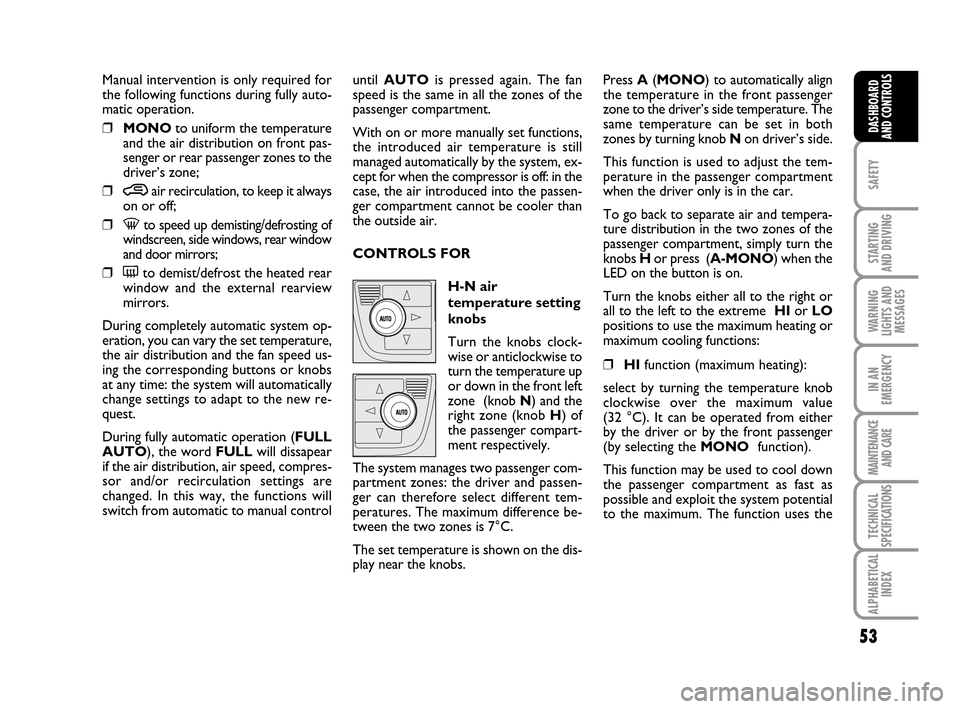
CONTROLS FOR
H-N air
temperature setting
knobs
Turn the knobs clock-
wise or anticlockwise to
turn the temperature up
or down in the front left
zone (knob N) and the
right zone (knob H) of
the passenger compart-
ment respectively.
The system manages two passenger com-
partment zones: the driver and passen-
ger can therefore select different tem-
peratures. The maximum difference be-
tween the two zones is 7°C.
The set temperature is shown on the dis-
play near the knobs.Press A(MONO) to automatically align
the temperature in the front passenger
zone to the driver’s side temperature. The
same temperature can be set in both
zones by turning knob N on driver’s side.
This function is used to adjust the tem-
perature in the passenger compartment
when the driver only is in the car.
To go back to separate air and tempera-
ture distribution in the two zones of the
passenger compartment, simply turn the
knobs H or press (A-MONO) when the
LED on the button is on.
Turn the knobs either all to the right or
all to the left to the extreme HIor LO
positions to use the maximum heating or
maximum cooling functions:
❒HIfunction (maximum heating):
select by turning the temperature knob
clockwise over the maximum value
(32 °C). It can be operated from either
by the driver or by the front passenger
(by selecting the MONOfunction).
This function may be used to cool down
the passenger compartment as fast as
possible and exploit the system potential
to the maximum. The function uses the
036-092 LUM IDEA GB 2 ed.qxd 14-01-2010 12:14 Pagina 53
Page 55 of 210
54
SAFETY
STARTING
AND DRIVING
WARNING
LIGHTS AND
MESSAGES
IN AN
EMERGENCY
MAINTENANCE
AND CARE
TECHNICAL
SPECIFICATIONS
ALPHABETICAL
INDEX
DASHBOARD
AND CONTROLS
maximum coolant temperature while air
and fan speed distribution are managed
by the system according to conditions.
Specifically, if the heating fluid is not
warm enough, the fan will not start up at
the maximum speed immediately to limit
introducing excessively cool air into the
passenger compartment.
All manual settings will be allowed when
this function is on.
To switch the function off, simply turn
the temperature knob anticlockwise and
set the required temperature.
❒LOfunction (maximum cooling):
select by turning the temperature knob
anticlockwise beyond the minimum
value (16 °C). It can be operated from
either by the driver or by the front pas-
senger (by selecting the MONOfunc-
tion).
This function may be used to cool down
the passenger compartment as fast as
possible and exploit the system potential
to the maximum. The function activates
air recirculation and the climate control
compressor, air distribution and fan
speed are managed by the system
according to environmental conditions. All manual settings will be allowed when
this function is on.
To switch the function off, simply turn
the temperature knob clockwise and set
the required temperature.
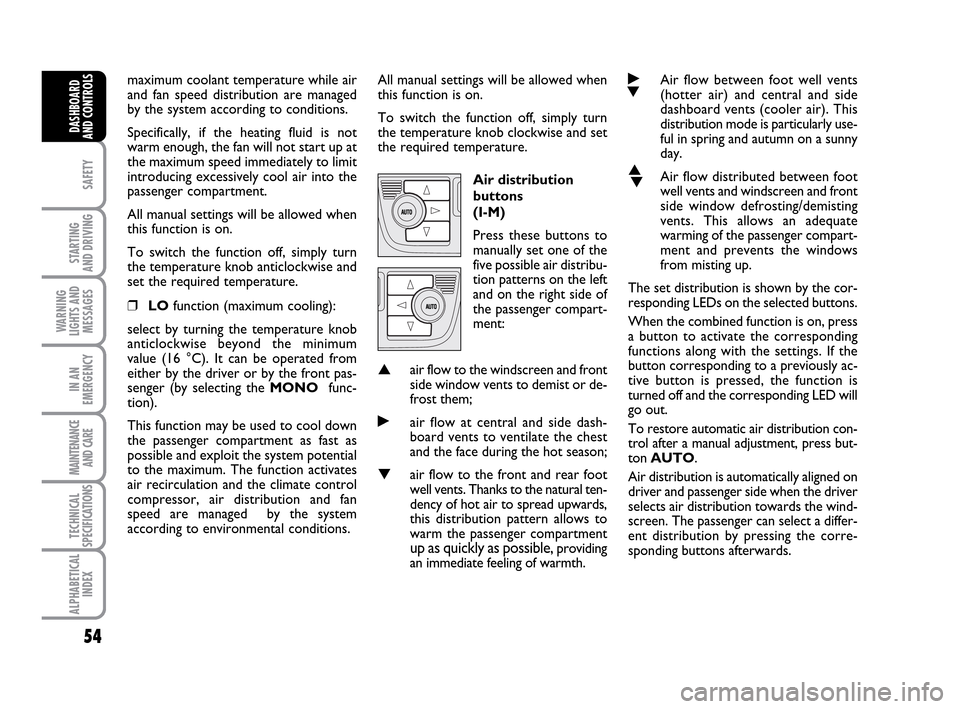
Air distribution
buttons
(I-M)
Press these buttons to
manually set one of the
five possible air distribu-
tion patterns on the left
and on the right side of
the passenger compart-
ment:
▲air flow to the windscreen and front
side window vents to demist or de-
frost them;
˙air flow at central and side dash-
board vents to ventilate the chest
and the face during the hot season;
▼air flow to the front and rear foot
well vents. Thanks to the natural ten-
dency of hot air to spread upwards,
this distribution pattern allows to
warm the passenger compartment
up as quickly as possible, providing
an immediate feeling of warmth.
˙
▼Air flow between foot well vents
(hotter air) and central and side
dashboard vents (cooler air). This
distribution mode is particularly use-
ful in spring and autumn on a sunny
day.
▲
▼Air flow distributed between foot
well vents and windscreen and front
side window defrosting/demisting
vents. This allows an adequate
warming of the passenger compart-
ment and prevents the windows
from misting up.
The set distribution is shown by the cor-
responding LEDs on the selected buttons.
When the combined function is on, press
a button to activate the corresponding
functions along with the settings. If the
button corresponding to a previously ac-
tive button is pressed, the function is
turned off and the corresponding LED will
go out.
To restore automatic air distribution con-
trol after a manual adjustment, press but-
ton AUTO.
Air distribution is automatically aligned on
driver and passenger side when the driver
selects air distribution towards the wind-
screen. The passenger can select a differ-
ent distribution by pressing the corre-
sponding buttons afterwards.
036-092 LUM IDEA GB 2 ed.qxd 14-01-2010 12:14 Pagina 54
Page 57 of 210
56
SAFETY
STARTING
AND DRIVING
WARNING
LIGHTS AND
MESSAGES
IN AN
EMERGENCY
MAINTENANCE
AND CARE
TECHNICAL
SPECIFICATIONS
ALPHABETICAL
INDEX
DASHBOARD
AND CONTROLS
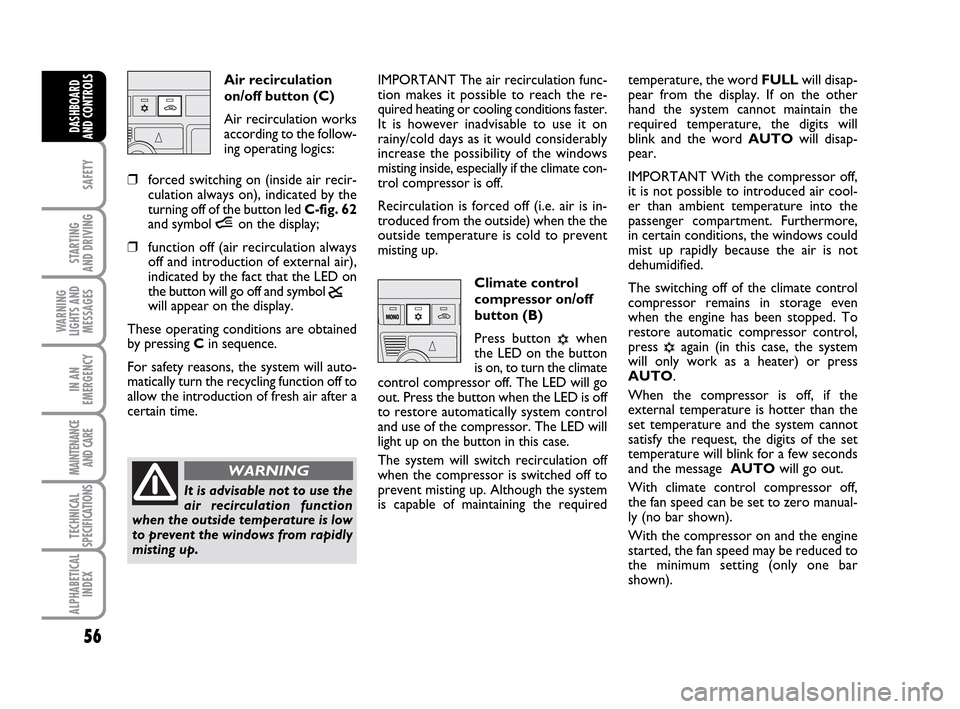
Air recirculation
on/off button (C)
Air recirculation works
according to the follow-
ing operating logics:
❒forced switching on (inside air recir-
culation always on), indicated by the
turning off of the button led C-fig. 62
and symbol íon the display;
❒function off (air recirculation always
off and introduction of external air),
indicated by the fact that the LED on
the button will go off and symbol
ê
will appear on the display.
These operating conditions are obtained
by pressing Cin sequence.
For safety reasons, the system will auto-
matically turn the recycling function off to
allow the introduction of fresh air after a
certain time.IMPORTANT The air recirculation func-
tion makes it possible to reach the re-
quired heating or cooling conditions faster.
It is however inadvisable to use it on
rainy/cold days as it would considerably
increase the possibility of the windows
misting inside, especially if the climate con-
trol compressor is off.
Recirculation is forced off (i.e. air is in-
troduced from the outside) when the the
outside temperature is cold to prevent
misting up.
Climate control
compressor on/off
button (B)
Press button
√when
the LED on the button
is on, to turn the climate
control compressor off. The LED will go
out. Press the button when the LED is off
to restore automatically system control
and use of the compressor. The LED will
light up on the button in this case.
The system will switch recirculation off
when the compressor is switched off to
prevent misting up. Although the system
is capable of maintaining the requiredtemperature, the word FULLwill disap-
pear from the display. If on the other
hand the system cannot maintain the
required temperature, the digits will
blink and the word AUTOwill disap-
pear.
IMPORTANT With the compressor off,
it is not possible to introduced air cool-
er than ambient temperature into the
passenger compartment. Furthermore,
in certain conditions, the windows could
mist up rapidly because the air is not
dehumidified.
The switching off of the climate control
compressor remains in storage even
when the engine has been stopped. To
restore automatic compressor control,
press √again (in this case, the system
will only work as a heater) or press
AUTO.
When the compressor is off, if the
external temperature is hotter than the
set temperature and the system cannot
satisfy the request, the digits of the set
temperature will blink for a few seconds
and the message AUTOwill go out.
With climate control compressor off,
the fan speed can be set to zero manual-
ly (no bar shown).
With the compressor on and the engine
started, the fan speed may be reduced to
the minimum setting (only one bar
shown).
It is advisable not to use the
air recirculation function
when the outside temperature is low
to prevent the windows from rapidly
misting up.
WARNING
036-092 LUM IDEA GB 2 ed.qxd 14-01-2010 12:14 Pagina 56
Page 58 of 210
57
SAFETY
STARTING
AND DRIVING
WARNING
LIGHTS AND
MESSAGES
IN AN
EMERGENCY
MAINTENANCE
AND CARE
TECHNICAL
SPECIFICATIONS
ALPHABETICAL
INDEX
DASHBOARD
AND CONTROLS
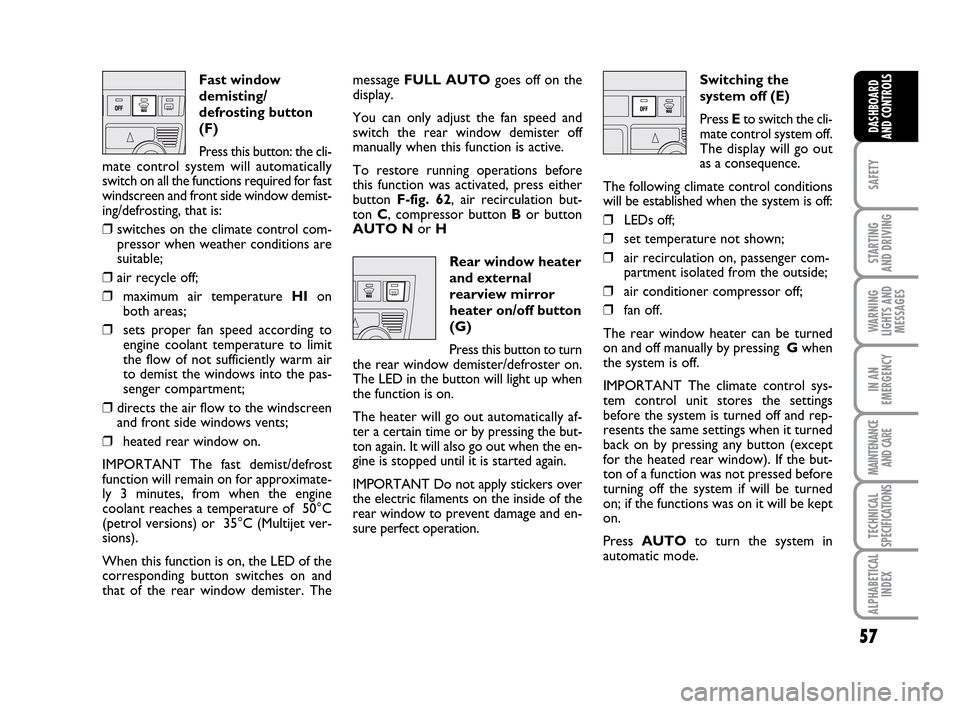
Fast window
demisting/
defrosting button
(F)
Press this button: the cli-
mate control system will automatically
switch on all the functions required for fast
windscreen and front side window demist-
ing/defrosting, that is:
❒switches on the climate control com-
pressor when weather conditions are
suitable;
❒air recycle off;
❒maximum air temperature HIon
both areas;
❒sets proper fan speed according to
engine coolant temperature to limit
the flow of not sufficiently warm air
to demist the windows into the pas-
senger compartment;
❒directs the air flow to the windscreen
and front side windows vents;
❒heated rear window on.
IMPORTANT The fast demist/defrost
function will remain on for approximate-
ly 3 minutes, from when the engine
coolant reaches a temperature of 50°C
(petrol versions) or 35°C (Multijet ver-
sions).
When this function is on, the LED of the
corresponding button switches on and
that of the rear window demister. Themessage FULL AUTOgoes off on the
display.
You can only adjust the fan speed and
switch the rear window demister off
manually when this function is active.
To restore running operations before
this function was activated, press either
button F-fig. 62, air recirculation but-
ton C, compressor button Bor button
AUTO Nor H
Rear window heater
and external
rearview mirror
heater on/off button
(G)
Press this button to turn
the rear window demister/defroster on.
The LED in the button will light up when
the function is on.
The heater will go out automatically af-
ter a certain time or by pressing the but-
ton again. It will also go out when the en-
gine is stopped until it is started again.
IMPORTANT Do not apply stickers over
the electric filaments on the inside of the
rear window to prevent damage and en-
sure perfect operation.Switching the
system off (E)
Press Eto switch the cli-
mate control system off.
The display will go out
as a consequence.
The following climate control conditions
will be established when the system is off:
❒LEDs off;
❒set temperature not shown;
❒air recirculation on, passenger com-
partment isolated from the outside;
❒air conditioner compressor off;
❒fan off.
The rear window heater can be turned
on and off manually by pressing Gwhen
the system is off.
IMPORTANT The climate control sys-
tem control unit stores the settings
before the system is turned off and rep-
resents the same settings when it turned
back on by pressing any button (except
for the heated rear window). If the but-
ton of a function was not pressed before
turning off the system if will be turned
on; if the functions was on it will be kept
on.
Press AUTOto turn the system in
automatic mode.
036-092 LUM IDEA GB 2 ed.qxd 14-01-2010 12:14 Pagina 57
Page 61 of 210
60
SAFETY
STARTING
AND DRIVING
WARNING
LIGHTS AND
MESSAGES
IN AN
EMERGENCY
MAINTENANCE
AND CARE
TECHNICAL
SPECIFICATIONS
ALPHABETICAL
INDEX
DASHBOARD
AND CONTROLS
WINDOW CLEANING
WINDSCREEN WASHER/
WIPER
The device can only work when the igni-
tion key is at MAR.
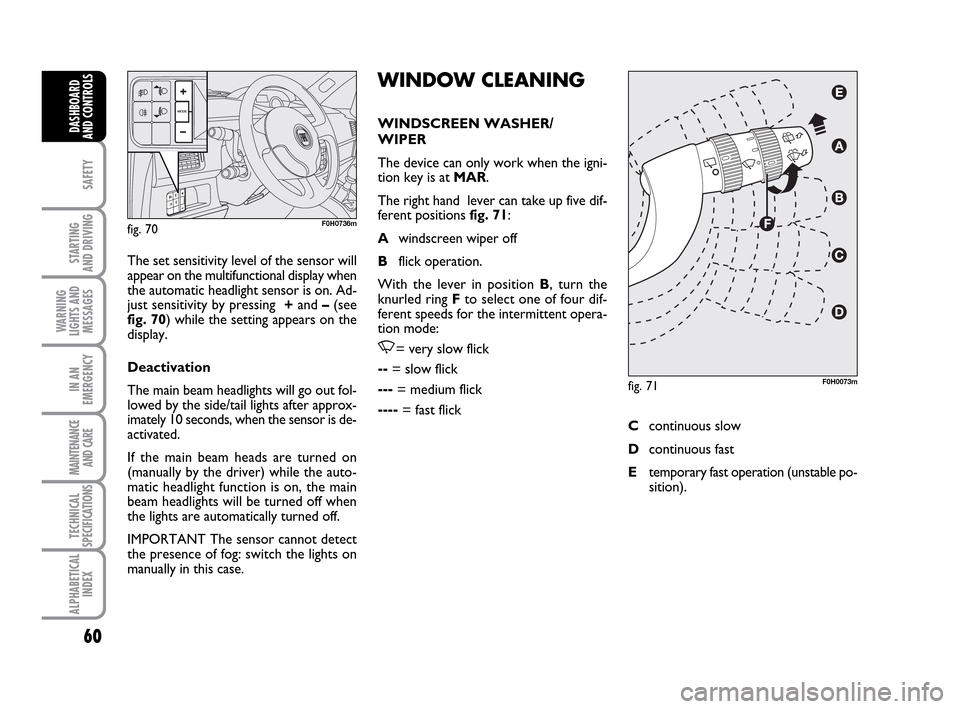
The right hand lever can take up five dif-
ferent positions fig. 71:
Awindscreen wiper off
Bflick operation.
With the lever in position B, turn the
knurled ring Fto select one of four dif-
ferent speeds for the intermittent opera-
tion mode:
,= very slow flick
--= slow flick
---= medium flick
----= fast flick The set sensitivity level of the sensor will
appear on the multifunctional display when
the automatic headlight sensor is on. Ad-
just sensitivity by pressing +and –(see
fig. 70) while the setting appears on the
display.
Deactivation
The main beam headlights will go out fol-
lowed by the side/tail lights after approx-
imately 10 seconds, when the sensor is de-
activated.
If the main beam heads are turned on
(manually by the driver) while the auto-
matic headlight function is on, the main
beam headlights will be turned off when
the lights are automatically turned off.
IMPORTANT The sensor cannot detect
the presence of fog: switch the lights on
manually in this case.
fig. 70F0H0736m
fig. 71F0H0073m
Ccontinuous slow
Dcontinuous fast
Etemporary fast operation (unstable po-
sition).
036-092 LUM IDEA GB 2 ed.qxd 14-01-2010 12:15 Pagina 60
Page 62 of 210
61
SAFETY
STARTING
AND DRIVING
WARNING
LIGHTS AND
MESSAGES
IN AN
EMERGENCY
MAINTENANCE
AND CARE
TECHNICAL
SPECIFICATIONS
ALPHABETICAL
INDEX
DASHBOARD
AND CONTROLS
Operation in position Eis limited to the
time during which the lever is kept in that
position manually. When released, the
stalk will return to position Aand the
wiper will be automatically stopped.
IMPORTANT Replace wiper blades as
specified in the “Maintenance and care”
chapter. RAIN SENSOR
(where provided)
The rain sensor is located behind the dri-
ving mirror in contact with the windscreen
and has the purpose of automatically ad-
justing the frequency of the windscreen
wiper strokes as to the rain intensity.
IMPORTANT Keep clean the glass in the
sensor area.
Activation
Move the right stalk down by one click.
The activation of the rain sensor is sig-
nalled by a control acquisition flick.
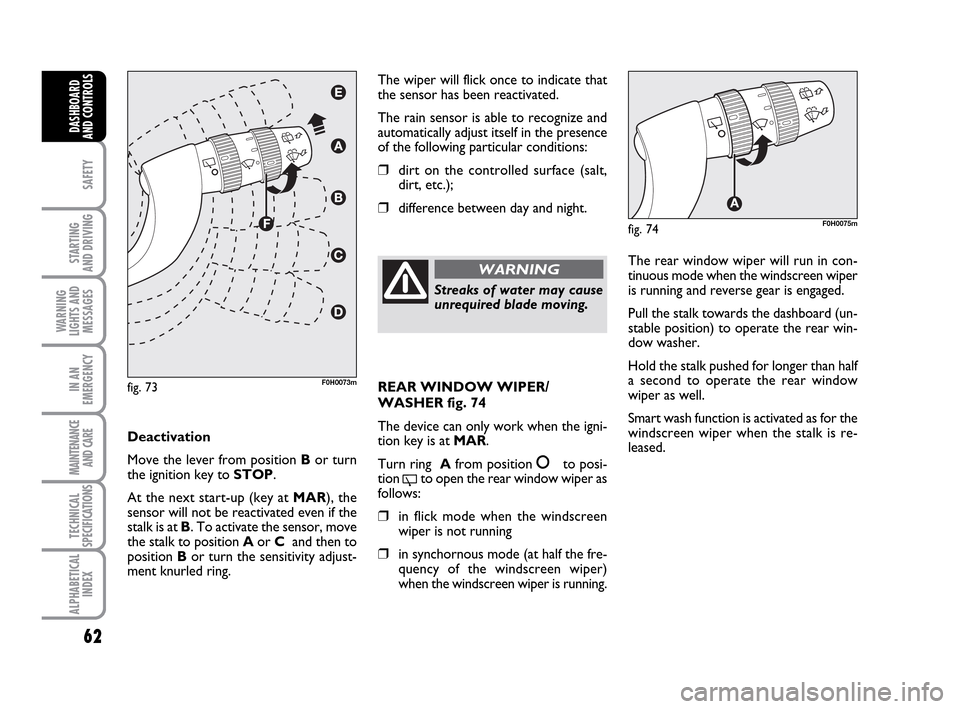
Turn the ring F-fig. 73to increase the rain
sensor sensitivity.
The increase of the sensitivity of the rain
sensor is signalled by a control and acqui-
sition flick.
The smart cycle is started when the wind-
screen wiper is turned on while the rain
sensor is active without supplementary
flick after 5 seconds. The sensor will re-
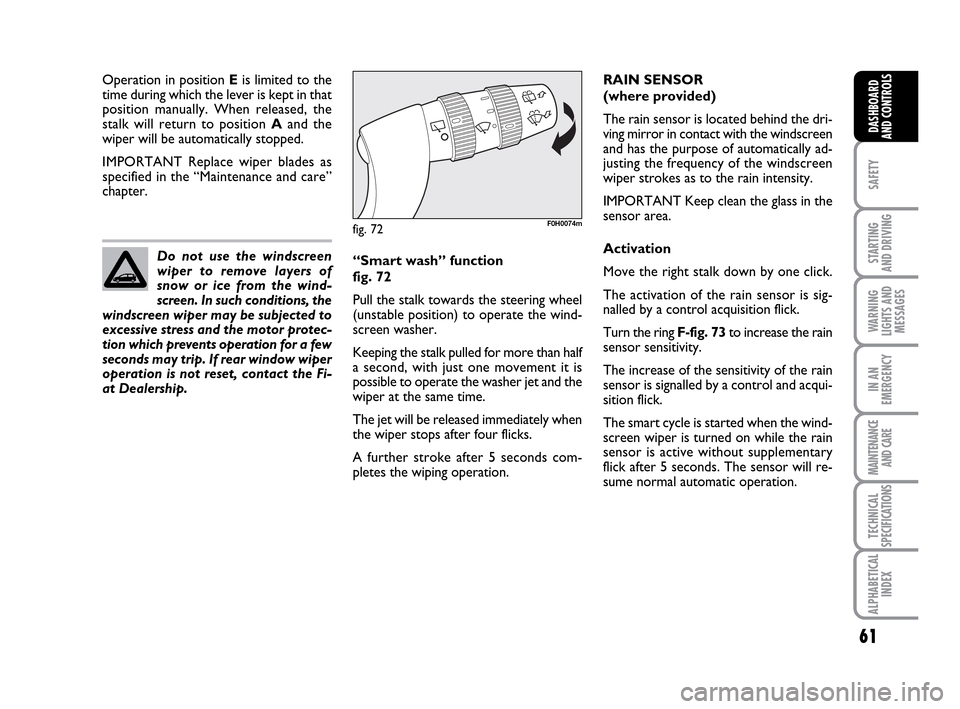
sume normal automatic operation. “Smart wash” function
fig. 72
Pull the stalk towards the steering wheel
(unstable position) to operate the wind-
screen washer.
Keeping the stalk pulled for more than half
a second, with just one movement it is
possible to operate the washer jet and the
wiper at the same time.
The jet will be released immediately when
the wiper stops after four flicks.
A further stroke after 5 seconds com-
pletes the wiping operation. Do not use the windscreen
wiper to remove layers of
snow or ice from the wind-
screen. In such conditions, the
windscreen wiper may be subjected to
excessive stress and the motor protec-
tion which prevents operation for a few
seconds may trip. If rear window wiper
operation is not reset, contact the Fi-
at Dealership.
fig. 72F0H0074m
036-092 LUM IDEA GB 2 ed.qxd 14-01-2010 12:15 Pagina 61
Page 63 of 210
62
SAFETY
STARTING
AND DRIVING
WARNING
LIGHTS AND
MESSAGES
IN AN
EMERGENCY
MAINTENANCE
AND CARE
TECHNICAL
SPECIFICATIONS
ALPHABETICAL
INDEX
DASHBOARD
AND CONTROLS
The wiper will flick once to indicate that
the sensor has been reactivated.
The rain sensor is able to recognize and
automatically adjust itself in the presence
of the following particular conditions:
❒dirt on the controlled surface (salt,
dirt, etc.);
❒difference between day and night.
Deactivation
Move the lever from position Bor turn
the ignition key to STOP.
At the next start-up (key at MAR), the
sensor will not be reactivated even if the
stalk is at B. To activate the sensor, move
the stalk to position Aor C and then to
position Bor turn the sensitivity adjust-
ment knurled ring.
fig. 73F0H0073m
Streaks of water may cause
unrequired blade moving.
WARNINGThe rear window wiper will run in con-
tinuous mode when the windscreen wiper
is running and reverse gear is engaged.
Pull the stalk towards the dashboard (un-
stable position) to operate the rear win-
dow washer.
Hold the stalk pushed for longer than half
a second to operate the rear window
wiper as well.
Smart wash function is activated as for the
windscreen wiper when the stalk is re-
leased.
fig. 74F0H0075m
REAR WINDOW WIPER/
WASHER fig. 74
The device can only work when the igni-
tion key is at MAR.
Turn ring Afrom position
åto posi-
tion
'to open the rear window wiper as
follows:
❒in flick mode when the windscreen
wiper is not running
❒in synchornous mode (at half the fre-
quency of the windscreen wiper)
when the windscreen wiper is running.
036-092 LUM IDEA GB 2 ed.qxd 14-01-2010 12:15 Pagina 62
Page 75 of 210
74
SAFETY
STARTING
AND DRIVING
WARNING
LIGHTS AND
MESSAGES
IN AN
EMERGENCY
MAINTENANCE
AND CARE
TECHNICAL
SPECIFICATIONS
ALPHABETICAL
INDEX
DASHBOARD
AND CONTROLS
ELECTRIC WINDOWS
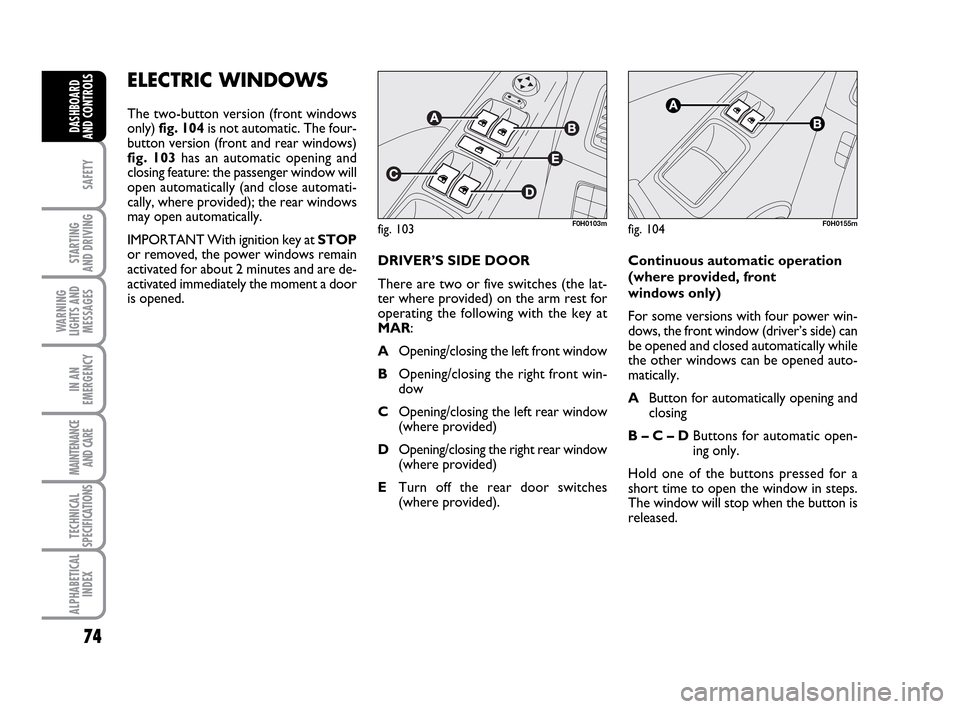
The two-button version (front windows
only) fig. 104 is not automatic. The four-
button version (front and rear windows)
fig. 103 has an automatic opening and
closing feature: the passenger window will
open automatically (and close automati-
cally, where provided); the rear windows
may open automatically.
IMPORTANT With ignition key at STOP
or removed, the power windows remain
activated for about 2 minutes and are de-
activated immediately the moment a door
is opened.
fig. 103F0H0103mfig. 104F0H0155m
DRIVER’S SIDE DOOR
There are two or five switches (the lat-
ter where provided) on the arm rest for
operating the following with the key at
MAR:
AOpening/closing the left front window
BOpening/closing the right front win-
dow
COpening/closing the left rear window
(where provided)
DOpening/closing the right rear window
(where provided)
ETurn off the rear door switches
(where provided).Continuous automatic operation
(where provided, front
windows only)
For some versions with four power win-
dows, the front window (driver’s side) can
be opened and closed automatically while
the other windows can be opened auto-
matically.
AButton for automatically opening and
closing
B – C – DButtons for automatic open-
ing only.
Hold one of the buttons pressed for a
short time to open the window in steps.
The window will stop when the button is
released.
036-092 LUM IDEA GB 2 ed.qxd 14-01-2010 12:15 Pagina 74