air condition FORD B MAX 2012 1.G Owners Manual
[x] Cancel search | Manufacturer: FORD, Model Year: 2012, Model line: B MAX, Model: FORD B MAX 2012 1.GPages: 256, PDF Size: 19.67 MB
Page 9 of 256
Downloaded from www.Manualslib.com manuals search engine REPLACEMENT PARTS
RECOMMENDATION
Your vehicle has been built to the higheststandards using quality parts. Werecommend that you demand the use ofgenuine Ford and Motorcraft partswhenever your vehicle requires scheduledmaintenance or repair. You can clearlyidentify genuine Ford and Motorcraft partsby looking for the Ford, FoMoCo orMotorcraft branding on the parts or theirpackaging.
Scheduled Maintenance andMechanical Repairs
One of the best ways for you to make surethat your vehicle provides years of serviceis to have it maintained in line with ourrecommendations using parts thatconform to the specifications detailed inthis Owner’s Manual. Genuine Ford andMotorcraft parts meet or exceed thesespecifications.
Collision Repairs
We hope that you never experience acollision, but accidents do happen. GenuineFord replacement collision parts meet ourstringent requirements for fit, finish,structural integrity, corrosion protectionand dent resistance. During vehicledevelopment we validate these partsdeliver the intended level of protection asa whole system. A great way to know forsure you are getting this level of protectionis to use genuine Ford replacementcollision parts.
Warranty on Replacement Parts
Genuine Ford and Motorcraft replacementparts are the only replacement parts thatbenefit from a Ford Warranty. Damagecaused to your vehicle as a result of thefailure of non-Ford parts may not becovered by the Ford Warranty. Foradditional information, refer to the termsand conditions of the Ford Warranty.
MOBILE COMMUNICATIONS
EQUIPMENT
Using mobile communications equipmentis becoming increasingly important in theconduct of business and personal affairs.However, you must not compromise yourown or others’ safety when using suchequipment. Mobile communications canenhance personal safety and security whenappropriately used, particularly inemergency situations. Safety must beparamount when using mobilecommunications equipment to avoidnegating these benefits. Mobilecommunication equipment includes, butis not limited to, cellular phones, pagers,portable email devices, text messagingdevices and portable two-way radios.
WARNING
Driving while distracted can result inloss of vehicle control, accident andinjury. We strongly recommend thatyou use extreme caution when using anydevice or feature that may take your focusoff the road. Your primary responsibility isthe safe operation of your vehicle. Werecommend against the use of anyhandheld device while driving and that youcomply with all applicable laws.
7Introduction
Page 70 of 256
Downloaded from www.Manualslib.com manuals search engine PRINCIPLE OF OPERATION
Outside Air
Keep the air intakes in front of thewindscreen free from obstruction (snow,leaves etc.) to allow the climate controlsystem to function effectively.
Recirculated Air
WARNING
Prolonged use of recirculated air maycause the windows to mist up. If thewindows mist up, follow the settingsfor demisting the windscreen.
The air currently in the passenger'scompartment will be recirculated. Outsideair will not enter your vehicle.
Heating
Heating performance depends on thetemperature of the engine coolant.
Air Conditioning
Note:The air conditioning operates onlywhen the temperature is above 39°F (4°C).
Note:If you use the air conditioning, thefuel consumption of your vehicle will behigher.
Air is directed through the evaporatorwhere it is cooled. Humidity is extractedfrom the air to help keep the windows freeof mist. The resulting condensation isdirected to the outside of your vehicle andit is therefore normal if you see a smallpool of water under your vehicle.
General Information on Controllingthe Interior Climate
Fully close all the windows.
Warming the Interior
Direct the air toward your feet. In cold orhumid weather conditions, direct some ofthe air toward the windscreen and the doorwindows.
Cooling the Interior
Direct the air toward your face.
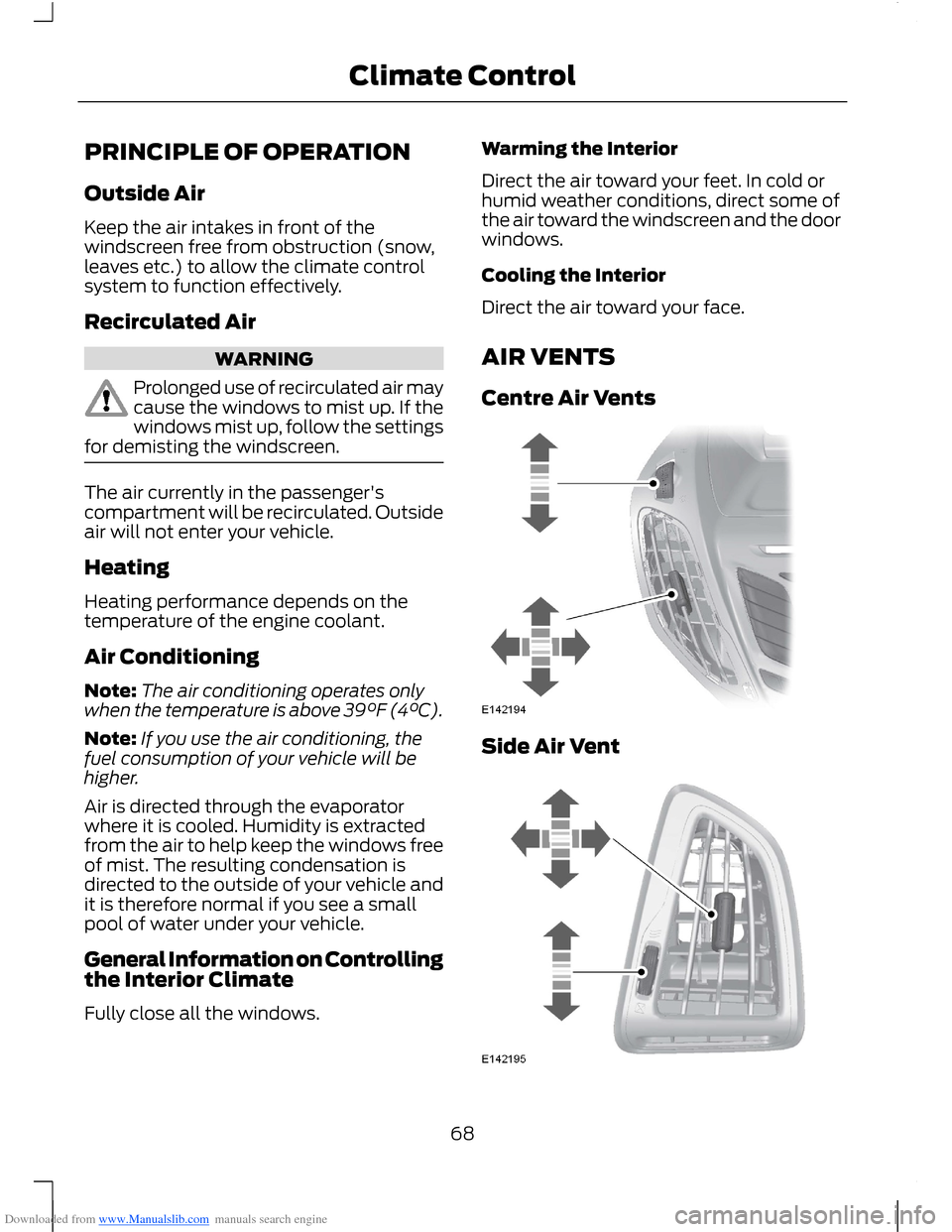
AIR VENTS
Centre Air Vents
Side Air Vent
68Climate Control
Page 71 of 256
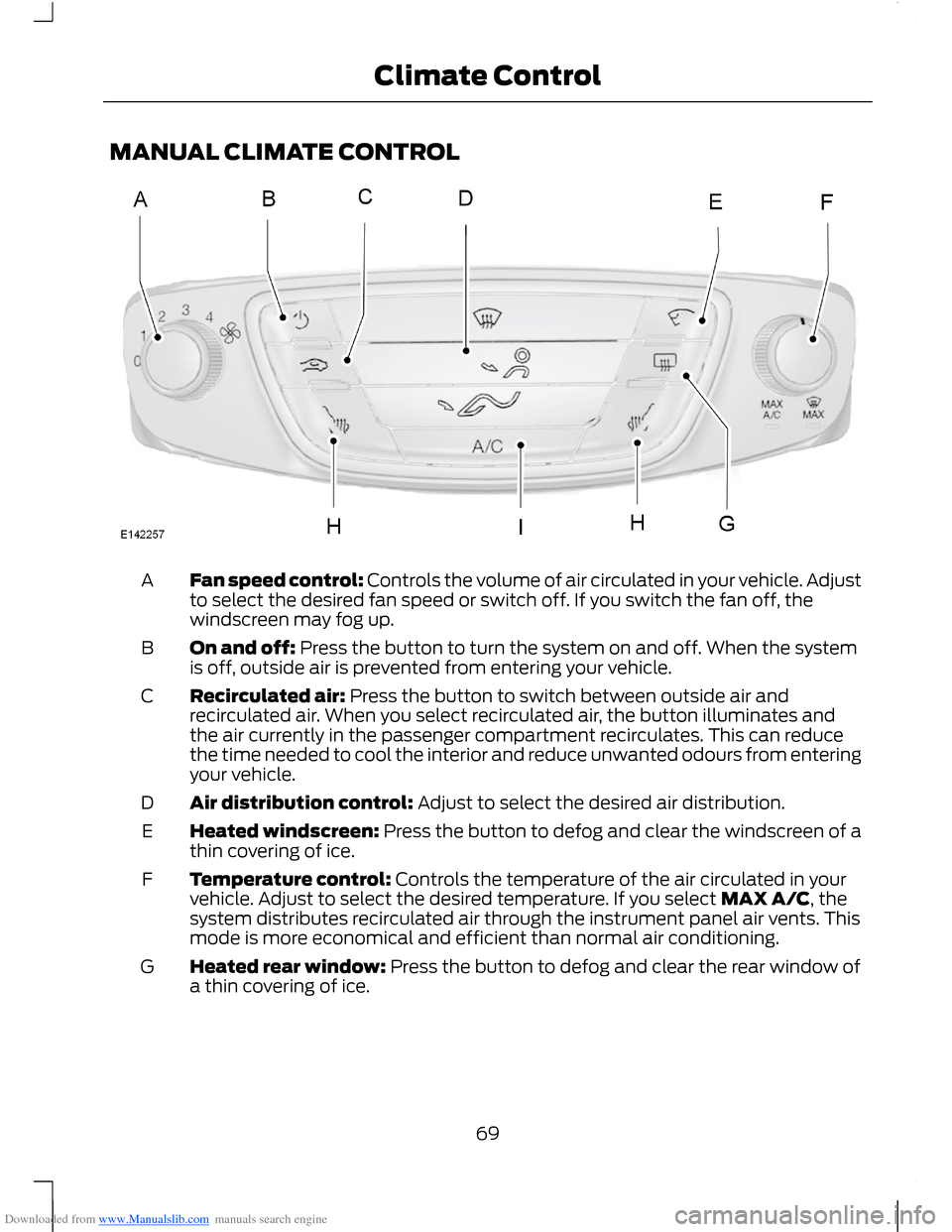
Downloaded from www.Manualslib.com manuals search engine MANUAL CLIMATE CONTROL
Fan speed control: Controls the volume of air circulated in your vehicle. Adjustto select the desired fan speed or switch off. If you switch the fan off, thewindscreen may fog up.
A
On and off: Press the button to turn the system on and off. When the systemis off, outside air is prevented from entering your vehicle.B
Recirculated air: Press the button to switch between outside air andrecirculated air. When you select recirculated air, the button illuminates andthe air currently in the passenger compartment recirculates. This can reducethe time needed to cool the interior and reduce unwanted odours from enteringyour vehicle.
C
Air distribution control: Adjust to select the desired air distribution.D
Heated windscreen: Press the button to defog and clear the windscreen of athin covering of ice.E
Temperature control: Controls the temperature of the air circulated in yourvehicle. Adjust to select the desired temperature. If you select MAX A/C, thesystem distributes recirculated air through the instrument panel air vents. Thismode is more economical and efficient than normal air conditioning.
F
Heated rear window: Press the button to defog and clear the rear window ofa thin covering of ice.G
69Climate Control
Page 72 of 256
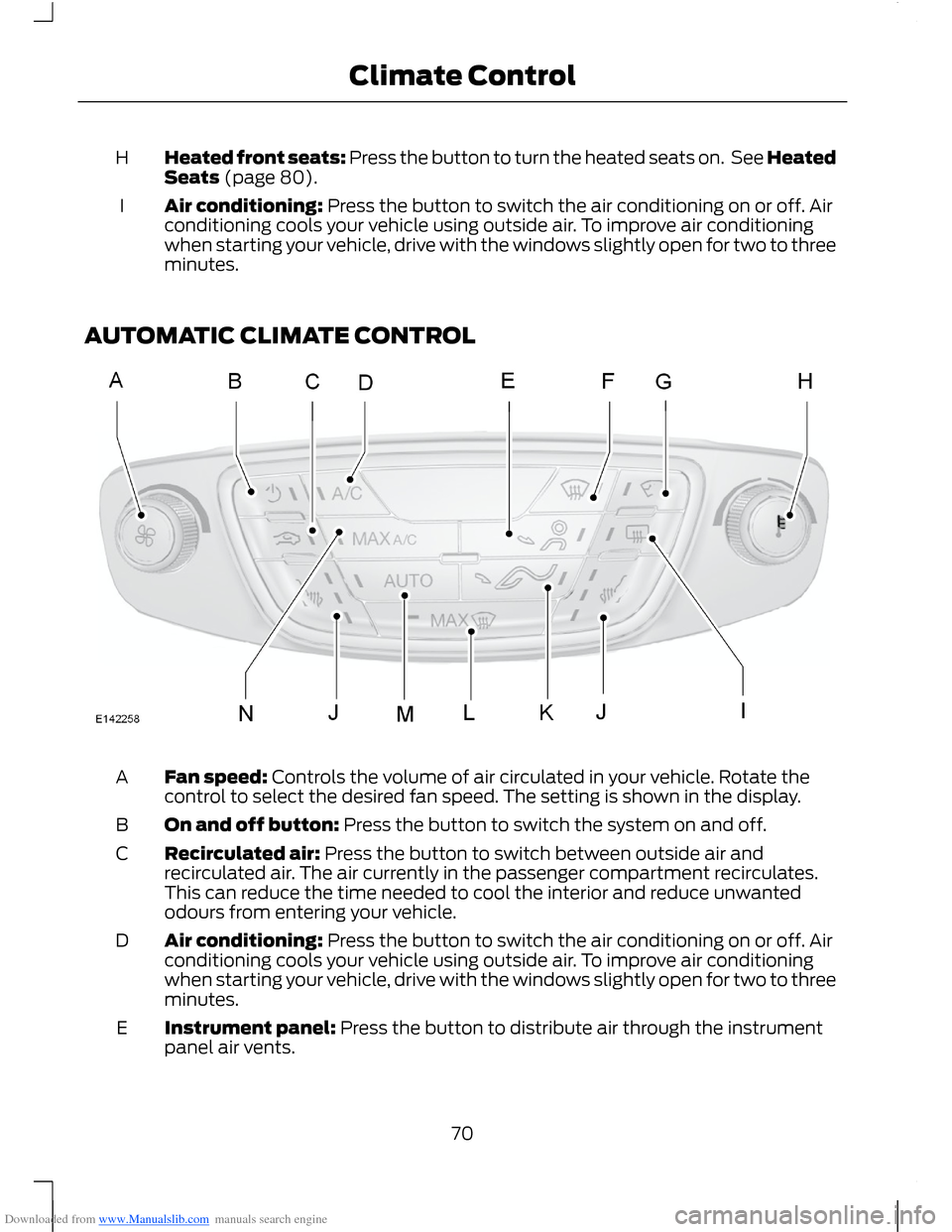
Downloaded from www.Manualslib.com manuals search engine Heated front seats: Press the button to turn the heated seats on. See HeatedSeats (page 80).H
Air conditioning: Press the button to switch the air conditioning on or off. Airconditioning cools your vehicle using outside air. To improve air conditioningwhen starting your vehicle, drive with the windows slightly open for two to threeminutes.
I
AUTOMATIC CLIMATE CONTROL
Fan speed: Controls the volume of air circulated in your vehicle. Rotate thecontrol to select the desired fan speed. The setting is shown in the display.A
On and off button: Press the button to switch the system on and off.B
Recirculated air: Press the button to switch between outside air andrecirculated air. The air currently in the passenger compartment recirculates.This can reduce the time needed to cool the interior and reduce unwantedodours from entering your vehicle.
C
Air conditioning: Press the button to switch the air conditioning on or off. Airconditioning cools your vehicle using outside air. To improve air conditioningwhen starting your vehicle, drive with the windows slightly open for two to threeminutes.
D
Instrument panel: Press the button to distribute air through the instrumentpanel air vents.E
70Climate Control
Page 73 of 256
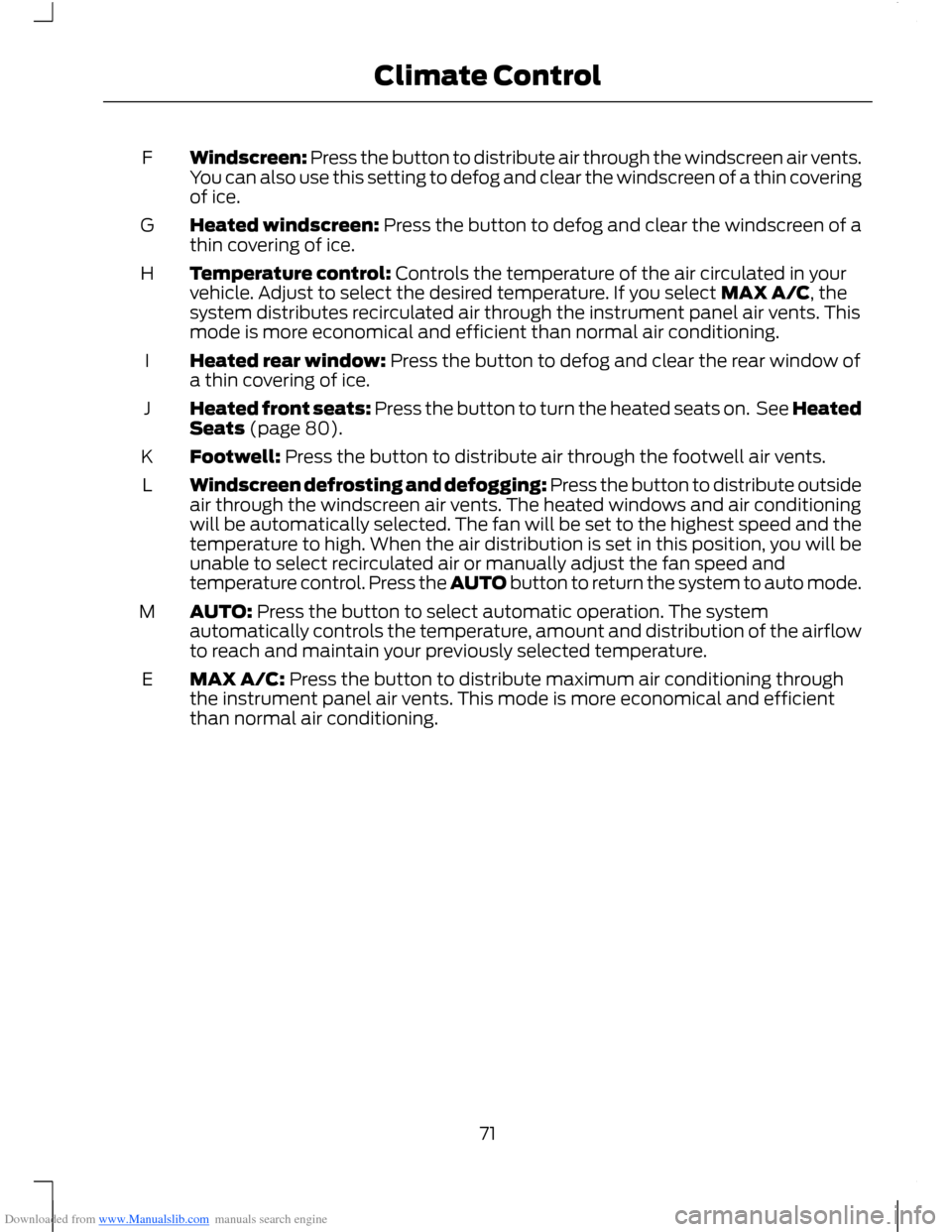
Downloaded from www.Manualslib.com manuals search engine Windscreen: Press the button to distribute air through the windscreen air vents.You can also use this setting to defog and clear the windscreen of a thin coveringof ice.
F
Heated windscreen: Press the button to defog and clear the windscreen of athin covering of ice.G
Temperature control: Controls the temperature of the air circulated in yourvehicle. Adjust to select the desired temperature. If you select MAX A/C, thesystem distributes recirculated air through the instrument panel air vents. Thismode is more economical and efficient than normal air conditioning.
H
Heated rear window: Press the button to defog and clear the rear window ofa thin covering of ice.I
Heated front seats: Press the button to turn the heated seats on. See HeatedSeats (page 80).J
Footwell: Press the button to distribute air through the footwell air vents.K
Windscreen defrosting and defogging: Press the button to distribute outsideair through the windscreen air vents. The heated windows and air conditioningwill be automatically selected. The fan will be set to the highest speed and thetemperature to high. When the air distribution is set in this position, you will beunable to select recirculated air or manually adjust the fan speed andtemperature control. Press the AUTO button to return the system to auto mode.
L
AUTO: Press the button to select automatic operation. The systemautomatically controls the temperature, amount and distribution of the airflowto reach and maintain your previously selected temperature.
M
MAX A/C: Press the button to distribute maximum air conditioning throughthe instrument panel air vents. This mode is more economical and efficientthan normal air conditioning.
E
71Climate Control
Page 74 of 256
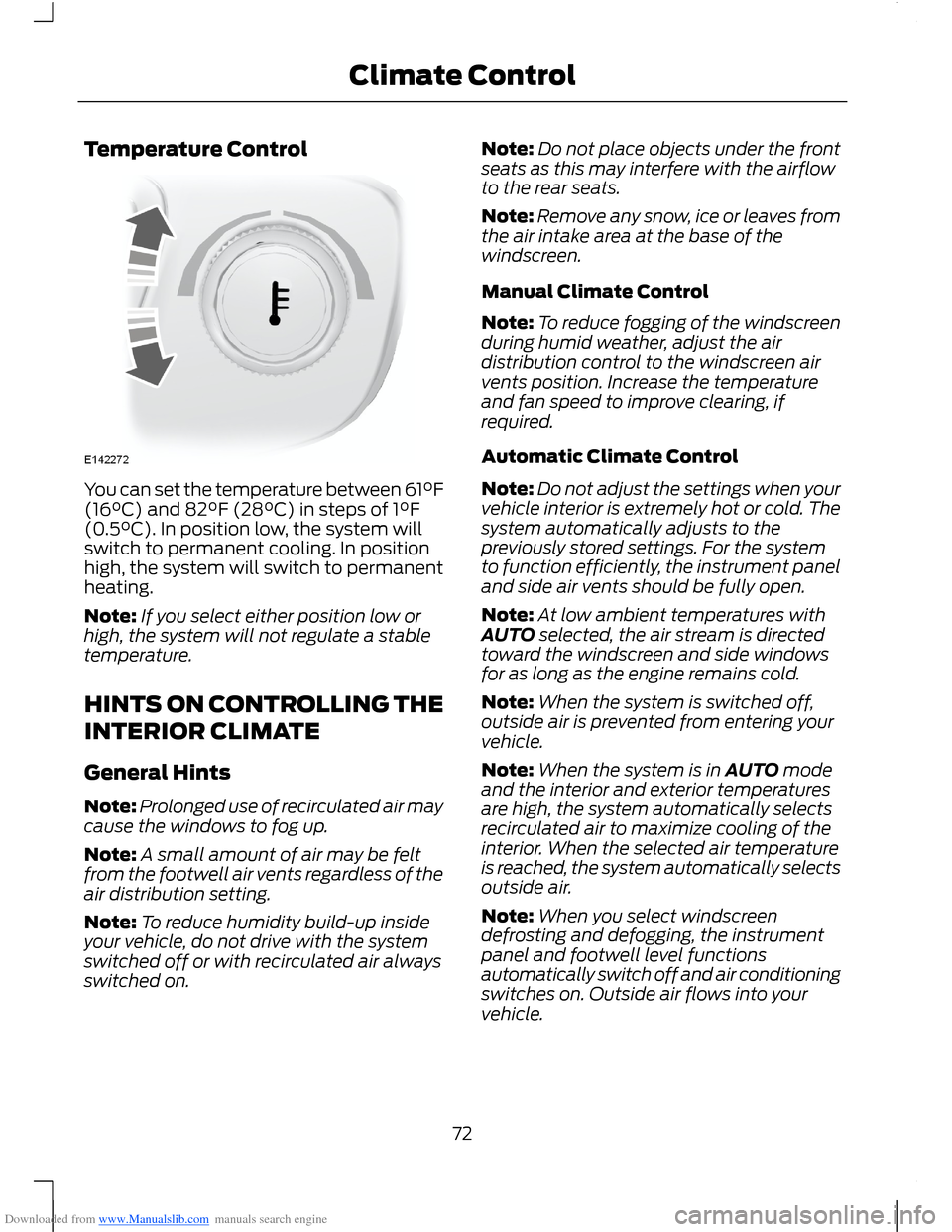
Downloaded from www.Manualslib.com manuals search engine Temperature Control
You can set the temperature between 61°F(16°C) and 82°F (28°C) in steps of 1°F(0.5°C). In position low, the system willswitch to permanent cooling. In positionhigh, the system will switch to permanentheating.
Note:If you select either position low orhigh, the system will not regulate a stabletemperature.
HINTS ON CONTROLLING THE
INTERIOR CLIMATE
General Hints
Note:Prolonged use of recirculated air maycause the windows to fog up.
Note:A small amount of air may be feltfrom the footwell air vents regardless of theair distribution setting.
Note:To reduce humidity build-up insideyour vehicle, do not drive with the systemswitched off or with recirculated air alwaysswitched on.
Note:Do not place objects under the frontseats as this may interfere with the airflowto the rear seats.
Note:Remove any snow, ice or leaves fromthe air intake area at the base of thewindscreen.
Manual Climate Control
Note:To reduce fogging of the windscreenduring humid weather, adjust the airdistribution control to the windscreen airvents position. Increase the temperatureand fan speed to improve clearing, ifrequired.
Automatic Climate Control
Note:Do not adjust the settings when yourvehicle interior is extremely hot or cold. Thesystem automatically adjusts to thepreviously stored settings. For the systemto function efficiently, the instrument paneland side air vents should be fully open.
Note:At low ambient temperatures withAUTO selected, the air stream is directedtoward the windscreen and side windowsfor as long as the engine remains cold.
Note:When the system is switched off,outside air is prevented from entering yourvehicle.
Note:When the system is in AUTO modeand the interior and exterior temperaturesare high, the system automatically selectsrecirculated air to maximize cooling of theinterior. When the selected air temperatureis reached, the system automatically selectsoutside air.
Note:When you select windscreendefrosting and defogging, the instrumentpanel and footwell level functionsautomatically switch off and air conditioningswitches on. Outside air flows into yourvehicle.
72Climate Control
Page 97 of 256
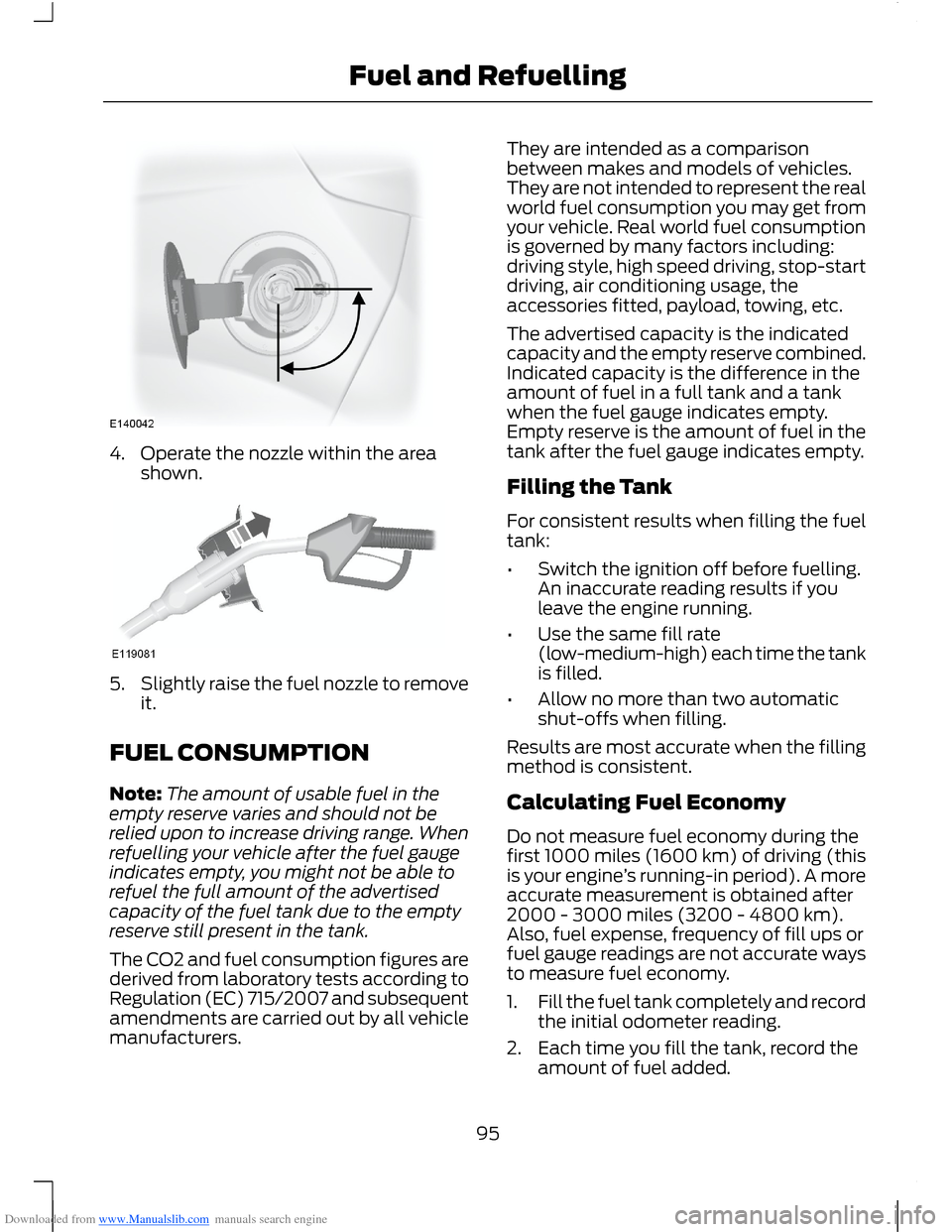
Downloaded from www.Manualslib.com manuals search engine 4.Operate the nozzle within the areashown.
5.Slightly raise the fuel nozzle to removeit.
FUEL CONSUMPTION
Note:The amount of usable fuel in theempty reserve varies and should not berelied upon to increase driving range. Whenrefuelling your vehicle after the fuel gaugeindicates empty, you might not be able torefuel the full amount of the advertisedcapacity of the fuel tank due to the emptyreserve still present in the tank.
The CO2 and fuel consumption figures arederived from laboratory tests according toRegulation (EC) 715/2007 and subsequentamendments are carried out by all vehiclemanufacturers.
They are intended as a comparisonbetween makes and models of vehicles.They are not intended to represent the realworld fuel consumption you may get fromyour vehicle. Real world fuel consumptionis governed by many factors including:driving style, high speed driving, stop-startdriving, air conditioning usage, theaccessories fitted, payload, towing, etc.
The advertised capacity is the indicatedcapacity and the empty reserve combined.Indicated capacity is the difference in theamount of fuel in a full tank and a tankwhen the fuel gauge indicates empty.Empty reserve is the amount of fuel in thetank after the fuel gauge indicates empty.
Filling the Tank
For consistent results when filling the fueltank:
•Switch the ignition off before fuelling.An inaccurate reading results if youleave the engine running.
•Use the same fill rate(low-medium-high) each time the tankis filled.
•Allow no more than two automaticshut-offs when filling.
Results are most accurate when the fillingmethod is consistent.
Calculating Fuel Economy
Do not measure fuel economy during thefirst 1000 miles (1600 km) of driving (thisis your engine’s running-in period). A moreaccurate measurement is obtained after2000 - 3000 miles (3200 - 4800 km).Also, fuel expense, frequency of fill ups orfuel gauge readings are not accurate waysto measure fuel economy.
1.Fill the fuel tank completely and recordthe initial odometer reading.
2.Each time you fill the tank, record theamount of fuel added.
95Fuel and Refuelling
Page 106 of 256
Downloaded from www.Manualslib.com manuals search engine PRINCIPLE OF OPERATION
WARNINGS
The system does not relieve you ofyour responsibility to drive with duecare and attention.
If your vehicles has a trailer towmodule not approved by us, thesystem may not correctly detectobstacles.
The sensors may not detect objectsin heavy rain or other conditions thatcause disruptive reflections.
The sensors may not detect objectswith surfaces that absorb ultrasonicwaves.
The system does not detectobstacles moving away from yourvehicle. They will only be detectedshortly after they start to move towardyour vehicle.
Take particular care when reversingwith a tow ball arm or rear fittedaccessories e.g. a bicycle carrier, asthe rear parking aid will only indicate thedistance from the bumper to the obstacle.
If you use a high pressure spray towash your vehicle, only spray thesensors briefly from a distance notless than 8 inches (20 centimetres).
Note:If your vehicle has a tow ball arm, thesystem is switched off automatically whenany trailer lamps (or lighting boards) areconnected to the 13-pin socket via a trailertow module we have approved.
Note:Keep the sensors free from dirt, iceand snow. Do not clean with sharp objects.
Note:The system may emit false tones ifit detects a signal using the same frequencyas the sensors or if your vehicle is fully laden.
Note:The outer sensors may detect theside walls of a garage. If the distancebetween the outer sensor and the side wallremains constant for three seconds, thetone will switch off. As you continue, theinner sensors will detect rearward objects.
PARKING AID
WARNINGS
To help avoid personal injury, readand understand the limitations of thesystem as contained in this section.Sensing is only an aid for some (generallylarge and fixed) objects when moving inreverse on a flat surface at parking speeds.Traffic control systems, inclementweather, air brakes and external motorsand fans may also affect the function ofthe sensing system. This may includereduced performance or a false activation.
To help avoid personal injury, alwaysuse caution when moving in reverseand when using the sensing system.
This system is not designed toprevent contact with small or movingobjects. The system is designed toprovide a warning to assist the driver indetecting large stationary objects to avoiddamaging the vehicle. The system may notdetect smaller objects, particularly thoseclose to the ground.
Certain add-on devices such as largetrailer hitches, bike or surfboard racksand any device that may block thenormal detection zone of the system, maycreate false audible warnings.
Note:Keep the sensors located on thebumper or fascia free from snow, ice andlarge accumulations of dirt. If the sensorsare covered, the system’s accuracy can beaffected. Do not clean the sensors withsharp objects.
104Parking Aids
Page 113 of 256
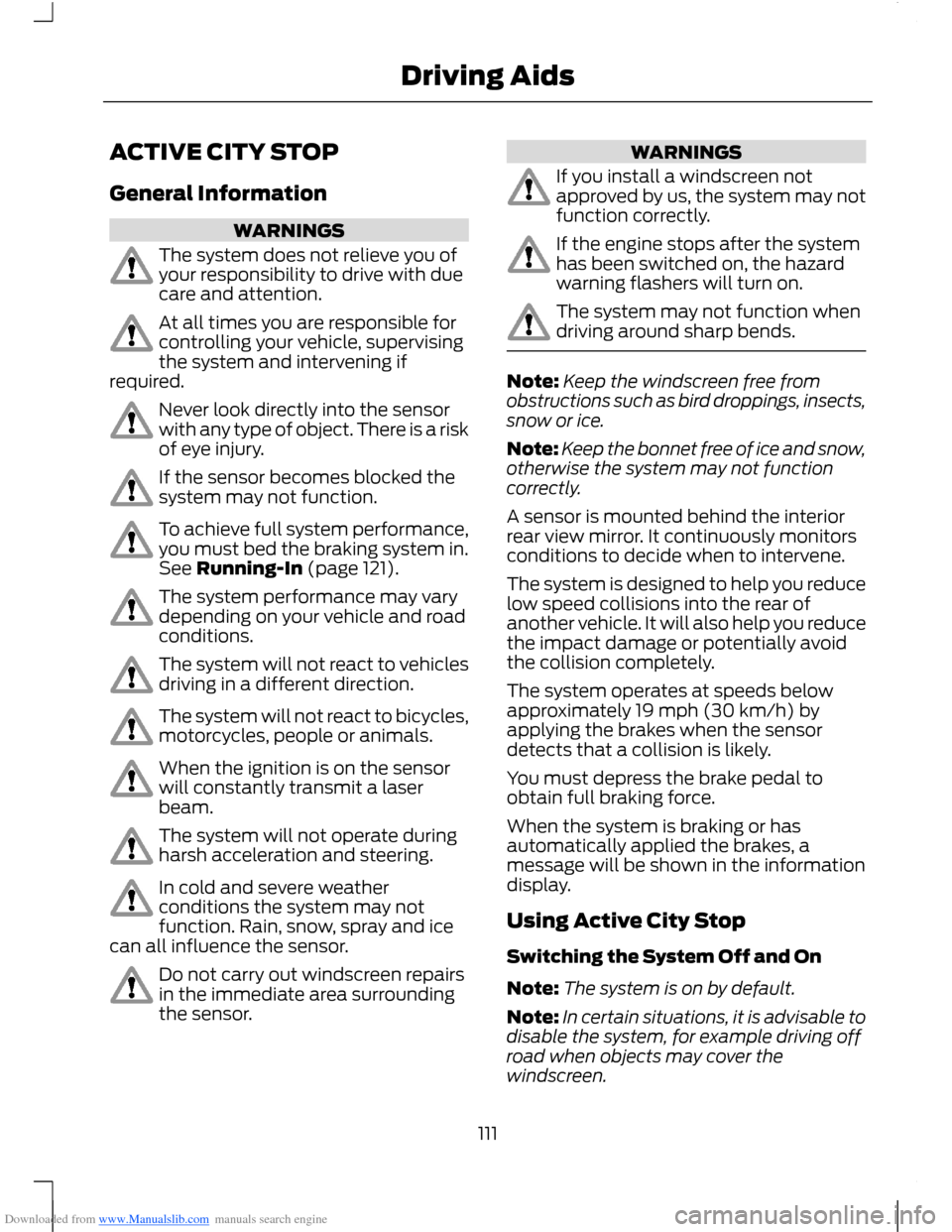
Downloaded from www.Manualslib.com manuals search engine ACTIVE CITY STOP
General Information
WARNINGS
The system does not relieve you ofyour responsibility to drive with duecare and attention.
At all times you are responsible forcontrolling your vehicle, supervisingthe system and intervening ifrequired.
Never look directly into the sensorwith any type of object. There is a riskof eye injury.
If the sensor becomes blocked thesystem may not function.
To achieve full system performance,you must bed the braking system in.See Running-In (page 121).
The system performance may varydepending on your vehicle and roadconditions.
The system will not react to vehiclesdriving in a different direction.
The system will not react to bicycles,motorcycles, people or animals.
When the ignition is on the sensorwill constantly transmit a laserbeam.
The system will not operate duringharsh acceleration and steering.
In cold and severe weatherconditions the system may notfunction. Rain, snow, spray and icecan all influence the sensor.
Do not carry out windscreen repairsin the immediate area surroundingthe sensor.
WARNINGS
If you install a windscreen notapproved by us, the system may notfunction correctly.
If the engine stops after the systemhas been switched on, the hazardwarning flashers will turn on.
The system may not function whendriving around sharp bends.
Note:Keep the windscreen free fromobstructions such as bird droppings, insects,snow or ice.
Note:Keep the bonnet free of ice and snow,otherwise the system may not functioncorrectly.
A sensor is mounted behind the interiorrear view mirror. It continuously monitorsconditions to decide when to intervene.
The system is designed to help you reducelow speed collisions into the rear ofanother vehicle. It will also help you reducethe impact damage or potentially avoidthe collision completely.
The system operates at speeds belowapproximately 19 mph (30 km/h) byapplying the brakes when the sensordetects that a collision is likely.
You must depress the brake pedal toobtain full braking force.
When the system is braking or hasautomatically applied the brakes, amessage will be shown in the informationdisplay.
Using Active City Stop
Switching the System Off and On
Note:The system is on by default.
Note:In certain situations, it is advisable todisable the system, for example driving offroad when objects may cover thewindscreen.
111Driving Aids
Page 128 of 256
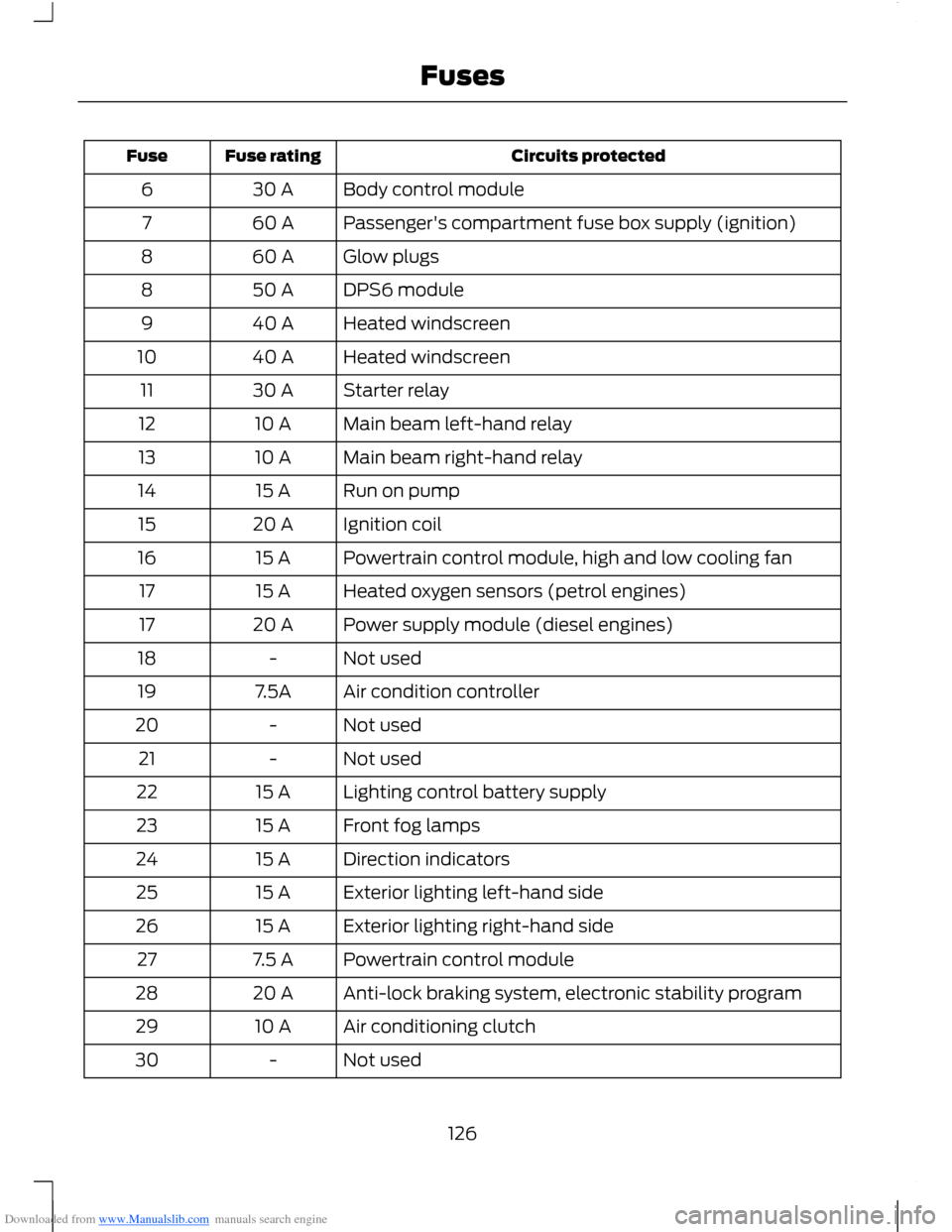
Downloaded from www.Manualslib.com manuals search engine Circuits protectedFuse ratingFuse
Body control module30 A6
Passenger's compartment fuse box supply (ignition)60 A7
Glow plugs60 A8
DPS6 module50 A8
Heated windscreen40 A9
Heated windscreen40 A10
Starter relay30 A11
Main beam left-hand relay10 A12
Main beam right-hand relay10 A13
Run on pump15 A14
Ignition coil20 A15
Powertrain control module, high and low cooling fan15 A16
Heated oxygen sensors (petrol engines)15 A17
Power supply module (diesel engines)20 A17
Not used-18
Air condition controller7.5A19
Not used-20
Not used-21
Lighting control battery supply15 A22
Front fog lamps15 A23
Direction indicators15 A24
Exterior lighting left-hand side15 A25
Exterior lighting right-hand side15 A26
Powertrain control module7.5 A27
Anti-lock braking system, electronic stability program20 A28
Air conditioning clutch10 A29
Not used-30
126Fuses