instrument cluster FORD BRONCO SPORT 2023 User Guide
[x] Cancel search | Manufacturer: FORD, Model Year: 2023, Model line: BRONCO SPORT, Model: FORD BRONCO SPORT 2023Pages: 516, PDF Size: 14.27 MB
Page 113 of 516
Note: When viewing this screen you canreset your average fuel economy. Hold OKto reset fuel history and average fueleconomy.
Trip 1 and 2
Provides trip timer, trip average fueleconomy and total trip distance traveled.For hybrid vehicles, the trip also shows thedistance traveled on electric power only.
INFORMATION MESSAGES
Depending on your vehicle options andinstrument cluster type, not all messagesdisplay or are available.
Note:The system abbreviates or shortenscertain messages.
Press the OK button to acknowledge andremove some messages from theinformation display. The system removesother messages after a short time.
You need to confirm certain messagesbefore you can access the menus.
Adaptive Cruise Control
DetailsMessage
A radar malfunction is preventing the adaptive cruise from engaging.Adaptive CruiseMalfunction
Front Sensor NotAligned
Conditions exist such that the adaptive cruise cannot properlyfunction.Adaptive CruiseNot Available
Bad weather, ice, mud or water is causing poor radar visibility andis blocking the radar sensor. You can typically clean the sensor toresolve.
Adaptive CruiseNot AvailableSensor BlockedSee Manual
Displays when automatic braking disables.Normal CruiseActive AdaptiveBraking Off
Displays when the adaptive cruise system reinstates control to thedriver.Adaptive Cruise -Driver ResumeControl
Displays when the vehicle speed is too slow to activate the adaptivecruise.Adaptive CruiseSpeed Too Low toActivate
109
2023 Bronco Sport (CHD) Canada/United States of America, enUSA, Edition date: 202208, First-PrintingInformation DisplaysE222314
Page 186 of 516
AUTOMATIC TRANSMISSION
WARNING: Do not apply the brakepedal and accelerator pedalsimultaneously. Applying both pedalssimultaneously for more than a fewseconds limits vehicle performance,which may result in difficulty maintainingspeed in traffic and could lead to seriousinjury.
WARNING: When your vehicle isstationary, keep the brake pedal fullypressed when shifting gears. Failure tofollow this instruction could result inpersonal injury, death or propertydamage.
WARNING: Apply the parkingbrake, shift into park (P), switch theignition off and remove the key beforeyou leave your vehicle. Failure to followthis instruction could result in personalinjury or death.
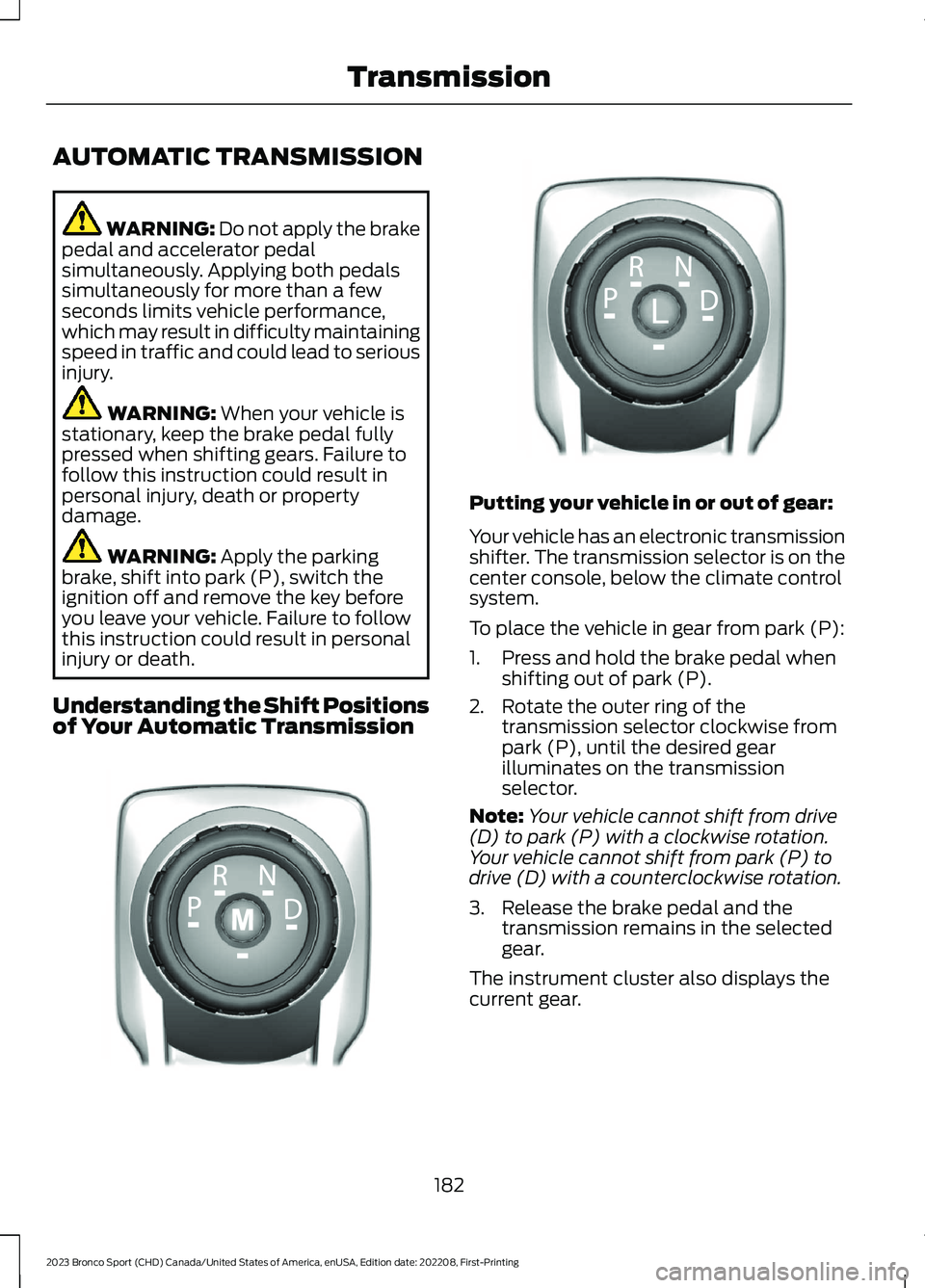
Understanding the Shift Positionsof Your Automatic Transmission
Putting your vehicle in or out of gear:
Your vehicle has an electronic transmissionshifter. The transmission selector is on thecenter console, below the climate controlsystem.
To place the vehicle in gear from park (P):
1.Press and hold the brake pedal whenshifting out of park (P).
2.Rotate the outer ring of thetransmission selector clockwise frompark (P), until the desired gearilluminates on the transmissionselector.
Note:Your vehicle cannot shift from drive(D) to park (P) with a clockwise rotation.Your vehicle cannot shift from park (P) todrive (D) with a counterclockwise rotation.
3.Release the brake pedal and thetransmission remains in the selectedgear.
The instrument cluster also displays thecurrent gear.
182
2023 Bronco Sport (CHD) Canada/United States of America, enUSA, Edition date: 202208, First-PrintingTransmissionE322797 LE349178
Page 189 of 516
Manually Shifting Gears
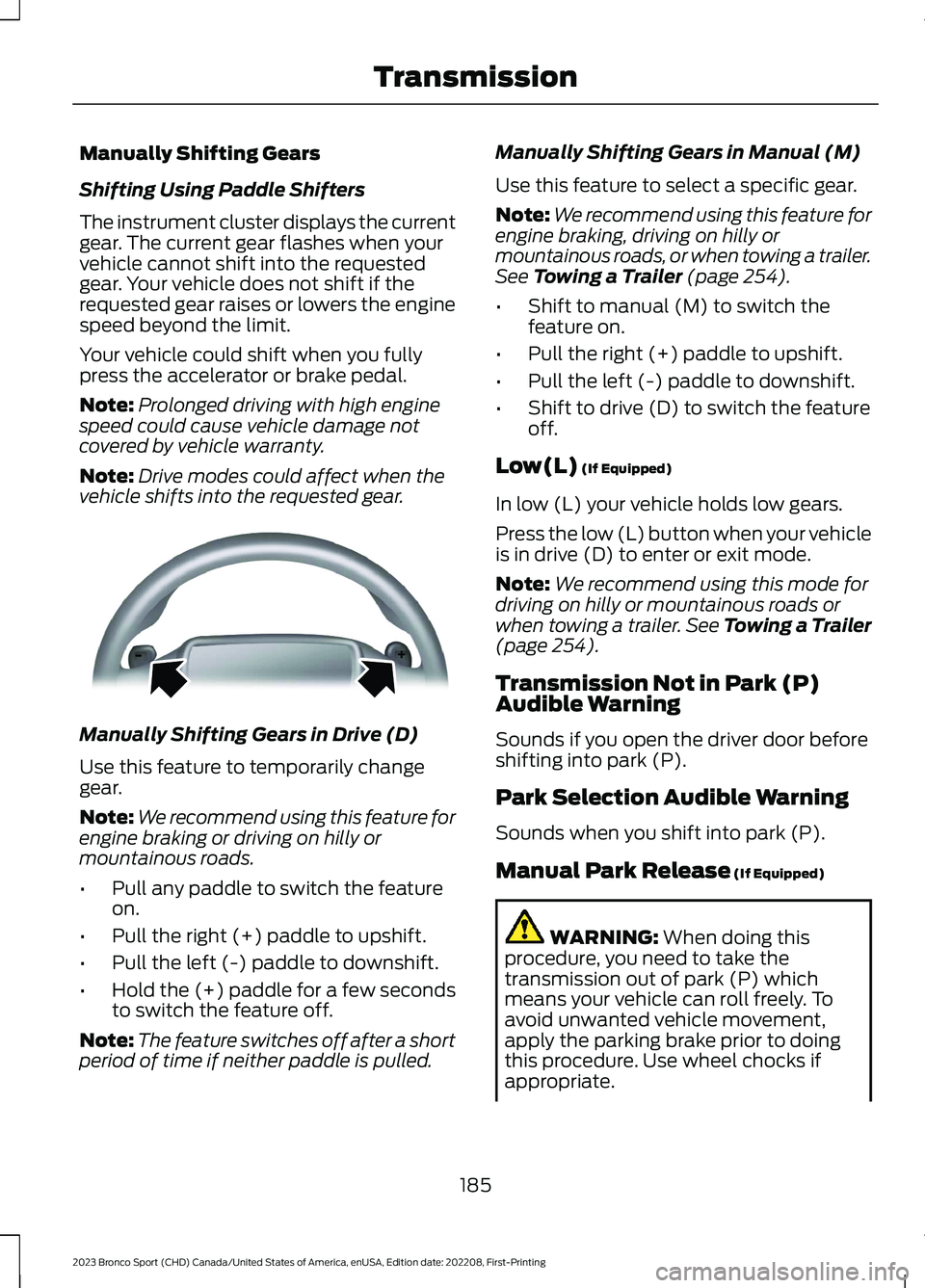
Shifting Using Paddle Shifters
The instrument cluster displays the currentgear. The current gear flashes when yourvehicle cannot shift into the requestedgear. Your vehicle does not shift if therequested gear raises or lowers the enginespeed beyond the limit.
Your vehicle could shift when you fullypress the accelerator or brake pedal.
Note:Prolonged driving with high enginespeed could cause vehicle damage notcovered by vehicle warranty.
Note:Drive modes could affect when thevehicle shifts into the requested gear.
Manually Shifting Gears in Drive (D)
Use this feature to temporarily changegear.
Note:We recommend using this feature forengine braking or driving on hilly ormountainous roads.
•Pull any paddle to switch the featureon.
•Pull the right (+) paddle to upshift.
•Pull the left (-) paddle to downshift.
•Hold the (+) paddle for a few secondsto switch the feature off.
Note:The feature switches off after a shortperiod of time if neither paddle is pulled.
Manually Shifting Gears in Manual (M)
Use this feature to select a specific gear.
Note:We recommend using this feature forengine braking, driving on hilly ormountainous roads, or when towing a trailer.See Towing a Trailer (page 254).
•Shift to manual (M) to switch thefeature on.
•Pull the right (+) paddle to upshift.
•Pull the left (-) paddle to downshift.
•Shift to drive (D) to switch the featureoff.
Low(L) (If Equipped)
In low (L) your vehicle holds low gears.
Press the low (L) button when your vehicleis in drive (D) to enter or exit mode.
Note:We recommend using this mode fordriving on hilly or mountainous roads orwhen towing a trailer. See Towing a Trailer(page 254).
Transmission Not in Park (P)Audible Warning
Sounds if you open the driver door beforeshifting into park (P).
Park Selection Audible Warning
Sounds when you shift into park (P).
Manual Park Release (If Equipped)
WARNING: When doing thisprocedure, you need to take thetransmission out of park (P) whichmeans your vehicle can roll freely. Toavoid unwanted vehicle movement,apply the parking brake prior to doingthis procedure. Use wheel chocks ifappropriate.
185
2023 Bronco Sport (CHD) Canada/United States of America, enUSA, Edition date: 202208, First-PrintingTransmissionE144821
Page 190 of 516
WARNING: If the parking brake isfully released, but the brake warninglamp remains illuminated, the brakesmay not be working properly. Have yourvehicle checked as soon as possible.
WARNING: Do not drive yourvehicle until you verify that thestoplamps are working.
Use the manual park release to move yourtransmission from the park (P) position inthe event of an electrical malfunction oremergency.
Activating the Manual Park ReleaseCable
1.Apply the parking brake. See ElectricParking Brake (page 194).
Note:If the vehicle battery has run out ofcharge, use an external power source toapply the parking brake.
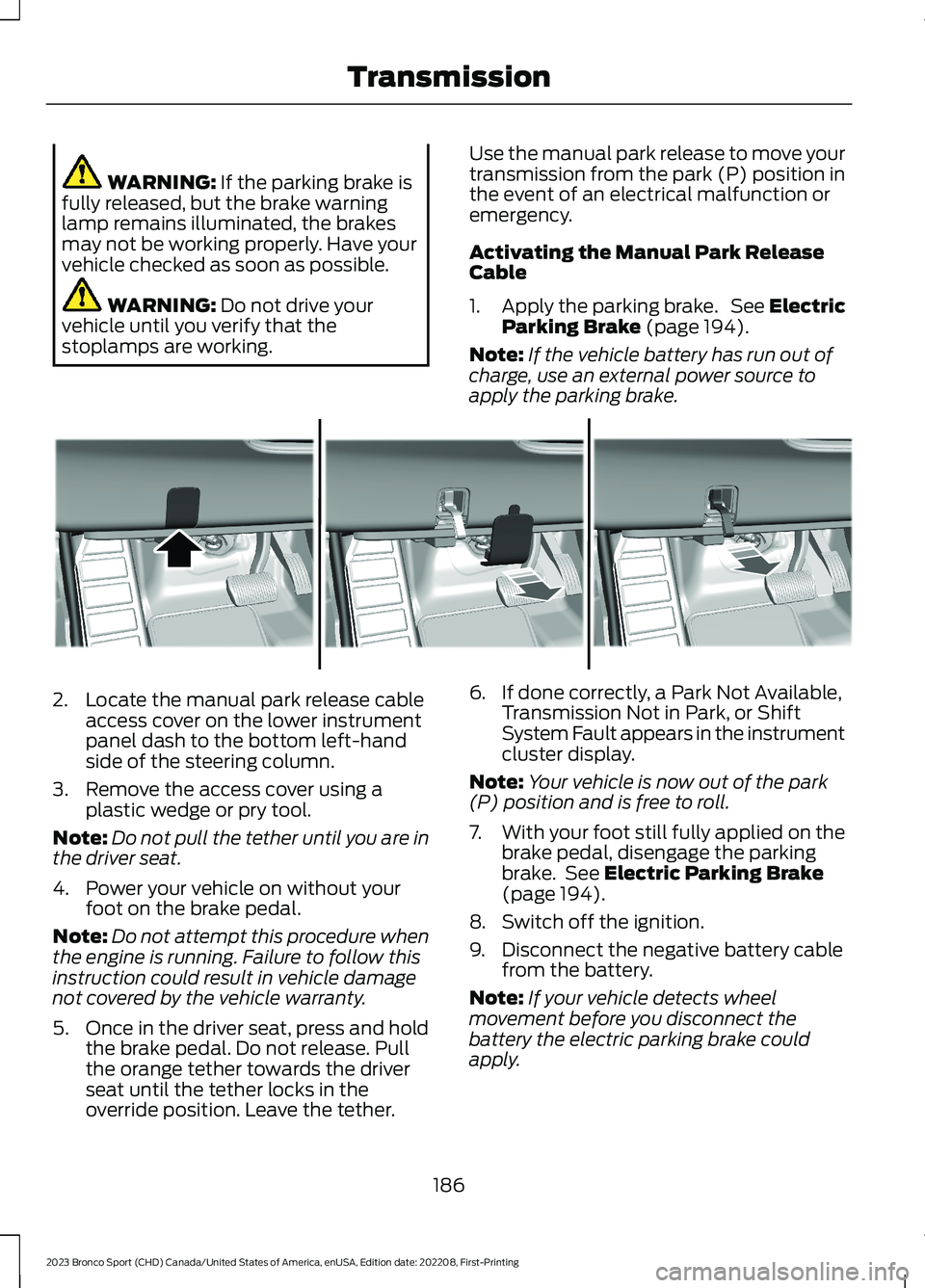
2.Locate the manual park release cableaccess cover on the lower instrumentpanel dash to the bottom left-handside of the steering column.
3.Remove the access cover using aplastic wedge or pry tool.
Note:Do not pull the tether until you are inthe driver seat.
4.Power your vehicle on without yourfoot on the brake pedal.
Note:Do not attempt this procedure whenthe engine is running. Failure to follow thisinstruction could result in vehicle damagenot covered by the vehicle warranty.
5.Once in the driver seat, press and holdthe brake pedal. Do not release. Pullthe orange tether towards the driverseat until the tether locks in theoverride position. Leave the tether.
6.If done correctly, a Park Not Available,Transmission Not in Park, or ShiftSystem Fault appears in the instrumentcluster display.
Note:Your vehicle is now out of the park(P) position and is free to roll.
7.With your foot still fully applied on thebrake pedal, disengage the parkingbrake. See Electric Parking Brake(page 194).
8.Switch off the ignition.
9.Disconnect the negative battery cablefrom the battery.
Note:If your vehicle detects wheelmovement before you disconnect thebattery the electric parking brake couldapply.
186
2023 Bronco Sport (CHD) Canada/United States of America, enUSA, Edition date: 202208, First-PrintingTransmissionE307867
Page 191 of 516
Returning Your Vehicle to NormalMode
1.Once it is safe to do so, reconnect thenegative (black) battery cable to thebattery.
2.Apply the parking brake. See ElectricParking Brake (page 194).
Note:If your vehicle detects wheelmovement, the electric parking brake couldapply.
Note:If the vehicle battery has run out ofcharge, use an external power source toapply the parking brake.
3.Sit in the driver seat.
4.Press and hold the brake pedal. Do notstart your vehicle.
5.Pull the orange tether towards you untilyou feel a hard stop. Release thetension and return the tether to thestowed position.
6.The cable releases and retracts backto its original rest position.
7.Stow the manual park release cabletether back inside the instrument paneldash hole and press the access coverback into position.
8.With your foot fully applied on thebrake pedal, start your vehicle. Confirmthat your vehicle is in the park (P)position and that the instrumentcluster display indicates park (P).
9.If the instrument cluster is notdisplaying the park (P) position or amessage displays on the instrumentcluster display, make sure you applythe parking brake before exiting yourvehicle. Have your vehicle checked assoon as possible.
Shifting Your Immobile VehicleOut of Park (P)
WARNING: When doing thisprocedure, you need to take thetransmission out of park (P) whichmeans your vehicle can roll freely. Toavoid unwanted vehicle movement,apply the parking brake prior to doingthis procedure. Use wheel chocks ifappropriate.
Use this procedure to shift your vehicle outof park (P) if you cannot start the engine.
Note:If the battery is out of charge, use anexternal power source.
Note:Do not tow your vehicle in this mode.See temporary neutral mode limitationswithin this chapter.
Shifting Your Vehicle Out of Park (P)
1.Apply the parking brake. See ElectricParking Brake (page 194).
Note:If the battery is out of charge, use anexternal power source to apply the parkingbrake.
2.Power your vehicle on without yourfoot on the brake pedal.
3.Press and hold the brake pedal.
4.Press and hold the accelerator pedal.
5.Shift into neutral (N).
6.Press the manual (M) or low (L)button.
7.Attempt to start your vehicle.
Note:A confirmation message appearswhen your vehicle enters the mode.
Note:Complete this procedure within 20seconds. If your vehicle shifts into park (P)attempt the procedure again.
8.Release the accelerator and brakepedals.
187
2023 Bronco Sport (CHD) Canada/United States of America, enUSA, Edition date: 202208, First-PrintingTransmission
Page 193 of 516
PRINCIPLE OF OPERATION
This system is a proactive system. It hasthe ability to anticipate wheel slip andtransfer torque to the rear wheels beforeslip occurs. Even when wheel slip is notpresent, the system is continuouslyadjusting to the torque distribution, in anattempt to improve straight line andcornering behavior, both on and off road.
The system automatically turns on everytime you switch the ignition on.
If any component requires maintenance,a message appears in the instrumentcluster display.
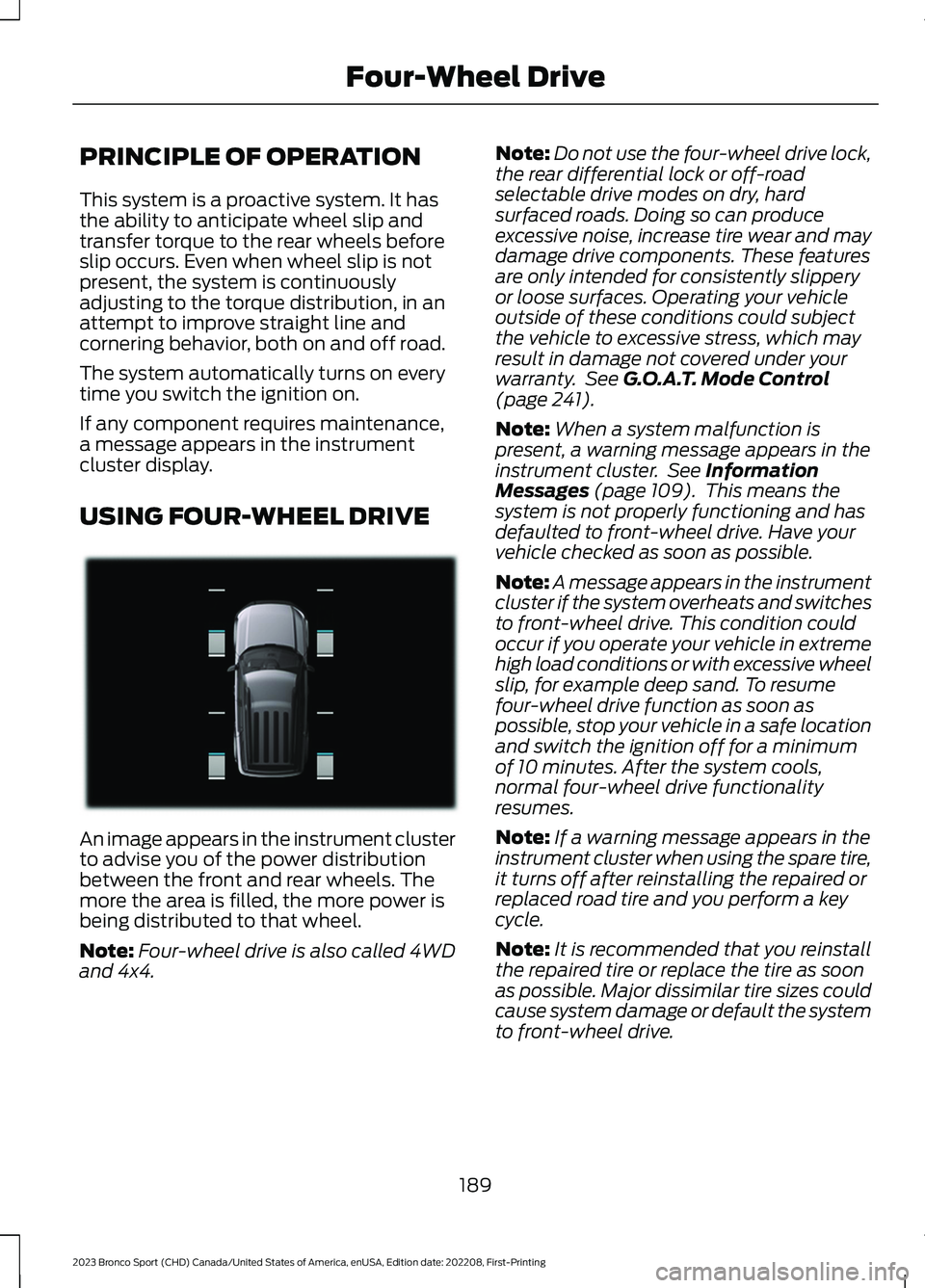
USING FOUR-WHEEL DRIVE
An image appears in the instrument clusterto advise you of the power distributionbetween the front and rear wheels. Themore the area is filled, the more power isbeing distributed to that wheel.
Note:Four-wheel drive is also called 4WDand 4x4.
Note:Do not use the four-wheel drive lock,the rear differential lock or off-roadselectable drive modes on dry, hardsurfaced roads. Doing so can produceexcessive noise, increase tire wear and maydamage drive components. These featuresare only intended for consistently slipperyor loose surfaces. Operating your vehicleoutside of these conditions could subjectthe vehicle to excessive stress, which mayresult in damage not covered under yourwarranty. See G.O.A.T. Mode Control(page 241).
Note:When a system malfunction ispresent, a warning message appears in theinstrument cluster. See InformationMessages (page 109). This means thesystem is not properly functioning and hasdefaulted to front-wheel drive. Have yourvehicle checked as soon as possible.
Note:A message appears in the instrumentcluster if the system overheats and switchesto front-wheel drive. This condition couldoccur if you operate your vehicle in extremehigh load conditions or with excessive wheelslip, for example deep sand. To resumefour-wheel drive function as soon aspossible, stop your vehicle in a safe locationand switch the ignition off for a minimumof 10 minutes. After the system cools,normal four-wheel drive functionalityresumes.
Note:If a warning message appears in theinstrument cluster when using the spare tire,it turns off after reinstalling the repaired orreplaced road tire and you perform a keycycle.
Note:It is recommended that you reinstallthe repaired tire or replace the tire as soonas possible. Major dissimilar tire sizes couldcause system damage or default the systemto front-wheel drive.
189
2023 Bronco Sport (CHD) Canada/United States of America, enUSA, Edition date: 202208, First-PrintingFour-Wheel DriveE331897
Page 195 of 516
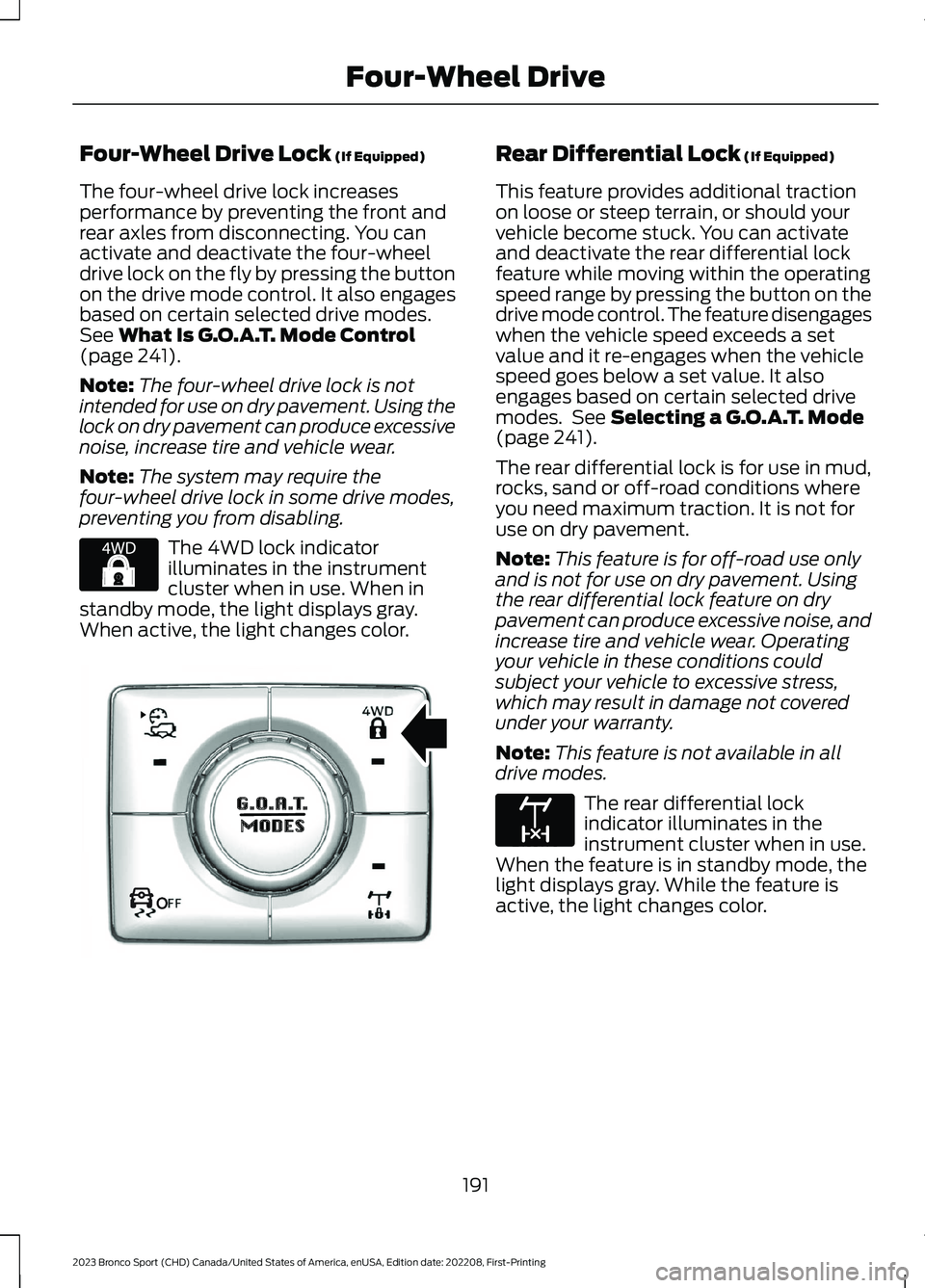
Four-Wheel Drive Lock (If Equipped)
The four-wheel drive lock increasesperformance by preventing the front andrear axles from disconnecting. You canactivate and deactivate the four-wheeldrive lock on the fly by pressing the buttonon the drive mode control. It also engagesbased on certain selected drive modes.See What Is G.O.A.T. Mode Control(page 241).
Note:The four-wheel drive lock is notintended for use on dry pavement. Using thelock on dry pavement can produce excessivenoise, increase tire and vehicle wear.
Note:The system may require thefour-wheel drive lock in some drive modes,preventing you from disabling.
The 4WD lock indicatorilluminates in the instrumentcluster when in use. When instandby mode, the light displays gray.When active, the light changes color.
Rear Differential Lock (If Equipped)
This feature provides additional tractionon loose or steep terrain, or should yourvehicle become stuck. You can activateand deactivate the rear differential lockfeature while moving within the operatingspeed range by pressing the button on thedrive mode control. The feature disengageswhen the vehicle speed exceeds a setvalue and it re-engages when the vehiclespeed goes below a set value. It alsoengages based on certain selected drivemodes. See Selecting a G.O.A.T. Mode(page 241).
The rear differential lock is for use in mud,rocks, sand or off-road conditions whereyou need maximum traction. It is not foruse on dry pavement.
Note:This feature is for off-road use onlyand is not for use on dry pavement. Usingthe rear differential lock feature on drypavement can produce excessive noise, andincrease tire and vehicle wear. Operatingyour vehicle in these conditions couldsubject your vehicle to excessive stress,which may result in damage not coveredunder your warranty.
Note:This feature is not available in alldrive modes.
The rear differential lockindicator illuminates in theinstrument cluster when in use.When the feature is in standby mode, thelight displays gray. While the feature isactive, the light changes color.
191
2023 Bronco Sport (CHD) Canada/United States of America, enUSA, Edition date: 202208, First-PrintingFour-Wheel DriveE327288 OOE351064 E163170
Page 220 of 516
Switching Adaptive Cruise ControlOn
Press the button to set thesystem in standby mode.
The indicator, current gap setting and setspeed appear in the information display.
Switching Adaptive Cruise ControlOff
Press the button when thesystem is in standby mode, orswitch the ignition off.
Note:You erase the set speed when youswitch the system off.
Automatic Cancellation orDeactivation
The system may cancel if:
•The tires lose traction.
•You apply the parking brake.
The system may cancel and set the parkingbrake if:
•You unbuckle the seatbelt and openthe driver door after you stop yourvehicle.
•Your vehicle is at a stop continuouslyfor more than three minutes.
The system may deactivate or preventactivating when requested if:
•The vehicle has a blocked sensor.
•The brake temperature is too high.
•There is a failure in the system or arelated system.
SETTING THE ADAPTIVE
CRUISE CONTROL SPEED
Drive to the speed you prefer.
Press the toggle button upwardor downward to set the currentspeed.
Take your foot off the accelerator pedal.
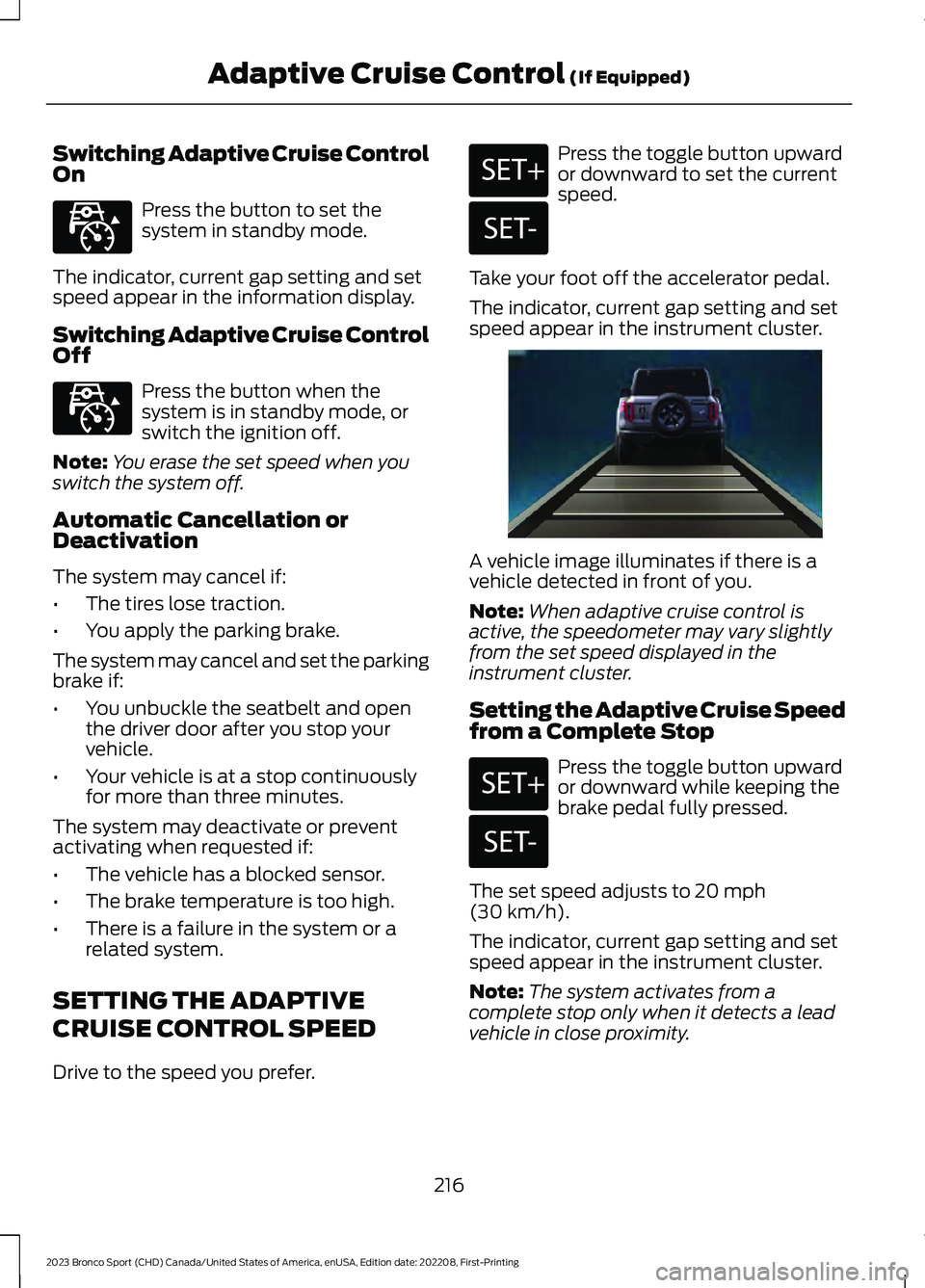
The indicator, current gap setting and setspeed appear in the instrument cluster.
A vehicle image illuminates if there is avehicle detected in front of you.
Note:When adaptive cruise control isactive, the speedometer may vary slightlyfrom the set speed displayed in theinstrument cluster.
Setting the Adaptive Cruise Speedfrom a Complete Stop
Press the toggle button upwardor downward while keeping thebrake pedal fully pressed.
The set speed adjusts to 20 mph(30 km/h).
The indicator, current gap setting and setspeed appear in the instrument cluster.
Note:The system activates from acomplete stop only when it detects a leadvehicle in close proximity.
216
2023 Bronco Sport (CHD) Canada/United States of America, enUSA, Edition date: 202208, First-PrintingAdaptive Cruise Control (If Equipped)E323440 E323440 E246884 E246885 E338558 E246884 E246885
Page 221 of 516
Manually Changing the Set Speed
Press and release the togglebutton upward to increase theset speed in small increments.
Press and hold the toggle button upwardto increase the set speed in largeincrements. Release the button when theset speed is equal to the desired speed.
Press and release the togglebutton downward to decreasethe set speed in smallincrements.
Press and hold the toggle buttondownward to decrease the set speed inlarge increments. Release the button whenthe set speed is equal to the desired speed.
You can also press the accelerator or brakepedal until you reach the speed you prefer.Press the toggle button upward ordownward to select the current speed asthe set speed.
The system may apply the brakes to slowthe vehicle to the new set speed. The setspeed continuously displays in theinformation display when the system isactive.
SETTING THE ADAPTIVE
CRUISE CONTROL GAP
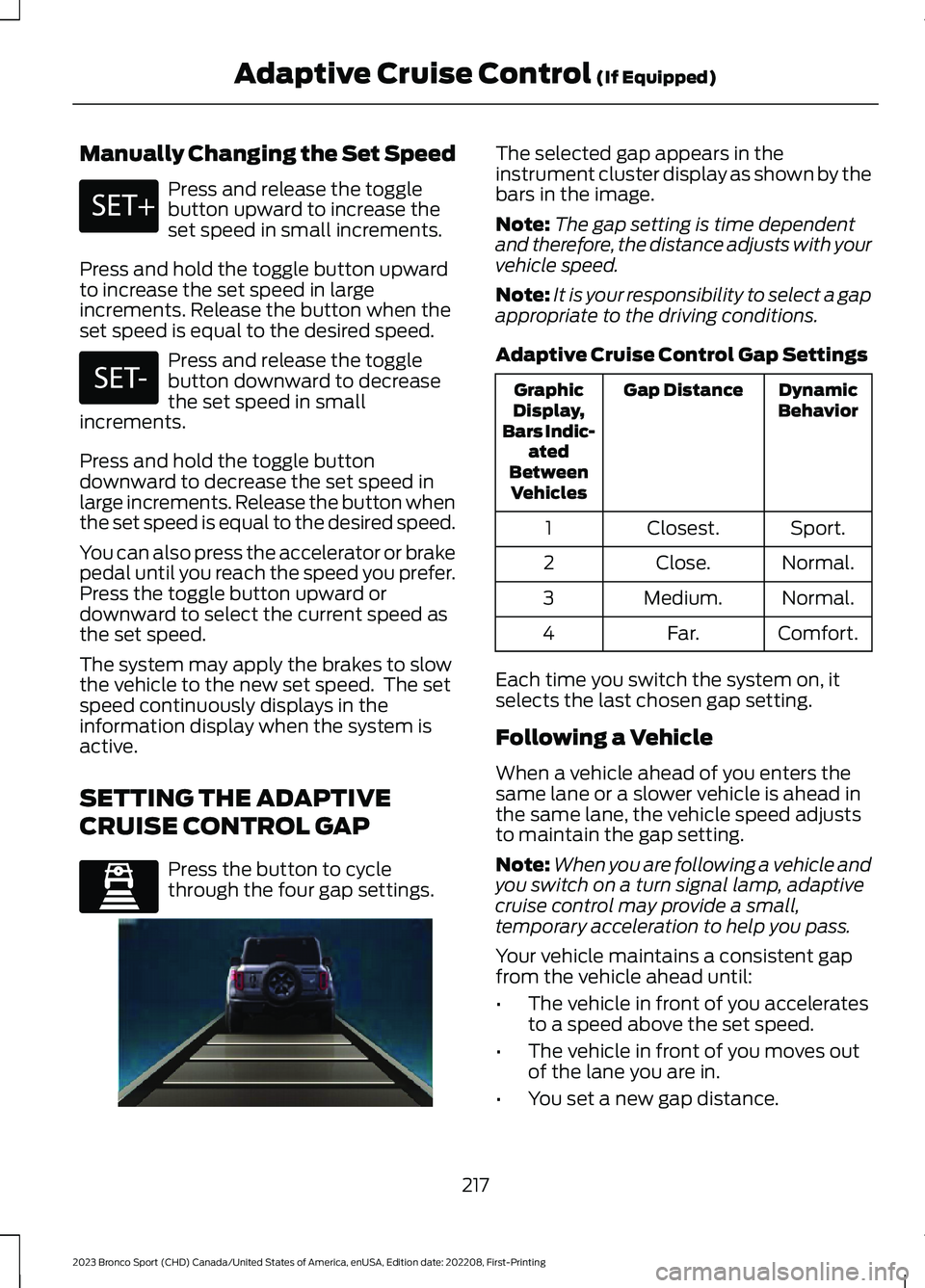
Press the button to cyclethrough the four gap settings.
The selected gap appears in theinstrument cluster display as shown by thebars in the image.
Note:The gap setting is time dependentand therefore, the distance adjusts with yourvehicle speed.
Note:It is your responsibility to select a gapappropriate to the driving conditions.
Adaptive Cruise Control Gap Settings
DynamicBehaviorGap DistanceGraphicDisplay,Bars Indic-atedBetweenVehicles
Sport.Closest.1
Normal.Close.2
Normal.Medium.3
Comfort.Far.4
Each time you switch the system on, itselects the last chosen gap setting.
Following a Vehicle
When a vehicle ahead of you enters thesame lane or a slower vehicle is ahead inthe same lane, the vehicle speed adjuststo maintain the gap setting.
Note:When you are following a vehicle andyou switch on a turn signal lamp, adaptivecruise control may provide a small,temporary acceleration to help you pass.
Your vehicle maintains a consistent gapfrom the vehicle ahead until:
•The vehicle in front of you acceleratesto a speed above the set speed.
•The vehicle in front of you moves outof the lane you are in.
•You set a new gap distance.
217
2023 Bronco Sport (CHD) Canada/United States of America, enUSA, Edition date: 202208, First-PrintingAdaptive Cruise Control (If Equipped)E246884 E246885 E339110 E338558
Page 222 of 516
The system applies the brakes to slowdown your vehicle to maintain a safe gapdistance from the vehicle in front of you.The system only applies limited braking.You can override the system by applyingthe brakes.
Note:The brakes may emit noise whenapplied by the system.
If the system determines that its maximumbraking level is not sufficient, an audiblewarning sounds, a message appears in theinstrument cluster display and an indicatorflashes when the system continues tobrake. Take immediate action.
CANCELING THE SET SPEED
Press the button or tap the brakepedal.
The set speed does not erase.
RESUMING THE SET SPEED
Press the button.
Your vehicle speed returns to thepreviously set speed and gap setting. Theset speed displays continuously in theinformation display when the system isactive.
Note:Only use resume if you are aware ofthe set speed and intend to return to it.
Resuming the Set Speed from aComplete Stop
If your vehicle follows a vehicle to acomplete stop and remains stationary forless than three seconds, your vehicleaccelerates from a stationary position tofollow the vehicle ahead.
If your vehicle follows a vehicleto a complete stop and remainsstationary for more than threeseconds, press and release the button orpress the accelerator pedal to follow thevehicle ahead.
OVERRIDING THE SET SPEED
WARNING: If you override thesystem by pressing the acceleratorpedal, it does not automatically applythe brakes to maintain a gap from anyvehicle ahead.
When you press the accelerator pedal, youoverride the set speed and gap distance.
Use the accelerator pedal to intentionallyexceed the set speed limit.
When you override the system, the greenindicator illuminates and the vehicle icondoes not appear in the instrument clusterdisplay.
The system resumes operation when yourelease the accelerator pedal. The vehiclespeed decreases to the set speed, or alower speed if following a slower vehicle.
ADAPTIVE CRUISE CONTROL
INDICATORS
Illuminates when you switch thesystem on. The color of theindicator changes to indicate thesystem status.
White indicates the system is on butinactive.
Green indicates the system is active andthe speed has been set.
218
2023 Bronco Sport (CHD) Canada/United States of America, enUSA, Edition date: 202208, First-PrintingAdaptive Cruise Control (If Equipped)E280804 E323440