clutch FORD F750 2005 11.G User Guide
[x] Cancel search | Manufacturer: FORD, Model Year: 2005, Model line: F750, Model: FORD F750 2005 11.GPages: 272, PDF Size: 1.5 MB
Page 124 of 272
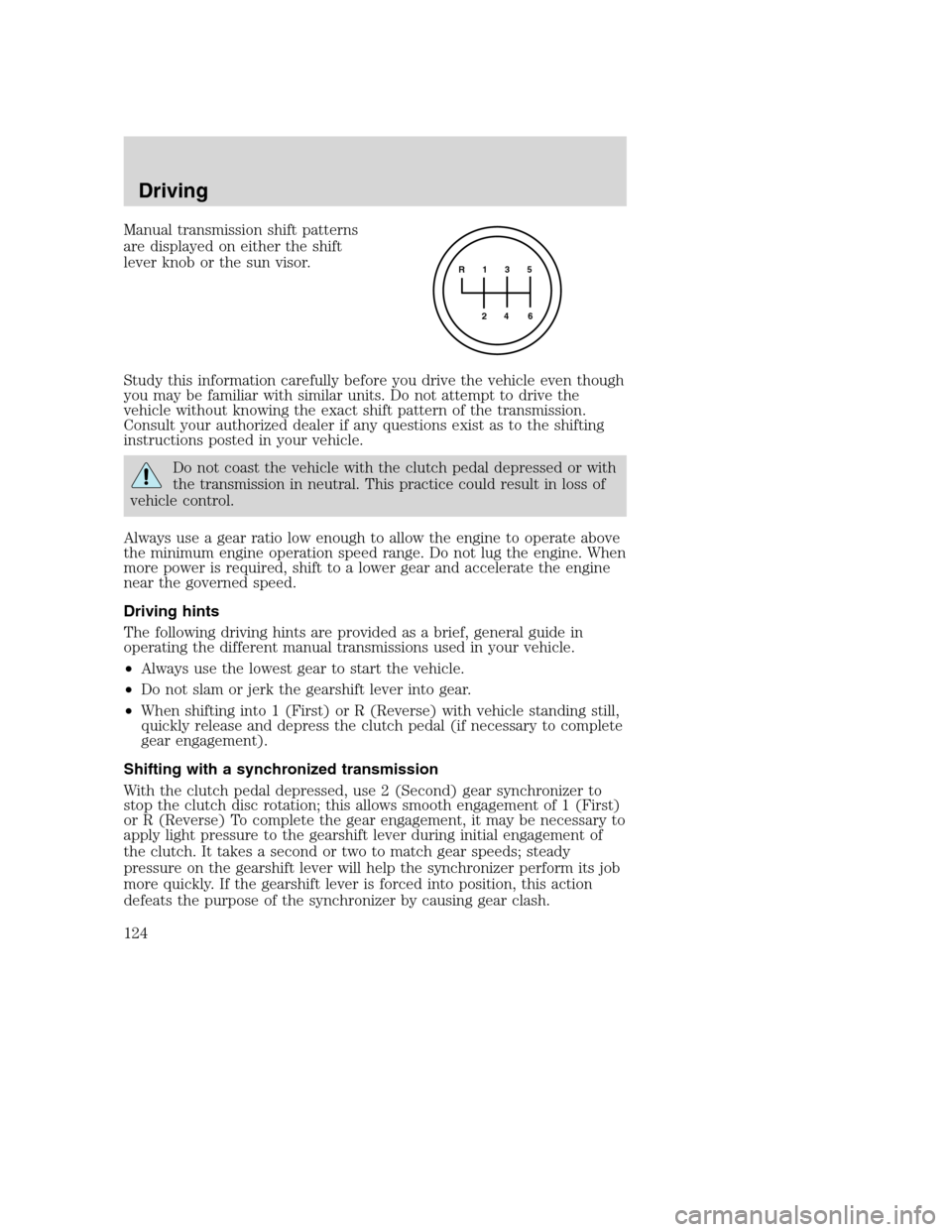
Manual transmission shift patterns
are displayed on either the shift
lever knob or the sun visor.
Study this information carefully before you drive the vehicle even though
you may be familiar with similar units. Do not attempt to drive the
vehicle without knowing the exact shift pattern of the transmission.
Consult your authorized dealer if any questions exist as to the shifting
instructions posted in your vehicle.
Do not coast the vehicle with the clutch pedal depressed or with
the transmission in neutral. This practice could result in loss of
vehicle control.
Always use a gear ratio low enough to allow the engine to operate above
the minimum engine operation speed range. Do not lug the engine. When
more power is required, shift to a lower gear and accelerate the engine
near the governed speed.
Driving hints
The following driving hints are provided as a brief, general guide in
operating the different manual transmissions used in your vehicle.
•Always use the lowest gear to start the vehicle.
•Do not slam or jerk the gearshift lever into gear.
•When shifting into 1 (First) or R (Reverse) with vehicle standing still,
quickly release and depress the clutch pedal (if necessary to complete
gear engagement).
Shifting with a synchronized transmission
With the clutch pedal depressed, use 2 (Second) gear synchronizer to
stop the clutch disc rotation; this allows smooth engagement of 1 (First)
or R (Reverse) To complete the gear engagement, it may be necessary to
apply light pressure to the gearshift lever during initial engagement of
the clutch. It takes a second or two to match gear speeds; steady
pressure on the gearshift lever will help the synchronizer perform its job
more quickly. If the gearshift lever is forced into position, this action
defeats the purpose of the synchronizer by causing gear clash.
R 1 3 5
4
6 2
Driving
124
Page 125 of 272
Shifting with a non-synchronized transmission
Refer toClutch brakeandDouble clutch proceduresin theClutch
section of this chapter.
Operating the Eaton FS-4205A and FS-5205A 5–speed
transmissions
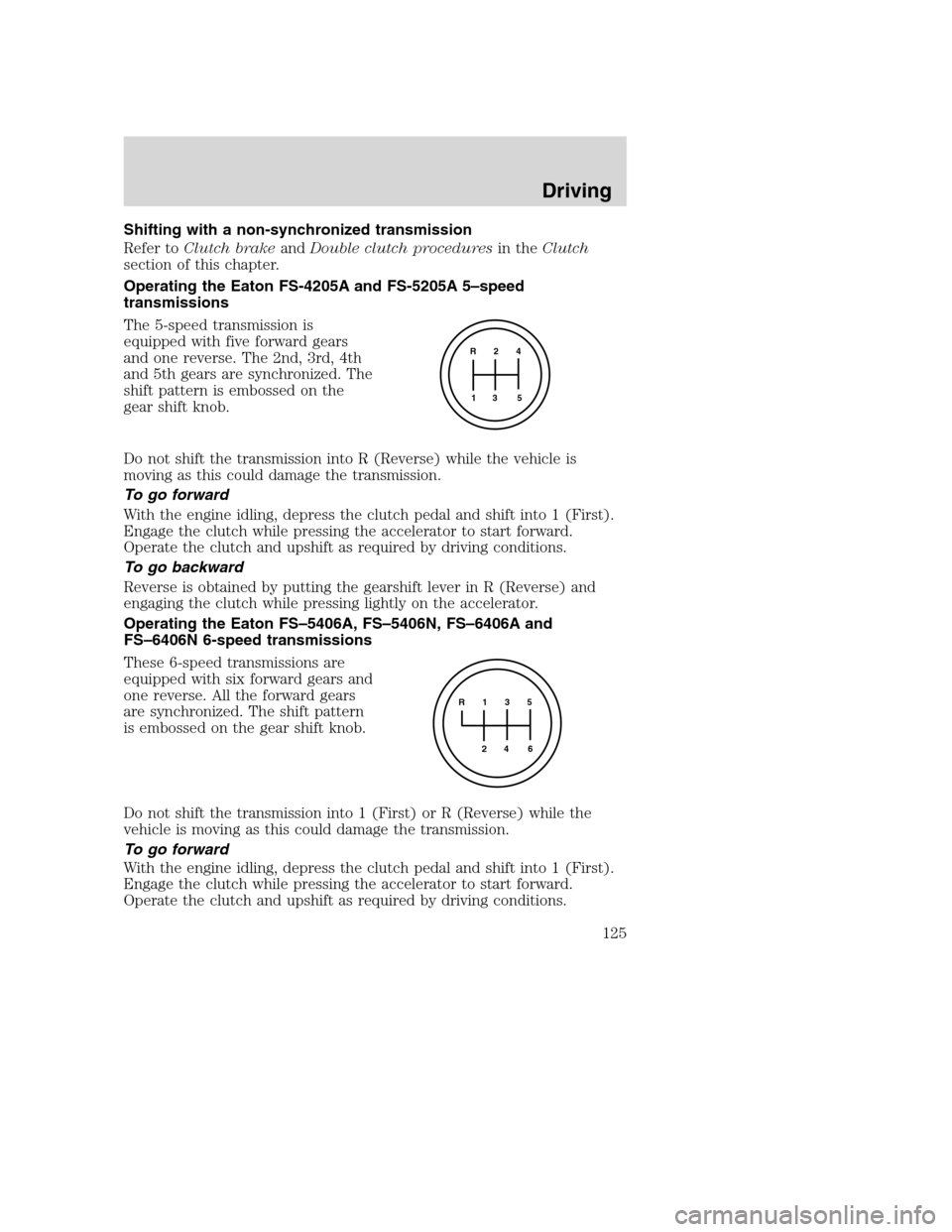
The 5-speed transmission is
equipped with five forward gears
and one reverse. The 2nd, 3rd, 4th
and 5th gears are synchronized. The
shift pattern is embossed on the
gear shift knob.
Do not shift the transmission into R (Reverse) while the vehicle is
moving as this could damage the transmission.
To go forward
With the engine idling, depress the clutch pedal and shift into 1 (First).
Engage the clutch while pressing the accelerator to start forward.
Operate the clutch and upshift as required by driving conditions.
To go backward
Reverse is obtained by putting the gearshift lever in R (Reverse) and
engaging the clutch while pressing lightly on the accelerator.
Operating the Eaton FS–5406A, FS–5406N, FS–6406A and
FS–6406N 6-speed transmissions
These 6-speed transmissions are
equipped with six forward gears and
one reverse. All the forward gears
are synchronized. The shift pattern
is embossed on the gear shift knob.
Do not shift the transmission into 1 (First) or R (Reverse) while the
vehicle is moving as this could damage the transmission.
To go forward
With the engine idling, depress the clutch pedal and shift into 1 (First).
Engage the clutch while pressing the accelerator to start forward.
Operate the clutch and upshift as required by driving conditions.
R 2 4
3 5 1
R 1 3 5
4
6 2
Driving
125
Page 126 of 272
To go backward
Reverse is obtained by putting the gearshift lever in R (Reverse) and
engaging the clutch while pressing lightly on the accelerator.
Operating the Spicer ES56-7B and ES066-7B 7-speed
transmissions
These 7-speed transmissions are
equipped with seven forward gears
and one reverse. The 2nd, 3rd, 4th,
5th, 6th and 7th gears are
synchronized. The shift pattern is
embossed on the gear shift knob.
Do not shift the transmission into 1 (First) or R (Reverse) while the
vehicle is moving as this could damage the transmission.
To go forward
With the engine idling, depress the clutch pedal and shift into 1 (First).
Engage the clutch while pressing the accelerator to start forward.
Operate the clutch and upshift as required by driving conditions.
To go backward
Reverse is obtained by putting the gearshift lever in R (Reverse) and
engaging the clutch while pressing lightly on the accelerator.
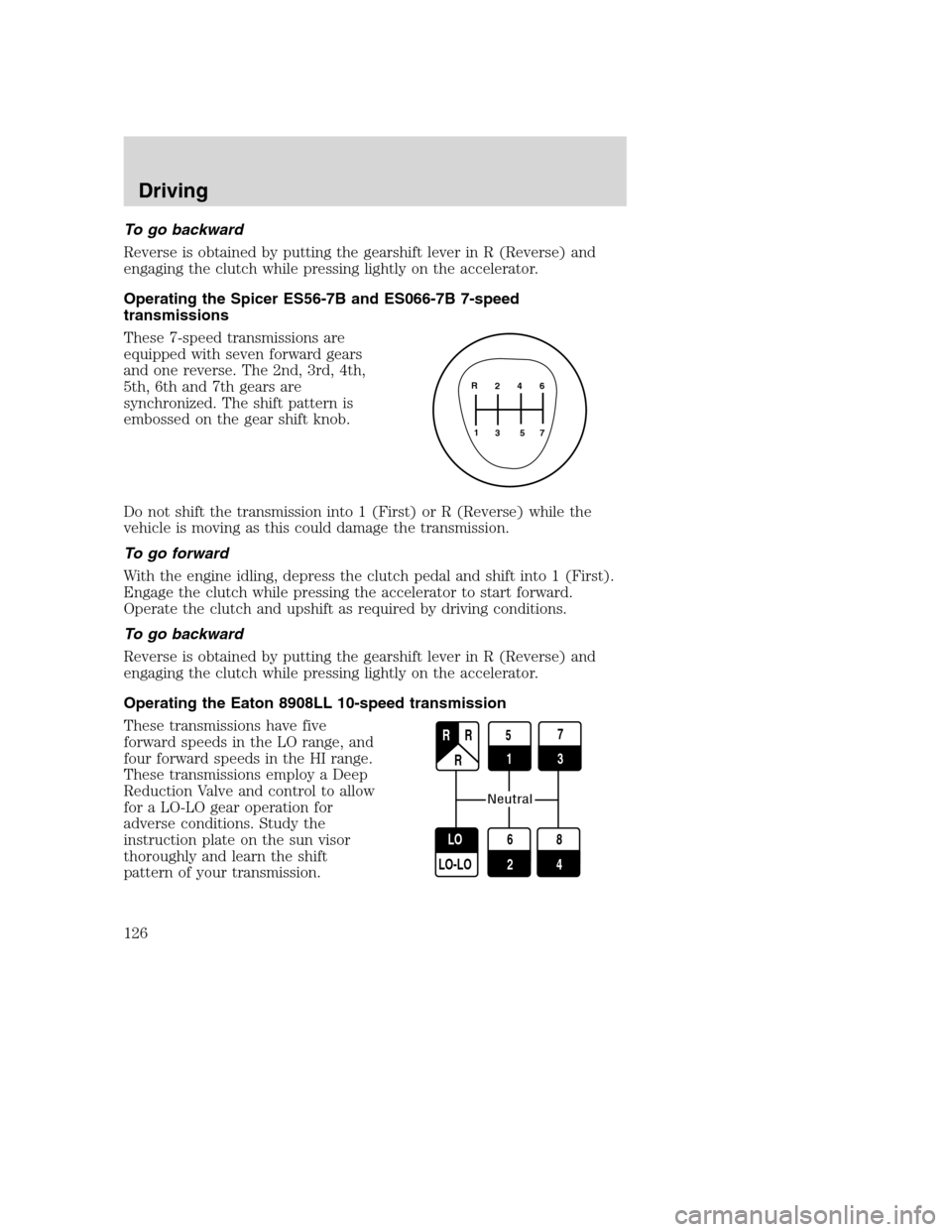
Operating the Eaton 8908LL 10-speed transmission
These transmissions have five
forward speeds in the LO range, and
four forward speeds in the HI range.
These transmissions employ a Deep
Reduction Valve and control to allow
for a LO-LO gear operation for
adverse conditions. Study the
instruction plate on the sun visor
thoroughly and learn the shift
pattern of your transmission.
2 4 6
3 5 71 R
27
3
6
2 LO
LO-LO
8
4
R R
R R
5 1
1
Neutral
Driving
126
Page 127 of 272
To go forward
With the engine idling, depress the clutch pedal and move the gearshift
lever to the neutral position.
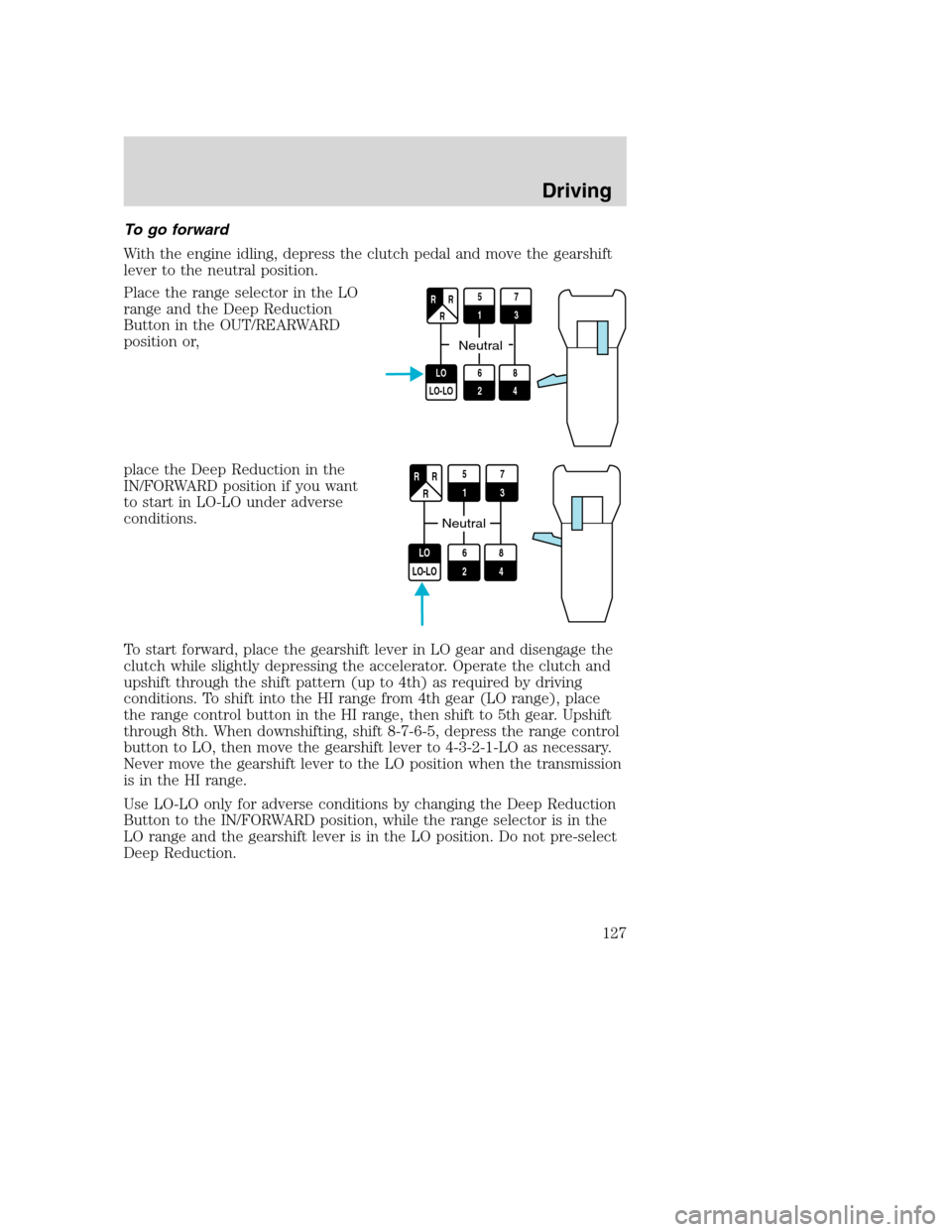
Place the range selector in the LO
range and the Deep Reduction
Button in the OUT/REARWARD
position or,
place the Deep Reduction in the
IN/FORWARD position if you want
to start in LO-LO under adverse
conditions.
To start forward, place the gearshift lever in LO gear and disengage the
clutch while slightly depressing the accelerator. Operate the clutch and
upshift through the shift pattern (up to 4th) as required by driving
conditions. To shift into the HI range from 4th gear (LO range), place
the range control button in the HI range, then shift to 5th gear. Upshift
through 8th. When downshifting, shift 8-7-6-5, depress the range control
button to LO, then move the gearshift lever to 4-3-2-1-LO as necessary.
Never move the gearshift lever to the LO position when the transmission
is in the HI range.
Use LO-LO only for adverse conditions by changing the Deep Reduction
Button to the IN/FORWARD position, while the range selector is in the
LO range and the gearshift lever is in the LO position. Do not pre-select
Deep Reduction.
5
17
3
6
2 LO
LO-LO
8
4
R R
R
Neutral
5
17
3
6
2 LO
LO-LO
8
4
R R
R
Neutral
Driving
127
Page 128 of 272
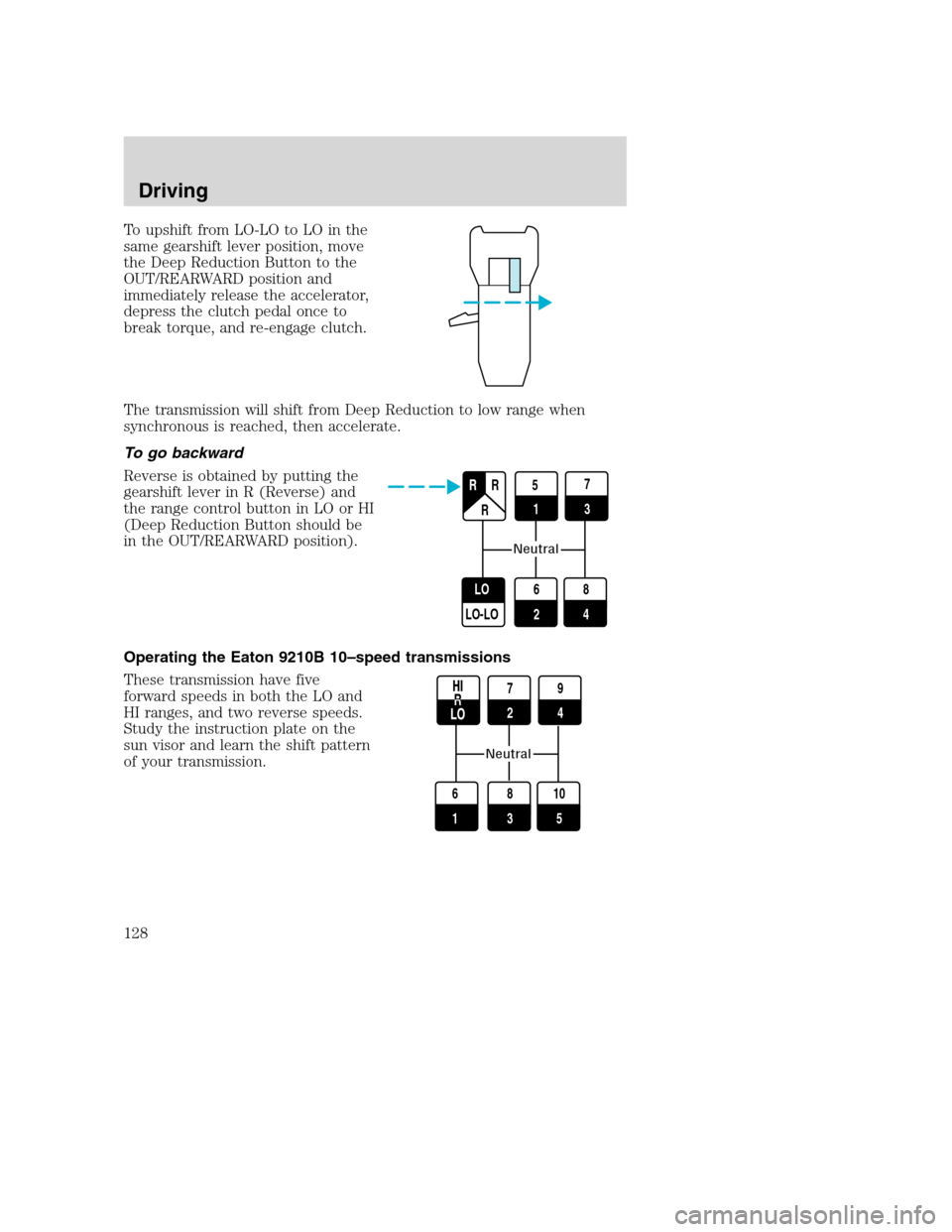
To upshift from LO-LO to LO in the
same gearshift lever position, move
the Deep Reduction Button to the
OUT/REARWARD position and
immediately release the accelerator,
depress the clutch pedal once to
break torque, and re-engage clutch.
The transmission will shift from Deep Reduction to low range when
synchronous is reached, then accelerate.
To go backward
Reverse is obtained by putting the
gearshift lever in R (Reverse) and
the range control button in LO or HI
(Deep Reduction Button should be
in the OUT/REARWARD position).
Operating the Eaton 9210B 10–speed transmissions
These transmission have five
forward speeds in both the LO and
HI ranges, and two reverse speeds.
Study the instruction plate on the
sun visor and learn the shift pattern
of your transmission.
27
3
6
2 LO
LO-LO
8
4
R R
R R
5 1
1
Neutral
7
29
4
8
3 6
1
10
5
R
Neutral
Driving
128
Page 129 of 272
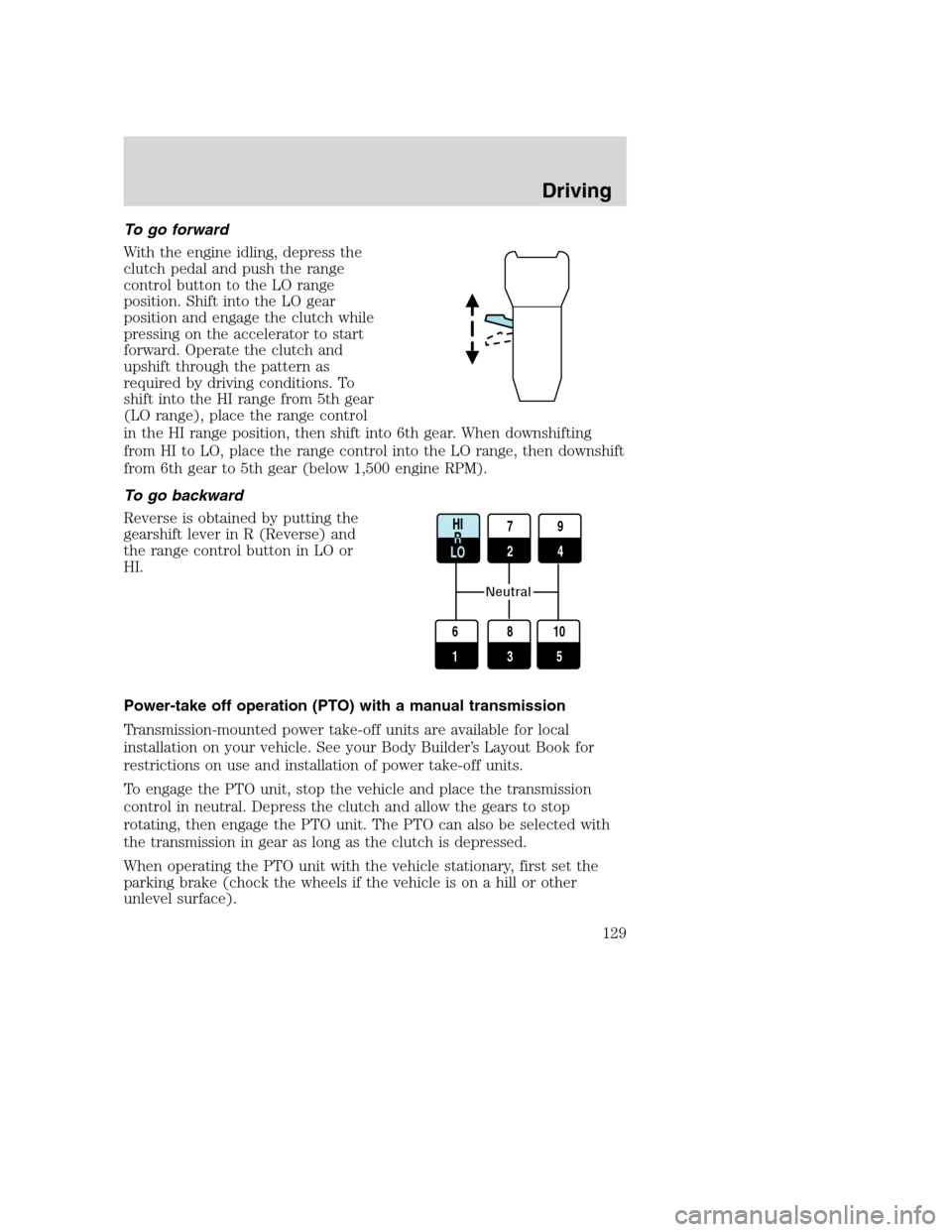
To go forward
With the engine idling, depress the
clutch pedal and push the range
control button to the LO range
position. Shift into the LO gear
position and engage the clutch while
pressing on the accelerator to start
forward. Operate the clutch and
upshift through the pattern as
required by driving conditions. To
shift into the HI range from 5th gear
(LO range), place the range control
in the HI range position, then shift into 6th gear. When downshifting
from HI to LO, place the range control into the LO range, then downshift
from 6th gear to 5th gear (below 1,500 engine RPM).
To go backward
Reverse is obtained by putting the
gearshift lever in R (Reverse) and
the range control button in LO or
HI.
Power-take off operation (PTO) with a manual transmission
Transmission-mounted power take-off units are available for local
installation on your vehicle. See your Body Builder’s Layout Book for
restrictions on use and installation of power take-off units.
To engage the PTO unit, stop the vehicle and place the transmission
control in neutral. Depress the clutch and allow the gears to stop
rotating, then engage the PTO unit. The PTO can also be selected with
the transmission in gear as long as the clutch is depressed.
When operating the PTO unit with the vehicle stationary, first set the
parking brake (chock the wheels if the vehicle is on a hill or other
unlevel surface).
7
29
4
8
3 6
1
10
5
R
Neutral
Driving
129
Page 132 of 272
Axle conversions
It is not recommended, or approved, for axle conversions to be
performed. However, it is understood that, on occasion, aftermarket
add-on axles are installed by others on the truck chassis which allow
operator control for weight transfer from other axles (i.e., air lift axles).
When operating a loaded vehicle, the driver must keep all
adjustable axles on the ground at all times, supporting their
share of the vehicle’s load. Failure to do so can overload other axles,
tires, wheels, springs, steering components, brakes and frames,
resulting in early component failure, loss of vehicle control, possible
property damage and personal injury.
TWO-SPEED REAR AXLE (IF EQUIPPED)
A two-speed rear axle allows the driver to select a LO range for greater
pulling power and a HI range for greater road speed and fuel economy.
These ranges can also be used to provide additional steps between
transmission shifts when driving on steep grades and/or fuel economy
may be factors.
Note:Do not shift between ranges when the speed control is on.
Never shift a two-speed axle when descending a steep grade as
this may cause loss of vehicle control and result in personal
injury.
Axle shifting
Manual transmissions:
•To downshift,select the next lower gear, release and depress the
accelerator pedal rapidly, or while holding the accelerator pedal down,
release and engage the clutch rapidly.Note:The clutch method is
recommended when driving at slower speeds.
•To upshift,keep the accelerator pedal down, select the next higher
gear, release the accelerator and pause until the axle upshifts.Note:
De-clutch for smoother axle upshifts when driving at slower speeds.
Driving
132
Page 133 of 272
Automatic transmissions:
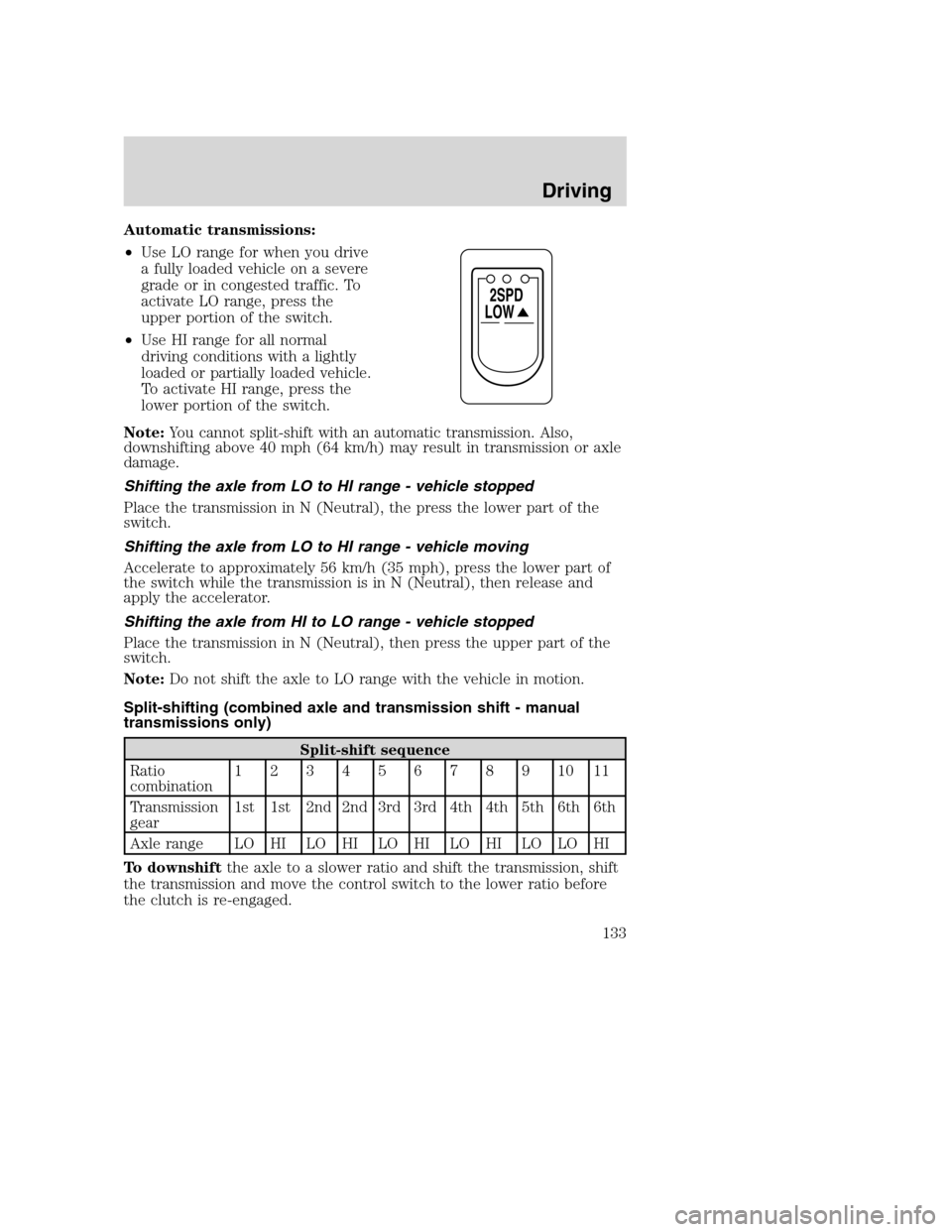
•Use LO range for when you drive
a fully loaded vehicle on a severe
grade or in congested traffic. To
activate LO range, press the
upper portion of the switch.
•Use HI range for all normal
driving conditions with a lightly
loaded or partially loaded vehicle.
To activate HI range, press the
lower portion of the switch.
Note:You cannot split-shift with an automatic transmission. Also,
downshifting above 40 mph (64 km/h) may result in transmission or axle
damage.
Shifting the axle from LO to HI range - vehicle stopped
Place the transmission in N (Neutral), the press the lower part of the
switch.
Shifting the axle from LO to HI range - vehicle moving
Accelerate to approximately 56 km/h (35 mph), press the lower part of
the switch while the transmission is in N (Neutral), then release and
apply the accelerator.
Shifting the axle from HI to LO range - vehicle stopped
Place the transmission in N (Neutral), then press the upper part of the
switch.
Note:Do not shift the axle to LO range with the vehicle in motion.
Split-shifting (combined axle and transmission shift - manual
transmissions only)
Split-shift sequence
Ratio
combination1234567891011
Transmission
gear1st 1st 2nd 2nd 3rd 3rd 4th 4th 5th 6th 6th
Axle range LO HI LO HI LO HI LO HI LO LO HI
To downshiftthe axle to a slower ratio and shift the transmission, shift
the transmission and move the control switch to the lower ratio before
the clutch is re-engaged.
LOW
2SPD
Driving
133
Page 153 of 272
Installing the axle shafts
1. Remove the covers from the wheel ends
2. Shift the differential lock to the unlocked position (disengaged)
position.
3. Install the axle shafts
•Place the gaskets on the wheel hub studs.
•Push the right-hand axle shaft and gasket in to the wheel end and
housing until the shaft stops against the differential shift collar.
•Push down and in on the axle shaft flange and rotate the shaft until
the splines of the shaft and shift collar are engaged.
•Push the axle shaft further into the housing until the shaft stops
against the differential side gear.
•Push down on the axle shaft flange and rotate the shaft until the
splines of the shaft and side gear are engaged.
•Push the axle shaft completely into the housing until the axle shaft
flange and the gasket are flush against the wheel hub.
•Install the left-hand axle shaft and gasket into the wheel end.
4. If tapered dowels are required, install them at each stud and into the
flange of the axle shaft. Use a punch or drift and hammer, if needed.
5. Install the fasteners and tighten to correct torque value. Refer to the
Service Manual section.
Towing the vehicle with the rear wheels suspended
Note:To avoid damage to the cab roof or air deflector when towing the
vehicle backward (rear wheels suspended) the air deflector must be
removed.
Whenever possible, it is preferable to tow a disabled vehicle from the
rear by raising the rear of the chassis. When towing a vehicle with the
rear of the chassis suspended the front wheels must be locked in the
straight-ahead position.
Vehicles equipped with a manual-shift transmission must have at least
one (1) pint of transmission fluid drained from the case. This will
prevent the transmission fluid from entering the clutch housing and fluid
saturating the clutch discs. Make sure that the transmission fluid is
replaced before the vehicle is returned to service.
2005 F650/750(f67)
Supplement
USA English(fus)
Roadside emergencies
153
Page 162 of 272
GENERAL SERVICING GUIDELINES AND PRECAUTIONS
As with any machine, care should be taken to avoid being injured when
performing maintenance, repairs or system checks. Improper or
incomplete service could result in the vehicle not working properly
which, in turn, may result in personal injury or damage to the vehicle or
equipment. It is the operator’s responsibility to see that the vehicle
receives proper care and maintenance. If you have any questions about
performing some service, have the service done by a qualified technician.
Servicing guidelines
When servicing your vehicle, always:
•turn off the ignition unless the particular procedure calls for the
engine to be running.
•set the parking brake or chock the wheels.
•use support stands, not a jack, whenever you must be under a raised
vehicle.
•do not smoke.
•wear safety glasses for eye protection.
•operate the engine in a well-ventilated area
•do not work on the brakes or the clutch unless the proper precautions
are taken to avoid inhaling friction material dust.
•do not wear loose-fitting clothing, hanging jewelry, watches or rings.
•avoid contact with hot metal parts. Allow the hot components to cool
before working with, or around them.
Quality service parts are available through your dealer. If dealer parts are
not used, the owner must make sure that the parts that are being used
are equivalent quality to dealer parts.
The use of inferior parts can adversely affect the quality and
reliability of your vehicle which, in turn, can result in property
damage, personal injury or death.
Note:To avoid damage to the vehicle’s electrical components, disconnect
the positive (+) and negative (-) battery cables prior to electric welding.
Attach the welder ground cable as close as possible to the part being
welded. If it is necessary to weld close to an electrical component, it is
recommended that the electronic component be temporarily removed.
Follow the periodic lubrication procedures and regular inspection
intervals as outlined. Have your dealer or service center inspect your
2005 F650/750(f67)
Supplement
USA English(fus)
Maintenance and specifications
Maintenance and specifications
162