audio FORD FOCUS 2004 1.G User Guide
[x] Cancel search | Manufacturer: FORD, Model Year: 2004, Model line: FOCUS, Model: FORD FOCUS 2004 1.GPages: 232, PDF Size: 5.06 MB
Page 30 of 232
system will return to the current playing media. Select AUDIO and press
ENTER. Select TRAF ANNOU and press ENTER. Turn the rotary control
to turn on/off. Press BACK to save the setting.Traffic announcements
not available in most U.S. markets.
Loudness: This function boosts the bass frequencies. Select VOLUME
and press ENTER. Select LOUDNESS and press ENTER. Turn the
control to increase/decrease the levels. Press BACK to save the setting.
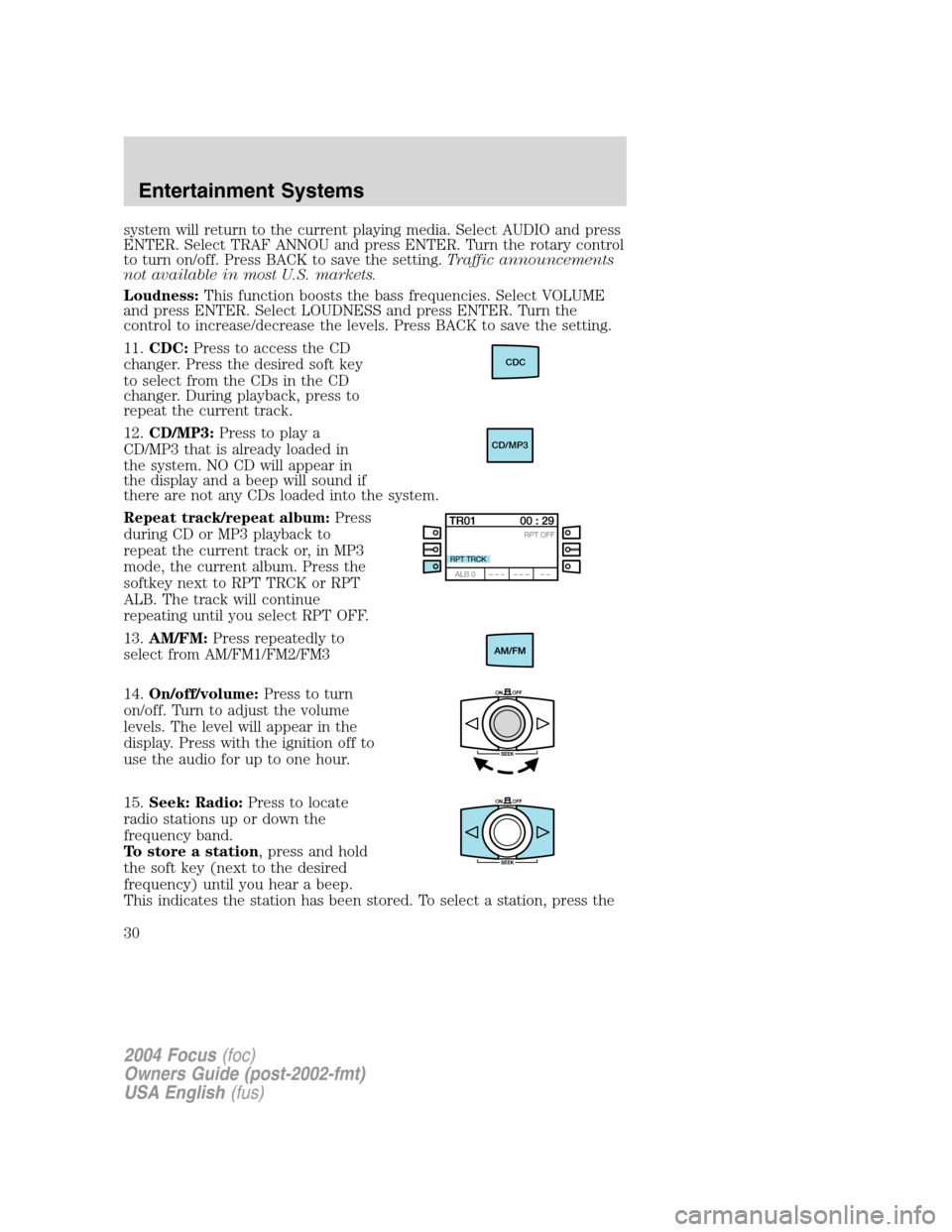
11. CDC: Press to access the CD
changer. Press the desired soft key
to select from the CDs in the CD
changer. During playback, press to
repeat the current track.
12. CD/MP3: Press to play a
CD/MP3 that is already loaded in
the system. NO CD will appear in
the display and a beep will sound if
there are not any CDs loaded into the system.
Repeat track/repeat album: Press
during CD or MP3 playback to
repeat the current track or, in MP3
mode, the current album. Press the
softkey next to RPT TRCK or RPT
ALB. The track will continue
repeating until you select RPT OFF.
13. AM/FM: Press repeatedly to
select from AM/FM1/FM2/FM3
14. On/off/volume: Press to turn
on/off. Turn to adjust the volume
levels. The level will appear in the
display. Press with the ignition off to
use the audio for up to one hour.
15. Seek: Radio: Press to locate
radio stations up or down the
frequency band.
To store a station , press and hold
the soft key (next to the desired
frequency) until you hear a beep.
This indicates the station has been stored. To select a station, press the
CDC
CD/MP3
2004 Focus (foc)
Owners Guide (post-2002-fmt)
USA English (fus)
Entertainment Systems
30
Page 31 of 232
soft key next to the desired frequency.
CD/MP3:Press to select the previous/next track of the current CD/MP3.
16. Fade: Press FADE and turn the
right control knob (ENTER) to shift
sound to the rear/front speakers.
The display will indicate the level selected.
17. Balance: Press BAL then turn
the right control knob (ENTER) to
adjust the audio between the left
and right speakers. The selected level will appear in the display.
18. Bass: Press to adjust the bass
levels. Turn the right control knob
(ENTER) to increase/decrease
levels. The selected level will appear in the display.
19. Treble: Press to adjust the
treble levels. Turn the right control
knob (ENTER) to increase/decrease
levels. The selected level will appear in the display.
20. Eq: Press to activate the
equalizer. There are seven choices
in this mode: EQ-OFF, ROCK, POP,
DISCO, JAZZ, CLASSIC, VOCAL.
21. Eject: Press to eject the
CD/MP3.
22. RDS (Radio Data System):
The system is equipped with a
decoder that receives special signals
transmitted on the FM frequency. The station’s name and information
will show in the display. Press RDS repeatedly to turn the feature on/off.
The preset locations will not save the RDS name, only the frequency.
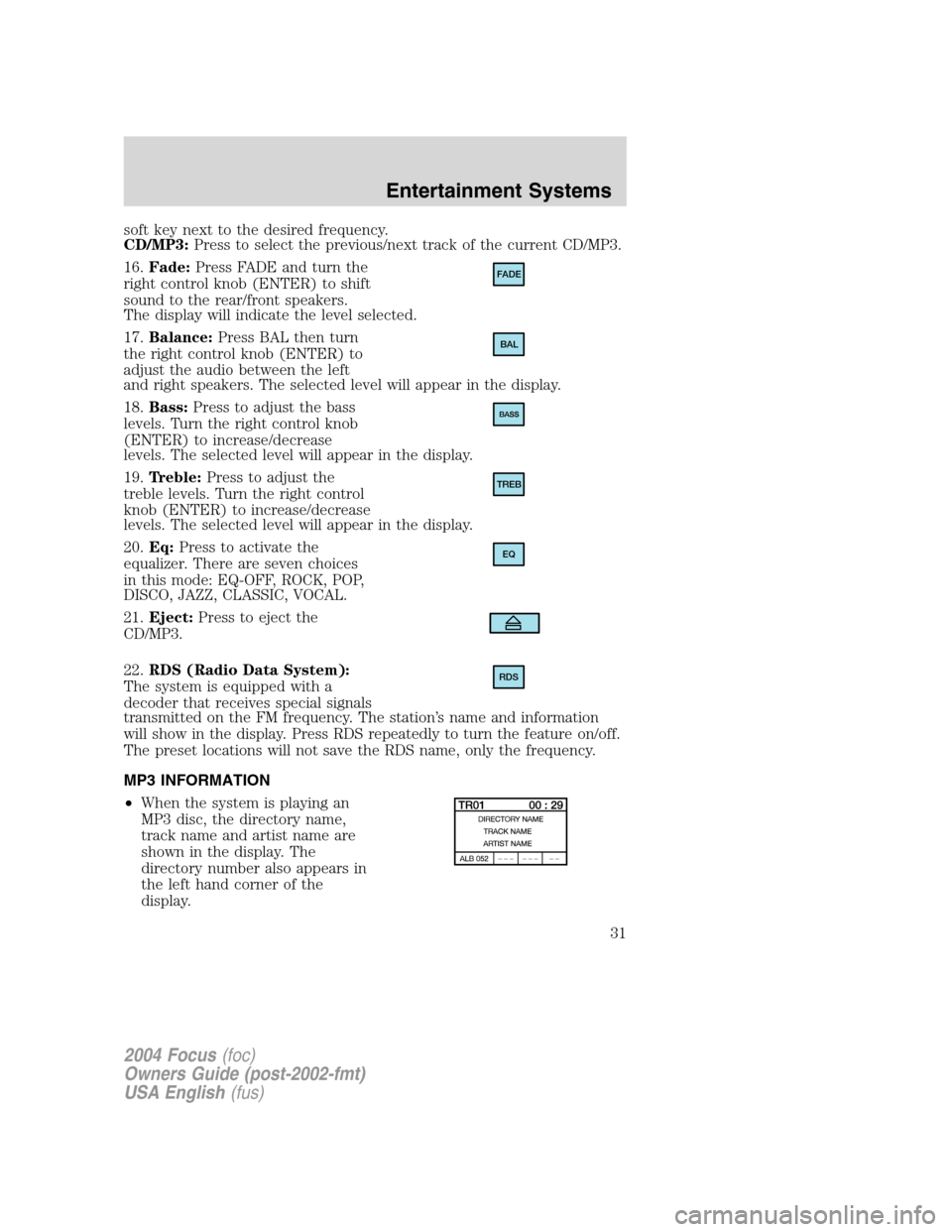
MP3 INFORMATION
• When the system is playing an
MP3 disc, the directory name,
track name and artist name are
shown in the display. The
directory number also appears in
the left hand corner of the
display.
FADE
BAL
TREB
EQ
RDS
2004 Focus (foc)
Owners Guide (post-2002-fmt)
USA English (fus)
Entertainment Systems
31
Page 33 of 232
Don’t:
• Expose tapes to direct sunlight, extreme humidity, heat or cold.
• Leave tapes in the cassette player for a long time when not being
played.
CD/CD PLAYER CARE
Do:
• Handle discs by their edges only. Never touch the playing surface.
• Inspect discs before playing. Clean only with an approved CD cleaner
and wipe from the center out.
Don ’t:
• Expose discs to direct sunlight or heat sources for extended periods
of time.
• Insert more than one disc into each slot of the CD changer magazine.
• Clean using a circular motion.
CD units are designed to play commercially pressed 12 cm (4.75
in) audio compact discs only. Due to technical incompatibility,
certain recordable and re-recordable compact discs may not
function correctly when used in Ford CD players. Irregular
shaped CDs, CDs with a scratch protection film attached, and CDs
with homemade paper (adhesive) labels should not be inserted
into the CD player. The label may peel and cause the CD to
become jammed. It is recommended that homemade CDs be
identified with permanent felt tip marker rather than adhesive
labels. Ball point pens may damage CDs. Please contact your
dealer for further information.
AUDIO SYSTEM WARRANTY AND SERVICE
Refer to the Warranty Guide for audio system warranty information. If
service is necessary, see your dealer or qualified technician.
2004 Focus (foc)
Owners Guide (post-2002-fmt)
USA English (fus)
Entertainment Systems
33
Page 107 of 232
STARTING
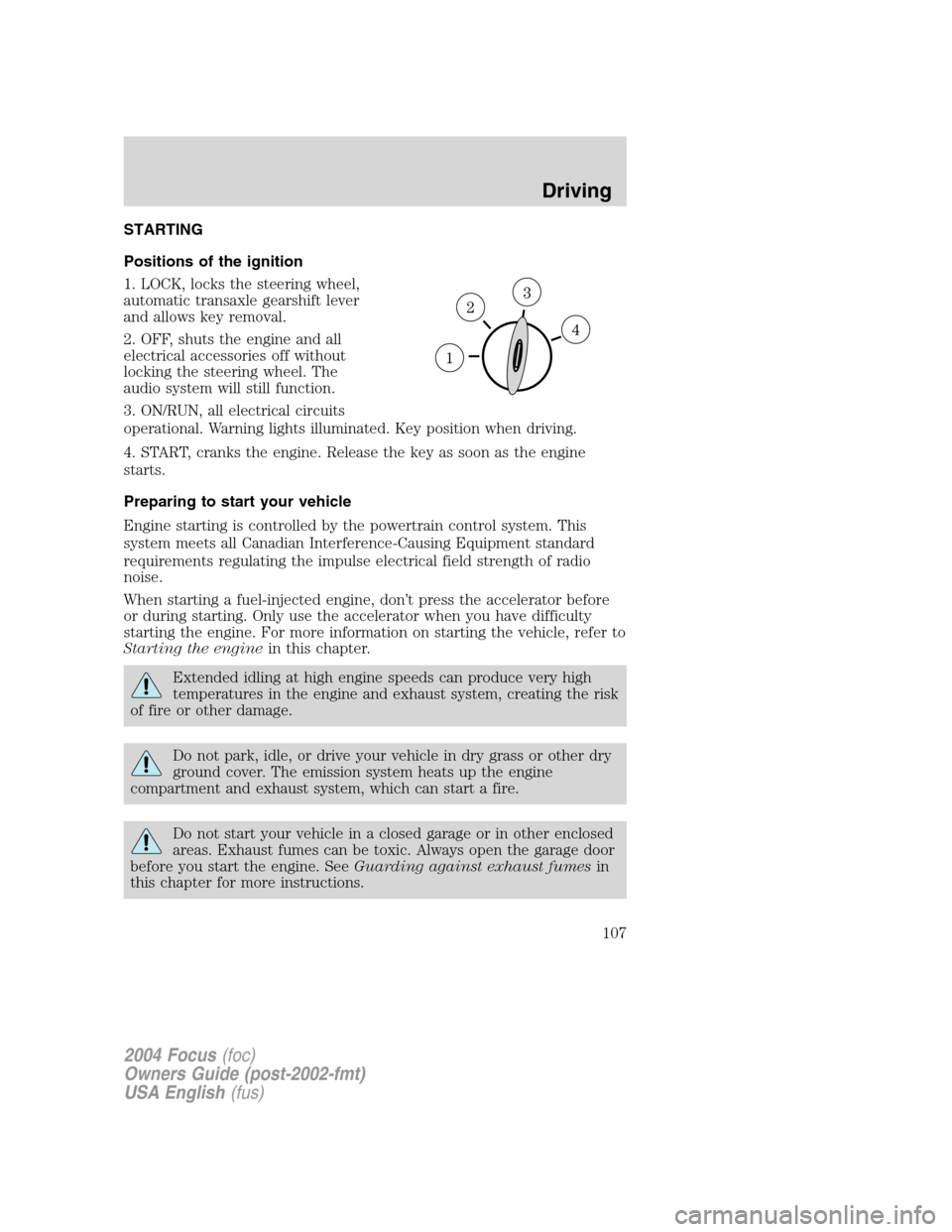
Positions of the ignition
1. LOCK, locks the steering wheel,
automatic transaxle gearshift lever
and allows key removal.
2. OFF, shuts the engine and all
electrical accessories off without
locking the steering wheel. The
audio system will still function.
3. ON/RUN, all electrical circuits
operational. Warning lights illuminated. Key position when driving.
4. START, cranks the engine. Release the key as soon as the engine
starts.
Preparing to start your vehicle
Engine starting is controlled by the powertrain control system. This
system meets all Canadian Interference-Causing Equipment standard
requirements regulating the impulse electrical field strength of radio
noise.
When starting a fuel-injected engine, don’t press the accelerator before
or during starting. Only use the accelerator when you have difficulty
starting the engine. For more information on starting the vehicle, refer to
Starting the enginein this chapter.
Extended idling at high engine speeds can produce very high
temperatures in the engine and exhaust system, creating the risk
of fire or other damage.
Do not park, idle, or drive your vehicle in dry grass or other dry
ground cover. The emission system heats up the engine
compartment and exhaust system, which can start a fire.
Do not start your vehicle in a closed garage or in other enclosed
areas. Exhaust fumes can be toxic. Always open the garage door
before you start the engine. SeeGuarding against exhaust fumesin
this chapter for more instructions.
2004 Focus(foc)
Owners Guide (post-2002-fmt)
USA English(fus)
Driving
Driving
107