battery FORD GT 2019 Owners Manual
[x] Cancel search | Manufacturer: FORD, Model Year: 2019, Model line: GT, Model: FORD GT 2019Pages: 321, PDF Size: 5.24 MB
Page 2 of 321

The information contained in this publication was correct at the time of going to print. In the interest of
continuous development, we reserve the right to change specifications, design or equipment at any time
without notice or obligation. No part of this publication may be reproduced, transmitted, stored in a
retrieval system or translated into any language in any form by any means without our written permission.
Errors and omissions excepted.
© Ford Motor Company 2018
All rights reserved.
Part Number: 201810 20181010153339
California Proposition 65
WARNING: Operating, servicing and
maintaining a passenger vehicle or off-highway
motor vehicle can expose you to chemicals
including engine exhaust, carbon monoxide,
phthalates, and lead, which are known to the
State of California to cause cancer and birth
defects or other reproductive harm. To minimize
exposure, avoid breathing exhaust, do not idle the
engine except as necessary, service your vehicle
in a well-ventilated area and wear gloves or wash
your hands frequently when servicing your vehicle.
For more information go to
www.P65Warnings.ca.gov/passenger-vehicle. WARNING:
Battery posts, terminals and
related accessories contain lead and lead
compounds, chemicals known to the State of
California to cause cancer and reproductive harm.
Wash your hands after handling
.
Page 6 of 321
Using Stability Control
...............................110
Parking Aids
Rear View Camera ........................................
112
Cruise Control
Principle of Operation .................................
114
Using Cruise Control ....................................
114
Driving Aids
Steering ............................................................
115
Drive Mode Control ......................................
115
Load Carrying
Rear Under Hatch Storage ........................
121
Load Limit ........................................................
121
Towing
Towing a Trailer ............................................
126
Towing the Vehicle on Four Wheels ......
126
Driving Hints
Breaking-In .....................................................
127
Driving Through Water ...............................
127
Floor Mats .......................................................
128
Roadside Emergencies
Roadside Assistance ..................................
129
Hazard Flashers ...........................................
129
Fuel Shutoff ...................................................
129
Jump Starting the Vehicle ........................
130
Post-Crash Alert System ...........................
131
Transporting the Vehicle ............................
131
Towing Points ................................................
132
Customer Assistance
Getting the Services You Need ...............
133
In California (U.S. Only) ............................
134
The Better Business Bureau (BBB) Auto Line Program (U.S. Only) .....................
134Utilizing the Mediation/Arbitration
Program (Canada Only) .......................
135
Getting Assistance Outside the U.S. and Canada ........................................................
136
Ordering Additional Owner's Literature ........................................................................\
.
137
Reporting Safety Defects (U.S. Only) ........................................................................\
.
137
Reporting Safety Defects (Canada Only) ........................................................................\
.
138
Fuses
Fuse Specification Chart ..........................
139
Changing a Fuse ..........................................
148
Maintenance
General Information ...................................
150
Opening and Closing the Hood ..............
150
Under Hood Overview ................................
152
Engine Oil Dipstick ......................................
153
Engine Oil Check ..........................................
153
Engine Coolant Check ...............................
154
Automatic Transmission Fluid Check ........................................................................\
.
158
Brake Fluid Check ........................................
158
Power Steering Fluid Check ....................
159
Washer Fluid Check ....................................
159
Fuel Filter ........................................................
160
Changing the 12V Battery ........................
160
Checking the Wiper Blades ......................
162
Changing the Wiper Blades .....................
162
Adjusting the Headlamps ........................
163
Changing a Bulb ..........................................
164
Changing the Engine Air Filter ................
164
Track Use
Track Use ........................................................
165
Launch Control
About Launch Control ...............................
167
Using Launch Control .................................
167
3
Ford GT (CGX) Canada/United States of America, enUSA, Edition date: 201810, First-Printing Table of Contents
Page 9 of 321
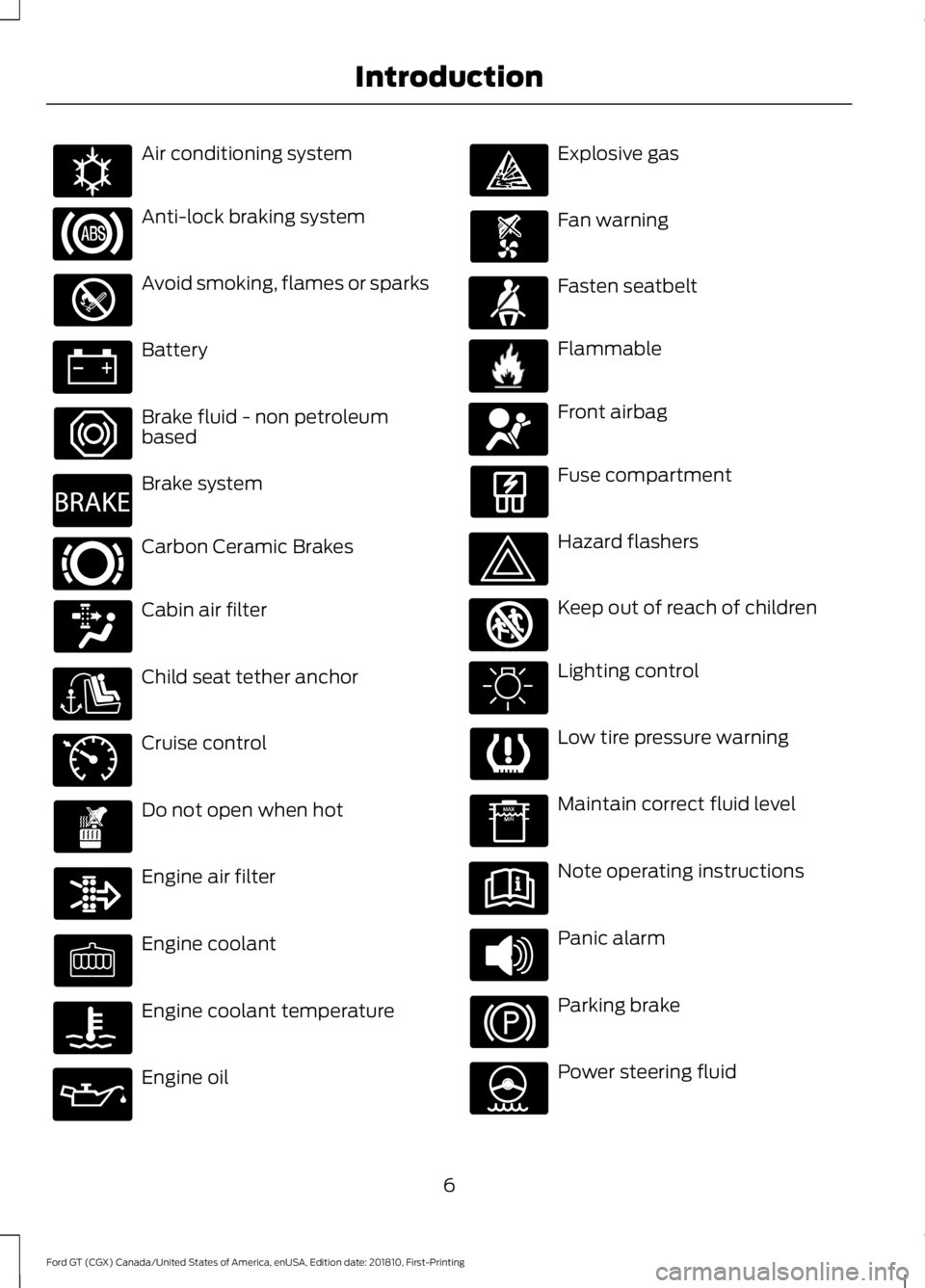
Air conditioning system
Anti-lock braking system
Avoid smoking, flames or sparks
Battery
Brake fluid - non petroleum
based
Brake system
Carbon Ceramic Brakes
Cabin air filter
Child seat tether anchor
Cruise control
Do not open when hot
Engine air filter
Engine coolant
Engine coolant temperature
Engine oil Explosive gas
Fan warning
Fasten seatbelt
Flammable
Front airbag
Fuse compartment
Hazard flashers
Keep out of reach of children
Lighting control
Low tire pressure warning
Maintain correct fluid level
Note operating instructions
Panic alarm
Parking brake
Power steering fluid
6
Ford GT (CGX) Canada/United States of America, enUSA, Edition date: 201810, First-Printing IntroductionE162384 E270480 E269429 E71340 E71880 E231160 E67017 E161353
Page 43 of 321
GENERAL INFORMATION ON
RADIO FREQUENCIES
This device complies with Part 15 of the
FCC Rules and with Industry Canada
license-exempt RSS standard(s).
Operation is subject to the following two
conditions: (1) This device may not cause
harmful interference, and (2) This device
must accept any interference received,
including interference that may cause
undesired operation.
Note:
Changes or modifications not
expressively approved by the party
responsible for compliance could void the
user's authority to operate the equipment.
The term IC before the radio certification
number only signifies that Industry Canada
technical specifications were met.
The typical operating range for your
transmitter is approximately
33 ft (10 m).
One of the following could cause a
decrease in operating range:
• weather conditions
• nearby radio towers
• structures around the vehicle
• other vehicles parked next to your
vehicle
Other short-distance radio transmitters,
such as amateur radios, medical
equipment, wireless headphones, remote
controls and alarm systems may operate
on the same frequency as your remote
control. If other transmitters are operating
on those frequencies, you may not be able
to use your remote control. Using your
remote control near some types of
electronic equipment, such as USB devices,
computers or cell phones can interfere with
remote operation. Operating your remote
control near metal or metallic-finished
purses, bags or clothing can interfere with
remote operation. Note:
Make sure to lock your vehicle before
leaving it unattended.
Note: If you are in range, the remote control
will operate if you press any button
unintentionally.
Intelligent Access
The system uses a radio frequency signal
to communicate with your vehicle and
authorize your vehicle to unlock when one
of the following conditions are met:
• You push the exterior door release
panel within
3 ft (1 m) proximity of an
intelligent access key.
• You press a button on the transmitter.
If excessive radio frequency interference
is present in the area or if the transmitter
battery is low, you may need to
mechanically unlock your door. You can
use the mechanical key blade in your
intelligent access key to open the engine
cover to access a pull strap to manually
unlock the driver door in this situation. See
Remote Control
(page 41).
40
Ford GT (CGX) Canada/United States of America, enUSA, Edition date: 201810, First-Printing Keys and Remote Controls
Page 45 of 321
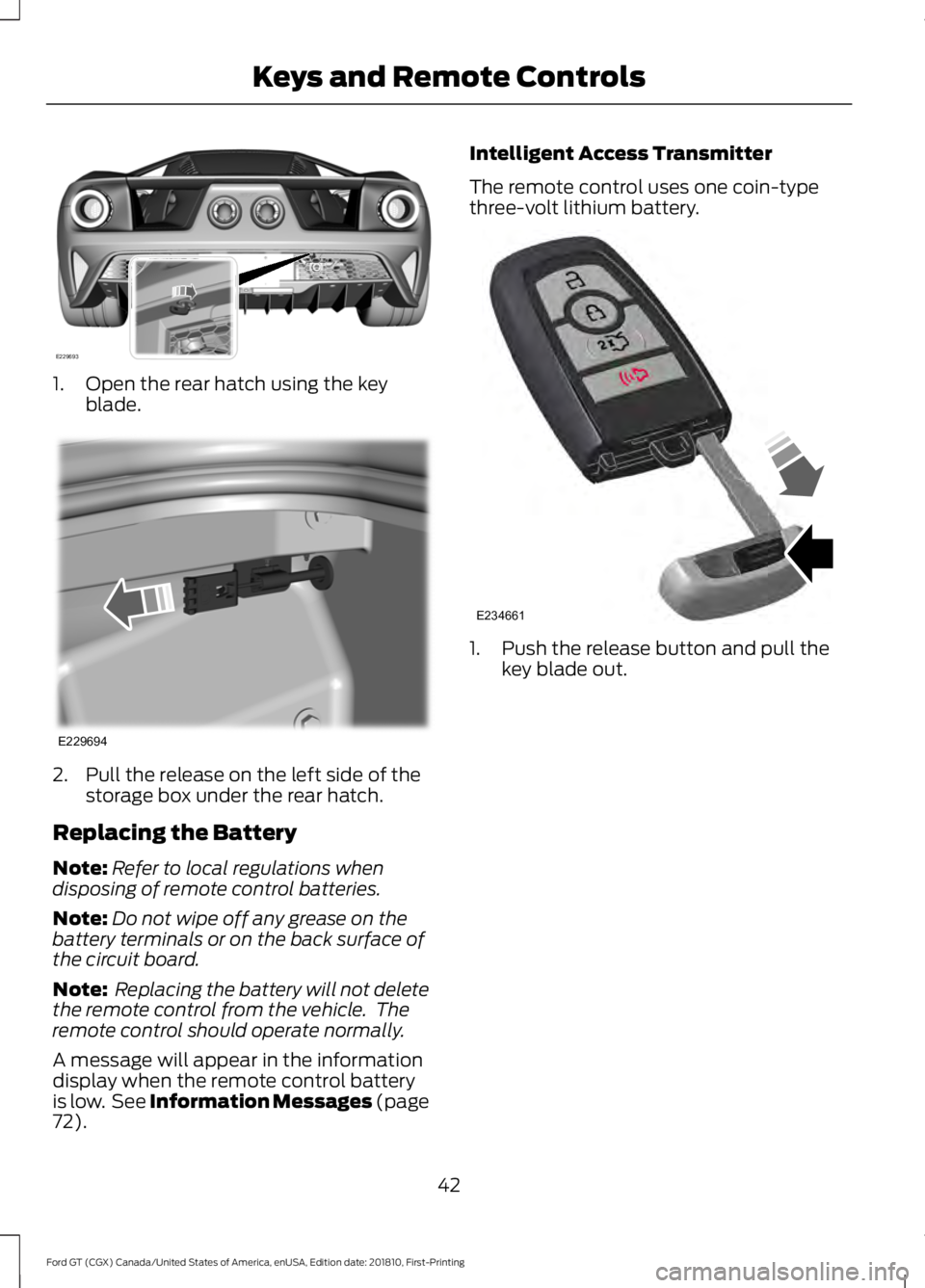
1. Open the rear hatch using the key
blade. 2. Pull the release on the left side of the
storage box under the rear hatch.
Replacing the Battery
Note: Refer to local regulations when
disposing of remote control batteries.
Note: Do not wipe off any grease on the
battery terminals or on the back surface of
the circuit board.
Note: Replacing the battery will not delete
the remote control from the vehicle. The
remote control should operate normally.
A message will appear in the information
display when the remote control battery
is low. See Information Messages (page
72). Intelligent Access Transmitter
The remote control uses one coin-type
three-volt lithium battery.
1. Push the release button and pull the
key blade out.
42
Ford GT (CGX) Canada/United States of America, enUSA, Edition date: 201810, First-Printing Keys and Remote ControlsE229693 E229694 E234661
Page 46 of 321
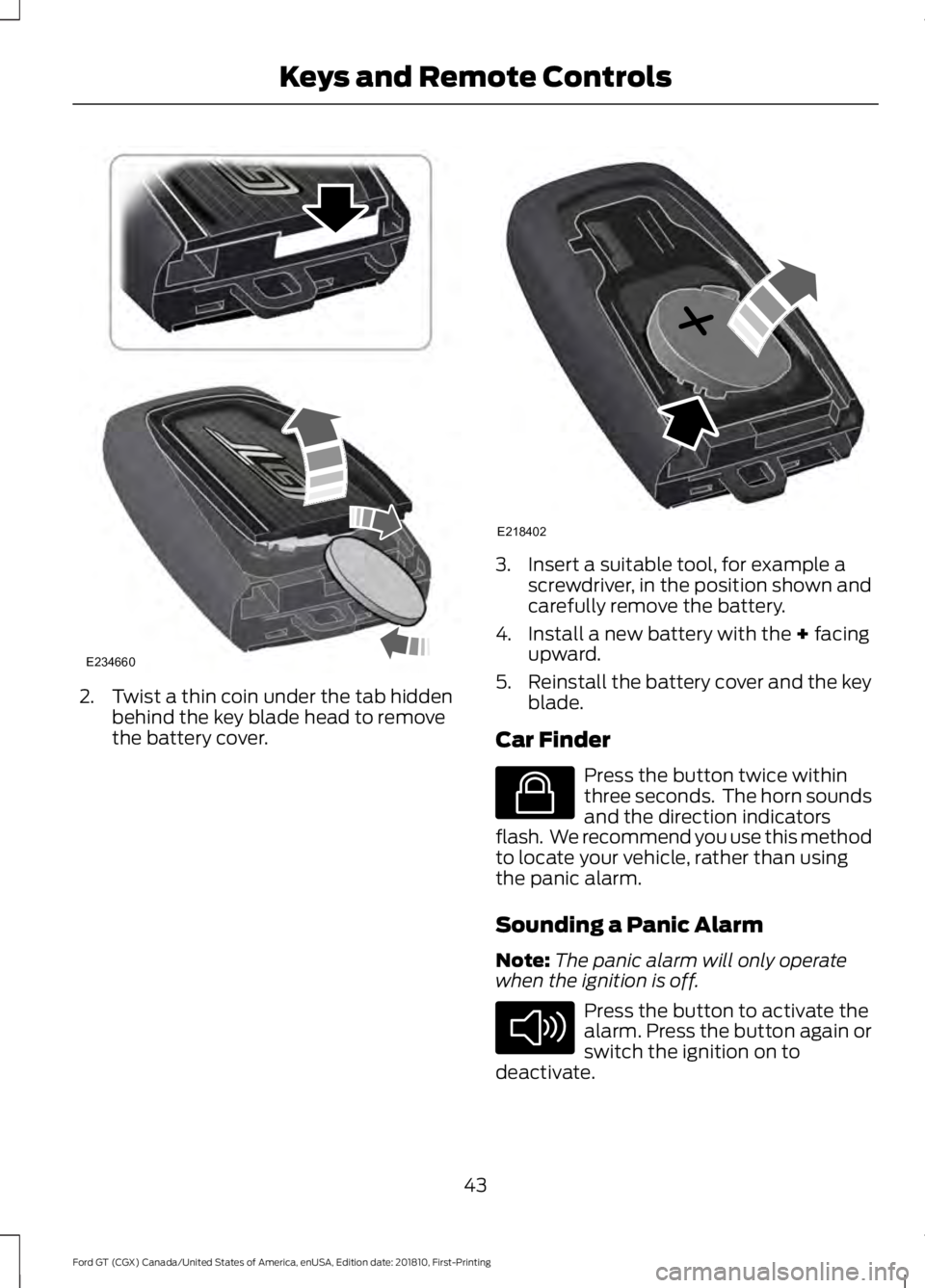
2. Twist a thin coin under the tab hidden
behind the key blade head to remove
the battery cover. 3. Insert a suitable tool, for example a
screwdriver, in the position shown and
carefully remove the battery.
4. Install a new battery with the + facing
upward.
5. Reinstall the battery cover and the key
blade.
Car Finder Press the button twice within
three seconds. The horn sounds
and the direction indicators
flash. We recommend you use this method
to locate your vehicle, rather than using
the panic alarm.
Sounding a Panic Alarm
Note: The panic alarm will only operate
when the ignition is off. Press the button to activate the
alarm. Press the button again or
switch the ignition on to
deactivate.
43
Ford GT (CGX) Canada/United States of America, enUSA, Edition date: 201810, First-Printing Keys and Remote ControlsE234660 E218402 E138623 E138624
Page 50 of 321
Note:
The doors will not autounlock if you
electronically lock your vehicle after you
switch the ignition off and before you open
the driver door.
Enabling or Disabling Autolock and
Autounlock
Note: You can switch autounlock and
autolock on or off independently of each
other.
Autolock is not configurable in all markets.
If the autolock settings are not available
in your information display, then the
system is not configurable. See General
Information (page 69).
Illuminated Entry
The interior lamp illuminates when you
unlock the doors with the remote entry
system.
The illuminated entry system turns off the
lights if:
• The ignition is on.
• You press the remote control lock
button.
• After 25 seconds of illumination.
The light does not turn off if:
• You switch them on with the lamp
control.
• Any door is open.
Illuminated Exit
The interior lamp illuminates when all
doors are closed and you switch the
ignition off.
The lamp turns off if all the doors remain
closed and:
• 25 seconds elapse.
• You press the push button ignition
switch. Battery Saver
If you leave on the courtesy lamps, dome
lamps or headlamps, the battery saver
turns them off 10 minutes after you switch
the ignition off.
Accessory Mode Battery Saver for
Intelligent Access Keys
If you leave your vehicle switched on, it
shuts off when it detects a certain amount
of battery drain, or after 45 minutes.
OPENING THE DOORS
Note:
While your vehicle is in motion, the
door release buttons only function if you
press the interior unlock button and door
interior release button within two seconds.
Opening the Doors from Inside Press the door release button
located on the arm rest to
release the door. Push the door
out and up to open the door. The hydraulic
lift cylinder assists in the door movement
once you start to open the door.
47
Ford GT (CGX) Canada/United States of America, enUSA, Edition date: 201810, First-Printing Doors and LocksE232417
Page 51 of 321
EMERGENCY DOOR RELEASE
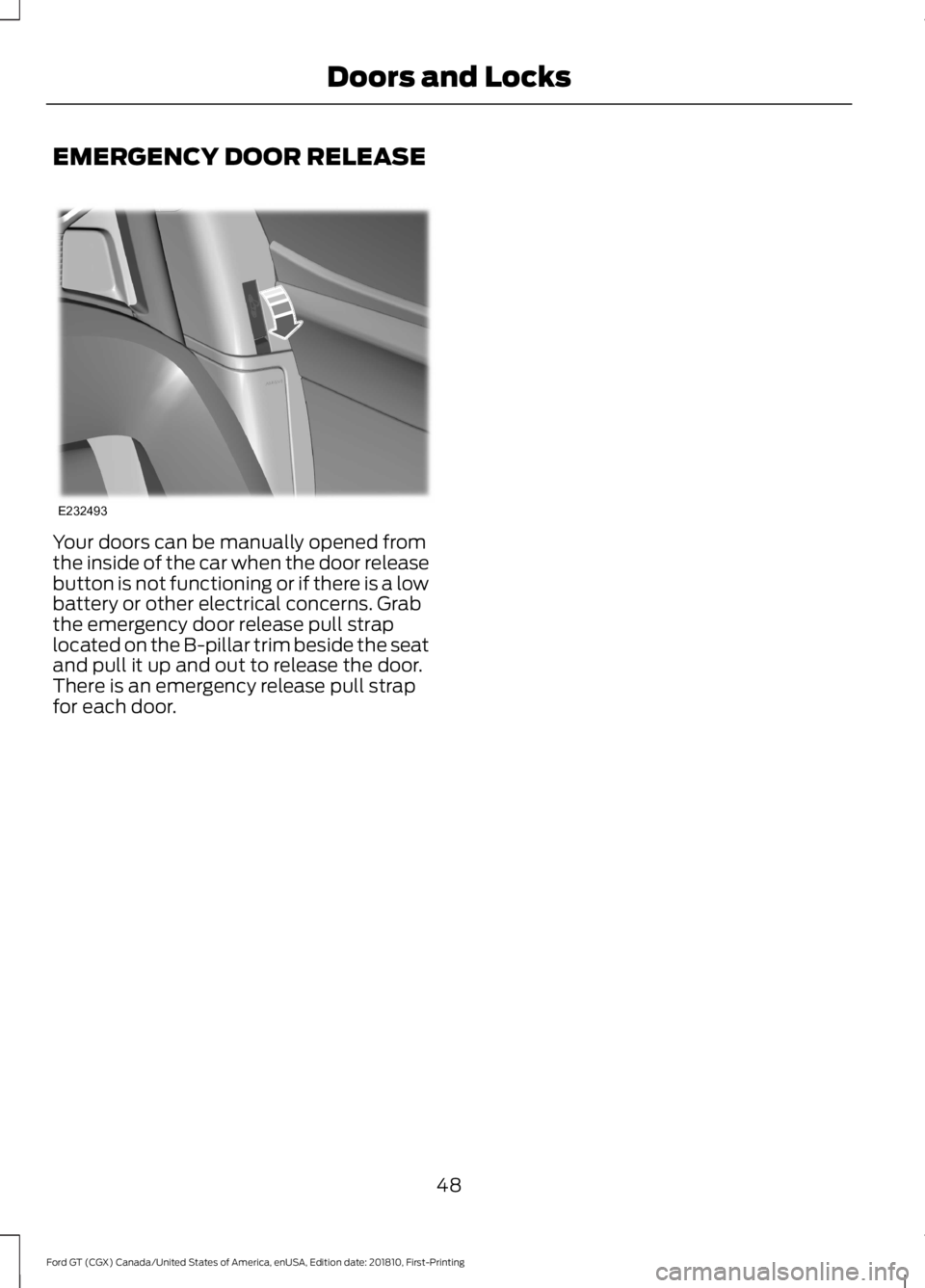
Your doors can be manually opened from
the inside of the car when the door release
button is not functioning or if there is a low
battery or other electrical concerns. Grab
the emergency door release pull strap
located on the B-pillar trim beside the seat
and pull it up and out to release the door.
There is an emergency release pull strap
for each door.
48
Ford GT (CGX) Canada/United States of America, enUSA, Edition date: 201810, First-Printing Doors and LocksE232493
Page 61 of 321
Press and hold to switch the high beams
on.
Press and hold again to switch the high
beams off.
AUTOLAMPS
WARNING: The system does not
relieve you of your responsibility to drive
with due care and attention. You may
need to override the system if it does not
turn the headlamps on in low visibility
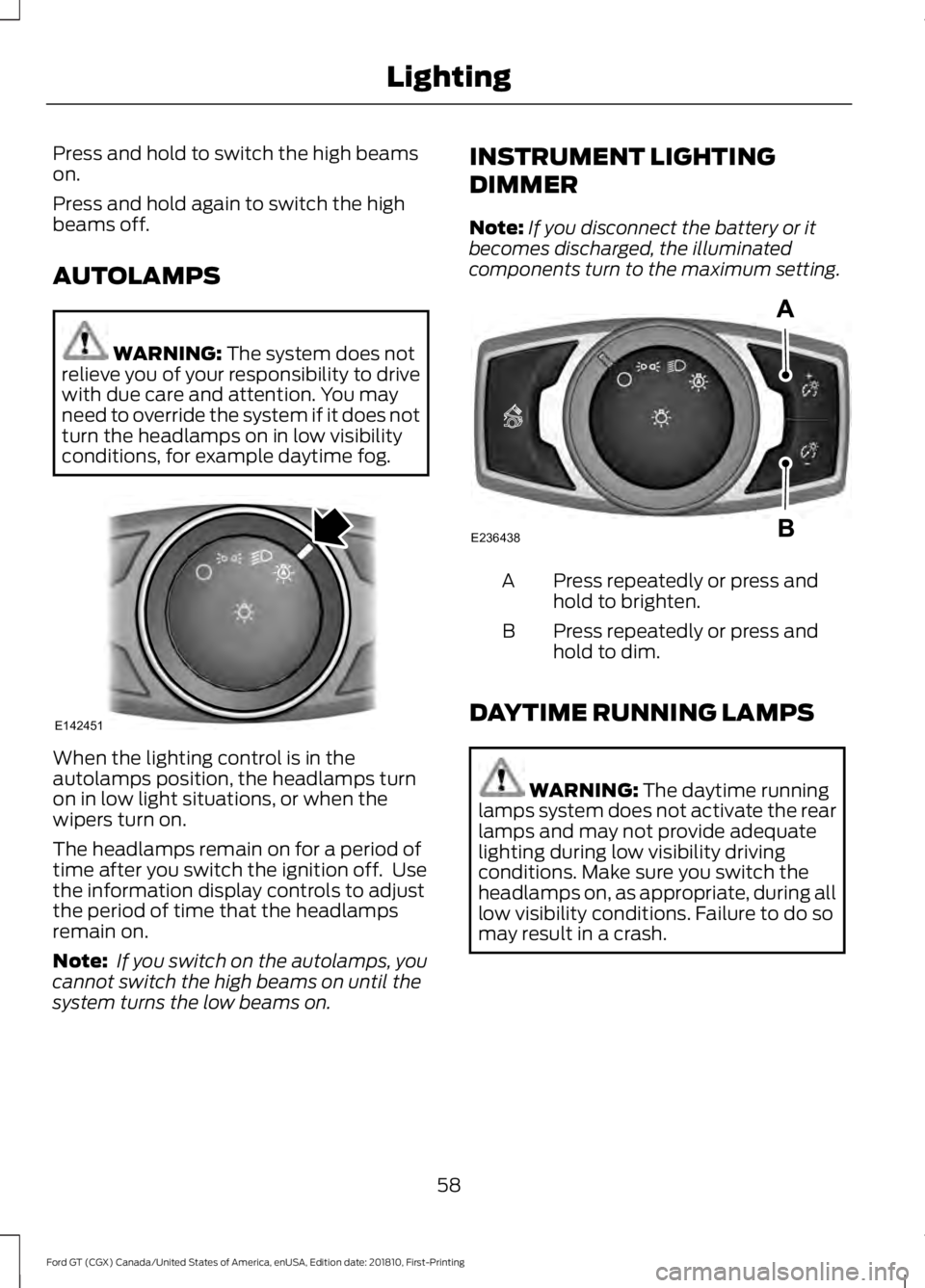
conditions, for example daytime fog. When the lighting control is in the
autolamps position, the headlamps turn
on in low light situations, or when the
wipers turn on.
The headlamps remain on for a period of
time after you switch the ignition off. Use
the information display controls to adjust
the period of time that the headlamps
remain on.
Note:
If you switch on the autolamps, you
cannot switch the high beams on until the
system turns the low beams on. INSTRUMENT LIGHTING
DIMMER
Note:
If you disconnect the battery or it
becomes discharged, the illuminated
components turn to the maximum setting. Press repeatedly or press and
hold to brighten.
A
Press repeatedly or press and
hold to dim.
B
DAYTIME RUNNING LAMPS WARNING:
The daytime running
lamps system does not activate the rear
lamps and may not provide adequate
lighting during low visibility driving
conditions. Make sure you switch the
headlamps on, as appropriate, during all
low visibility conditions. Failure to do so
may result in a crash.
58
Ford GT (CGX) Canada/United States of America, enUSA, Edition date: 201810, First-Printing LightingE142451 E236438
Page 68 of 321
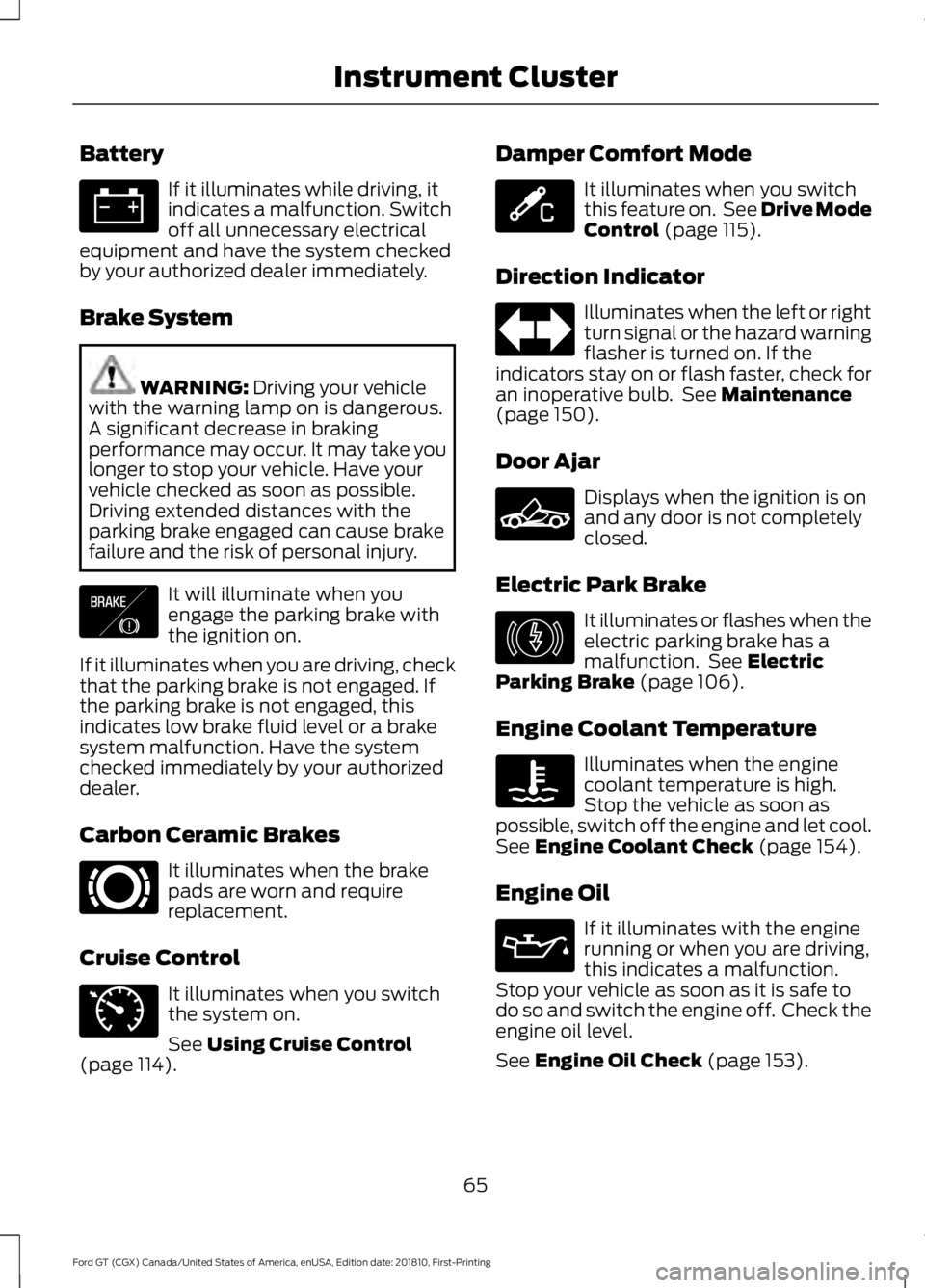
Battery
If it illuminates while driving, it
indicates a malfunction. Switch
off all unnecessary electrical
equipment and have the system checked
by your authorized dealer immediately.
Brake System WARNING: Driving your vehicle
with the warning lamp on is dangerous.
A significant decrease in braking
performance may occur. It may take you
longer to stop your vehicle. Have your
vehicle checked as soon as possible.
Driving extended distances with the
parking brake engaged can cause brake
failure and the risk of personal injury. It will illuminate when you
engage the parking brake with
the ignition on.
If it illuminates when you are driving, check
that the parking brake is not engaged. If
the parking brake is not engaged, this
indicates low brake fluid level or a brake
system malfunction. Have the system
checked immediately by your authorized
dealer.
Carbon Ceramic Brakes It illuminates when the brake
pads are worn and require
replacement.
Cruise Control It illuminates when you switch
the system on.
See
Using Cruise Control
(page 114). Damper Comfort Mode It illuminates when you switch
this feature on. See Drive Mode
Control
(page 115).
Direction Indicator Illuminates when the left or right
turn signal or the hazard warning
flasher is turned on. If the
indicators stay on or flash faster, check for
an inoperative bulb. See
Maintenance
(page 150).
Door Ajar Displays when the ignition is on
and any door is not completely
closed.
Electric Park Brake It illuminates or flashes when the
electric parking brake has a
malfunction. See
Electric
Parking Brake (page 106).
Engine Coolant Temperature Illuminates when the engine
coolant temperature is high.
Stop the vehicle as soon as
possible, switch off the engine and let cool.
See
Engine Coolant Check (page 154).
Engine Oil If it illuminates with the engine
running or when you are driving,
this indicates a malfunction.
Stop your vehicle as soon as it is safe to
do so and switch the engine off. Check the
engine oil level.
See
Engine Oil Check (page 153).
65
Ford GT (CGX) Canada/United States of America, enUSA, Edition date: 201810, First-Printing Instrument Cluster E138644 E269429 E71340 E234586 E236449 E146190