steering FORD TAURUS 2017 Owner's Manual
[x] Cancel search | Manufacturer: FORD, Model Year: 2017, Model line: TAURUS, Model: FORD TAURUS 2017Pages: 504, PDF Size: 5.84 MB
Page 121 of 504
For additional cabin air filter information,or to replace the filter, see an authorizeddealer.
REMOTE START (If Equipped)
The system adjusts the interiortemperature depending on your chosensettings during remote start.
You cannot adjust the climate controlsetting during remote start operation.When you switch the ignition on, theclimate control system will return to theprevious settings. You can now makeadjustments.
You need to switch on certainvehicle-dependent features, such as:
•Heated seats.
•Cooled seats.
•Heated steering wheel.
•Heated mirrors.
•Heated rear window.
Note:Passenger heated and cooled seatsonly remain on during remote start if theywere on when you switched the vehicle off(if equipped).
You can adjust the default remote startsettings using the information displaycontrols. See Information Displays(page 89).
Automatic Settings
In hot weather, the system is set to 72°F(22°C). The cooled seats are set to high(if available, and selected to AUTO in theinformation display).
In moderate weather, the system eitherheats or cools (based on pre-selectedsettings). The rear defroster, heatedmirrors and heated or cooled seats do notautomatically switch on.
In cold weather, the system is set to 72°F(22°C). The heated seats and heatedsteering wheel are set to high (if available,and selected to AUTO in the informationdisplay). The rear defroster and heatedmirrors automatically switch on.
118
Taurus (CPH) Canada/United States of America, enUSA, First Printing
Climate Control
Page 122 of 504
SITTING IN THE CORRECT
POSITION
WARNINGS
Sitting improperly, out of position orwith the seatback reclined too farcan take weight off the seat cushionand affect the decision of the passengersensing system, resulting in serious injuryor death in the event of a crash. Always situpright against your seat back, with yourfeet on the floor.
Do not recline the seatback as thiscan cause the occupant to slideunder the safety belt, resulting inserious injury in the event of a crash.
Do not place objects higher than theseatback to reduce the risk of seriousinjury in the event of a crash or duringheavy braking.
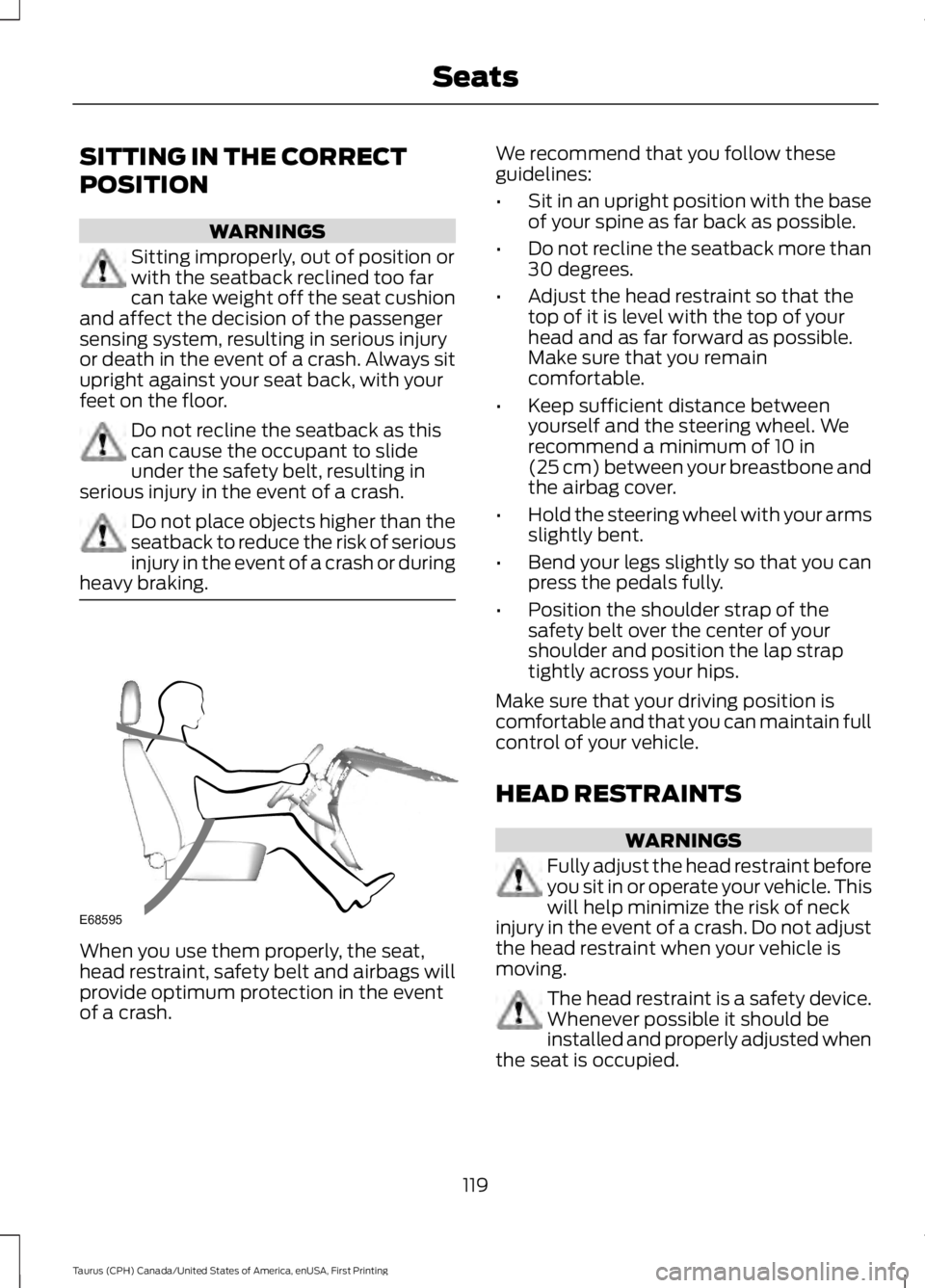
When you use them properly, the seat,head restraint, safety belt and airbags willprovide optimum protection in the eventof a crash.
We recommend that you follow theseguidelines:
•Sit in an upright position with the baseof your spine as far back as possible.
•Do not recline the seatback more than30 degrees.
•Adjust the head restraint so that thetop of it is level with the top of yourhead and as far forward as possible.Make sure that you remaincomfortable.
•Keep sufficient distance betweenyourself and the steering wheel. Werecommend a minimum of 10 in(25 cm) between your breastbone andthe airbag cover.
•Hold the steering wheel with your armsslightly bent.
•Bend your legs slightly so that you canpress the pedals fully.
•Position the shoulder strap of thesafety belt over the center of yourshoulder and position the lap straptightly across your hips.
Make sure that your driving position iscomfortable and that you can maintain fullcontrol of your vehicle.
HEAD RESTRAINTS
WARNINGS
Fully adjust the head restraint beforeyou sit in or operate your vehicle. Thiswill help minimize the risk of neckinjury in the event of a crash. Do not adjustthe head restraint when your vehicle ismoving.
The head restraint is a safety device.Whenever possible it should beinstalled and properly adjusted whenthe seat is occupied.
119
Taurus (CPH) Canada/United States of America, enUSA, First Printing
SeatsE68595
Page 128 of 504
MEMORY FUNCTION (If Equipped)
WARNINGS
Before activating the memory seat,make sure that the area immediatelysurrounding the seat is clear ofobstructions and that all occupants areclear of moving parts.
Do not use the memory functionwhen your vehicle is moving.
This function automatically recalls theposition of these features.
•Driver seat.
•Power mirrors.
•Optional power adjustable pedals.
•Optional power steering column.
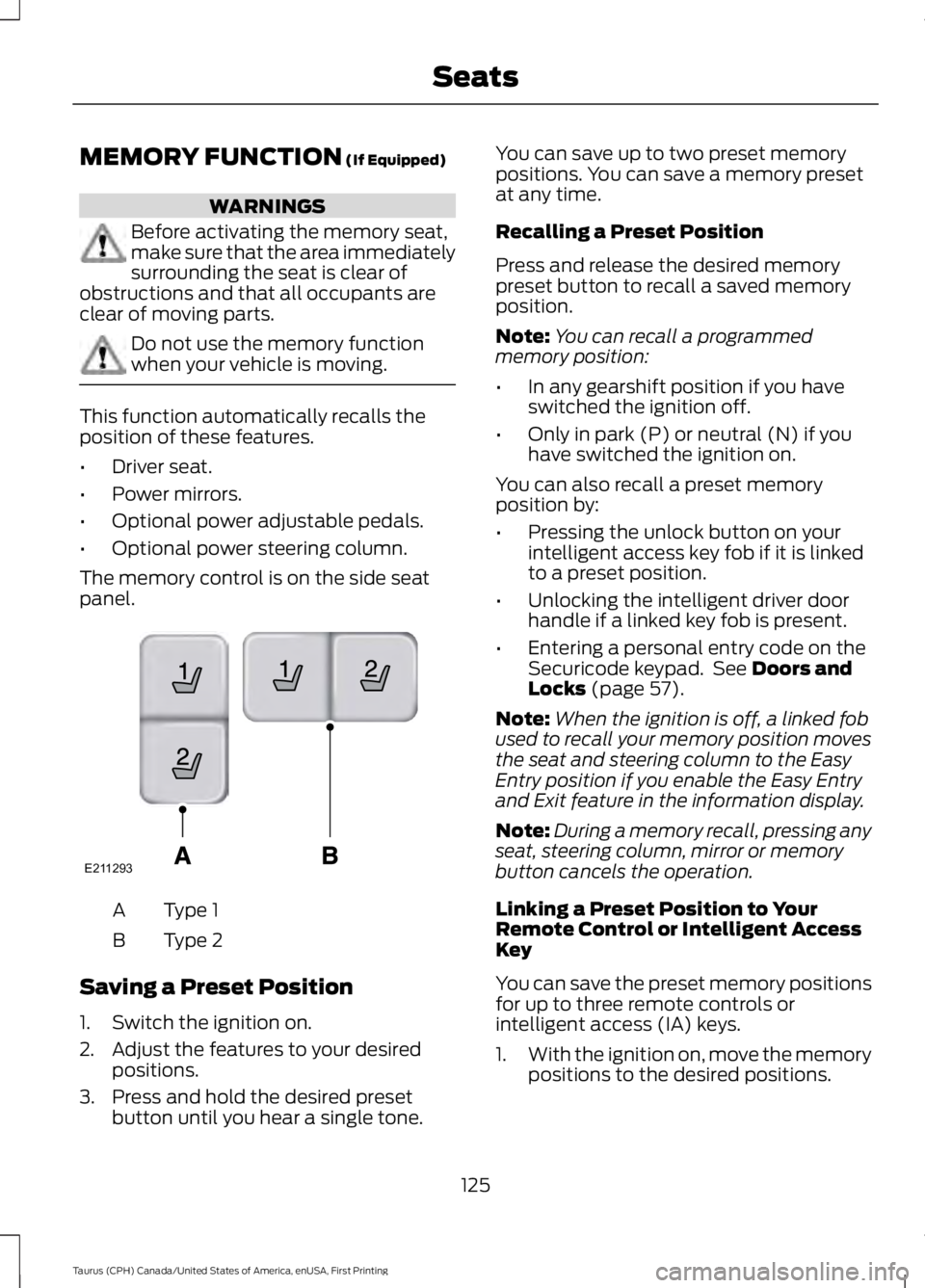
The memory control is on the side seatpanel.
Type 1A
Type 2B
Saving a Preset Position
1. Switch the ignition on.
2. Adjust the features to your desiredpositions.
3. Press and hold the desired presetbutton until you hear a single tone.
You can save up to two preset memorypositions. You can save a memory presetat any time.
Recalling a Preset Position
Press and release the desired memorypreset button to recall a saved memoryposition.
Note:You can recall a programmedmemory position:
•In any gearshift position if you haveswitched the ignition off.
•Only in park (P) or neutral (N) if youhave switched the ignition on.
You can also recall a preset memoryposition by:
•Pressing the unlock button on yourintelligent access key fob if it is linkedto a preset position.
•Unlocking the intelligent driver doorhandle if a linked key fob is present.
•Entering a personal entry code on theSecuricode keypad. See Doors andLocks (page 57).
Note:When the ignition is off, a linked fobused to recall your memory position movesthe seat and steering column to the EasyEntry position if you enable the Easy Entryand Exit feature in the information display.
Note:During a memory recall, pressing anyseat, steering column, mirror or memorybutton cancels the operation.
Linking a Preset Position to YourRemote Control or Intelligent AccessKey
You can save the preset memory positionsfor up to three remote controls orintelligent access (IA) keys.
1.With the ignition on, move the memorypositions to the desired positions.
125
Taurus (CPH) Canada/United States of America, enUSA, First Printing
SeatsE211293
Page 129 of 504
2. Press and hold the desired presetbutton for five seconds. A tone soundsafter about two seconds. Continueholding until you hear a second tone.
3. Within three seconds, press the lockbutton on the remote control you arelinking.
To unlink a remote control, follow thesame procedure – except in Step 3, pressthe unlock button on the remote control.
Easy Entry and Exit Feature (If
Equipped)
If you enable the easy entry and exitfeature, it automatically moves the driverseat position rearward up to 2 in (5 cm)and the steering column up and forwardwhen you switch the ignition off.
When you switch the ignition on, the driverseat and steering column return to theprevious position.
You can enable or disable this feature inthe information display. See InformationDisplays (page 89).
REAR SEATS
Split-folding Rear Seat
WARNING
Before returning the seatback to itsoriginal position, make sure thatcargo or any objects are not trappedbehind the seatback. After returning theseatback to its original position, pull on theseatback to make sure that it has fullylatched. An unlatched seat may becomedangerous in the event of a sudden stopor crash.
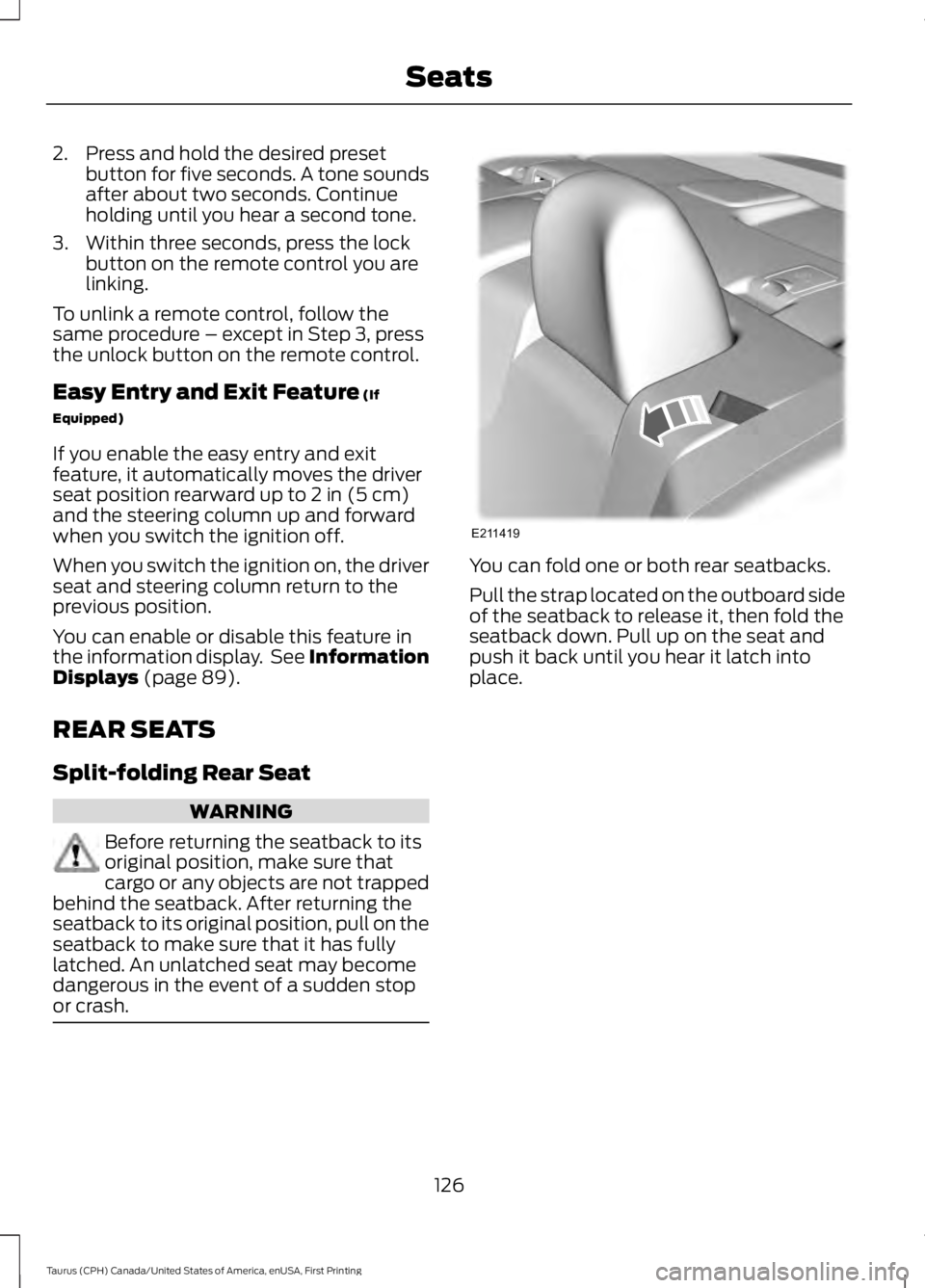
You can fold one or both rear seatbacks.
Pull the strap located on the outboard sideof the seatback to release it, then fold theseatback down. Pull up on the seat andpush it back until you hear it latch intoplace.
126
Taurus (CPH) Canada/United States of America, enUSA, First Printing
SeatsE211419
Page 144 of 504
Stopping the Engine When YourVehicle is Moving
WARNING
Switching off the engine when thevehicle is still moving will result in aloss of brake and steering assistance.The steering will not lock, but higher effortwill be required. When the ignition isswitched off, some electrical circuits,including air bags, warning lamps andindicators may also be off. If the ignitionwas turned off accidentally, you can shiftinto neutral (N) and re-start the engine.
Vehicles with an Ignition Key
1.Shift into neutral and use the brakes tobring your vehicle to a safe stop.
2. When your vehicle has stopped, shiftinto park (P) and switch the ignitionoff.
3. Apply the parking brake.
Vehicles with Keyless Start
1.Shift into neutral and use the brakes tobring your vehicle to a safe stop.
2. When your vehicle has stopped, shiftinto park (P).
3.Press and hold the push button ignitionswitch, or press it three times withintwo seconds.
4. Apply the parking brake.
Guarding Against Exhaust Fumes
WARNING
If you smell exhaust fumes insideyour vehicle, have your vehiclechecked by your authorized dealerimmediately. Do not drive your vehicle ifyou smell exhaust fumes. Carbonmonoxide is present in exhaust fumes.Take precautions to avoid its dangerouseffects.
Important Ventilating Information
If you stop your vehicle and then leave theengine idling for long periods, werecommend that you do one of thefollowing:
•Open the windows at least 1 in (3 cm).
•Set your climate control to outside air.
ENGINE BLOCK HEATER (If
Equipped)
WARNINGS
Failure to follow engine block heaterinstructions could result in propertydamage or serious personal injury.
Do not use your heater withungrounded electrical systems ortwo-pronged adapters. There is a riskof electrical shock.
Do not fully close the hood, or allowit to drop under its own weight whenusing the engine block heater. Thiscould damage the power cable and maycause an electrical short resulting in fire,injury and property damage.
Note:The heater is most effective whenoutdoor temperatures are below 0°F(-18°C).
The heater acts as a starting aid bywarming the engine coolant. This allowsthe climate control system to respondquickly. The equipment includes a heaterelement (installed in the engine block) anda wire harness. You can connect thesystem to a grounded 120-volt ACelectrical source.
141
Taurus (CPH) Canada/United States of America, enUSA, First Printing
Starting and Stopping the Engine
Page 157 of 504
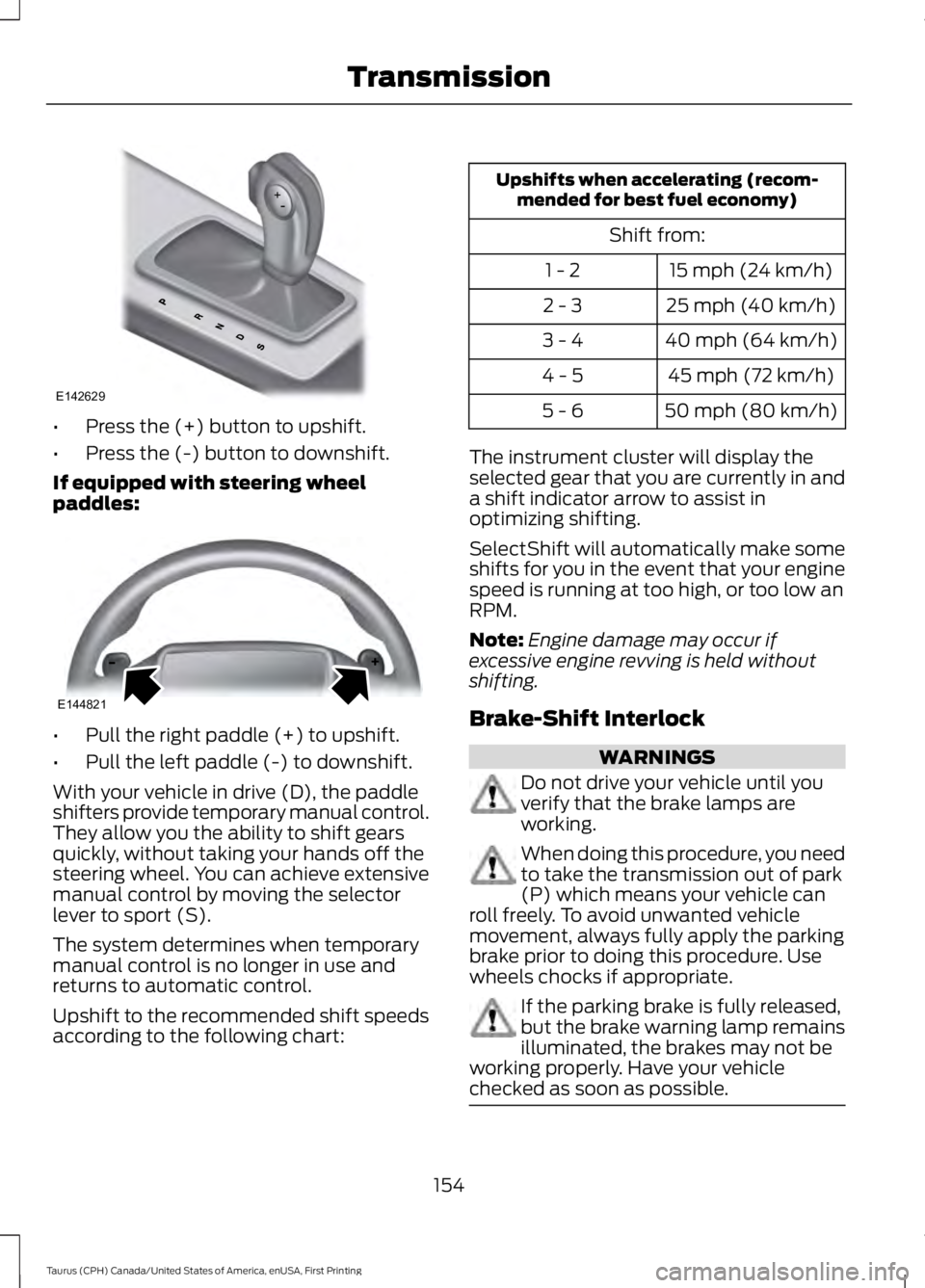
•Press the (+) button to upshift.
•Press the (-) button to downshift.
If equipped with steering wheelpaddles:
•Pull the right paddle (+) to upshift.
•Pull the left paddle (-) to downshift.
With your vehicle in drive (D), the paddleshifters provide temporary manual control.They allow you the ability to shift gearsquickly, without taking your hands off thesteering wheel. You can achieve extensivemanual control by moving the selectorlever to sport (S).
The system determines when temporarymanual control is no longer in use andreturns to automatic control.
Upshift to the recommended shift speedsaccording to the following chart:
Upshifts when accelerating (recom-mended for best fuel economy)
Shift from:
15 mph (24 km/h)1 - 2
25 mph (40 km/h)2 - 3
40 mph (64 km/h)3 - 4
45 mph (72 km/h)4 - 5
50 mph (80 km/h)5 - 6
The instrument cluster will display theselected gear that you are currently in anda shift indicator arrow to assist inoptimizing shifting.
SelectShift will automatically make someshifts for you in the event that your enginespeed is running at too high, or too low anRPM.
Note:Engine damage may occur ifexcessive engine revving is held withoutshifting.
Brake-Shift Interlock
WARNINGS
Do not drive your vehicle until youverify that the brake lamps areworking.
When doing this procedure, you needto take the transmission out of park(P) which means your vehicle canroll freely. To avoid unwanted vehiclemovement, always fully apply the parkingbrake prior to doing this procedure. Usewheels chocks if appropriate.
If the parking brake is fully released,but the brake warning lamp remainsilluminated, the brakes may not beworking properly. Have your vehiclechecked as soon as possible.
154
Taurus (CPH) Canada/United States of America, enUSA, First Printing
TransmissionE142629 E144821
Page 162 of 504
Operating AWD Vehicles WithMismatched Tires
WARNINGS
Only use replacement tires andwheels that are the same size, loadindex, speed rating and type (suchas P-metric versus LT-metric or all-seasonversus all-terrain) as those originallyprovided by Ford. The recommended tireand wheel size may be found on either theSafety Compliance Certification Label(affixed to either the door hinge pillar,door-latch post, or the door edge thatmeets the door-latch post, next to thedriver's seating position), or the Tire Labelwhich is located on the B-Pillar or edge ofthe driver's door. If this information is notfound on these labels, then you shouldcontact your authorized dealer as soon aspossible. Use of any tire or wheel notrecommended by Ford can affect thesafety and performance of your vehicle,which could result in an increased risk ofloss of vehicle control, vehicle rollover,personal injury and death.
The use of non-recommended tiresand wheels could cause steering,suspension, axle, transfer case orpower transfer unit failure. If you havequestions regarding tire replacement,contact your authorized dealer as soon aspossible.
Major dissimilar tire sizes between the frontand rear axles (for example, 17 inch lowprofile tires on the front axle and 22 inchhigh profile tires on the rear axle) couldcause the AWD system to stop functioningand default to front-wheel drive or damagethe AWD system. However, the AWDsystem is capable of tolerating anycombination of new and worn tires of thesame original tire size. For example, using3 worn tread tires and 1 new tread tire allof the same original tire size, can betolerated by the AWD system.
Driving In Special Conditions WithAll-Wheel Drive (AWD)
AWD vehicles are equipped for driving onsand, snow, mud and rough roads and haveoperating characteristics that aresomewhat different from conventionalvehicles, both on and off the highway.
When driving at slow speeds in deep sandunder high outside temperatures, use a lowgear when possible. Lower gear operationwill maximize the engine and transmissioncooling capability.
Under severe operating conditions, the A/Cmay cycle on and off to protectoverheating of the engine.
Basic operating principles in specialconditions
•Drive slower in strong crosswinds whichcan affect the normal steeringcharacteristics of your vehicle.
•Be extremely careful when driving onpavement made slippery by loose sand,water, gravel, snow or ice.
159
Taurus (CPH) Canada/United States of America, enUSA, First Printing
All-Wheel Drive (If Equipped)
Page 163 of 504
If Your Vehicle Goes Off the Edge of thePavement
•If your vehicle goes off the edge of thepavement, slow down, but avoid severebrake application, ease the vehicleback onto the pavement only afterreducing your speed. Do not turn thesteering wheel too sharply whilereturning to the road surface.
•It may be safer to stay on the apron orshoulder of the road and slow downgradually before returning to thepavement. You may lose control if youdo not slow down or if you turn thesteering wheel too sharply or abruptly.
•It often may be less risky to strike smallobjects, such as highway reflectors,with minor damage to your vehiclerather than attempt a sudden return tothe pavement which could cause thevehicle to slide sideways out of controlor rollover. Remember, your safety andthe safety of others should be yourprimary concern.
If Your Vehicle Gets Stuck
WARNINGS
Always fully apply the parking brakeand make sure you shift into park (P).Switch the ignition off and removethe key whenever you leave your vehicle.
If the parking brake is fully released,but the brake warning lamp remainsilluminated, the brakes may not beworking properly. Have your vehiclechecked as soon as possible.
Do not spin the wheels at over34 mph (55 km/h). The tires may failand injure a passenger or bystander.
Note:Do not rock the vehicle if the engineis not at normal operating temperature ordamage to the transmission may occur.
Note:Do not rock the vehicle for more thana few minutes or damage to thetransmission and tires may occur or theengine may overheat.
If your vehicle gets stuck in mud or snow itmay be rocked out by shifting betweenforward and reverse gears, stoppingbetween shifts, in a steady pattern. Presslightly on the accelerator in each gear.
If your vehicle is equipped withAdvanceTrac® with Roll StabilityControl™, it may be beneficial todisengage the AdvanceTrac® with RollStability Control™ system whileattempting to rock the vehicle.
Emergency Maneuvers
•In an unavoidable emergency situationwhere a sudden sharp turn must bemade, remember to avoid"over-driving" your vehicle (that is, turnthe steering wheel only as rapidly andas far as required to avoid theemergency). Excessive steering willresult in less vehicle control, not more.Additionally, smooth variations of theaccelerator and/or brake pedalpressure should be utilized if changesin vehicle speed are called for. Avoidabrupt steering, acceleration or brakingwhich could result in an increased riskof loss of vehicle control, vehiclerollover and/or personal injury. Use allavailable road surface to return thevehicle to a safe direction of travel.
•In the event of an emergency stop,avoid skidding the tires and do notattempt any sharp steering wheelmovements.
•If the vehicle goes from one type ofsurface to another (that is, fromconcrete to gravel) there will be achange in the way the vehicle respondsto a maneuver (steering, accelerationor braking). Again, avoid these abruptinputs.
160
Taurus (CPH) Canada/United States of America, enUSA, First Printing
All-Wheel Drive (If Equipped)
Page 165 of 504
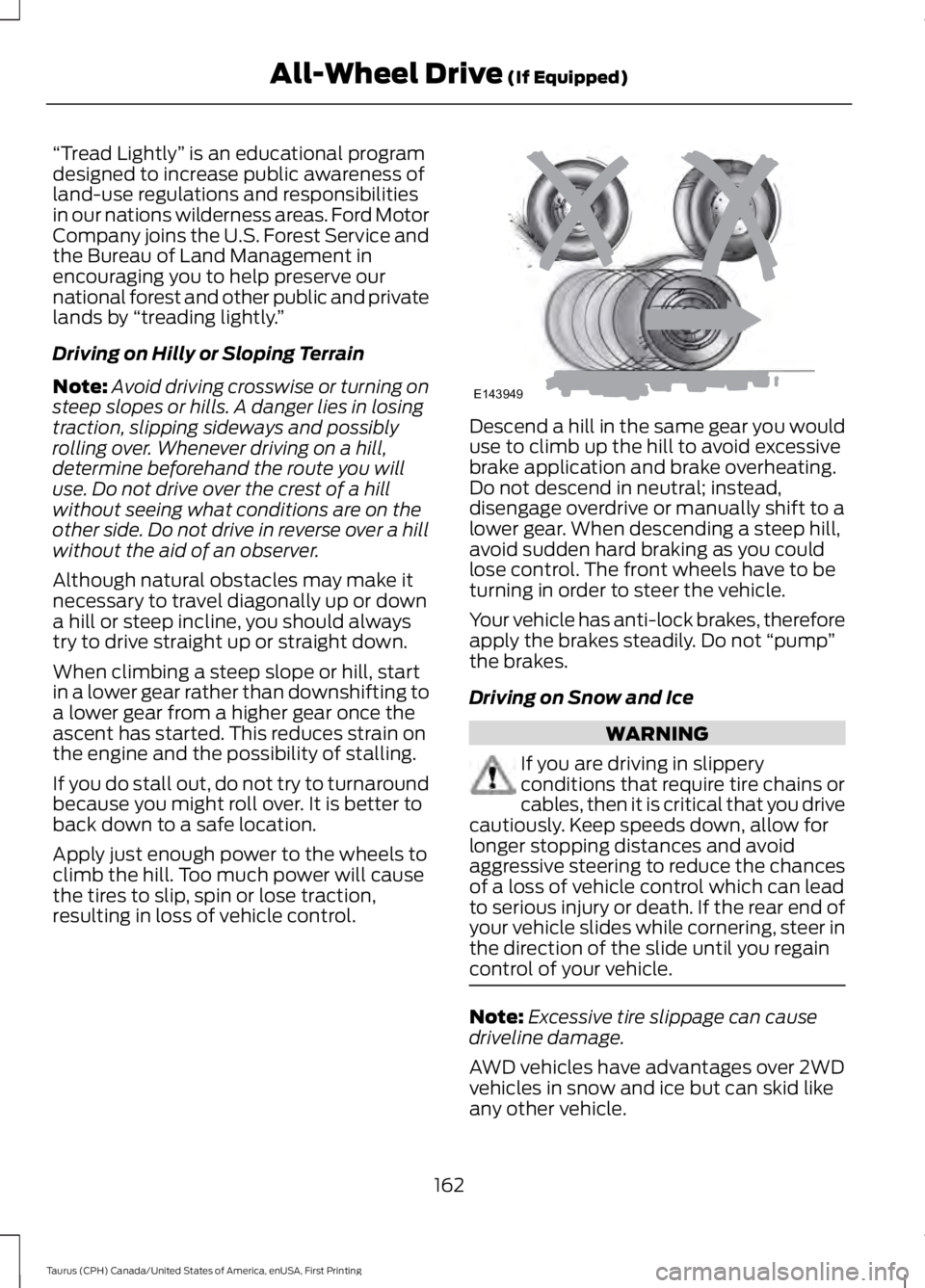
“Tread Lightly” is an educational programdesigned to increase public awareness ofland-use regulations and responsibilitiesin our nations wilderness areas. Ford MotorCompany joins the U.S. Forest Service andthe Bureau of Land Management inencouraging you to help preserve ournational forest and other public and privatelands by “treading lightly.”
Driving on Hilly or Sloping Terrain
Note:Avoid driving crosswise or turning onsteep slopes or hills. A danger lies in losingtraction, slipping sideways and possiblyrolling over. Whenever driving on a hill,determine beforehand the route you willuse. Do not drive over the crest of a hillwithout seeing what conditions are on theother side. Do not drive in reverse over a hillwithout the aid of an observer.
Although natural obstacles may make itnecessary to travel diagonally up or downa hill or steep incline, you should alwaystry to drive straight up or straight down.
When climbing a steep slope or hill, startin a lower gear rather than downshifting toa lower gear from a higher gear once theascent has started. This reduces strain onthe engine and the possibility of stalling.
If you do stall out, do not try to turnaroundbecause you might roll over. It is better toback down to a safe location.
Apply just enough power to the wheels toclimb the hill. Too much power will causethe tires to slip, spin or lose traction,resulting in loss of vehicle control.
Descend a hill in the same gear you woulduse to climb up the hill to avoid excessivebrake application and brake overheating.Do not descend in neutral; instead,disengage overdrive or manually shift to alower gear. When descending a steep hill,avoid sudden hard braking as you couldlose control. The front wheels have to beturning in order to steer the vehicle.
Your vehicle has anti-lock brakes, thereforeapply the brakes steadily. Do not “pump”the brakes.
Driving on Snow and Ice
WARNING
If you are driving in slipperyconditions that require tire chains orcables, then it is critical that you drivecautiously. Keep speeds down, allow forlonger stopping distances and avoidaggressive steering to reduce the chancesof a loss of vehicle control which can leadto serious injury or death. If the rear end ofyour vehicle slides while cornering, steer inthe direction of the slide until you regaincontrol of your vehicle.
Note:Excessive tire slippage can causedriveline damage.
AWD vehicles have advantages over 2WDvehicles in snow and ice but can skid likeany other vehicle.
162
Taurus (CPH) Canada/United States of America, enUSA, First Printing
All-Wheel Drive (If Equipped)E143949
Page 166 of 504
Should you start to slide while driving onsnowy or icy roads, turn the steering wheelin the direction of the slide until you regaincontrol.
Avoid sudden applications of power andquick changes of direction on snow andice. Apply the accelerator slowly andsteadily when starting from a full stop.
Avoid sudden braking as well. Although anAWD vehicle may accelerate better thana two-wheel drive vehicle in snow and ice,it won’t stop any faster, because as in othervehicles, braking occurs at all four wheels.Do not become overconfident as to roadconditions.
Make sure you allow sufficient distancebetween you and other vehicles forstopping. Drive slower than usual andconsider using one of the lower gears. Inemergency stopping situations, apply thebrake steadily. Since your vehicle isequipped with a four wheel (ABS), do not“pump” the brakes. See Hints on DrivingWith Anti-Lock Brakes (page 164).
Maintenance and Modifications
The suspension and steering systems onyour vehicle have been designed andtested to provide predictable performancewhether loaded or empty and durable loadcarrying capability. For this reason, FordMotor Company strongly recommends thatyou do not make modifications such asadding or removing parts (such as loweringkits or stabilizer bars) or by usingreplacement parts not equivalent to theoriginal factory equipment.
Any modifications to a vehicle that raisethe center of gravity can make it more likelythe vehicle will rollover as a result of a lossof control. Ford Motor Companyrecommends that caution be used withany vehicle equipped with a high load ordevice (such as ladder or luggage racks).
Failure to maintain your vehicle properlymay void the warranty, increase your repaircost, reduce vehicle performance andoperational capabilities and adverselyaffect driver and passenger safety.Frequent inspection of vehicle chassiscomponents is recommended if the vehicleis subjected to off-highway usage.
163
Taurus (CPH) Canada/United States of America, enUSA, First Printing
All-Wheel Drive (If Equipped)