automatic transmission GMC ENVOY XUV 2005 Owner's Manual
[x] Cancel search | Manufacturer: GMC, Model Year: 2005, Model line: ENVOY XUV, Model: GMC ENVOY XUV 2005Pages: 474, PDF Size: 2.67 MB
Page 69 of 474
Keys...............................................................2-3
Remote Keyless Entry System.........................2-5
Remote Keyless Entry System Operation...........2-6
Doors and Locks.............................................2-8
Door Locks....................................................2-8
Power Door Locks..........................................2-9
Delayed Locking.............................................2-9
Programmable Automatic Door Locks..............2-10
Rear Door Security Locks..............................2-12
Lockout Protection........................................2-12
Midgate.......................................................2-13
Tailgate.......................................................2-14
Power Roof.................................................2-18
Windows........................................................2-20
Power Windows............................................2-21
Sun Visors...................................................2-22
Theft-Deterrent Systems..................................2-22
Content Theft-Deterrent.................................2-22
Passlock
®....................................................2-24
Starting and Operating Your Vehicle................2-24
New Vehicle Break-In....................................2-24
Ignition Positions..........................................2-25Retained Accessory Power (RAP)...................2-25
Starting Your Engine.....................................2-26
Adjustable Throttle and Brake Pedal................2-27
Engine Coolant Heater..................................2-27
Displacement on Demand (DoD).....................2-28
Automatic Transmission Operation...................2-29
Four-Wheel Drive..........................................2-32
Parking Brake..............................................2-36
Shifting Into Park (P).....................................2-37
Shifting Out of Park (P).................................2-39
Parking Over Things That Burn.......................2-39
Engine Exhaust............................................2-40
Running Your Engine While You Are Parked.......2-40
Mirrors...........................................................2-42
Manual Rearview Mirror.................................2-42
Manual Rearview Mirror with OnStar
®..............2-42
Manual Rearview Mirror with Compass............2-42
Manual Rearview Mirror with OnStar
®and
Compass.................................................2-44
Manual Rearview Mirror with Compass and
Temperature.............................................2-46
Manual Rearview Mirror with OnStar
®,
Compass, and Temperature Display.............2-48
Section 2 Features and Controls
2-1
Page 78 of 474

Programmable Automatic
Door Locks
Your vehicle is equipped with an automatic lock/unlock
feature which enables you to program your vehicle’s
power door locks. You can program this feature through
the Driver Information Center (DIC), or by the following
method. SeeDIC Vehicle Customization on page 3-57.
Programmable Locking Feature
Following are the two locking modes that can be
programmed:
Mode 1:All doors lock when the transmission is shifted
out of PARK (P).
Mode 2:All doors lock when the vehicle speed is
greater than 8 mph (13 km/h).
The automatic door locks were pre-programmed at the
factory to lock all the doors when the transmission
is shifted into gear. The following instructions detail how
to program your door locks differently than the factory
setting. Choose one of the two programming options
listed above before entering the program mode.To enter the program mode, do the following:
1. Begin with the ignition off. Then pull the turn
signal/multifunction lever toward you and hold
it there while you perform the next step.
2. Turn the key to RUN and LOCK twice. Then, with the
key in LOCK, release the turn signal/multifunction
lever. Once you do this, you will hear the lock switch
lock and unlock, the horn will chirp twice, and a
30 second program timer will begin.
3. You are now ready to program the automatic door
locks. Select one of the two programming options
listed above, and press the lock side of the power
door lock switch to cycle through the lock options.
You will have 30 seconds to begin programming.
If you exceed the 30 second limit, the locks will
automatically lock and unlock and the horn will chirp
twice to indicate that you have left the program
mode. If this occurs, repeat the procedure beginning
with Step 1 to re-enter the programming mode.
You can exit the program mode any time by turning the
ignition to RUN. The locks will automatically lock and
unlock and the horn will chirp twice to indicate that you
are leaving the program mode. If the lock/unlock switches
are not pressed while in the programming mode,
the current auto lock/unlock setting will not be modied.
See your dealer for more information.
2-10
Page 79 of 474

Programmable Unlocking Feature
The following is the list of available programming options:
Mode 1:All doors unlock when the transmission is
shifted into PARK (P).
Mode 2:Driver’s door unlocks when the transmission is
shifted into PARK (P).
Mode 3:All doors unlock when the key is removed
from the ignition.
Mode 4:No automatic door unlock.
The automatic door locks were pre-programmed at the
factory to unlock all doors once the transmission is shifted
to PARK (P). The following instructions detail how to
program your door locks differently than the factory
setting. Choose one of the four programming options
listed above before entering the program mode.
To enter the program mode you need to do the
following:
1. Begin with the ignition off. Then pull the turn
signal/multifunction lever toward you and hold
it there while you perform the next step.2. Turn the key to RUN and LOCK twice. Then, with the
key in LOCK, release the turn signal/multifunction
lever. Once you do this, you will hear the lock switch
lock and unlock, the horn will chirp twice, and a
30 second program timer will begin.
3. You are now ready to program the automatic door
locks. Select one of the four programming options
listed above, and press the unlock side of the
power door lock switch to cycle through the
unlocking options. You will have 30 seconds to
begin programming. If you exceed the 30 second
limit, the locks will automatically lock and unlock and
the horn will chirp twice to indicate that you have
left the program mode. If this occurs, repeat the
procedure beginning with Step 1 to re-enter
the programming mode.
You can exit the program mode any time by turning the
ignition to RUN. The locks will automatically lock and
unlock and the horn will chirp twice to indicate that you
are leaving the program mode. If the lock/unlock switches
are not pressed while in the programming mode, the
current auto lock/unlock setting will not be modied.
See your dealer for more information.
2-11
Page 96 of 474
To Use the Engine Coolant Heater
1. Turn off the engine.
2. Open the hood and unwrap the electrical cord.
The cord is located on the driver’s side of the
engine compartment, behind the battery.
3. Plug it into a normal, grounded 110-volt AC outlet.
{CAUTION:
Plugging the cord into an ungrounded outlet
could cause an electrical shock. Also, the
wrong kind of extension cord could overheat
and cause a re. You could be seriously
injured. Plug the cord into a properly grounded
three-prong 110-volt AC outlet. If the cord will
not reach, use a heavy-duty three-prong
extension cord rated for at least 15 amps.
4. Before starting the engine, be sure to unplug and
store the cord as it was before to keep it away
from moving engine parts. If you do not, it could
be damaged.How long should you keep the coolant heater plugged
in? The answer depends on the outside temperature,
the kind of oil you have, and some other things.
Instead of trying to list everything here, we ask that
you contact your dealer in the area where you will be
parking your vehicle. The dealer can give you the
best advice for that particular area.
Displacement on Demand (DoD)
Your vehicle’s engine may be equipped with
Displacement on Demand (DoD). This system allows
the engine to operate on either four or eight cylinders,
depending on your driving demands.
The system determines when to switch into and out of
the four-cylinder mode by rst making sure that
certain enabling criteria are met, such as coolant and
oil temperatures, and the transmission being in
either THIRD (3) or FOURTH (4) gear.
When greater power demands are required, such as
accelerating from a stop, passing, or merging onto
a freeway, the system will maintain eight-cylinder
operation. When less power is required, such a
cruising at a constant vehicle speed, the system will
automatically enable the four-cylinder mode, allowing
your vehicle to achieve better fuel economy.
2-28
Page 97 of 474
Automatic Transmission Operation
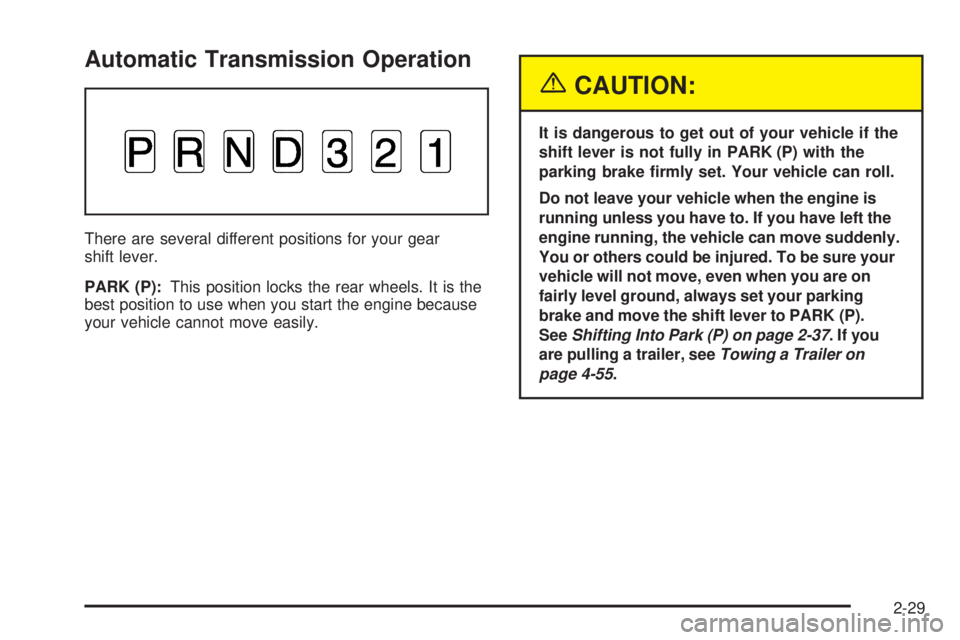
There are several different positions for your gear
shift lever.
PARK (P):This position locks the rear wheels. It is the
best position to use when you start the engine because
your vehicle cannot move easily.
{CAUTION:
It is dangerous to get out of your vehicle if the
shift lever is not fully in PARK (P) with the
parking brake rmly set. Your vehicle can roll.
Do not leave your vehicle when the engine is
running unless you have to. If you have left the
engine running, the vehicle can move suddenly.
You or others could be injured. To be sure your
vehicle will not move, even when you are on
fairly level ground, always set your parking
brake and move the shift lever to PARK (P).
SeeShifting Into Park (P) on page 2-37.Ifyou
are pulling a trailer, seeTowing a Trailer on
page 4-55.
2-29
Page 98 of 474
{CAUTION:
If you have four-wheel drive, your vehicle
will be free to roll — even if your shift lever is
in PARK (P) — if your transfer case is in
NEUTRAL. So, be sure the transfer case is in a
drive gear — not in NEUTRAL. SeeFour-Wheel
Drive on page 2-32. SeeShifting Into Park (P)
on page 2-37.
Ensure the shift lever is fully in PARK (P) before starting
the engine. Your vehicle has an automatic transmission
shift lock control system. You have to fully apply the
regular brakes before you can shift from PARK (P) when
the ignition key is in RUN. If you cannot shift out of
PARK (P), ease pressure on the shift lever, press the
button on the shift lever and push the shift lever all
the way into PARK (P) as you maintain brake
application. Move the shift lever into the gear you wish.
SeeShifting Out of Park (P) on page 2-39.REVERSE (R):Use this gear to back up.
Notice:Shifting to REVERSE (R) while your vehicle
is moving forward could damage the transmission.
The repairs would not be covered by your warranty.
Shift to REVERSE (R) only after your vehicle is
stopped.
To rock your vehicle back and forth to get out of snow,
ice or sand without damaging your transmission,
seeIf You Are Stuck: In Sand, Mud, Ice or Snow on
page 4-42.
NEUTRAL (N):In this position, the engine does not
connect with the wheels. To restart when you are
already moving, use NEUTRAL (N) only.
{CAUTION:
Shifting into a drive gear while your engine is
running at high speed is dangerous. Unless
your foot is rmly on the brake pedal, your
vehicle could move very rapidly. You could
lose control and hit people or objects. Do not
shift into a drive gear while your engine is
running at high speed.
2-30
Page 107 of 474

When you are ready to drive, move the shift lever out of
PARK (P) before you release the parking brake.
If torque lock does occur, you may need to have another
vehicle push yours a little uphill to take some of the
pressure from the parking pawl in the transmission,
so you can pull the shift lever out of PARK (P).
Shifting Out of Park (P)
Your vehicle has an automatic transmission shift lock
control system. You have to fully apply the regular
brakes before you can shift from PARK (P) when the
ignition is in RUN. SeeAutomatic Transmission
Operation on page 2-29.
Parking Over Things That Burn
{CAUTION:
Things that can burn could touch hot exhaust
parts under your vehicle and ignite. Do not
park over papers, leaves, dry grass or other
things that can burn.
2-39
Page 148 of 474

Daytime Running Lamps (DRL)
Daytime Running Lamps (DRL) can make it easier for
others to see the front of your vehicle during the day.
DRL can be helpful in many different driving conditions,
but they can be especially helpful in the short periods
after dawn and before sunset. Fully functional daytime
running lamps are required on all vehicles rst sold
in Canada.
The DRL system will make your headlamps come on
at reduced brightness when the following conditions
are met:
The ignition is on.
The exterior lamps knob is in automatic
headlamp mode.
The light sensor detects daytime light.
The transmission is not in PARK (P).
When the DRL are on, only your headlamps will be on.
The taillamps, sidemarker and other lamps won’t be
on. The instrument panel won’t be lit up either.
When it begins to get dark, the headlamps will
automatically switch from DRL to the regular headlamps.
Automatic Headlamp System
When it is dark enough outside, your Automatic
Headlamp System will turn on your headlamps at the
normal brightness along with other lamps such as
the taillamps, sidemarker, parking lamps and the
instrument panel lights. The radio lights will also be on.
Your vehicle is equipped with a light sensor on the
top of the instrument panel. Be sure it is not covered or
the system will be on whenever the ignition is on.
The system may also turn on your lights when driving
through a parking garage, heavy overcast weather
or a tunnel. This is normal.
There is a delay in the transition between the daytime and
nighttime operation of the Daytime Running Lamps (DRL)
and the automatic headlamp systems, so that driving
under bridges or bright overhead street lights does not
affect the system. The DRL and automatic headlamp
system will only be affected when the light sensor sees a
change in lighting lasting longer than the delay.
If you start your vehicle in a dark garage, the automatic
headlamp system will come on immediately. Once you
leave the garage, it will take about one minute for
the automatic headlamp system to change to DRL if it is
light outside. During that delay, your instrument panel
cluster may not be as bright as usual. Make sure
your instrument panel brightness control is in the
full bright position.
3-16
Page 263 of 474

Traction Assist System (TAS)
Your two-wheel drive vehicle may have a Traction Assist
System (TAS) that limits wheel spin. This is especially
useful in slippery road conditions. The system operates
only if it senses that one or both of the rear wheels are
spinning or beginning to lose traction. When this
happens, the system reduces engine power to limit
wheel spin.
The low traction symbol next to the button will come on
when the TAS is limiting wheel spin. You may feel or
hear the system working, but this is normal.
The Traction Assist System may operate on dry roads
under some conditions. When this happens, you may
notice a reduction in acceleration. This is normal
and doesn’t mean there’s a problem with your vehicle.
Examples of these conditions include a hard
acceleration in a turn, an abrupt upshift or downshift of
the transmission or driving on rough roads.
If your vehicle is in cruise control when the TAS begins
to limit wheel spin, the cruise control will automatically
disengage. When road conditions allow you to safely
use it again, you may re-engage the cruise control.
SeeCruise Control on page 3-12.When the traction control
off symbol on the button is
on, the TAS is off and
will not limit wheel spin.
Adjust your driving
accordingly.
The traction control off symbol on the button will come
on under the following conditions:
The Traction Assist System is turned off, either by
pressing the on/off button or by turning off the
automatic engagement feature of the TAS.
The transmission is in FIRST (1) gear; TAS will not
operate in this gear. This is normal.
The vehicle is driven on an extremely rough road.
When the vehicle leaves the rough surface, slows
down or stops, the light will go off and TAS will
be on again. This is normal.
A Traction Assist System, Anti-Lock Brake System
or engine-related problem has been detected and
the vehicle needs service.
4-9
Page 307 of 474

Dolly Towing
Front Towing (Front Wheels Off the Ground)
Two-Wheel-Drive Vehicles
Notice:If you tow a two-wheel-drive vehicle with
the rear wheels on the ground, the transmission
could be damaged. The repairs would not be
covered by your warranty. Never tow your vehicle
with the rear wheels on the ground.
Four-Wheel-Drive Vehicles
Four-wheel-drive vehicles can be dolly towed with the
rear wheels on the ground.
Use the following procedure to tow your vehicle:
1. Drive the vehicle onto the tow dolly.
2. Shift the automatic transmission to PARK (P).
3. Turn the engine off, but leave the ignition on.
4. Firmly set the parking brake.
5. Securely attach the vehicle being towed to the dolly.
{CAUTION:
Shifting a four-wheel-drive vehicle’s transfer
case into NEUTRAL can cause your vehicle to
roll even if the transmission is in PARK (P).
You or others could be injured. Make sure the
parking brake is rmly set before you shift the
transfer case to NEUTRAL.
6. Shift the transfer case to NEUTRAL (N). See
Four-Wheel Drive on page 2-32for the proper
procedure to select the NEUTRAL (N) position for
your vehicle.
7. Release the parking brake only after the vehicle
being towed is rmly attached to the towing vehicle.
8. Turn the ignition off.
After towing, see “Shifting Out of Neutral” under
Four-Wheel Drive on page 2-32.
4-53